Every WordPress plugin with a UI has solved icons the same bad way. You inline the SVG in PHP, inline it again in your React components, and inline it a third time in an email template, then discover six months later that three copies have drifted. Or you build a sprite sheet and a helper function to reference it, and now every plugin on the site ships its own private icon system that nothing else can see.
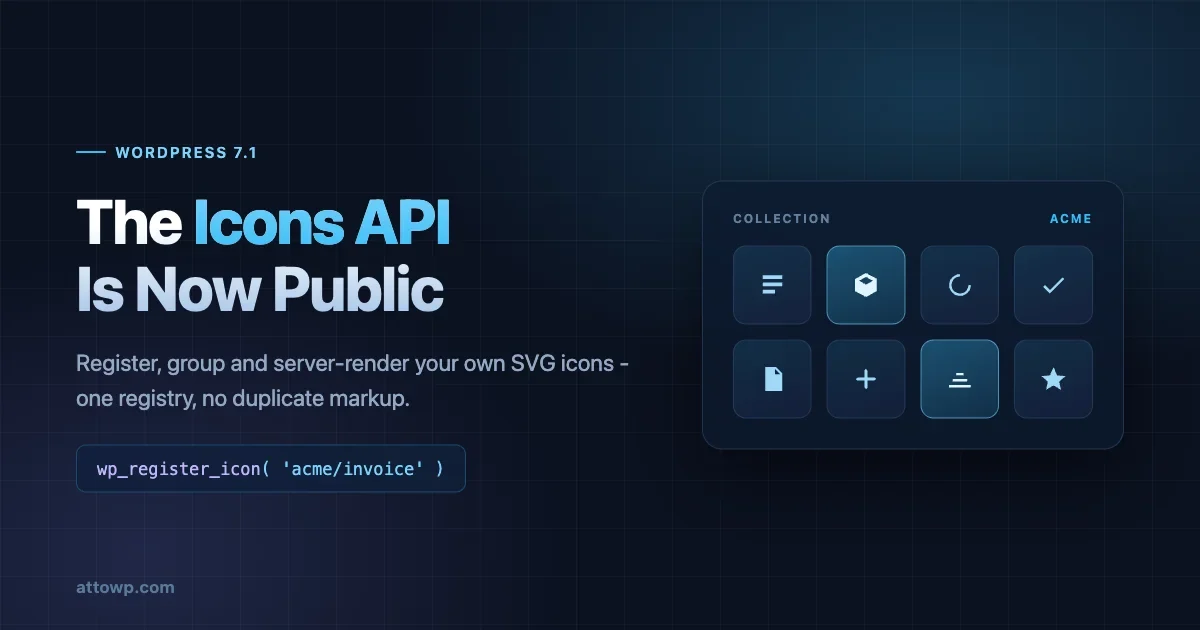
The WordPress Icons API fixes that. WordPress 7.0 shipped a built-in SVG icon set for the editor and the core/icon block; 7.1 turns it into a public API you can register into. Icons become a registry: named, grouped, queryable over REST, and renderable from PHP with a single function.
This is the payoff we flagged when every WordPress icon started inheriting currentColor - that change was the styling half, and this is the registration half. Registered icons inherit color for free, so the two land together.
The four registration functions
The API is deliberately small.
wpregistericon_collection() creates a named group. It takes a required label and an optional description.
wpregistericon() registers a single icon into a collection. You supply the SVG one of two ways: content, an inline SVG string, or file_path, an absolute path to an .svg file on disk.
wpunregistericon() removes one icon by name.
wpunregistericon_collection() removes a collection and every icon in it.
Registration goes in the same place as any other registry work - hooked early enough that the editor, the REST controller, and any front-end render all see the same set.
A minimal registration looks like this:
add_action( 'init', function () {
	wp_register_icon_collection( 'acme', array(
		'label'       => __( 'Acme', 'acme' ),
		'description' => __( 'Interface icons used across Acme admin screens.', 'acme' ),
	) );

	wp_register_icon( 'acme/invoice', array(
		'file_path' => ACME_PLUGIN_DIR . 'assets/icons/invoice.svg',
	) );

	wp_register_icon( 'acme/refund', array(
		'content' => '<svg viewBox="0 0 24 24" xmlns="http://www.w3.org/2000/svg"><path d="M12 5v14l-7-7z" /></svg>',
	) );
} );
Prefer file_path over content for anything beyond a trivial glyph. Keeping SVGs as files means your designers can edit them in a vector editor and commit the result, rather than editing escaped strings inside PHP - and it keeps the icon out of your translation and diff noise.
Collections are the namespace
Every icon belongs to a collection, and the collection name becomes its prefix. Icons are addressed as collection/icon-name.
Core registers its own collection by default, so core/ is taken. Yours should be your plugin or theme slug, for the same reason your options are prefixed.
Naming is validated, not merely conventional. Both the collection name and the icon name must start and end with a lowercase letter or digit, and in between may contain lowercase letters, digits, hyphens, and underscores. No uppercase, no leading hyphen, no trailing underscore.
The grouping is not just bookkeeping. The Icon block’s picker now shows tabs by collection alongside an “All” tab, so a registered collection is a visible, browsable section of the UI. If you register fourteen icons under a sensible label, that label is what editors see.
Rendering server-side
wpgeticon() returns sanitized SVG markup for a registered icon. It takes the icon name and an optional array of arguments:
size- pixel dimensions, default24class- CSS classes to applylabel- accessible text for screen readers
The label argument deserves emphasis. Icon accessibility fails in one of two directions: a decorative icon that announces itself, or a meaningful icon that announces nothing. Passing label when the icon carries meaning and omitting it when the icon is decorative is the entire decision, and having it as a first-class argument means it is harder to forget than when you were pasting raw tags.
The core/icon block delegates its own server-side rendering to wpgeticon(). That is the detail that makes this worth adopting: an icon rendered by the block and the same icon rendered from your PHP produce identical markup, because they run through the same function. The drift problem disappears structurally rather than by discipline.
Accessibility: the decision the label argument forces
Icon accessibility has exactly two failure modes, and both are common enough that you have almost certainly shipped one.
The first is the decorative icon that announces itself. A chevron next to “Next”, a magnifying glass inside a search field that already has a label, a small dot indicating status that is also described in adjacent text. Each of these, rendered as bare SVG without any accessible-name handling, gets read aloud by a screen reader as an image, or worse, as a filename. The user hears noise between the words that matter.
The second is the meaningful icon that announces nothing. An icon-only button - a trash can, a pencil, three dots - with no text label at all. Sighted users infer the meaning from a universally understood glyph. A screen reader user gets “button”, with nothing else.
The rule is straightforward once stated. If the icon is the only thing conveying the meaning, it needs an accessible name. If the meaning is already present in adjacent text, the icon must be hidden from assistive technology so it does not duplicate.
wpgeticon() puts that decision in front of you as an argument rather than leaving it to a aria-hidden attribute you remember to add. Pass label when the icon carries meaning:
// Icon-only action button - the icon IS the label.
echo '<button type="button" class="acme-row__delete">';
echo wp_get_icon( 'acme/trash', array(
	'size'  => 20,
	'label' => __( 'Delete invoice', 'acme' ),
) );
echo '</button>';
Omit it when the icon is decoration alongside real text:
// Text is already present - the icon adds nothing for a screen reader.
echo '<span class="acme-status">';
echo wp_get_icon( 'acme/check', array( 'size' => 16 ) );
echo esc_html__( 'Paid', 'acme' );
echo '</span>';
The label text itself deserves a moment of thought. “Delete invoice” is better than “Delete”, which is better than “Trash icon”. Describe the action or the meaning, never the picture. A screen reader user does not need to know what the glyph looks like; they need to know what happens if they activate it.
The REST surface
The registry is readable over REST, which is what makes it useful to anything outside PHP.
Collections:
GET /wp/v2/icon-collections- all collectionsGET /wp/v2/icon-collections/- one collection
Icons:
GET /wp/v2/icons- all iconsGET /wp/v2/icons/- icons in one collection, new in 7.1GET /wp/v2/icons//- a single icon
The icon endpoints accept search and collection query parameters, so a picker UI can filter server-side rather than pulling the whole set and filtering in the browser.
Access requires an authenticated user with post editing capability. This is an editorial API, not a public asset endpoint - do not plan to serve front-end icons to anonymous visitors through it.
That capability requirement is worth designing around rather than fighting. If you are building an admin screen in React, the registry is available to you and you should read from it. If you are building anything public-facing, render server-side with wpgeticon() and ship the markup with the page. Trying to make the REST route work for logged-out visitors means either weakening the permission callback on a core route or proxying it through your own endpoint, and both are more work than the server-side render you were avoiding.
Consuming the registry in a React admin screen
The practical shape for a plugin admin UI is a fetch on mount and a local map, rather than a hard-coded list:
import apiFetch from '@wordpress/api-fetch';
import { useState, useEffect } from '@wordpress/element';

function useIconCollection( collection ) {
	const [ icons, setIcons ] = useState( [] );

	useEffect( () => {
		apiFetch( { path: `/wp/v2/icons/${ collection }` } )
			.then( setIcons )
			.catch( () => setIcons( [] ) );
	}, [ collection ] );

	return icons;
}
The search parameter means a picker with more than a handful of icons should filter server-side rather than pulling everything and filtering in the browser - the same reasoning that applies to any other list endpoint.
For rendering in React, keep using @wordpress/icons components where a core icon exists. The registry is most valuable for your own icons and for any UI that needs to enumerate what is available, such as a settings screen where a site owner picks which icon represents a custom status.
Testing what survived sanitization
The sanitizer runs at registration, which means an icon can be registered successfully and still render as something you did not intend. The allowlist is narrow enough that this will happen to at least one icon in any set of reasonable size.
Check the actual output rather than trusting that registration returned without error:
add_action( 'admin_notices', function () {
	if ( ! current_user_can( 'manage_options' ) || ! isset( $_GET['acme_icon_audit'] ) ) {
		return;
	}

	$names = array( 'acme/invoice', 'acme/refund', 'acme/trash', 'acme/check' );

	echo '<div class="notice notice-info"><p>';
	foreach ( $names as $name ) {
		$svg = wp_get_icon( $name, array( 'size' => 32 ) );
		printf(
			'<span title="%s" style="display:inline-block;margin-right:12px">%s</span>',
			esc_attr( $name ),
			$svg ? $svg : esc_html( 'MISSING: ' . $name )
		);
	}
	echo '</p></div>';
} );
Load any admin screen with ?acmeiconaudit=1 and you get every registered icon rendered at once. An icon that came through the sanitizer stripped of its shapes shows as blank space, which is immediately obvious in a row of working glyphs and almost invisible if you only ever check one at a time.
The most common casualties are icons built from and , which most icon sets use freely because they are smaller than the equivalent path data. Converting shapes to paths before registration solves it. Any vector editor will do this on export, and most SVG optimisers have a flag for it.
The second most common casualty is anything using for grouping with a transform applied to the group. The transform lives on an element that does not survive, so the shapes inside it render at their untransformed coordinates - which usually means off-canvas and therefore invisible. Flatten transforms before registering.
What sanitization will strip
Registered SVG is sanitized against an allowlist, and the allowlist is narrow. Only , , and elements survive, each with a fixed set of permitted attributes. Inline styles, scripts, and event handlers are removed.
Two consequences are worth planning around.
First, anything built from , , , , or will not survive registration intact. Most icon sets export these freely. Run your SVGs through a converter that flattens shapes to paths before registering them, and check the rendered output rather than assuming.
Second, the fill attribute is retained on shapes but stripped from the outer . That is what makes the currentColor behaviour work: with no fill on the root element, the icon inherits the text color of its context. If your icon has a hard-coded fill on the outer element today and you are wondering why it stopped honouring color, that is why.
On the React side, icons from @wordpress/icons v15.0.0 and later declare fill="currentColor" on the outer , so they inherit text color by default. Apply an alternative with style={ { color } } rather than reaching for the CSS fill property, which no longer does what it used to.
What this replaces
Take stock of the icon handling in any mature plugin and you will usually find three or four of these: an icons.php file returning SVG strings, a wrapper component with its own switch statement, a sprite in /assets/, a duplicated copy of six icons inside an admin CSS file as data URIs, and one place where somebody just used a dashicon and gave up.
The registry collapses that. One registration call per icon, one function to render in PHP, one REST route for any JS that needs to browse them, and one place to change when the design updates.
It also makes your icons visible to the rest of the site. A registered collection appears in the Icon block picker, which means content editors can use your plugin’s icon set in their pages without you building anything.
Concretely, the pattern most plugins have today looks something like this:
function acme_icon( $name, $size = 24 ) {
	$icons = array(
		'invoice' => '<svg viewBox="0 0 24 24" fill="#1e1e1e" width="%1$d" height="%1$d">...</svg>',
		'refund'  => '<svg viewBox="0 0 24 24" fill="#1e1e1e" width="%1$d" height="%1$d">...</svg>',
	);

	if ( ! isset( $icons[ $name ] ) ) {
		return '';
	}

	return sprintf( $icons[ $name ], $size );
}
That function has four problems, and they are the same four in every plugin that has one. The hard-coded fill means the icon ignores its context. The size is baked into the markup rather than left to CSS. Nothing outside PHP can enumerate what icons exist. And the JS side has its own separate copy of the same strings.
The replacement is one call:
echo wp_get_icon( 'acme/invoice', array(
	'size'  => 20,
	'class' => 'acme-row__icon',
	'label' => __( 'Invoice', 'acme' ),
) );
Color now comes from the surrounding text color, the class hooks your stylesheet, the accessible name is explicit, and the JS side reads the same registry over REST instead of maintaining a parallel list.
Unregistering, and when not to
wpunregistericon() and wpunregistericon_collection() exist, and the temptation on a client build is to use them to strip core icons down to an approved subset.
Think carefully before doing that. The Icon block picker is a content-editor surface, and removing entries from it changes what is available inside posts and templates. If a page already uses an icon and you unregister it later, you have changed the meaning of existing content rather than just tidying a menu. Removing a collection you did not register is the kind of change that works fine on the day and confuses whoever inherits the site.
The safe use is symmetrical: unregister what you registered. A plugin that removes its own collection on deactivation is being tidy. A theme that removes core’s collection is making a decision on behalf of every editor, and that decision belongs in a conversation, not a functions.php line.
A migration plan that does not break anything
If you maintain a plugin with an established icon helper, the temptation is to swap the implementation and move on. Do it in stages instead, because the sanitizer will reject some of your set and you want to find that out before the old code path is gone.
Stage one: inventory. List every icon your plugin ships and where each is used. Most plugins discover at this point that two or three icons are defined but never rendered, and that one icon is rendered from three different places with slightly different markup. Delete the dead ones now rather than migrating them.
Stage two: convert the SVG. Run every file through a shape-to-path conversion and flatten transforms. Register them in a development environment and run the audit notice from the previous section. Fix what renders blank. This is the stage that takes real time, and it is the reason not to do this the week of a release.
Stage three: register alongside the old helper. Keep the existing function working and add registration next to it. Nothing changes for users yet, but the registry is populated and the REST routes return your icons, so you can start testing consumers.
Stage four: change the helper’s body, not its signature. Rewrite your existing function to delegate:
function acme_icon( $name, $size = 24 ) {
	return wp_get_icon( 'acme/' . $name, array( 'size' => $size ) );
}
Every existing call site keeps working. You have changed one function body rather than fifty templates, and if something renders wrong you have exactly one place to look.
Stage five: migrate call sites opportunistically. Replace acmeicon() calls with direct wpget_icon() calls as you touch those files for other reasons, adding the label argument where the icon is meaningful. There is no deadline on this stage, and a shim that survives indefinitely is not a failure.
The one thing to avoid is registering icons and leaving the old inline SVG in place as a fallback. Two sources of truth is the problem you are trying to solve, and a fallback that never gets removed is how it comes back.
What this does not do
Three limits are worth setting expectations around.
It does not help outside WordPress rendering. Icons in transactional emails, PDF exports, or anything rendered by a separate service still need their own handling - wpgeticon() returns markup for a page, and an email client will not honour currentColor inheritance the way a browser does.
It does not give you sizing beyond pixels. The size argument takes pixel dimensions. If your design system works in relative units, you will be setting dimensions in CSS against the class you pass rather than through the argument.
And it does not solve icon licensing. Registering a third-party icon set into a public plugin distributes those icons, and the licence terms that applied when you were using them in a private build still apply. Check before you ship a collection of somebody else’s glyphs.
Worth doing now or later
The API ships with 7.1 on 19 August, so nothing here is usable on production today. If you have not started testing against Beta, our WordPress 7.1 Beta testing guide covers how to set that up, and the permanent 40px control default is the other change most likely to affect the same admin screens your icons live on.
If you maintain a plugin with a substantial icon set, this is worth a migration plan but not an urgent one - the win is maintenance and consistency, not a fix for something broken. Start by auditing which of your SVGs survive the three-element allowlist, because that determines how much conversion work sits between you and adoption.
If you are starting something new after August, register from the beginning. The cost is one function call per icon and it eliminates a category of drift that otherwise shows up eighteen months in.
And if you shipped a fix for the currentColor change back in July, this is the other half of that story. The icons stopped accepting fill for a reason, and the reason was that they were about to become a registry.

No comments yet