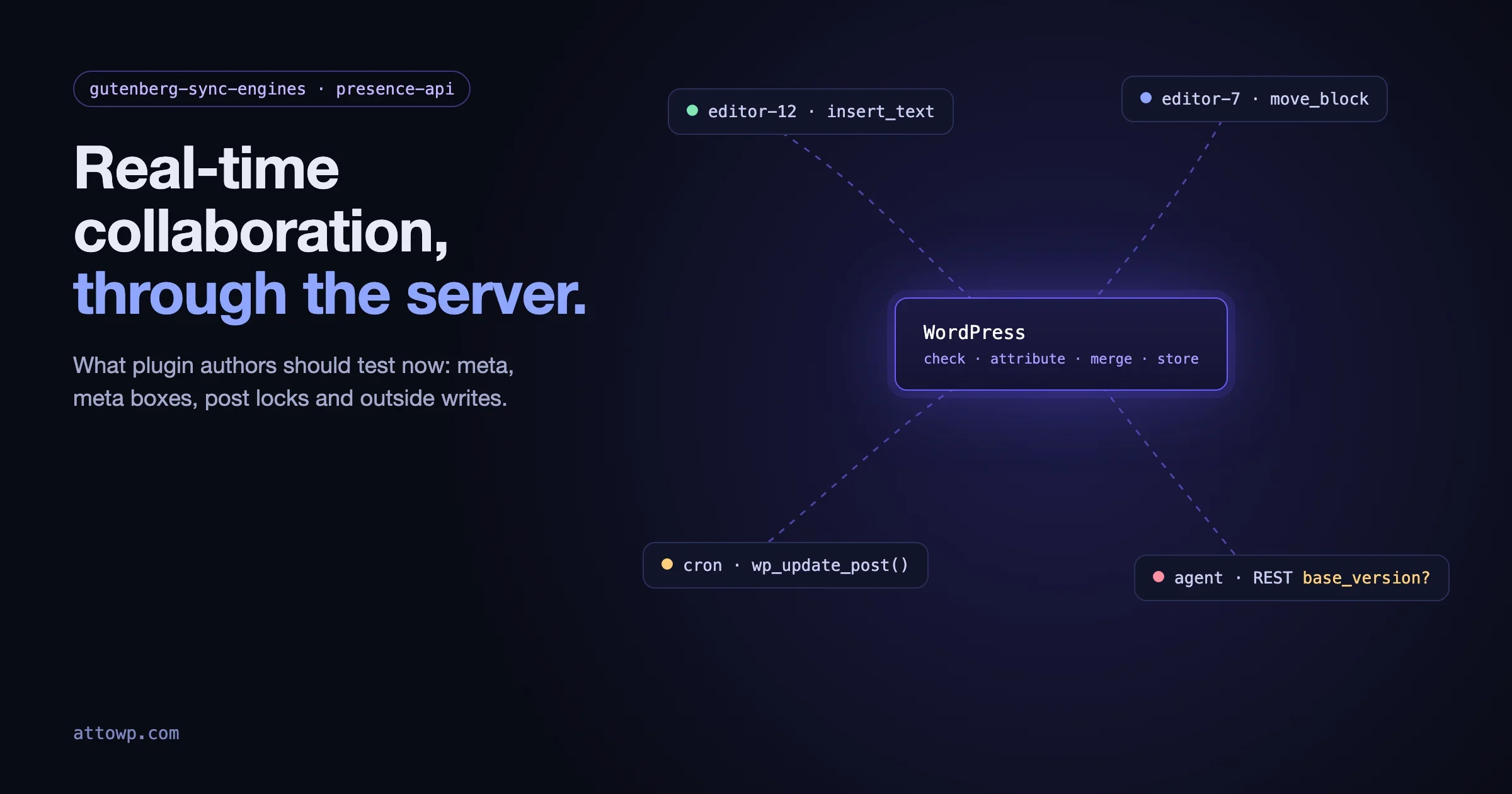
Real-time collaboration was pulled from WordPress 7.0 in May, and it is not on the roadmap for WordPress 7.2 either. It would be easy to read that as “nothing to do for a while”. It is the opposite. The project has changed direction: collaboration is being rebuilt so that every edit goes through the server, and the code that will decide how it works is open for testing right now. Two October posts on Make WordPress Core set out what that looks like, and both touch things plugin authors own: post meta, meta boxes, save hooks, post locks, custom post types, and any code that writes to posts from outside the editor.
This guide is for plugin authors. It explains what changed, what the candidate sync engines do with your plugin’s data, and a test list you can run this week on a throwaway site. Where I say “tested”, I ran it on WordPress 7.1.3 in WordPress Playground with Presence API 0.18.2 and the current Gutenberg Sync Engines release, on 18 October 2026.
Where real-time collaboration stands in October 2026
- 8 May: real-time collaboration was removed from WordPress 7.0, citing surface area, race conditions, server load, memory efficiency and recurring bugs found through fuzz testing.
- 18 September: Moving to a server-aware approach for collaboration explained why the browser-only design could not stay. The same day, the Roadmap to 7.2 said collaborative editing is intentionally left off the 7.2 roadmap, which targets early December.
- 2 and 12 October: the Presence API feature plugin posted what has shipped since April and a meeting summary on its path to core.
- 14 October: Real-time Collaboration: A Guide to Sync Engines introduced three candidate engines you can run today. Gutenberg 24.2 shipped the same day with some collaboration plumbing changes.
If you read our sister site’s piece from April on who actually needs real-time collaboration, note that it was written before the feature was pulled from 7.0. The question it asks, who benefits, still stands. The architecture underneath has changed.
Why the design moved to the server
In the browser-only experiment, each editor held a copy of the post and the copies synced with each other. WordPress only saw the finished post when someone pressed Save. The September post lists three problems with that, and each one matters to plugin authors:
- The server could not say who wrote what. Its example: an author without permission to post raw HTML adds a block with a
<script>tag, an administrator fixes a typo elsewhere and saves, and the post is saved under the administrator’s capabilities, script included. Any plugin that relies on capability checks at save time has the same blind spot. - The server could not take part. Changes made through the REST API or WP-CLI could not be shared with people in the editor. A script that fetched a post at 09:00 and wrote it back at 09:03 would erase whatever two editors did at 09:01.
- The server could not mediate. A dropped connection could let a stale editor save over newer work.
The fix is to route every change through WordPress. For each update, the server checks who sent it, checks they are allowed to make it, merges it with everyone else’s changes and stores the result. Conflicts the server cannot merge are set aside for a person to review.
The three candidate engines in one table
The engines live in the gutenberg-sync-engines plugin, which its README calls “a decision tool, not a solution”. One will be chosen and packaged as a feature plugin. The differences matter to you because they decide what happens to writes your plugin makes.
intent-log (default) | yjs-server | DE-RTC | |
|---|---|---|---|
What the browser sends | Short descriptions of edits, such as “insert text at position 42 in this block” | Binary Yjs updates | The whole post, through the normal autosave endpoint |
How often others see a change | On the next poll | On the next poll, with live cursors | On the save cadence, 10 seconds by default |
Two people change the same thing | Set aside for review | Merged silently, one person wins | Only the clashing blocks are set aside |
A script writes the post mid-session | Merged if it names the version it read; otherwise unnoticed, and the next session save overwrites it | Never noticed; the write is lost | Merged if it names its base version; otherwise detected by a content fingerprint and merged |
Markup the author may not publish | Set aside for someone with | Replaced with the cleaned form for everyone | Risky blocks set aside, the rest applied |
That “script writes the post” row comes from the repository’s engine comparison, and it is the row most plugin authors should read twice. If your plugin updates post content from a cron job, an import, a webhook, a REST integration or an AI agent, two of the three engines can lose that write or have it overwritten unless the write says which version of the post it started from. How that version is passed is still experimental: the sync engines guide shows it as something like Base-version: 123, and the protocol docs use a base_version parameter for DE-RTC and base_seq for intent-log. Do not build on those names yet. Do find every place your plugin writes post content.
The engines also support several transports: polling (the default, every 5 seconds, adjustable from 1 to 25), polling with a WebRTC hint channel, server-sent events, and a WebSocket daemon. Every transport falls back to polling. Polling means PHP requests on a timer for every open editor, which is worth remembering if your plugin adds work to every admin request.
Set up a test site in five minutes
The plugin needs WordPress 7.0 or later and the Presence API plugin, activated first. It ships its own lightly modified copy of Gutenberg, so it will not run alongside the Gutenberg plugin. Use a throwaway site. The fastest route I found is the WordPress Playground CLI with a small blueprint:
{
	"preferredVersions": { "php": "8.3", "wp": "latest" },
	"login": true,
	"steps": [
		{ "step": "installPlugin", "pluginData": { "resource": "wordpress.org/plugins", "slug": "presence-api" } },
		{ "step": "installPlugin", "pluginData": { "resource": "url", "url": "https://github.com/WordPress/gutenberg-sync-engines/releases/latest/download/gutenberg-sync-engines.zip" } }
	]
}
Save that as rtc.json, then add your own plugin with a mount:
npx @wp-playground/cli@latest server \
	--blueprint=rtc.json \
	--mount=./my-plugin:/wordpress/wp-content/plugins/my-plugin
Activate your plugin, pick an engine under Settings, Collaboration, and open the same post in two browsers as two different users. A normal window and a private window work. On my run the plugin added two tables, wp_sync_room_meta and wp_sync_updates, and REST routes under /wp-sync/v1/. Presence data lives in a wp_presence table.
The test list for plugin authors
1. Does your custom post type support collaboration at all?
The bundled Gutenberg code turns collaboration off for any post type that does not support custom-fields, because the REST API only exposes post meta for those types. I registered two test types on the same site:
register_post_type( 'book', array(
	'public' => true,
	'show_in_rest' => true,
	'supports' => array( 'title', 'editor' ),
) );

register_post_type( 'recipe', array(
	'public' => true,
	'show_in_rest' => true,
	'supports' => array( 'title', 'editor', 'custom-fields' ),
) );
wp_is_post_type_collaboration_disabled( 'book' ) returned true and the same call for recipe returned false. Posts and pages returned false. If your plugin registers a content type people will want to edit together, decide now whether it should support custom-fields. There is also a filter for the opposite case, a type you know should never be edited by two people at once:
add_filter( 'wp_is_post_type_collaboration_disabled', function ( $disabled, $post_type ) {
	return 'invoice' === $post_type ? true : $disabled;
}, 10, 2 );
Both the function and the filter live in the experimental collaboration code, not in WordPress 7.1.3 itself. Treat them as a preview of the shape, and guard calls with function_exists().
2. Is your post meta visible to the sync engine?
The engine comparison lists the fields that sync as title, status, dates, taxonomies and meta, each merged as its own value. Meta the REST API does not expose is not part of what the editor holds, so do not expect it to sync. The practical rule is the one the block editor already pushes you toward: register meta you edit in the editor with show_in_rest, a type, and an auth callback.
register_post_meta( 'recipe', 'prep_minutes', array(
	'type' => 'integer',
	'single' => true,
	'show_in_rest' => true,
	'auth_callback' => function () {
		return current_user_can( 'edit_posts' );
	},
) );
Test it by changing the field in one browser and watching for it in the other. Then change it in both at once, and see which engine keeps which value.
3. Are your meta boxes marked as safe?
Classic PHP meta boxes are rendered by the server and submitted in a separate request, so the editor cannot sync what is in them. The bundled collaboration code reads a flag in the $callback_args of add_meta_box() so a plugin can declare that its box is safe during a shared session:
add_meta_box(
	'my_plugin_settings',
	__( 'Recipe settings', 'my-plugin' ),
	'my_plugin_render_settings_box',
	'recipe',
	'side',
	'default',
	array( '__rtc_compatible_meta_box' => true )
);
Only set it if it is true. A box is safe if it writes meta that is registered for REST and synced as above, or if what it saves cannot clash with another editor. A box that writes several values from one form submission, or rewrites post content on save, is not. The double-underscore name tells you this is not a settled API. The longer-term fix is the same as it has been since 5.0: move editor UI into a sidebar panel that reads and writes registered meta.
4. Do you read post locks with raw SQL?
The Presence API moves _edit_lock out of post meta into its own table, so refreshing a lock no longer invalidates cached post queries. It keeps the core functions working through meta short-circuits. I tested it: after wp_set_post_lock(), get_post_meta( $id, '_edit_lock', true ) returned the lock and wp_check_post_lock() correctly reported the post as locked for a second user. A direct query did not:
// Returned NULL with the Presence API active.
$lock = $wpdb->get_var( $wpdb->prepare(
	"SELECT meta_value FROM {$wpdb->postmeta} WHERE post_id = %d AND meta_key = '_edit_lock'",
	$post_id
) );

// Works either way.
$locked_by = wp_check_post_lock( $post_id );
Search your code for _edit_lock and _edit_last. Editorial dashboards, “who is editing” columns and reporting plugins are the usual places a raw query hides.
5. What happens to writes your plugin makes from outside the editor?
This is the test that matters most. List every place your plugin calls wp_update_post(), wp_insert_post() with an ID, or the REST posts endpoint for content. Then, with two editors in a post, trigger each one and see what survives under each engine. Watch for three outcomes: your write is merged, your write disappears when an editor next saves, or the editors’ work disappears under yours. The comparison doc says plainly that, without a declared base version, intent-log lets the session’s next save overwrite an outside write and yjs-server never sees it at all.
Until an API to declare the base version is settled, the defensive pattern is to avoid writing post content while someone is in the editor. The Presence API gives you a way to check:
function my_plugin_post_has_editors( $post_id ) {
	if ( ! function_exists( 'wp_presence_is_available' ) || ! wp_presence_is_available() ) {
		return (bool) wp_check_post_lock( $post_id );
	}
	$room = wp_presence_post_room( get_post( $post_id ) );
	if ( ! $room ) {
		return (bool) wp_check_post_lock( $post_id );
	}
	return (bool) wp_get_presence( $room, array( 'client_prefix' => 'editor-' ) );
}
If someone is editing, defer the write with Action Scheduler or a cron event and try again later. That is good behaviour today, with plain post locks, and it will still be good behaviour whichever engine wins.
6. Do your blocks keep their metadata?
DE-RTC lines blocks up by a durable id stored in metadata.syncId, at every depth. Content whose blocks carry none merges by position, which is what produces the confusing results. Any plugin that rebuilds blocks in PHP, filters render_block_data, or serializes block markup itself should keep the metadata attribute it found. The comparison doc also notes that DE-RTC embeds a small bookkeeping block in saved content, visible in the raw markup. If your plugin parses post_content with parse_blocks() and assumes it knows every block, make sure an unknown block is skipped, not treated as an error.
7. Do your save hooks assume one person and one save?
Under DE-RTC, commits go through the ordinary autosave endpoint on a cadence. Under the other engines, the content you receive on save may include work from several people. Two things to check:
- Who is the current user? If your
save_posthandler records “last edited by”, sends a notification, or checks a capability, it acts for whoever triggered that save, not necessarily whoever wrote the change. - How often does it run? Add a temporary logger and count during a two-person session.
// Temporary: log every save while you test. Remove afterwards.
add_action( 'save_post', function ( $post_id, $post, $update ) {
	error_log( sprintf(
		'save_post %d by user %d, autosave=%s, revision=%s',
		$post_id,
		get_current_user_id(),
		wp_is_post_autosave( $post_id ) ? 'yes' : 'no',
		wp_is_post_revision( $post_id ) ? 'yes' : 'no'
	) );
}, 10, 3 );
A handler that sends an email or calls an external API on every save can do much more work in a collaborative session than it ever did with one editor.
8. If you write to presence, use your own prefix
The Presence API’s README reserves the client id prefixes user-, editor- and cli-, and counts a post’s editors by the editor- prefix. Anything else writing to a room must use its own prefix, the way the sync engines plugin uses gse-. The README also asks you to guard every call with function_exists( 'wp_presence_is_available' ) and wp_presence_is_available(), and lists the stable functions: wp_get_presence(), wp_set_presence(), wp_remove_presence(), wp_presence_exchange(), wp_presence_leave() and a few room helpers. Since 0.17.0 optional arguments go in an $args array, and the old positional form still works with a deprecation notice. Everything else is internal.
Two more details worth knowing. Presence support is added to every post type with show_ui and editor support, and you can remove it with remove_post_type_support( 'my-post-type', 'presence' ) on init after priority 10. And where people are on the site is now behind a view_presence_location capability, mapped to list_users by default, so a plugin that shows “who is where” should respect it.
9. If your plugin is an AI agent or editing tool
An agent editing over REST or MCP sends no Heartbeat, so it would not show up as present. Since Presence API 0.13.0, each save writes a presence row for it in that post’s room, expiring about 75 seconds after its last save, and it appears with an Agent badge. The plugin does not decide who is an agent. It asks the Agent Users code in the AI plugin when that is loaded, and any plugin can answer through a filter:
add_filter( 'wp_presence_is_agent_user', function ( $is_agent, $user_id ) {
	return user_can( $user_id, 'my_plugin_agent' ) ? true : $is_agent;
}, 10, 2 );
This is also the clearest example of why the server-aware design matters to tool builders. Under the browser-only design, an agent’s REST write was an all-or-nothing replacement. Under a server-aware engine it can be merged, if the agent says which version it read. If you build an agent or a content tool, that version handshake is the API to watch.
10. Measure the cost on a small host
Moving merge work to the server costs PHP time. The engines differ: the comparison doc says intent-log is cheapest per edit, DE-RTC pays in bytes because every commit uploads the whole post, and yjs-server is the most expensive and grows with the document. It also caps yjs-server sessions: a post over 1 MB cannot start a session, and a room over 8 MB refuses further writes. If your plugin adds work to every admin request or every REST request, multiply it by one request every few seconds per open editor. We covered how a fixed PHP worker pool fails under parallel requests in our post on this month’s Gutenberg media regressions; collaboration polling is the same kind of load.
What changed in Gutenberg 24.2
The 24.2 release notes have three collaboration items of interest to developers:
- An
EntitySyncManagerinterface was added incore-data(PR #83410), part of making the sync engine swappable. - The exposed
wp.syncpackage was removed (PR #81999). If you experimented with it from a plugin, that code is now broken by design. - A fix for undo breaking on entities that are not synced (PR #83888).
24.2 also enables React 19 by default, which is a bigger compatibility test for most block plugins this month than anything collaboration-related. Notes, the block comments feature, now float in a margin next to the content.
The Presence API’s road to core
The Presence API is the piece most likely to reach core first. Post locks are its first consumer, and the sync engines plugin is its first outside project. The 12 October meeting set the readiness gate as three outside projects and eight weeks without a breaking API change, counted from 0.17.0, which shipped on 8 October. That makes 3 December the earliest date. HTML validation and a security audit were still unclaimed at that meeting. If you have a plugin that could use presence, say an editorial calendar, a moderation queue or a support desk, the team has asked people building on it to get in touch, and a third-party plugin is exactly what the gate is counting.
For a broader view of what 7.1 changed for plugin testing, our WordPress 7.1 developer testing guide covers the release this all builds on.
A short plan for this month
- Spin up the Playground blueprint above with your plugin mounted.
- Check
custom-fieldssupport on every post type you register, and decide on purpose. - Register any editor-facing meta with
show_in_rest, a type and an auth callback. - Grep for
_edit_lockin raw SQL and swap towp_check_post_lock(). - List every outside write to post content, and defer it while someone is editing.
- Run a two-person session under each engine and note what your plugin does. Report surprises on the sync engines issue tracker or in #feature-realtime-collaboration on WordPress Slack.
The team’s own call to action asks less about bugs and more about design: do you need live cursors, or is a save-and-sync rhythm fine? How did the conflicts you hit feel? Plugin authors are well placed to answer the outside-writer question in particular, because we are the ones writing to posts from cron jobs, imports and integrations. Now, while the engine is still being chosen, is the cheapest time to say so.
Questions
Is real-time collaboration in WordPress 7.2?
No. The 7.2 roadmap says collaborative editing is intentionally left off, with work continuing alongside the release. Notes gains suggestions and emoji reactions in 7.2, which is a different, asynchronous kind of collaboration.
Which engine will WordPress use?
Not decided. intent-log is the plugin’s default and the comparison doc’s suggested starting point, but the guide asks testers to compare all three. The chosen one will be packaged as a feature plugin first.
Can I test with the Gutenberg plugin active?
No. Gutenberg Sync Engines ships its own copy of Gutenberg to make the engine swappable, so it does not work alongside another active Gutenberg plugin.
Do I need to change anything for sites running today?
Not for collaboration itself, since it is off unless the experimental plugin is installed. But the Presence API is on WordPress.org now and moves post locks out of post meta when active, so the raw SQL check in step 4 applies to any site that installs it.
Where can I read the engine details?
The repository’s data flow and engine comparison docs cover it in depth, including the known gaps for each engine.

No comments yet