Update, 29 July 2026: When this was published, the block editor’s move to React 19 was expected in 7.1, and it is described below as the change with the widest blast radius. That is no longer true. React 19 was pulled from 7.1 and the release stays on React 18.3. The change with the widest blast radius in 7.1 is now the enforced iframed editor, covered below. The testing method here is unchanged; the React-specific checks are deferred, not cancelled. Full story: React 19 Is Not in WordPress 7.1 After All.
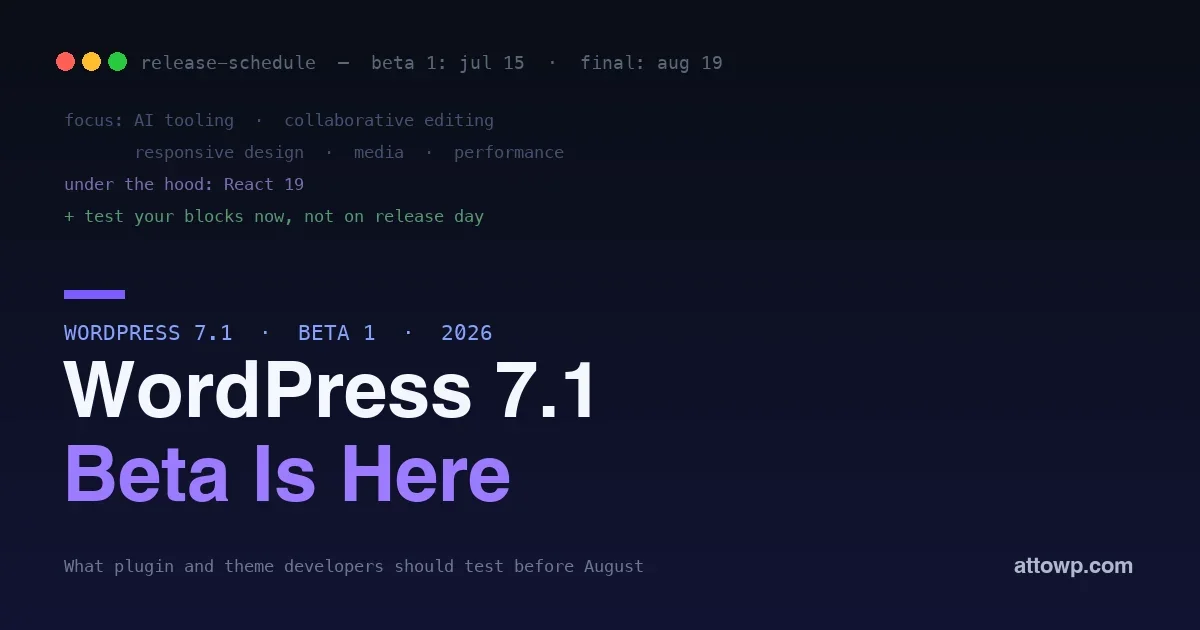
WordPress 7.1, the second major release of 2026, is nearly here. Beta 1 was scheduled for 15 July, and the final release lands on 19 August, the last day of WordCamp US. For plugin and theme developers, the beta is not a spectator event; it is your window to find out what breaks in your code before your users do. WordPress 7.1 carries a serious set of changes, from a reworked editing canvas to new capabilities in AI, collaboration, media, and responsive design, and the sites most likely to have a rough release day in August are the ones whose authors waited until August to test.
This is a developer-focused preview of what is in WordPress 7.1, what deserves your attention, and exactly how to test your plugins and themes against the beta now. If you maintain anything running on WordPress, budget an afternoon in July to save yourself a scramble in August.
The release timeline that matters
Mark two dates. Beta 1 on 15 July is when the feature set is essentially locked and testing begins in earnest, and the 19 August final release is your real deadline. Between those, further betas and release candidates arrive, each a chance to confirm your fixes. The practical takeaway is simple: from mid-July you have about five weeks to test, fix, and verify, which is comfortable if you start when the beta drops and stressful if you start the week of release. Treat 15 July as the day your testing begins, not a date to note and ignore.
What is in WordPress 7.1
The release squad has named the focus areas, and they map to real changes you will want to check against your code.
- AI tooling. Building on the Abilities API and AI infrastructure that shipped in 7.0, 7.1 continues to expand WordPress’s native AI capabilities, which matters if your plugin registers abilities or integrates with the editor’s AI features.
- Collaborative editing. Real-time, multi-user editing continues to mature, part of the platform’s long march toward Phase 3. Anything that hooks the editor’s data or autosave flow should be tested against it.
- Responsive design capabilities. New responsive styling controls expand what themes and blocks can do natively, reducing the custom CSS that used to be required.
- Media enhancements. Improvements to how media is handled in the editor, worth checking if your plugin touches uploads, galleries, or the media library.
- Performance. Ongoing performance work across the editor and front end, generally a win, but worth verifying your code benefits rather than fights it.
Each of these is a welcome addition, and each is also a surface where custom code can interact with core in ways you want to confirm before release.
What the focus areas mean for your code
The headline focus areas are easy to read as marketing, but each has a concrete implication for developers. The AI tooling work extends the abilities and infrastructure from 7.0, so if your plugin registers abilities or exposes functionality you want AI features to reach, 7.1 is where you confirm that integration and consider what you expose. Collaborative editing means more than one person can be in a document at once, which stresses any code that assumes a single editor, hooks autosave, or writes to the editor data store, so those are the integrations to test hardest. The responsive design capabilities add native controls that may overlap with custom responsive CSS your theme shipped, an opportunity to simplify, and a thing to check does not conflict. Media enhancements touch the upload and library flow that media-related plugins hook. And the performance work is generally a gift, but verify your code rides it rather than undoing it with, say, an unbounded query or a heavy editor script. Reading the focus areas as a testing map, rather than a feature list, is how you turn the release notes into an action plan.
The change with the widest blast radius: the iframed editor
The most consequential change for developers is the one that is not a feature: the post editor now always runs inside an iframe, enforced for block themes. This isolates the editing canvas from admin styles so that what you see in the canvas matches what the front end renders. The consequence is that the canvas is a separate document, and any code that assumed one shared document stops working.
Three patterns break in practice. Editor CSS enqueued through admin_enqueue_scripts lands on the admin document and never reaches inside the iframe; styles registered through add_editor_style() or declared in theme.json are injected into the canvas correctly. JavaScript calling document.querySelector and expecting to find blocks is querying the wrong document, and jQuery selectors written against editor markup have the same problem. And third-party libraries that cache a reference to window or document at load time, tooltips and popovers and drag handles especially, end up pointing outside the canvas.
The reliable fix is to stop reaching for a global document and resolve it from a node you were given:
// Assumes one document, breaks inside the iframe:
const el = document.querySelector( '.my-block' );

// Resolve the document from a node in the canvas:
const doc = blockRef.current.ownerDocument;
const el = doc.querySelector( '.my-block' );
This deserves your testing time because the failure mode is quiet. A tooltip lands 200 pixels off, a style silently does not apply, a click handler never fires. Nothing throws, and nothing appears in the debug log. You have to look.
The change that was pulled: React 19
When this post was first published, the block editor’s move to React 19 was the headline compatibility risk in 7.1. Core enabled it in Gutenberg, discovered unexpected incompatibilities between the old and new React versions and in the many ways plugins consume React, and reverted. WordPress 7.1 ships on React 18.3.
The migration itself is deferred, not cancelled, and every change it asked for is still correct code on React 18.3 today:
// The old pattern:
import { render } from '@wordpress/element';
render( <App />, document.getElementById( 'my-widget' ) );

// The pattern to use, on React 18 and later:
import { createRoot } from '@wordpress/element';
createRoot( document.getElementById( 'my-widget' ) ).render( <App /> );
createRoot arrived in React 18, so this swap is correct on the version WordPress ships right now. The same applies to dropping defaultProps on function components, replacing string refs, and making sure you are not bundling a second copy of React. If you already did this work, keep it; it is overdue maintenance rather than early work. See our migration guide for the full checklist, and our write-up of the reversal for what changed and why.
How to test your plugins and themes against the beta
Testing against a beta is straightforward and low-effort, and it is the whole point of the beta period. Here is the practical process.
1. Set up a staging site, never production
Install the beta on a copy of your site, not the live one. The WordPress Beta Tester plugin is the standard way to switch a site onto the bleeding-edge channel, or you can install the beta package directly on a fresh test site. Never run beta software on a production site.
2. Enable debugging so problems surface
Turn on debugging in wp-config.php so deprecations and errors are visible instead of silent, and read the log as you test:
define( 'WP_DEBUG', true );
define( 'WP_DEBUG_LOG', true );
define( 'SCRIPT_DEBUG', true );   // load un-minified core scripts
SCRIPT_DEBUG matters here because it loads the un-minified editor scripts, so any warnings appear in a readable form rather than buried in minified output.
3. Exercise your actual features
Activate your plugins and theme on the beta and use them the way a user does: create and edit posts with your blocks, run your admin screens, submit your forms, hit your REST endpoints. Watch the browser console and the debug log for warnings and errors. With the iframed editor, also inspect the canvas itself: confirm it is an iframe and that your editor styles are present inside it.
4. Test the editor and the front end separately
A block can work in the editor and break on the front end, or the reverse, so check both. Render your blocks on a live page and confirm they look and behave right, then edit them in the block editor and confirm the same. The two run different code paths, and a beta is exactly when a mismatch appears.
Your 7.1 testing checklist
Run this against every plugin and theme you maintain during the beta.
Check | What to confirm |
|---|---|
Editor styles | Registered via |
Editor JavaScript | No |
Bundled UI libraries | Tooltips, popovers and drag handles position correctly inside the iframe |
Custom blocks | Render and edit correctly; no console errors in the iframed editor |
Editor integrations | Autosave, data store, save flow behave under collaboration changes |
Media features | Uploads, galleries, media library still work |
REST endpoints | Respond correctly; no deprecations in the log |
React hygiene | No removed |
Debug log | Clean, or only expected notices, after full use |
A clean pass on every row is your confidence that 7.1 is a routine update for your code. Any row that fails is a fix you now have weeks to make instead of hours.
What tends to break, and where to look first
Across real plugin and theme libraries, the same handful of issues account for most beta breakage, so start your testing there:
- Editor styles that never reach the canvas. CSS enqueued on
admin_enqueue_scriptsinstead of registered throughadd_editor_style()ortheme.json. The most common iframe casualty, and it looks like your styling simply vanished. - Editor JavaScript querying the wrong document. Anything reaching for a global
documentto find block markup in the canvas. - Positioning libraries inside the iframe. Tooltips, popovers and drag handles that cached
windowat load time and now compute coordinates against the outer document. - Editor integrations touching changed data flows. Plugins that hook autosave, the data store, or the editor’s save flow should be checked against the collaboration and editor changes.
- Two copies of React. A block pinning an old
@wordpress/scriptscan bundle its own React that fights core’s, causing hook errors that point nowhere obvious. This is a live bug on React 18.3, independent of any upgrade.
Work through that list against your code and you will catch the large majority of what 7.1 could break.
If you manage many sites or plugins
The calculus changes when 7.1 will hit a whole portfolio at once. You are not testing one plugin; you are testing every custom block, theme script, and third-party dependency across many sites, all updating in the same August window. The good news is that the React reversal narrowed your exposure considerably: the iframe change affects sites running block themes with custom editor code, which is a subset you can actually enumerate, rather than every block everywhere. So enumerate it. Inventory which sites run block themes, then which of those carry custom blocks, custom editor styles, or editor-facing JavaScript, and stage the beta against a representative sample rather than all at once. A shared checklist reused across the sites that share a plugin turns a portfolio-wide risk into a manageable batch. The sites most likely to break on release day are the neglected ones running old themes whose editor styles were wired up years ago, so those are exactly where to point your testing first.
Automating the boring parts of testing
Manual testing catches the visible breakage, but you can let tooling catch the mechanical issues so your own time goes to the things only a human notices. A grep across your source flags global document and window access in editor code, and admin_enqueue_scripts used for editor CSS, before you even load the beta, turning a hunt into a list. A build against a current @wordpress/scripts surfaces the two-copies-of-React problem and dependency warnings. And if you maintain a test suite, running it against the beta in continuous integration tells you fast whether anything regressed, across every plugin at once. None of this replaces exercising the real features in the editor, because a passing build can still hide a block that renders in the wrong place inside an iframe, but it shrinks what you have to check by hand and makes the beta period far less tedious. The teams that sail through major releases are usually the ones whose tooling already flags most of the trouble before a person looks.
Frequently asked questions
Do I have to do anything for WordPress 7.1, or will my code just work?
If your editor styles are registered the supported way and your editor JavaScript does not assume a single shared document, they likely upgrade transparently. The risk is concentrated in code written before the canvas was iframed, so the honest answer is that you will not know until you test against the beta. An afternoon of testing tells you whether you need to do anything at all, which is far better than finding out on release day.
When exactly should I start testing?
When Beta 1 drops on 15 July. That is when the feature set is stable enough that your testing reflects the final release, and it gives you about five weeks before the 19 August launch to fix and verify anything you find. Starting then makes the work small; starting in August makes it a scramble.
How do I install the WordPress 7.1 beta safely?
On a staging or test site, never production. The WordPress Beta Tester plugin switches a site onto the beta channel with a couple of clicks, or you can spin up a fresh test install with the beta package. Pair it with debugging enabled so issues surface, and you have a safe environment to test against.
My plugin does not use React or custom blocks. Am I affected?
Possibly, and more than you would have been by the React change. If your plugin or theme adds editor styles, or runs any JavaScript against the editor canvas, the iframe change can affect it regardless of whether React is involved. The media, editor, and performance changes can also touch plugins that hook those areas, so a short test on the beta is cheap insurance even for non-React code.
What happened to the React 19 upgrade this post originally led with?
It was pulled from 7.1. Core enabled React 19 in Gutenberg, found incompatibilities between React versions and in how plugins consume React, and reverted, so 7.1 ships on React 18.3. The migration is deferred rather than cancelled, and the work is still worth doing since it is correct on the current version.
What if I find a bug in WordPress 7.1 itself, not my code?
That is exactly what the beta period is for. If you can reproduce a genuine core regression, report it through the official channels with clear steps, because a bug caught and reported during beta can be fixed before release. Testing early benefits everyone, not just your own plugins, since the fixes land for the whole ecosystem. The React reversal is itself an example of this process working.
Will WordPress 7.1 auto-update my production sites?
Major versions are not typically applied by automatic background updates the way minor security releases are, so you usually have control over when 7.1 lands on a production site. That control is exactly why testing during the beta matters: you can confirm your code is ready and then update deliberately, rather than being surprised. Do not, however, leave sites indefinitely un-updated, since staying current matters for security.
Should I update my plugin’s tested-up-to version for 7.1?
Once you have verified your plugin against the release, yes, updating the tested-up-to header signals to users that it is compatible, which reduces support questions and warnings. Do it after real testing on the beta or final release, not speculatively, so the claim is backed by an actual check rather than a guess.
How is testing a beta different from just updating when 7.1 ships?
The difference is timing and safety. Testing the beta on staging lets you find and fix problems over five weeks with no user impact, while waiting for the final release on production means discovering the same problems live, with users watching. Same work, very different pressure. The beta exists precisely so the fixing happens before anyone depends on the code, which is always the calmer path.
Does the collaborative editing feature affect plugins that are not about collaboration?
It can, indirectly. Real-time editing changes assumptions about a document having a single editor at a time, so any plugin that hooks autosave, writes to the editor data store, or reacts to content changes should be tested even if it has nothing to do with collaboration itself. Most such plugins are fine, but the beta is the moment to confirm rather than assume, because the failure mode is subtle and easier to catch on staging than in a user report.
The bottom line
WordPress 7.1 arrives on 19 August with real changes: expanded AI tooling, maturing collaboration, new responsive and media capabilities, performance work, and underneath it all an editing canvas that now always runs in an iframe. Beta 1 on 15 July is your signal to start testing, and the iframe change is the one most likely to break custom code, so check it first, and check it by looking rather than by reading a log. Set up a staging site, enable debugging, exercise your real features in both the editor and the front end, and work through the common breakage points. Do that in July and 7.1 is a routine update; wait until August and it can be a fire drill. The platform gives you five weeks of warning, and the developers who use them ship a clean release day while everyone else scrambles. For writing less code on the modern platform, see how the :has() selector replaces JavaScript.

No comments yet