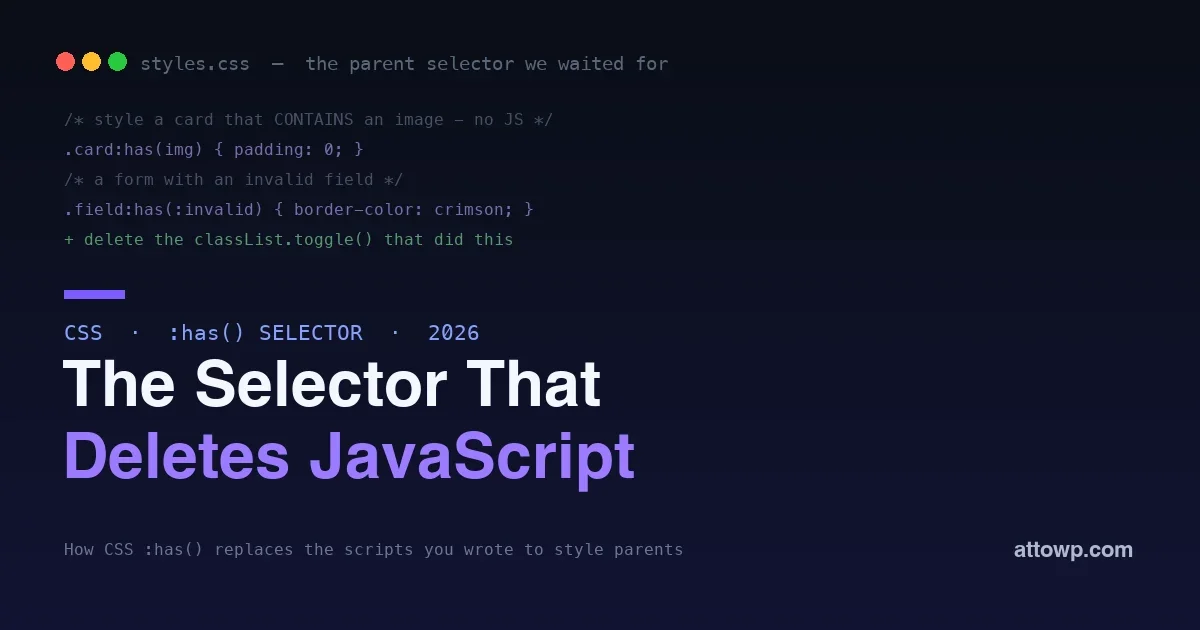
For as long as CSS has existed, one thing was impossible: styling an element based on what is inside it. You could style a child based on its parent, but never a parent based on its children. Want to add padding to a card only when it contains an image? Highlight a form field only when it holds an invalid input? Style a menu item only if it has a submenu? For all of those, you reached for JavaScript, listened for changes, and toggled a class. The :has() pseudo-class ends that entire era. It is the parent selector CSS never had, and in 2026 it is supported everywhere and ready to delete a lot of the JavaScript you wrote just to move classes around.
This post explains what :has() actually does, why calling it a parent selector undersells it, and a set of real WordPress theme examples where it replaces script with a single line of CSS. If you build themes or style blocks, this is one of the highest-leverage CSS features you can learn right now.
What :has() actually does
The :has() pseudo-class matches an element if any of the selectors inside it match a descendant, or in some cases a sibling. In plain terms, it styles an element based on what it contains. The classic example is a card that should behave differently when it holds an image:
/* Style the card only when it CONTAINS an image */
.card:has(img) {
  padding: 0;
}
Read it left to right: select a .card that has an img inside it. The element you style is the card, the parent, but the condition is about its child. That is exactly the direction CSS could never express before, and it is why :has() unlocks so many patterns that used to require scripting the DOM.
Why “parent selector” undersells it
Everyone calls :has() the parent selector, and it is, but that name hides most of its power. It is really a relational selector: it lets you style an element based on its relationship to other elements, and that includes siblings and combinations, not just direct children.
/* A label that comes before a checked checkbox */
label:has(+ input:checked) { font-weight: 700; }

/* A field wrapper containing an invalid input */
.field:has(:invalid) { border-color: crimson; }

/* A gallery with more than three images (with :nth-child) */
.gallery:has(img:nth-child(4)) { grid-template-columns: repeat(3, 1fr); }
Each of these expresses a condition that previously meant JavaScript watching the DOM and toggling classes. With :has() the browser evaluates the relationship live, as the DOM changes, with zero script. That is the real story: not just parents, but the whole web of relationships between elements, made styleable.
The JavaScript it deletes
To see the payoff, look at the before. A common task: give a navigation item a caret and different styling when it has a submenu. The old way meant script:
// The old way: JavaScript to add a class
document.querySelectorAll('.menu-item').forEach(function (item) {
  if (item.querySelector('.submenu')) {
    item.classList.add('has-submenu');
  }
});
/* The new way: one line of CSS, no script */
.menu-item:has(.submenu) { /* caret, styling, whatever */ }The JavaScript version has to run on load, re-run when the menu changes, and stay in sync with the markup. The CSS version is always correct because the browser evaluates it continuously. Every place you wrote a loop to add a class based on content is a place :has() can delete the loop entirely, which means less code, fewer bugs, and no timing issues.
Before and after: what :has() replaces
It helps to see the pattern across common tasks. Each of these once needed JavaScript; each is now a selector.
| Task | Old way | With :has() |
|---|---|---|
| Style a card with an image | JS checks for img, toggles class | .card:has(img) |
| Mark a menu item with a submenu | JS loop adds has-submenu class | .item:has(.submenu) |
| Highlight an invalid field group | JS listens on input, sets class | .field:has(:invalid) |
| Lock scroll when a modal is open | JS adds/removes body class | body:has(dialog[open]) |
| Adapt a grid to item count | JS counts children, sets class | .grid:has(:nth-child(4)) |
The right column is not just shorter; it is more correct, because the browser keeps it in sync automatically while the left column depends on your script running at the right moments. Every row you move from left to right removes a listener, a class, and a category of timing bug.
Real WordPress theme examples
WordPress themes are full of exactly the situations :has() was built for, because block markup varies and you often need to react to what a block contains.
Cards and covers with or without media
A post card or a cover block looks different depending on whether it has a featured image. Instead of adding a body class in PHP or a class in JS, style it directly:
.wp-block-post-template li:has(.wp-post-image) {
  grid-template-rows: auto 1fr;
}
.wp-block-post-template li:not(:has(.wp-post-image)) {
  padding-top: 2rem;   /* give text-only cards breathing room */
}
Layouts that react to their content
A columns block or a query loop can adapt when it contains a certain number of items or a specific block, without a script counting them:
/* Tighten the grid when the gallery has many images */
.wp-block-gallery:has(img:nth-child(7)) {
  --columns: 4;
}
Forms that respond to their fields
Form styling is where :has() shines, because it can react to input state that used to require JavaScript on every field:
/* Highlight the whole field group when its input is focused */
.form-row:has(input:focus) { background: #f5f3ff; }

/* Show an error style when a required field is empty and touched */
.form-row:has(input:invalid:not(:placeholder-shown)) {
  border-color: crimson;
}
Whole-page reactions
Because :has() works up the tree, you can even react at the page level to something deep inside it, like dimming the page when a native dialog is open:
body:has(dialog[open]) { overflow: hidden; }That single rule replaces the script most sites write to lock scrolling when a modal opens. Combined with the native dialog element, it is a modal overlay with no JavaScript for the styling at all.
Quantity queries: styling by how many
One of the most practical patterns :has() unlocks, in combination with :nth-child, is reacting to how many items a container holds, something CSS could never do alone. This lets a layout adapt to its content without a script counting elements. A gallery can go wider only when it has enough images to justify it, or a list can switch to a compact style past a threshold:
/* Two columns only when there are at least two cards */
.cards:has(> :nth-child(2)) { grid-template-columns: 1fr 1fr; }

/* A "and 3 more" compact mode past six items */
.tag-list:has(> :nth-child(7)) { --compact: 1; }
The trick is that :has(> :nth-child(n)) is effectively asking “does this container have at least n children?” Paired with custom properties, that answer can drive an entire responsive layout decision from the content itself, which used to be one of the most common reasons themes shipped JavaScript at all.
Pairing :has() with the rest of modern CSS
The real power comes from combining :has() with the other platform features that also delete JavaScript. It pairs naturally with the :open pseudo-class for styling open and closed native elements, and with custom properties so a :has() condition can flip a whole set of design tokens at once. It also lives comfortably inside cascade layers, so your relational rules keep a clean priority against theme and plugin CSS. Together, these features represent a genuine shift: a large class of interactions that needed scripting five years ago are now pure, declarative CSS that is always in sync with the DOM.
Empty states and the inverse condition
Some of the most useful :has() patterns are about absence, not presence, and pairing it with :not() handles them cleanly. An empty state, the message you show when a list has no items, traditionally needed a script or a server-side check to know the container was empty. Now the CSS can express it directly. You can reveal a placeholder only when a list has no children, or style a search results area differently when it contains no results block:
/* Show the empty-state message only when the list is empty */
.results:not(:has(.result)) .empty-state { display: block; }
.results:has(.result) .empty-state { display: none; }
This is the kind of small polish that used to be more trouble than it was worth, so sites skipped it. With a relational selector the empty state becomes a two-line CSS concern rather than a scripting task, which means more interfaces actually get the considerate empty state they should have had all along. The pattern generalizes: any time the design should react to something being absent, :not(:has(...)) expresses it without a line of JavaScript.
The accessibility upside
There is a quieter benefit worth calling out. Because :has() lets you react to native element states, the invalid input, the checked box, the open dialog, it rewards building on real, accessible HTML instead of rebuilding controls from generic elements to get stylable state. When you style .field:has(:invalid), you are reacting to the browser’s own validity state on a real input, which is announced to assistive technology correctly, rather than faking validation styling with classes on divs. The feature nudges you toward the platform, and the platform is where accessibility already lives. Styling native state in CSS means you keep the built-in semantics and get the design, instead of trading one for the other, which is the same principle that makes native dialogs and details elements worth using.
Performance and gotchas
A fair question is whether a selector that evaluates relationships is slow. In practice, modern browsers optimize :has() well, and for the kinds of conditions themes use, it is not a performance concern. The sensible guidance is the same as for any selector: keep the inside of :has() reasonably specific rather than matching enormous subtrees, and you will not notice a cost. The one real gotcha is not performance but habit: it is easy to forget :has() exists and reach for JavaScript out of muscle memory, so the discipline is to ask, before writing a class-toggling script, whether a relational selector would do it instead. Increasingly, it will.
Can I nest :has() or combine it with :not()?
Yes to combining with :not(), which is extremely useful, .card:not(:has(img)) targets cards without an image, the inverse condition. Combining relational selectors this way covers most real needs. Deeply nesting :has() inside itself is possible but rarely necessary, and keeping conditions readable is worth more than cleverness.
Does :has() replace the need for JavaScript frameworks?
No, it replaces a specific slice of DOM-manipulation code, the part that toggled classes based on content or state. Frameworks still manage application logic, data, and rendering. What :has() removes is the presentational scripting that sat alongside them, which in many themes and sites is a surprisingly large share of the JavaScript that existed only to style things.
How to start using :has() today
You do not need a plan or a migration to adopt :has(); you need a new reflex. The practical way in is to catch yourself the next time you are about to write a script whose only job is to add or remove a class based on what is on the page, and ask whether a relational selector does it instead. Most of the time now, it does. Start with the low-risk, high-frequency cases, cards that vary by media, form groups that react to input state, menus with submenus, and replace each little script with a selector as you touch that code. Because unsupported browsers simply ignore the rule, you can do this incrementally with no fallback branch and no risk to the core experience. Within a few features it becomes second nature, and you will notice how much of your old JavaScript existed only to do what CSS can now do on its own. The shift is less about learning a hard feature and more about unlearning the habit of reaching for script when the platform finally has the selector.
Frequently asked questions
Is :has() really supported everywhere now?
Yes. As of 2026 :has() is supported across all current major browsers and has been stable for a while, so it is safe to use in production. For a genuinely ancient browser, an unsupporting engine simply ignores the rule, which is graceful degradation, the styling enhancement is missing but nothing breaks, so you can adopt it without a fallback in most cases.
Can :has() select a true parent, or only ancestors?
It selects the element you write before it based on any descendant matching inside :has(), so it handles direct parents and deeper ancestors alike. You control the relationship with combinators inside the parentheses, a direct child with >, a sibling with + or ~, or any descendant by default. That flexibility is why it covers so many cases.
Does :has() work with dynamic content that changes after load?
Yes, and that is its biggest advantage over the old JavaScript approach. The browser re-evaluates :has() as the DOM changes, so a card that gains an image, or a field that becomes invalid, updates its styling automatically. There is no listener to wire up and no risk of the class falling out of sync, because there is no class.
Can I use :has() in the WordPress block editor styles?
It is ordinary CSS, so it works wherever your styles apply, including block themes, editor styles, and additional CSS, as long as the browser supports it. It is especially useful in themes because block markup varies, and :has() lets you react to what a block actually contains rather than adding body or wrapper classes in PHP.
Should I go back and remove old JavaScript with :has()?
Where the JavaScript existed only to add a class based on content or state, yes, replacing it with :has() is a clean simplification that removes a script, a listener, and a class from your codebase. Where the script does real work beyond styling, keep the logic and just move the presentational part to CSS. Refactor opportunistically as you touch each area.
Is there anything :has() still cannot do?
It styles based on structure and state, but it does not run logic, fetch data, or respond to events that leave no DOM trace. If a condition is not expressible as an element relationship or a native state, you still need JavaScript. The point is not that CSS replaces all script, but that a large, common slice of DOM-toggling code is now unnecessary, and knowing where the line falls saves you from forcing either tool into the wrong job.
Does :has() work well with React and other frameworks?
Yes, and it often simplifies them. Because :has() reacts to the rendered DOM, it works regardless of what produced that DOM, so a React app gets the same benefit: you can drop the state and conditional classNames that existed only to style a parent by its children, and let CSS handle it. The framework manages your data and rendering; :has() handles the presentational reactions, which keeps your components cleaner.
Will using :has() hurt my page’s rendering speed?
For the conditions real sites use, no. Browsers have invested heavily in optimizing :has(), and matching a relationship inside a reasonably scoped container is not a bottleneck. The guidance is simply to avoid pointing it at enormous subtrees needlessly; keep the selector inside :has() specific and you will see no practical cost, while gaining the removal of the JavaScript that was doing the same job less efficiently.
The bottom line
The :has() pseudo-class fills the biggest gap CSS ever had: styling an element based on what it contains and how it relates to other elements. That single capability replaces a whole category of JavaScript, the loops and listeners that existed only to toggle a class when the DOM changed, with declarative rules that are always in sync. Style cards by their media, forms by their field state, layouts by their content, and pages by what is open inside them, all in pure CSS. Learn it, pair it with the other platform features that delete script, and reach for it before you write another class-toggling loop. The parent selector we waited two decades for turned out to be far more than a parent selector, and it is ready to use today. The gap CSS spent twenty years unable to close is now one of the most useful tools in the language, and the only thing left to do is remember to use it.



No comments yet