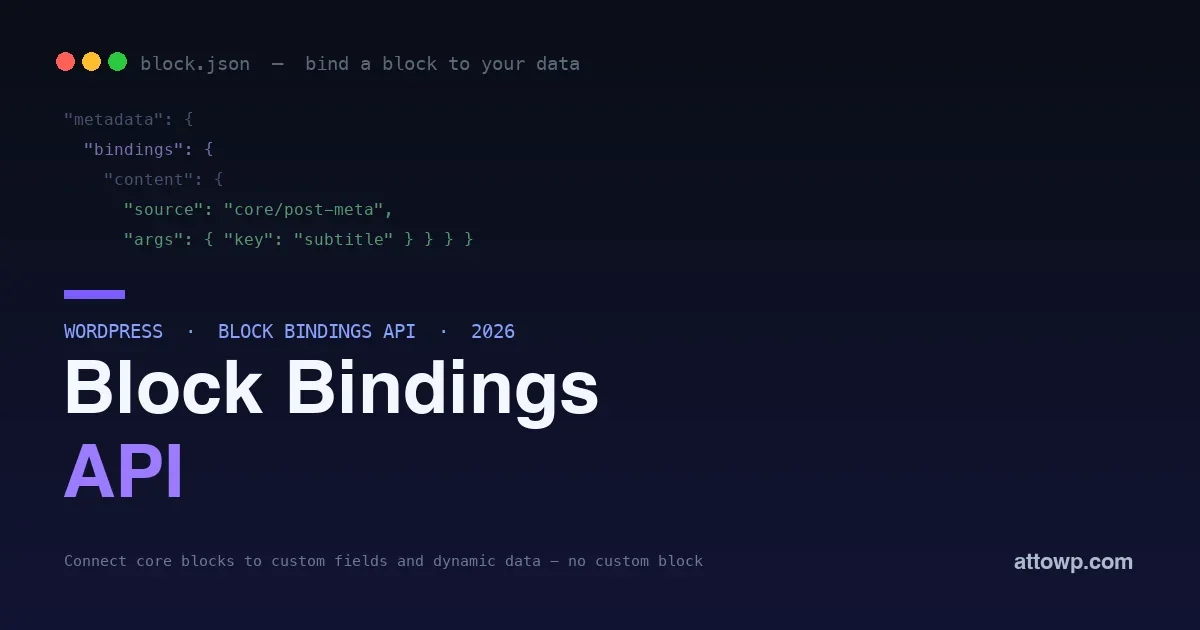
For years, if you wanted a block to display dynamic data, a custom field, a value from post meta, anything not typed directly into the editor, your options were painful. You built a whole custom block just to output one piece of data, or you leaned on a page-builder plugin, or you wrote a shortcode and dropped it in. All of that to show a subtitle stored in a custom field inside a heading block. The Block Bindings API removes the pain. It lets you connect a core block’s attributes to a dynamic data source, so a normal paragraph, heading, image, or button can display data from post meta or a custom source, updated automatically, without building a custom block at all.
This post explains what the Block Bindings API is, why it matters, and how to use it with real code, from binding a heading to a custom field to registering your own data source. If you have ever built a custom block just to output dynamic data, this is the modern, lighter way to do it.
The problem it solves
Core blocks are static by nature: a heading block shows the text you type into it, a paragraph shows its content, an image shows the image you picked. That is fine for hand-authored content, but a huge amount of real-world WordPress work is about showing data that lives elsewhere, a product’s price in a custom field, an event date in post meta, an author bio, a value pulled from an external source. Historically, connecting a block to that data meant building a custom block whose only job was to fetch and render one value, which is a lot of code and maintenance for a small task, or reaching for a page builder that added its own weight and lock-in. The result was that dynamic data in blocks was heavier than it should be. Block Bindings fixes this by letting the existing core blocks display dynamic data directly, so you stop building single-purpose custom blocks for what is really just data binding.
What the Block Bindings API actually is
The Block Bindings API is a way to connect a block’s attributes, like a heading’s content or an image’s URL, to a data source, so the block displays that source’s value instead of static content. A block declares a binding that says “this attribute comes from this source,” and WordPress resolves the value when the block renders, on the front end and, increasingly, in the editor. WordPress ships with sources out of the box, most importantly post meta, so you can bind a block to a custom field with no code beyond registering the field. And you can register your own custom sources to bind blocks to anything, an external API, a computed value, a plugin’s data. The two ideas to hold are the binding, declared on the block, and the source, which supplies the value.
Binding a block to a custom field
The most common use is binding a core block to post meta, a custom field. First, register the meta field so it is available, exposing it for binding:
add_action( 'init', function () {Then bind a core block’s attribute to it. In the block’s markup, the binding lives in the block’s metadata and points the attribute at the post-meta source with the field’s key:
register_post_meta( 'post', 'subtitle', array(
'show_in_rest' => true,
'single' => true,
'type' => 'string',
) );
} );
<!-- wp:paragraph {Now that paragraph displays the value of the
"metadata": {
"bindings": {
"content": {
"source": "core/post-meta",
"args": { "key": "subtitle" }
}
}
}
} -->
<p></p>
<!-- /wp:paragraph -->subtitle custom field for whichever post it appears on, and it updates automatically when the field changes, all with a standard core paragraph block. No custom block, no shortcode, no page builder, just a binding connecting the block to the data. This one pattern replaces an enormous amount of the custom-block work that used to exist only to output field values.
Real things you can build with it
The custom-field example is the hello-world; the same pattern powers a lot of practical work. A few that come up constantly:
- Custom post type templates. A single template for a product, event, or listing post type, where headings, paragraphs, and images bind to the type’s fields, so every item renders from its own data through one set of core blocks.
- Reusable patterns with dynamic content. A saved pattern, a call-to-action, an author card, a price box, whose text and images bind to fields, so dropping the pattern onto any post fills it with that post’s data.
- Dynamic buttons and links. A button whose label and URL bind to fields, so a “Download” or “Buy” button points to the right resource per post without editing the button each time.
- Computed and external values. Through a custom source, a block showing a live count, a formatted date, a value from an external service, computed at render.
In each case you are using standard core blocks and connecting them to data, which is faster to build, easier for editors, and lighter to ship than the custom blocks these once required.
Registering your own data source
Post meta covers a lot, but the real power appears when you register a custom source, which lets you bind a block to anything you can compute in PHP. You register a source with a callback that returns the value for a given block and arguments:
add_action( 'init', function () {Bind any block’s attribute to
register_block_bindings_source( 'myplugin/current-year', array(
'label' => __( 'Current Year', 'myplugin' ),
'get_value_callback' => function () {
return date( 'Y' );
},
) );
} );myplugin/current-year and it displays the current year, computed fresh each render. Swap the callback’s logic for anything, a value from an external API, a calculation, data from your plugin’s tables, and you have connected core blocks to your own dynamic data without building a single custom block. The callback receives the arguments from the binding and the block context, so one source can serve many bindings with different arguments, a source that returns any field, any external value, any computed result you define.
Binding more than text: an image example
Bindings are not limited to text content. You can bind an image block’s source and alt text to fields too, which is how a template shows each post’s own featured graphic from a custom field:
<!-- wp:image {The image now pulls its URL and alt text from the post’s fields, so one image block in a template renders the correct, accessible image for every post. Binding multiple attributes of one block like this, url and alt together, is common and shows how a single core block can be fully driven by data rather than hand-set per post.
"metadata": {
"bindings": {
"url": { "source": "core/post-meta", "args": { "key": "hero_image" } },
"alt": { "source": "core/post-meta", "args": { "key": "hero_alt" } }
}
}
} -->
<figure class="wp-block-image"><img src="" alt="" /></figure>
<!-- /wp:image -->
Why this is such a big deal
Block Bindings changes the economics of dynamic content in WordPress. The old way, a custom block per piece of dynamic data, meant real JavaScript, a build step, and ongoing maintenance for what is conceptually a tiny task: show this value here. Bindings collapse that to a declaration plus, for custom sources, a small PHP callback. That has several knock-on benefits. You use the core blocks your editors already know, so there is no custom-block UI to learn, and the design stays consistent because you are styling standard blocks. You ship far less code, since you are not building and bundling blocks. And you avoid page-builder lock-in for dynamic content, keeping everything in native WordPress. For theme and plugin developers, this is the feature that finally makes “display this custom field in this block” a two-minute job instead of a small project, which is why it has quickly become a preferred pattern for dynamic content in block themes.
The editor experience
A fair question is what editors see when content is bound, because the value comes from a source rather than being typed. In the editor, a bound block shows its connected value so authors preview the real content, and WordPress has been steadily improving how bound blocks are surfaced and, where appropriate, edited, so the experience keeps getting closer to editing the value in place. The practical guidance is to think about who edits what: bind display to a source, and give editors the right place to change the underlying data, often the post’s own fields, so they update the value where it lives and see it reflected in the bound block. Designed this way, bindings give editors familiar core blocks that happen to be data-driven, rather than a confusing mix, which is a big reason the approach is friendlier than the custom blocks or shortcodes it replaces, where editors often could not see or safely change the output at all.
Where it fits alongside other block features
It helps to place Block Bindings among the related block-development tools so you reach for the right one. Block Bindings connect a block’s attributes to data, so it is about what a block displays. The Interactivity API is about front-end behavior, how a block responds to clicks and updates in the browser, a different concern. Custom blocks are still the answer when you need genuinely new functionality or a bespoke editing interface that no core block provides. And patterns compose blocks into reusable layouts. Bindings slot in as the lightweight way to make standard blocks dynamic: when your need is “show this data in an existing block,” bindings are the tool, and you save custom blocks for when you truly need new behavior or UI. Knowing this division keeps you from building a custom block when a binding would do, which is exactly the overbuilding the API was created to end.
Does Block Bindings work with Advanced Custom Fields or similar plugins?
Yes, the concepts complement each other. A fields plugin gives you a strong interface for defining and entering field data, and Block Bindings give you the native way to display that data in core blocks, and popular fields plugins have embraced binding so their fields can drive standard blocks. Use the plugin for authoring the data and bindings for showing it, which replaces the custom output blocks or shortcodes such plugins historically needed.
Can one custom source serve many different bindings?
Yes, and that is the efficient way to use it. A source’s callback receives the arguments from each binding, so a single source can return different values depending on the argument passed, one source that returns any requested field, or any computed result keyed by an argument. You register the source once and reuse it across many blocks with different arguments, rather than writing a source per value, which keeps custom-source code minimal.
Getting started
Trying Block Bindings takes only a few minutes and no build tooling. Start with the post-meta case, since it is the most common and needs the least code. Register a meta field on the post type you are working with, giving it a key and exposing it, then add a binding to a core block, a paragraph or heading is easiest, pointing its content attribute at the post-meta source with your field key. Enter a value in that field for a post, and the bound block displays it. From that working example you can branch out: bind an image’s url and alt, bind a button’s text and link, or register a custom source when you need a value that is not a stored field. Because the whole thing lives in block markup and small pieces of PHP, you can experiment directly without setting up a JavaScript build, which makes it approachable even if you have avoided custom-block development. Get one binding working end to end, and the pattern generalizes to everything else. The official developer documentation details the full set of supported blocks, sources, and options when you are ready to go further.
Frequently asked questions
Do I need to know JavaScript to use Block Bindings?
For binding to post meta, barely any, you register a field in PHP and add the binding to the block, with no custom JavaScript. For a custom source, you write a small PHP callback that returns the value, again no JavaScript required. This is a big part of the appeal: it brings dynamic data to blocks largely through PHP and block markup, rather than the JavaScript-heavy custom-block workflow it replaces.
Can editors change bound content in the editor?
Bound attributes display the source’s value, and editing behavior depends on the source and setup; for editable sources like post meta, the value can be edited through the connected field, while computed sources are read-only by nature. The direction of the feature is toward editing bound values directly where it makes sense, but the core idea is that the block shows the source’s data rather than static typed content. Design your bindings around whether the underlying data should be editable.
Which core blocks support bindings?
Support centers on the common text and media attributes, a paragraph or heading’s content, an image’s URL and alt text, a button’s text and link, which covers the majority of real dynamic-content needs. The set of supported blocks and attributes has been expanding across releases, so more becomes bindable over time. For the everyday cases, showing a field’s text or a dynamic image, the blocks you would reach for are supported.
Is Block Bindings a replacement for custom fields plugins?
It works alongside them rather than replacing the concept. Custom fields plugins provide a nice interface for entering field data; Block Bindings provide the native way to display that data in core blocks. In fact they pair well: use a fields plugin or registered meta to store and edit the data, and bindings to show it in standard blocks, replacing the custom output blocks or shortcodes those plugins used to require. Bindings are about display, not data entry.
Is the Block Bindings API stable and production-ready?
Yes. It is an official core API that has matured across recent WordPress releases and is used for real dynamic-content work, and it aligns with the platform’s direction of doing more with core blocks and less with custom code. Building on it is a safe, forward-looking choice, and it keeps you aligned as WordPress continues evolving, including the ongoing work under the editor. Its capabilities keep growing release to release, so anything you build on it gains rather than ages.
Will using Block Bindings slow down my site?
No meaningfully. Resolving a binding is a lightweight value lookup at render time, comparable to any dynamic output a template already does, and it avoids shipping the extra JavaScript a custom block would have bundled. If anything, replacing custom output blocks with bindings can reduce the front-end code your pages load. For custom sources, the cost is whatever your callback does, so keep an expensive callback efficient or cache it, just as you would any dynamic value, and bindings themselves add no notable overhead.
The bottom line
The Block Bindings API ends the era of building a custom block just to display a piece of dynamic data. By connecting a core block’s attributes to a data source, post meta out of the box, or any custom source you register with a small PHP callback, it lets standard paragraphs, headings, images, and buttons show custom fields and dynamic values automatically, with no custom-block JavaScript, no shortcodes, and no page-builder lock-in. Register your field, add a binding, and a normal block becomes dynamic; register a source, and you can bind blocks to anything you can compute. Reach for bindings whenever the task is “show this data in an existing block,” and save custom blocks for genuinely new functionality. It is the same platform direction we keep seeing, more from core, less bespoke code, and for dynamic content in block themes, it is now the right tool to reach for first.

No comments yet