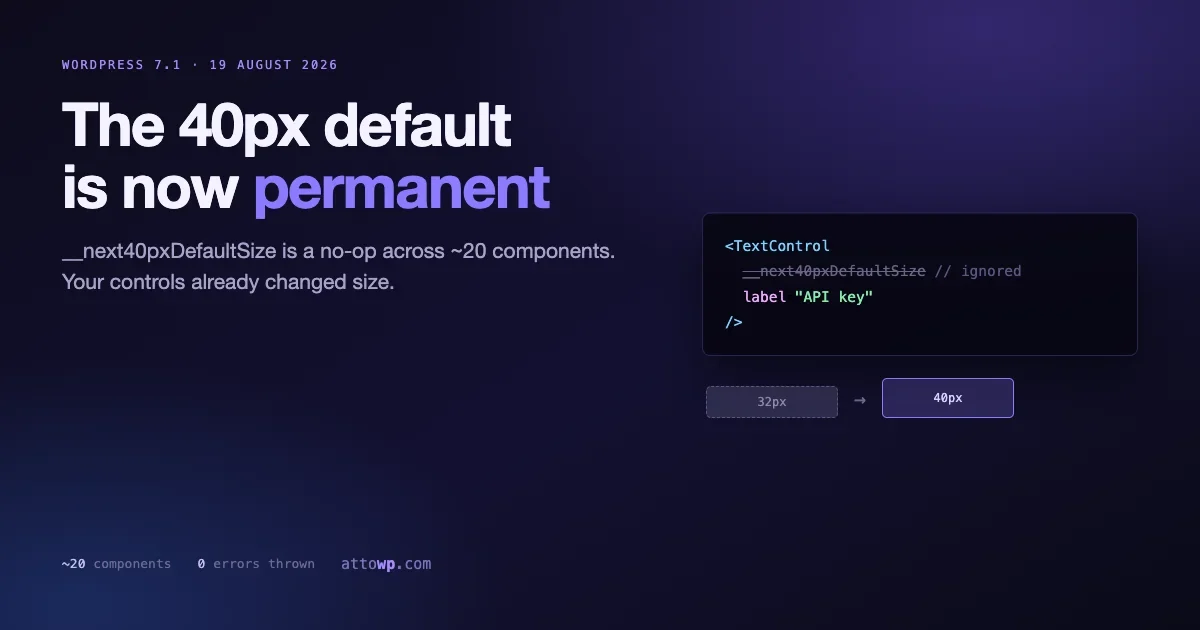
If you maintain a plugin with a custom admin screen or a block with an inspector panel, there is a prop in your codebase that stopped doing anything this month. It did not throw. It did not warn at runtime in production. It simply became a no-op, and your controls quietly changed size.
The prop is __next40pxDefaultSize, and across roughly twenty components in @wordpress/components it has now been hard deprecated. The 40 pixel control size it used to opt into is the permanent default in WordPress 7.1, which ships on 19 August 2026.
This is one of those changes that produces no errors and a pile of misaligned interfaces. Here is what actually changed, which components are affected, how to find every call site in your code, and what to do about the layouts that assumed the old size.
What the prop was for
Go back to WordPress 6.7. The components package had an inconsistency problem: form controls rendered at different heights depending on which component you reached for. A TextControl and a SelectControl sitting next to each other did not line up, and every plugin author solved it with their own CSS.
The fix was to standardise on a 40 pixel control height. Changing the default outright would have broken every existing admin screen overnight, so the team did the polite thing and shipped an opt-in prop instead:
<TextControl
    __next40pxDefaultSize
    label="API key"
    value={ key }
    onChange={ setKey }
/>
Passing the prop got you the future default. Omitting it kept the old smaller size. The prop was documented as temporary from the day it landed, with the plan being a soft deprecation followed by removal once enough of the ecosystem had migrated.
That removal is WordPress 7.1.
Why 40 pixels specifically
The number is not arbitrary. A 40 pixel target is close to the practical floor for comfortable pointer and touch interaction, and it gives text inputs enough vertical room that the label, the value, and the focus ring do not fight each other.
It also matters for accessibility. WCAG 2.2 introduced a target size success criterion, and while the AA threshold of 24 by 24 pixels is smaller than 40, dense admin controls that sit right at the minimum are unpleasant to use on a laptop trackpad and worse on a touchscreen. Standardising upward was the right call even though it costs migration work.
What hard deprecated actually means here
This is the part worth reading carefully, because “deprecated” gets used loosely and the specific behaviour here determines how your code fails.
The prop has not been removed from the type signature. Passing it still compiles. TypeScript will not complain, your build will not fail, and nothing throws at runtime.
What changed is that the runtime handler is gone and the 40 pixel size is baked into the component’s default styles. The prop is now a no-op: it is read and ignored.
Think through the two cases that produces.
If you were passing the prop, nothing visually changes. You were already getting 40 pixels and you still are. Your only work is cleanup, because the prop is now dead code that will eventually disappear from the types.
If you were not passing the prop, your controls just grew. Every TextControl, SelectControl and RangeControl in your interface is taller than it was, and any layout that depended on the old height is now wrong. That is the case that bites, and it bites silently.
The failure mode is not a crash. It is a settings panel where the submit button has drifted below the fold, a sidebar where two controls no longer align, or a table cell where an inline input now overflows its row.
The affected components
The hard deprecation started with TextControl on 23 June 2026 and rolled through the rest of the package over the following weeks. The components carrying the change include:
TextControlBoxControlBorderControlBorderBoxControlFontSizePickerRangeControlComboboxControlToggleGroupControlUnitControlFormTokenFieldCustomSelectControlSelectControlNumberControlSearchControl
Treat that as indicative rather than exhaustive. The safest assumption is that any form control in @wordpress/components that accepted the prop has now had it neutralised, and you should audit for the prop itself rather than for a list of component names.
Finding every call site
Start with the obvious grep across your source tree:
grep -rn "__next40pxDefaultSize" src/ --include="*.js" --include="*.jsx" --include="*.ts" --include="*.tsx"That finds the places you opted in. Those are the easy ones, and the fix is deletion.
The harder question is the inverse: which components are you rendering without the prop, because those are the ones whose appearance just changed. There is no single grep for an absent prop, so work from the component names instead:
grep -rnE "<(TextControl|SelectControl|RangeControl|UnitControl|ComboboxControl|FormTokenField|NumberControl|SearchControl|CustomSelectControl|ToggleGroupControl|BoxControl|BorderControl|FontSizePicker)" src/ \
  --include="*.js" --include="*.jsx" --include="*.tsx" -A 3 | grep -v "__next40pxDefaultSize"
That is a blunt instrument and it will produce false positives where the prop sits more than three lines below the opening tag. Widen the context window if your formatting runs long. The point is to produce a review list, not a precise answer.
If your build pipeline runs ESLint, a targeted rule is a better long term answer than a grep you have to remember to run. A no-restricted-syntax rule matching JSX attributes named __next40pxDefaultSize will fail the build on any new usage, which stops the dead prop creeping back in through copy and paste.
Fixing what actually broke
Cleanup on the opt-in side is mechanical. Delete the prop:
find src -type f \( -name "*.js" -o -name "*.jsx" -o -name "*.tsx" \) \
  -exec sed -i '' -E 's/[[:space:]]*__next40pxDefaultSize//g' {} +
Run that on a clean git tree so you can read the diff before committing, and check the result rather than trusting it. A regex that eats whitespace can leave odd formatting behind, and your linter should catch that on the next pass.
The layout side takes judgement. Three patterns cover most of it.
Hard-coded heights around controls
If you have CSS that positions something relative to a control by assuming its height, that assumption is now off by several pixels:
/* Fragile: breaks when the control height changes */
.my-plugin__field-hint {
    margin-top: 34px;
}

/* Better: let the layout derive spacing from the flow */
.my-plugin__field {
    display: flex;
    flex-direction: column;
    gap: var(--wp--preset--spacing--20, 8px);
}
Any fixed pixel offset that exists to line up with a control is a bug waiting for the next size change. Replacing it with flow-based spacing costs a few minutes and removes the class of problem permanently. The same principle applies to the rest of your theme CSS, which we covered in more depth in our guide to HTML and CSS best practices for theme developers.
Dense grid and table layouts
Interfaces that pack many controls into a fixed area are where the extra height compounds. Ten stacked fields that each grew by eight pixels have pushed your save button eighty pixels down the page.
Resist the urge to fight it back with CSS overrides that force the old size. You would be reintroducing exactly the inconsistency the change was made to remove, and you would be doing it against default styles that will keep moving. Rework the layout to accommodate the taller controls, or use fewer controls per screen.
Snapshot and visual regression tests
If you snapshot rendered component output, those snapshots are stale. Regenerate them and read the diff rather than accepting it blindly:
npm test -- -u
git diff --stat -- "**/__snapshots__/**"
A snapshot diff that touches only class names and inline sizes is expected here. A snapshot diff that changes your component structure is a different problem and worth investigating before you commit it.
Testing before 19 August
You do not have to wait for the release to find out. Install the Gutenberg plugin on a staging site to get the component changes ahead of core:
wp plugin install gutenberg --activate
wp plugin update gutenberg
wp plugin list --name=gutenberg --field=version
Then walk your own interfaces. This is a visual change, so a visual review is the test that matters. Open every settings screen, every block inspector panel, and every modal your plugin renders, at a normal desktop width and again at a narrow one.
Turn on deprecation logging while you do it, which surfaces the other component warnings you may be carrying:
wp config set SCRIPT_DEBUG true --raw
wp config set WP_DEBUG true --raw
wp config set WP_DEBUG_LOG true --raw
With SCRIPT_DEBUG on you get unminified bundles, which makes any console deprecation notice point at something you can actually read. Our 7.1 beta testing guide covers setting up a full beta environment if you want to test against core rather than the plugin.
The version you bundle is not the version that runs
This trips up more plugin authors than it should, and it is the reason you cannot pin your way out of this change.
When you build with @wordpress/scripts, the WordPress packages are treated as externals. Your bundle does not contain a copy of @wordpress/components. It contains references to wp.components, which is resolved at runtime from whatever WordPress core is serving on that site.
Check what your build is actually emitting:
npm ls @wordpress/components
cat build/index.asset.php
The asset file lists the script dependencies your bundle expects, and you will see wp-components in there rather than a bundled copy. That is the correct behaviour. It keeps bundle sizes down and means every plugin on a site shares one components implementation.
The consequence is that the version in your package.json determines what you develop and type-check against, not what your users execute. A site running WordPress 7.1 gives your plugin the 7.1 components, whatever your lockfile says. There is no version of this change you can opt out of by holding back a dependency.
Keeping your dev dependency roughly in step with the WordPress version you target is still worth doing, because that is how you get the type definitions and deprecation warnings that tell you about changes like this one before your users find them:
npm install --save-dev @wordpress/components@latest @wordpress/scripts@latest
npm run build
If you deliberately bundle your own copy to escape this, you are shipping a second React tree and a duplicate component library into an admin page that already has one. That costs bundle size and creates context bugs that are unpleasant to debug. It is almost never the right trade.
If you maintain a wrapper layer
Teams that ship several plugins usually end up with a shared internal UI package that wraps core components. If that describes you, this migration is much cheaper, and it is worth understanding why so you keep the advantage.
A wrapper gives you one place to absorb an upstream change:
// packages/ui/src/text-field.js
import { TextControl } from '@wordpress/components';

export function TextField( props ) {
    return <TextControl { ...props } />;
}
When the upstream default moved, a team with this structure edited one file. A team calling TextControl directly from ninety components edited ninety call sites, or more realistically, missed a few.
The wrapper is not free. It adds indirection, and a thin pass-through wrapper that never does anything else is arguably noise. The value shows up precisely at moments like this, and the cost is paid continuously, which is why the trade is easy to get wrong in both directions. The heuristic worth applying: wrap the components whose API you expect to move, and call the stable ones directly.
If you are building the wrapper now in response to this change, do not wrap everything at once. Start with the form controls listed above, since they have demonstrated that they move.
Where this sits in the wider 7.1 picture
The 40 pixel change is one item on a longer list of component and editor changes landing in the same release. Two others are worth knowing about while you are in the code.
Every icon in @wordpress/icons version 15 now declares fill="currentColor". If you were tinting icons by setting the fill property in CSS, that stops working the way you expect, and you should be setting color instead. It is a small change that produces invisible or wrongly coloured icons rather than errors.
The @wordpress/reusable-blocks package is deprecated as of Gutenberg 23.6, and the experimental Tabs block removed its public core/tabs store. If you built against either, that work needs rehoming.
Sitting behind all of it is the React 18 to React 19 move, which is the larger migration for anyone rendering custom interfaces. That one has had a bumpier path than the component work: React 19 first landed in Gutenberg 23.3 on 3 June 2026 and was reverted two days later on 5 June, before returning behind an experimental flag. We wrote up the migration checklist separately in the roadmap to getting your blocks ready for React 19.
You can test the React 19 path today by enabling the gutenberg-react-19 flag under Gutenberg Experiments, which swaps the React bundles at runtime and logs console warnings wherever a compatibility polyfill catches a removed internal.
The pattern worth internalising
Strip out the specifics and this is the standard WordPress components lifecycle: ship the new behaviour behind an opt-in prop, soft deprecate the old default, then remove the prop and make the new behaviour permanent. It played out over four releases, from 6.7 to 7.1.
Two things follow from that if you maintain anything on top of @wordpress/components.
An opt-in prop with a double underscore prefix is a countdown timer. The __next and __experimental prefixes are explicit warnings that the API is not stable. When you see one, the question is not whether it will change but which release removes it. Passing it early is usually correct, because you are choosing to absorb the change on your schedule rather than having it land on you.
Not passing it is also a decision, and it is the riskier one. Every component in your interface that stayed on the old default has been accumulating a future visual change. That change has now arrived all at once, in a release that also moves React versions. Staying current on the small opt-ins spreads that cost out.
The teams that will have the least work here are the ones that adopted the prop when it shipped in 6.7. Their migration is a find and replace. Everyone else is doing a design review.
Questions people are asking
Will my plugin break on 7.1 if I do nothing?
It will not error, and it will not white screen. Your controls will be taller than you designed for, and whether that reads as broken depends entirely on how tight your layouts are. A simple settings page with stacked fields will look fine. A dense multi-column panel probably will not.
Should I remove the prop now or leave it?
Remove it. It does nothing, and leaving dead props in your JSX makes the next person wonder whether it matters. The one reason to keep it is if you support WordPress versions older than 6.7, where the prop still has an effect. Check your minimum supported version before you run the find and replace.
Can I keep the old 32 pixel size?
Not through a supported API. You can override the height in CSS, and you should think hard before doing so. You would be pinning yourself against default styles that will continue to evolve, and reintroducing the visual inconsistency across your interface that the standardisation was meant to fix.
Does this affect the block editor itself, or only my code?
Both, but core’s own interfaces were migrated as part of the change. What you are auditing is your code: custom blocks with inspector controls, plugin settings screens, and any admin interface built with the components package.
My plugin supports WordPress 6.6 and up. What do I do?
Keep the prop and add a comment explaining why, because the next person to read that file will otherwise delete it as dead code. On 6.6 the prop still has an effect, on 6.7 through 7.0 it opts you into the future default, and from 7.1 it is ignored. Passing it across that whole range gives you 40 pixel controls everywhere, which is the consistent outcome you want. Revisit once your minimum moves past 6.7.
Will users see deprecation warnings in their browser console?
Not for this one in a normal production install. Hard deprecation here means the runtime handler was removed rather than replaced with a warning, and console notices are surfaced through unminified development builds. Turn on SCRIPT_DEBUG on staging if you want to see what your interfaces are actually reporting, because that is where the other component deprecations you may be carrying will show up.
How do I know which components in my code are affected?
Audit for the prop rather than for component names. Any form control in @wordpress/components that accepted __next40pxDefaultSize has had it neutralised, and the list is long enough that working from names risks missing one.
Your checklist
- Grep your source for
__next40pxDefaultSizeand note every hit. - Check your minimum supported WordPress version. Below 6.7, keep the prop. At 6.7 or above, remove it.
- List the components you render without the prop. Those are your visual regression candidates.
- Install the Gutenberg plugin on staging and open every interface your plugin renders.
- Replace fixed pixel offsets that exist to line up with control heights.
- Regenerate component snapshots and read the diff.
- Switch icon tinting from
filltocolorwhile you are in the CSS. - Add an ESLint rule so the dead prop does not come back.
None of this is difficult work. It is the kind of change that is easy to postpone precisely because it produces no errors, and then arrives as a support ticket about a settings page that looks wrong on a customer’s site. 19 August is the deadline, and testing it takes an afternoon.
Worth doing the audit in one sitting rather than spreading it out. The components change, the icon tinting change and the React 19 move all land in the same release, and they overlap in the same files: the interfaces you render. Opening every screen once and checking all three costs barely more than checking one. Splitting the work across three sessions means opening every screen three times and still finding the third issue after release, which is the outcome nobody planned for and everybody gets.

No comments yet