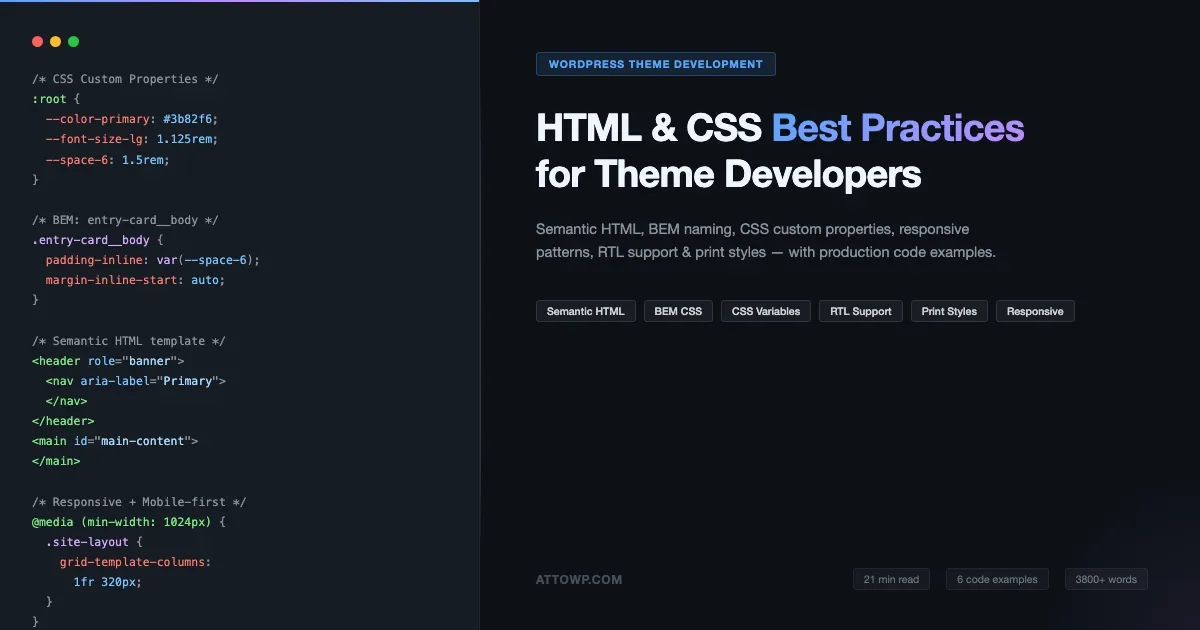
If you’ve inherited a WordPress theme full of <div> soup, or you’ve watched a carefully designed layout shatter the moment someone switches their browser language to Arabic, you already know the cost of skipping foundational front-end discipline. HTML and CSS best practices for WordPress theme development aren’t optional nice-to-haves, they’re the difference between a theme that ages gracefully and one that becomes a maintenance nightmare six months after launch.
This guide covers six areas that every WordPress theme developer should have locked down: semantic HTML structure, BEM naming conventions, CSS custom properties, responsive layout patterns, RTL language support, and print styles. Each section includes production-ready code examples you can adapt immediately. All code is available as a multi-file GitHub Gist linked throughout.
Why These Practices Matter for WordPress Specifically
WordPress themes operate in a uniquely hostile environment compared to custom web applications. Your CSS shares a namespace with the WordPress core, any active plugins, Gutenberg block styles, and potentially a parent theme. Your HTML gets parsed by the Gutenberg block editor, which has strong opinions about valid block structure. Your layouts need to survive RTL languages out of the box because WordPress ships in 60+ languages, and your print styles need to strip navigation and sidebars before a visitor clicks “Print” on a recipe or article page.
The practices below aren’t abstract ideals. Each one addresses a recurring real-world problem in WordPress theme development, broken layouts after plugin updates, accessibility audit failures, failed internationalization reviews, or SEO penalties from poor heading hierarchy.
1. Semantic HTML: Build Structure That Means Something
Semantic HTML is the foundation of every other practice on this list. It gives screen readers, search engines, and the browser itself a meaningful document map to work from. In WordPress theme development, the difference between <div class="header"> and <header role="banner"> is the difference between an accessible theme and one that fails a WCAG 2.1 audit on the first screen reader test.
Core Semantic Elements in WordPress Templates
Here is how semantic HTML maps onto the standard WordPress template hierarchy. The key rule is to match the HTML element to the document role it plays, not to its visual appearance.
Template Part | Semantic Element | ARIA Role |
|---|---|---|
Site header |
|
|
Primary navigation |
|
|
Page/post content area |
|
|
Individual post |
| (implicit from element) |
Widget sidebar |
|
|
Post comments |
|
|
Site footer |
|
|
The code example below shows a complete semantic template structure, the contrast between the <div>-heavy pattern most developers inherit and the semantic version they should migrate toward:
Heading Hierarchy Is Non-Negotiable
Every WordPress theme template must enforce a single <h1> per page. On singular posts and pages, the <h1> is the post title in header.entry-header. On archive pages, the <h1> is the archive title. Individual post titles in archive loops should be <h2>. Breaking this rule tanks both SEO (search engines use heading structure for document outline) and accessibility (screen reader users navigate by headings).
A practical way to enforce this in your theme is to output the post title tag dynamically. On single posts, output an <h1>. On archive loops, output an <h2>. You can check with is_singular() and conditionally filter the tag. Do not hardcode <h2> in your loop card template and then wonder why single post pages have no <h1>.
Semantic HTML is not a style preference. It is a contract between your code and every system that reads it, from search bots to screen readers to browser accessibility APIs. Break the contract and every downstream system gets unreliable data.
Skip Links and Focus Management
Every theme needs a visible “Skip to main content” link as the first focusable element in the document. This is a WCAG 2.4.1 requirement (Level A, no exceptions). WordPress core includes a skip-link pattern in Twenty Twenty-One and later, copy it. The link should be visually hidden until focused, at which point it becomes visible so keyboard users can skip over the navigation to reach the main content area directly. This works in combination with the id="main-content" attribute on your <main> element.
2. BEM Naming: CSS Architecture That Scales
BEM (Block, Element, Modifier) is the most widely adopted CSS naming methodology in WordPress theme development, and for good reason. It solves the two hardest problems in theme CSS: specificity wars and naming collisions with plugins. When you name a class .nav-menu__link--active instead of .active, you make it nearly impossible for a plugin’s generic class to accidentally override your styles.
BEM Structure in Practice
The three parts of BEM map directly onto UI component thinking that works well in WordPress theme development:
- Block, A standalone component that can exist on its own:
.nav-menu,.entry-card,.site-header - Element, A part of a block that has no meaning outside its parent:
.nav-menu__item,.entry-card__thumbnail,.site-header__logo - Modifier, A state or variant of a block or element:
.nav-menu__link--active,.entry-card--featured,.entry-card--horizontal
The following gist file shows a production BEM implementation for two common WordPress theme components: the navigation menu and the post card. Notice how modifiers handle the featured post variant and the horizontal card layout without requiring new class trees:
BEM and WordPress Core Classes
WordPress adds its own classes to elements, .entry-title, .wp-post-image, .alignleft, .wp-caption, and you should treat these as your BEM blocks when styling them. Do not rename WordPress core classes in your templates. Instead, style them directly in your stylesheet. If you need to extend them with modifiers, you can add your own BEM class alongside them in the template: class="entry-card entry-card--featured".
One area where BEM pairs particularly well with WordPress is the Gutenberg block class system. Every core block gets a .wp-block-{block-name} class. Think of these as your blocks in BEM terms. Your custom block stylesheets can follow .wp-block-my-plugin-card (block), .wp-block-my-plugin-card__image (element), and .wp-block-my-plugin-card--highlight (modifier).
Keeping Specificity Flat
BEM’s biggest practical benefit is keeping your CSS specificity low and flat. When all your selectors are single-class selectors (specificity 0,1,0), you can override them anywhere in the cascade with another single-class selector. The moment you write .site-header .nav-menu a.active, you’ve created a specificity wall that forces every future override to match or beat 0,3,1, and that is how specificity wars start. Stick to single-class BEM selectors and use :is() or :where() for grouping when needed.
If you are evaluating whether to write custom component CSS from scratch or adopt a utility framework, the trade-offs are explored in depth in CSS frameworks for WordPress: Tailwind, Bootstrap, and modern styling approaches, a useful companion to the BEM patterns covered here.
3. CSS Custom Properties: Your Theme’s Design System
CSS custom properties (also called CSS variables) are the modern way to implement a design system in a WordPress theme. They replaced SASS variables as the right tool for this job, not because SASS is bad, but because custom properties are runtime values that can be changed by JavaScript, updated with media queries, and overridden in child theme stylesheets without recompilation.
Two-Tier Token Architecture
The most maintainable approach is a two-tier token system. Tier one is primitive tokens, the raw values. Tier two is semantic tokens, named by purpose, mapped to primitives. This is the same pattern used by Material Design, Radix UI, and WordPress’s own Global Styles system.
When a client asks to change their brand color from blue to green, you change one primitive value (--blue-600 to --green-600) and the semantic token (--color-primary: var(--green-600)). Every button, link, focus ring, and highlighted element updates automatically. Without this architecture, you are doing a find-and-replace across hundreds of color values scattered across your stylesheet.
Connecting Custom Properties to theme.json
Since WordPress 5.8, theme.json has been the authoritative source of design tokens for block themes. When you define colors, font sizes, spacing, and other design values in theme.json, WordPress automatically generates CSS custom properties on :root following the pattern --wp--preset--{category}--{slug}. For example, a color named “primary” in theme.json becomes --wp--preset--color--primary.
The practical implication is that your manually defined custom properties and the WordPress-generated ones need to stay in sync. The safest approach is to define your design tokens in theme.json first, then reference the generated --wp--preset--* variables in your CSS rather than duplicating the raw values. This way the block editor’s Global Styles panel and your theme CSS stay consistent. If you are building a classic theme (not block theme), you define the custom properties manually in your root stylesheet, as shown in the gist above. For teams looking to automate parts of the theme setup process, AI-assisted WordPress theme and plugin development covers how to scaffold design token systems and component CSS with AI tooling.
Dark Mode Support
Custom properties make dark mode support straightforward. You define your base palette in :root, then override the semantic tokens inside a @media (prefers-color-scheme: dark) block. Because every component references semantic tokens rather than raw values, they all update automatically. The gist file shows this pattern. For user-controlled dark mode (via a toggle), you move the dark mode overrides from the media query to a .dark class on the <html> element, which JavaScript toggles. WordPress 6.5+ supports this natively in Full Site Editing themes via the Color Styles toggle in Global Styles.
4. Responsive Patterns: Mobile-First Is a Technical Requirement
Mobile-first CSS is not a philosophy, it is a performance optimization. Writing base styles for small screens and progressively enhancing for larger screens means browsers on mobile devices do not download and then override desktop styles. On a slow 4G connection, the difference between mobile-first and desktop-first CSS in a large theme stylesheet can be hundreds of milliseconds of render-blocking style recalculation.
Container System and Grid Layout
Every WordPress theme needs a container system, a set of classes that constrain content width, center it horizontally, and apply consistent padding. The modern approach uses CSS Grid for the primary layout rather than floats or flexbox, because Grid gives you the most precise control over how content and sidebar relate to each other at different breakpoints.
Fluid Typography with clamp()
Fluid typography with clamp() eliminates the need for font-size overrides in media queries. The clamp(min, preferred, max) function sets a font size that scales proportionally with the viewport width, but never drops below the minimum or exceeds the maximum. The preferred value is typically a viewport-width percentage (4vw) that hits your target size at a mid-range viewport.
WordPress’s theme.json supports fluid typography natively since WordPress 6.1. You enable it with "fluid": true on font size presets and WordPress generates the clamp() value automatically. The manual clamp() approach in the responsive patterns gist is for classic themes that don’t use theme.json.
Responsive Navigation Without JavaScript
The hamburger menu pattern in the gist uses a CSS-only approach as the baseline: the navigation is hidden on mobile and revealed when a parent class is added. The is-open class toggling requires minimal JavaScript, a single click handler on the toggle button that adds and removes the class. Keep the JavaScript for navigation as simple as possible. Avoid heavy navigation libraries for a pattern that can be solved with 10 lines of vanilla JS and CSS transitions.
Write base styles for the smallest screen first. Every @media rule that follows is an enhancement, never a correction. When you write desktop styles first and then override them for mobile, you are shipping bloat to the devices least equipped to handle it.Responsive Images and Aspect Ratios
WordPress handles responsive images in PHP with the srcset attribute on <img> tags, but your CSS needs to handle the layout side. The key pattern is using aspect-ratio on the image container to reserve space before the image loads, preventing Cumulative Layout Shift (CLS), a Core Web Vital metric. Set aspect-ratio: 16 / 9 on the thumbnail wrapper and object-fit: cover on the image itself. This is especially important for post grids where images load asynchronously and the grid would otherwise reflow as each image arrives.
5. RTL Support: Build for the Global WordPress Community
WordPress serves a global audience. Arabic, Hebrew, Persian (Farsi), and Urdu, all languages with right-to-left writing direction, collectively represent hundreds of millions of potential users. If your theme breaks in RTL mode, you have excluded them. More practically: any theme submitted to the official WordPress.org Theme Directory must pass RTL review. And many enterprise clients require RTL support as a procurement requirement when deploying WordPress sites in the Middle East or for multilingual audiences.
CSS Logical Properties: The Modern Approach
The traditional approach to RTL support was to ship a separate rtl.css file that mirrored and negated every directional style in your main stylesheet. This was error-prone and required discipline to keep the RTL file in sync as the theme evolved. CSS logical properties eliminate most of that maintenance burden.
Logical properties replace physical directions (left, right, top, bottom) with logical directions (inline-start, inline-end, block-start, block-end). In a left-to-right document, inline-start maps to left. In a right-to-left document, inline-start maps to right, automatically, with no JavaScript and no rtl.css overrides required. You write padding-inline-start: 1rem once, and it works correctly in both LTR and RTL contexts.
What Still Needs Manual RTL Treatment
Logical properties handle most directional styles automatically, but three categories still need manual attention:
- CSS transforms,
rotate()andscaleX()on directional icons (arrows, chevrons, breadcrumb separators) need to be flipped in RTL. Use[dir="rtl"] .icon-arrow { transform: scaleX(-1); } - Background-position values, If you use
background-position: left centerfor decorative backgrounds or checkmark icons in::beforepseudo-elements, these need RTL overrides. Logical property equivalents for background position are not yet widely supported, so manual overrides in an[dir="rtl"]selector are still needed here. - SVG paths, Inline SVGs with directional shapes (arrows, pagination icons) need to be flipped. Either use CSS transform or provide separate RTL SVG variants.
Testing RTL in Your Development Environment
The fastest way to test RTL support is to add direction: rtl; text-align: right; to the <html> element temporarily in your browser’s DevTools. This simulates RTL rendering without switching the site language. For a more complete test, set your WordPress site’s language to Arabic or Hebrew in Settings > General, WordPress will then add dir="rtl" to the <html> tag and load your rtl.css file if one exists. Run through every template: homepage, single post, archive, search results, and WooCommerce if applicable.
6. Print Styles: The Forgotten 10 Minutes That Matter
Print styles are the most commonly skipped item in WordPress theme development. The typical outcome is that printing any page from the site spits out the navigation, sidebar widgets, footer links, and all their background colors, consuming half a page of ink before the actual article content begins. This is a poor experience, and it’s entirely preventable with a single @media print block in your stylesheet.
What to Hide and What to Show
The core principle is: print only what the user came for. On a blog post page, that is the post title, metadata (author, date), and post content. Everything else, navigation, sidebar, related posts, comment forms, CTA banners, advertising slots, should be hidden with display: none !important in the print stylesheet.
Link URL Expansion
One print-specific enhancement that users genuinely appreciate is expanding link URLs into visible text. Because a printed document cannot be clicked, links are meaningless without showing their destination. The a[href]::after { content: " (" attr(href) ")"; } rule appends the URL after every link. The gist shows the exceptions: fragment links (#), JavaScript pseudo-links, and relative internal links, none of which provide useful information in a printed format.
Page Breaks and Typography
Use page-break-after: avoid (or the modern equivalent break-after: avoid) on headings to prevent a heading from appearing at the bottom of a page with its content section on the next page. Apply page-break-inside: avoid to code blocks, figures, and tables to keep them on a single page where possible. Set font sizes in points (pt) for print, not pixels or rems, 12pt body, 22pt H1, 18pt H2 is a solid baseline that reads well in print.
Pulling It All Together: A Theme Development Checklist
Here is a practical checklist that combines all six areas covered in this guide. Run through this before submitting any WordPress theme for review, whether for a client, the WordPress.org Theme Directory, or your internal QA process.
Semantic HTML
- Single
<h1>per page (post title on singles, archive title on archives) - Navigation wrapped in
<nav>witharia-label - Main content in
<main id="main-content"> - Sidebars in
<aside role="complementary"> - Footer in
<footer role="contentinfo"> - Skip-to-main-content link as first focusable element
- All interactive elements are natively focusable or have
tabindex="0"
BEM Naming
- All custom components follow block__element-modifier naming
- No generic class names that could conflict with plugins (
.active,.open,.loading) - All selectors are single-class (no descendant selectors in component stylesheets)
- WordPress core classes (
.entry-title,.alignleft, etc.) styled directly without renaming
CSS Custom Properties
- Primitive tokens defined for colors, font sizes, spacing
- Semantic tokens reference primitives (no raw values in component CSS)
- Dark mode handled with
@media (prefers-color-scheme: dark)overrides on semantic tokens - Custom properties aligned with
theme.jsonpresets if block theme
Responsive Design
- All styles written mobile-first (no desktop-first overrides)
- Breakpoints defined at 640px, 768px, 1024px, 1280px
- All images have
aspect-ratioon container to prevent layout shift - Touch targets minimum 44x44px
- Fluid typography using
clamp()ortheme.jsonfluid settings
RTL Support
- All margin, padding, border, and position values use logical properties
- Directional icons (arrows, chevrons) flip correctly in RTL
- Tested by setting language to Arabic in WP admin
- No hardcoded
float: leftortext-align: leftin component CSS
Print Styles
- Navigation, sidebars, footers, and CTAs hidden in
@media print - Link URLs expanded with CSS
content: attr(href) - Font sizes in
ptunits for print - Page break rules on headings, code blocks, and tables
- Background colors and box shadows stripped
Common Mistakes to Avoid
After reviewing dozens of WordPress themes, certain anti-patterns appear repeatedly. Here are the ones most likely to cause real problems in production:
- Inline styles in templates, Never output inline styles in PHP templates. They cannot be overridden in child themes without
!importantand they break Content Security Policy headers. Output data as custom properties or data attributes and style in CSS. - ID selectors in component CSS, IDs have extremely high specificity (1,0,0) and should only appear in ARIA/JavaScript hooks. Never use
#main-headeras a CSS selector in your component stylesheet. Use a class. - Hardcoding pixel values from design files, Spacing and sizing values taken directly from a Figma file create a brittle design system. Map them to your spacing token scale first. A padding of 24px becomes
var(--space-6). The design system should inform the token values, not bypass them. - Forgetting
:focus-visible, All browsers now support:focus-visible, which shows focus rings on keyboard navigation but hides them on mouse click. Use it. Removing focus outlines entirely (outline: none) is an accessibility failure. Replacing them with custom:focus-visiblestyles is acceptable. - Non-prefixed animations and transitions, CSS animations and transitions do not need vendor prefixes for any browser WordPress supports (IE 11 support was dropped in WordPress 5.8). Stop shipping
-webkit-transitionand-moz-transitionin new themes.
Conclusion
WordPress theme development sits at the intersection of document structure, design systems, internationalization, and performance. The six practices covered in this guide, semantic HTML, BEM naming, CSS custom properties, responsive patterns, RTL support, and print styles, are not independently important. They build on each other. Semantic HTML gives your BEM class tree a meaningful anchor. CSS custom properties make your responsive breakpoints and RTL overrides manageable. RTL support becomes almost free once your component CSS uses logical properties consistently.
Start with the checklist in this guide on your next theme project. The patterns that feel like extra work up front, particularly the two-tier custom property system and the logical properties RTL approach, pay back significantly in the time you don’t spend debugging specificity conflicts, managing duplicate RTL stylesheets, or explaining to a client why their printed article looks like a browser window full of navigation links.
All six code examples are available in the HTML & CSS Best Practices for WordPress Theme Developers Gist on GitHub. Fork it, adapt it, and use it as a starting point for your next theme.
Frequently Asked Questions
Should I use SASS or CSS custom properties for WordPress theme development?
Use both where each is appropriate. SASS is excellent for build-time operations: nesting, mixins, functions, and compiling multiple partial stylesheets. CSS custom properties are essential for runtime values that need to change based on context: user preferences, JavaScript state, media queries, or child theme overrides. Define your design tokens as CSS custom properties. Use SASS for code organization and build pipeline management. Avoid defining design values exclusively as SASS variables, they cannot be overridden in child themes without recompiling, and they are invisible to the browser’s DevTools.
Does BEM naming conflict with WordPress core HTML classes?
No, and it does not need to. WordPress core classes like .entry-title, .wp-post-image, and .alignleft follow their own naming convention that predates BEM. Treat them as opaque blocks that you style directly. Your custom component CSS sits alongside them, you write .entry-card and .entry-card__title as your BEM system, and you write .entry-title { ... } as your WordPress core class override in a separate section of your stylesheet. The two naming systems coexist without conflict as long as you use a sufficiently specific prefix for your BEM blocks (the theme name is a good prefix: .mytheme-entry-card).
How do I add RTL support to an existing WordPress theme that was built LTR-only?
The migration path has two stages. First, create an rtl.css file in your theme root. WordPress automatically loads it when the site language is RTL. In this file, override every physical directional property that needs to be mirrored: margin-left becomes margin-right, padding-left becomes padding-right, float: left becomes float: right, and so on. This gives you working RTL support immediately. Second, progressively refactor your main stylesheet to use logical properties. As you edit component CSS for other reasons, replace physical properties with their logical equivalents. Over time, your rtl.css becomes smaller and smaller until it only contains transform overrides and other properties that logical properties cannot handle yet.
Do print styles matter for modern WordPress themes?
More than most developers assume. Content-heavy sites, recipe blogs, legal sites, documentation sites, educational resources, news sites, see meaningful print usage. Google Analytics data frequently shows 1–3% of visits ending with a print action on high-value content pages. Beyond actual printing, many users use “Save as PDF” via the browser’s print dialog to save recipes, tutorials, and reference articles. A bare-minimum print stylesheet (hiding navigation and applying reasonable print typography) takes under an hour to write and improves the experience for a measurable portion of your audience.
What breakpoints should I use for a WordPress theme in 2025?
The Tailwind CSS breakpoint scale is a reasonable starting point: 640px (sm), 768px (md), 1024px (lg), 1280px (xl), 1536px (2xl). For WordPress themes specifically, 768px is the most important breakpoint because it covers the Gutenberg block editor’s “tablet” preview mode. Test your theme in the block editor at both tablet and mobile preview widths, editors use these previews before publishing and a broken layout in the editor erodes trust in the theme. For Full Site Editing themes, also test at the widths defined in your theme.json layout settings (contentSize and wideSize).

No comments yet