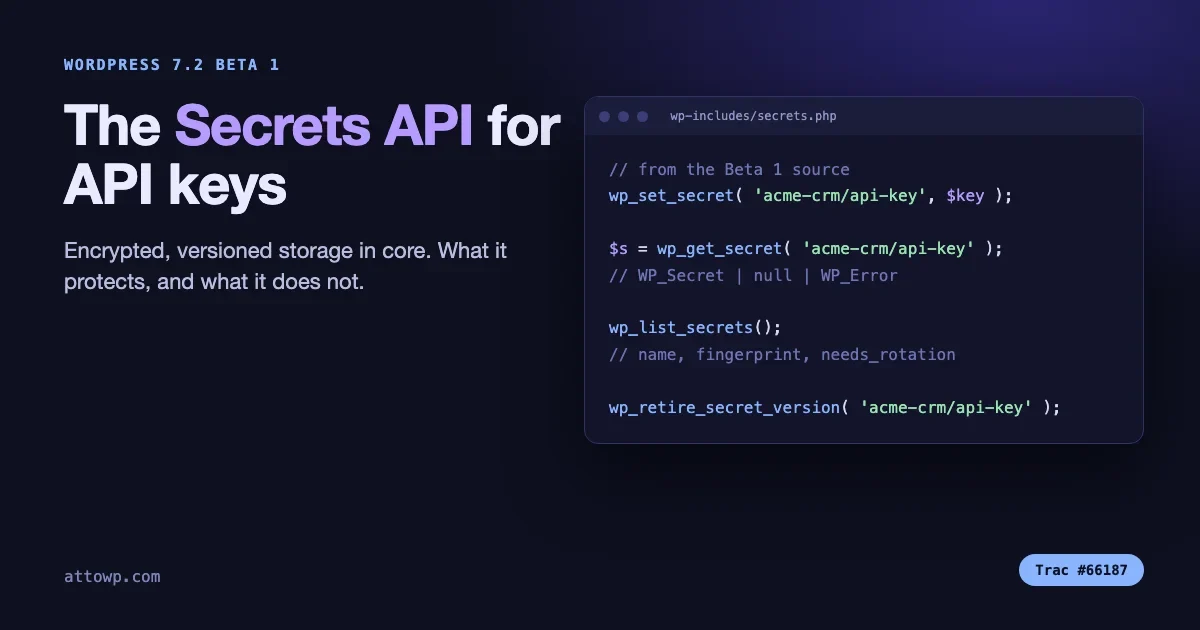
WordPress has never had an agreed place to put an API key. Plugins store them in wp_options as plain text, in wp-config.php as constants, in custom tables, or in post meta, and each plugin picks its own habit. WordPress 7.2 adds a Secrets API to core: a standard, encrypted, versioned store for credentials, with pluggable back ends for hosts that keep secrets somewhere else.
The 7.2 Beta 1 announcement describes it as a standardized, secure way to store sensitive credentials, with encryption at rest, credential rotation and customizable storage providers, and points to Trac ticket #66187. The final release is scheduled for 8 December 2026, so this is beta software today and names can still move. This post is based on the Beta 1 package itself: we downloaded wordpress-7.2-beta1.zip and read the code in wp-includes/secrets.php and wp-includes/secrets/. Anything we quote below exists in that source. Where we are inferring, we say so.
What problem does the Secrets API solve?
Think about where a typical plugin keeps a payment gateway key, a CRM token or an email API key.
- A plain option. Easy, and the value sits readable in the database, in every backup, in every staging copy and in every SQL dump you email to a freelancer.
- A constant in wp-config.php. Better, because it is out of the database. It is also manual, per environment, and invisible to the admin screen.
- An environment variable. Good practice on hosts that support it, and not available on most shared hosting.
- Home-made encryption. A plugin author encrypts with a key derived from the salts. That is better than plain text, and every author invents their own scheme, so quality varies.
The result is that two plugins on one site can hold two credentials with two completely different security properties, and the site owner cannot tell which is which. The Secrets API is an attempt to give every plugin one default, good answer, and to let a host replace the storage when the host has something better, such as a cloud key management service.
It also gives the ecosystem a shared vocabulary. A security scanner, a backup plugin or a Site Health test can ask “which secrets exist, which are old, which need rotating” without knowing each plugin’s private storage format.
What is in the Beta 1 source?
These are the public functions defined in wp-includes/secrets.php in the Beta 1 package, all marked @since 7.2.0:
Function | What it does |
|---|---|
| Encrypts and stores a secret. Returns |
| Returns a |
| Deletes a secret. |
| Clears the previous version of a secret. |
| Lists secrets by name and metadata. Never returns a value. |
| Copies an existing option’s value into a secret, flagged as needing rotation. |
| Tell a settings screen which provider is active and whether it accepts writes. |
There are matching network-scope functions for Multisite: wp_set_network_secret(), wp_get_network_secret(), wp_delete_network_secret(), wp_retire_network_secret_version() and wp_list_network_secrets(). Site and network secrets use separate functions, separate capabilities and separate storage prefixes, with no automatic fallback from one to the other.
The Beta 1 package also contains thirteen class and interface files under wp-includes/secrets/, including the WP_Secret value object, a libsodium-based provider, an option-based store, a key manager and three interfaces (WP_Secrets_Provider, WP_Secrets_Store, WP_Secrets_Keyring) that a host can implement. There are three Site Health tests, which we cover below.
How does a plugin store and read a key?
A secret has a name, and the name has a shape: plugin-slug/secret-name. Each part uses lowercase letters, numbers, hyphens and underscores, must not start or end with a hyphen or underscore, and there is exactly one slash. The whole name can be at most 172 characters. A name without a namespace is still accepted, but triggers a _doing_it_wrong() notice, because it exists only to ease porting from an earlier prototype.
Storing:
$result = wp_set_secret( 'acme-crm/api-key', $api_key );

if ( is_wp_error( $result ) ) {
    // Do not echo the value. Report the error code.
    error_log( 'acme-crm: could not save secret: ' . $result->get_error_code() );
}
Reading is a three-state result, and the source says the three states are never collapsed. That matters, because “not configured” and “configured but unreadable” need different handling:
$secret = wp_get_secret( 'acme-crm/api-key' );

if ( is_wp_error( $secret ) ) {
    // The secret exists but could not be retrieved.
    // Fail closed: do not fall back to some other copy.
    return $secret;
}

if ( null === $secret ) {
    // Nothing stored yet. Show the settings screen.
    return new WP_Error( 'acme_crm_not_configured', 'Add your API key first.' );
}

$api_key = $secret->reveal();
The WP_Secret object is the interesting part. reveal() is documented in the source as the only path to the stored plaintext anywhere in the API. If you print the object, log it, or run it through var_dump(), you get a placeholder in the form [secret:{name}] rather than the value. The class also defines __serialize() and __clone(), so it is built to resist being copied or serialized by accident. That is a small design choice with large consequences: a stray error_log( print_r( $settings, true ) ) no longer writes a live key into a log file.
One practical note: reveal() has a return type of string|WP_Error. The source explains that the WP_Error branch exists for providers that will not release a value to PHP at all, and that the provider WordPress ships never takes that branch. A careful plugin still checks it, because a host can swap the provider.
Where are the secrets stored and how are they encrypted?
By default, as rows in the options table. The default store keeps site-scope secrets under option names that begin with _wp_secret_, with autoload disabled. Network secrets go through the site-options functions. What sits in those rows is an encrypted record, not the value.
The default provider uses libsodium. The cipher file calls sodium_crypto_aead_xchacha20poly1305_ietf_encrypt, which is XChaCha20-Poly1305 authenticated encryption. The key hierarchy, as documented in the source and the feature plugin, runs in layers:
- A site key comes from
wp-config.php. - The site key wraps a per-install root key.
- A master key is derived from the root key for each scope.
- Each secret gets a random data key, and the data key encrypts the value.
For the site key, the default keyring first looks for a constant named WP_SECRETS_KEY. If it base64-decodes to exactly 32 bytes, those bytes are used directly, and the source calls that the documented, recommended form. If the constant exists in any other shape, it is hashed. If it is not defined at all, the keyring derives a key from LOGGED_IN_KEY and LOGGED_IN_SALT. So the API works on a stock install with no configuration, and gets better when you give it a dedicated key.
To make a suitable key, any tool that gives you 32 random bytes in base64 will do. This one is available on most systems:
openssl rand -base64 32Then add the result to wp-config.php as define( 'WP_SECRETS_KEY', '...' ); on a site that has no secrets yet. Do this before you store anything. The source also supports a WP_SECRETS_KEY_PREVIOUS constant, which exists so a site-key rotation can unwrap under the old key before wrapping under the new one. We have not tested a full site-key rotation on a live site, so treat that procedure as something to rehearse on staging first.
One caution, based on how the layers work: if you add a dedicated WP_SECRETS_KEY after secrets already exist under the salt-derived key, those secrets cannot be unwrapped by the new key alone. Set the key first, or use the previous-key constant to bridge the change.
How does rotation work?
Every secret has two slots, current and previous. When you save a new value with wp_set_secret(), the old current value is demoted to previous, so there is no gap where neither key works. You read the old one with wp_get_secret( $name, WP_Secret_Version::PREVIOUS ).
Nothing retires the previous value automatically. That is on purpose: core cannot know when a third-party service has stopped accepting the old key, so clearing it is an explicit action with no timers and no cron. When you have confirmed the new key works, call wp_retire_secret_version().
// 1. Save the new key. The old one moves to the PREVIOUS slot.
wp_set_secret( 'acme-crm/api-key', $new_key );

// 2. Confirm the vendor accepts the new key (your own check).
$ok = acme_crm_ping();

// 3. Only then retire the old value.
if ( $ok ) {
    wp_retire_secret_version( 'acme-crm/api-key' );
}
That sequence is a pattern we recommend, not something core runs for you. If your vendor lets you keep two valid keys at once, this gives you a zero-downtime rotation. If your vendor invalidates the old key the moment you create a new one, you will still have a brief window, and the previous slot will not help.
wp_list_secrets() returns, for each secret, its name, a fingerprint, a created timestamp, whether it has a previous version, and a needs_rotation flag. It never returns a value. That gives a future admin screen, or your own audit script, what it needs to answer “what is old and what is flagged”.
Can I migrate existing options?
Yes, with wp_import_option_as_secret( $option, $name ). It reads the option, stores the value as a secret and leaves the source option untouched. It only handles string values and returns a WP_Error if the option is missing or is not a string.
The part we like is the honesty in the design. The imported secret is always flagged needs_rotation. The source comment explains why: a credential that sat in a plain option has already been through however many backups and replication paths that option went through, so encrypting it now does not undo that history. The flag tells you to rotate the value, not to consider the migration finished.
A migration routine that follows that logic:
function acme_crm_migrate_key() {
    if ( ! function_exists( 'wp_import_option_as_secret' ) ) {
        return; // WordPress older than 7.2.
    }

    $existing = wp_get_secret( 'acme-crm/api-key' );
    if ( $existing instanceof WP_Secret ) {
        return; // Already migrated.
    }

    $result = wp_import_option_as_secret( 'acme_crm_api_key', 'acme-crm/api-key' );

    if ( true === $result ) {
        // Verify with a real call before removing the old option,
        // then ask the site owner to rotate the key at the vendor.
    }
}
We deliberately do not delete the old option inside that function. Verify the new path first, delete second.
Who is allowed to read and write secrets?
Core adds a capability, manage_secrets, and the Beta 1 source defines it as the constant WP_SECRETS_CAP_MANAGE. In the Beta 1 package, wp-admin/includes/schema.php grants manage_secrets to the administrator role, and a separate manage_network_secrets capability exists for network scope. We did not test upgraded installs or Multisite role mapping, so check those on your own test site before you build on them.
The important point is in the docblocks of wp_set_secret() and wp_get_secret(): the functions apply no capability check. The source says this is because they must be callable from cron, REST and front-end requests where nobody is logged in. Capability enforcement belongs at your boundary: the settings screen, the REST route, the CLI command. If you build a settings page that saves a key, you still need current_user_can() and a nonce, exactly as you would for any option.
What does it not protect against?
This is the section to read twice. The Secrets API is a real improvement, and it is not a safe.
- Any code that runs in PHP can read any secret. The source says so directly: namespacing is organization, not security, and it confers no isolation. A malicious or compromised plugin can call
wp_get_secret()with your plugin’s name. - There is no filter on the read path. The source states that no filter is applied anywhere on the retrieval path. That is a security choice, since it stops other code from intercepting reads through a hook.
- Secret names are still visible. The default store uses option names, so the names of your secrets are visible to anyone who can see the options table. The values are not.
- Salt-derived keys are only as safe as wp-config.php. If an attacker reads your config file and your database together, the default keyring will not save you. That is why the dedicated key, and ideally a host-level keyring, matters.
- There is no admin screen in 7.2. The feature plugin’s README says an admin settings screen is deferred to 7.3, and the third-party guide says WP-CLI commands stay in the feature plugin. We did not find either in the Beta 1 package.
The honest summary: the API protects secrets at rest, in backups, in database dumps and in accidental logs. It does not protect against code that is already running inside your site. For that, you still need the usual work of keeping plugins updated and removing the ones you do not use.
What can a host change?
The API has three extension points, all of which are interfaces in the Beta 1 source:
WP_Secrets_Providerreplaces the whole thing. The host’s platform becomes the system of record.WP_Secrets_Keyringreplaces only how the root key is wrapped. The interface documentation says a KMS or HSM lives behind it in production, and that an implementation is never handed a plaintext secret.WP_Secrets_Storereplaces only where encrypted records live.
A drop-in file at wp-content/secrets.php installs them, in the same way object-cache.php replaces the object cache. The drop-in sets a global for the store or the provider before first use. If the drop-in is broken, the source returns “broken” stand-in objects that fail every call. It does not quietly fall back to the options table. The reason is stated in a code comment: a site whose credentials are held elsewhere would otherwise report them as absent rather than unreachable.
For agencies this is the interesting part. On a managed host that wants to keep credentials in a vault, the plugin code stays the same, and the host changes where the bytes live.
What shows up in Site Health?
The Beta 1 package ships Site Health tests for the Secrets API. We found three result labels in secrets-site-health.php: Secrets API key source, Secrets API: undecryptable secrets and Secrets API: credentials pending rotation. The third one is where imported secrets will show up. The result shape is the usual Site Health one, with good, recommended or critical status.
Expect a recommendation if you rely on the salt-derived key rather than a dedicated WP_SECRETS_KEY. We have not triggered every state in Beta 1, so test on a staging site if you want to see the wording.
Can I audit changes?
Yes. Whenever a secret is created, updated, deleted, imported or retired, the provider fires one action, wp_secret_changed. The arguments, per the docblock, are the name, the action (created, updated, deleted, imported or retired), the acting user ID, a timestamp, the old fingerprint, the new fingerprint and a network flag. Values are never passed.
add_action(
    'wp_secret_changed',
    function ( $name, $action, $actor_id, $timestamp, $old_fp, $new_fp, $network ) {
        error_log( sprintf(
            'secret %s %s by user %d (network: %s)',
            $name,
            $action,
            $actor_id,
            $network ? 'yes' : 'no'
        ) );
    },
    10,
    7
);
The source says this is the only hook in the core-bound Secrets API code and that it does not fire on reads. That makes it a clean place for an audit log. It is also how a security plugin could alert you when a secret changes at 3 a.m.
How does this relate to application passwords and the Abilities API?
It is a different layer. Application passwords let an outside client authenticate to your WordPress site. The Secrets API is for credentials your site holds in order to authenticate to someone else: a payment gateway, an email service, a CRM, an AI provider. Both matter for AI agent work. If you connect an agent to WordPress through the methods in our post on four ways to connect an AI agent to WordPress, the application password is the key you hand to the agent, and the Secrets API is the sensible home for any provider key your own plugin calls out with. If you want the wider comparison of how clients authenticate, see our REST API authentication methods guide.
What should I ask my plugin vendors?
You do not need to write code to benefit. Here are five questions to put to the authors of any plugin that holds a credential for you.
- Will you move stored keys to the Secrets API on WordPress 7.2 and later? If the answer is no, ask how they protect the key today.
- Will you offer a migration, and will you tell me to rotate the key afterwards? A migration without rotation leaves old copies in old backups.
- What happens on an older WordPress version? A plugin that supports 6.x has to keep a fallback path. Ask what it is.
- Do you ever log or display the value? The
WP_Secretobject is designed to prevent accidents, but only if the plugin uses it. - Is there a way to supply the key through a constant or the host’s vault? Hosts with a vault should be able to use it.
A checklist for developers shipping a plugin
- Feature-detect with
function_exists( 'wp_set_secret' )and keep your existing storage for older WordPress. - Choose one namespaced name per credential:
your-plugin-slug/key-name. - Handle all three results of
wp_get_secret(): object,null,WP_Error. - Never log, print or JSON-encode the revealed value. Call
reveal()at the last moment, use the value, and let it go. - Check
current_user_can()and a nonce on your own settings screen and REST routes, since the functions do not. - Check
wp_secrets_provider_is_writable()and disable your save control when it returns false, so a user does not type a key into a field that will be rejected. - Use
wp_import_option_as_secret()for migration, verify, then delete the old option, then tell the owner to rotate. - Test against Beta 2 and the release candidates. This is beta code, and the names in this post are from Beta 1.
What is still unknown
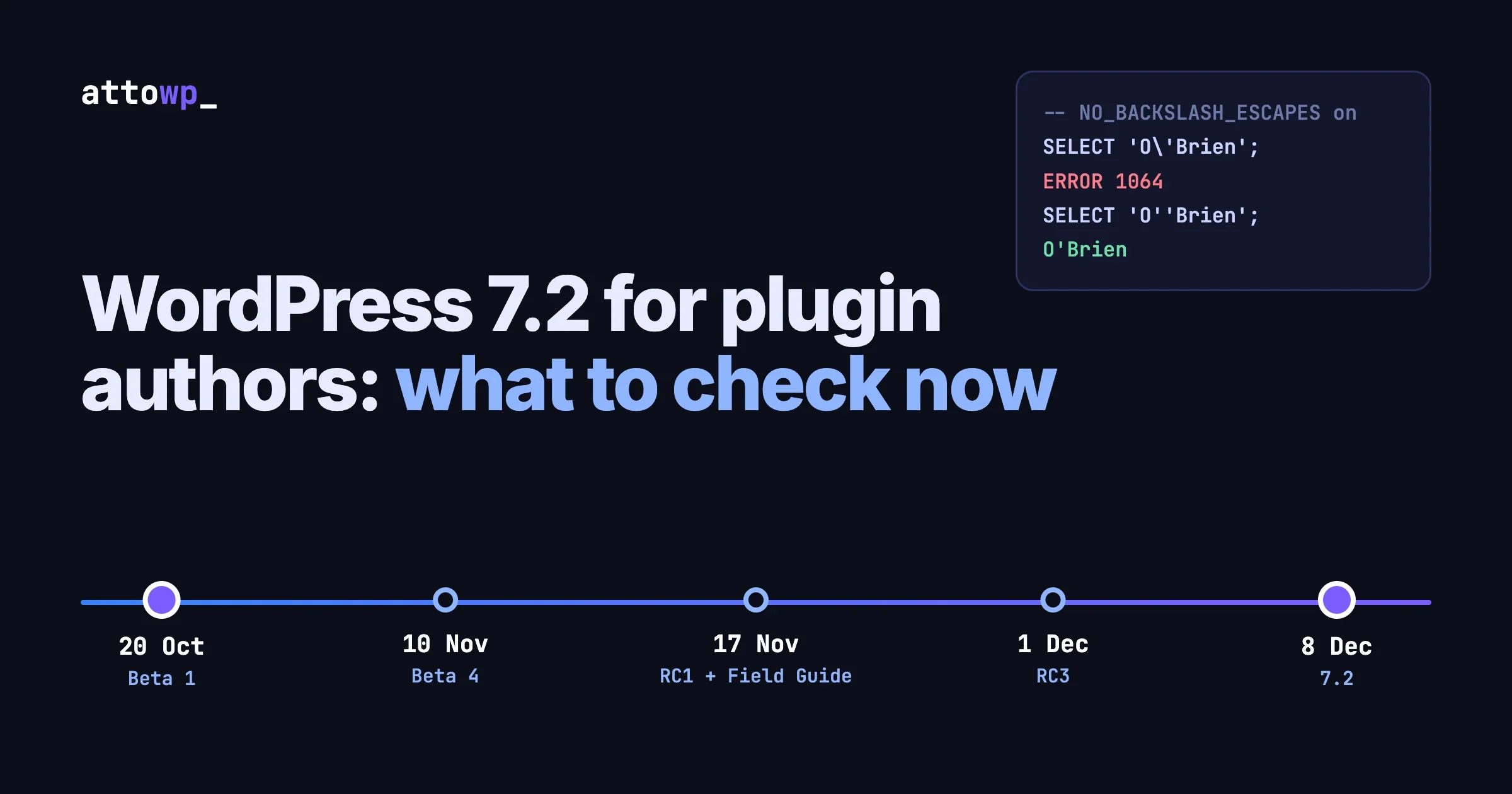
We want to be plain about what we did not verify. The Beta 1 package is a snapshot, not a promise. Function names and behaviour can change before 8 December. We did not read Trac #66187 directly, because the site blocked our automated request, so the status of the ticket and any follow-up discussion should be read there. We have not run the API on a live site under load, and we have not tested host drop-ins. The final dev note for 7.2, once published, is the document to trust over this post.
The direction is clear, though. WordPress is giving every plugin one decent place to put a credential, and giving hosts a clean way to substitute something stronger. For a developer, the work is small: three functions and a migration. For a site owner, the change you can make today is to find out which of your plugins hold keys, and start asking the questions above.

No comments yet