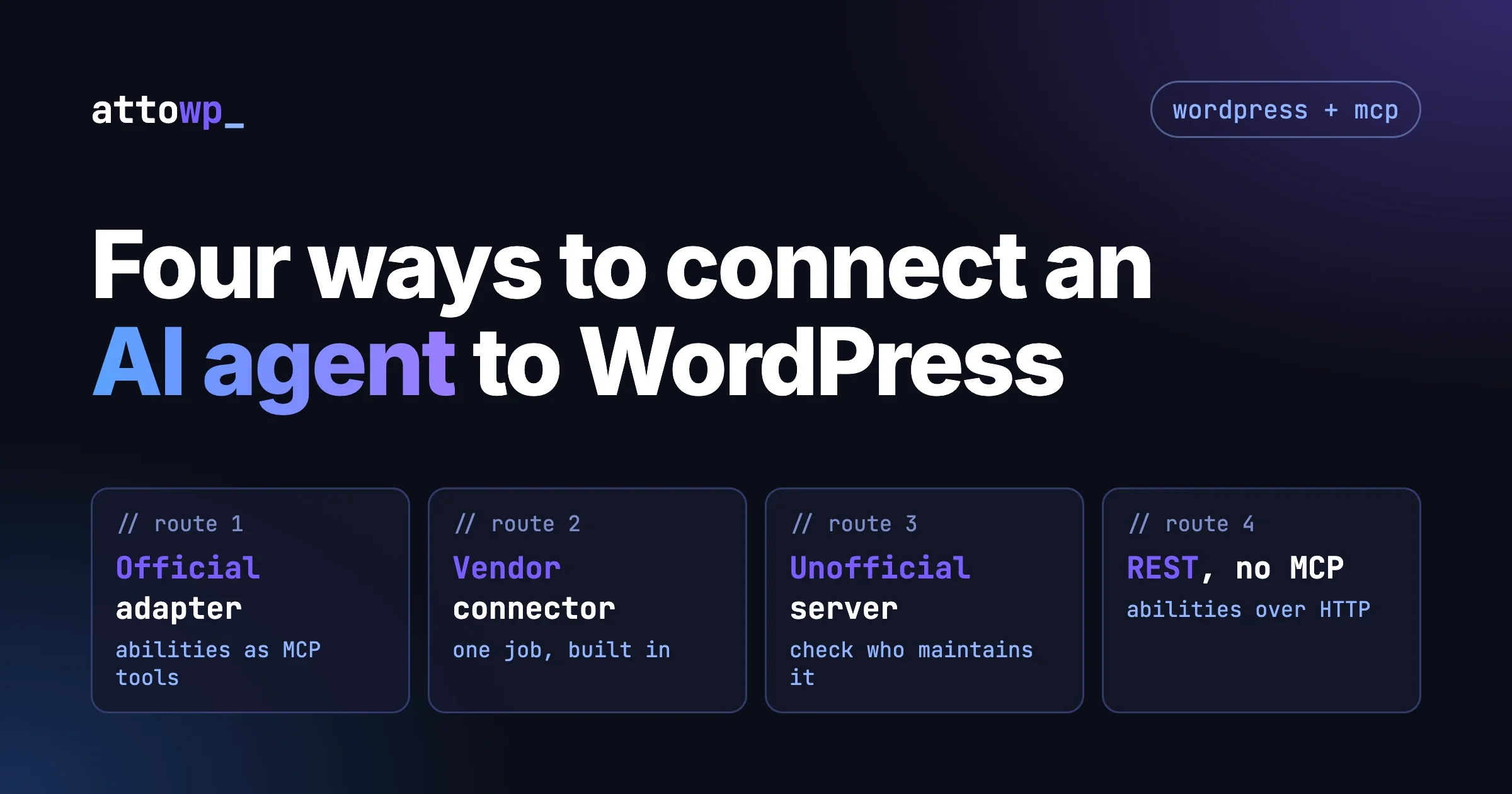
There are four routes for connecting an AI agent to a WordPress site: the official MCP Adapter plugin, a vendor’s built-in connector (Elementor’s is the one we read about), an unofficial MCP server, and the Abilities REST API without MCP at all. Most sites should start with the official adapter when the plugins they already run register abilities (WooCommerce and LifterLMS do), and with a vendor connector when the job is narrow and that vendor owns the job (page building in Elementor, for example). The rule we use: pick the route whose permission boundary you can explain in one sentence.
This guide is for developers and technical site owners choosing a WordPress MCP server, adapter or plugin. Everything below comes from primary sources we read on 8 October 2026 (WordPress.org, the WordPress GitHub repository, the WordPress developer blog and the vendors’ own changelogs and posts). We could not install and run these routes, so every command below is quoted from its source and is untested by us.
In this guide
- What MCP, the Abilities API and the MCP Adapter each do, in plain terms
- A side-by-side table of the four routes
- One section per route: what to install, how it authenticates, what the agent can do, who it suits
- Which vendor connectors do real work, limited to what we could verify
- Questions to ask before you connect an agent to a live site
- Upgrading to adapter 0.7.0: what changed
- Questions people ask
What are MCP, the Abilities API and the MCP Adapter, and how do they fit together?
MCP (Model Context Protocol) is an open standard that lets an AI client such as Claude or Cursor discover and call tools on another system. WordPress does not speak MCP by itself. Two pieces sit between the agent and your site, and it helps to keep them apart.
The Abilities API is part of WordPress core from version 6.9. The developer documentation describes it as a standardized way to register and discover distinct units of functionality within a site, and states that it is only available for WordPress 6.9 and above. An ability is a named action with a description, schemas, an execute callback and a permission callback. Abilities that set show_in_rest are exposed through REST endpoints under the wp-abilities/v1 namespace, according to the WordPress 6.9 developer note.
The MCP Adapter is a separate plugin. Its own readme says it takes the abilities registered on your site and makes them available to MCP clients, and that it does not provide any AI features itself. So the adapter is the transport layer, and the abilities are the content. An adapter with no abilities behind it does nothing useful, and abilities with no adapter are still reachable over REST.
When a plugin vendor says it “supports MCP”, ask whether it registers abilities that an adapter can expose, or ships its own MCP server. The routes below differ mainly in that.
For a deeper explanation of the protocol itself, see our earlier post MCP Protocol Explained: How AI Agents Connect to External Tools. For the step-by-step setup of a server, see Build a WordPress MCP Server in 20 Minutes: Expose Your Site to Claude.
How do the four routes compare?
The table is a summary of what the sources below state. Where a source does not say something, the cell says so rather than guessing.
Route | What it is | What you install | How it authenticates | What the agent can do | Who it suits |
|---|---|---|---|---|---|
1. Official MCP Adapter | WordPress project plugin that turns registered abilities into MCP tools, resources and prompts | The MCP Adapter plugin (WordPress 6.9+, PHP 7.4+ per its listing), plus abilities from core or other plugins | A WordPress user, typically through an Application Password over HTTP, or WP-CLI over STDIO for local sites | Only abilities marked public, and only what each ability’s permission check allows for that user | Sites with plugins that register abilities, and developers who write their own |
2. Vendor built-in connector (Elementor MCP) | An MCP connection shipped inside the vendor’s own plugin | Nothing extra if Elementor 4.3.0 or higher is active, per Elementor | An Application Password that Elementor creates for you, per Elementor | Elementor’s own abilities (pages, design system, theme parts), more with Pro, and wider site reach only with Angie | Sites built in Elementor where the job is page work |
3. Unofficial MCP server | A plugin or repository from a third party that exposes WordPress to MCP clients | Whatever that project requires | Varies by project | Varies by project, and is the main thing to check | People who can read the code and accept the maintenance burden |
4. Abilities REST API without MCP | Core REST routes under | Nothing beyond WordPress 6.9+ and a plugin that registers abilities | An authenticated WordPress user, with each ability’s permission callback applied | List, read and run the abilities that set | Your own scripts, automations and agents that call HTTP directly instead of speaking MCP |
Route 1: When should you use the official MCP Adapter?
Use it when you want one connection that reaches every ability your site registers, and when you want the permission model to be WordPress’s own. It is the route the WordPress project describes as the official WordPress package for MCP integration, and it is the one WooCommerce’s developer documentation builds on.
What you install
As of 8 October 2026 the plugin is listed on WordPress.org at version 0.7.0, requires WordPress 6.9 or higher and PHP 7.4 or higher, and shows more than 40,000 active installations. The 0.7.0 release notes state that it is the first release published to the WordPress.org plugin directory; before that it was a GitHub project. Its readme gives two install methods: search for “MCP Adapter” under Plugins > Add New, or use WP-CLI:
wp plugin install mcp-adapter --activateWe have not run this command; it is quoted from the plugin’s readme. Because the version is still 0.x, read each release’s notes before updating production sites.
How it authenticates
The readme says you point an MCP-compatible client at the endpoint and authenticate as a WordPress user. The GitHub readme names the default HTTP endpoint as /wp-json/mcp/mcp-adapter-default-server and describes a WP-CLI STDIO option for local setups. WooCommerce’s developer documentation adds the practical detail: remote HTTP connections use a WordPress username and an Application Password (not the account password), and local STDIO connections authenticate through WP-CLI with the configured --user.
What the agent can do
Less than you might fear, by design. The readme states that abilities are private by default: you set meta.public (or meta.mcp.public) to true to expose one. The default server then offers three meta-tools, mcp-adapter/discover-abilities, mcp-adapter/get-ability-info and mcp-adapter/execute-ability, which the agent uses to find and run the public abilities. Permission checks still run against the current user before anything executes, per the plugin listing’s FAQ.
Who it suits, and where it falls short
Developers and technical owners comfortable with a config file. The adapter also gives you nothing to do until abilities exist on the site, from core or from plugins.
Route 2: When does a vendor’s built-in connector make sense?
It makes sense when the vendor’s product is the thing you want the agent to work on, and you do not want to run another plugin. The example we could verify from the vendor’s own posts is Elementor.
A framing note first. Elementor published a post titled “MCP for WordPress: What each option is and what to install” on 6 October 2026. It compares the official adapter, unofficial servers and Elementor’s own MCP, and it concludes that if you build with Elementor you should start with Elementor’s connection. We use it for Elementor’s own facts (version, setup, free versus Pro) and treat its comparisons as one side of the argument.
What it needs
According to the comparison post, the connection is built into Elementor and “Elementor version 4.3.0 or higher” is enough, with nothing extra to download. The launch post, “Introducing the Elementor MCP”, describes an Elementor MCP page in the dashboard; access is limited to site admins and the connection is per site. You choose Claude Code, Claude Desktop, Codex, Cursor or “Other” for any additional MCP-compatible tool. The earlier beta post listed extra steps (beta channel, Atomic Editor); the launch post does not, so check the Elementor MCP screen for current requirements.
How setup works and how it authenticates
Per the launch post, you generate and copy a setup prompt for your AI tool, and Elementor creates the required Application Password in the background and includes it in the prompt. A manual configuration option exists too. The comparison post adds that the password stays between your site and your AI tool and that Elementor never sees it. That is Elementor’s statement; we have not verified it.
What is free and what needs Pro
The launch post says connecting to the MCP is free, and the cost of using it depends on your AI tool’s pricing and credits. It says basic sections and features can be generated for free, while Pro features require a Pro plan. The comparison post lists what Pro adds: Theme Builder, Loops, Forms, dynamic content and display conditions. We saw no prices on these pages, so we quote none.
What the agent can do, and the Angie caveat
The launch post lists building and editing atomic pages and layouts, working with Elementor’s design system (classes, variables, breakpoints), creating theme parts such as headers, footers, archives and popups, working with components and connecting dynamic content. Three further items carry the note “Requires Angie to be installed”: custom widgets and admin experiences, bulk content management and debugging, and acting as a single WordPress entry point that reaches every ability registered to the Abilities API (WooCommerce, Yoast, WPForms, Jetpack, ACF and others, as named by Elementor). Angie is Elementor’s own AI plugin. So the “one connection to everything” claim applies only with Angie added.
One control worth noting: the launch post says everything generated is saved as a draft rather than published, and that if the Editor and an AI tool modify the same page at once, Elementor detects the conflict and lets you refresh or discard.
Who it suits
Sites already built in Elementor, where the agent’s job is page work. For sites whose important work lives in other plugins, it replaces the adapter only if you add Angie.
Route 3: What should you know about unofficial MCP servers?
Unofficial servers are plugins or repositories from third parties that expose WordPress to MCP clients. Some are good. We name none here, because the brief for this article was to name only what we read in the repository today, and a category description is more useful than a list that will be stale in a month. Our earlier post The 10 MCP Servers Worth Installing for WordPress Workflows in 2026 covers specific servers.
Elementor’s comparison post makes one point that holds regardless of who says it: unofficial servers vary a lot in how actively they are maintained, which permissions they ask for, what data they store about you and your site, and what they expose to an agent. Turn that into a checklist, and apply it before installing any of them:
- Maintenance. Look at the date of the last release and the last commit, how issues are handled, and whether the project says which WordPress and PHP versions it supports.
- Who runs it. Is there a named maintainer or company and a security contact?
- Permissions. Does it act as a real WordPress user whose capabilities you control, or does it use a single powerful key? Does it respect each action’s permission check, or bypass it?
- What it exposes. Read the tool list. A server that offers a generic “run PHP”, “run SQL” or “edit any option” tool gives the agent the whole site, whatever your user role says.
- Where data goes. Does the server or its proxy send your content, credentials or logs to a third-party service?
If a server fails two or more of these, the fix is simple: do not install it on production. Try it on a staging copy, or use route 1 and write the one ability you need yourself.
Route 4: Can an agent use the Abilities REST API without MCP?
Yes, and for many automation jobs it is the simplest route. If your agent or script can make authenticated HTTP requests, it does not need MCP. The WooCommerce developer blog describes the standard routes for abilities that declare show_in_rest:
/wp-json/wp-abilities/v1/abilitiesto list/wp-json/wp-abilities/v1/abilities/{name}to read one/wp-json/wp-abilities/v1/abilities/{name}/runto execute
The same post says the list and get routes require an authenticated user with the WordPress read capability, that the run route derives the expected HTTP method from each ability’s annotations (read-only abilities use GET, destructive idempotent abilities use DELETE, other writes use POST), and that each ability remains protected by its own permission_callback. The adapter is one projection of the abilities, and REST is another.
This route suits developers building their own agent runtime or automation. It does not give an off-the-shelf MCP client (Claude Desktop, Cursor) anything to connect to, so for those clients you still want route 1 or 2. An ability that does not set show_in_rest is invisible to this route. Check by listing /wp-json/wp-abilities/v1/abilities as the intended user; if you own the ability, enable REST exposure on it, otherwise ask the vendor.
Which vendor connectors do real work?
The brief for this section was strict: name a vendor only if its own changelog or official post, read today, supports the claim. Here is what that gave us for three vendors, and what we left out.
WooCommerce: real abilities, documented as a developer preview
The WooCommerce changelog lists, under 10.9.0 (23 June 2026), “Add canonical WooCommerce domain abilities for product and order management.” The WooCommerce developer blog post from 12 May 2026 names the first set: woocommerce/products-query, product-create, product-update, product-delete, orders-query, order-update-status and order-add-note. It says each has strict input and output schemas and a permission callback, that query abilities are read-only, and that product delete moves to trash by default, with permanent deletion needing force: true.
The developer documentation marks the MCP integration as a developer preview whose details may change, and says it is controlled by an mcp_integration feature flag. It also marks the older /wp-json/woocommerce/mcp endpoint as deprecated for new integrations and gives the adapter’s default server as the place to connect. It warns that order and customer operations can expose personal data. On balance this is real, narrow, documented work, with the honest label “preview”.
LifterLMS: real abilities, in the changelog
The LifterLMS readme changelog for 10.1.0 (31 July 2026) says it added Abilities API integration (WordPress 6.9+), registering its REST API endpoints for courses, sections, lessons, memberships, access plans, students, enrollments and student progress as discoverable abilities for AI clients and automation tools. The 10.2.0 entry (24 August 2026) adds a student grades ability and registers quizzes, quiz attempts, orders and certificates. That is concrete. Note that the stated mechanism is the Abilities API, so you still need a transport, such as the adapter, to reach it from an MCP client.
Tutor LMS: an AI connector line, but not an abilities line
Tutor LMS 4.1.0 (29 September 2026) lists: “Update: Integrated the WordPress AI Connector with Tutor AI Studio. (Pro)”. We searched the changelog in the plugin’s readme for abilities and MCP and found no entry. Our reading, which you should confirm with the vendor, is that this concerns Tutor Pro calling an AI service, not an agent calling into Tutor. The changelog does not say. Until Tutor documents abilities or an MCP endpoint, treat it as an AI feature inside the plugin.
Vendors we left out
Other plugin vendors are said to be shipping AI connectors. We did not read an official changelog or release post for them today, so we do not name them.
A practical test: does the connector register named actions with schemas and permission callbacks (inspectable at /wp-json/wp-abilities/v1/abilities), or only add an AI feature to the vendor’s own screen (useful, but not an agent route)?
Questions to ask before you connect an agent to a live site
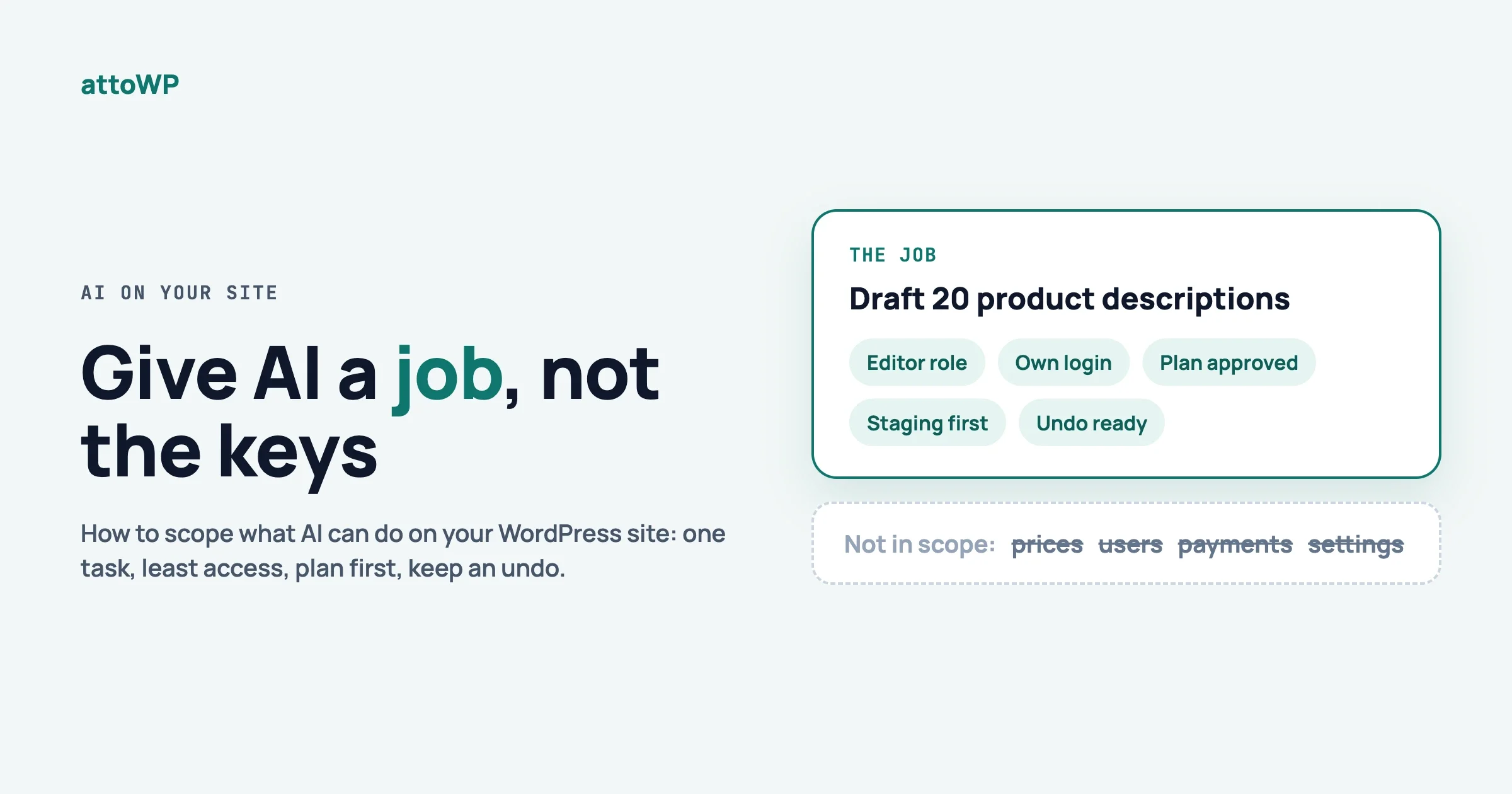
Our post Give AI a Job, Not the Keys: How to Scope AI on Your WordPress Site owns the full permission model, so this section stays short. Each question below comes with what to check and what to do.
Which user does the agent act as?
The adapter authenticates requests as the WordPress user attached to the Application Password, per WooCommerce’s documentation, which also recommends a dedicated WordPress user with only the capabilities the client needs. Check the role of the user that owns the Application Password; if it is your own administrator account, create a narrow-role user and move the password there.
Can it write, or only read?
Check the tool list the agent sees. Under the adapter, only abilities marked public are reachable, and read-only abilities are flagged as such in WooCommerce’s set. Fix: start with read-only abilities and a role that cannot edit, then add writes one ability at a time. Review what plugin updates newly register as public.
Can a human approve before it acts?
Be careful here. The adapter’s 0.7.0 notes mention that, under MCP 2026-07-28, direct callable tools can request elicitation input. That lets a tool ask the client for more input; it is not described as an approval gate, and we would not rely on it as one. Better controls are the ones that already exist: Elementor saves generated content as drafts, WooCommerce product delete moves to trash by default, and a staging site lets you review changes before they reach production. If the action cannot be undone and no approval step exists, keep that action out of the agent’s reach.
What is logged?
The 0.7.0 migration guide says the adapter’s default server already enables error logging but uses a no-op observability handler, and that you configure both an error handler and an observability handler to retain diagnostics and request events. In plain terms: by default you will not get a record of each request. Fix: configure the handlers as described in the adapter’s observability guide before you connect anything to a live site, and add your own web server or security plugin logging for the endpoint.
How do you switch it off?
Have two switches ready. The fast one is revoking the Application Password from the user’s profile, which WooCommerce’s documentation notes can be done independently of the account. The complete one is deactivating the connector plugin, and leaving abilities private (the adapter’s default) so that nothing is exposed by accident. Try both on staging first.
None of this is legal or security-compliance advice. If the site holds personal data, such as WooCommerce orders and customer details, involve whoever is responsible for data protection before you connect an agent.
Upgrading to adapter 0.7.0: what changed
This section is strictly from the v0.7.0 release notes and the v0.7.0 migration guide in the WordPress/mcp-adapter repository (the release is dated 2 October 2026). Which parts apply to you depends on how you use the adapter.
If you only install the plugin and register abilities
The migration guide says that if you use the standalone plugin and only register abilities through the existing declarations and callbacks, no registration changes are needed. Your input_schema and output_schema declarations, execute and permission callbacks, meta.mcp configuration and the adapter’s pre-execution and result filters stay as they are.
What is new in the protocol layer
The release adds support for MCP 2026-07-28 (including sessionless server/discover and new request headers over HTTP) and supports exact revisions 2025-11-25 and 2026-07-28. Clients that request 2025-06-18 or 2024-11-05 still connect and are served through the 2025-11-25 schema. Default abilities now register even when another plugin initializes the Abilities API first.
Breaking changes for code that extends the adapter
- The generated DTO classes, the
McpToolValidator,McpResourceValidatorandMcpPromptValidatorclasses, and themcp_adapter_validation_enabledfilter are removed. - Custom transports must delegate to
HttpRequestHandlerorMcpWireOrchestrator. - Components that are invalid in every supported revision are now rejected instead of silently repaired. The guide says to fix the source data. A component rejected in every revision is excluded from registration and raises a
_doing_it_wrongnotice. - Tool, resource and prompt list filters now receive the selected schema as a third argument, and protocol-facing server getters require one.
Check: search your code for the removed class names and filter. Fix: follow the guide’s dual-revision schema section, and add raw-wire tests for each revision you send.
Composer bundling is deprecated
The release notes say using the adapter as a bundled Composer library is deprecated, and to install the plugin instead. The guide explains that bundled usage still works for now but logs a deprecation notice and will be removed in a future version. To migrate, remove the dependency (composer remove wordpress/mcp-adapter), drop the Jetpack Autoloader if you no longer need it, and declare the adapter in your plugin header with Requires Plugins: mcp-adapter. If your plugin uses the adapter only when available, check for the WP\MCP\Core\McpAdapter class instead. We have not run these commands; they are quoted from the guide.
If a bundled copy and the plugin are both present, the guide says a _doing_it_wrong() notice is logged and an admin notice tells the user a duplicate copy is present and in use. That matters for site owners as well as developers: WooCommerce’s developer post, dated May 2026, says it includes the adapter as a Composer package. We did not check how WooCommerce handles the 0.7.0 deprecation, so if you run both WooCommerce’s MCP integration and the standalone plugin, watch for that notice and read the current WooCommerce documentation.
How do you pick a route?
Work through these in order and stop at the first one that fits.
- Is the job page building in Elementor, and are you on Elementor 4.3.0 or higher? Start with Elementor’s connection, on a staging site, with a narrow user. Add Angie only if you need reach beyond Elementor, and understand that it widens what the agent can touch.
- Do your plugins register abilities (WooCommerce, LifterLMS) or do you write plugins? Use the official adapter. Expose only the abilities the job needs.
- Is the caller your own script rather than an MCP client? Use the Abilities REST API.
- None of the above, and you need a capability nobody registers? Write one ability and expose it through route 1, or consider an unofficial server only after the checklist above.
Questions people ask
Is there an official WordPress MCP plugin?
Yes. The MCP Adapter is the WordPress project’s official package for MCP integration, listed on WordPress.org at version 0.7.0 as of 8 October 2026. It needs WordPress 6.9 or higher and PHP 7.4 or higher according to its listing. It is a plugin, not part of core.
Is the Abilities API in WordPress core?
Yes, from WordPress 6.9. The developer documentation says it is only available for WordPress 6.9 and above. The MCP Adapter is not in core.
Is the MCP Adapter required for Elementor MCP?
According to Elementor, no. It says the connection is built into Elementor 4.3.0 or higher and needs nothing extra to download.
Does the adapter expose every ability on my site?
No. The plugin’s FAQ says exposure is opt-in: an ability is reachable over MCP only if it has been marked public, and permission checks still run against the current user before anything executes.
Sources
- MCP Adapter on WordPress.org (version, requirements, FAQ)
- WordPress/mcp-adapter on GitHub (readme, v0.7.0 release notes and migration guide)
- Abilities API in the WordPress developer documentation
If you want help choosing a route for a specific site, scoping the user and abilities, or writing the one ability your workflow needs, get in touch through the contact page on attowp.com. We would rather talk through your setup before you connect an agent to production than after.

No comments yet