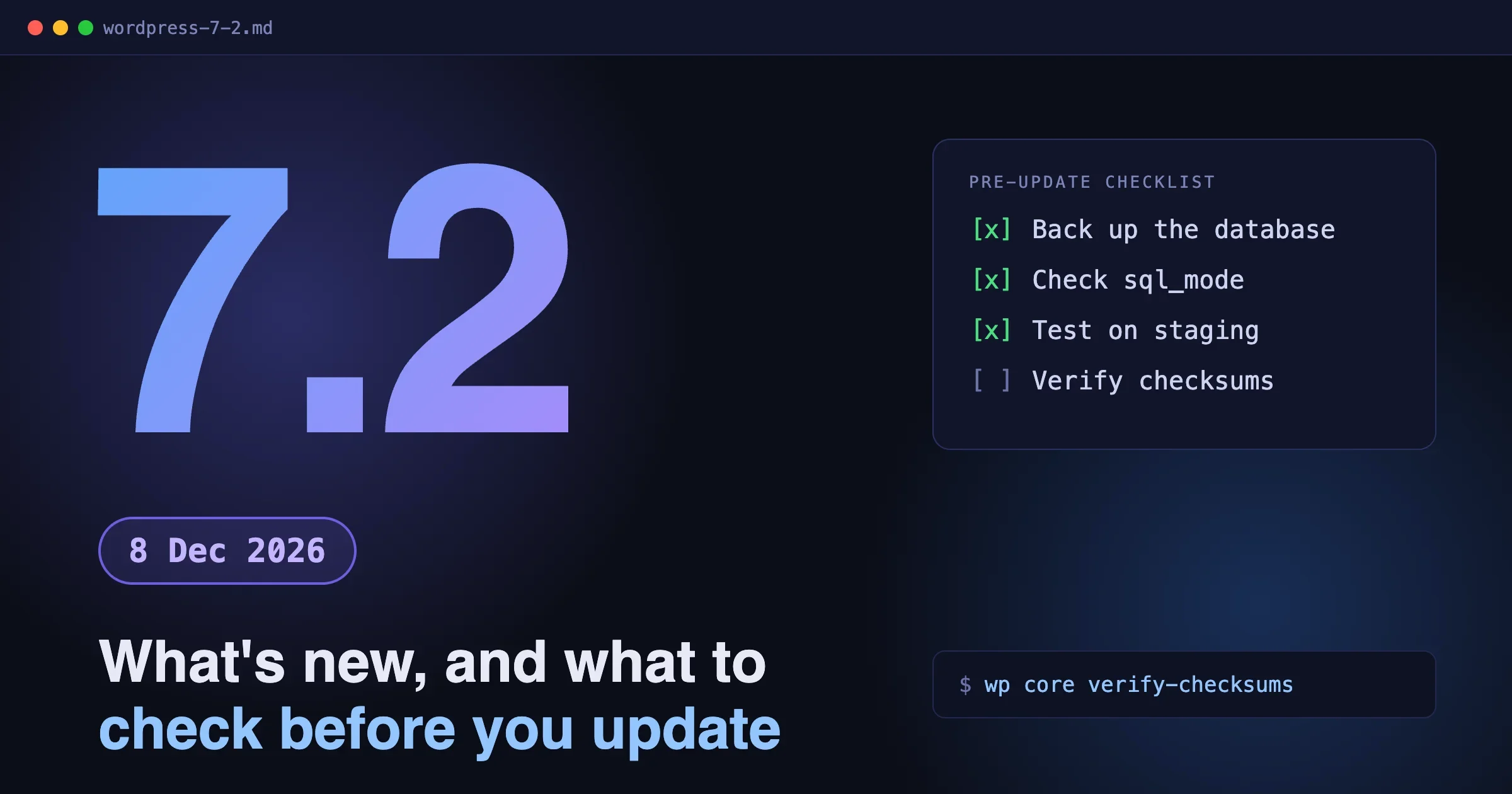
Written from the 7.2 release candidates and Field Guide; we will update this post when 7.2 ships on 8 December.
WordPress 7.2 is scheduled for 8 December 2026, and it is the last major release of the year. If you run sites, the short version is this: most of what you will notice sits in the media library and the editor, while most of what can break sits in plugin code that touches the Interactivity API, the Abilities API, editor components and the database connection. The release is big on count (more than 440 Core tickets) and modest on drama, which is a good profile for a final release of the year.
Here are the six changes that matter most, split by who they affect.
Change | Who it affects | What to do |
|---|---|---|
Client-side media processing now reaches the Media Library grid, the Add New Media File screen and the media modal | Site owners | Test uploads on staging, including large images |
Admin menu and admin bar icons switch from Dashicons glyphs to inline SVG | Site owners with custom admin styling, plugin authors | Check custom color schemes and icon CSS |
The editor Inspector is rebuilt with DataForm, with a new Entity Fields API behind it | Plugin authors | Stop manipulating the Inspector DOM, register fields instead |
Abilities API gains required capabilities, input preparation and three core read abilities | Developers building AI or automation features | Call prepare_input() before check_permissions() |
NO_BACKSLASH_ESCAPES joins the SQL modes WordPress turns off on its own connection | Anyone with custom SQL or a db.php drop-in | Check your server sql_mode and any raw queries |
A new /random/ redirect and a new default theme | Site owners | Know it exists, decide whether you want it |
One item is conspicuously missing: the Secrets API. Core pulled it from 7.2 on 17 November. We cover that below because we wrote about it during Beta 1, and some of you will have read it.
WordPress 7.2 release date and schedule
The official 7.2 page on the Core blog lists Matt Mullenweg as release lead and puts the final release on 8 December 2026. The schedule so far has been uneventful, which is what you want from a cycle this size.
Milestone | Date |
|---|---|
Beta 1 | 20 October 2026 |
Release Candidate 1 | 17 November 2026 |
Release Candidate 2 | 18 November 2026 (shipped inside 7.1.5) |
Release Candidate 3 | 24 November 2026 |
Release Candidate 4 | 1 December 2026 |
Dry run and 24-hour code freeze | 7 December 2026 |
WordPress 7.2 | 8 December 2026 |
RC2 is the odd one. It was never a standalone download: its changes were folded into the 7.1.5 maintenance release. If you are counting candidates on a staging box, you will go from RC1 to RC3.
The 7.2 Field Guide gives the scale. It counts more than 440 Core Trac tickets: roughly 150 enhancements and feature requests and over 260 bug fixes. Forty of them are Editor tickets. By focus, accessibility leads with 48 tickets, then tests with 34 and performance with 26. On the Gutenberg side, versions 23.7 through 24.3 bring close to 700 enhancements and nearly 500 bug fixes into core. A diff between 7.1.4 and the RC1 trunk shows 21 new hooks, 16 filters and 5 actions.
A new default theme is also planned. More on that in a moment, because the name is not settled in any official release post we could find.
What site owners will notice in WordPress 7.2
If you manage sites and never read a changelog, this section is for you. None of these changes need action from a typical site, but all of them are visible.
Image uploads that happen in the browser
WordPress 7.1 started moving image work off your server and into the visitor’s browser. In 7.2 that client-side media processing reaches more screens: the Media Library grid, the Add New Media File screen, the media modal and the block editor. Resizing, format conversion and the generation of sub-sizes can all run in the browser before the file is uploaded.
The Field Guide is specific about the conditions. It works in Chrome 137 or later and Edge 137 or later. Firefox and Safari fall back to the server-side path. The device also needs more than 2 GB of memory, enough processing power and compatible security settings. If any of that is missing, WordPress quietly uses the old server-side upload path.
For a site owner, the practical effect is that uploads from a modern laptop can be lighter on your host, while uploads from an old phone behave exactly as they did before. The thing to test is a large upload on staging, ideally from each browser your editors use.
Related changes: the release also covers animated images and cross-origin isolation. Cross-origin isolation is the browser security mode that makes client-side processing possible, and it is where one developer-facing break lives (see the developer section below).
New icons in the admin menu and admin bar
The left-hand admin menu and the top admin bar stop using Dashicons font glyphs and switch to inline SVG icons. This builds on the SVG Icon API that arrived in 7.1. Visually the change is small: icons are sharper and align better. Under the surface it matters if your site uses a custom admin color scheme or a plugin that restyles menu icons, because CSS aimed at Dashicons pseudo-elements will stop matching. Check that on staging if you white-label the admin for clients.
Text shadow on paragraphs and headings
There is a new Text Shadow block support. Paragraph and Heading blocks get it by default, with editor controls and two built-in presets, Light and Strong. Themes can add their own presets or switch the defaults off. It is a small design tool, but it means one more setting for editors, and a theme can now control it centrally rather than leaving every author to invent a shadow.
Cleaner editor menus
The Options and View menus in the post and site editors now use a shared Menu component from @wordpress/ui, with better keyboard navigation and accessibility. Plugin items added through PluginMoreMenuItem, PluginSidebarMoreMenuItem and PluginPreviewMenuItem still work, but they now appear in a Panels submenu. If you have written help documentation or training videos that say “open the Options menu and click X”, the path to X may have an extra step.
An Inspector that matches Quick Edit
The post and site editor Inspector is now built with DataForm, and the fields it shows are read from the server per post type, matching what Quick Edit shows. For editors that means a more consistent set of fields in more places. For developers it is a real change in how you extend the screen, covered below.
A /random/ URL
The Rewrite API gains a /random/ endpoint that redirects to a random published post, covering eligible post types, taxonomies and author archives. The base is configurable under Permalink Settings. Custom post types opt in with the randomable argument on register_post_type(), and a wp_enable_random_content_redirect filter turns the feature off. If you have a page already living at /random/, check that before you update, and decide whether you want a surprise-me link on your site at all.
The default theme
The release page says only that “a new default theme will also ship alongside 7.2”. It does not name it. A September proposal on the Core blog introduced a minimal blank-canvas block theme called Ipsum and described it as planned for 7.2, but called itself a proposal with review still ahead, and none of the release candidate posts we read repeat the name. We will name the theme here once it ships. Either way, a new default theme does not touch your active theme. Existing sites keep what they use.
What developers need to change for WordPress 7.2
This is where the release gets interesting, and where the breaking changes live. The Field Guide marks several as breaking. Go through them one by one rather than skimming.
Entity Fields and Entity Actions
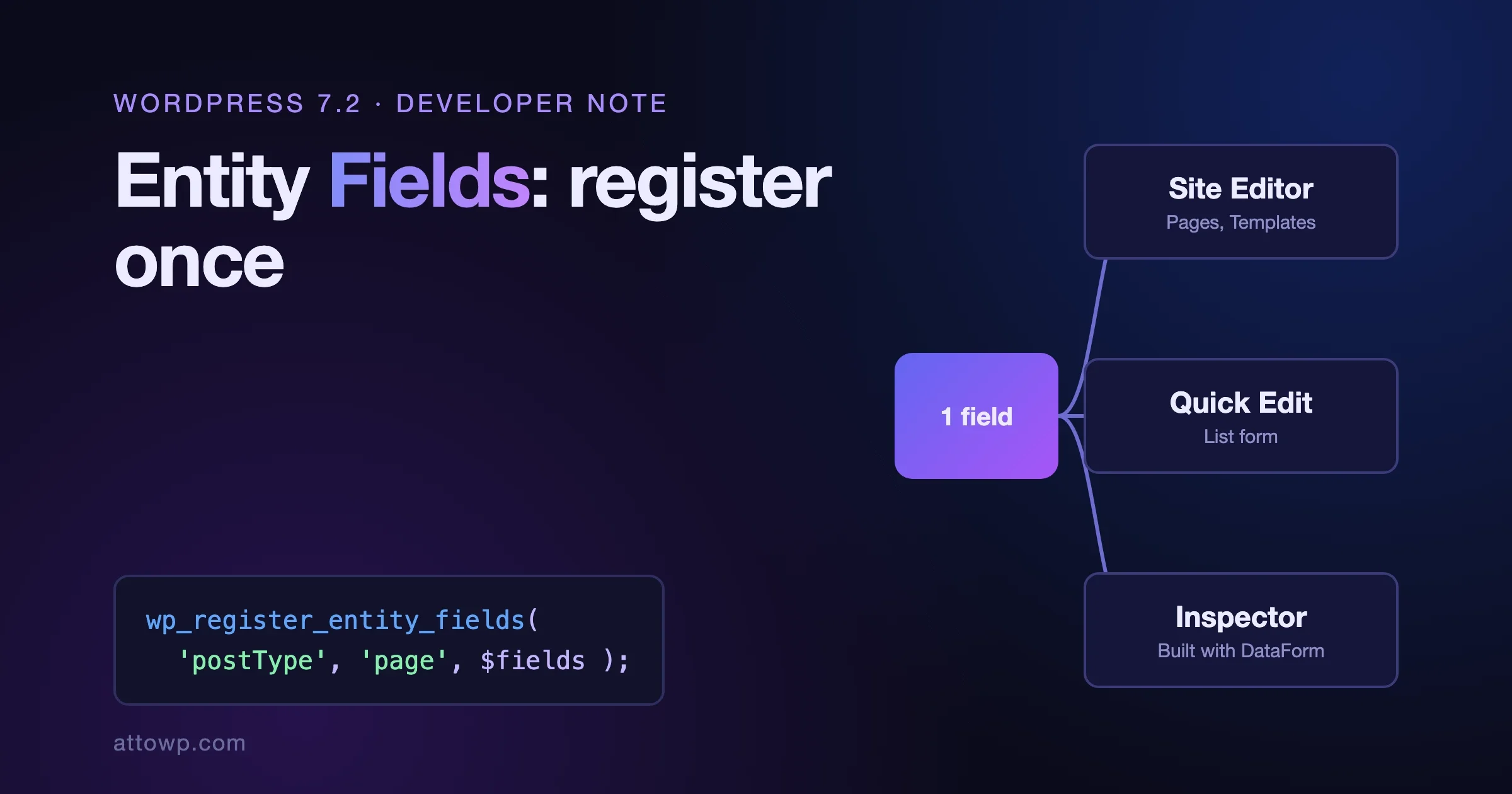
The headline developer feature is a pair of APIs for extending DataViews and DataForm screens. You register a field or action for an entity, such as a post type, once, and it shows up in Site Editor screens like Pages and Templates, in Quick Edit and in the post editor Inspector.
The dev note on extending the Inspector and Site Editor screens splits the work in two. PHP declares the serializable parts (an id, a label, a type) and a script module supplies behavior such as how to read and write a value. Fields use the wp_entity_fields_api_init hook with wp_register_entity_fields(), wp_update_entity_fields(), wp_unregister_entity_fields() and wp_get_registered_entity_fields(). Actions use wp_entity_actions_api_init with wp_register_entity_actions() and wp_unregister_entity_actions().
The examples in the note are worth reading. One adds a Subtitle field for pages stored in post meta. One removes core’s “Time to read” field from every REST-enabled post type except posts and pages. One changes the excerpt field by swapping only its JavaScript parts. One adds a “Copy link” action, and one removes core’s order-pages action. A registered field is available but not visible by default, so you also have to switch it on in the view configuration.
We wrote about the design earlier in register once, show everywhere with entity fields, and it matches what the Field Guide now describes. The practical rule for plugin authors: if your plugin injects markup into the Inspector or relies on the old excerpt slot, plan to move it onto the Fields API. A companion note on the DataForm Inspector says the __experimentalPluginPostExcerpt slot is no longer rendered.
Abilities API changes
The Abilities API is the part of core that lets plugins describe what they can do in a way that tools and AI agents can call. 7.2 changes it in four ways.
- A new
required_capabilitiesargument. Those checks run beforepermission_callback, and the callback can be omitted entirely if the capabilities cover your permission model. - A new
has_required_capabilitiesquery argument filters abilities during discovery. WP_Ability::prepare_input()normalizes, validates and sanitizes input against the schema, for both PHP and REST calls.- A new
wp_prepare_json_value_for_client(), and an updatedwp_prepare_json_schema_for_client().
Two of those are breaking. Callers of check_permissions() must now call prepare_input() first, and a sanitization failure returns an ability_invalid_input error rather than passing unsanitized values through. Separately, empty object-typed values now serialize as {} instead of [], including nested ones. If a JavaScript client does a strict check on the old array shape, it will notice.
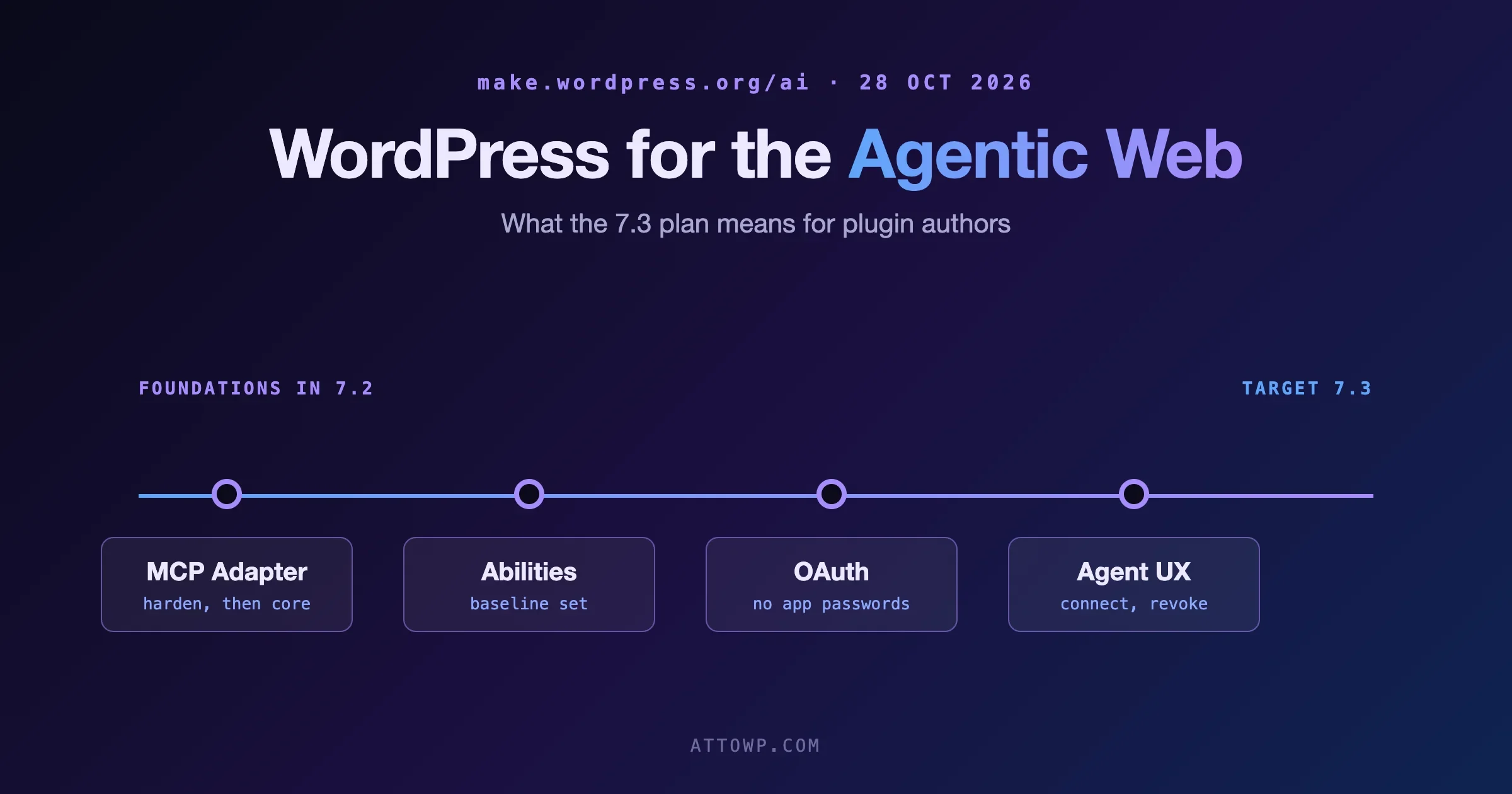
Core also adds three read abilities to the three that arrived in 6.9: core/content-query, core/users-query and core/settings-get. The dev note on core abilities has the details. For where all this is heading, see the 7.3 section below.
Interactivity API
Two additions and three removals. The new data-wp-html directive renders HTML from the store. Values must be marked with asDangerousHTML() in JavaScript or wp_interactivity_as_dangerous_html() in PHP, and neither function sanitizes anything, so the name is honest. Treat it like innerHTML. The core/router store gains state.navigating and state.initiator.
The removals are breaking: data-wp-ignore, two-hyphen unique directive identifiers, and negation of function references in directives. Search your theme and plugin templates for those three patterns before updating.
Editor components and CSS modules
The @wordpress/components package finishes its move from Emotion to SCSS Modules. Code that relied on Emotion, or on generated class names, can break. ColorPalette, GradientPicker and DuotonePicker gain a presentation prop that replaces the deprecated asButtons. Eight components are deprecated for removal in 7.4: Animate, Divider, Elevation, ResponsiveWrapper, Scrollable, Surface, Tip and ZStack.
A related build change fixes CSS module class name collisions, where two versions of a package could clash because the same class name meant different things. Class names now change when the CSS changes. The minimum fixed versions are @wordpress/ui 0.26.0, @wordpress/dataviews 22.0.0, @wordpress/admin-ui 3.1.0, @wordpress/grid 0.11.0, @wordpress/components 44.0.0 and @wordpress/build 0.27.0. Plugins that bundle these packages must rebuild their assets. Plugins that use the shared wp-components script get the fix for free.
One more breaking item from the miscellaneous editor changes: __experimentalGroup is removed from InspectorControls and InspectorControls.Slot. Use the stable group prop, which has existed since 6.2. Also note that CSS entered in a block’s Advanced panel now applies to child blocks, such as Navigation Link blocks inside a Navigation block, so rules that were silently ignored before may start working.
State-aware block styling
New selectors (getSelectedBlockStyleState, hasSelectedBlockStyleState) and helpers (getStyleForState(), setStyleForState()) let a block style differ by state, with a style-state group available in InspectorControls and BlockControls. For custom breakpoints, getViewportMediaQueries() in @wordpress/global-styles-engine and wp_get_viewport_media_queries() in PHP expose them. The defaults are 480px for mobile and 782px for tablet.
Admin bar and SVG icon API
WP_Admin_Bar::add_node() gains an icon argument, and namespaced, registered SVG icon names can be used in menus and toolbar nodes. If you ship an admin menu icon as a Dashicons class, plan a move to registered SVG icons.
Cross-origin isolation functions
This one is breaking for anyone who customized it. wp_start_cross_origin_isolation_output_buffer() and wp_add_crossorigin_attributes() are deprecated. wp_send_document_isolation_policy_header() replaces the first, and the second has no direct replacement. The browser-side processing described earlier depends on this policy, so any plugin that embeds third-party iframes or scripts on admin screens should be tested with it on.
REST API
Three changes. Revision and autosave responses now include only metadata registered for revisions, which stops unrevisioned meta from being overwritten when someone restores a revision; you enable it with revisions_enabled or the wp_post_revision_meta_keys filter. The comments status parameter is now handled as an array rather than a string, which breaks code that inspects or modifies it. And a new rest_allowed_cors_methods filter customizes the Access-Control-Allow-Methods header, while responses that set the header explicitly keep their value.
Database and the SQL mode change
WordPress already disables a list of incompatible SQL modes on its own connection. 7.2 adds NO_BACKSLASH_ESCAPES to that list. The change applies to the session through wpdb::set_sql_mode() and does not alter your server-wide settings. Developers who need the mode can change the incompatible_sql_modes filter through a db.php drop-in, though the Field Guide warns that may cause compatibility problems.
Why it matters: with that mode on, a backslash in a string literal is a plain character instead of an escape. Code that builds queries by hand, and code that assumed one mode or the other, can behave differently. We tested the behavior and listed which plugins to check in WordPress 7.2 for plugin authors: what to check now. The checklist further down includes the one-line test.
jQuery Migrate 3.6.0, not jQuery 4
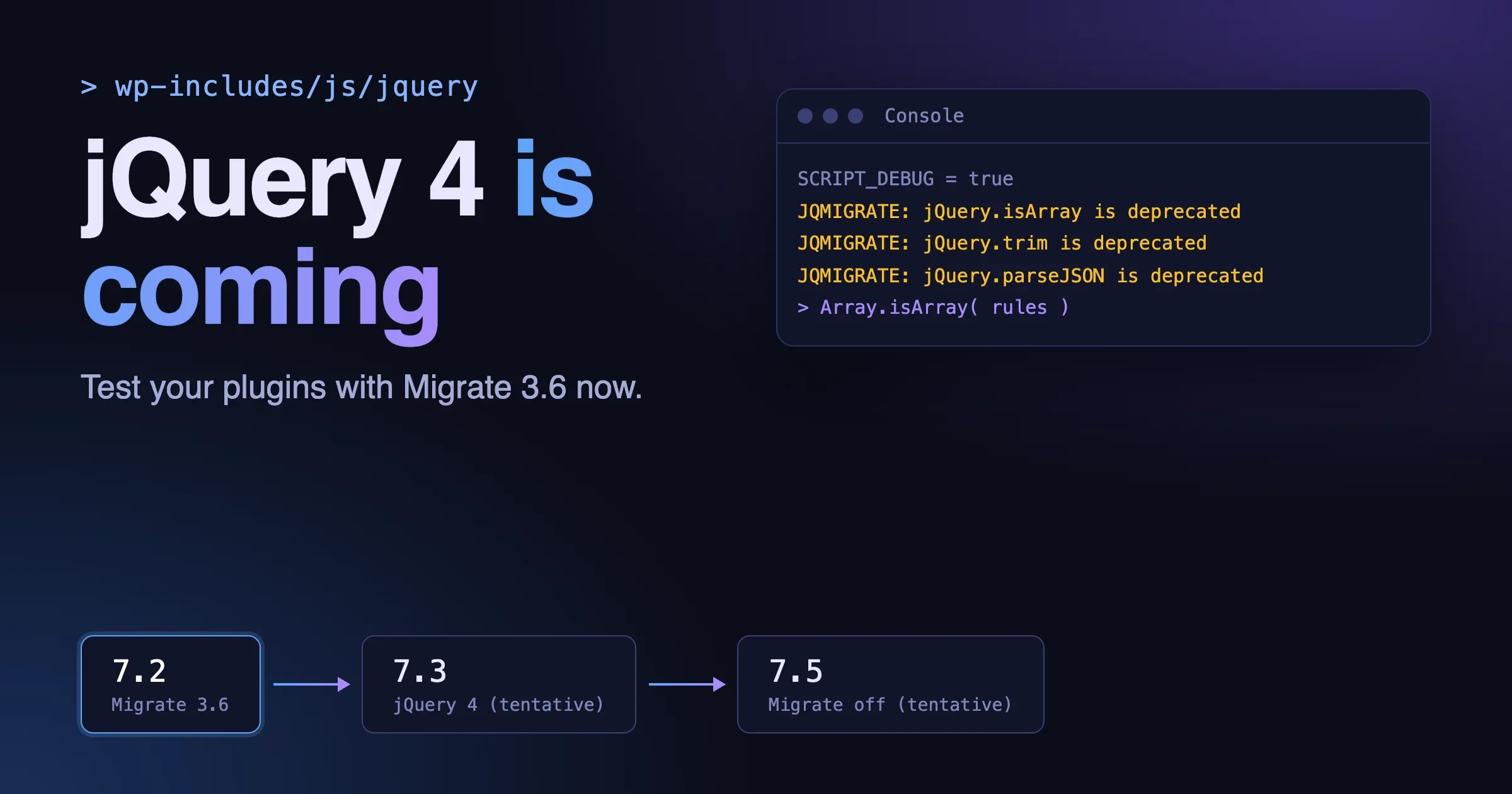
The question we get most: does 7.2 include jQuery 4? It does not. It updates jQuery Migrate to 3.6.0, which helps you find deprecated jQuery usage ahead of the planned jQuery 4 upgrade. The jQuery and dependency update is tentatively targeted for 7.3, and disabling jQuery Migrate by default is planned for 7.5 or 7.6. The Core team’s note, Preparing for jQuery 4 with WordPress 7.2, is the place to start. Turn on script debugging on staging and watch the console for Migrate warnings now, while nothing is forced.
The Secrets API is not in WordPress 7.2
We published a piece on the Secrets API during Beta 1, when encrypted storage for API keys and tokens was part of the release. That is no longer true. On 17 November, core reverted it.
The revert commit (changeset r65538) gives three reasons. Feedback on the announcement questioned whether writing secrets belongs in the same API as reading host-provided ones. A review found that the manage_secrets and manage_network_secrets capabilities are not checked when secrets are set. And reworking the API late in the cycle was judged too risky, so the design is to be revisited. The commit removes 59 files and reverses 18 earlier changesets. The original Secrets API announcement now carries a banner saying it will no longer ship with 7.2.
What to do about it is simple. If you were about to migrate keys to wp_set_secret() and wp_get_secret(), do not. Keep your current storage for 7.2. If you installed a feature plugin or used the WP-CLI secret commands on a beta, treat that as a beta-only experiment. We do not know when it returns, so we are not guessing a version.
The same logic applies to the related Real-Time Collaboration work. It is not in 7.2 either, as we covered in what plugin authors should test now.
Your pre-update checklist for WordPress 7.2
Do this on a staging copy, not production. The point is to find the one plugin that misbehaves before your visitors do. The commands below are WP-CLI, run from the site root.
# 1. Where are you now?
wp core version

# 2. What SQL modes does the database session use?
# Look for NO_BACKSLASH_ESCAPES in the output.
wp db query "SELECT @@SESSION.sql_mode"
wp db query "SELECT @@GLOBAL.sql_mode"

# 3. Which plugins and themes have updates waiting?
wp plugin list --update=available
wp theme list --update=available

# 4. STAGING ONLY: move to the current release candidate
wp core update --version=7.2-RC3

# 5. After updating, confirm core files match the official checksums
wp core verify-checksums
A few notes on those commands so you read the output correctly.
Step 2. wp db query runs through the MySQL client, so it shows the session that client opened, not the connection WordPress itself uses after wpdb::set_sql_mode() runs. That is still the right check. If NO_BACKSLASH_ESCAPES appears in the global value, your server has it on, and 7.2 will switch it off for WordPress queries only. Any custom script that talks to the same database outside WordPress will still see it on.
Step 3. Update plugins and themes on staging first, then move core. When a problem appears you want to know which change caused it, and one change at a time answers that. The RC3 announcement also asks plugin and theme authors to update the “Tested up to” header to 7.2 once they have tested. Vendors who have not done this by release week are worth an email.
Step 4. The --version=7.2-RC3 flag is the one given in the RC3 announcement. Use it on a disposable copy. Release candidates are not for production, and the next one (RC4, on 1 December) will replace it. You can also use the WordPress Beta Tester plugin, or the Playground link in the announcement for a no-install test.
Step 5. wp core verify-checksums compares your core files against the official checksums. After a release-candidate update it should come back clean. A mismatch means a file was modified or an update did not finish.
The manual checks that commands cannot do
- Upload a large image from Chrome and from Firefox. Compare the generated sub-sizes.
- Open the admin as an editor, not just as an administrator. Check the Options and View menus, and where your plugin items now sit.
- Open a post, then Quick Edit, then the Inspector. If a plugin adds fields there, confirm they still appear.
- Search your custom code for
data-wp-ignore,__experimentalGroup,asButtonsandwp_start_cross_origin_isolation_output_buffer. - Visit
/random/and see what happens. - Turn on
WP_DEBUGandSCRIPT_DEBUGon staging and read the log and the browser console. - Take a database backup, and confirm you can restore it, before you touch production.
If you maintain a plugin rather than a site, add two more: rebuild your block assets against the fixed package versions listed above, and run your test suite against 7.2-RC3 with a database that has NO_BACKSLASH_ESCAPES enabled.
Should you update to WordPress 7.2 on day one?
Update on release day if you run a small site with few plugins, you have a tested backup, and nobody depends on custom admin styling. Update on release day if you are a plugin or theme author, because your customers will ask within hours and you should have already tested.
Wait a week if you run a store, a membership site or a site with a custom admin build. Wait if you depend on a plugin whose vendor has not marked it tested up to 7.2, or if you use heavy custom SQL. A week is enough to see whether the first point release is coming and whether any popular plugin breaks. Dot-zero releases are not dangerous in themselves, but a week of other people’s bug reports is cheap insurance.
Automatic updates change this calculation. Major releases do not install automatically by default on most sites, but if your host or a plugin forces them, do your staging test now, not after the fact. For a beginner-friendly walk through the same decision, read WP Pioneer’s beginner guide to whether you should update to WordPress 7.2.
What is next after WordPress 7.2: the road to 7.3
Two things from the 7.2 notes already point forward. jQuery 4 is tentatively aimed at 7.3, with jQuery Migrate disabled by default in 7.5 or 7.6. The eight deprecated editor components are scheduled for removal in 7.4. Neither date is a promise, but both tell you what to put on your own roadmap.
The Abilities API is the larger story. The extra permission handling and core read abilities in 7.2 are groundwork for AI agents and external tools calling into WordPress safely. We looked at where that road goes in the agentic web, MCP, abilities and OAuth for plugin authors. If you build plugins, that post is a better guide to the 7.3 conversation than any release date.
Frequently asked questions
When is WordPress 7.2 released?
WordPress 7.2 is scheduled for 8 December 2026, with a dry run and 24-hour code freeze on 7 December. Release Candidate 4 is due on 1 December. It is the final major release of 2026 and Matt Mullenweg is the release lead.
What’s new in WordPress 7.2?
For site owners: client-side media processing in more upload screens, SVG icons in the admin menu and bar, Text Shadow for paragraphs and headings, cleaner editor menus and a /random/ redirect. For developers: the Entity Fields and Entity Actions APIs, a DataForm-based Inspector, Abilities API permission and input changes, data-wp-html in the Interactivity API, new REST revision and CORS handling, and the NO_BACKSLASH_ESCAPES SQL mode change. A new default theme is also planned.
Should I update to WordPress 7.2 right away?
Only if you have tested it. Small sites with good backups and few plugins can update on day one. Stores, membership sites and anything with custom admin code are better off waiting about a week and testing a staging copy first, using the checklist above.
Does WordPress 7.2 include jQuery 4?
No. It updates jQuery Migrate to version 3.6.0 to help you find deprecated jQuery usage. The jQuery 4 upgrade itself is tentatively targeted for WordPress 7.3, and jQuery Migrate is planned to be off by default in 7.5 or 7.6.
Is the Secrets API in WordPress 7.2?
No. Core reverted it on 17 November 2026 so the design could be revisited, and it is not in the release candidates. Keep using your existing key storage.

No comments yet