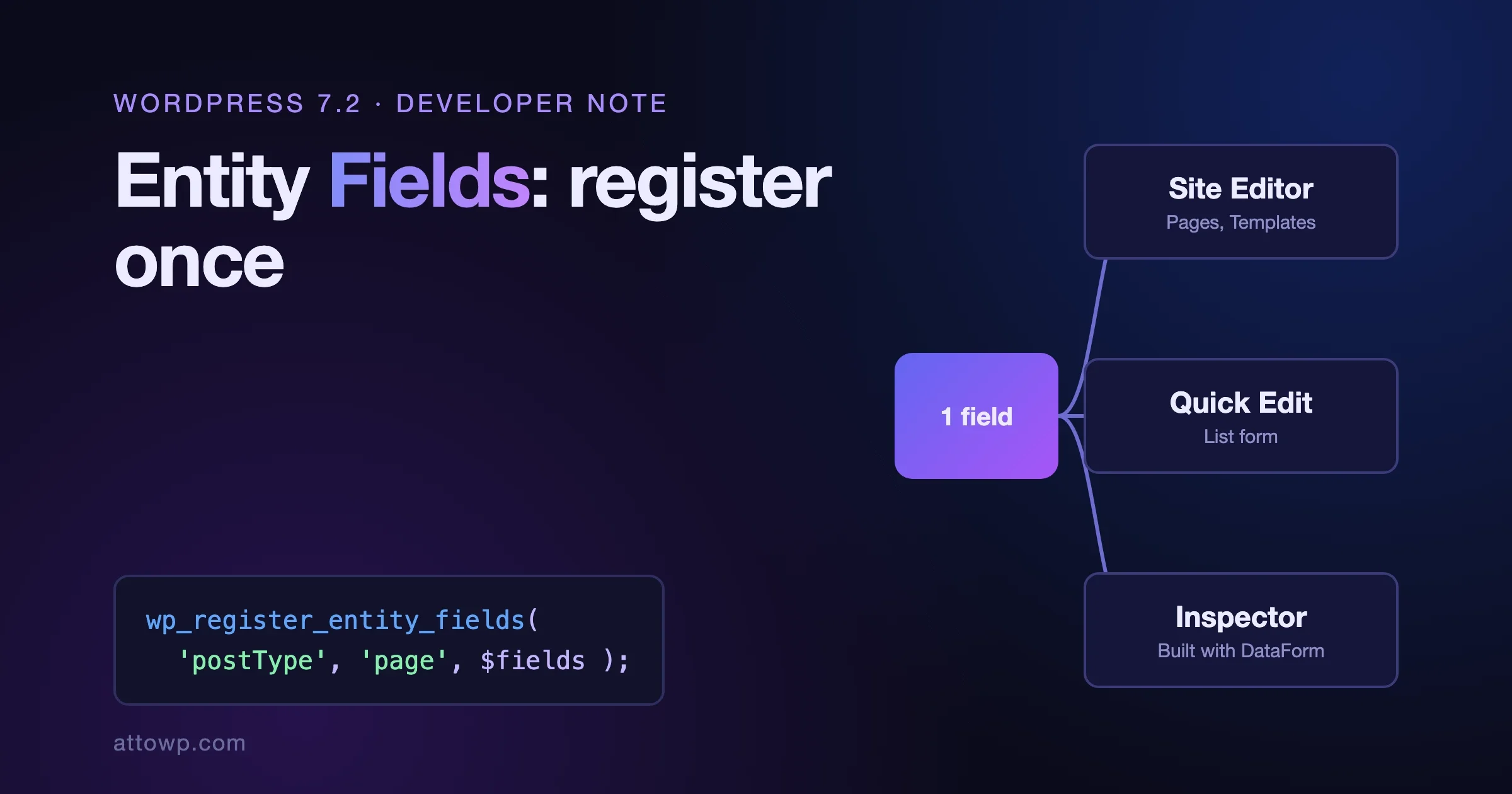
WordPress 7.2 adds an Entity Fields API that lets a plugin register a field once and have it appear in three places: the Site Editor screens (Pages, Templates and others), the Quick Edit form, and the Post Editor Inspector, which is now built with DataForm. If you have been adding a sidebar panel per screen, or hiding core settings by manipulating the DOM, this is the replacement for both. A sibling Entity Actions API does the same for actions.
This guide walks through WordPress 7.2 entity fields for plugin developers: the model, a complete working example, the one gotcha that makes a registered field invisible, how to update or remove core fields, what the new inspector keeps working and what it drops, and a migration checklist. The final release is planned for 8 December 2026, and release candidates are available now. Every API name and code sample here comes from the 7.2 Field Guide and the developer notes it links, which we read on 25 November 2026. We did not run the samples against a release candidate, so test them on a staging site.
What WordPress 7.2 adds, in one table
The dev note “Extending the Inspector and Site Editor screens in WordPress 7.2” introduces two APIs for the screens powered by DataViews and DataForm. Both follow one pattern: PHP declares the serializable parts, and a script module supplies the JavaScript parts, keyed by the field or action id.
API | Hook | Functions |
|---|---|---|
Entity Fields |
|
|
Entity Actions |
|
|
“Entity” here means something like a post type. You identify one with a kind (the examples use postType) and a name (such as page). Fields and actions are “registered once and show up everywhere the entity is used”.
The source notes are: the WordPress 7.2 Field Guide, the dev note Extending the Inspector and Site Editor screens in WordPress 7.2, and The editor inspector is now built with DataForm.
Why this API exists
Before 7.2, the screens that list and edit posts and the editor sidebar were separate surfaces, and a plugin that wanted a setting on more than one had to build it for each. The dev note on the inspector puts the goal plainly: the inspector and Quick Edit should “look and behave the same, and plugins get an API that works on both screens, instead of having to manipulate the DOM to add or hide settings”.
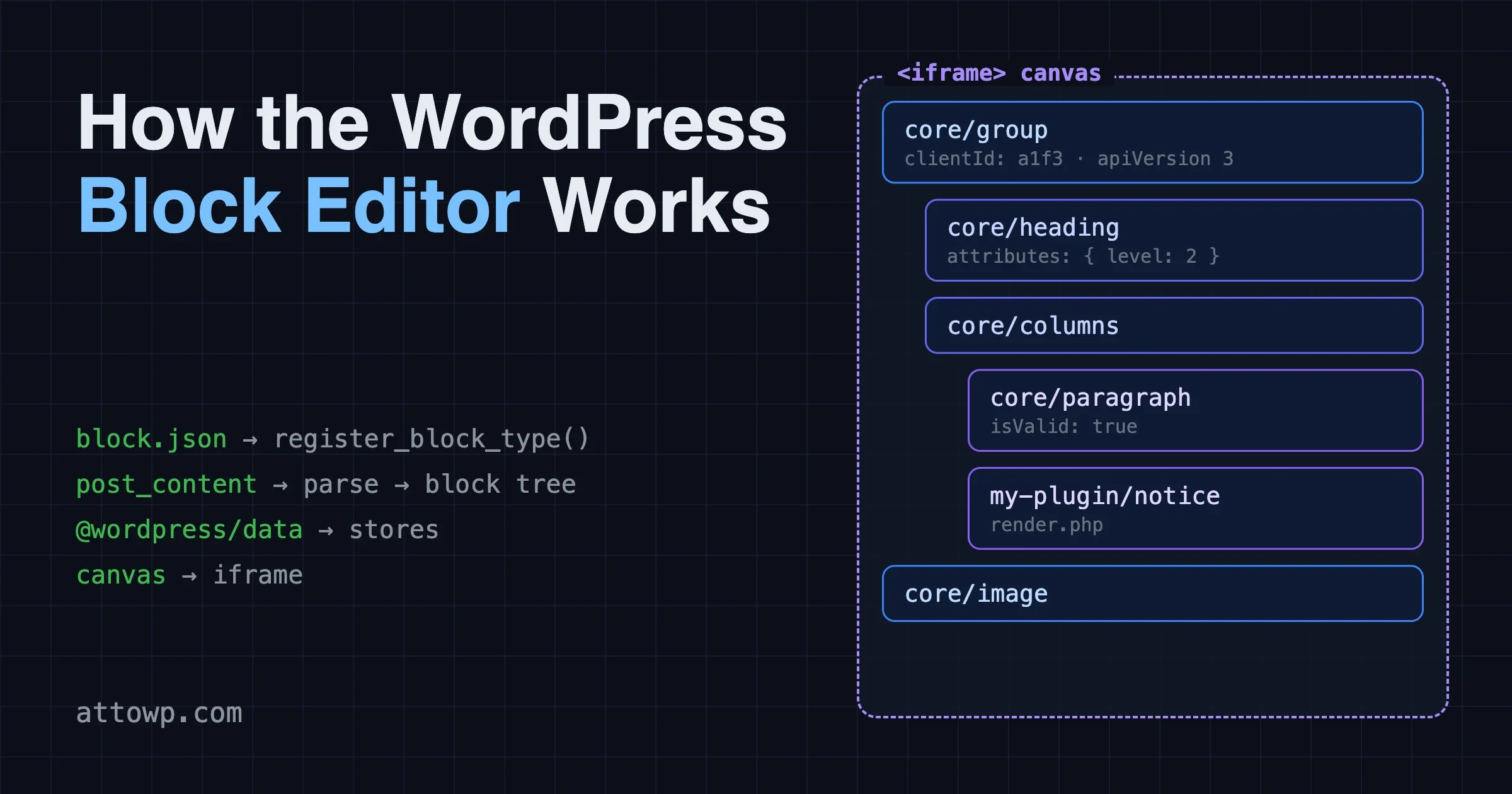
The inspector change is what makes the Fields API worth caring about. From 7.2, “each setting is a field, the same fields that Quick Edit uses, and they are read from the server for each post type”. That is a data model, not a layout. A field has an id, a label and a type, and the screens render it. If you already know how the editor assembles its UI, our guide on how the WordPress block editor works covers the data stores and the iframed canvas that this sits beside.
There is a second, quieter benefit. A field registered on the server is available to every consumer of that entity: today a list screen, Quick Edit and the inspector, and later anything else core builds on the same configuration. The 7.1 note on filtering Site Editor screens says the aim is “a single place of configuration for an entity that works across screens and components”, and that “registration of fields that work across DataViews and DataForm” was future work. 7.2 delivers that registration.
The mental model: PHP declares, a script module performs
Think of a field as two halves.
- The PHP half describes the field with serializable data:
id,type,label. You register it on thewp_entity_fields_api_initaction withwp_register_entity_fields(). - The JavaScript half lives in a script module that default-exports an object keyed by field id. It says how to read a value from an item (
getValue) and how to write one back (setValue), and can override how the field renders or edits.
The two halves are joined by the last argument of wp_register_entity_fields(), which is the handle of a script module you registered with wp_register_script_module(). WordPress script modules are the native ES module system in core, so there is no build-tool lock-in: a plain file with an export default works.
The arguments of wp_register_entity_fields(), in the order the example uses them:
Position | Value in the example | Meaning |
|---|---|---|
1 |
| The source: who registers the fields |
2 |
| The entity kind |
3 |
| The entity name |
4 | an array of field arrays | The fields, each with |
5 |
| The script module with the JavaScript parts |
A complete example: add a Subtitle field to pages
This is the example from the dev note, laid out as a single plugin. It adds a “Subtitle” field to pages, stored in post meta named demo_subtitle.
Step 1: register the meta and the script module
add_action( 'init', function () {
	register_post_meta( 'page', 'demo_subtitle', array(
		'type'              => 'string',
		'single'            => true,
		'default'           => '',
		'show_in_rest'      => true,
		'sanitize_callback' => 'sanitize_text_field',
	) );

	wp_register_script_module( 'demo-page-field', plugins_url( 'fields.js', __FILE__ ) );
} );
Keep show_in_rest set to true, as the example does. The field’s value travels with the item the screens load, and the sanitize_callback is where you protect what gets saved.
Step 2: register the field
add_action( 'wp_entity_fields_api_init', function () {
	wp_register_entity_fields(
		'demo-page-field', // Source: who registers the fields.
		'postType',        // Entity kind.
		'page',            // Entity name.
		array(
			array(
				'id'    => 'demo_subtitle',
				'type'  => 'text',
				'label' => __( 'Subtitle', 'demo-page-field' ),
			),
		),
		'demo-page-field'  // Script module with the JavaScript parts.
	);
} );
Step 3: write the JavaScript half
// fields.js
export default {
	demo_subtitle: {
		getValue: ( { item } ) => item.meta?.demo_subtitle ?? '',
		setValue: ( { value } ) => ( { meta: { demo_subtitle: value } } ),
	},
};
The object is keyed by the same id you used in PHP. getValue receives the item and returns what to show. setValue receives the new value and returns the partial item to save. Because the value lives in post meta, the example reads from and writes to meta.
Step 4: make the field visible
Here is the gotcha, and it is the reason a first attempt shows nothing. The dev note says it in one sentence: “A registered field is available, but not visible by default.” To show it, you use the view config filter introduced in WordPress 7.1:
add_filter( 'get_entity_view_config_posttype_page', function ( $data ) {
	return $data->merge(
		array(
			'default_view' => array( 'fields' => array( 'demo_subtitle' ) ),
			'form'         => array( 'fields' => array( 'demo_subtitle' ) ),
		),
		1
	);
} );
This adds the field to the Pages screen (through default_view) and to the form (through form), and the form “powers both the Quick Edit and the page editor inspector”. So one registration plus one view config entry gives you a column on the Pages list, a field in Quick Edit and a row in the inspector.
Copy the second argument to merge() as the note shows it, and check the result on your own install. The note does not explain that argument, so we will not guess at what it controls.
The four view config filters from WordPress 7.1
The visibility step depends on a 7.1 mechanism, so it helps to know the whole set. The 7.1 dev note “Filtering Site Editor screens in WordPress 7.1” introduced four filters:
Screen | Filter |
|---|---|
Pages |
|
Templates |
|
Template parts |
|
Patterns |
|
Each filter receives an object with the config for the entity, and the config can set four things:
default_view: the default DataViews configuration, such as which fields are visible and the default sort order.default_layouts: which layouts the user can choose from.view_list: the preconfigured views in the sidebar, such as “All”, “Published” and “Drafts”.form: the DataForm configuration used by Quick Edit, including which fields appear and in what order.
The 7.1 example sets the Pages screen to a grid layout, sorted by title ascending, with an extra visible date field. The same object-merge approach applies to your registered fields in 7.2.
The takeaway for plugin authors is a two-step habit: register the field, then place it. Registration makes it known to the system, and the view config decides where it appears. If you ship a field and a user reports “it is not there”, check the placement before anything else.
Updating and removing fields that WordPress provides
The same API works on core’s own fields, which is the part that replaces DOM tricks.
Remove a core field
The “Time to read” row of the inspector is the core field post-content-info. This code removes it for every post type except posts and pages:
add_action( 'wp_entity_fields_api_init', function () {
	foreach ( get_post_types( array( 'show_in_rest' => true ) ) as $post_type ) {
		if ( ! in_array( $post_type, array( 'post', 'page' ), true ) ) {
			wp_unregister_entity_fields( 'postType', $post_type, array( 'post-content-info' ) );
		}
	}
} );
Note the shape: kind, name, then an array of field ids. You can remove several ids in one call.
Change how a field behaves, keeping the rest
To tweak a field instead of removing it, wp_update_entity_fields() hands any of its JavaScript parts to a new script module and keeps everything else. The dev note uses a real case: the AI plugin adds a “Generate excerpt” button to the core excerpt field.
add_action( 'wp_entity_fields_api_init', function () {
	wp_update_entity_fields(
		'ai',
		'postType',
		'post',
		array( array( 'id' => 'excerpt' ) ),
		'@ai/excerpt-field'
	);
} );
// @ai/excerpt-field: label, placeholder, etc. stay core's.
export default {
excerpt: {
render: ExcerptSummary, // The summary displayed in the inspector.
Edit: ExcerptEdit, // The control, with the generate button.
},
};Two keys appear here that you can override on any field: render, the summary shown in the inspector, and Edit, the control. Label, placeholder and the other serializable settings stay as core defined them. That is a much smaller footprint than replacing a whole panel.
Entity Actions: add and remove menu actions
Actions follow the same shape. The dev note’s example adds a “Copy link” action to pages and removes the core “Order...” action.
add_action( 'init', function () {
	wp_register_script_module( 'demo-page-action', plugins_url( 'actions.js', __FILE__ ) );
} );

add_action( 'wp_entity_actions_api_init', function () {
	wp_register_entity_actions(
		'demo-page-action',
		'postType',
		'page',
		array(
			array(
				'id'           => 'demo-copy-link',
				'label'        => __( 'Copy link', 'demo-page-action' ),
				'supportsBulk' => true,
			),
		),
		'demo-page-action'
	);
	wp_unregister_entity_actions( 'postType', 'page', array( 'order-pages' ) );
} );
// actions.js
export default {
'demo-copy-link': {
isEligible: ( item ) => item.status !== 'trash',
callback: async ( items, { registry } ) => {
await window.navigator.clipboard.writeText(
items.map( ( item ) => item.link ).join( '\n' )
);
registry
.dispatch( 'core/notices' )
.createSuccessNotice( 'Link copied.', { type: 'snackbar' } );
},
},
};What each part does:
supportsBulklets the action run on several selected items at once, which is whycallbackreceives an array ofitems.isEligibledecides, per item, whether the action is offered. Here it hides the action for trashed pages.callbackdoes the work. It receives the items and a context that includes the dataregistry, used here to show a snackbar notice.- Actions appear in the Site Editor screens and in the editor inspector’s actions menu. Set
'context' => 'list'to show an action only in the DataViews lists. - Provide a
RenderModalcomponent instead of acallbackto open a modal, titled with themodalHeaderproperty.
What the new inspector keeps working, and what changes
Moving the inspector to DataForm touches code that already exists in the wild. The dev note on the inspector lists both sides, and the list is short enough to check in an afternoon.
What keeps working
PluginDocumentSettingPanelandPluginPostStatusInfofills.removeEditorPaneland the panel switches in Preferences still hide the matching settings.- The
editor.PostFeaturedImage,editor.PostFeaturedImage.imageSizeandeditor.MediaUploadfilters apply to the featured image field in the post editor, and not in Quick Edit.
What changes
- The
wp.editPost.__experimentalPluginPostExcerptslot, deprecated since WordPress 6.6, is not rendered any more, because the excerpt is now a field and not a panel. If your plugin uses it, move your UI to aPluginDocumentSettingPanelor a custom field. - Customizations that target the old panels’ CSS class names or markup do not apply to the new inspector.
The second bullet is the one that surprises people. If your plugin or theme ships CSS that reaches into inspector markup, expect it to stop matching. The note does not list replacement selectors, which fits its direction: use the Fields API instead of styling around core’s markup.
If your plugin adds classic meta boxes, that is a separate surface. We covered how they behave in the current editor in Meta boxes in the WordPress 7 editor, and safe upgrades when users skip versions.
A migration checklist for plugin authors
If you do this today | Look at this in 7.2 |
|---|---|
A | A registered field: it also appears in Quick Edit and the Site Editor lists. The panel fill keeps working, so migrate when it suits you. |
JavaScript or CSS that hides a core inspector setting |
|
Adding a button or control inside a core setting |
|
The | Move to a |
CSS that targets old inspector panel markup | Remove or rewrite it. It does not apply to the new inspector. |
A bulk or row action added through custom admin JavaScript |
|
A removed core action, such as the page ordering one |
|
Work through the table in two passes. First the “changes” items, because those can break something users already see. Then the opportunities, because those are optional and can wait for a later release.
Supporting older WordPress versions
The new hooks and functions exist only in 7.2 and later. A plugin that supports older versions should treat the field as an enhancement. The wp_entity_fields_api_init action will simply never fire on a site without the API, so the registration callback is safe to hook unconditionally. Calls outside that callback should be guarded:
if ( function_exists( 'wp_register_entity_fields' ) ) {
	add_action( 'wp_entity_fields_api_init', 'myplugin_register_fields' );
}
Plan your fallback separately. A plugin that must show the same setting on 7.1 needs its existing panel to stay in place, and then your 7.2 field would be a second place to edit the same value. Decide which one you show on which version, and keep both writing to the same meta so values never diverge. This is a design choice the dev notes do not make for you.
Other 7.2 changes that touch the same screens
The Field Guide has more than entity fields. Two items matter if you ship editor code.
CSS module class name collisions
A note from 16 November asks plugin developers who bundle their own copies of affected packages to update to the fixed versions or later:
Package | Fixed version |
|---|---|
| 0.26.0 |
| 22.0.0 |
| 3.1.0 |
| 0.11.0 |
| 44.0.0 |
Plugins compiling CSS modules with @wordpress/build should update to version 0.27.0 or later and rebuild their assets. Plugins that load @wordpress/components through the shared wp-components script receive the corrected version with WordPress 7.2. If you bundle DataViews yourself, the size cost is worth knowing before you add it to a plugin.
Style-state-aware block controls
If you build blocks, our earlier guide on PHP-only blocks and what still needs React covers the registration side that came before this release.
7.2 also adds a public API for custom block styling controls to read and write styles for the selected viewport or pseudo state, through selectors and helpers in @wordpress/block-editor and a new style-state group in InspectorControls. It is a different feature from entity fields, but both sit in the inspector, so test them together if your plugin extends both.
How to test this on a staging site
- Install the current 7.2 release candidate on staging. Do not use production. The 7.2 development cycle page lists the current build and the schedule.
- Add the Subtitle example as a small plugin and activate it. Confirm that a Subtitle column appears on the Pages screen, a field appears in Quick Edit, and a row appears in the page inspector.
- Edit the value in each place and confirm it saves to the same post meta, and shows the same value in the other two places after a refresh.
- Remove the view config filter and confirm the field disappears from the screens. That proves the visibility gotcha on your install.
- Try
wp_unregister_entity_fields()onpost-content-infoand confirm the “Time to read” row goes. - Search your plugin and theme for
__experimentalPluginPostExcerptand for CSS selectors that reach into old inspector panels. - Check the browser console and the PHP error log while you do all of the above.
wp_get_registered_entity_fields() is listed in the dev note among the Fields API functions. We have not seen its return shape documented, so print its output on your install before you build logic on it.
Frequently asked questions
What are WordPress 7.2 entity fields?
They are fields you register once with wp_register_entity_fields() for an entity such as a post type. The registration makes the field available in the Site Editor screens, the Quick Edit form and the Post Editor Inspector.
Why is my registered field not showing up?
A registered field is available but not visible by default. Add it to the view config with the 7.1 filter for your screen, for example get_entity_view_config_posttype_page, in both default_view (for the list) and form (for Quick Edit and the inspector).
Do I need a build step for the JavaScript part?
The dev note’s example registers a plain file with wp_register_script_module() that default-exports an object. Your own components may need a build step, but the registration mechanism itself does not.
Will my existing sidebar panel stop working?
No. The note says PluginDocumentSettingPanel and PluginPostStatusInfo fills keep working. The panel for the excerpt is the exception: the __experimentalPluginPostExcerpt slot is no longer rendered.
Can I change a core field without replacing it?
Yes. wp_update_entity_fields() swaps in new JavaScript parts such as render or Edit and keeps the rest of the field as core defined it.
How do I remove a core action?
Use wp_unregister_entity_actions() with the kind, the entity name and the action ids. The dev note removes the core “Order...” action from pages with the id order-pages.
When is WordPress 7.2 released?
The final release is planned for 8 December 2026. Release candidates are available for testing before then.
The short version
- Register a field once with
wp_register_entity_fields()onwp_entity_fields_api_init, and supply a script module for the JavaScript half. - Make it visible with the 7.1 view config filter for your screen. Registration alone shows nothing.
- Use
wp_update_entity_fields()andwp_unregister_entity_fields()instead of DOM tricks on core settings. - Check for the dropped excerpt slot and for CSS that targets old inspector markup.
- Test on a release candidate in staging before 8 December.

No comments yet