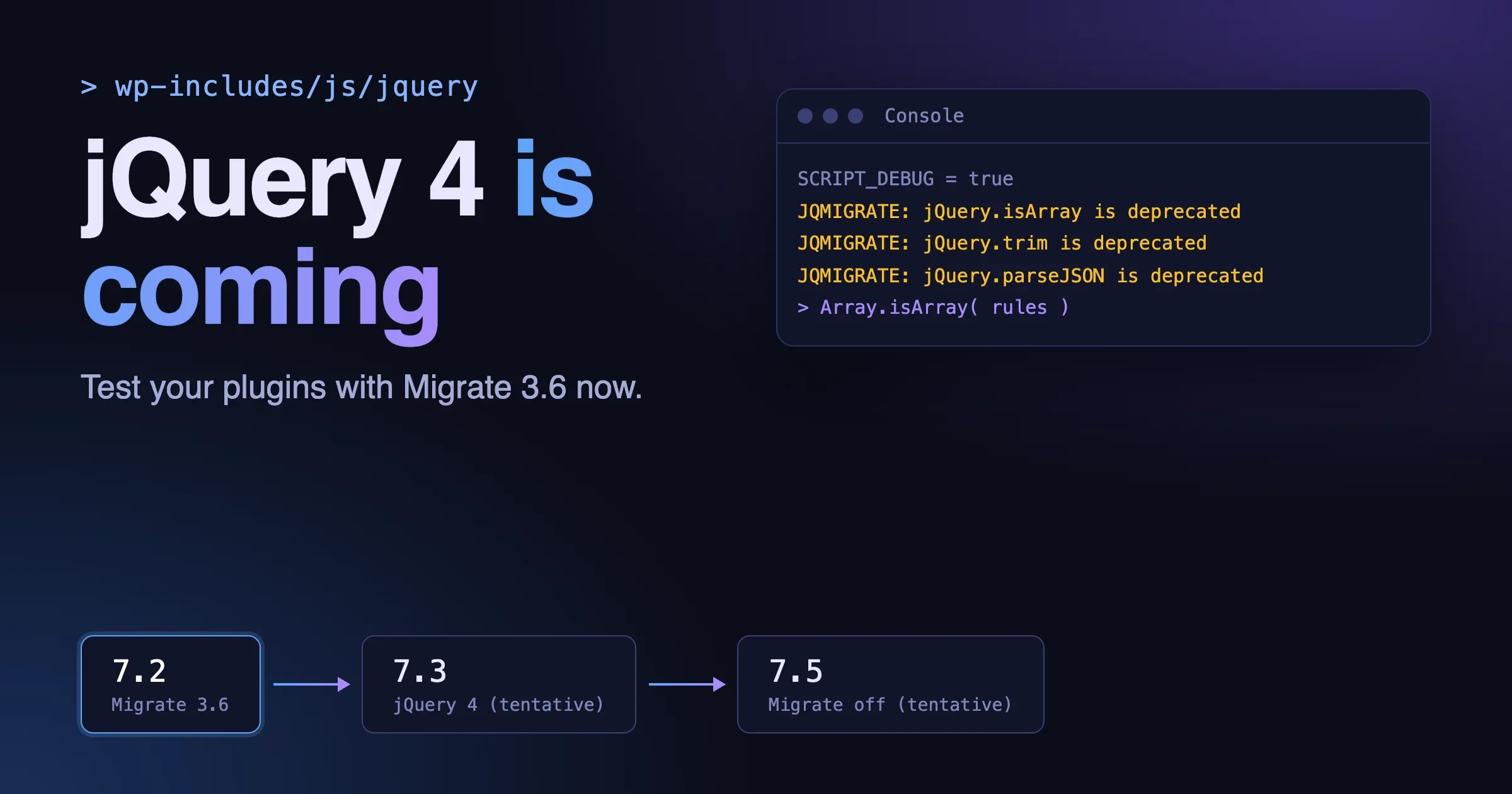
jQuery 4 wordpress support is not here yet, but the warning shot is. WordPress 7.2 lands on 8 December 2026 with jQuery Migrate updated to 3.6.0, and core’s roadmap tentatively targets WordPress 7.3 for the jQuery upgrade itself. WordPress 7.2 does not ship jQuery 4. What it does ship is the tool that tells you which of your calls will break when jQuery 4 arrives.
So what should you do this week? Turn on SCRIPT_DEBUG on a staging site, load the pages your plugin touches, read the console for JQMIGRATE lines, and fix each one. Most fixes are one-line swaps to native JavaScript. That is the whole job for most plugins.
The rest of this post gives you the timeline, the exact list of APIs jQuery 4 removes, a grep command to find them, a before and after example, and a way to test against the 7.2 release candidate today. If you run sites and do not write code, there is a short section for you too.
What changes in WordPress, and when
The official WordPress 7.2 Field Guide has a section called “Preparing for jQuery 4.” It is short, and every statement in it is a statement of intent, not a promise. Here is what it says, stripped down:
- WordPress 7.2 updates jQuery Migrate to version 3.6.0.
- WordPress 7.2 does not include jQuery 4 itself.
- The roadmap tentatively targets WordPress 7.3 for updating jQuery and related dependencies, subject to testing.
- Disabling jQuery Migrate by default is planned for a later release, potentially 7.5 or 7.6.
- Plugin and theme developers should test their JavaScript against the updated library and fix deprecation notices.
You can read the original in the WordPress 7.2 Field Guide. If you want to confirm what trunk loads, the script loader registers jquery-core at 3.7.1 and jquery-migrate at 3.6.0.
Release | What happens | Status |
|---|---|---|
WordPress 7.2 (8 December 2026) | jQuery stays on the 3.x line. jQuery Migrate moves to 3.6.0. | Scheduled |
WordPress 7.3 | jQuery and related dependencies updated to jQuery 4. | Tentative, subject to testing |
WordPress 7.5 or 7.6 | jQuery Migrate disabled by default. | Tentative, depends on ecosystem impact |
Read the middle row twice. “Tentative” means a slip to a later release is possible. Plan as if 7.3 is real, because the cost of being early is a few hours of cleanup, and the cost of being late is a broken admin screen on thousands of sites.
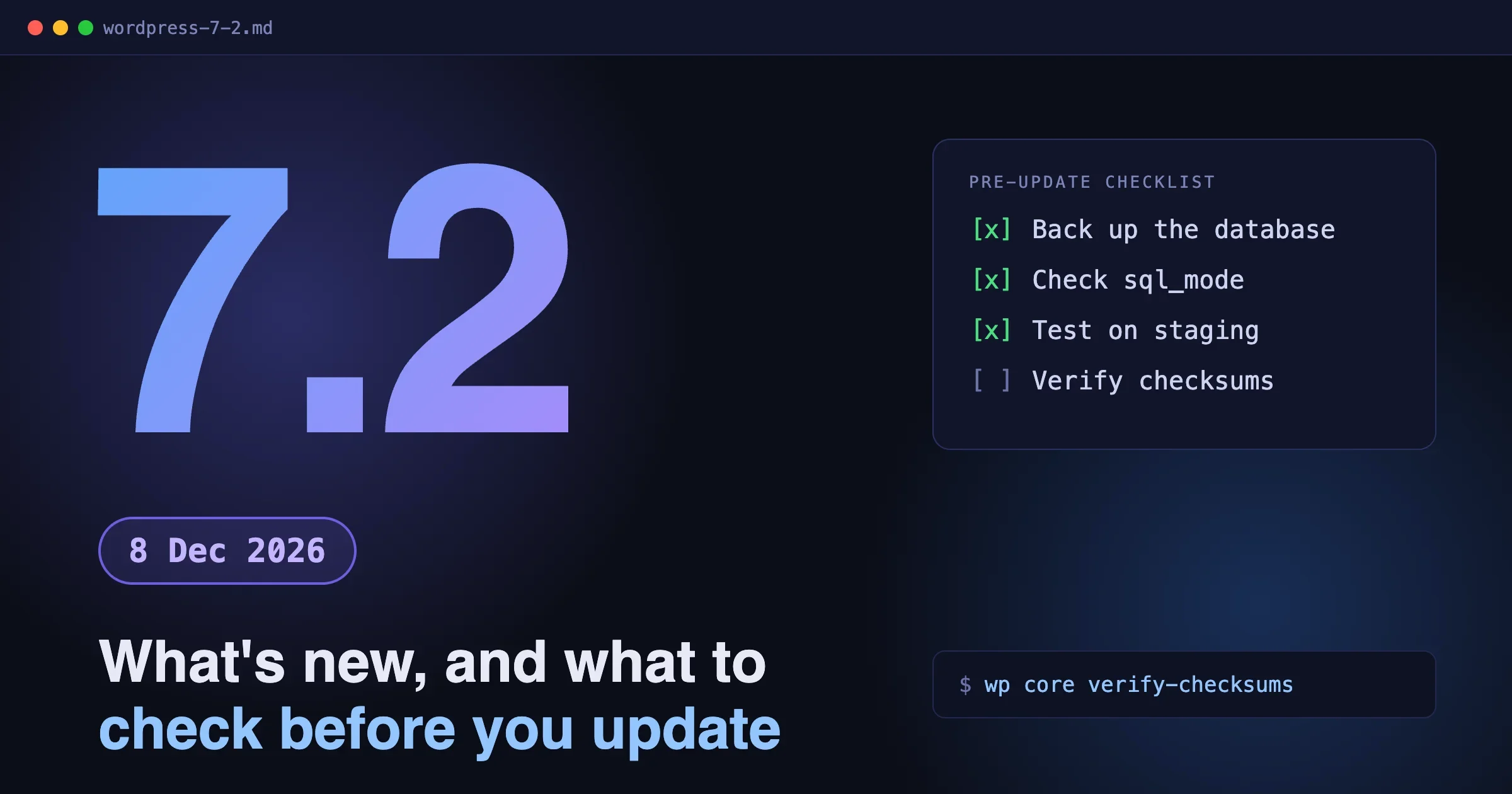
The release schedule for 7.2 itself is public on the WordPress 7.2 development page. Release Candidate 3 shipped on 24 November, Release Candidate 4 is scheduled for 1 December, and the final release is 8 December. If you still care about what ships in 7.2 beyond jQuery, our write-up of what 7.2 means for plugin authors, including the SQL mode change covers the other compatibility item on your list.
Why jQuery Migrate exists, and why it matters here
WordPress has loaded jQuery together with jQuery Migrate for years. The jquery handle in core is a virtual handle with no file of its own. It depends on jquery-core and jquery-migrate, so any script that lists jquery as a dependency gets both.
Migrate is a compatibility layer. It puts back APIs that a newer jQuery removed, and it logs a warning each time something calls one. That second job is the one you want right now. A site can keep working while quietly telling you what will break later.
There is one catch worth stating plainly. The jQuery Migrate 3.6.0 release notes say it drops support for jQuery 4.x, and that once you move to jQuery 4 you load Migrate 4.x instead. So the 3.6.0 you test with today is a smoke detector for the current library, not a cushion you can keep once core switches. When 7.3 is real, core will have to pair jQuery 4 with a Migrate build made for it. Do not assume a warning you silenced today will stay harmless.
Once Migrate is off by default, which is the 7.5 or 7.6 item in the table, any plugin that still depends on a removed function will throw a plain JavaScript error. No warning, no fallback. The script stops at the first bad call.
What jQuery 4 removes
jQuery 4.0.0 shipped in January 2026, the first major version in roughly ten years. The official release post lists the deprecated APIs it removes, and the jQuery 4.0 upgrade guide gives the replacements. Everything in the next table comes from those two pages.
Removed in jQuery 4 | Replace with |
|---|---|
|
|
|
|
|
|
|
|
|
|
|
|
|
|
|
|
|
|
|
|
| No official replacement. It was undocumented, so write a small helper. |
| No replacement. Not needed in the browsers jQuery 4 supports. |
| No replacement. It did not work well with |
The release post also mentions jQuery.cssNumber in its list of removed APIs. The upgrade guide does not describe it, so I am not going to guess at a migration path for it. If your code touches it, check the jQuery documentation for your exact use.
Nobody calls jQuery.camelCase by accident in a new plugin. Old plugins are another matter. A theme written in 2014 that uses $.trim( value ) on every form field is exactly the thing that will take down a settings screen.
Other behaviour changes that can bite
The removed helpers are the loud failures. These are quieter, and they are the ones I would watch in QA, because nothing logs an error when they go wrong:
toggleClass( Boolean | undefined )is gone. Say which classes you are toggling.- Unitless CSS values. jQuery no longer adds
pxto most unitless values. Pass units yourself. .css( "opacity" )hook is removed. For detached elements in standards-compliant browsers it returns an empty string.focusinandfocusoutare no longer shimmed, so code that depends on event order relative tofocusandblurmay see a different sequence..data()andhasOwnProperty. The guide tells you to use"key" in elem.data()orObject.hasOwn( elem.data(), "key" )instead of callinghasOwnPropertyon the returned object.- Undocumented prototype methods.
push,sortandspliceon the jQuery prototype are removed. If you call$( ... ).push(), you were relying on an accident. - Legacy selector pseudos. Old custom Sizzle pseudo selectors are dropped.
Ajax changes deserve their own list, because plugins that talk to the server through $.ajax are common, and a silent change in how a response is treated is hard to spot:
- jQuery no longer promotes a JSON request to JSONP on its own. If you want JSONP, say
dataType: "jsonp". - A response is no longer executed as a script unless you pass
dataType: "script", and that now applies to same-domain requests too.jQuery.getScriptstill works. - Asynchronous script requests now use script tags. On a site with a strict Content Security Policy, check that the header still allows them.
FormDatais supported as thedataoption.
One more change is about browsers. jQuery 4 drops IE 10 and older. IE 11 is still supported, and its removal is planned for jQuery 5. For a WordPress plugin in 2026 this rarely matters, but it explains why so many helpers could go: native versions now exist in every browser jQuery 4 supports.
What jQuery Migrate 3.6.0 adds
The Migrate 3.6.0 release is aimed squarely at people preparing for jQuery 4. According to the release notes, it adds warnings and patches for these areas:
- Core. Warnings for
jQuery.nowandjQuery.camelCase, plus warnings and patches for$.fn.push,sortandsplice, and a warning forjQuery.proxy. - Ajax. A warning for automatic JSON-to-JSONP promotion.
- Attributes. It restores the 3.x boolean attribute and
falsesetter behaviour, with a warning. - Data. A patch for the
$.fn.datacamelCase behaviour, with a warning aboutObject.prototypeproperties. - Deferred. A warning for
jQuery.Deferred.getStackHook, which was renamedgetErrorHook. - Event. A patch for the prototype of
jQuery.event.special. - Selector. Patches and warnings for legacy selector pseudos.
The helpers that were already deprecated, such as isArray, trim, parseJSON, type, isFunction, isNumeric, isWindow and nodeName, have their own warning codes in the Migrate warnings.md file. Every message starts with JQMIGRATE, and the removed-API ones use console.warn. Deprecated-API messages use console.info, which many consoles hide by default. Turn on the Info level in your browser console, or you will miss half of them.
How to see Migrate warnings in WordPress
This is the part people get wrong. The minified Migrate file that WordPress serves by default does not print the warnings. Per the Migrate documentation, the production build only logs a message when it loads, or when it detects a problem such as an unsupported jQuery version. The development build is the one that prints them.
WordPress picks between the two files based on SCRIPT_DEBUG. The script loader builds the suffix as SCRIPT_DEBUG ? '' : '.min', so with the constant on you get jquery-migrate.js instead of jquery-migrate.min.js. Add this to wp-config.php on a staging site:
define( 'SCRIPT_DEBUG', true );
define( 'WP_DEBUG', true );
define( 'WP_DEBUG_LOG', true );
define( 'WP_DEBUG_DISPLAY', false );
SCRIPT_DEBUG also switches every core script and stylesheet to its unminified version, so pages get slower. That is fine for a test run. Do not leave it on in production.
Then open the pages and screens your plugin owns, with the browser console open, and filter on JQMIGRATE. Migrate shows each unique message once per page load, so reload between actions to see them again. A typical line looks like this:
JQMIGRATE: jQuery.isArray is deprecated; use Array.isArray
Check the exact wording against what your console prints, because the message text varies by warning. The part that matters is the prefix and the stack trace that follows it. The trace tells you which file made the call.
Controlling the noise
The Migrate README documents a few switches you can set from the console or from a small script that runs after Migrate loads:
// Stop console output, but keep recording messages.
jQuery.migrateMute = true;

// Keep warnings, drop the stack traces.
jQuery.migrateTrace = false;

// Read what was recorded, in order.
console.table( jQuery.migrateMessages );

// Clear the list and forget what was already shown.
jQuery.migrateReset();
Note the name. The array of recorded warnings is jQuery.migrateMessages. Some older write-ups call it migrateWarnings, and I could not confirm that name in the current documentation, so use migrateMessages.
A practical routine is to mute the console, perform a full user journey in your plugin, then print jQuery.migrateMessages once at the end. You get a deduplicated list for the whole journey instead of a wall of console output.
Find deprecated calls in your code
The console only reports code paths that actually ran. A settings tab nobody opened, or an error handler that fires once a month, will not show up. Search the source too.
This command looks for the removed helpers called on jQuery or $, skipping vendor folders and minified files:
grep -rnE "(jQuery|\$)\.(isArray|trim|parseJSON|type|isFunction|isNumeric|now|isWindow|camelCase|nodeName|unique)\(" \
  --include=*.js --include=*.php \
  --exclude-dir=node_modules --exclude-dir=vendor --exclude=*.min.js .
The pattern anchors on jQuery. or $. so it does not flag every method named type or now on unrelated objects. It also scans PHP files, because plenty of plugins print inline scripts from templates. If you alias jQuery to something else inside an IIFE, adjust the pattern to match your alias.
A second pass looks for the quieter changes:
grep -rnE "toggleClass\(\s*(true|false|undefined)|hasOwnProperty|\.data\(\)|dataType\s*:\s*['\"]json['\"]" \
  --include=*.js --exclude-dir=node_modules --exclude=*.min.js .
This one has false positives. Treat each hit as a place to read, not a bug. The JSON dataType hits are worth a look only if the server could ever answer with a cross-domain JSONP callback.
If you ship a built bundle, search the source files, not the bundle. And remember third-party libraries you bundle. A date picker or a chart library that calls $.isFunction is your problem the moment it ships inside your plugin zip.
A before and after example
Here is a small admin script written in the style that was normal ten years ago. It trims a field, parses a JSON blob stored in a data attribute, and checks whether a value is a list:
// Before: works on jQuery 3 with Migrate, breaks on jQuery 4.
jQuery( function ( $ ) {
  $( '#plugin-settings-form' ).on( 'submit', function ( e ) {
    var title = $.trim( $( '#plugin-title' ).val() );
    var raw   = $( this ).attr( 'data-rules' );
    var rules = $.parseJSON( raw );

    if ( ! $.isArray( rules ) ) {
      rules = [];
    }

    if ( $.isFunction( window.pluginValidate ) && ! window.pluginValidate( title, rules ) ) {
      e.preventDefault();
    }

    $( this ).data( 'submittedAt', $.now() );
  } );
} );
Five removed helpers in one handler. The fixed version uses nothing from jQuery that jQuery 4 dropped:
// After: native equivalents, same behaviour on jQuery 3 and jQuery 4.
jQuery( function ( $ ) {
  $( '#plugin-settings-form' ).on( 'submit', function ( e ) {
    var title = String( $( '#plugin-title' ).val() ).trim();
    var rules;

    try {
      rules = JSON.parse( $( this ).attr( 'data-rules' ) );
    } catch ( err ) {
      rules = [];
    }

    if ( ! Array.isArray( rules ) ) {
      rules = [];
    }

    if ( typeof window.pluginValidate === 'function' && ! window.pluginValidate( title, rules ) ) {
      e.preventDefault();
    }

    $( this ).data( 'submittedAt', Date.now() );
  } );
} );
Two details worth copying. First, String( ... ).trim() guards against val() returning undefined or a number, which $.trim quietly tolerated. A bare .trim() on undefined would throw. Second, JSON.parse throws on bad input, where $.parseJSON in jQuery 3 also throws, so the try block keeps the behaviour you already had, or lets you choose a safer one.
The good news: this code works on jQuery 3.7.1 today and on jQuery 4 later. You can ship the fix in your next point release without waiting for core.
Test on the WordPress 7.2 release candidate
You do not need to wait for 8 December. The release candidates are available now, and Release Candidate 3 is the latest as of this writing. On a staging copy, never on production, update through WP-CLI:
wp core update --version=7.2-RC3
wp core version
wp eval 'global $wp_scripts; echo $wp_scripts->registered["jquery-migrate"]->ver;'
The last command should print 3.6.0 once the release candidate is in place. If you prefer the dashboard, install the WordPress Beta Tester plugin and pick the release candidate stream. Either route gets you the same build.
When Release Candidate 4 arrives on 1 December, swap the version string to 7.2-RC4. The version format is the WordPress version, a hyphen, then RC and the number.
A reasonable test pass, in the order I would run it:
- Enable
SCRIPT_DEBUGand load the front end pages that use your scripts. Filter the console onJQMIGRATE. - Repeat in wp-admin: every settings tab, every list table with bulk actions, every modal, every media picker integration.
- Trigger the unhappy paths. Submit a form with empty fields, fail an Ajax request, hit a validation error. Old code hides its worst helpers in error branches.
- Print
jQuery.migrateMessagesat the end of each journey and paste the list into your issue tracker. - Fix, reload, repeat until the list is empty for your own files.
Do not treat a warning from someone else’s script as yours to fix. The stack trace shows the file. If it points into another vendor’s plugin, report it to them with the trace attached.
Test against jQuery 4 itself
Warnings tell you about calls. They cannot tell you whether your page works on the new library. To check that, load jQuery 4 in a test environment and see what breaks. WordPress core does not ship it yet, so you have to swap it in yourself on a throwaway site. Remember the earlier catch: Migrate 3.6.0 is not built for jQuery 4, so you test without it, which is closer to the 7.5 or 7.6 world anyway.
If everything works with Migrate removed on jQuery 3.7.1, you are most of the way there. The remaining risk sits in the behaviour changes from the earlier list: Ajax script handling, toggleClass booleans and CSS units.
Where the risk actually sits
Not every plugin is equally exposed. In my experience the exposure falls in a few predictable places.
Old admin screens. Settings pages written before 2018 lean hardest on the removed helpers. They also get the least testing, because nobody redesigns a settings page.
Bundled third-party widgets. A carousel, a date picker or a tooltip library copied into assets/vendor and never updated. These libraries are the usual source of the $.isFunction and $.type calls that nobody on your team wrote.
Inline scripts printed from PHP. Your build pipeline never sees them, your linter never lints them, and they can call anything. Grep the PHP files as well, as in the command above.
Child themes and snippets. A client’s functions file with a pasted script that has been running since 2016 is invisible to your plugin tests. It is still your support ticket when it breaks.
If your project also deals with the jQuery UI package that WordPress bundles, our earlier jQuery UI 1.14.2 audit for WordPress 7.1 shows the same audit approach applied to a different part of the front-end stack. And since jQuery selectors have been a security topic before, the write-up on jQuery selector injection in WordPress 7.1.1 is worth a second pass while you are reading your own selector code anyway.
What site owners should do
You do not need to read code to protect your site. The core question is simple: do the plugins and the theme I run still work on jQuery 4? You cannot answer it today, but you can prepare.
- Update to WordPress 7.2 on staging first. Take a backup, clone the site, update the clone, and click through the pages that matter to you: checkout, forms, menus, the admin screens you use daily.
- Open the browser console. In Chrome, press F12 and pick the Console tab. If you see red errors that mention jQuery, take a screenshot. Red errors are not Migrate warnings. They mean something already broke.
- Ask your vendors. Send each plugin and theme vendor one short message: “Have you tested against jQuery 4 and jQuery Migrate 3.6 in WordPress 7.2?” A vendor who answers clearly is a vendor who is paying attention.
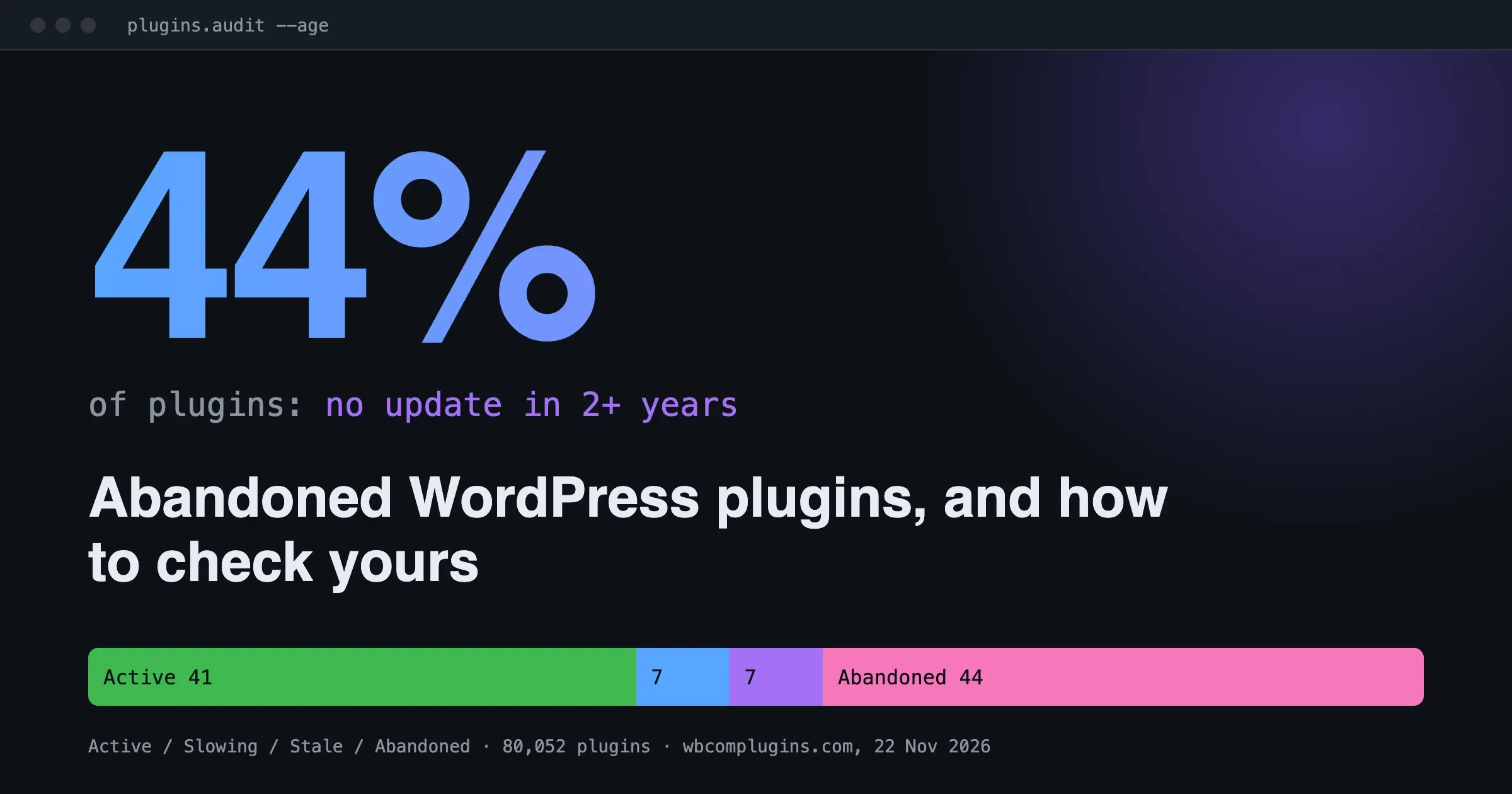
- Retire abandoned plugins. If a plugin has not had a release in two years and you rely on it for something visible, now is the time to plan a replacement, not after 7.3 breaks it.
- Do not turn off Migrate yourself. Some guides suggest dequeuing it for speed. Right now, with warnings as your early signal, that removes the one thing that keeps older code running.
If you manage client sites, a short report works well: list each plugin, whether it triggers JQMIGRATE lines on staging, and who owns the fix. That is a one-page document that turns a vague worry into a work list.
A migration checklist you can paste into a ticket
# 1. Staging copy on the 7.2 release candidate
wp core update --version=7.2-RC3

# 2. Turn on the unminified Migrate build
wp config set SCRIPT_DEBUG true --raw

# 3. Find removed helpers in your own source
grep -rnE "(jQuery|\$)\.(isArray|trim|parseJSON|type|isFunction|isNumeric|now|isWindow|camelCase|nodeName|unique)\(" \
  --include=*.js --include=*.php --exclude-dir=node_modules --exclude-dir=vendor --exclude=*.min.js .

# 4. After testing, turn it back off
wp config set SCRIPT_DEBUG false --raw
Once the grep returns nothing and the console shows no JQMIGRATE lines for your files, run your normal regression suite. If you have end-to-end tests, add one assertion that fails the run when the console logs a JQMIGRATE message. That turns a one-time cleanup into a guard that stays in place.
Common mistakes during the cleanup
A few patterns come up again and again when teams run this migration.
Replacing $.type with typeof everywhere. typeof [] is "object", and typeof null is also "object". The old helper returned "array" and "null". Pick the replacement that matches the case: Array.isArray for arrays, a strict null check for null.
Replacing $.isNumeric with isNaN. They are not the same. The old helper rejected strings that were not numbers and accepted numeric strings. Number.isFinite rejects numeric strings, so a form value like "42" will now fail. Convert first, then test: Number.isFinite( Number( value ) ), and handle the empty string on its own, because Number( "" ) is zero.
Forgetting the Migrate version that WordPress ships. Teams test against a copy of Migrate from npm, see different warnings than WordPress prints, and conclude everything is fine. Test inside WordPress, which is where the code runs.
Silencing instead of fixing. Setting jQuery.migrateMute = true in production hides the warning, and it does nothing about the call. The mute switch is a testing tool.
Frequently asked questions
Does WordPress 7.2 include jQuery 4?
No. WordPress 7.2 includes jQuery Migrate 3.6.0, which is meant to help you prepare for jQuery 4. The jQuery library that core loads stays on the 3.x line in this release.
When will WordPress update to jQuery 4?
The roadmap tentatively targets WordPress 7.3 for updating jQuery and related dependencies, subject to testing. That is not a committed date. Core also plans to disable jQuery Migrate by default in a later release, potentially 7.5 or 7.6.
Will my old plugins break?
Some will, when jQuery 4 arrives and Migrate is no longer there to cover for them. Plugins that call removed helpers such as jQuery.isArray, jQuery.trim or jQuery.parseJSON will throw errors. Plugins that already use native JavaScript will be fine. Test on staging with SCRIPT_DEBUG on to find out which group yours belongs to.
How do I see jQuery Migrate warnings?
Define SCRIPT_DEBUG as true so WordPress loads the unminified jquery-migrate.js, then open your browser console and filter on JQMIGRATE. The minified file that WordPress loads by default does not print warnings. Show the Info level as well, since deprecated-API messages use console.info.
Can I run jQuery Migrate 3.6.0 with jQuery 4?
No. The Migrate 3.6.0 release notes say it drops support for jQuery 4.x, and that you should use Migrate 4.x once you upgrade.
What to do next
Pick one plugin or theme and run the checklist today. It takes an hour for a small codebase. The fix list for most projects is a handful of one-line swaps, and every one of them also works on the jQuery that ships now.
Then book the rest: bundled libraries, inline scripts, child themes. Put a reminder on your calendar for the 7.2 release on 8 December and for the 7.3 beta cycle after it. If the roadmap holds, that is when the tentative becomes real, and you want your name on the list of plugins that already work.
Sources used for the facts above: the WordPress 7.2 Field Guide, the jQuery 4.0 upgrade guide, the jQuery Migrate 3.6.0 release notes, and the Migrate warnings reference.

No comments yet