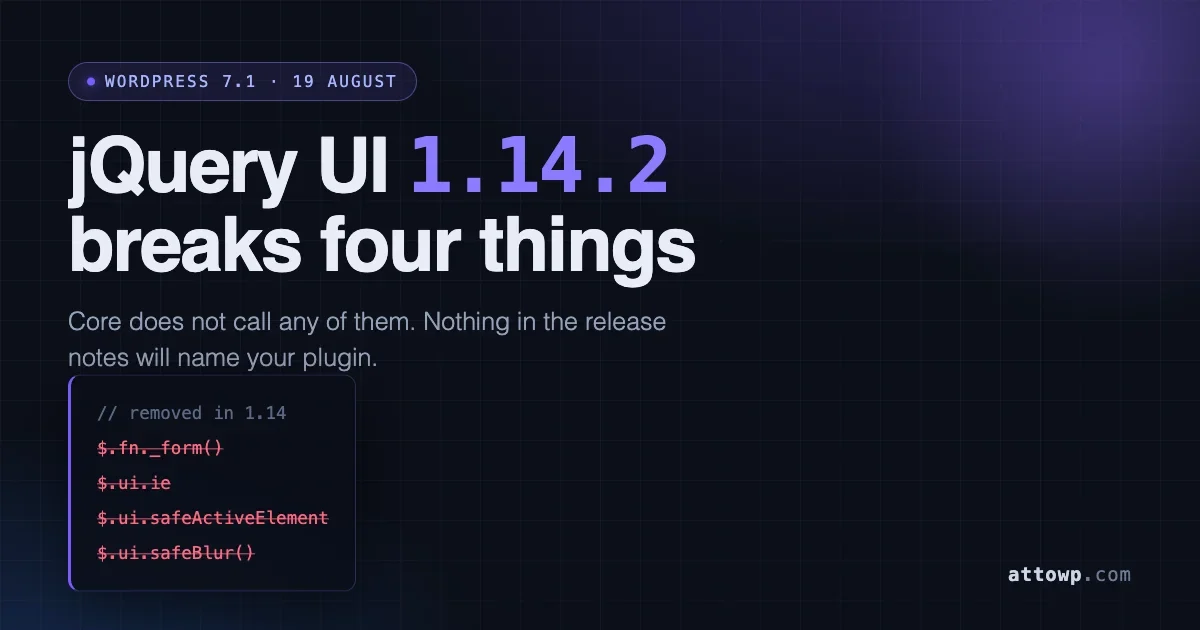
WordPress 7.1 ships on 19 August with jQuery UI bumped from 1.13.3 to 1.14.2. Four functions were deleted upstream. Core does not call any of them, which is exactly why this change is easy to miss: nothing in your WordPress install will break during the beta, and nothing in the release notes will name your plugin. The breakage, if you have any, lives in code you wrote.
The change landed in changeset 62747 against ticket #62757. I want to walk through what actually moved, the one compatibility decision WordPress made that upstream did not, and a twenty minute audit you can run against a plugin or theme today.
It is the third 7.1 change this cycle that costs nothing to ignore until it does not. The other two are the 40px component default becoming permanent and icons inheriting currentColor. All three share a shape: core is internally consistent, so core looks fine, and the cost lands on code core does not know about.
What changed between 1.13.3 and 1.14.2
Three things, in descending order of how likely they are to affect you.
First, four internal helpers were removed outright. Second, Internet Explorer and Edge Legacy support was dropped, which brings jQuery UI in line with the browser support policy WordPress already follows. Third, a pair of behavioural changes shipped that are not on anyone’s removal list and are therefore the ones most likely to bite you in production: jQuery Color moved from v2 to v3, and the datepicker changed how it tears down.
The upstream release also deleted several source files, including ui/core.js, ui/form.js, ui/ie.js, ui/safe-active-element.js and ui/safe-blur.js. If you build jQuery UI yourself from source rather than consuming the copy WordPress bundles, those paths are gone and your build config needs updating.
The four functions that were removed
All four were undocumented internals. That is the trap. Undocumented internals are precisely the things that end up copied into plugin code, because someone read the jQuery UI source once, found a helper that solved their problem, and used it. There was never a deprecation warning telling them not to.
$.fn._form()
Returned the form a given input belongs to. The replacement is the native DOM property, reached through jQuery’s prop():
Watch the wrapping. _form() handed back a jQuery object. prop( "form" ) hands back a raw DOM element or null. If you chain straight off the result without wrapping it, you will get a TypeError on the next call rather than a clean failure, and the stack trace will point at your chained method instead of at the line that actually changed.
$.ui.ie
A boolean that was true on Internet Explorer. There is no replacement because there is no supported IE. Delete the branch rather than reimplementing the check. Every code path guarded by if ( $.ui.ie ) is now dead weight, and every path guarded by if ( ! $.ui.ie ) is now simply the code path.
Note what happens if you leave it in place: $.ui.ie becomes undefined, which is falsy, so if ( $.ui.ie ) silently stops running. That is usually the outcome you want, but it means the IE workaround quietly disappears without an error. If any of those branches accumulated non-IE logic over the years, and some do, you lose that too.
$.ui.safeActiveElement
A wrapper that read document.activeElement without throwing on old IE, where accessing it inside an iframe could raise an error. Use the native property directly:
$.ui.safeBlur()
The same idea applied to blurring an element. The replacement is an ordinary jQuery trigger:
If you are supporting a plugin that has to run on both WordPress 7.0 and 7.1, you do not need version detection here. The replacements work on every version WordPress has shipped in years, because they are plain DOM and plain jQuery. Migrate once and stop thinking about it.
The compatibility flag WordPress flips for you
This is the part of the announcement worth reading twice.
jQuery UI has a flag called $.uiBackCompat. When it is on, the library keeps a compatibility layer that restores the older jQuery 1.11 era API surface. Upstream, that flag defaults to off in 1.14. It was on by default through the 1.12 and 1.13 series, so its flip to off is one of the larger behavioural changes in the release.
WordPress sets it back to true.
That decision is the reason this upgrade is landing quietly rather than as an ecosystem event. Core is absorbing the compatibility burden so that the long tail of plugins written against the older API keeps working. It is the same instinct that has governed WordPress backward compatibility for two decades, and in the short term it is the right call.
Read it as a deadline, though, not as a reprieve. A compatibility layer that upstream has already switched off by default is a layer upstream intends to stop maintaining. WordPress can hold that door open only as long as the code behind it still exists to be shimmed. Nothing has been announced about removing it, and I am not predicting a date. What I am saying is that any code of yours which only works because uiBackCompat is true is code running on borrowed time, and the borrowing terms are set by a project outside WordPress.
There is a practical test. Flip the flag off in a staging environment and see what falls over:
Anything that breaks with the flag off is a real dependency on the legacy API layer. Anything that survives is portable. That is a much more useful signal than grepping alone, because it exercises the code rather than pattern matching it.
Two changes that are not on the removal list
Removals get the headline. Behavioural changes cause the support tickets.
jQuery Color v3 changes how colours serialise
jQuery UI’s effects module bundles jQuery Color, and 1.14 moved it from v2 to v3. The output format changed:
Two differences: spaces after the commas, and transparent is now expressed as a fully qualified rgba() value. Any code doing string comparison against animated colour values is now comparing against a string that no longer matches.
This one is worth searching for specifically, because it fails silently. A colour comparison that stops matching does not throw. It just takes the other branch, and your highlight animation quietly stops firing.
Datepicker tears down immediately
Calling destroy on a datepicker now hides the UI straight away rather than waiting for the user to interact:
The new behaviour is more correct. It will still surface as a diff if you have end to end tests that assert on datepicker visibility after teardown, or if you built a custom flow that destroys and immediately re-initialises a picker and relied on the old panel persisting across that gap.
A twenty minute audit
Three passes: find what you declare, find what you call, find what actually loads.
Pass one: the removed APIs
Search your source, skipping minified bundles and vendor directories so you are looking at code you can actually change:
Then a second pass over the minified files, because a bundled copy of an old jQuery UI plugin will carry these calls too and you cannot patch what you have not found:
A hit in a minified third party bundle is a different problem from a hit in your own code. You are looking at either an upstream update or a decision to stop shipping that dependency.
Pass two: your declared dependencies
Every jQuery UI component WordPress bundles has a script handle. Find the ones you ask for:
The handles worth recognising split into three groups. The infrastructure handles are jquery-ui-core, jquery-ui-widget, jquery-ui-mouse and jquery-ui-position. The widgets are jquery-ui-dialog, jquery-ui-datepicker, jquery-ui-autocomplete, jquery-ui-tabs, jquery-ui-accordion, jquery-ui-slider, jquery-ui-tooltip, jquery-ui-menu, jquery-ui-selectmenu, jquery-ui-spinner, jquery-ui-progressbar, jquery-ui-button, jquery-ui-checkboxradio and jquery-ui-controlgroup. The interactions are jquery-ui-draggable, jquery-ui-droppable, jquery-ui-resizable, jquery-ui-selectable and jquery-ui-sortable. Anything under jquery-effects- pulls in the colour animation code, which is where the serialisation change lives.
Pass three: what actually loads at runtime
Declared dependencies and loaded dependencies are different sets. Something else on the page may pull in a component you never asked for, and a component you did ask for may never load on the screen you assumed. Log the truth:
Reading $wp_scripts->done rather than $wp_scripts->queue matters. The queue holds what was requested. done holds what was printed after dependency resolution, which is the set you actually have to test.
Click through your plugin’s admin screens with that active, then read the log. You now have a per screen inventory of what to retest.
A console spot check
On any screen that loads jQuery UI, confirm what you are running against:
Who is actually exposed
After running this audit across a few dozen plugins, the risk is not evenly spread. Four profiles account for nearly all of it.
The first is any plugin carrying a vendored jQuery UI widget. Somebody needed a component WordPress does not bundle, downloaded a copy in 2016, dropped it in an assets folder, and it has been shipping unchanged since. That file was written against an API surface that no longer exists, nobody owns it, and it will not be updated by anyone upstream because there is no upstream any more.
The second is anything with a colour animation. Highlight a row after a save, flash a field on a validation error, fade a notice. These are small features written once and never revisited, which is exactly the profile of code that breaks silently and stays broken for months.
The third is code with an IE branch. Not because IE matters, but because those branches accumulated. A conditional written for IE8 in 2013 gets a second condition bolted on in 2017 for a Safari quirk, and now deleting the branch deletes the Safari fix too. Read the whole branch before you cut it.
The fourth is anything with browser tests asserting on datepicker state. Your code is fine. Your test suite is about to go red, and the temptation on a Friday afternoon will be to loosen the assertion rather than read why it changed.
If none of those describe your codebase, your realistic exposure here is close to zero, and you can stop after pass one of the audit.
The browser support drop in practice
jQuery UI 1.14 supports the latest version of Chrome, Firefox, Safari and Edge. No version of Internet Explorer, and no Edge Legacy.
For most people this changes nothing, because WordPress already dropped IE support and your analytics almost certainly show no IE traffic worth defending. It does matter in one situation that comes up more often than the public numbers suggest: an enterprise or public sector client with a locked internal browser, where somebody signed a contract promising support for it.
Be direct with that client rather than trying to engineer around it. The library their admin interface depends on no longer supports their browser, WordPress core no longer supports it either, and no amount of local shimming makes an unsupported dependency supported. The honest options are upgrading the browser or freezing the site on an older WordPress, and the second one trades a rendering problem for a security problem. That is a conversation to have in August, not in October after something breaks.
Note also that upstream now guarantees only the latest jQuery release within each major version. If you pin an old jQuery build for compatibility reasons, you are outside the tested combination even when the major version looks correct.
Supporting 7.0 and 7.1 from one codebase
Most plugin authors support several WordPress versions at once, so the practical question is not how to move to 1.14.2. It is how to work on both sides of the change without branching.
The good news is that all four replacements are backward compatible. prop( "form" ), document.activeElement and trigger( "blur" ) work identically on 1.13.3 and 1.14.2. There is no version gate to write. Migrate and ship one code path.
Where you do need care is the colour comparison, because the correct fix has to tolerate both output formats. Parsing numbers rather than matching strings handles that automatically:
The explicit transparent check is what makes this work on both. Version 2 emits the keyword, version 3 emits rgba(0, 0, 0, 0), and the numeric parse handles the second while the guard handles the first. Both return the same array, so the calling code stops caring which WordPress version it is running on.
If you need a version check anywhere else, test for the capability rather than the number. Feature detection survives backports, and version sniffing does not:
Testing before 19 August
Do not wait for release day. Point a staging copy at the beta or release candidate and drive the flows that touch jQuery UI, which in most plugins means anything with a date field, a modal, a sortable list, a drag and drop reorder, or an autocomplete.
The failure modes worth watching for are not evenly distributed. A removed function throws a TypeError and shows up in the console immediately, which makes it the easy case. The colour serialisation change fails silently and shows up as an animation that stopped happening, which nobody reports as a bug because nothing appears broken. The datepicker teardown change shows up only in tests that assert on visibility. Weight your testing accordingly: spend your time on the silent failures, because the loud ones will find you on their own.
If you maintain automated browser tests, run them against the RC and diff the failures rather than reading them cold. A test that was already flaky will look identical to a test that broke because of a colour string.
The longer arc
jQuery UI has been in maintenance for years. It receives security and compatibility work, not features. The direction of travel in WordPress has been away from it for just as long, and 7.1 does not change that direction. It just moves the floor.
If you are writing new code, most of what jQuery UI was used for now has a platform answer. Modals have the native <dialog> element with a real top layer and focus management the browser handles. Date input has <input type="date">, which is unglamorous but is what mobile users expect and what assistive technology understands. Sortable lists have the drag and drop API, and if you are inside the block editor you have the editor’s own primitives. For front end interactivity attached to server rendered markup, the Interactivity API is the standard WordPress path and does not put a jQuery dependency on the page at all.
None of that argues for a rewrite this month. A datepicker that works is not a bug. It argues for a rule about new code: when you reach for a jQuery UI handle in something you are writing today, check first whether the platform now does it. Most of the time in 2026, it does.
The checklist
- Grep for
_form(,$.ui.ie,$.ui.safeActiveElementand$.ui.safeBluracross source and minified bundles. - Replace each with the native equivalent. Remember to wrap
prop( "form" )if you need a jQuery object. - Delete every
$.ui.iebranch rather than reimplementing the check, and check whether non-IE logic drifted into those branches. - Search for string comparisons against
rgb(andtransparentvalues. Compare parsed numbers instead. - Inventory the
jquery-ui-*andjquery-effects-*handles you declare, then log what actually loads per screen. - Run a staging pass with
uiBackCompatforced off to find genuine dependencies on the legacy API layer. - Test against the 7.1 release candidate before 19 August, prioritising the silent failures over the loud ones.
- Update build configs if you compile jQuery UI from source, since
ui/core.jsand the removed helper files no longer exist.
Most plugins will come through this untouched. Core does not use the removed functions, and the compatibility flag is doing real work on your behalf. The ones that will not come through untouched are the older ones, the ones with a bundled jQuery UI widget from 2016 sitting in an assets folder, and the ones with a colour animation nobody has looked at in five years. Twenty minutes of grep now is considerably cheaper than a support queue in late August.



No comments yet