
The Events Calendar vulnerability disclosed on September 14, 2026 is really two bugs. The plugin runs on more than 600,000 WordPress sites, and in late August 2026 Wordfence’s automated research system, Argus, found two separate ways to get code execution on those sites without logging in. Both carry a CVSS score of 9.8. Both start from a public comment form. Both are fixed, but only if the site is on 6.17.4.1 or later, and plenty of event sites sit on auto-update exclusions because someone once had a calendar layout break after an update.
This post walks through The Events Calendar vulnerability pair for the people who have to act on it: developers who maintain a handful of client sites, and agencies with a fleet. We cover which sites are exposed, how the two chains work at the code level (enough to understand the fix, not a working exploit), how to check one site or two hundred with WP-CLI, what to do if you cannot update today, and what to hunt for if you think a site was hit before the patch landed.
All version numbers, CVE IDs, scores and dates below come from the Wordfence advisory published on September 14, 2026 and the plugin’s own changelog on WordPress.org. Where the two disagree, we say so.
The short version
- Plugin: The Events Calendar (slug
the-events-calendar) by StellarWP. - CVE-2026-78006: unauthenticated PHP Object Injection leading to remote code execution. Affects all versions up to and including 6.17.4. Fixed in 6.17.4.1. CVSS 9.8.
- CVE-2026-78159: unauthenticated code injection through a callable in the widget “classes” map, leading to remote code execution. Affects all versions up to and including 6.17.3. Fixed in 6.17.3.1. CVSS 9.8.
- Precondition: comments must be enabled and shown on event pages. That means The Events Calendar’s own “Show comments” setting is on, and the event post accepts comments.
- No moderation needed: the attack fires when the attacker views their own pending comment through WordPress’s moderation-hash preview link.
- What to run: 6.17.4.1 or later. At the time of writing, WordPress.org lists 6.17.5.1 (released September 24, 2026) as the current version.
If a site has 6.17.4.1 or newer, both chains are closed. If a site is on 6.17.3.1 through 6.17.4, the callable chain is closed but the object injection chain is still open. Anything at 6.17.3 or older is exposed to both.
Who is exposed to The Events Calendar vulnerability
The install count is large, but the exposed population is smaller than 600,000, because both chains need comments to render on single event pages. Here is the logic we use when triaging a fleet.
Condition 1: the plugin version
Any version at or below 6.17.4 is affected by at least one chain. Sites on the 6.17.3.1 hotfix have one of the two chains closed. Sites on 6.17.4.1, 6.17.5 or 6.17.5.1 are patched for both issues described in the advisory.
Condition 2: the “Show comments” setting
The Events Calendar does not turn on comments for events by default. In the plugin source, the showComments setting defaults to false, and the tribe_events post type only gets comment support registered when that setting is on. So a stock install where nobody ticked “Show comments” under Events, Settings, Display does not render a comment form on event pages.
That default is the single biggest reason many sites will not be exploitable. But do not stop there. Community calendars, church and school sites, meetup groups and conference sites often turn comments on so attendees can ask questions. Those are exactly the sites that get less maintenance attention.
Condition 3: the event actually accepts comments
With the setting on, each event post still has its own comment status. If comments are closed on every event (through Discussion settings, a “disable comments” plugin, or per-post), the attacker has no form to post to. If even one published event has an open comment form, that is enough.
Things that do not protect you
- Comment moderation. Holding comments for approval does not help. WordPress redirects a commenter to a preview URL with
unapprovedandmoderation-hashparameters so they can see their own pending comment. That preview is where both chains fire. - Registration settings. If guest comments are allowed, no account is required. If your site requires login to comment, the attacker needs an account, which on sites with open registration is not a real barrier.
- Using the block editor or the classic editor. The issue is in how the plugin renders the single event page, not in how you edit events.
How the two chains work
You do not need this section to patch. You do need it to write sensible detection, to explain the risk to a client, and to judge whether any custom code you wrote around this plugin has the same shape. We keep it at the level of function names and data flow. Wordfence’s write-up has the full source excerpts if you want them.
The shared entry point: comment HTML passed through the block parser
WordPress core parses blocks in post content. It does not run do_blocks() over comment text. The Events Calendar’s V2 single-event template does something different: in get_v1_single_event_html() (in src/Tribe/Views/V2/Template_Bootstrap.php) it buffers the whole rendered single-event view, including the comment section, and then passes that buffer through do_blocks().
Block markup is just HTML comments like <!-- wp:legacy-widget {...} /-->. WordPress’s KSES filter for comments keeps HTML comment delimiters, so block markup inside a comment survives sanitization. Once the whole page goes through do_blocks(), a comment author can inject a block into the page. Anonymous user content becomes parsed block content. That is the root design problem.
The shared bypass: the plugin signs attacker data for core
The injected block is a wp:legacy-widget block with an idBase starting with tribe-widget-. Core’s legacy widget renderer accepts a serialized, base64-encoded widget instance, but only if a wp_hash() of that data matches the hash supplied with it. That hash check is core’s integrity guard: only the site, which knows its salts, can produce a valid hash.
The Events Calendar hooks a filter, enable_rendering_widget_copied() in src/Tribe/Views/V2/Widgets/Service_Provider.php, that runs on these blocks. It decodes the attacker’s instance, runs it through a safety check called is_safe_widget_instance(), and if the check passes, replaces the supplied hash with a freshly computed valid one. In other words, the plugin signs whatever the attacker sent, as long as the safety check says yes. The attacker can put any junk value in the hash field and the plugin fixes it for them.
From here the two chains split. Each one defeats the safety check in a different way.
Chain one: object injection through a flawed pre-parse (CVE-2026-78006)
is_safe_widget_instance() calls unserialize() with allowed_classes set to false, then checks whether the result contains an object. The assumption is that a pre-parse with objects disallowed is harmless and tells you whether the payload is safe.
Wordfence showed that the assumption fails. A serialized array can contain a complete object followed by a deliberately invalid token. The pre-parse hits the bad token and returns false. The guard checks false for objects, finds none, and declares the payload safe. The plugin then signs it. Later, core’s legacy widget renderer does the real unserialize() with classes allowed, PHP builds the embedded object and runs its magic methods before it reaches the invalid tail, and by then the damage is done.
The gadget Wordfence used lives in the plugin’s own code: __unserialize() in Collection_Trait (used by Lazy_Post_Collection) calls custom_unserialize(), which passes an attacker-controlled callback and argument list straight to array_map(). Set the callback to a shell function and you have operating system command execution as the web server user.
For developers, the lesson is general. allowed_classes => false is a good default for the one unserialize() call you make. It is not a validator for data that someone else will unserialize later with different options. If you need to accept structured data from users, use JSON.
Chain two: a plain array reaches a callable (CVE-2026-78159)
The second chain needs no object at all. A plain PHP array passes is_safe_widget_instance() honestly, because it genuinely contains no object. The plugin signs it, core unserializes it, and the widget’s setup_arguments() merges the array into the widget’s arguments.
The template engine later calls extract() on the context, which turns every array key into a local variable in template scope, including one named classes. By pushing the widget’s event query to an empty page (Wordfence used a tribe_paged=99 query parameter), the attacker gets the messages.php sub-template to load, which merges $classes into a default list and hands it to tec_classes().
That helper ends in Element_Classes::parse_array(), which supports closures for dynamic class names. The bug is that its check accepts anything is_callable() returns true for, and a plain string naming a global function qualifies. Wordfence’s proof of concept built a map that ends in a call to wp_update_user() with an array equivalent to an ID and a password of true. WordPress reads that as “set user ID 1’s password to the string 1”. There is no capability check on an in-process function call. The attacker logs in as the first administrator and uploads a plugin. That is full code execution, one step removed.
Two developer lessons here. First, is_callable() is not an allow-list. If you only want closures, check instanceof \Closure and nothing else. Second, extract() on data that came from a request is a variable injection primitive waiting for a sink.
Timeline, and one discrepancy
From the Wordfence advisory:
- August 21, 2026: first chain found and disclosed to StellarWP.
- August 22, 2026: firewall rule released to Wordfence Premium, Care and Response users, covering both chains.
- August 23, 2026: second chain found and disclosed.
- August 24, 2026: StellarWP acknowledged both reports.
- August 25, 2026: initial patch released.
- September 14, 2026: advisory published.
- September 21, 2026: firewall rule reaches sites on the free Wordfence plugin.
The advisory gives two different dates for the “fully patched” release: the body text says September 10, 2026 and the timeline graphic says September 1, 2026. The WordPress.org changelog settles it for practical purposes. It lists 6.17.3.1 on August 26, 2026 (“Harden validation of copied widget instance data”) and 6.17.4.1 on September 10, 2026 (“Strengthened validation of copied widget instances”). Either way, the version you need is 6.17.4.1 or newer.
Worth knowing for your risk call: the advisory does not say either chain was seen exploited in the wild. The technical write-up has been public since September 14, though, with enough detail that a skilled attacker can rebuild both chains. Treat any unpatched site with event comments turned on as a site that will be tested.
How to check a single site
Start with the version. On a server where you have WP-CLI:
# Installed version and status
wp plugin get the-events-calendar --fields=name,status,version

# Is an update available right now?
wp plugin list --name=the-events-calendar --fields=name,version,update_version,auto_update
Then check whether the precondition is met. The setting lives in the tribe_events_calendar_options option under the showComments key. Using the plugin’s own helper avoids guessing at how the value is stored:
# Is "Show comments" on for events?
wp eval 'var_export( tribe_get_option( "showComments", false ) ); echo PHP_EOL;'

# How many published events still accept comments?
wp post list --post_type=tribe_events --post_status=publish \
  --comment_status=open --format=count
If the first command prints false and the second prints 0, the site is not reachable through the paths Wordfence described. Patch it anyway. Settings get flipped, and a site you consider safe today may have comments turned on by an editor next month.
No shell access? In wp-admin, go to Plugins and read the version under The Events Calendar, then check Events, Settings, Display for the “Show comments” box. Most managed hosts also show plugin versions in their dashboard.
How to check a fleet
For agencies, the useful output is a single table: site, version, whether comments are on, how many events accept comments. Here is a loop we run over WP-CLI aliases. It assumes your wp-cli.yml or ~/.wp-cli/config.yml defines an alias per site (for example @client-a with an ssh: target).
#!/usr/bin/env bash
# tec-audit.sh - report The Events Calendar exposure across WP-CLI aliases
set -u
PATCHED="6.17.4.1"

printf "%-28s %-12s %-10s %-8s %s\n" "SITE" "VERSION" "COMMENTS" "OPEN" "STATUS"

for alias in $(wp cli alias list --format=json | jq -r 'keys[]' | grep -v '^@all$'); do
  ver=$(wp "$alias" plugin get the-events-calendar --field=version 2>/dev/null)
  if [ -z "$ver" ]; then
    printf "%-28s %-12s %-10s %-8s %s\n" "$alias" "-" "-" "-" "not installed"
    continue
  fi

  comments=$(wp "$alias" eval 'echo tribe_get_option("showComments", false) ? "on" : "off";' 2>/dev/null)
  open=$(wp "$alias" post list --post_type=tribe_events --post_status=publish \
          --comment_status=open --format=count 2>/dev/null)

  # sort -V puts the lower version first; if that is not PATCHED, we are below it
  lowest=$(printf "%s\n%s\n" "$ver" "$PATCHED" | sort -V | head -n1)
  if [ "$ver" = "$PATCHED" ] || [ "$lowest" = "$PATCHED" ]; then
    status="patched"
  elif [ "$comments" = "on" ] && [ "${open:-0}" -gt 0 ]; then
    status="VULNERABLE + EXPOSED"
  else
    status="vulnerable (comments off)"
  fi

  printf "%-28s %-12s %-10s %-8s %s\n" "$alias" "$ver" "${comments:-?}" "${open:-?}" "$status"
done
Run the “VULNERABLE + EXPOSED” rows first. Those are the sites where an anonymous visitor can reach the bug today.
If you manage sites through MainWP, ManageWP, InfiniteWP or a host’s multi-site dashboard, the version column is enough to build the patch list. The comments check still needs either WP-CLI or a look at each site’s settings, so do that only for the sites you cannot update right away.
For a multisite network, the plugin may be network-activated or activated per site. Check both:
wp plugin list --name=the-events-calendar --fields=name,status,version   # "active-network" means network-activated
wp site list --field=url | while read -r url; do
  printf "%s " "$url"
  wp --url="$url" eval 'echo tribe_get_option("showComments", false) ? "on\n" : "off\n";' 2>/dev/null || echo "inactive"
done
How to patch The Events Calendar vulnerability
1. Update to 6.17.4.1 or later
# Single site
wp plugin update the-events-calendar

# Confirm
wp plugin get the-events-calendar --field=version
Updating straight to the current release (6.17.5.1 at the time of writing) is our default. The two releases after 6.17.4.1 also carry security hardening in their changelogs, including REST API permission checks. If you are nervous about a jump across several minor versions on a heavily customized calendar, take a backup, update on staging first, and click through the month, list and single event views before you push to production. That is an hour of work, not a week.
If you run Events Calendar Pro, Event Tickets, Filter Bar or other StellarWP add-ons, update them in the same pass. The advisory only covers the free core plugin, but add-ons are tested against current core versions and a mismatched pair is the usual cause of “the calendar broke after the update”.
2. If you cannot update today, cut the precondition
Turning off the entry point closes both chains on the paths Wordfence described. Two options, quickest first:
# Option A: turn off "Show comments" for events
wp eval '$o = get_option( "tribe_events_calendar_options", [] );
$o["showComments"] = false;
update_option( "tribe_events_calendar_options", $o );
echo "showComments now: "; var_export( tribe_get_option( "showComments", false ) ); echo PHP_EOL;'

# Option B: close comments on every existing event
wp post list --post_type=tribe_events --comment_status=open --format=ids \
  | xargs -r -n 50 wp post update --comment_status=closed
Option A is one setting and easy to undo. Option B is useful if something else re-enables comment support. Do both on sites you cannot patch within a day. Tell the client that event comments are off for a few days and why.
A web application firewall with a rule for these chains is a reasonable extra layer. Wordfence’s rule reached free-tier users on September 21, 2026, and premium users had it from August 22, 2026. A WAF is not a substitute for the update. Rules match known exploit shapes, and variants exist for any chain once the technique is public.
3. Turn on auto-updates for this plugin
Most of the sites we see lagging on security releases are ones where auto-updates were switched off years ago after one bad release and nobody switched them back. For a plugin with this many installs and a public exploit write-up, the risk of a delayed patch is higher than the risk of an automatic minor update:
wp plugin auto-updates enable the-events-calendar
wp plugin auto-updates status the-events-calendar
What to look for if a site was already hit
Patching closes The Events Calendar vulnerability going forward, but it does not undo an attack that already happened. The advisory does not publish indicators of compromise, and it does not report exploitation in the wild. The checks below are our own, derived from how the chains work. They are a starting point for a review, not proof either way. Run them on any site that had event comments on and sat on a vulnerable version after mid-August.
Look for block markup in comments
Legitimate visitors do not type Gutenberg block comments into a comment form. Both chains need a wp:legacy-widget block pointing at a tribe-widget- ID. Pending, spam and trashed comments all count, because the attack works from the pending preview:
wp db query "
SELECT c.comment_ID, c.comment_post_ID, c.comment_approved,
       c.comment_author_IP, c.comment_date
FROM $(wp db prefix --quiet)comments c
JOIN $(wp db prefix --quiet)posts p ON p.ID = c.comment_post_ID
WHERE p.post_type = 'tribe_events'
  AND ( c.comment_content LIKE '%wp:legacy-widget%'
     OR c.comment_content LIKE '%tribe-widget-%' )
ORDER BY c.comment_date DESC;"
Do not delete matches before you have copied them somewhere safe. The IP address and timestamp are what you correlate against access logs.
Grep the access logs
An attacker submits a comment, then loads the event page with the moderation preview parameters. Chain two also relies on forcing an empty widget query. Adjust the log path for your server:
LOG=/var/log/nginx/access.log

# Moderation-hash previews on event URLs (adjust "/event/" to your events slug)
zgrep -h "moderation-hash=" $LOG* | grep "/event/" | awk '{print $1, $4, $7}' | sort | uniq -c | sort -rn | head -50

# Unusually high tribe_paged values combined with a preview
zgrep -h "tribe_paged=" $LOG* | grep "moderation-hash" | head -50

# Comment submissions followed by a preview from the same IP
zgrep -h "POST /wp-comments-post.php" $LOG* | awk '{print $1}' | sort | uniq -c | sort -rn | head -20
Normal visitors do produce moderation-hash previews, so one hit means nothing on its own. A comment with block markup plus a preview request from the same IP a few seconds later is what you are looking for.
Check the first administrator
Chain two, as demonstrated, resets the password for user ID 1. WordPress does not log password changes by default, so look at the side effects:
# Who is user 1, and what sessions exist?
wp user get 1 --fields=ID,user_login,user_email,roles
wp user session list 1 --fields=login_time,expiration_time,ip,ua

# All administrators, newest first
wp user list --role=administrator --fields=ID,user_login,user_email,user_registered --orderby=registered --order=DESC
Sessions for user 1 from an IP nobody on the team recognizes are a strong signal. So is the site owner reporting that the admin password “stopped working” recently. If you run an activity log plugin, filter it for logins by user 1 and for plugin installs.
Look for new plugins and changed files
Both chains end in code on disk: chain one through direct shell commands, chain two through a malicious plugin upload. Check what changed recently:
# Plugins directories modified in the last 45 days
find wp-content/plugins -maxdepth 1 -mindepth 1 -type d -mtime -45 -printf "%TY-%Tm-%Td %p\n" | sort

# PHP files anywhere under wp-content changed in the last 45 days
find wp-content -name "*.php" -mtime -45 -printf "%TY-%Tm-%Td %p\n" | sort | tail -100

# PHP files in uploads should not exist at all on most sites
find wp-content/uploads -name "*.php" -printf "%TY-%Tm-%Td %p\n"

# Verify core and WordPress.org plugins against official checksums
wp core verify-checksums
wp plugin verify-checksums --all
Premium plugins will fail verify-checksums because WordPress.org has no checksums for them. That is expected. Anything else that fails needs a look.
If you find evidence
Take the site into maintenance mode, back up the current state (compromised files and database included, for analysis), then work through the usual order: update The Events Calendar, remove unknown plugins and files, reinstall core and plugins from clean sources, reset every administrator password, rotate the salts in wp-config.php so all sessions end, rotate database and API credentials the site stores, and review scheduled cron events for anything you did not add. Chain one runs commands as the web server user, so on shared or poorly isolated hosting, check sibling sites under the same user too.
Restoring from a clean backup is often faster than cleaning in place. If your backups are not tested regularly, our guide to a WordPress backup strategy that holds up during a restore covers how to set that up before you need it.
What this bug says about plugin code in general
Two patterns in these chains show up again and again in WordPress plugins, and both are worth a search through your own code this week.
Rendering user content through a parser meant for trusted content
The root cause is passing a whole page buffer, comments included, through do_blocks(). The same mistake happens with do_shortcode() run over output that includes user text, with apply_filters( 'the_content'... ) applied to form submissions, and with template engines that evaluate expressions in data. If content came from an anonymous user, it should never go through a parser that can call code.
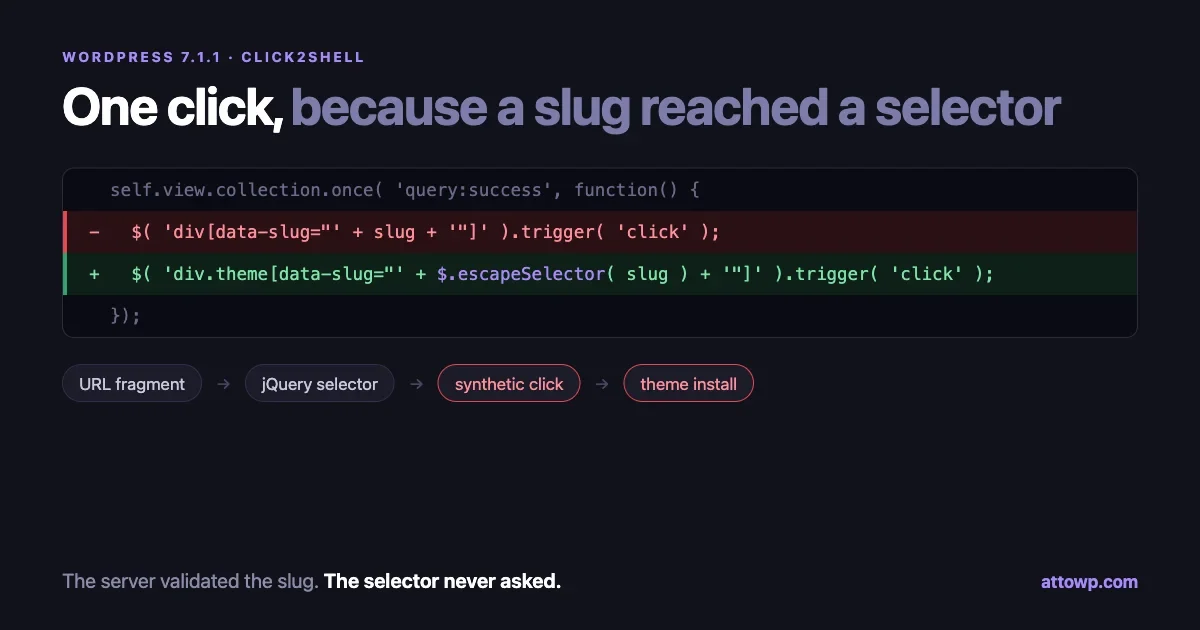
We covered a similar trust-boundary problem in core in our write-up on Click2Shell, where a theme slug reached a jQuery selector unescaped. Different layer, same shape: data crossed into an interpreter that treated it as instructions.
Signing data you have not fully validated
Core’s widget hash exists so that only the site can produce data core will unserialize. The plugin computed that hash for attacker data after a check that could be fooled. Any time your code produces a nonce, HMAC, signed URL or integrity hash for input it received, the validation before the signing step becomes the only line of defense, and it must be airtight. Better still, do not sign user input at all. Build the trusted structure yourself from validated fields.
Search your codebase for these as a quick self-audit:
# Parsers run over buffered output or user-supplied strings
grep -rnE --include=*.php 'do_blocks\(|do_shortcode\(' .

# unserialize of a variable rather than a constant
grep -rnE --include=*.php 'unserialize\(\s*\$' .

# is_callable used as a gate before calling a value
grep -rn --include=*.php -A2 'is_callable(' .

# extract() in templates
grep -rn --include=*.php 'extract(' .
Each hit is not a bug. Each hit is a place to ask where the data came from.
Where this sits with the other September patches
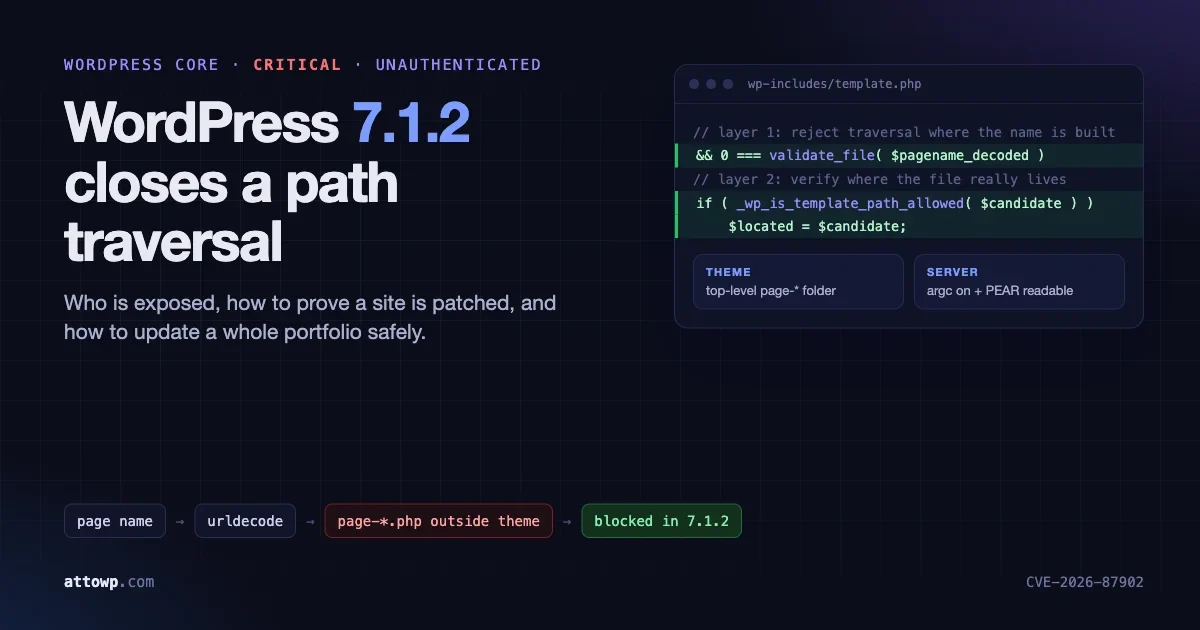
This is the third serious security fix we have written up this month. The WordPress 7.1.2 path traversal fix patched an unauthenticated flaw in core’s page template resolution, and Click2Shell was fixed in 7.1.1. All three were fixed quickly by their maintainers. And for all three, the sites that got hurt, or will get hurt, are the ones where updates wait for someone to remember.
For an agency, the practical takeaway is the fleet report. If you can produce the table from the audit script above in five minutes for any plugin slug, you can answer a client’s “are we affected?” email the same morning the advisory drops. If you cannot, that is the gap to close before the next one.
The Events Calendar vulnerability checklist
- List every site running
the-events-calendarand its version. - Update anything below 6.17.4.1. Prefer the current release, after a quick staging check on heavily customized calendars.
- For sites you cannot update today, turn off “Show comments” for events and close comments on existing events.
- Turn on auto-updates for the plugin.
- On sites that had event comments on while vulnerable: search comments for
wp:legacy-widgetandtribe-widget-, grep logs for moderation-hash previews, check user 1’s sessions, and review new plugins and PHP files. - If anything turns up, treat the site as compromised: back up, clean or restore, reset passwords, rotate salts and credentials.
- Run the self-audit grep over your own plugins and themes.
Sources
- Wordfence: Wordfence Argus Identifies Two Critical Unauthenticated Vulnerability Chains Leading to Remote Code Execution in The Events Calendar Plugin (September 14, 2026)
- The Events Calendar on WordPress.org: changelog
- The Events Calendar source on GitHub (for the
showCommentssetting and its default)

No comments yet