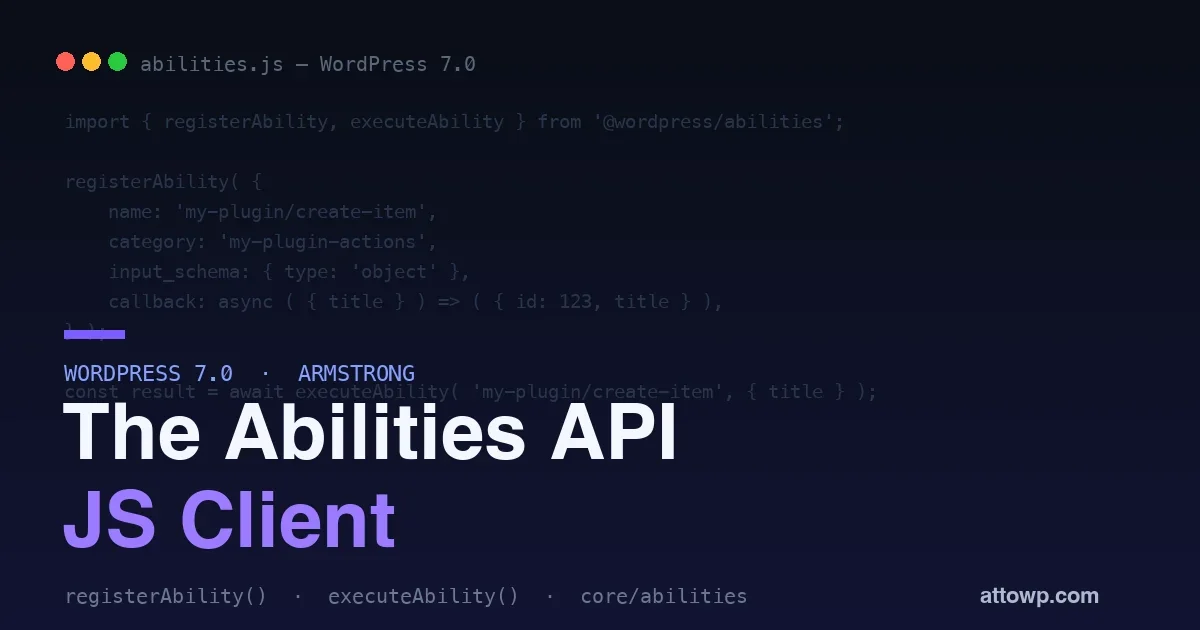
WordPress 7.0 “Armstrong” landed on 20 May 2026, and for developers the headline is the Abilities API. Most of the pre-release coverage focused on the PHP side: registering server abilities, the AI Client, the Connectors API. That is half the story. The piece that actually changes what you can build in the browser is the client-side Abilities API - two JavaScript packages that let your blocks, admin screens, and AI integrations register and call abilities without hand-wiring a single REST round trip.
This post is a practical tour of that JS layer, anchored to the PHP side so the whole picture makes sense: the two packages, how to register an ability on the server and on the client, how to execute one, how to query abilities reactively in React, how to expose them to AI agents, and why the new meta.annotations flags matter the moment an autonomous caller is on the other end. Every API name below comes from the WordPress 7.0 Field Guide and the official dev notes, not from guesswork.
What an “ability” actually is
An ability is a named, schema-described capability that something - a user, a block, or an AI agent - can discover and invoke. Think of it as a typed function with a label, a description, an input schema, an output schema, and a permission check. The schema is the contract: it tells callers exactly what an ability expects and returns, which is what makes abilities safe for a machine to call without a human reading your source.
Server abilities are registered in PHP and exposed over the REST API. Client abilities are registered in JavaScript and live in the browser. Both surface in the same registry, and that shared registry is the whole point - it is what lets a command palette, a block sidebar, and an AI agent all see the same list of things your site can do. If you have read our take on webMCP and AI agents as site visitors, abilities are WordPress’s native answer to that same question: how does an agent know what your site can do, and how does it call those actions safely?
Registering an ability on the server (PHP)
Before the JavaScript, it helps to see the server side, because most real abilities should live there. The PHP function is wp_register_ability( string $name, array $args ), and registration must happen on the wp_abilities_api_init hook:
function my_plugin_register_abilities(): void {
    wp_register_ability(
        'my-plugin/analyze-text',
        array(
            'label'               => __( 'Analyze Text', 'my-plugin' ),
            'description'         => __( 'Performs sentiment analysis on provided text.', 'my-plugin' ),
            'category'            => 'text-processing',
            'input_schema'        => array(
                'type'       => 'object',
                'properties' => array( 'text' => array( 'type' => 'string' ) ),
                'required'   => array( 'text' ),
            ),
            'output_schema'       => array(
                'type'       => 'object',
                'properties' => array( 'sentiment' => array( 'type' => 'string' ) ),
            ),
            'execute_callback'    => 'my_plugin_analyze_text',
            'permission_callback' => 'my_plugin_can_analyze_text',
        )
    );
}
add_action( 'wp_abilities_api_init', 'my_plugin_register_abilities' );
The two required callbacks carry the weight. execute_callback is the logic; permission_callback is the gate that decides whether the current caller is allowed to run it. Everything else - the schemas, the category, the label - is metadata that makes the ability discoverable and self-describing. A server ability with show_in_rest in its meta becomes reachable over the REST API, which is exactly how the client packages hydrate it.
Two JavaScript packages, two jobs
The client side ships as two distinct script modules, and picking the right one matters:
@wordpress/core-abilities- automatically fetches the server-registered abilities over the REST API and registers them on the client. Enqueue this when your UI needs to see and call abilities that plugins declared in PHP.@wordpress/abilities- the lower-level package for working with client-only abilities you register in JavaScript, plus the registry functions. No REST fetch; client abilities exist purely in the browser session.
You enqueue them as script modules from PHP:
// Server-registered abilities, fetched via REST and registered client-side
wp_enqueue_script_module( '@wordpress/core-abilities' );

// Client-only abilities you register in JS
wp_enqueue_script_module( '@wordpress/abilities' );
Registering a client-side ability
The core function is registerAbility(). Import it as a module inside a script module, or dynamically import it anywhere:
const {
    registerAbility,
    registerAbilityCategory,
    getAbilities,
    executeAbility,
} = await import( '@wordpress/abilities' );
The signature is registerAbility({ name, label, description, category, callback, input_schema?, output_schema?, permissionCallback?, meta? }). A realistic example - an ability that creates an item, with both input and output validated by JSON Schema:
registerAbility( {
    name: 'my-plugin/create-item',
    label: 'Create Item',
    description: 'Creates a new item with the given title and content',
    category: 'my-plugin-actions',
    input_schema: {
        type: 'object',
        properties: { title: { type: 'string' } },
    },
    output_schema: {
        type: 'object',
        properties: { id: { type: 'number' } },
    },
    callback: async ( { title } ) => {
        return { id: 123, title };
    },
} );
Categories group abilities for discovery. Register one with registerAbilityCategory( 'slug', { label, description } ) - slugs must be lowercase alphanumeric with dashes only:
registerAbilityCategory( 'my-plugin-actions', {
    label: 'My Plugin Actions',
    description: 'Actions this plugin exposes to the editor and to agents',
} );
Server abilities vs client abilities: which to use
Because both kinds land in the same registry, it is tempting to register everything client-side for convenience. Resist that. The distinction is about trust and persistence, not preference.
Concern | Server ability (PHP) | Client ability (JS) |
|---|---|---|
Where it runs | PHP, on the server | JavaScript, in the browser session |
Security boundary | Real - | None - the browser can be manipulated |
Reachable by REST/agents | Yes, with | Only within the current page session |
Good for | Anything that writes data, touches the DB, or needs auth | UI-only actions, optimistic interactions, composing server abilities |
The rule of thumb: if an ability changes data or must not run for the wrong user, it belongs on the server with a real permission callback. Client abilities are for orchestration and UI - calling server abilities, transforming their results, and presenting them. Anything sensitive routed only through a client ability is a security hole, because a client permissionCallback is a convenience, not a guard.
Executing an ability
Calling an ability is one async function. Input is validated against input_schema before your callback runs, and the return value is validated against output_schema after:
const result = await executeAbility( 'my-plugin/create-item', {
    title: 'New Item',
    content: 'Item content',
} );
Three error codes are worth handling explicitly: ability_permission_denied (the permission check rejected the call), ability_invalid_input (the payload failed the input schema), and ability_invalid_output (your callback returned something the output schema rejected). Because validation is built in, you write less defensive glue code than you would for a hand-rolled AJAX action - which is the same reasoning behind choosing modern REST API authentication over ad hoc nonce endpoints. The schema is doing the work you used to do by hand.
Migrating a legacy admin-ajax action to an ability
If you maintain a plugin, you almost certainly have a pile of wp_ajax_* handlers with manual nonce checks, manual sanitization, and a JavaScript side full of jQuery.post calls. Abilities replace that pattern with something self-describing. Here is the before:
// Old: admin-ajax handler
add_action( 'wp_ajax_myplugin_create_item', function () {
    check_ajax_referer( 'myplugin_nonce' );
    if ( ! current_user_can( 'edit_posts' ) ) {
        wp_send_json_error( 'forbidden', 403 );
    }
    $title = sanitize_text_field( $_POST['title'] ?? '' );
    $id    = myplugin_create_item( $title );
    wp_send_json_success( array( 'id' => $id ) );
} );
And the after, as a server ability - the nonce dance disappears, sanitization becomes a schema, and the response shape is guaranteed:
wp_register_ability( 'my-plugin/create-item', array(
    'label'               => __( 'Create Item', 'my-plugin' ),
    'description'         => __( 'Creates an item with the given title.', 'my-plugin' ),
    'category'            => 'my-plugin-actions',
    'input_schema'        => array(
        'type'       => 'object',
        'properties' => array( 'title' => array( 'type' => 'string' ) ),
        'required'   => array( 'title' ),
    ),
    'output_schema'       => array(
        'type'       => 'object',
        'properties' => array( 'id' => array( 'type' => 'integer' ) ),
    ),
    'permission_callback' => fn() => current_user_can( 'edit_posts' ),
    'execute_callback'    => fn( $input ) => array( 'id' => myplugin_create_item( $input['title'] ) ),
) );
On the JavaScript side, the jQuery.post with its nonce and success/error callbacks collapses into a single await executeAbility( 'my-plugin/create-item', { title } ). The same ability is now callable by your UI and by any agent that has permission - you did not build a second integration for that, it came for free.
Querying abilities in React
Abilities live in a data store registered as core/abilities, so a React component can read them reactively with useSelect:
import { useSelect } from '@wordpress/data';
import { store as abilitiesStore } from '@wordpress/abilities';

function AbilityList() {
    const abilities = useSelect(
        ( select ) => select( abilitiesStore ).getAbilities(),
        []
    );

    return (
        <ul>
            { abilities.map( ( ability ) => (
                <li key={ ability.name }>{ ability.label }</li>
            ) ) }
        </ul>
    );
}
Outside React you have direct calls: getAbilities(), getAbilities({ category: 'data-retrieval' }), getAbility('ability-name'), getAbilityCategories(), and getAbilityCategory('slug'). That is enough to build a command palette, a block toolbar action menu, or a debug panel listing everything the current screen can do.
Building an admin command palette
Here is where the registry pays off. A command palette - a searchable list of every action available on the current screen - used to mean maintaining a hand-curated list. With abilities it becomes a query over the registry plus an executeAbility call on selection:
import { useState } from '@wordpress/element';
import { useSelect } from '@wordpress/data';
import { store as abilitiesStore, executeAbility } from '@wordpress/abilities';

function CommandPalette() {
    const [ query, setQuery ] = useState( '' );
    const abilities = useSelect(
        ( select ) => select( abilitiesStore ).getAbilities(),
        []
    );

    const matches = abilities.filter( ( a ) =>
        a.label.toLowerCase().includes( query.toLowerCase() )
    );

    return (
        <div className="command-palette">
            <input value={ query } onChange={ ( e ) => setQuery( e.target.value ) } />
            { matches.map( ( a ) => (
                <button key={ a.name } onClick={ () => executeAbility( a.name, {} ) }>
                    { a.label }
                </button>
            ) ) }
        </div>
    );
}
Server abilities (hydrated via @wordpress/core-abilities) and client abilities appear in the same list. Add a plugin that registers new abilities and they show up in the palette with no change to this component. That is the composability the registry buys you.
Abilities that call AI models
WordPress 7.0 also ships the AI Client, and abilities are a natural place to use it. Inside a server ability’s execute_callback, you can build a prompt with WP_AI_Client_Prompt_Builder and express a model preference with using_model_preference() - which lets you say “use this model, fall back to that one” without hard-coding a provider. The pattern keeps the model choice out of your UI: the ability is the stable contract, and which model answers is an implementation detail the site owner can configure. For the broader context of running models for WordPress - including local options - our guide to the MCP servers worth installing for WordPress workflows maps the surrounding ecosystem.
Exposing abilities to AI agents
The reason to care about all of this beyond tidier code is the agent story. Because abilities are typed, described, permission-gated, and registered in one place, they are exactly the shape an AI agent needs to act on your site safely. Through the Connectors API and the MCP Adapter, registered abilities become tools an external agent can discover and call - the same abilities you built for your own UI. You design the capability once; humans get a button and agents get a tool. This is the structural difference between bolting an AI feature onto a plugin and building a plugin an agent can operate.
The annotations that matter for AI agents
Each ability can carry meta.annotations with three boolean flags: readonly, destructive, and idempotent. These look minor and are not. When an AI agent is choosing which abilities to call, these flags are how it reasons about safety. A readonly ability is safe to call speculatively; a destructive one should require confirmation; an idempotent one is safe to retry after a timeout. If you register abilities an agent might invoke, annotate them honestly. An unannotated destructive ability is a footgun waiting for an autonomous caller:
registerAbility( {
    name: 'my-plugin/delete-item',
    label: 'Delete Item',
    description: 'Permanently deletes an item by ID',
    category: 'my-plugin-actions',
    input_schema: { type: 'object', properties: { id: { type: 'number' } } },
    meta: { annotations: { readonly: false, destructive: true, idempotent: true } },
    permissionCallback: () => currentUserCan( 'delete_posts' ),
    callback: async ( { id } ) => deleteItem( id ),
} );
Testing and debugging abilities
Because abilities are just registered functions with schemas, they are pleasant to test. On the client, call getAbility('my-plugin/create-item') in the console to confirm registration, then executeAbility with a deliberately malformed payload to verify the input schema rejects it with ability_invalid_input. On the server, a WP-CLI command or a PHPUnit test can register the ability and assert the permission callback denies an unauthenticated user. A quick debug panel built from getAbilities() gives you a live view of everything registered on the current screen, which is the fastest way to catch an ability that silently failed to register because its category slug had an uppercase letter.
Performance and loading
A few practical notes on cost. @wordpress/core-abilities makes a REST request to hydrate server abilities, so factor that into your editor load budget rather than enqueuing it on every admin screen by reflex - load it where the UI actually needs the ability list. Client-only abilities have no network cost but also no persistence; they vanish on navigation, so register them in a script module that loads on the screens that need them. And keep input and output schemas tight: they are validated on every call, and an over-broad schema both slows validation slightly and weakens the contract that makes the ability safe for an agent.
Wiring an ability into the block editor sidebarMost readers will want abilities reachable from the editor itself. Register a plugin sidebar with registerPlugin and PluginSidebar from @wordpress/editor, then call executeAbility from a button inside it. Because the abilities store is reactive, the sidebar can list only the abilities relevant to the current post type and hide the rest. A common shape is a panel that reads the current selection, offers the abilities whose input schema matches what is selected, and runs the chosen one on click. The result flows back through the same executeAbility promise you would use anywhere else, so error handling and loading states are identical to a headless call. This keeps the editor integration thin: the ability holds the logic and the schema, and the sidebar is only a way to trigger it.A complete example: an AI alt-text abilityHere is an end-to-end example that ties the pieces together: a server ability that generates alt text for an image using the WordPress 7.0 AI Client, exposed to both the block editor and to agents. It takes an attachment ID, asks a model to describe the image, and returns the suggested alt text. Registration happens in PHP so the model call and the capability check stay on the server.add_action( 'wp_abilities_api_init', function () {
wp_register_ability( 'my-plugin/suggest-alt-text', array(
'label' => __( 'Suggest Alt Text', 'my-plugin' ),
'description' => __( 'Generates alt text for an image attachment.', 'my-plugin' ),
'category' => 'media-tools',
'input_schema' => array(
'type' => 'object',
'properties' => array( 'attachment_id' => array( 'type' => 'integer' ) ),
'required' => array( 'attachment_id' ),
),
'output_schema' => array(
'type' => 'object',
'properties' => array( 'alt_text' => array( 'type' => 'string' ) ),
),
'meta' => array( 'show_in_rest' => true, 'annotations' => array( 'readonly' => true ) ),
'permission_callback' => fn() => current_user_can( 'upload_files' ),
'execute_callback' => function ( $input ) {
$url = wp_get_attachment_url( $input['attachment_id'] );
$prompt = ( new WP_AI_Client_Prompt_Builder() )
->using_model_preference( array( 'image', 'text' ) )
->with_text( 'Describe this image in one concise sentence for alt text.' )
->with_image_url( $url );
return array( 'alt_text' => $prompt->generate_text() );
},
) );
} );Marked readonly and gated on upload_files, this ability is safe for the editor to call when a user inserts an image, and safe for an agent to call while drafting a post. The model preference lets the site owner pick which provider answers without touching the plugin. One registration, two consumers, no second integration to maintain.Versioning and deprecating an abilityOnce an agent or another plugin depends on an ability, its input and output schemas are a contract you should not break casually. When you need a breaking change, register a new namespaced ability rather than mutating the old one: keep my-plugin/create-item working and add my-plugin/create-item-v2 with the new schema. Flag the old one in its meta so tooling can surface the deprecation, and remove it only after a release or two. Additive changes are safer: adding an optional property to an input schema does not break existing callers, while making a previously optional field required does. Treat the schema the way you would treat a public function signature, because to an agent that is exactly what it is.Where abilities fit among the other 7.0 APIsWordPress 7.0 shipped several related pieces, and it helps to know which does what. Blocks describe content. The Interactivity API drives front-end behavior inside blocks with directives and a small reactive store. The Connectors API and MCP Adapter handle how external agents and models reach your site. Abilities sit in the middle as the verb layer: the named, typed actions your site can perform. A block renders the UI, an Interactivity directive wires a click, and the click calls an ability that does the work. Keeping that division clear stops you from putting business logic in a block’s edit function when it belongs in a permission-gated ability the editor and an agent can both call.Common mistakes to avoidA few patterns show up early and cost time. Registering a write action as a client-only ability and assuming the permissionCallback protects it: it does not, because the browser is untrusted. Forgetting show_in_rest on a server ability and then wondering why the client packages and agents cannot see it. Using an uppercase or spaced category slug, which fails quietly so the ability never registers. Returning data that does not match the output schema, which surfaces as ability_invalid_output rather than the value you expected. And over-broad input schemas that accept anything, which weaken the contract an agent relies on. Each is easy to fix once you know to look, and a debug panel built from getAbilities() catches most of them in seconds.Honest caveats
wp_register_ability( 'my-plugin/suggest-alt-text', array(
'label' => __( 'Suggest Alt Text', 'my-plugin' ),
'description' => __( 'Generates alt text for an image attachment.', 'my-plugin' ),
'category' => 'media-tools',
'input_schema' => array(
'type' => 'object',
'properties' => array( 'attachment_id' => array( 'type' => 'integer' ) ),
'required' => array( 'attachment_id' ),
),
'output_schema' => array(
'type' => 'object',
'properties' => array( 'alt_text' => array( 'type' => 'string' ) ),
),
'meta' => array( 'show_in_rest' => true, 'annotations' => array( 'readonly' => true ) ),
'permission_callback' => fn() => current_user_can( 'upload_files' ),
'execute_callback' => function ( $input ) {
$url = wp_get_attachment_url( $input['attachment_id'] );
$prompt = ( new WP_AI_Client_Prompt_Builder() )
->using_model_preference( array( 'image', 'text' ) )
->with_text( 'Describe this image in one concise sentence for alt text.' )
->with_image_url( $url );
return array( 'alt_text' => $prompt->generate_text() );
},
) );
} );
A few things to keep in mind before you rebuild everything around abilities. Client-only abilities exist only in the browser session - they are not a persistence or security boundary, so anything sensitive still needs a server ability with a real permission_callback enforced in PHP. Schema validation catches shape errors, not authorization; the permission check is your gate. The MCP Adapter exposure is powerful, which means an over-permissioned, badly annotated ability is now reachable by autonomous callers - audit what you expose. And as with any 7.0 API, check the current dev notes before shipping, because client-side details are still settling release to release.
Frequently asked questions
Do I need both packages?
Only if you use both. Use @wordpress/core-abilities when your UI needs the server-registered abilities; use @wordpress/abilities for client-only abilities and the registry query functions. Many plugins enqueue only one.
Are abilities a replacement for the REST API?
No. Server abilities are exposed over REST, so they build on it rather than replace it. Abilities add a typed, discoverable, permission-aware layer on top - think of them as a higher-level contract, not a new transport.
Can abilities call other abilities?
Yes. A common pattern is a client ability whose callback composes one or more server abilities via executeAbility, transforming the results for the UI. That composition is exactly why keeping write logic in server abilities pays off.
What happens if two plugins register the same ability name?
Names are unique identifiers, so namespace them with your plugin slug - my-plugin/create-item, not create-item. The slash-namespaced convention prevents collisions and makes the registry readable.
Is the client-side API stable?
It shipped in 7.0, but client-side details have moved across the 7.0 dev-note cycle. Pin to documented functions - registerAbility, executeAbility, the core/abilities store - and re-check the dev notes when you upgrade.
Do abilities work in the site editor too?Yes. The client packages load wherever you enqueue the script module, including the site editor and custom admin screens. The same registerAbility and executeAbility calls work; only the surface that triggers them changes.How do abilities relate to user capabilities?The permission_callback is where you check capabilities, usually with current_user_can(). Abilities do not replace the capability system; they wrap a specific action behind a capability check, so the same roles and caps you already use still govern who can run what. This is also why write actions belong in server abilities: only there is the capability check enforced where it counts.Can I register an ability for a custom post type action?Yes, and it is a good fit. Wrap the create, update, or status-transition action for your CPT as a server ability with a tight input schema and a capability check. The editor gets a typed action it can call, and an agent can manage your CPT content through the registry without you exposing raw database writes or a bespoke endpoint.Wrapping up
WordPress 7.0’s server-side AI infrastructure got the headlines, but the client-side Abilities API is what turns it into something you build interfaces on. wp_register_ability on the server, registerAbility and executeAbility on the client, and the core/abilities store give you a typed, discoverable, agent-ready capability layer - with input and output validation handled for you and a single registry shared between your UI and any agent. Start by wrapping one real action your plugin already performs as a server ability, annotate it honestly, expose it with a permission callback, and wire a small React panel to list and run it. That single exercise will tell you more about where this API fits than any amount of reading - and it leaves you with a capability that works for both the humans and the agents that will visit your site.

No comments yet