Short answer: if you’re a creator building a paid fan club, BuddyNext Pro is the strongest WordPress option because native Stripe tiers, gated posts, and direct messaging all live in one plugin you own, with no revenue percentage taken forever the way Patreon takes one. If you don’t want to run your own WordPress site at all, Patreon remains the fastest way to start, at the cost of a permanent cut of every payment. Everything else on this list fits a specific budget or feature need.
A fan club is a narrower, more personal version of a brand community: a creator, artist, musician, or niche personality offering direct access, exclusive content, and a sense of closeness to the people who support them financially. The plugin choice here matters more than in a general community, because the entire product being sold is often exclusivity and direct access itself, not a product or service in the traditional sense.
On this page
- Quick comparison
- What a fan club actually needs
- Why not just use Patreon
- Doing the actual math on the percentage
- What fans are actually paying for
- 1. BuddyNext Pro
- 2. Paid Memberships Pro
- 3. PeepSo
- 4. BuddyPress + a membership plugin
- 5. Ultimate Member
- Feature comparison: owning it versus renting it
- Frequently asked questions
- Which one should you actually pick
- A few things that move the needle more than plugin features
Quick comparison
Option | Best for | Starting price | Revenue cut |
|---|---|---|---|
BuddyNext Pro | Owned fan club, feed and tiers together | Community core free, Pro from $149/yr | None, flat license only |
Patreon | Fastest possible start, zero setup | Free to join, percentage per pledge | 8-12% plus payment fees |
Paid Memberships Pro | Free core, simple content gating | Free, paid add-ons | None |
PeepSo | Lightweight community feel | Free, paid modules | None |
Ultimate Member | Simple gated content, no community layer | Free, paid addons | None |
What a fan club actually needs
A fan club plugin gets judged on a narrower, more specific set of criteria than a general community platform:
- Real tiers, not just one paywall. Fans support at different levels for different reasons. A $5 tier for early access and a $25 tier for direct messages or shoutouts is a meaningfully different product than a single flat paywall, and the plugin needs to make that easy to set up and change.
- Content locking that feels natural, not bolted on. A post that’s visibly “locked” with a preview, rather than simply absent from a non-paying fan’s view, tends to convert better because it shows what’s being missed.
- A direct line to the creator. Comments, reactions, and especially private messages are often the actual reason fans pay, more than the content itself. A plugin that treats messaging as an afterthought undersells the real product.
- Cancellation and churn handled gracefully. Fans cancel and resubscribe more often than typical SaaS customers. A smooth self-serve cancel-and-rejoin flow keeps them from just leaving in frustration over a clunky billing portal.
Why not just use Patreon
This deserves a direct, honest answer, since Patreon is genuinely the default choice for most creators starting a fan club, and for good reason: zero setup, fans already have accounts, and payment processing is entirely handled. For a creator testing whether a paid fan club works at all, Patreon is a completely reasonable place to start.
The cost is the percentage, typically 8 to 12% of every pledge on top of payment processing fees, forever, with no way to negotiate it down as the fan club grows. A creator earning a meaningful amount monthly is giving up a real, permanent slice of that income to a platform that could also change its terms, fees, or content policies at any time, since the fan club exists inside Patreon’s rules, not the creator’s own.
A WordPress-based fan club flips that trade: the platform costs a flat license fee (or nothing, for the free options here) rather than a percentage, and the creator owns the fan list, the payment relationship, and the platform itself. The real cost is setup time and the ongoing responsibility of running it, which Patreon otherwise absorbs. For a fan club that’s already proven itself on Patreon and is earning enough that the percentage has become a real number, migrating the economics to an owned platform is where the math starts to favor WordPress.
Doing the actual math on the percentage
It’s worth putting real numbers next to this instead of leaving it abstract. A fan club earning $2,000 a month on Patreon at a 10% platform cut, plus roughly 3% in payment processing, loses around $260 a month to fees, about $3,100 a year. A flat-fee WordPress platform at $149 to $399 a year, plus a comparable payment processing fee that exists regardless of platform, pays for itself within the first one or two months at that revenue level and keeps the rest.
The gap only grows from there. At $5,000 a month, the same 10% cut is $500 monthly, $6,000 a year, against the same flat WordPress license cost. This is exactly why the advice here isn’t “always self-host” or “always use Patreon,” it’s revenue-dependent: below a few hundred dollars a month, the percentage is small in absolute terms and Patreon’s convenience wins; above a thousand or so, the percentage becomes real money and the calculus shifts toward owning the platform.
There’s a non-financial side to this too. Fan clubs have been demonetized, suspended, or had specific content types restricted on hosted platforms with little notice and limited recourse, since the creator is operating inside someone else’s terms of service rather than their own. That risk doesn’t show up in a monthly fee comparison, but it’s part of why creators with an established, revenue-generating fan base increasingly treat platform independence as valuable in its own right, separate from the pure percentage math.
What fans are actually paying for, and why the plugin choice reflects it
It’s worth being explicit about what a fan club transaction actually is, because it shapes which plugin features matter. Fans rarely say they’re paying for a specific piece of content the way they’d buy a single product. They’re paying for ongoing access, and often specifically for the feeling of being closer to the creator than the general public is. That reframes the plugin decision: a locked PDF behind a paywall is a transaction, but a feed the creator posts to regularly, that fans can react to and occasionally get a reply on, is a relationship. The second one retains subscribers far better than the first.
This is why the plugins on this list that pair tiered billing with an actual feed and messaging (BuddyNext Pro, and to a lesser extent PeepSo) tend to outperform pure content-gating tools for retention, even when the underlying content being unlocked is identical. A pure paywall plugin can absolutely work, especially for a creator whose value proposition really is a specific deliverable (a course, a resource library) rather than ongoing access to a person. Matching the plugin’s shape to what’s actually being sold matters more than any individual feature on a checklist, and it’s worth being honest with yourself about which category your own fan club actually falls into before choosing.
1. BuddyNext Pro
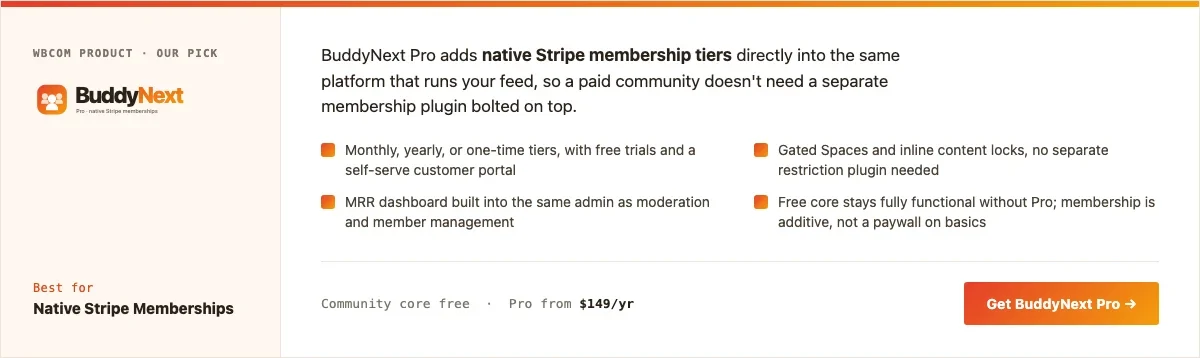
Disclosure: BuddyNext is built by Wbcom Designs, who we work with. We’re listing it here because the tier and messaging combination genuinely fits a fan club use case, not because of that relationship.
BuddyNext Pro’s native Stripe tiers cover the core fan club mechanic directly: multiple paid tiers, free trials, gated content and Spaces, and a self-serve customer portal so fans manage their own billing. Paired with the free community core’s activity feed, reactions, and private messaging, a creator gets a real feed fans check regularly, not just a folder of locked posts.
Here’s a real BuddyNext Spaces setup from a live install, the same mechanism a creator would use for tier-gated fan Spaces:
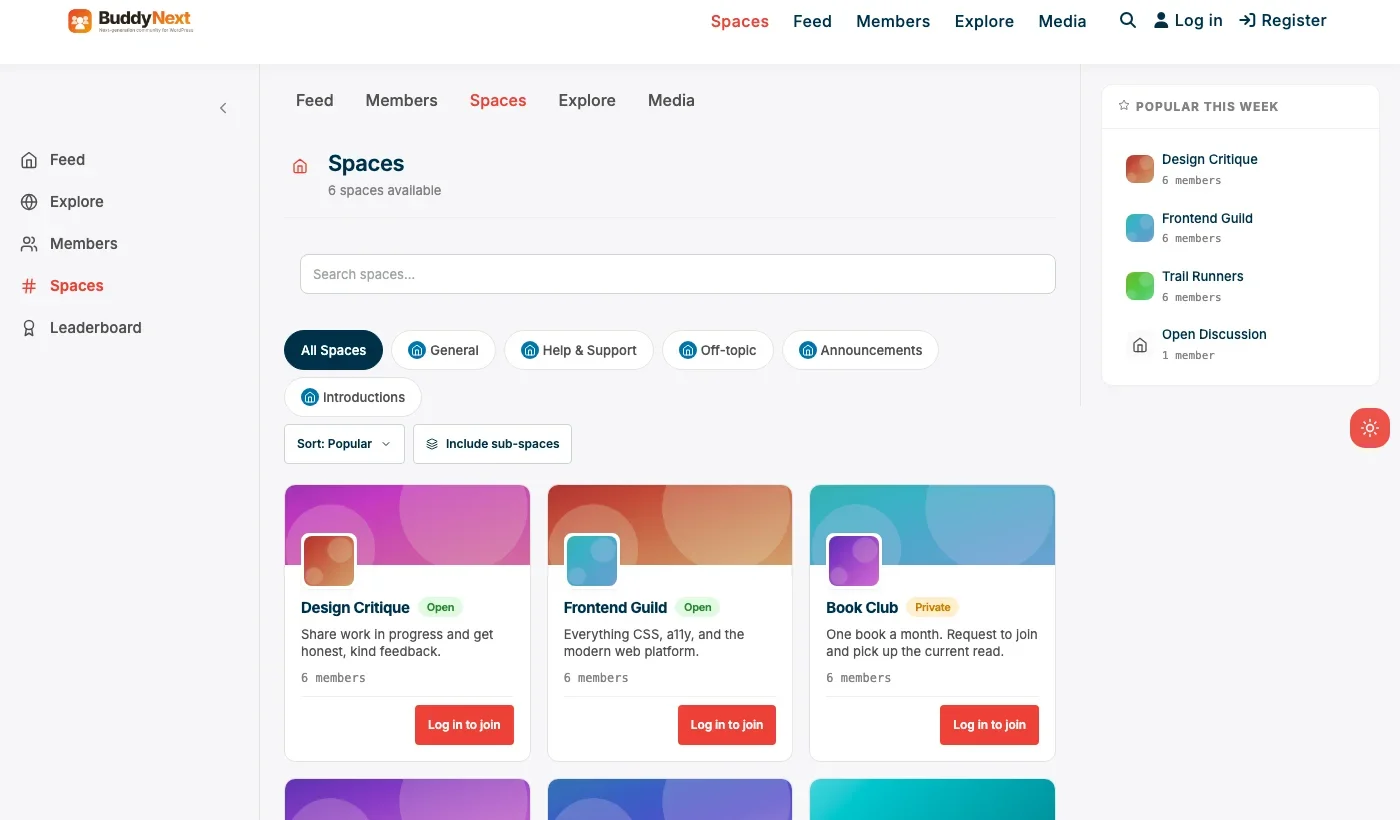
Architecture note: the reason a platform-native option matters specifically for a fan club is that the tier a fan is on, the content they can see, and the message thread they’re in are all managed by one system. On a Patreon-plus-Discord-plus-WordPress stack, a creator is manually reconciling who’s paying across three separate tools every time someone joins, cancels, or upgrades. We covered the general version of this trade-off in our WordPress membership plugin roundup.
One detail worth planning around before launch: BuddyNext’s reactions, threaded comments, and hashtag system all work the same for fan-club content as they do for a general community, so a creator’s exclusive post gets the same engagement tools a fan expects from any modern feed, not a stripped-down version reserved for paying communities specifically.
What we like: tiers, gated content, and messaging in one system. Zero ongoing revenue cut. Self-serve billing portal reduces manual cancel/refund handling.
Could be improved: requires running your own WordPress site, real setup time compared to Patreon’s zero-setup start. Smaller creator-specific ecosystem (badges, shoutout tools) than dedicated creator platforms.
Pricing: community core free forever. Pro (tiers included) starts at $149/yr, no percentage of revenue ever.
2. Paid Memberships Pro
For a fan club that’s really just gated posts, exclusive articles, early releases, behind-the-scenes writing, without a full community feed, Paid Memberships Pro’s free core covers tiered content locking and Stripe or PayPal billing at no cost. It’s a leaner tool than a full community platform for a creator who mainly wants to publish exclusive content on a schedule.
Writers, newsletter authors, and podcasters often fit this profile better than visual creators do, since the actual deliverable is text or audio published on a predictable cadence rather than an ongoing social feed. If that describes the fan club being built, the lighter footprint here is a genuine advantage over a full community platform, not just a cheaper compromise.
What we like: genuinely free core with real tiered billing. Simpler to set up than a full community platform if community features aren’t the point.
Could be improved: no feed, reactions, or messaging without add-ons, so it undersells the “direct access” part of a fan club unless paired with something else.
Pricing: free core, individual add-ons priced separately.
3. PeepSo
PeepSo’s lightweight, modern feed works well for a fan club that wants a social feel without BuddyPress’s setup overhead. Its per-module pricing means budgeting for the specific pieces (richer media, gamification-style engagement) a fan club actually wants rather than a full Pro bundle.
What we like: modern feed and profile experience out of the box. Lighter weight than a full BuddyPress stack.
Could be improved: no native tiered-membership monetization as complete as BuddyNext Pro’s Stripe tiers; pair with a separate membership plugin for paid tiers.
Pricing: free core, individual modules priced separately.
4. BuddyPress + a membership plugin
BuddyPress paired with a membership plugin (Paid Memberships Pro, MemberPress, or Restrict Content Pro) is the free, DIY version of the same idea: a real feed and profiles from BuddyPress, tiered content gating from the membership plugin. Every piece is free or affordably priced individually, but nothing auto-integrates, so expect real setup time connecting who’s on which tier to what they can actually see in the feed.
What we like: flexible, no vendor lock-in to one company’s roadmap. Can start entirely free depending on the membership plugin chosen.
Could be improved: real integration work required; nothing connects the two out of the box the way BuddyNext Pro’s tiers connect to its own feed.
Pricing: BuddyPress free; membership plugin cost varies by choice.
5. Ultimate Member
For a creator who mainly wants a simple fan login and a members-only page or two, without a feed, reactions, or messaging, Ultimate Member’s registration and profile system paired with content restriction is the lightest possible setup. It’s the right scope when “exclusive content” is the entire offer, with no social layer around it.
What we like: fast, minimal setup for pure content gating. Strong custom registration form builder for collecting fan details.
Could be improved: no feed or messaging without add-ons, missing the “direct access” feeling many fans are actually paying for.
Pricing: free core, paid addon bundles for extended functionality.
Feature comparison: owning it versus renting it
Factor | BuddyNext Pro (owned) | Patreon (rented) |
|---|---|---|
Revenue cut | None, flat license | 8-12% plus processing fees, forever |
Setup time | Real, hours to days | Minutes |
Fan data ownership | Full, exportable | Limited, platform-controlled |
Content and community together | Yes, native | Content yes, community limited |
Platform risk | None beyond normal hosting | Subject to platform policy changes |
Frequently asked questions
Should a new creator start on Patreon or go straight to WordPress?
Start on Patreon if the fan club concept itself is unproven; the zero-setup start is worth the percentage while validating that people will actually pay. Move to an owned platform once the monthly revenue is consistent enough that the percentage represents real money worth reclaiming.
Can I migrate existing Patreon supporters to a WordPress fan club?
Not automatically. Patreon doesn’t offer a direct export that reconnects billing on another platform; migrating means asking supporters to re-subscribe on the new platform, ideally with a transition incentive, rather than a seamless technical migration.
Do fans need to create a new account, or can they use existing social logins?
BuddyNext supports social login (Google, Facebook, GitHub, Discord), which reduces friction for fans who don’t want to create yet another password. This is worth confirming for whichever plugin you choose, since login friction directly affects conversion.
What’s the minimum viable fan club setup to launch this month?
BuddyNext’s free core plus a single Pro tier: one paid level, gated Spaces, and the free feed and messaging. That’s a complete, real fan club, not a demo, launchable without weeks of setup.
How do most successful WordPress-based fan clubs handle exclusive content delivery?
Most mix scheduled posts (regular content drops fans expect on a cadence) with occasional unscheduled posts (spontaneous updates that feel more personal). A purely scheduled feed can start to feel like a subscription box; occasional spontaneity is part of what makes direct access feel real.
Is it legal and safe to run a paid fan club on my own WordPress site?
Yes, with the same ordinary obligations any online business has: clear terms of service, a privacy policy covering what fan data is collected, and compliance with payment processor rules (Stripe and PayPal both have content policies of their own that apply regardless of platform). Self-hosting removes Patreon’s specific content rules, not general legal and payment-processor obligations.
Do fans expect a mobile app for a fan club, or is a website enough?
For most fan clubs, a well-built mobile web experience is enough; fans checking a feed on their phone through a browser bookmark works fine for the vast majority of creators. A dedicated app becomes worth the extra cost specifically when push notifications for new posts are a core part of the value proposition, which is a smaller set of fan clubs than creators often assume.
How many tiers should a new fan club actually launch with?
Two is usually enough to start: one entry-level tier and one higher tier with a clearly bigger perk (direct messages, monthly video call, physical merchandise). More tiers than that, before there’s real data on what fans actually want, tends to create decision paralysis at signup rather than more revenue. Add tiers later based on what supporters actually ask for.
What happens to a fan’s access when they cancel mid-month?
Most Stripe-based tiered plugins, including BuddyNext Pro, let access continue through the end of the paid period rather than cutting it off immediately on cancellation, matching what fans expect from any subscription service. Confirm this behavior specifically before launch, since an immediate cutoff on cancellation reads as punitive and can hurt win-back attempts later.
Which one should you actually pick
If the fan club concept is proven and the monthly revenue has grown enough that Patreon’s cut is real money, move to BuddyNext Pro and own the tiers, the feed, and the fan relationship outright. If you’re still validating whether people will pay at all, start on Patreon and treat the WordPress migration as a later step. Paid Memberships Pro or Ultimate Member fit a creator who mainly wants gated written content with no social feed, and PeepSo or a BuddyPress-plus-membership-plugin combination fit a creator with more setup time than budget.
Whichever platform a creator starts on, the decision worth revisiting periodically isn’t the plugin itself, it’s whether the ongoing percentage still makes sense at the current revenue level. That’s a five-minute calculation worth doing every few months rather than a one-time choice made at launch and never reconsidered.
A few things that move the needle more than plugin features
Worth saying plainly, since it’s easy to lose sight of while comparing plugin feature lists: the platform matters far less to fan club growth than posting consistency does. A creator who posts genuinely exclusive content on a predictable schedule on a merely adequate plugin will outgrow a creator with a perfectly configured platform and inconsistent posting, every time. Pick a plugin that removes friction from posting regularly, and treat everything else on this list as secondary to that.
The second thing that matters more than most plugin features: making the free tier (if one exists) genuinely worth following, not just a teaser. A fan club whose free tier is a ghost town gives potential paying members nothing to evaluate before committing money. A free tier with real, if limited, activity is often what actually converts a casual follower into a paying supporter, not the paid tier’s feature list itself. Treat the free tier as the shop window, not an afterthought bolted on to justify the paid tier’s existence.
Pricing itself is worth revisiting a few months after launch rather than treated as a one-time decision. A creator who guesses at tier pricing before having any real fans to test it against is guessing blind. Once even a small paying base exists, watching which tier people actually choose, and asking a handful of them directly why, tends to reveal more about the right price point than any amount of pre-launch research could.
Related WordPress plugin guides
- Best WordPress Coaching Community Plugins, the same tier-plus-messaging model applied to structured coaching programs instead of open-ended fan content.
- Best WordPress Brand Community Plugins, covers the free-community foundation a fan club’s free tier is built on.
- Best WordPress Community Plugins, the general roundup behind BuddyNext’s free feed, reactions, and messaging.
- Best Free WordPress Community Plugins, for a creator not ready to pay for Pro tiers yet.
Last reviewed: September 2026.




No comments yet