Short answer: for a coach running a paid group program, BuddyNext Pro is the strongest WordPress option because native Stripe tiers, cohort-friendly Spaces, and a real feed with messaging all live in one plugin you own, with no revenue percentage taken the way a hosted community platform charges. Circle and Mighty Networks remain the fastest way to start with zero setup, at the cost of a permanent monthly fee and less ownership over the client relationship. Everything else on this list fits a specific budget or program format.
A coaching community sits between a fan club and a course platform: clients pay for structured access to a coach’s guidance, usually organized around a cohort or program cycle rather than an open-ended feed. The plugin choice matters because a coaching program’s value depends on people actually showing up and doing the work together, not just consuming content passively.
On this page
- Quick comparison
- What a coaching community actually needs
- Why not just use Circle or Mighty Networks
- Cohort-based versus evergreen coaching communities
- 1. BuddyNext Pro
- 2. Learnomy
- 3. Paid Memberships Pro
- 4. PeepSo
- 5. Ultimate Member
- Feature comparison: coaching-specific needs
- Frequently asked questions
- Which one should you actually pick
- Why accountability structure matters more than features
Quick comparison
Option | Best for | Starting price | Revenue cut |
|---|---|---|---|
BuddyNext Pro | Owned coaching community with cohorts and tiers | Community core free, Pro from $149/yr | None, flat license |
Circle / Mighty Networks | Fastest possible start | $39-99/mo typical | None, but recurring platform fee |
Learnomy | Structured course content alongside community | Free core, paid add-ons | None |
Paid Memberships Pro | Simple tiered content gating | Free, paid add-ons | None |
PeepSo | Lightweight community feel | Free, paid modules | None |
What a coaching community actually needs
A coaching community plugin gets judged on criteria specific to how coaching programs actually run:
- Cohort structure, not just an open feed. Most paid coaching programs run in cohorts or waves, with a start date, a defined length, and a group that moves through material together. A Space or group that can be created fresh per cohort matters more than one giant permanent room.
- Direct access to the coach. Private messaging or a dedicated Q&A channel is often the single most valued feature, since direct access to the coach is frequently the actual product being sold.
- Progress and accountability visibility. Coaches want to see who’s engaging and who’s gone quiet, since disengaged clients are the ones most likely to churn or feel they didn’t get value.
- Content gating tied to program stage. Week 3 material shouldn’t be visible on day one; a coaching community benefits from content that unlocks on a schedule rather than dumping everything at once.
Why not just use Circle or Mighty Networks
This deserves an honest answer, since Circle and Mighty Networks are genuinely popular, well-built platforms built specifically for creators and coaches. Setup takes an afternoon, the interface is polished out of the box, and there’s no WordPress maintenance to think about at all.
The cost is a recurring monthly fee, typically $39 to $99 or more depending on plan and member count, that scales with the size of the community regardless of how much revenue it’s actually generating. A coach with a small, high-ticket program (a handful of $2,000 clients) pays the same platform fee as one with hundreds of $20 members, which can make the economics worse for smaller premium programs than the sticker price suggests.
A WordPress-based coaching community flips that trade: a flat license fee (or free, for the free-tier options here) instead of a recurring per-member-scaling fee, and the coach owns the client list, the payment relationship, and the platform itself. The real cost is setup time and ongoing platform responsibility, which Circle or Mighty Networks otherwise absorb. For a coach running one or two cohorts a year with modest headcount, a hosted platform’s simplicity is often worth the monthly fee. For a coach running multiple concurrent cohorts with a large enough total client base, the flat-fee WordPress economics start to win clearly.
Cohort-based versus evergreen coaching communities
It’s worth distinguishing these two models explicitly, since the right plugin setup differs between them. A cohort-based program runs a defined group through a fixed curriculum over a set number of weeks, then closes enrollment until the next cohort starts. An evergreen coaching community accepts members on a rolling basis into one ongoing space, without discrete start and end dates.
Cohort-based programs benefit from a fresh Space created per cohort, since keeping cohorts separate avoids a new member wading through months of conversation history meant for an earlier group, and lets a coach retire a cohort’s Space once the program ends. Evergreen communities benefit more from a single ongoing Space with clear sub-topics or channels, since there’s no natural point to split the group. BuddyNext’s Spaces model supports both patterns without requiring a decision up front, since new Spaces can be created as needed whichever way the program actually runs.
A hybrid model many coaches land on eventually: an evergreen general Space for all past and current clients, alongside a fresh cohort-specific Space for whoever’s actively running through the current program cycle. This gives graduated clients somewhere to stay engaged (and see the coach’s ongoing work, which supports referrals and repeat enrollment) without cluttering the active cohort’s focused working space.
There’s a practical staffing question hiding inside this decision too. A coach running several concurrent cohorts eventually needs help moderating and engaging across all of them, since a single person’s attention doesn’t scale past a handful of active groups. BuddyNext’s member types and per-Space moderator roles let a coach designate a teaching assistant or alumni volunteer as a moderator for a specific cohort’s Space without giving them admin access to the whole site, which is exactly the kind of narrow, contained permission a growing coaching business needs before it can justify a full-time community manager hire.
How program pricing should shape the plugin choice
It’s worth working backward from the program’s actual price point rather than choosing a platform first and fitting the program to it. A low-ticket program (under $50 a month) generally can’t absorb a $99-a-month hosted platform fee without the platform cost eating an uncomfortable share of revenue, which pushes toward the free-core WordPress options on this list even before considering feature fit. A high-ticket program ($500 or more per client) can comfortably absorb a hosted platform’s fee, which is exactly why hosted platforms remain popular among premium coaches who value the zero-setup convenience more than the fee difference.
This is also where a coach’s growth trajectory matters. A program priced to scale to hundreds of clients benefits from WordPress’s flat-fee economics far more than a boutique program that intentionally stays small. If the plan is genuinely to keep the roster under twenty active clients indefinitely, a hosted platform’s convenience may simply be worth paying for indefinitely, since the platform fee at that scale is a rounding error against program revenue, and the setup time saved has real value for a solo coach already stretched across delivery, marketing, and enrollment.
1. BuddyNext Pro
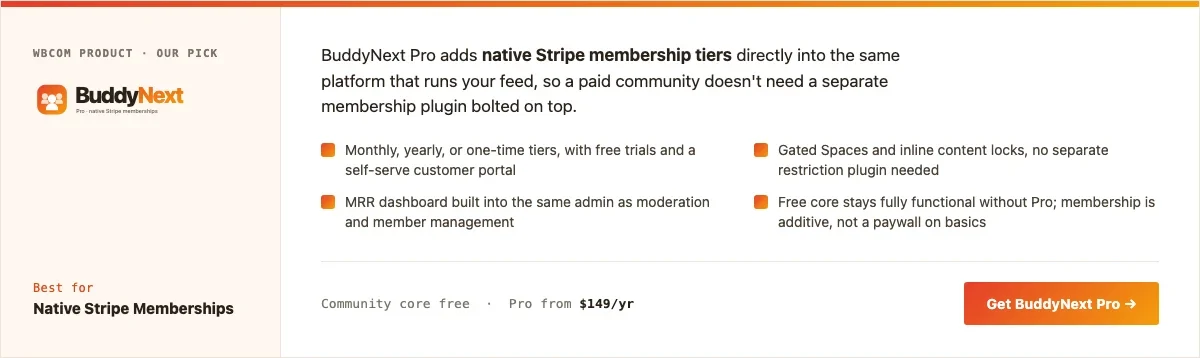
Disclosure: BuddyNext is built by Wbcom Designs, who we work with. We’re listing it here because the Spaces-plus-tiers combination genuinely fits a coaching program, not because of that relationship.
BuddyNext Pro’s native Stripe tiers handle program enrollment and billing directly, while Spaces provide the cohort structure: a fresh Space per cohort, or one evergreen Space, with private messaging and a real feed for coach-client interaction built in rather than bolted on.
Here’s a real BuddyNext Spaces setup from a live install, the same mechanism a coach would use per cohort or program track:
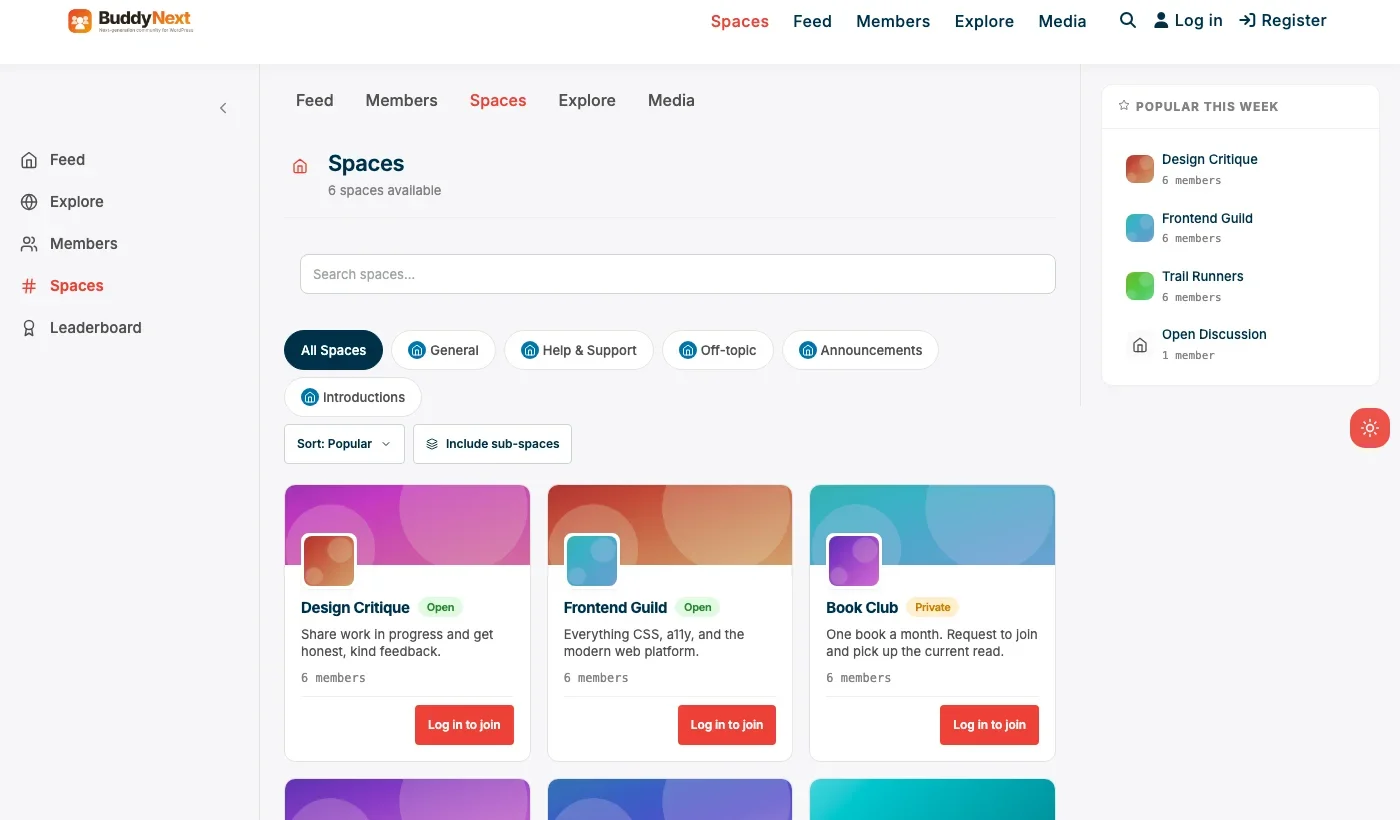
Architecture note: the reason a platform-native combination matters specifically for coaching is that enrollment status, Space access, and the messaging thread with the coach are all managed by the same system. We covered the general fan-club version of this trade-off in our fan club plugin roundup, and the underlying membership mechanics in our membership plugin roundup. What’s specific to coaching is the emphasis on private messaging and small-group Spaces over a large public feed.
What we like: tiers, cohort Spaces, and direct messaging in one system. No recurring per-member platform fee. Self-serve billing reduces manual enrollment admin.
Could be improved: requires running a WordPress site, real setup time compared to Circle’s zero-setup start. No built-in curriculum/lesson-tracking tools; pair with Learnomy if structured lessons matter alongside community.
Pricing: community core free forever. Pro (tiers included) starts at $149/yr, no percentage of revenue ever.
2. Learnomy
For a coach whose program leans heavily on structured lessons alongside community discussion, drip-fed modules, quizzes, completion tracking, Learnomy’s LMS core pairs naturally with a community layer. It’s the right choice when the curriculum itself, not just the coaching relationship, is a major part of what clients are paying for.
What we like: genuine LMS features (drip content, quizzes, progress tracking) that a pure community plugin doesn’t offer. Free core covers real course delivery.
Could be improved: community and messaging features are lighter than a dedicated community platform; pairs well with BuddyNext for programs that need both a strong feed and strong curriculum tools.
Pricing: free core, paid add-ons for advanced LMS features.
3. Paid Memberships Pro
For a coach whose program is mainly gated written or video content with light community interaction, Paid Memberships Pro’s free core covers tiered content locking and billing without a full community platform’s overhead. It fits a coach delivering a structured content library more than an interactive cohort experience.
What we like: genuinely free core with real tiered billing. Simpler setup than a full community platform when community isn’t the main draw.
Could be improved: no feed, Spaces, or messaging without add-ons, undermining the direct-access feeling many coaching clients specifically pay for.
Pricing: free core, individual add-ons priced separately.
4. PeepSo
PeepSo’s lightweight feed works for a coach who wants a social feel among clients without BuddyPress’s setup overhead. Per-module pricing means budgeting for the specific pieces (richer media, engagement tools) a coaching program actually needs.
What we like: modern feed and profile experience out of the box. Lighter weight than a full BuddyPress stack.
Could be improved: no native tiered-membership monetization as complete as BuddyNext Pro’s Stripe tiers; pair with a separate membership plugin for paid enrollment.
Pricing: free core, individual modules priced separately.
5. Ultimate Member
For a coach who mainly wants a private, members-only page for materials and a simple client login, without a feed or messaging, Ultimate Member’s registration and content restriction is the lightest possible setup. It fits a coach whose entire offer is document or video access rather than ongoing interaction.
What we like: fast, minimal setup for pure content gating. Strong custom registration form builder for intake details.
Could be improved: no feed or messaging without add-ons, missing the direct-access relationship most coaching clients actually value.
Pricing: free core, paid addon bundles for extended functionality.
Feature comparison: coaching-specific needs
Need | Best tool | Cost |
|---|---|---|
Cohort or evergreen Spaces | BuddyNext | Free |
Tiered paid enrollment | BuddyNext Pro | $149/yr |
Structured lessons and quizzes | Learnomy | Free core |
Direct coach messaging | BuddyNext | Free |
Simple content-only gating | Paid Memberships Pro | Free core |
Frequently asked questions
Should a new coach start on Circle or go straight to WordPress?
Start on a hosted platform if the program format itself is still being figured out; the zero-setup start is worth the monthly fee while validating what the program actually looks like. Move to an owned WordPress platform once the program is running multiple cohorts and the monthly fee starts to feel disproportionate to the revenue it generates.
Can a coach run multiple concurrent cohorts on one BuddyNext install?
Yes. Each cohort gets its own Space with its own membership, so a coach running three overlapping cohorts can keep every group’s discussion and materials separate on a single install.
How does content unlock on a weekly schedule?
BuddyNext Pro’s gated content, combined with scheduled publishing, lets a coach drip content week by week rather than exposing the full program on day one, which is a common request for structured coaching programs.
What’s the minimum viable coaching community setup to launch this month?
BuddyNext’s free core plus one Pro tier: a single paid enrollment level, one cohort Space, and the free feed and messaging. That’s a real, launchable coaching community, not a demo.
Do clients need a mobile app, or is a website enough?
For most coaching programs, a well-built mobile web experience covers it; clients checking in via a bookmarked mobile site works fine for the majority of programs. A dedicated app is worth the extra cost mainly when push notifications for live session reminders are core to how the program runs.
How many tiers should a coaching program actually offer?
Often just one, since coaching programs tend to sell a single, well-defined offer rather than a tiered ladder like a fan club. Adding a second tier (say, a lower-cost self-study option alongside full coaching) can work, but starting with one clear offer avoids diluting the pitch before the program has proven itself.
Which one should you actually pick
If the coaching program is running multiple cohorts a year with a real client base, move to BuddyNext Pro and own the tiers, the cohort Spaces, and the client relationship outright. If the program format is still being validated, start on Circle or Mighty Networks and treat the WordPress migration as a later step. Learnomy fits a coach whose curriculum is a major deliverable alongside the coaching relationship, and Paid Memberships Pro or Ultimate Member fit a coach delivering mostly gated content with lighter interaction needs.
Why accountability structure matters more than features
Worth saying plainly: no plugin fixes a coaching program where clients don’t show up. The platform’s job is to remove friction from the accountability structure the coach has already designed, weekly check-ins, a clear place to post progress, a visible way for a coach to notice who’s gone quiet, not to invent that structure on the coach’s behalf. A simple Space with a consistent weekly prompt, on an adequate plugin, will outperform a feature-rich platform with no consistent rhythm behind it.
The second thing worth planning deliberately: what happens when a cohort ends. A coaching community that just quietly stops being useful once the program’s live weeks are over loses the referral and repeat-enrollment value a well-managed alumni Space could otherwise capture. Deciding in advance whether graduated clients move to an ongoing evergreen Space, get occasional re-engagement content, or the cohort Space simply archives, keeps that decision from being made by default rather than on purpose.
Pricing the community layer into the program itself
A mistake worth naming directly: treating the community platform as a pure cost line rather than part of what’s actually being sold. Clients paying for a coaching program aren’t just buying the coach’s individual attention, they’re often buying the sense of being part of a cohort moving through the same experience together, which is a real, distinct value the platform delivers. A coach pricing a program purely on hours of one-on-one time, while ignoring the community and peer-accountability value the platform provides, tends to underprice the offer relative to what clients actually get.
This matters concretely when deciding between a bare-bones setup and a more polished one. A coach who invests a bit more time in the community layer, welcome sequences for new cohort members, a clear weekly rhythm, visible recognition when someone hits a milestone, is effectively building a more valuable product, not just running a nicer-looking Space. That investment is worth weighing against the platform’s cost the same way any other program-quality decision would be, rather than treating the community setup as a one-time technical task disconnected from the actual value being delivered.
Getting a new cohort’s first week right
The first week of a new cohort disproportionately determines whether the group actually gels or stays quiet for the rest of the program. A cohort where nobody posts in the first few days tends to stay that way, since new members take cues from what they see others doing, and an empty feed signals that posting isn’t really expected here.
A simple, deliberate first-week structure fixes most of this: a short welcome post from the coach, a low-friction icebreaker prompt everyone can answer in under two minutes (not an open-ended “introduce yourself” that intimidates quieter members), and the coach personally responding to the first handful of posts to model what engagement looks like. This is a facilitation practice, not a plugin feature, but it’s worth building into the program’s actual launch checklist rather than assuming the platform alone will get people talking. A coaching community with a good plugin and a poor first week underperforms a mediocre plugin with a deliberately designed first week, which is exactly why this section exists separately from the feature comparisons above.
Handling dropout without letting it spread
Every cohort loses a few people along the way, whether from life circumstances, a program that wasn’t the right fit, or simple attrition. What matters for the rest of the cohort is how visibly that dropout is handled. A member who quietly stops posting and is never mentioned again leaves the rest of the group unsure whether that’s normal or a sign the program isn’t working, and unanswered uncertainty spreads faster than an honest acknowledgment would.
A short, low-drama note from the coach, acknowledging that someone’s stepped back without dwelling on it, keeps the group’s trust intact better than pretending nothing happened. The same applies to a member who’s gone quiet but hasn’t formally dropped: a private check-in message, sent through the platform’s own messaging rather than a generic email, catches disengagement early enough to sometimes reverse it. Building this into a standing weekly habit, checking who’s posted and who hasn’t, costs a coach a few minutes and often saves a client who would otherwise have quietly churned without ever saying why.
Last reviewed: September 2026.




No comments yet