Short answer: for a peer support community, whether it’s grief, addiction recovery, chronic illness, or caregiver support, BuddyNext is the strongest WordPress option because its free core includes real privacy controls and native moderation, letting people connect around something deeply personal without a public profile or an algorithm deciding who sees what. Facebook Groups remain the fastest way to start with zero setup, but a support space arguably shouldn’t run on a platform built for public sharing and ad targeting next to sensitive disclosures. Everything else on this list fits a narrower budget or a specific directory need.
A support group community carries more weight than almost any other type on this list. People show up because something hard is happening in their lives, and the plugin choice directly affects whether they feel safe enough to actually participate. This isn’t a space where “good enough” defaults are acceptable; privacy, moderation, and a genuine sense of psychological safety matter more here than feed design or feature count.
On this page
- Quick comparison
- What a support group community actually needs
- Why not just use a Facebook Group
- Who actually runs a support group community
- 1. BuddyNext
- 2. BuddyPress
- 3. PeepSo
- 4. Ultimate Member
- Feature comparison: privacy and moderation
- Frequently asked questions
- Which one should you actually pick
- What real moderation practice looks like, beyond the plugin
- Related WordPress plugin guides
Quick comparison
Plugin | Best for | Starting price | Free tier |
|---|---|---|---|
BuddyNext | Private, moderated support spaces, full stack free | Free, Pro from $149/yr | Yes, full core |
BuddyPress | Largest ecosystem, zero cost | Free | Yes, no Pro tier |
PeepSo | Lightweight, modern out of the box | Free, paid modules | Yes |
Ultimate Member | Pseudonymous member directory | Free, paid addons | Yes |
What a support group community actually needs
A support group plugin gets judged on a narrower, higher-stakes set of criteria than a general community:
- Real privacy controls, not just a “private group” toggle. Members need to control what’s visible on their own profile, and the group itself needs to be genuinely hidden from public search and browsing, not just unlisted.
- Native moderation that actually gets used. Reports, banned words, and a way to quietly remove a harmful post before it does damage matter more here than almost anywhere else in this series, since the cost of a moderation failure is a member’s wellbeing, not just a bad review.
- Pseudonymous participation. Many members join with a display name that isn’t their legal name, deliberately. The plugin needs to support that without friction, not push people toward a real-name profile by default.
- No ads, no algorithm deciding visibility. A support post buried by an engagement algorithm, or shown next to an unrelated ad, undermines the entire point of the space.
- A facilitator role distinct from a general admin. Peer-led and professionally facilitated groups both benefit from a role that can moderate a specific Space without full site-admin access.
Why not just use a Facebook Group
This deserves an honest, direct answer, since Facebook Groups are genuinely where a huge number of support communities already live, and for good reason: zero setup, and most members already have an account. For an informal, low-stakes group, that convenience is real.
The costs are specific to this exact use case. Facebook’s algorithm decides how many members see a given post, which matters more in a support context than almost anywhere else, since a member’s cry for help buried by the algorithm is a genuinely different kind of failure than a missed marketing post. Facebook requires a profile tied to a real identity in most cases, which many members of a grief, recovery, or mental health group are actively trying to avoid attaching to sensitive personal disclosures. And Facebook Groups sit inside a platform built around advertising, which puts unrelated ads directly next to posts about loss, illness, or recovery, an experience many facilitators describe as jarring at best.
A WordPress-based support community trades that convenience for genuine control: no ads, no algorithm deciding visibility, and real control over who can even find the group exists. For a support community expected to run for years, serving people at some of the hardest moments in their lives, that control is worth the extra setup effort. This is a general privacy and moderation point, not a clinical or legal one; a group handling genuinely sensitive health information under a formal program should still consult its own privacy and compliance guidance separately, since no WordPress plugin on this list is a substitute for that.
Who actually runs a support group community
It’s worth being specific about who this serves. Grief support organizations connecting people processing loss, often built around a specific type of loss (a child, a spouse, a parent) where the specificity itself matters to members. Addiction recovery groups running alongside in-person meetings, giving members a place to connect between sessions. Chronic illness and rare disease communities where members are often geographically scattered and the WordPress community is the only place they’ll ever meet people who understand their specific condition. Caregiver support groups for people caring for a family member with dementia, disability, or serious illness, where the caregivers themselves rarely get their own support elsewhere. Mental health peer-support communities run by nonprofits or trained facilitators, distinct from clinical treatment but genuinely valuable alongside it.
Each of these has real differences in tone and structure, but they share the same core requirement: a private, moderated space where people feel safe enough to say something they might not say anywhere else. This is exactly why the plugins that win this comparison are the ones with genuine privacy and moderation depth, not the ones with the richest feed features.
1. BuddyNext
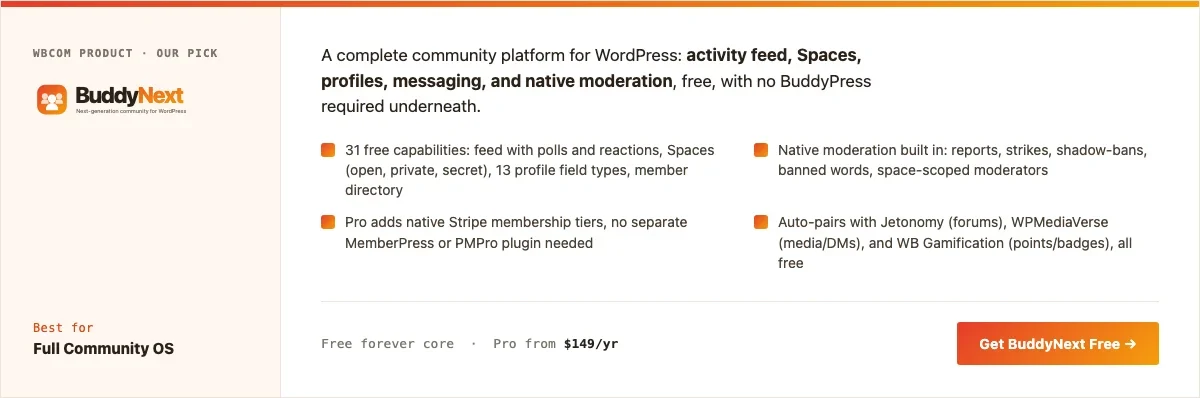
Disclosure: BuddyNext is built by Wbcom Designs, who we work with. We’re listing it here because its free tier genuinely covers real privacy and moderation needs without add-ons, not because of that relationship.
BuddyNext’s free core includes native moderation (reports, strikes, banned-word filtering), private and secret Spaces, and field-level privacy controls on member profiles, all included at no cost. A support organization can create a private Space that doesn’t appear in public search, require approval to join, and give a facilitator moderator-level access to that Space specifically without granting full site-admin rights.
Here’s a real BuddyNext Spaces directory from a live install, showing the same private-Space mechanism a support organization would use:
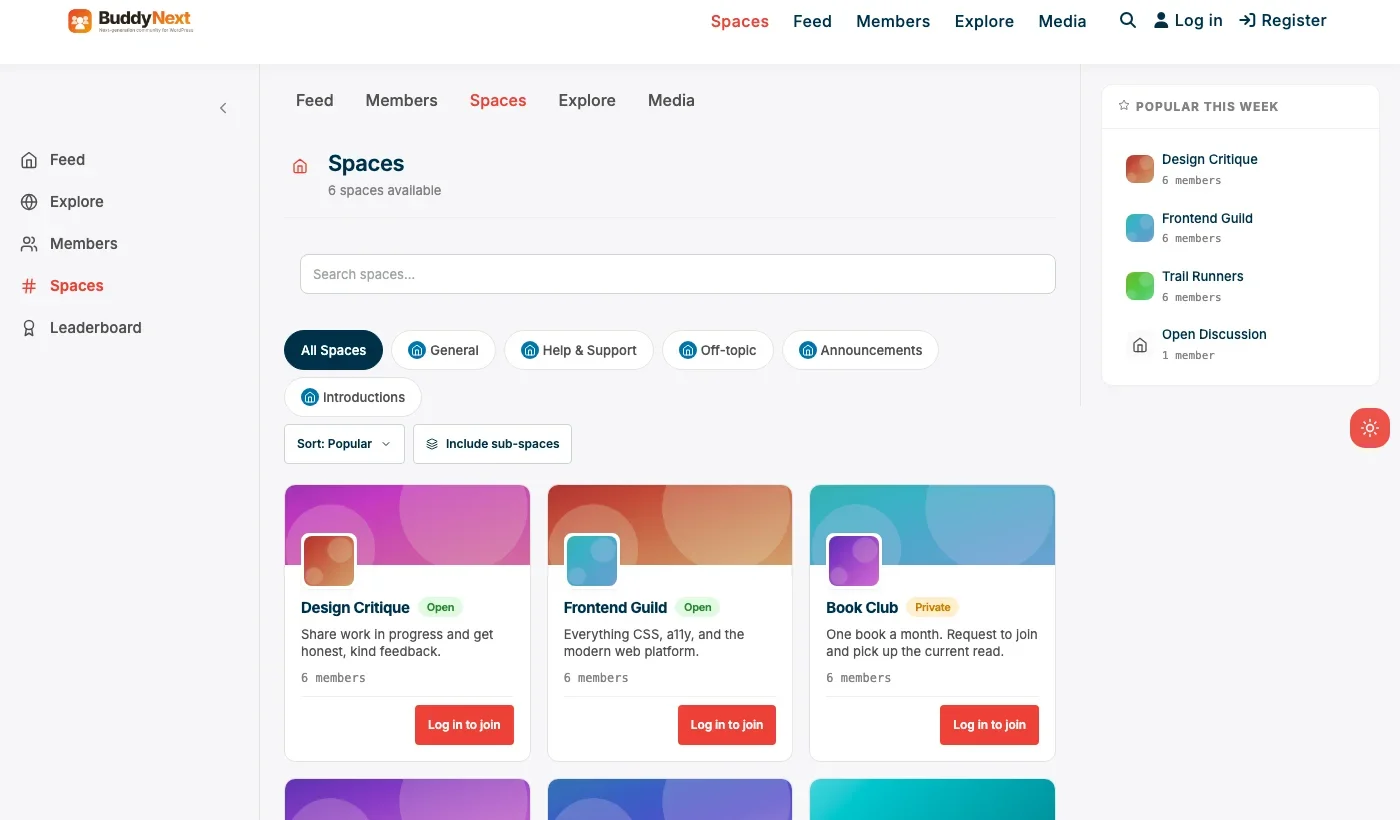
Architecture note: we covered BuddyNext’s general positioning in our WordPress community plugin roundup. What matters specifically here is that privacy controls are field-level, not all-or-nothing: a member can share their first name and a pseudonymous display photo while keeping their actual identity fields hidden from other members entirely, a distinction that matters a great deal in a support context.
What we like: native moderation and privacy controls at no cost, not gated behind a paid tier. Field-level profile privacy fits pseudonymous participation cleanly. Per-Space moderator roles let a facilitator manage their own group without full admin access.
Could be improved: no built-in crisis-resource or hotline integration; that’s a content and facilitator responsibility, not a plugin feature. Smaller theme ecosystem than BuddyPress for organizations wanting deep visual customization.
Pricing: free core forever, including moderation and privacy features. Pro starts at $149/yr only if paid membership tiers are ever needed.
2. BuddyPress
BuddyPress remains a legitimate option for a support community with access to developer help, since its ecosystem includes themes and privacy-focused add-ons built over more than a decade. It’s completely free, which matters for nonprofits and peer-led groups operating on minimal budgets.
The trade-off is that BuddyPress alone doesn’t include native moderation tools, which a support community genuinely needs from day one, not as a later add-on. Expect to add a moderation plugin alongside it before launching anything public-facing.
What we like: zero cost forever. Largest available ecosystem for developers building custom privacy or facilitation tools.
Could be improved: no native moderation suite, a genuine gap for this specific use case. Needs a compatible theme and likely a moderation add-on before launch.
Pricing: free, always.
3. PeepSo
PeepSo’s lightweight, modern feed can work for a support community that wants a clean look without BuddyPress’s setup overhead. Its free core covers private groups and profiles, with paid modules for additional moderation and media features.
What we like: modern look without a special theme requirement. Private group support in the free core.
Could be improved: deeper moderation tools live behind paid modules rather than being included free, a real consideration for a budget-constrained nonprofit.
Pricing: free core, individual modules priced separately.
4. Ultimate Member
For a support organization that mainly needs a pseudonymous member directory rather than a full feed, perhaps to help members find others dealing with the same specific condition or loss, Ultimate Member’s registration and profile system is a lighter path. It fits a peer-matching use case more than an open-discussion community.
What we like: fast, light setup for a directory-first use case. Strong custom registration forms for collecting relevant, sensitive fields with real field-level privacy control.
Could be improved: no discussion or feed layer without adding more plugins, which starts to rebuild what BuddyNext already includes natively.
Pricing: free core, paid addon bundles for directory and social features.
Feature comparison: privacy and moderation
Feature | BuddyNext | BuddyPress | PeepSo |
|---|---|---|---|
Native moderation, free | Yes | No | Basic, deeper tools paid |
Field-level profile privacy | Yes | Via add-on | Limited |
Private/secret Spaces | Yes, free | Yes, via Groups | Yes, free |
Per-Space facilitator role | Yes | Via Groups admin | Limited |
No ads, no algorithm feed | Yes | Yes | Yes |
Frequently asked questions
Is a WordPress support community actually more private than a Facebook Group?
Yes, structurally. A self-hosted private Space isn’t discoverable through Facebook’s search or suggested-groups algorithm, doesn’t sit next to advertising, and doesn’t require a Facebook account tied to a real identity to join.
Can members join without using their real name?
Yes. BuddyNext supports a pseudonymous display name and photo, with real identity fields (if collected at all) kept private and visible only to facilitators, not other members.
Do I need a developer to set this up?
Basic setup, private Spaces, moderation settings, member types, doesn’t require a developer. Custom crisis-resource integrations or deeper clinical-program features would need developer time, as they would on any platform.
Is BuddyNext HIPAA compliant?
No WordPress community plugin on this list, including BuddyNext, is inherently HIPAA compliant out of the box. If your group is run under a formal clinical program handling protected health information, that’s a separate compliance conversation with your organization’s own legal and IT guidance, not something a plugin choice alone resolves.
What’s the fastest way to launch a basic support space this month?
BuddyNext’s free core: install, create a private Space with join approval required, configure moderation settings, and invite the initial group. That’s a real, private space, not a demo.
How many facilitators or moderators does a support group need?
At least two is a strong practice, even for a small group, so moderation coverage doesn’t depend on one person’s availability during a crisis post. BuddyNext’s per-Space moderator role supports assigning more than one facilitator without giving either person full site access.
Should the group be indexable by Google?
Almost never, for this specific category. Unlike a professional network or brand community, a support group’s value depends on members trusting it isn’t publicly discoverable. Keep the Space private and excluded from search indexing.
What happens if a member posts something concerning about self-harm or crisis?
This is a facilitator training and protocol question, not a plugin feature. Organizations running these communities should have a clear, written protocol for what a facilitator does when they see a concerning post, including how to reach the member privately and what outside resources to point them to, decided in advance rather than improvised in the moment.
Which one should you actually pick
If you’re launching a support community today and privacy, moderation, and pseudonymous participation are non-negotiable, which they should be for this category, start with BuddyNext. Its free core covers the real requirements without paying anything or compromising on the features that matter most. Choose BuddyPress if you have developer resources available and want the largest ecosystem to build custom privacy tooling on top of. PeepSo fits a group that wants a modern look with a lighter footprint and can budget for moderation add-ons as it grows. Ultimate Member fits an organization that mainly needs a pseudonymous peer-matching directory rather than an open discussion space.
What real moderation practice looks like, beyond the plugin
No plugin substitutes for a genuine moderation practice, and it’s worth being explicit about what that practice actually involves, since the plugin only provides the tools, not the judgment. A written set of community guidelines, agreed by facilitators before launch, gives moderators something concrete to point to rather than making subjective calls in the moment. A clear escalation path (who a facilitator contacts if a post raises genuine safety concerns) needs to exist before it’s needed, not improvised during an actual crisis.
Facilitator training matters as much as the plugin choice, arguably more. A facilitator who understands trauma-informed communication, who knows how to redirect a conflict privately rather than letting it play out publicly in the group, and who checks in regularly with quieter members rather than only responding to the loudest posts, makes a mediocre plugin work far better than a perfectly configured one run by an untrained facilitator. Organizations serious about running one of these communities well should budget real time for facilitator training, not just plugin setup, since the technology only removes friction from a practice that still has to be built by people.
Onboarding a new member without making them feel like an outsider
The moment a new member joins a support community is often the moment they’re most vulnerable to leaving quietly if the space doesn’t immediately feel safe. Unlike a general community where a slow first week is a minor loss, a support group member who joins during a hard moment in their life and finds silence or confusion where they expected connection may not come back to try again.
A short, personal welcome message from a facilitator, sent within a day of joining rather than an automated email, does more for retention here than almost any plugin feature. Pairing that with a clear, simple explanation of how the space works (how to post, how privacy settings work, who to contact with a concern) removes the uncertainty that keeps a nervous new member from posting at all. Some organizations pair every new member with a single point of contact for their first two weeks, a lightweight practice that costs little but meaningfully increases the odds a vulnerable new member actually becomes an active, supported participant rather than a name on a list who never returned.
Supporting the facilitators, not just the members
It’s easy for an organization to focus entirely on member wellbeing while overlooking that facilitators, often volunteers themselves, carry real emotional weight moderating a support space week after week. Reading difficult disclosures regularly, deciding when to step in during a crisis post, and holding space for other people’s pain is genuinely demanding work, even when it’s meaningful and chosen.
Organizations that sustain these communities well build in real support for facilitators, not just for members: a regular check-in with facilitators themselves, a clear boundary around how much a facilitator is expected to handle outside their own availability, and explicit permission to step back or rotate out without guilt when it’s needed. A facilitator who burns out silently, without ever raising it, tends to either leave abruptly (destabilizing the group) or stay while quietly disengaging, which members often sense even when they can’t name it. Treating facilitator sustainability as a real organizational responsibility, not an afterthought, is part of what separates a support community that lasts for years from one that quietly falls apart after its first dedicated volunteer burns out.
Having a real plan before the first crisis post, not during it
Every organization running one of these communities long enough eventually gets a post that genuinely worries a facilitator, someone expressing thoughts of self-harm, describing an unsafe situation, or disclosing something that clearly needs more than peer support alone can offer. What separates organizations that handle this well from ones that don’t isn’t luck, it’s whether a clear protocol already existed before that post appeared.
A written crisis protocol should answer a few specific questions in advance: who gets notified immediately when a facilitator sees a concerning post, what specific crisis resources (a hotline number, a local emergency contact, a referral pathway) get shared with the member, and whether the post itself gets removed from public view while the situation is being handled privately. Facilitators who’ve rehearsed this mentally, even just by reading through the written protocol once, respond faster and with more confidence than ones improvising in the moment, which matters directly to the member on the other end of that post. This is a facilitator training and organizational responsibility question rather than a plugin feature, but it belongs in the same launch checklist as any technical setup step, since a support community without this plan in place is missing something more important than any feature comparison on this page.
Related WordPress plugin guides
- Best WordPress Community Plugins: the general roundup this privacy-focused guide builds on
- Best WordPress Nonprofit Community Plugins: many support groups run under a nonprofit with the same budget-first constraints
- Best WordPress Neighborhood Community Plugins: another niche where real privacy controls outweigh a free incumbent’s convenience
- Best Free WordPress Community Plugins: the full list of genuinely free options across this series
One final, practical note: revisit the crisis protocol itself at least once a year, not just at launch. Crisis resources change, hotline numbers get updated, and a facilitator team that’s turned over since the protocol was written may not even know it exists. A stale document nobody’s read recently offers little more protection than having none at all. Put a specific review date on the calendar rather than leaving it to whoever happens to remember, since good intentions alone rarely survive a busy year of running the actual community.
Last reviewed: September 2026.




No comments yet