Short answer: if you’re building a community of photographers who each want a real portfolio page plus critique and discovery features, pairing MediaVerse with BuddyNext is the strongest WordPress option because MediaVerse handles the galleries and media feed while BuddyNext handles member profiles, the photographer directory, and critique threads, all under one roof you own. Behance remains the fastest way to get in front of an existing audience with zero setup, at the cost of your own domain, SEO, and control over how your work is surrounded and discovered. Everything else on this list fits a narrower budget or a lighter feature need.
A photography portfolio community is a specific hybrid: part personal portfolio site, part social network. Each photographer needs a page that genuinely represents their work, not a generic profile template, and the community layer needs to support real critique and discovery, not just likes. This roundup covers the plugin combination that gets that balance right, along with the honest comparison most photographers are actually weighing it against.
On this page
- Quick comparison
- What a photography portfolio community actually needs
- Why not just use Behance
- Who actually runs one of these communities
- 1. MediaVerse + BuddyNext
- 2. A portfolio theme plus a simple members plugin
- 3. BuddyBoss Platform
- 4. PeepSo
- 5. Ultimate Member
- Feature comparison: owned versus rented
- Frequently asked questions
- Which one should you actually pick
- Building a critique culture that actually works
Quick comparison
Option | Best for | Starting price | Free tier |
|---|---|---|---|
MediaVerse + BuddyNext | Real portfolios plus critique and discovery, owned | Community core free, Pro from $149/yr | Yes, full core |
Portfolio theme + members plugin | Lightest DIY setup, less integrated | Free to low-cost | Yes, varies |
BuddyBoss Platform | Branded mobile portfolio app | Free plugin, paid app/theme bundle | Yes, limited |
PeepSo | Lightweight, modern out of the box | Free, paid modules | Yes |
Ultimate Member | Simple photographer directory only | Free, paid addons | Yes |
What a photography portfolio community actually needs
This category gets judged on a specific set of criteria that a general community plugin roundup doesn’t fully cover:
- A portfolio page that actually looks like a portfolio. A photographer’s page needs to read as a curated body of work, not a generic activity-feed profile with a photo or two attached. Real gallery and album structure matters more here than in most community types.
- Critique that’s structured, not just a comment box. The most valuable interaction in a photography community is specific, constructive feedback on a specific image. A plain comment thread works, but the best setups let feedback attach to a photo directly rather than getting buried in a general discussion.
- A genuinely browsable directory. Filtering photographers by genre (portrait, landscape, street, product) or location turns a member list into something people actually use to discover new work, not a static roster.
- Real image quality, not compressed thumbnails. Photographers notice compression artifacts immediately. A platform that mangles image quality on upload undermines the entire point of a portfolio community.
- A path to paid tiers for pro members. Many photography communities eventually want a paid tier for verified professionals, extra storage, or premium critique access, without needing a second plugin bolted on.
Why not just use Behance
This deserves an honest answer, since Behance is genuinely the default portfolio platform for a huge number of photographers and creatives, and it works well for a lot of them. It’s free, the audience is already there, and there’s zero hosting or setup to think about.
The cost shows up over time. Behance’s discovery algorithm decides who sees your work, not you. Your portfolio lives on Adobe’s domain, not your own, which means the SEO value of your best work accrues to Behance, not to you. And your photography sits inside Behance’s design, ads, and unrelated content, rather than a space that represents your brand specifically. For a photographer building a client-facing business, not just a hobby showcase, that trade starts to matter.
A self-hosted community trades Behance’s built-in audience for ownership: your own domain, your own SEO equity, and a community you can shape around your own genre or region rather than competing in Behance’s global firehose. For a niche community (a regional photography club, a genre-specific group, a paid critique circle) the smaller, more relevant audience you can build yourself often outperforms being one of millions of profiles on a platform you don’t control.
Who actually runs one of these communities
Photography portfolio communities tend to come from a few specific places: a regional photography club wanting a members-only showcase and critique space, a genre-focused group (wedding photographers, street photographers, film shooters) building a niche community around a shared style, a photography school or workshop wanting an ongoing space for alumni to keep sharing work and getting feedback after the course ends, or a photography publication or blog wanting to let readers submit and discuss their own work alongside editorial content.
Each of these has slightly different priorities, but they share the same core need: real portfolio pages, structured critique, and a discovery mechanism that isn’t just a chronological feed. This is exactly why the plugins that win this comparison combine gallery-quality media handling with genuine community and directory features, rather than either one alone.
1. MediaVerse + BuddyNext
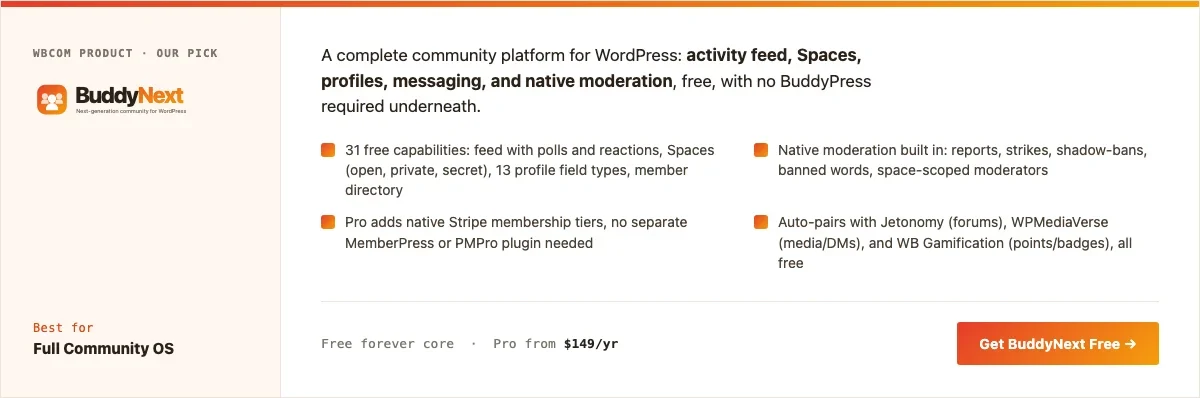
Disclosure: both MediaVerse and BuddyNext are built by Wbcom Designs, who we work with. We’re recommending this pairing because it genuinely covers both halves of the problem, real galleries and real community, not because of that relationship.
MediaVerse is Wbcom’s photo and video focused community product, built around media feeds, galleries, and albums rather than treating images as a secondary attachment to a text post. Paired with BuddyNext’s member profiles, directory, and Spaces, a photography community gets both halves of the problem solved by products built to work together: real gallery-quality portfolios from MediaVerse, and the directory, critique threads, and discovery layer from BuddyNext.
Here’s a real BuddyNext Spaces directory from a live install, the same mechanism a photography community would use to organize by genre or region:
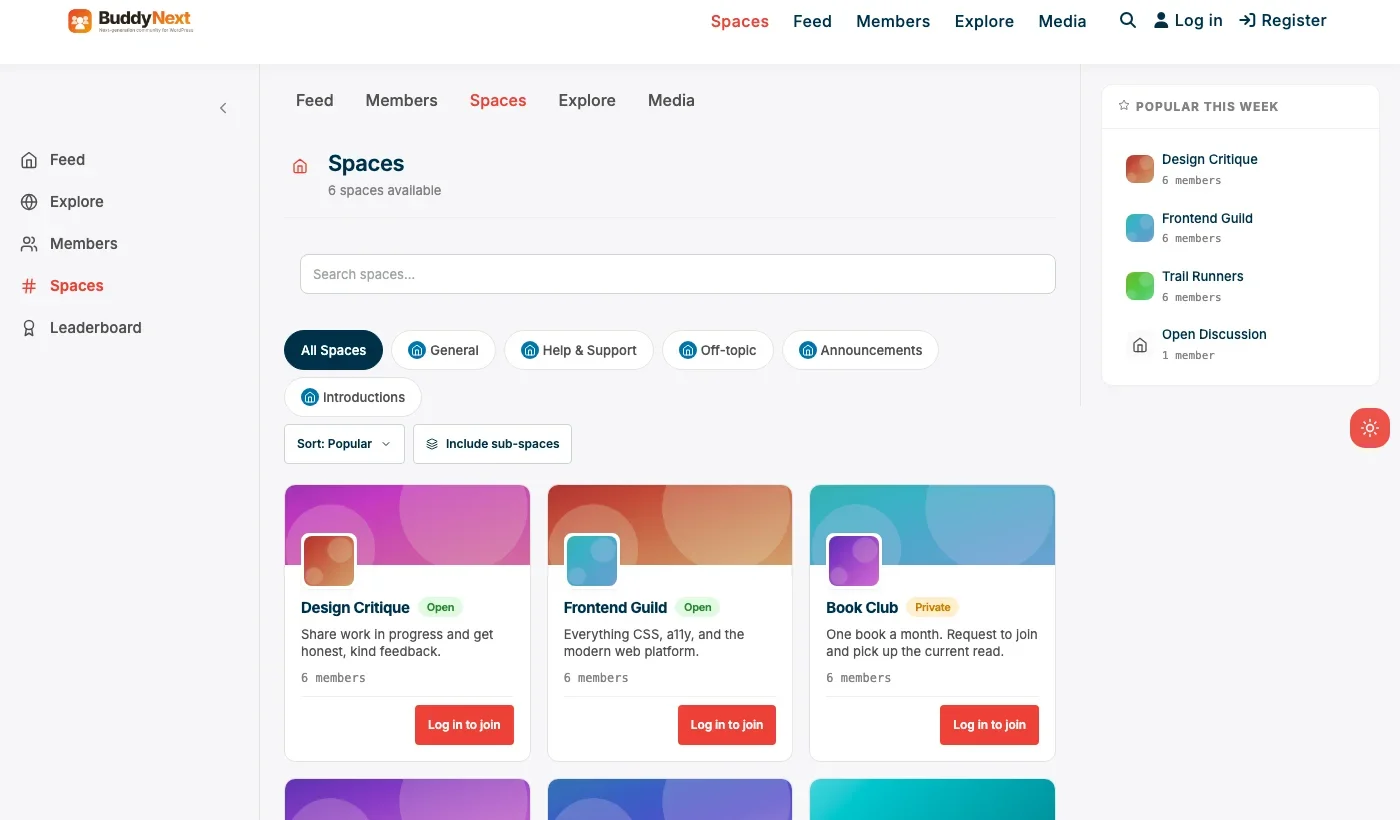
Architecture note: we covered BuddyNext’s general community positioning in our WordPress community plugin roundup. What’s specific to a photography portfolio community is that MediaVerse’s gallery handling and BuddyNext’s directory and Spaces are separate, purpose-built products rather than one plugin awkwardly trying to do both jobs, which is why the pairing outperforms a single general-purpose community plugin here.
What we like: real gallery-quality media handling instead of a generic feed attachment. Directory and Spaces let a community organize by genre or region cleanly. Native moderation keeps critique threads civil without manual policing.
Could be improved: running two products together means slightly more setup than a single all-in-one plugin. Deep custom portfolio-page design may need developer time for a highly specific look.
Pricing: BuddyNext’s community core is free forever. Check current MediaVerse pricing and feature details directly, since it’s a newer, actively developed product.
2. A portfolio theme plus a simple members plugin
For a smaller, lower-budget group, a dedicated photography portfolio WordPress theme paired with a basic members plugin (for private access and simple profiles) is a genuinely lighter DIY path. Each photographer gets a real, theme-driven portfolio page, and the members plugin handles login and basic access control.
The trade-off is integration: nothing connects the portfolio pages to a real directory, critique system, or discovery feed automatically, so this approach works best for a small, tight-knit group that mostly already knows each other’s work rather than a growing community relying on discovery.
What we like: often the cheapest possible starting point. Full design control via the chosen theme.
Could be improved: no native critique, discovery, or directory features; everything beyond basic portfolio pages needs manual workarounds or additional plugins.
Pricing: varies widely by theme chosen, often free to low-cost.
3. BuddyBoss Platform
BuddyBoss Platform earns a spot here specifically for its mobile app story. A photography community whose members want to browse and critique work from their phone via a real app, not just a mobile-responsive site, benefits from BuddyBoss’s established app path.
What we like: the strongest native mobile app path of any option on this list. Deep customization for communities with design resources.
Could be improved: real cost is the full app/theme bundle, not just the free plugin. Media handling isn’t as gallery-specific as a dedicated photo product like MediaVerse.
Pricing: Platform plugin free, full bundle priced annually.
4. PeepSo
PeepSo’s lightweight, modern feed and profile system works for a photography group that wants a clean social layer without BuddyPress’s setup overhead. Its media handling is more general-purpose than gallery-specific, so it fits a group that values simplicity over deep portfolio curation.
What we like: modern look without a special theme requirement. Lighter weight than a full BuddyPress stack.
Could be improved: not built specifically for gallery-quality portfolio pages; photographers wanting a true curated portfolio will find this thinner than MediaVerse.
Pricing: free core, individual modules priced separately.
5. Ultimate Member
For a group that mainly wants a searchable photographer directory rather than a full gallery and critique experience, Ultimate Member’s registration and profile system paired with a directory add-on is a genuinely lighter path. It fits a referral-focused directory (find a wedding photographer in your area) more than a critique-and-discovery community.
What we like: fast, light setup for a directory-first use case. Strong custom registration fields for genre, location, and specialty.
Could be improved: no real gallery or critique layer without add-ons, which undersells the portfolio half of the problem.
Pricing: free core, paid addon bundles for directory and social features.
Feature comparison: owned versus rented
Factor | MediaVerse + BuddyNext (owned) | Behance (rented) |
|---|---|---|
Discovery control | You control it | Behance’s algorithm decides |
SEO equity | Accrues to your own domain | Accrues to Behance |
Setup time | Real, hours to days | Minutes |
Niche/genre focus | Fully yours to define | General global platform |
Monetization path | Yes, via BuddyNext Pro tiers | Limited, platform-controlled |
Frequently asked questions
Is this actually worth the setup effort compared to Behance?
If the community is niche, ongoing, and you want the SEO and audience-ownership benefits, yes. For a single photographer just wanting quick exposure with zero setup, Behance remains a reasonable starting point.
Will image quality actually hold up compared to a dedicated portfolio site?
MediaVerse is built specifically around media handling, so gallery-quality display is the point rather than an afterthought, unlike a general community feed that treats images as a secondary attachment.
Can the community be invite-only or private?
Yes. BuddyNext’s private and secret Spaces, combined with member types, can restrict a critique group or genre-specific Space to verified or invited members only.
Do I need a developer to make the portfolio pages look professional?
Basic setup, branding, and gallery configuration doesn’t require a developer. Highly custom portfolio-page design work benefits from developer time, the same as with any WordPress plugin’s front end.
How is this different from the general WordPress photo community plugin comparison?
A general photo-sharing community is optimized for casual sharing and a broad feed. This topic is specifically about individual portfolio pages plus structured critique for photographers building a professional or semi-pro body of work, which is a narrower, more curated use case.
What’s the fastest way to launch a basic version this month?
BuddyNext’s free core for directory and Spaces, paired with MediaVerse for galleries: install both, configure basic branding, create a Space or two by genre, and invite existing photographers. No other plugin is required to have something real to show on day one.
Can members charge for prints or bookings through the same platform?
Not natively through either product’s core; that typically needs a separate e-commerce or booking integration. Treat the community platform as the portfolio and discovery layer, and pair it with a dedicated commerce tool if direct sales matter.
How big does a photography community need to be before this makes sense?
There’s no hard minimum, but a few dozen genuinely active contributing photographers is a reasonable floor for critique and discovery to feel alive. A tightly focused niche (a specific genre or region) can feel active at smaller numbers than a broad, generic photography category.
Which one should you actually pick
If you’re building a real photography community and want genuine portfolios plus critique and discovery without settling for a generic feed, start with MediaVerse paired with BuddyNext. Choose BuddyBoss Platform specifically when a branded native mobile app matters more than gallery-specific media handling. A portfolio theme plus a simple members plugin fits a small, already-connected group on a tight budget. PeepSo fits a community that wants a modern, lightweight social layer without deep portfolio curation, and Ultimate Member fits a group that only needs a searchable photographer directory rather than a full critique community.
Building a critique culture that actually works
No plugin makes critique valuable on its own. The platform’s job is to remove friction from giving and receiving specific, constructive feedback, not to invent a critique culture the community hasn’t actually built. A community where the only feedback is generic praise (‘nice shot!’) gets the mechanics right and the substance wrong, and photographers who want to actually improve will drift away from a space that doesn’t give them anything to act on.
A few practices consistently make the difference regardless of which plugin runs the platform: seeding the first few weeks with genuinely detailed critique from the founders or moderators to model what good feedback looks like, occasionally running themed critique rounds (a specific technique or genre for the week) rather than an undifferentiated firehose, and being explicit in the community’s stated norms that critique is welcome and expected, not just compliments. A well-configured plugin makes this easier to sustain; it doesn’t create it from nothing.
Pricing a paid critique tier without overreaching
Many photography portfolio communities eventually want a paid tier: deeper, structured critique from experienced members, a smaller invite-only group, or priority feedback turnaround. It is worth pricing this deliberately rather than guessing. A single paid tier around the cost of a few prints or a modest print subscription tends to land well with working photographers who already spend real money on gear and workshops, while a tier priced like a full mentorship program will struggle without a much more hands-on offer behind it.
What actually justifies the price is specificity, not vague “premium access.” A tier that promises detailed feedback from a named, credentialed reviewer on every submission, with a real turnaround time, converts better than one that just unlocks a slightly quieter version of the free feed. Members can tell the difference between a genuine value-add and a paywall dressed up as one, and a community that gets this wrong tends to see very low conversion even from an engaged free membership.
Common mistakes when launching a portfolio community
A few patterns show up repeatedly in portfolio communities that struggle to gain traction, and most are avoidable with a bit of planning before launch. The first is opening with an empty gallery and no seed content: a directory with three portfolios and no activity reads as abandoned, not new, and the first wave of visitors rarely gives a community a second look once that impression forms. Recruiting a founding group of photographers willing to populate real portfolios before any public announcement solves this directly.
The second is treating critique as optional rather than designing for it from day one. A community that launches with galleries but no clear critique mechanism, no prompt inviting feedback, no visible example of what good critique looks like, tends to stay a quiet photo-sharing feed rather than becoming the critique-driven community it was meant to be. The third is neglecting mobile upload and review; a meaningful share of casual engagement happens from a phone, and a portfolio experience that only works well on desktop loses a real slice of potential participation, particularly for quick feedback exchanges between shoots rather than formal portfolio curation sessions.
Handling client and commercial work inside a community context
Many working photographers use a portfolio community partly as a client-facing showcase, not just a peer critique space, and it is worth thinking through that dual purpose before launch rather than treating every member equally regardless of intent. A wedding photographer sharing work to attract bookings has different needs than a hobbyist sharing for feedback: the former cares more about a clean, professional-looking public page and less about open critique threads visible to potential clients, while the latter wants exactly the opposite.
A practical middle ground many communities land on is separating the public-facing portfolio page, which any visitor can browse without an account, from the internal critique feed, which stays members-only. BuddyNext’s privacy controls support this split directly: a photographer’s MediaVerse gallery can be public while their critique-thread activity stays visible only to logged-in community members, letting the same platform serve both the showcase and the peer-feedback purpose without compromising either one.
SEO considerations specific to a portfolio community
Because every photographer’s individual portfolio page is a real, self-hosted page rather than a profile buried inside a third-party platform, search engines can index it directly, which is a genuine, ongoing advantage over Behance that compounds over time as more content gets indexed and starts ranking for a photographer’s name, location, and specialty terms. This only pays off if the platform is configured to actually take advantage of it: unique page titles per photographer, descriptive alt text on gallery images rather than generic filenames, and a clean URL structure per portfolio all matter more here than on a typical community feed page, since these portfolio pages are exactly the kind of content people search for directly.
Related WordPress plugin guides
- Best WordPress Photo Community Plugins, the broader, casual photo-sharing version of this comparison, without the individual-portfolio and critique focus
- Best WordPress Art Community Plugins, the same MediaVerse-plus-BuddyNext pairing, built instead for illustrators and painters sharing original work
- Best WordPress Video Community Plugins, a better fit for creator communities built around footage and clips rather than still portfolios
Last reviewed: September 2026.




No comments yet