Short answer: for a photography club, camera enthusiast group, or any community built around sharing full-quality images, MediaVerse is the strongest WordPress option because it’s built specifically for media-first communities, with real galleries, albums, and a feed designed around photos rather than short text updates bolted onto image support. BuddyNext is the right call if photo sharing is just one part of a broader general community rather than the entire point. Instagram and Facebook Groups remain the fastest way to start with zero setup, at the cost of compressed image quality and an algorithm that decides who actually sees a member’s work.
A photo community lives or dies on one thing most general community plugins treat as an afterthought: image quality. Members who care enough about photography to join a dedicated community also care whether their carefully processed RAW export gets crushed down to a blurry, recompressed thumbnail the moment it’s uploaded. That single detail shapes which plugin actually belongs on this list and which ones only look similar on a feature checklist.
On this page
- Quick comparison
- What a photo community actually needs
- Why not just use Instagram or a Facebook Group
- Who actually runs a WordPress photo community
- 1. MediaVerse
- 2. BuddyNext
- 3. BuddyPress plus a gallery plugin
- 4. PeepSo
- Feature comparison
- Frequently asked questions
- Which one should you actually pick
- The hosting reality nobody mentions upfront
Quick comparison
Plugin | Best for | Starting price | Free tier |
|---|---|---|---|
MediaVerse | Photo-first community, galleries and albums built in | Check wbcomdesigns.com for current pricing | Check product page |
BuddyNext | General community with photo sharing as one feature | Free, Pro from $149/yr | Yes, full core |
BuddyPress + gallery plugin | Free DIY combination | Free | Yes, both free |
PeepSo | Lightweight, modern out of the box | Free, paid modules | Yes |
What a photo community actually needs
- Uncompressed or minimally compressed uploads. A platform that aggressively recompresses every upload undermines the entire reason a photography-focused member joined in the first place. Look for real control over image quality, not a fixed compression setting buried in a settings screen nobody checks.
- Real albums, not just a flat feed. A photographer organizing a trip, a project, or a themed series needs albums as a first-class concept, not a workaround using tags or categories never designed for the job.
- A portfolio-style profile. Members want their profile to read as a body of work, not a scrolling activity log mixed in with comments and reactions on other people’s posts.
- Meaningful reactions and critique tools. A simple “like” undersells what most photography communities actually want, which is real feedback and discussion on individual images, not just a tally.
- Reasonable storage and bandwidth planning. Full-resolution photo communities generate real storage costs over time, and it’s worth understanding that trade-off upfront rather than discovering it after months of uploads.
Why not just use Instagram or a Facebook Group
This deserves a direct, honest answer, since nearly every photography enthusiast already has an Instagram account, and for casual sharing with a broad audience, nothing beats its reach and built-in discovery. Setup is instant, followers are already there, and the app itself is genuinely well built for browsing images on a phone.
The limitation that specifically matters to photographers is compression. Instagram re-encodes every upload, and the difference between a photographer’s original export and what actually appears in the feed is often visible to anyone who’s spent real time processing images, not just theoretical. Beyond quality, Instagram’s algorithm decides who actually sees a given post rather than the photographer or the group’s organizer, and there’s no way to build a structured, browsable archive organized by album, project, or theme, since everything collapses into one reverse-chronological grid.
A WordPress-based photo community doesn’t need to replace Instagram entirely, most active photographers keep using it for casual sharing and audience reach, but it becomes the place where the actual full-quality work lives: real albums, uncompressed files, critique from people who understand the craft, and a permanent archive the photographer controls rather than one subject to a platform’s compression pipeline and algorithm.
Who actually runs a WordPress photo community
This covers a wider range of groups than it might first appear. Camera clubs and local photography societies that have run in-person meetups for years and want an online home between sessions. Genre-specific communities (street photography, astrophotography, wildlife, film photography) where members want feedback from people who understand the specific technical and creative challenges of that genre. Photography course instructors who want students to share assignments and critique each other’s work in a structured space rather than a scattered group chat. Stock or print photographers building a portfolio-first presence where a clean, gallery-driven layout matters as much as the community features around it.
Each of these groups shares the same underlying need: a platform that treats the photo itself as the primary object, not a secondary attachment to a text post. That’s the core reason MediaVerse leads this list over general-purpose community plugins that happen to support image uploads.
1. MediaVerse
Disclosure: MediaVerse is built by Wbcom Designs, who we work with. We’re listing it here because it’s genuinely built around media-first communities rather than a general community plugin with image support added on, not because of that relationship. Check wbcomdesigns.com for current MediaVerse pricing and the full feature list before committing, since specifics can change between when this is written and when you’re reading it.
MediaVerse is built around photo and video communities specifically, with galleries, albums, and a media-first feed as the core structure rather than a general activity stream that happens to render images. For a photography-focused community, that difference in starting point matters: album organization, portfolio-style profiles, and image-focused interactions are the default experience, not a customization layered on top of a general-purpose community platform.
Architecture note: the reason a media-native platform matters specifically for photography is that general community plugins are built around the assumption that a text post is the primary unit of content, with an attached image as an optional extra. MediaVerse flips that assumption, treating the image itself as the primary object a member is publishing, which changes what the profile, the feed, and the interaction model are actually optimized for.
What we like: built specifically for photo and video communities rather than adapted from a general community platform. Album-first organization matches how photographers actually think about their work. Built by a team already deep in the WordPress community-plugin space.
Could be improved: smaller ecosystem and less third-party documentation than the more established general community plugins, since it’s a newer, more specialized product. Confirm current pricing and exact feature scope directly on the product page rather than relying on secondhand summaries.
Pricing: check wbcomdesigns.com for current pricing and tiers.
2. BuddyNext
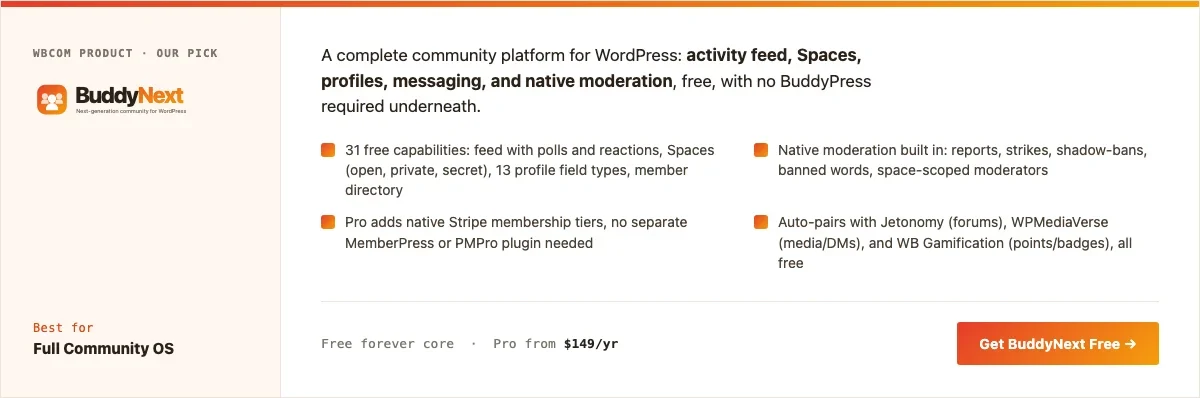
BuddyNext is the right call when photo sharing is one important feature of a broader community rather than the entire point, for example a general hobbyist community that includes photography alongside discussion, events, and other content types. Its free core covers a feed with image support, Spaces for genre or project-based sub-groups, and native moderation, all at no cost.
The trade-off against MediaVerse specifically is that BuddyNext’s feed is general-purpose rather than optimized around albums and portfolio-style presentation, so a community that’s purely about photography, with critique and portfolio browsing as the primary activity, will likely find MediaVerse’s media-first structure a better fit.
What we like: free core is complete enough to launch a real community without paying anything. Spaces model works well if photography is one topic among several. Native moderation from day one.
Could be improved: not purpose-built for album-first photo organization the way MediaVerse is. Best suited when photo sharing isn’t the community’s sole focus.
Pricing: free core forever. Pro starts at $149/yr for native Stripe membership tiers.
3. BuddyPress plus a gallery plugin
A free DIY route: BuddyPress for the community layer (profiles, groups, activity feed) paired with a dedicated WordPress gallery plugin for the actual photo organization. This gives a club with developer time available full control over both pieces independently, at zero licensing cost, though nothing auto-integrates between the community layer and the gallery layer the way a purpose-built platform would.
What we like: completely free stack. Full control over exactly which gallery plugin handles image quality and organization, since that choice is independent of the community layer.
Could be improved: real integration work required to connect member profiles to their galleries cleanly. No unified moderation across both plugins out of the box.
Pricing: BuddyPress free; gallery plugin cost varies by choice.
4. PeepSo
PeepSo’s lightweight, modern feed handles image posts reasonably well without BuddyPress’s setup overhead, and its paid media modules add richer photo and video handling for communities that want more than the free core’s basics. It’s a reasonable middle ground for a club that wants something more polished than a DIY BuddyPress stack but doesn’t need MediaVerse’s full album-first structure.
What we like: modern look without a special theme requirement. Lighter weight than a full BuddyPress-plus-gallery stack.
Could be improved: richer media handling requires paid modules. Not purpose-built around albums and portfolio presentation the way MediaVerse is.
Pricing: free core, individual modules priced separately.
Feature comparison
Feature | MediaVerse | BuddyNext | PeepSo |
|---|---|---|---|
Album-first organization | Yes, native | Not native | Not native |
General community features (Spaces/groups) | Limited, media-focused | Yes, full Spaces model | Yes, via groups |
Portfolio-style profiles | Yes, native | General-purpose profiles | General-purpose profiles |
Native moderation | Check product page | Yes, free | No, needs add-on |
Best fit | Photography is the whole point | Photography is one feature among several | Lightweight middle ground |
Frequently asked questions
Does MediaVerse avoid recompressing uploaded photos?
Check the current product documentation for exact upload handling and any size or format limits, since specifics can change between releases. This is worth testing directly with a real high-resolution upload before committing a club’s archive to any platform.
Should a general hobbyist community with photography as one topic use MediaVerse or BuddyNext?
BuddyNext, since its Spaces model handles a mix of topics well, and photography can be one Space among several rather than forcing the entire community structure around media.
Can a photography club require member approval before someone can post?
This depends on the specific plugin’s moderation settings; check native moderation and approval-queue options directly against the current feature list before launch if this matters to the club’s workflow.
What’s the realistic storage cost of a full-resolution photo community?
It depends entirely on member count, posting frequency, and average file size, but it’s worth budgeting real storage headroom from day one rather than discovering a hosting bottleneck after months of uploads. A club with 50 active members each posting a handful of full-resolution images monthly can accumulate real storage volume within a year.
Can members organize photos into themed albums for a specific project or trip?
This is exactly the kind of album-first organization MediaVerse is built around; confirm the specific album and collection features on the current product page before launch.
Is Instagram or Facebook actually bad for a photography club, or just different?
Different more than strictly bad. They’re excellent for reach and casual sharing but weak for image quality preservation, structured archives, and ownership of the community relationship, which is exactly why most serious photography communities end up running both: a social platform for reach, and an owned WordPress community for the archive and real critique.
Which one should you actually pick
If photography is the entire point of the community, portfolios, albums, critique, full-quality preservation, start with MediaVerse and confirm the current feature set and pricing directly on the product page. If photo sharing is one feature inside a broader general community, BuddyNext’s free Spaces-based structure is the better fit and won’t force the whole site’s architecture around media. A club with developer time and zero budget can assemble a working BuddyPress-plus-gallery-plugin stack, and PeepSo fits a group wanting something more polished than a DIY combination without MediaVerse’s full album-first structure.
The hosting reality nobody mentions upfront
It’s worth naming directly: a genuine full-resolution photo community has real hosting implications that a text-focused community simply doesn’t. Standard shared hosting plans often cap storage and bandwidth in ways that become a real constraint once a club has a few hundred full-resolution images accumulating monthly, and image-heavy pages load slower without proper caching and a CDN in front of the media library.
None of this is a reason to avoid building a real photo community, but it’s worth planning for rather than discovering after launch. A reasonable starting point: choose hosting with generous storage headroom and confirm CDN support before committing a club’s archive to a platform, and revisit that hosting plan once actual usage patterns are clear after the first few months rather than guessing at capacity needs upfront.
Building a critique culture members actually trust
A photo community’s long-term value comes less from the upload feature itself and more from the quality of feedback members give each other, and that culture doesn’t happen automatically just because a comment box exists under every image. A community where feedback defaults to “nice shot” comments provides social warmth but doesn’t actually help anyone improve, while a community with no house norms at all risks feedback that’s harsh enough to drive newer, less confident photographers away entirely.
A few practical patterns help strike that balance. A pinned post explaining what kind of feedback the community values, specific, constructive, focused on technique and composition rather than pure taste, sets expectations before anyone posts their first critique. Encouraging members to say what they’d do differently, not just what’s wrong, tends to produce more useful and better-received feedback than criticism alone. Some communities designate a rotating set of more experienced members as informal mentors who commit to leaving substantive feedback on new members’ first few posts, which does real work in making a new member’s first experience feel worthwhile rather than ignored in a busy feed.
A practical note on image rights and attribution
Worth addressing directly rather than assuming it away: a photography community needs a clear, stated policy on who owns the rights to an uploaded image, and what the platform or other members are allowed to do with it. Most communities default to the photographer retaining full copyright, with the platform granted only a limited license to display the image within the community itself, but this should be written down explicitly in a terms-of-service or community-guidelines page rather than left as an unstated assumption that eventually causes a dispute.
A related, smaller but genuinely common issue: members re-sharing or screenshotting another member’s work outside the community without attribution. A clear house rule against this, paired with a real process for a member to report it when it happens, protects the trust that makes photographers comfortable sharing their best, most vulnerable work in the first place. A community that gets a reputation for casual image theft, even unintentional, loses its most serious contributors fastest, since they have the most to lose from uncredited reuse of their work.
Seeding a new photo community before public launch
An empty gallery is the single biggest obstacle to a photo community’s early success, since a visitor landing on a feed with three or four scattered uploads has no reason to believe this is a place worth their time or their best work. Seeding the community with a genuine body of content before any public announcement, recruiting a handful of founding members (club officers, instructors, or enthusiastic early adopters) to populate real albums first, gives the first wave of public visitors something substantial to browse and react to immediately.
This matters more for a photo community specifically than for a text-first one, since the entire first impression is visual: a feed with genuinely strong, varied photography signals quality and invites participation, while a sparse or low-quality seeded feed can actively discourage a skilled photographer from bothering to post their own work alongside it. Treating this pre-launch seeding phase as real, planned work, not something that happens automatically once the plugin is installed, is worth the extra week or two it typically takes.
Related WordPress plugin guides
- Best WordPress Community Plugins, the general roundup if photo sharing is one feature among several, not the whole point
- Best WordPress Photography Portfolio Community Plugins, for working photographers who need individual portfolios plus structured critique, not just a shared feed
- Best WordPress Art Community Plugins, the same media-first approach, built for illustrators and painters sharing original artwork instead of photos
- Best WordPress Video Community Plugins, a better fit if the community leans on clips and footage rather than still images
Theme choice and print-friendly display
A detail that’s easy to overlook until it actually matters: how the surrounding WordPress theme handles image display specifically. A theme built for general blogging often crops images to a fixed aspect ratio for its layout grid, which can crop a photographer’s carefully composed frame in ways they never intended. Before committing to a theme, check that gallery and single-image views can display an image at its native aspect ratio, or at minimum give members a way to view the uncropped original, since a community that quietly reframes every uploaded photo undermines the same quality-first promise that made MediaVerse or a similar platform worth choosing over Instagram in the first place.
Print-quality expectations are worth addressing explicitly too, since some members will eventually ask whether they can download a full-resolution copy of an image, their own or someone else’s, for printing. Deciding this policy upfront (full-resolution downloads allowed only for the original photographer, available to everyone, or disabled entirely) avoids an awkward case-by-case negotiation later, and it’s worth stating the policy plainly in the community guidelines rather than leaving members to guess.
Giving strong work a way to stand out from the feed
A pure reverse-chronological feed treats a technically brilliant landscape shot the same as a quick phone snapshot, both scroll past at the same speed and get the same visibility window. For a community that genuinely wants to celebrate craft, it’s worth building in some mechanism for exceptional work to stand out beyond the initial post, a weekly staff pick, a member-voted highlight, or a simple curated gallery pulling from the best submissions each month.
This does real work beyond just recognition. It gives new visitors a fast, high-quality entry point into the community’s best content instead of whatever happens to be at the top of the feed when they arrive, and it gives more experienced members something concrete to aim for beyond simply posting regularly. A community that never highlights anything beyond the default feed tends to feel flatter over time, even when the underlying photography is genuinely excellent, since there’s no signal distinguishing the community’s best work from its average output.
Last reviewed: September 2026.




No comments yet