Short answer: LearnDash remains the category leader for a reason, its ecosystem, integrations, and track record are the deepest of any WordPress LMS, and it’s the safe default for a course business that needs everything to just work. LifterLMS and Tutor LMS are the strongest free-core alternatives if budget matters more than ecosystem depth. Learnomy, built by Wbcom Designs, is worth a look if you want a lighter, more modern free-core LMS and don’t need the full weight of an established platform’s add-on catalog. Teachable and Thinkific remain the fastest way to start if you don’t want to run WordPress at all, at the cost of a permanent revenue share or monthly fee.
Online course plugins are the most crowded, most mature category in this entire series, and it’s worth saying that plainly before recommending anything. Unlike a niche community vertical, this is a space where a handful of established players have years of real-world testing, large integration ecosystems, and genuine track records. The right choice here depends less on finding a hidden gem and more on matching a plugin’s actual strengths, ecosystem, pricing model, feature depth, to what a specific course business actually needs.
On this page
- Quick comparison
- What an online course plugin actually needs
- Why not just use Teachable or Thinkific
- Community plugin versus LMS: they solve different problems
- 1. LearnDash
- 2. LifterLMS
- 3. Tutor LMS
- 4. Learnomy
- Feature comparison
- Frequently asked questions
- Which one should you actually pick
- A note on migrating between LMS plugins later
Quick comparison
Plugin | Best for | Starting price | Free tier |
|---|---|---|---|
LearnDash | Deepest ecosystem, proven at scale | From $199/yr | No, paid only |
LifterLMS | Strong free core, budget-conscious | Free, paid add-ons | Yes |
Tutor LMS | Drag-drop builder, strong free tier | Free, Pro from $199/yr | Yes |
Learnomy | Lighter, modern free-core LMS | Free core, paid add-ons | Yes |
What an online course plugin actually needs
Every LMS plugin claims to do the basics. What actually separates a good fit from a bad one shows up in a handful of specific areas:
- Course structure flexibility. Linear courses, modules with drip-fed lessons, and cohort-based content unlocked on a schedule are different structures. Not every plugin handles all three equally well.
- Quiz and assessment depth. A simple end-of-lesson quiz is table stakes. Certification-grade assessments (timed, randomized question pools, proctoring integrations) are a genuinely different tier of feature.
- Payment and monetization flexibility. One-time purchase, subscription access, bundles, and membership-gated course libraries all need real support, not a bolted-on afterthought.
- Integration ecosystem. Email marketing, CRM, Zoom/webinar tools, and certificate generation are things most real course businesses eventually need. A plugin’s third-party integration catalog matters as much as its own native features.
- Student experience and completion tracking. Progress bars, resumable lessons, and a clear “what’s next” experience meaningfully affect course completion rates, which is the metric that actually matters for a course business’s reputation and refund rate.
Why not just use Teachable or Thinkific
This deserves a genuinely honest answer, since Teachable and Thinkific are both well-built, popular platforms that work for a huge number of course creators. Setup takes an afternoon, hosting and video delivery are handled, and there’s no WordPress maintenance to think about.
The cost is the revenue model. Teachable’s paid plans take a percentage of sales on top of the subscription fee at lower tiers, and Thinkific charges a flat monthly fee regardless of how many courses sell that month. Both models mean the platform gets paid whether or not the course business is thriving, and a genuinely successful course, one that scales past a few hundred students, ends up paying meaningfully more over time on a hosted platform than it would on a self-hosted WordPress LMS with a flat plugin license.
A WordPress-based course platform flips that trade: a flat annual license (or free, for the free-core options here) instead of a percentage or scaling monthly fee, and the creator owns the platform, the student data, and the domain the course lives on. The real cost is setup time and the ongoing responsibility of running WordPress, which Teachable or Thinkific otherwise absorb. For a course creator testing whether a course idea works at all, a hosted platform’s speed to launch is a legitimate reason to start there. For a course business with proven demand and real revenue, the flat-fee WordPress economics tend to win clearly.
Community plugin versus LMS: they solve different problems
It’s worth being explicit about this distinction, since the products aren’t interchangeable even though they sometimes get compared. A community plugin like BuddyNext is built around a feed, profiles, and real-time interaction. An LMS plugin is built around structured, sequential content with progress tracking and assessment. A course business genuinely needs both if the value it’s selling includes both structured content AND ongoing peer interaction, but a plugin built for one job rarely does the other job well as an afterthought.
We cover the community side of this in our WordPress community plugin roundup. The short version for a course creator deciding between the two: if the course is primarily “watch these lessons in order and pass a quiz,” an LMS alone covers it. If the course’s real value is a cohort of students supporting each other through the material together, pairing an LMS with a community layer, or using a coaching-community-style setup, tends to produce much better completion and satisfaction than either tool alone.
1. LearnDash
LearnDash is the category’s long-standing leader for good reason: a mature course builder, deep quiz and assignment tools, a large integration ecosystem (email marketing, membership plugins, Zoom, certificates), and years of real-world use at scale by course businesses ranging from solo creators to large universities and corporate training departments. If a specific integration or workflow is needed, there’s a very high chance LearnDash already supports it or has an add-on that does.
The trade-off is cost and setup complexity that scales with the feature set. LearnDash is paid-only from the start, and its more advanced features (dynamic content delivery, complex prerequisite chains) come with a learning curve that a simpler course doesn’t need.
What we like: the deepest integration ecosystem of any WordPress LMS. Proven at scale across a huge range of course business types. Strong documentation and community support given its market position.
Could be improved: no free tier at all. The feature depth that serves complex course businesses can feel like overkill for a simple single-course site.
Pricing: plans start around $199/yr for a single site.
2. LifterLMS
LifterLMS’s free core is genuinely capable, covering course creation, quizzes, and student management without requiring a paid tier to launch a real course. For a creator who wants to start free and add paid add-ons only as specific needs arise (advanced quizzes, memberships, certificates), LifterLMS’s incremental pricing model is a real advantage over LearnDash’s all-paid structure.
What we like: genuinely usable free core, not a crippled trial. Add-ons priced individually, so you pay only for what you actually need. Solid documentation and an active plugin ecosystem.
Could be improved: the a-la-carte add-on pricing can add up to a similar total cost as LearnDash once several add-ons are needed. Smaller integration ecosystem than LearnDash’s.
Pricing: free core, individual add-ons and bundles priced separately.
3. Tutor LMS
Tutor LMS pairs a genuinely strong free tier with a modern drag-and-drop course builder, which makes it a popular starting point for creators who want a more visual course-building experience than LearnDash or LifterLMS’s more traditional admin-screen-based builders. The free tier covers quizzes, multiple question types, and basic monetization, which is more than several competitors offer at no cost.
What we like: modern, visual course builder. Strong free tier relative to competitors. Active development and frequent updates.
Could be improved: Pro tier needed for more advanced monetization and certificate features. Integration ecosystem is growing but still smaller than LearnDash’s.
Pricing: free core, Pro starts around $199/yr.
4. Learnomy
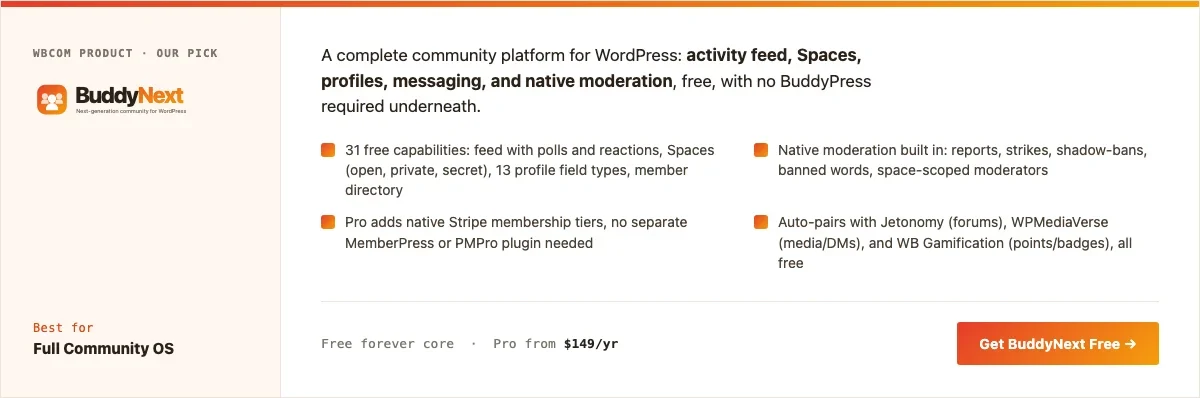
Disclosure: Learnomy is built by Wbcom Designs, who we work with. We’re including it here because its free-core approach genuinely fits a lighter course setup, not because of that relationship. Being honest about where it stands: Learnomy is a newer, smaller-ecosystem entrant compared to LearnDash’s years of market presence, and worth evaluating on that basis rather than expecting it to already match LearnDash’s integration depth.
Learnomy’s free core covers course creation, lessons organized into modules, drip content scheduling, and quizzes with progress tracking, aimed at a course creator who wants a genuinely usable LMS without committing to a paid plan on day one. It’s a reasonable choice for a creator building their first course, or for a Wbcom-ecosystem site that already runs BuddyNext and wants an LMS that shares design language and doesn’t require learning a second, unrelated admin interface.
Architecture note: Learnomy’s positioning is specifically for course creators who want to pair structured lessons with a community layer without integrating two unrelated plugin ecosystems. If a course business’s real need is deep third-party integrations (specific CRMs, advanced certificate generation, complex prerequisite logic), LearnDash’s established ecosystem is the more proven choice today. For current pricing and the full feature list, check wbcomdesigns.com directly, since add-on offerings change over time.
What we like: genuinely usable free core. Shares design language with BuddyNext for a Wbcom-ecosystem site. Lighter setup than the more established players.
Could be improved: smaller integration ecosystem and less battle-tested at scale than LearnDash, LifterLMS, or Tutor LMS. Best suited to a straightforward course rather than a complex multi-integration setup.
Pricing: free core; check the product page for current add-on pricing.
Feature comparison
Feature | LearnDash | LifterLMS | Tutor LMS | Learnomy |
|---|---|---|---|---|
Free tier | No | Yes, capable | Yes, strong | Yes |
Drip content | Yes | Yes | Yes | Yes |
Integration ecosystem | Largest | Large | Growing | Smaller, newer |
Visual course builder | Traditional | Traditional | Drag-drop | Standard |
Best fit | Complex, integration-heavy course businesses | Budget-conscious, incremental growth | Visual builder preference, strong free tier | Lighter setup, Wbcom-ecosystem sites |
Frequently asked questions
Is LearnDash worth the cost compared to the free alternatives?
For a course business needing deep integrations, complex prerequisite structures, or proven scale, yes, the ecosystem depth genuinely justifies the cost. For a straightforward single-course site, a free-core alternative likely covers the actual need without the added cost.
Can I switch LMS plugins later without losing my course content?
Switching is possible but rarely painless. Course structure, quiz data, and student progress records are stored in plugin-specific formats, so migrating means real data-mapping work, not a simple export/import. Choosing carefully upfront saves a genuinely disruptive migration later.
Do I need a community plugin alongside an LMS?
Only if peer interaction is part of the course’s actual value proposition. A pure content-delivery course doesn’t need one. A cohort-based or coaching-style course usually benefits significantly from pairing the LMS with a real community layer.
What’s the fastest way to launch a basic course this month?
LifterLMS or Tutor LMS’s free core: install, build the course structure, add a payment gateway, and publish. Both are genuinely launchable on the free tier without needing a paid upgrade on day one.
Should a course be public and indexable, or gated entirely?
A public course landing page with a gated lesson area is the common pattern, letting the sales page rank in search while protecting the actual paid content. Fully gating everything, including the sales page, sacrifices the SEO value a public landing page provides.
How much does self-hosted video cost compared to a hosted platform’s included delivery?
This is a real cost most creators underestimate. Self-hosting video on standard WordPress hosting gets expensive fast at scale; most course creators use a dedicated video host (Vimeo, Wistia, or a CDN-backed service) and embed the video in the LMS rather than uploading directly to WordPress, which keeps bandwidth costs predictable.
Can I sell a course as a one-time purchase and a subscription at the same time?
Most of these plugins support multiple pricing models on the same course, one-time and subscription, though the exact flexibility varies by plugin and often requires the paid tier. Confirm this specifically against the current feature list before committing if flexible pricing is a hard requirement.
Which one should you actually pick
If integration depth and proven scale matter most, and the budget supports it, LearnDash remains the safest default in this category. If free-core capability and incremental, pay-as-you-grow pricing matter more, LifterLMS is the strongest choice. If a modern visual course builder and a strong free tier are the priority, Tutor LMS fits well. Learnomy is worth evaluating specifically for a lighter setup or a site already running other Wbcom products, with the honest caveat that its ecosystem is smaller and newer than the three established players above it.
A note on migrating between LMS plugins later
Worth stating plainly since it changes how much weight the initial decision should carry: switching LMS plugins after a course has real students and progress data is genuinely disruptive, unlike switching a lighter-weight plugin category. Student progress records, quiz results, and certificates earned don’t migrate cleanly between plugins built by different companies with different database structures. This isn’t a reason to freeze up over the decision, but it is a reason to lean toward the established players (LearnDash, LifterLMS, Tutor LMS) for a course business that expects real scale and a long operating life, and to treat a newer entrant like Learnomy as a considered choice for a smaller, lower-stakes course rather than a default for a business betting its whole revenue model on the platform.
A practical middle path some creators use: build and validate the first course on whichever free-tier plugin gets it live fastest, then make a more deliberate platform decision once real student data and revenue exist to inform it, accepting that an early migration while student counts are still small is far less painful than one after a course has scaled.
Pricing a course: one-time, subscription, or bundle
The pricing model matters as much as the plugin choice, and it’s worth deciding deliberately rather than defaulting to whatever the platform makes easiest. A one-time purchase suits a course with a clear, finite scope, learn this specific skill, since students expect to pay once and keep permanent access. A subscription model fits better when new content gets added regularly, or when the value is ongoing access to a growing library rather than one finished product, but it requires genuinely maintaining that cadence or subscribers churn out quickly once they notice nothing new is arriving.
Bundling multiple courses at a discount is a proven way to increase average order value, but only works once there’s enough of a catalog to make a bundle feel like real value rather than a thin excuse to charge more. All four plugins on this list support at least basic one-time and subscription pricing; the deeper bundling and dynamic pricing rules (tiered discounts, time-limited launch pricing) vary more by plugin and are worth testing directly against a specific pricing plan before committing.
A realistic pre-launch checklist
Beyond the plugin setup itself, a few things consistently separate a smooth course launch from a chaotic one. Confirming the payment gateway actually works end to end, with a real test transaction, not just a settings screen that looks correct, catches configuration problems before a paying student hits them. Testing the complete student experience from purchase through to the first lesson on both desktop and mobile surfaces friction points an admin view alone won’t reveal. And having a clear refund policy written and visible before launch, rather than improvised after the first refund request arrives, avoids an uncomfortable ad hoc decision made under pressure.
It’s also worth deciding in advance how support questions get handled once real students start asking them. A course with no clear channel for “I’m stuck on lesson 3” tends to generate frustrated one-star reviews from students who would have been fine with a quick answer. A simple support email, a dedicated discussion area, or pairing the course with a community layer (covered in our community LMS roundup) all work, but the decision should be made before launch, not reactively after the first confused student email arrives.
Email marketing and funnel integrations worth checking early
Most course businesses eventually run email sequences, abandoned-cart reminders, a welcome series for new students, promotional launches for a new course, and the strength of a plugin’s email marketing integration matters more to a course’s long-term revenue than almost any other single feature comparison on this page. Confirm before committing whether a plugin has a genuine native integration (not just a generic webhook) with the email platform you already use or plan to use, since a clean, tested integration saves real ongoing maintenance work compared to a custom-built connection.
It is also worth checking how each plugin handles abandoned-cart recovery specifically, since this is one of the highest-leverage automated revenue recovery tactics for a course business and not every plugin supports it natively without an add-on. A course business relying entirely on manual promotional emails, with no automated behavioral triggers based on what a visitor actually did (started checkout but didn’t finish, completed the free preview lesson but didn’t purchase), is leaving real revenue on the table that a properly configured funnel would recover automatically.
A last practical note before choosing
Whichever plugin you land on, resist the urge to over-configure before the first real student has gone through the course, since a lot of what feels essential on paper (a complex drip schedule, elaborate prerequisite chains, a dozen quiz question types) often matters far less in practice than a simple, clear structure a first cohort of students can actually complete without confusion. Launch lean, watch where real students get stuck, and add complexity only where the data shows it is actually needed.
Related WordPress plugin guides
- Best WordPress Online School Plugins, for a multi-instructor marketplace under one brand rather than a single creator’s catalog
- Best WordPress Corporate Training Plugins, the internal, employee-only version of this same decision, with compliance reporting front and center
- Best WordPress Certification Plugins, if issuing a verifiable completion certificate is part of what you’re selling
- Best WordPress Cohort Course Plugins, when a shared start date and peer discussion matter more than self-paced access
- Best WordPress Community LMS Plugins, the broader case for pairing an LMS with a real community layer
Last reviewed: September 2026.




No comments yet