Short answer: if you already have (or are building) a BuddyNext community and want real threaded forums as part of it, not a separate site, BuddyNext paired with Jetonomy is the strongest combination, because the two integrate automatically: shared design tokens, one login, one member graph, and BuddyNext owns the page header and navigation with zero configuration required. If you want the classic free DIY route, bbPress paired with BuddyPress is the long-standing default. This is a different question from “what’s the best standalone forum plugin,” which we cover in a separate, dedicated guide linked below.
A lot of readers land here after already deciding to build a community, not just a forum. That changes the calculus. A standalone forum plugin optimizes for being the whole site. A community forum optimizes for being one well-integrated piece of something bigger, sharing accounts, notifications, and member profiles with everything else the community does. This guide is about that second case specifically.
On this page
- Quick comparison
- Standalone forum or integrated forum: which one do you actually need
- What an integrated community forum actually needs
- 1. BuddyNext + Jetonomy
- 2. bbPress + BuddyPress
- 3. BuddyBoss Platform
- 4. DW Question & Answer (paired with a community plugin)
- Feature comparison: integration depth
- Frequently asked questions
- Which one should you actually pick
Quick comparison
Combination | Best for | Starting price | Integration depth |
|---|---|---|---|
BuddyNext + Jetonomy | Native, zero-config integration | Both free core, Jetonomy Pro tiers available | Automatic, shared design tokens |
bbPress + BuddyPress | Classic free DIY combination | Free, both plugins | Manual theme/template work |
BuddyBoss Platform | Sites already on BuddyBoss | Free plugin, paid bundle | Native, built-in |
DW Question & Answer + community plugin | Q&A-style structure instead of open threads | Free core, Pro extensions | Manual pairing |
Standalone forum or integrated forum: which one do you actually need
This is genuinely an architecture decision, not a platform-ownership trade-off like most of the “why not use X” sections elsewhere on this site, so it’s worth its own section rather than folding it into a comparison against a hosted competitor.
A standalone forum makes sense when the forum is the entire product: a support knowledge base, a single-purpose discussion board, a site where visitors show up specifically to ask or answer questions and nothing else. Our dedicated forum plugin roundup covers that case directly, comparing Jetonomy, bbPress, wpForo, Asgaros, and others purely as forum software, with no assumption that anything else is running alongside it.
An integrated community forum makes sense once the forum is one feature of a broader member experience: profiles, an activity feed, groups or Spaces, maybe events or courses, with threaded discussion as one more thing members do inside that shared account and identity. The tell is usually simple: if you’re asking “what forum plugin should I install” you probably want the standalone guide; if you’re asking “how do I add real forums to the community I’m already building” you’re in the right place.
What an integrated community forum actually needs
Beyond the general forum quality bar (storage architecture, self-moderation, migration tooling, all covered in the standalone guide), an integrated forum has its own specific requirements:
- One account, one identity. A member’s forum posts should show the same avatar, display name, and profile link as their activity feed posts and group memberships. Two separate account systems bolted together is a worse experience than either plugin alone.
- Consistent notifications. A reply to a forum topic should show up in the same notification system as a comment on an activity post or a mention in a group, not a separate email thread the member has to check independently.
- Shared navigation and design. The forum shouldn’t look like a plugin that got dropped in; it should look like the same site as everything else, with the community platform’s header, navigation, and visual language carried through.
- Permission alignment. If a member is banned or restricted at the community level, that should apply to their forum access too, not require separate moderation in two different admin screens.
1. BuddyNext + Jetonomy
Disclosure: both BuddyNext and Jetonomy are built by Wbcom Designs, who we work with. We’re recommending this pairing because the integration is genuinely automatic and well-built, not because of that relationship.
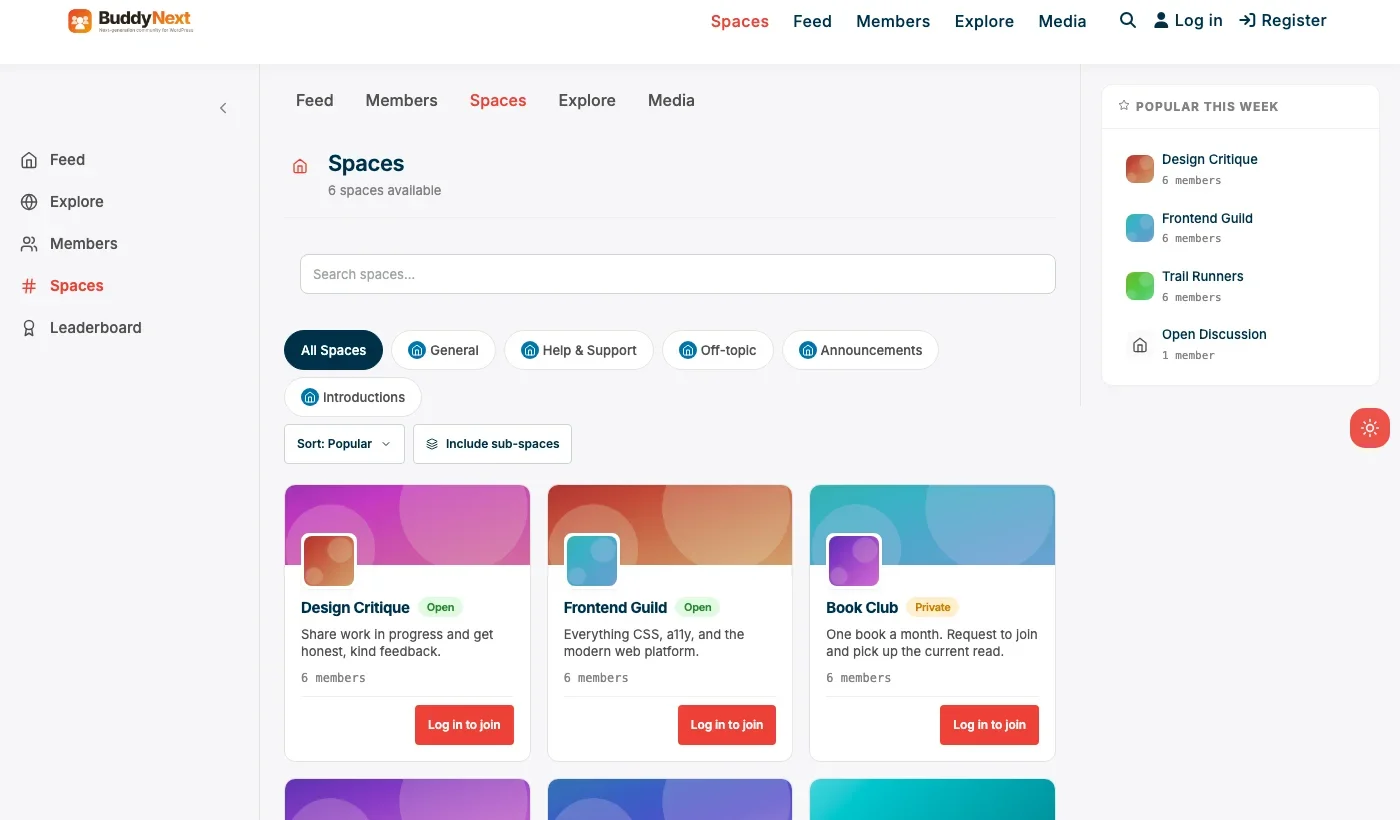
This is the one combination on this list where the integration isn’t something you configure, it’s something that happens by default. When Jetonomy is active alongside BuddyNext, the two share design tokens automatically, and BuddyNext owns the page header and navigation with no setup step required. A member’s forum activity, profile, and Spaces membership all live under the same account and the same visual system from the moment both plugins are active.
Architecture note: Jetonomy’s underlying storage uses its own wp_jt_* database tables rather than stretching wp_posts to hold forum content, which is the same architectural advantage we detailed in our standalone forum plugin roundup. That advantage doesn’t disappear just because Jetonomy is running inside a BuddyNext community instead of standalone, a community forum with real long-term history benefits from the same custom-table performance ceiling a standalone one does.
Trust levels carry over too: members earn posting and light moderation privileges as they participate, which means forum growth doesn’t automatically mean more manual moderation work for whoever runs the BuddyNext community, the same self-moderation benefit Jetonomy provides on its own.
What we like: zero-configuration integration, shared account and notification system, custom-table performance at forum scale, trust-level self-moderation reduces admin overhead as the community grows.
Could be improved: running two plugins (even well-integrated ones) is still more moving parts than a single all-in-one platform. Jetonomy’s third-party plugin ecosystem is smaller than bbPress’s, being the newer product.
Pricing: both free core forever. Jetonomy Pro unlocks 15 modular add-ons (reactions, polls, private messaging, and more); check the current Jetonomy pricing page for exact tier costs. BuddyNext Pro starts at $149/yr for native Stripe membership tiers.
2. bbPress + BuddyPress
This is the classic, most common free WordPress combination for this exact need, and it’s been well-documented for over a decade. BuddyPress provides the community layer (profiles, groups, activity feed) and bbPress provides the forum, with a real, established integration path connecting bbPress forums to BuddyPress groups so each group can have its own discussion board.
The trade-off is that the integration takes more manual template and theming work to feel seamless than the BuddyNext-Jetonomy pairing’s automatic version, and neither plugin includes native self-moderation or trust levels, so a growing forum still means more manual moderation over time.
What we like: completely free, decade-plus of documentation and tutorials for exactly this combination, huge ecosystem of compatible themes.
Could be improved: integration requires more manual setup than BuddyNext+Jetonomy’s automatic version. No native trust levels, so moderation overhead grows with the community. CPT-based storage on both sides means the same scaling ceiling discussed in the standalone forum guide.
Pricing: free, both plugins, always.
3. BuddyBoss Platform
BuddyBoss Platform bundles forum functionality (typically layered with bbPress under the hood) directly into its own community platform, so if you’re already running BuddyBoss for groups, profiles, and activity feeds, you likely don’t need a separate forum plugin decision at all, it’s already part of what you have.
If you’re not already invested in the BuddyBoss ecosystem specifically to get a forum, it’s a heavy way to arrive at one, since the real cost is the full BuddyBoss bundle (app, theme, and platform together), not just the free Platform plugin.
What we like: forums integrate natively with the rest of a BuddyBoss community, no separate plugin decision needed if you’re already on the platform. Strong mobile app story.
Could be improved: real cost is the full bundle, not the free plugin alone. Not a reasonable starting point if a forum is the only thing you need from it.
Pricing: Platform plugin free, full bundle priced annually.
4. DW Question & Answer (paired with a community plugin)
Worth including for a specific situation: your community members don’t really want open-ended threaded discussion, they want a structured Q&A where one accepted answer should win and the rest should sort below it. DW Question & Answer models that intent directly rather than a general forum repurposed to look like a knowledge base. Pairing it with BuddyNext or BuddyPress for the community layer works, though the integration is manual rather than automatic.
If you want both general discussion Spaces and structured Q&A in the same community without running two separate plugins for it, Jetonomy covers both as different space types within one plugin, worth weighing against running DW Question & Answer alongside a separate forum tool.
What we like: purpose-built Q&A UX (voting, accepted answers, reputation) rather than a general forum stretched to fit. Free core with optional paid extensions.
Could be improved: narrower use case than open discussion. No automatic integration with any specific community plugin, expect manual setup work.
Pricing: free core, Pro extensions available separately.
Feature comparison: integration depth
Factor | BuddyNext + Jetonomy | bbPress + BuddyPress | BuddyBoss Platform |
|---|---|---|---|
Setup effort | Zero-config, automatic | Manual theme/template work | Native, built-in |
Shared design tokens | Yes, automatic | No, needs manual theming | Yes, native |
Storage architecture | Custom tables (both) | Custom post type (both) | Custom post type |
Trust-level self-moderation | Yes, Jetonomy TL0-TL5 | No | No native trust levels |
Real cost | Both free core, optional Pro | Free, both plugins | Full bundle, not just plugin |
Frequently asked questions
Do I need to configure anything to get Jetonomy working with BuddyNext?
No. When both are active, they share design tokens and BuddyNext owns the page header and navigation automatically, no setup step required.
Can I add a forum to an existing BuddyNext community without disrupting what’s already there?
Yes. Installing Jetonomy alongside an existing BuddyNext community adds forum functionality that inherits the existing member accounts and design, rather than requiring a migration or rebuild.
What’s the difference between this guide and your standalone forum plugin roundup?
The standalone guide compares forum plugins as if the forum is the entire site. This guide is specifically about forums as one integrated feature inside a broader existing community platform, where shared accounts, notifications, and design matter as much as the forum feature set itself.
Should a group inside my community have its own forum, or should all discussion happen in one shared forum?
Both patterns work, and it depends on community size and structure. A smaller community usually does fine with one shared discussion space. A larger community with distinct sub-groups (chapters, interest areas, cohorts) tends to benefit from per-group discussion spaces, which is exactly what BuddyNext’s Spaces or bbPress-BuddyPress group forums both support.
Is bbPress plus BuddyPress still a reasonable choice in 2026?
Yes, if zero cost and the largest available ecosystem of themes and tutorials matter more than automatic integration or self-moderation tooling. It’s the most battle-tested combination on this list, just not the most modern one.
Can I migrate an existing standalone bbPress forum into an integrated BuddyNext community later?
Jetonomy ships a bbPress importer built to preserve URLs during migration, which is the more relevant path if you’re moving from a standalone bbPress forum into a BuddyNext-integrated Jetonomy setup. Test on staging first and spot-check permalinks before pointing it at production.
Does an integrated forum hurt SEO compared to a standalone one?
Not inherently. Forum threads are indexable pages either way; what matters for SEO is the same regardless of whether the forum is standalone or part of a broader community, clean URLs, real content, and internal linking, not which account system sits underneath it.
Which one should you actually pick
If you’re building or already running a BuddyNext community and want forums as a natural part of it, BuddyNext plus Jetonomy is the strongest combination available, mainly because the integration work that usually falls on you is already done. If budget is the only constraint and you’re comfortable with more manual setup, bbPress plus BuddyPress remains a completely reasonable free path with the largest available support ecosystem. Choose BuddyBoss Platform if you’re already committed to that specific ecosystem for other reasons. And if what your members actually want is structured Q&A rather than open discussion, weigh DW Question & Answer against Jetonomy’s built-in Q&A space type before assuming a general forum is the right shape at all.
One planning note worth stating plainly: decide whether you’re building a standalone forum or an integrated community forum before you pick a plugin, not after. The two guides on this site exist separately because the right answer genuinely depends on which one you’re actually building, and retrofitting one architecture into the other later is real, avoidable rework.
Seeding a new community forum so it doesn’t feel empty on day one
An integrated forum inherits a specific launch problem that a standalone one doesn’t always share: members who already know each other from the activity feed or a group can see, at a glance, whether the new forum section actually has anyone in it. A forum with zero topics sitting next to an active feed reads as an unfinished feature, not a quiet-but-promising new space, and that first impression is disproportionately hard to undo once members have formed it.
The practical fix is the same one that works for launching any new section of an established community: seed it with real content before announcing it widely. A handful of genuine discussion topics, posted by the team or a few trusted early members, gives the first visitors something to react to instead of an empty board. Pulling a handful of the most common questions members already ask in the activity feed or in support tickets, and turning those into the forum’s first topics, does double duty: it seeds real content and it demonstrates to members why the forum is actually useful compared to a feed post that scrolls away in a day.
Timing the announcement after that seeding work, rather than the moment the plugin is installed, matters more than it might seem. A forum announced to the whole community with real content already in it reads as a genuine new feature. The same forum announced empty, with a promise that content will follow, reads as premature, and some members who check it early and find nothing won’t come back to check again later even after it fills in.
Handling moderation across both layers cleanly
Once a forum is genuinely integrated with the rest of a community, moderation has to be thought about as one system, not two. A member who gets banned from the activity feed for a rule violation but can still post freely in the forum is a moderation gap that undermines the point of banning them in the first place, and it happens more often than site owners expect when the two layers weren’t genuinely unified from the start.
This is exactly where the BuddyNext-plus-Jetonomy pairing’s automatic integration earns its keep in a way that’s easy to undervalue until you’ve run a community without it: a member restriction applied at the BuddyNext level should carry through to their Jetonomy forum access without a second manual step, because the two plugins share the same underlying member records rather than maintaining separate ones. With a more manually integrated combination like bbPress plus BuddyPress, it’s worth explicitly testing this exact scenario, ban a test account at the community level and confirm their forum posting ability is actually affected, before assuming the two systems are in sync just because they’re running on the same site.
Worth deciding early, too: who has moderator permissions specifically in the forum versus the broader community. A large community sometimes benefits from forum-specific moderators, trusted members who know a particular discussion topic well, without granting them full community-wide moderation power over the activity feed or groups. Whether the plugin combination you choose supports that kind of scoped, section-specific moderator role is worth checking directly rather than assuming every combination handles it the same way.
When a topic belongs in both the feed and the forum
One practical question comes up constantly once a community forum is genuinely integrated: should a member start a discussion in the activity feed, or in the forum, when either could technically work. The honest answer is that these two surfaces serve different reading patterns, and a well-run community benefits from a light, informal convention rather than a hard rule enforced by the plugin.
The feed is built for short-lived, high-frequency content, a quick update, a reaction-worthy post, something meant to be seen in the next day or two and then scroll away. The forum is built for content that should stay findable and referenceable months later: a detailed troubleshooting thread, an ongoing debate with real back-and-forth, anything a future member might search for and want to read in full. A simple guideline worth stating explicitly to your community, if it’s worth searching for later, it belongs in the forum, if it’s worth a quick reaction today, it belongs in the feed, resolves most of this ambiguity without needing plugin-level enforcement.
Some communities go a step further and let a feed post get promoted into a forum thread once it generates enough real discussion to outgrow the feed’s flat comment structure. Whether the specific plugin combination you choose supports that kind of promotion natively, or whether it’s a manual copy-and-link workflow, is worth checking before you need it for the first time, since doing it manually after a long, valuable feed thread has already accumulated 40 comments is far more painful than deciding the convention up front.
Related WordPress plugin guides
- Best WordPress Q&A Plugins, structured question-and-answer, a different shape than open forum discussion
- Best WordPress Help Desk Community Plugins, for a support-focused community that needs resolved answers, not open threads
- Best WordPress Developer Community Plugins, the same BuddyNext plus Jetonomy pairing, framed for a technical audience specifically
- Best WordPress Idea Board Plugins, if what your community actually wants is a place to vote on ideas, not discuss openly
- Best WordPress Community Plugins, the general roundup this integrated forum guide builds on
Last reviewed: September 2026.




No comments yet