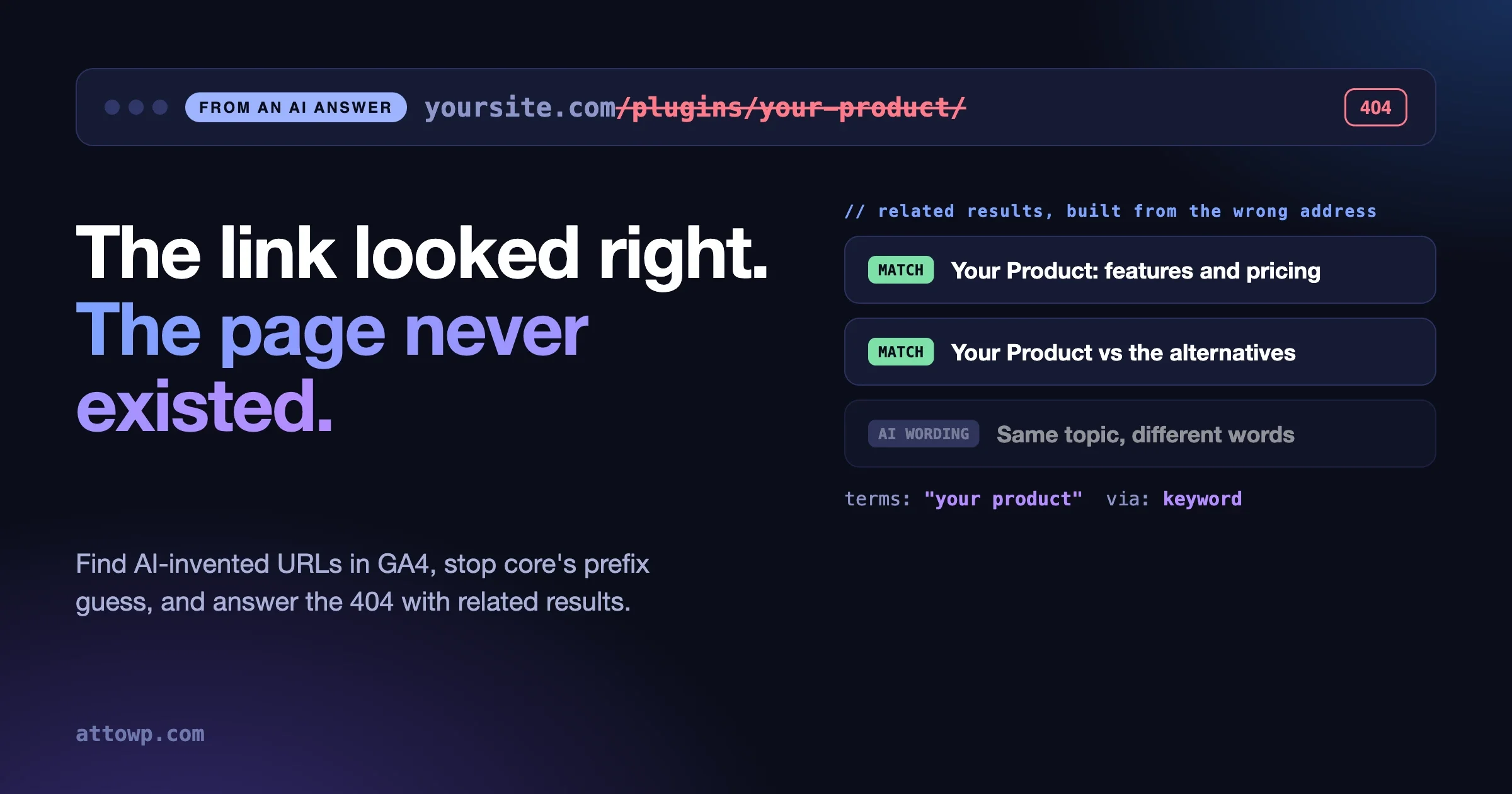
AI assistants sometimes send people to pages on your site that do not exist. The address looks right, the page is a 404, and the visitor leaves. The fix has three parts: find the wrong links in GA4, stop WordPress from redirecting them to the wrong page, and turn the 404 into a short list of the pages the visitor most likely wanted. This post covers all three with code we ran on WordPress 7.1.2, plus the results of testing it against real wrong links from one of our own sites.
I started this as a post about adding meaning-based search with the WordPress AI Client. Looking at our analytics changed the plan. The place where site search matters most right now is the page an assistant sends someone to by mistake, so that is where the build went. The AI Client is still in here, in a smaller and more honest role than I expected.
How often do AI assistants send people to a 404?
Often enough to measure, and more often than Google does. Ahrefs checked 16 million URLs cited by ChatGPT, Perplexity, Copilot, Gemini, Claude and Mistral and published the result in September 2025. Their headline numbers: assistants sent visitors to 404 pages 2.87 times as often as Google Search, and for ChatGPT 1.01% of clicked URLs returned a 404 against a baseline of 0.15%.
We checked one of our own sites, a WordPress product site with a large blog, for the 90 days to 11 October 2026. Three things stood out.
- GA4 now has a default channel called AI Assistant. We did not have to build a custom channel group. Sessions from chatgpt.com, gemini.google.com, copilot.com, claude.ai and perplexity.ai were already grouped. ChatGPT was by far the largest source.
- A little under one in a hundred AI-referred sessions landed on a not-found page. That is close to the Ahrefs figure for ChatGPT.
- On our site, organic search was slightly worse. Search engines also send people to deleted and renamed pages. So this is not only an AI problem. The AI share is the part that is new and growing, and the wrong links have a different shape.
One site is one site. Treat our numbers as a reason to check yours, not as a benchmark.
How do you find the wrong links in GA4?
Filter on two things at once: the session came from an AI assistant, and the page title is your 404 title. GA4 does not record HTTP status, so the page title is the only handle you have. This is the same method Ahrefs used, and it has the same blind spot: if your 404 template has no distinct title, you will find nothing.
In the GA4 interface, build a free-form exploration with Page path and screen class as the row, Sessions as the value, and two filters: Session source matches the assistant hosts, and Page title contains the words your 404 page uses.
With the Data API it is one request. This is the REST form of the report we ran:
POST https://analyticsdata.googleapis.com/v1beta/properties/PROPERTY_ID:runReport

{
  "dateRanges": [{ "startDate": "90daysAgo", "endDate": "yesterday" }],
  "dimensions": [{ "name": "pagePath" }],
  "metrics": [{ "name": "sessions" }, { "name": "screenPageViews" }],
  "dimensionFilter": {
    "andGroup": {
      "expressions": [
        { "filter": { "fieldName": "sessionSource",
            "stringFilter": { "matchType": "PARTIAL_REGEXP", "caseSensitive": false,
              "value": "chatgpt|openai|perplexity|claude|gemini|copilot|deepseek|grok" } } },
        { "filter": { "fieldName": "pageTitle",
            "stringFilter": { "matchType": "PARTIAL_REGEXP", "caseSensitive": false,
              "value": "not found|404" } } }
      ]
    }
  },
  "orderBys": [{ "metric": { "metricName": "sessions" }, "desc": true }],
  "limit": 200
}
The request format is in Google’s runReport reference. Run the same report with the source filter removed and sessionDefaultChannelGroup as the dimension to see how the AI share compares with search and direct traffic.
Expect noise. Our list included a request for /wp-login.php and a few old affiliate paths. Remove those by hand. After that we had 21 distinct wrong paths to work with.
What do the wrong links look like?
They are plausible. That is what separates them from typos and old bookmarks. Ours fell into four groups.
Kind | Example from our list | What really exists |
|---|---|---|
A guessed product path |
| The product page, under |
A reworded post slug |
| The same post, with “tools” in its slug |
A title turned into a slug |
| The post with that title, under a shorter slug |
The right path on the wrong host |
| The docs, on a subdomain |
A fifth group has no right answer: pages that were deleted, or that never existed in any form. Of our 21 paths, 12 had a real page the visitor clearly wanted. The other 9 did not.
The pattern in the first three groups is useful. The assistant knows the topic and has rebuilt the address from the words. So the words in the wrong address are a good search query. That is the whole idea behind the fix.
What does WordPress do with a wrong link by default?
It guesses, and the guess is a prefix match. When a request ends in a 404, core runs redirect_guess_404_permalink(). Unless you change it, the lookup is this line from canonical.php:
$where = $wpdb->prepare( 'post_name LIKE %s', $wpdb->esc_like( get_query_var( 'name' ) ) . '%' );Any post whose slug starts with the requested name is a candidate, and the visitor is redirected to it with a 301. For a typo that drops the end of a slug, that is helpful. For a guessed product path, it is wrong in a way that looks right in your logs.
Two of our 21 wrong paths had been “fixed” this way without anyone noticing. A request for the theme’s product page at /reign-theme/ was being redirected to an old blog post about that theme’s Customizer settings, because that post’s slug starts with reign-theme. A request for /wordpress-plugins/ went to a listicle whose slug starts with the same words. No 404 was recorded for either, so neither would ever show up in a broken-link report.
I reproduced both on a test site with posts using those slugs:
# Core default
GET /reign-theme/        301 -> /reign-theme-customizer-setting-branding-options/
GET /wordpress-plugins/  301 -> /wordpress-plugins-every-bloggers-must-know/

# With the strict filter on
GET /reign-theme/        404
GET /wordpress-plugins/  404
The strict filter is one line. It has been in core since 5.5, along with do_redirect_guess_404_permalink to switch guessing off and pre_redirect_guess_404_permalink to supply your own answer.
add_filter( 'strict_redirect_guess_404_permalink', '__return_true' );Strict mode only redirects on an exact slug match. You get honest 404s back, and now you can do something better with them.
How well does plain keyword search do?
Better than I expected, once you clean the query. I took the last segment of each of the 21 wrong paths, split it into words, and sent it to the site’s own search through the core REST route /wp-json/wp/v2/search. Then I scored the 12 paths that have a real target.
Query | Right page ranked first | Right page in the top five |
|---|---|---|
Slug words as they are | 6 of 12 | 8 of 12 |
Slug words with noise words and numbers removed | 6 of 12 | 9 of 12 |
Removing words such as “best”, “free”, “how”, “5” and “2026” rescued one case outright: 5-best-live-chat-plugin-wordpress returned unrelated posts as written and the right post once it was reduced to “live chat plugin wordpress”. Core search needs every term to match, so each junk word is a chance to return nothing useful.
The three misses that survived were all product pages. A search for the product name returned comparison posts that mention it many times, and the product page itself was not in the top five. No amount of query cleaning fixes that. It is a ranking problem, and the cheap fix is a short hand-written redirect list for your products.
So the scoreboard for our list was: keywords alone put the right page in front of the visitor for 9 of the 12 fixable links, 3 needed a redirect rule, and 9 had no right page to find. For those last 9, related results are still better than a dead end, as long as they are on topic.
Where does the WordPress AI Client fit?
As a fallback that rewrites the query when keywords find too little. It does not replace the keyword search.
Here is what the AI Client gives you today, read from core trunk on 12 October 2026:
wp_ai_client_prompt(), added in 7.0.0, returns a prompt builder. You chain settings and call a generate method. See ai-client.php.wp_supports_ai()tells you whether AI is allowed in this environment. A site can turn it off with theWP_AI_SUPPORTconstant or thewp_supports_aifilter.- The builder has
is_supported_for_text_generation(),as_json_response()andgenerate_text(), which is all this job needs. - The builder also has
is_supported_for_embedding_generation(). I could not find a matching generate method for embeddings on the WordPress builder in trunk. The underlying php-ai-client library does contain an embedding builder.
That last point decided the design. True meaning-based search stores a vector for every post and compares vectors at query time. That needs an embeddings call, somewhere to keep the vectors, and a way to search them. None of that is one function call in core yet. What is one function call is asking a model for other words a site might use for the same idea, then running those through the search you already have. “Photo restoration software” becomes “photo restoration tools” and “restore old photos”, and ordinary search finds the post.
It is a cheaper kind of meaning-based search. It adds no tables and no index, it fails safely to keywords, and it only runs when keywords came up short.
The build: related results for a missing address
The whole thing is one small plugin. It was tested on WordPress 7.1.2 with PHP 8.3. I will go through it in the order it runs.
Step 1: turn the address into search words
/**
 * Turns a request path into search words.
 */
function r404_terms_from_path( string $path ): string {
	$segments = array_filter( explode( '/', trim( (string) wp_parse_url( $path, PHP_URL_PATH ), '/' ) ) );
	$slug     = (string) end( $segments );
	$words    = preg_split( '/[^a-z0-9]+/', strtolower( $slug ), -1, PREG_SPLIT_NO_EMPTY );
	$noise    = array( 'a', 'an', 'the', 'and', 'or', 'of', 'in', 'on', 'for', 'to', 'with', 'your', 'you', 'how', 'best', 'top', 'free', 'vs', 'is', 'are', 'ways', 'actually' );
	$words    = array_filter(
		$words,
		static fn( $w ) => ! in_array( $w, $noise, true ) && ! ctype_digit( $w ) && strlen( $w ) > 2
	);
	return implode( ' ', array_slice( $words, 0, 6 ) );
}
The noise list is short on purpose. Add words that are common in your own slugs and carry no meaning. Numbers are dropped because “5 best” and “2026” are exactly what an assistant adds or changes.
Step 2: keyword search
/**
 * Keyword search. Returns post IDs, best first.
 */
function r404_keyword_search( string $terms, int $limit ): array {
	if ( '' === $terms ) {
		return array();
	}
	$query = new WP_Query(
		array(
			's'                   => $terms,
			'post_type'           => 'any',
			'post_status'         => 'publish',
			'posts_per_page'      => $limit,
			'fields'              => 'ids',
			'no_found_rows'       => true,
			'ignore_sticky_posts' => true,
		)
	);
	return $query->posts;
}
This is a plain WP_Query search, limited to published content and to a handful of IDs, with the row count switched off. A 404 page is hit by crawlers and scanners far more than by people, so this has to stay cheap.
Step 3: ask for other wording, only when needed
/**
 * Asks the AI Client for other words a site might use for the same thing.
 * Returns an empty array when no AI provider is available.
 */
function r404_ai_alternatives( string $terms ): array {
	if ( ! function_exists( 'wp_ai_client_prompt' ) || ! wp_supports_ai() ) {
		return array();
	}
	$cached = get_transient( 'r404_alt_' . md5( $terms ) );
	if ( is_array( $cached ) ) {
		return $cached;
	}
	$builder = wp_ai_client_prompt( "Search words: {$terms}" )
		->using_system_instruction( 'A visitor followed a broken link. Give up to three alternative two or three word search phrases a website might use for the same topic. Use synonyms. No brand names that are not in the input.' )
		->as_json_response(
			array(
				'type'  => 'array',
				'items' => array( 'type' => 'string' ),
			)
		);
	if ( ! $builder->is_supported_for_text_generation() ) {
		return array();
	}
	$text = $builder->generate_text();
	$list = is_wp_error( $text ) ? array() : json_decode( $text, true );
	$list = is_array( $list ) ? array_slice( array_map( 'sanitize_text_field', $list ), 0, 3 ) : array();
	set_transient( 'r404_alt_' . md5( $terms ), $list, WEEK_IN_SECONDS );
	return $list;
}
Three guards matter here. The function returns an empty list if the AI Client is missing or AI is switched off. It returns an empty list if no configured provider can generate text. And every answer is cached for a week under a hash of the search words, so a wrong link that is followed a hundred times costs one model call.
Step 4: put them together
/**
 * Related pages for a missing path: keywords first, AI wording only if that finds too little.
 */
function r404_related_for_path( string $path, int $limit = 5 ): array {
	$limit = max( 1, min( 10, $limit ) );
	$terms = r404_terms_from_path( $path );
	$ids   = r404_keyword_search( $terms, $limit );
	$via   = 'keyword';

	if ( count( $ids ) < 2 && '' !== $terms ) {
		foreach ( r404_ai_alternatives( $terms ) as $phrase ) {
			$ids = array_unique( array_merge( $ids, r404_keyword_search( $phrase, $limit ) ) );
			$via = 'keyword+ai';
		}
		$ids = array_slice( $ids, 0, $limit );
	}

	return array(
		'terms'   => $terms,
		'via'     => $via,
		'results' => array_map(
			static fn( $id ) => array(
				'title' => get_the_title( $id ),
				'url'   => get_permalink( $id ),
			),
			$ids
		),
	);
}
Keywords first. The AI step runs only when keywords return fewer than two results. The function reports which route it took, which is handy when you are checking it.
Step 5: show it on the 404 page
// [related_for_404] for the 404 template.
add_shortcode(
	'related_for_404',
	static function (): string {
		$data = r404_related_for_path( (string) ( $_SERVER['REQUEST_URI'] ?? '' ) );
		if ( ! $data['results'] ) {
			return '';
		}
		$items = '';
		foreach ( $data['results'] as $row ) {
			$items .= sprintf( '<li><a href="%s">%s</a></li>', esc_url( $row['url'] ), esc_html( $row['title'] ) );
		}
		return '<nav aria-label="' . esc_attr__( 'Pages that may be what you wanted', 'related-404' ) . '"><ul>' . $items . '</ul></nav>';
	}
);
In a block theme, open the 404 template in the Site Editor and add a Shortcode block containing [related_for_404]. In a classic theme, call echo do_shortcode( '[related_for_404]' ); in 404.php. If there is nothing to show, it prints nothing, and your normal 404 content stands.
Step 6: expose it as an Ability
// The same lookup as an Ability, so an agent can ask where a dead link should go.
add_action(
	'wp_abilities_api_categories_init',
	static function (): void {
		wp_register_ability_category(
			'site-search',
			array(
				'label'       => __( 'Site search', 'related-404' ),
				'description' => __( 'Finding content on this site.', 'related-404' ),
			)
		);
	}
);
add_action(
	'wp_abilities_api_init',
	static function (): void {
		wp_register_ability(
			'related-404/related-for-path',
			array(
				'label'               => __( 'Related pages for a missing address', 'related-404' ),
				'description'         => __( 'Given a path that returns 404, returns the closest published pages.', 'related-404' ),
				'category'            => 'site-search',
				'input_schema'        => array(
					'type'       => 'object',
					'properties' => array(
						'path'  => array( 'type' => 'string' ),
						'limit' => array( 'type' => 'integer', 'minimum' => 1, 'maximum' => 10, 'default' => 5 ),
					),
					'required'   => array( 'path' ),
				),
				'output_schema'       => array( 'type' => 'object' ),
				'execute_callback'    => static fn( array $input ) => r404_related_for_path( $input['path'], (int) ( $input['limit'] ?? 5 ) ),
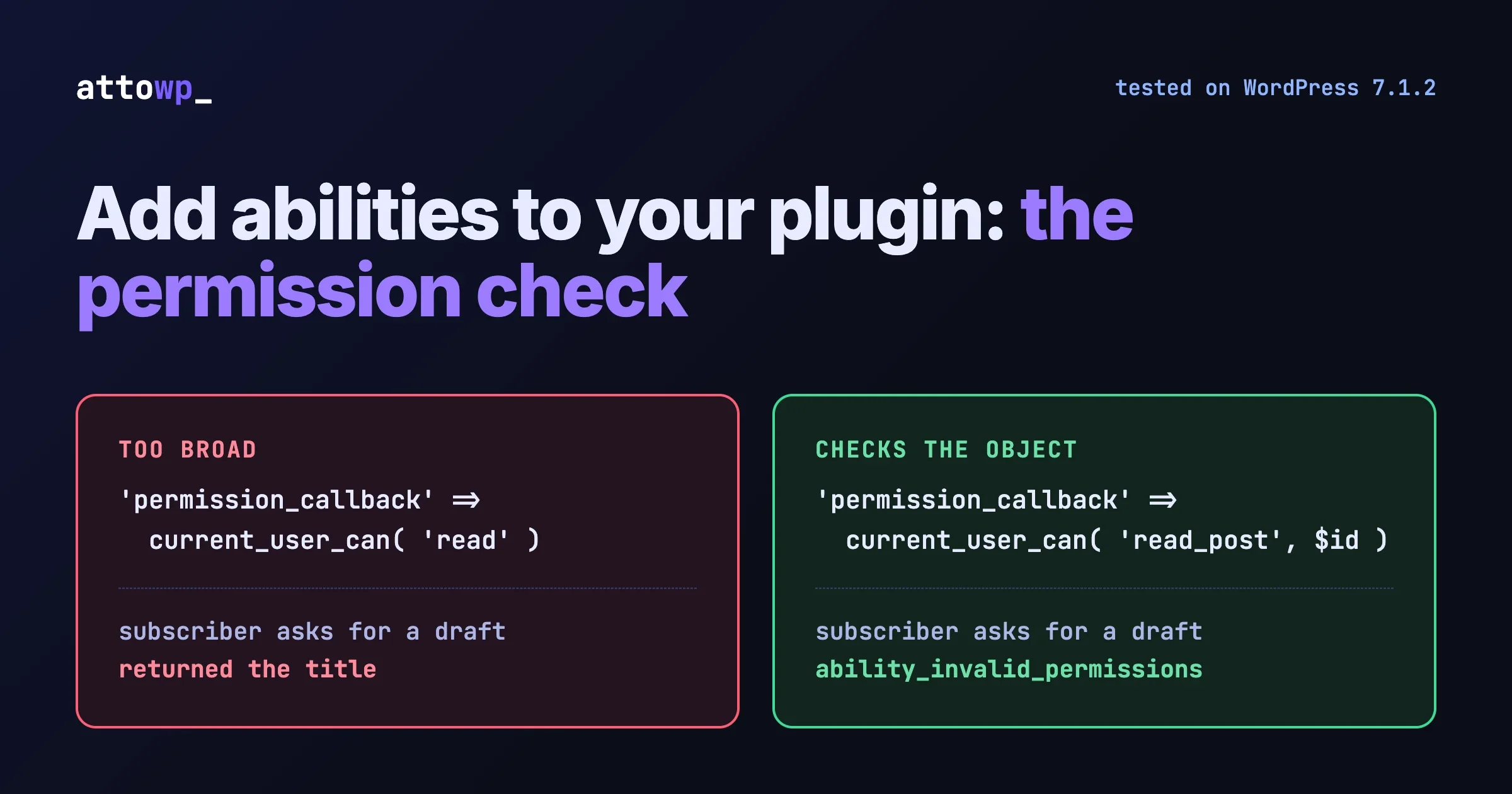
				'permission_callback' => '__return_true',
				'meta'                => array( 'show_in_rest' => true ),
			)
		);
	}
);
This is the part that helps agents directly. An agent that is connected to your site and holds a dead address can ask where it should have gone, instead of guessing again. The permission callback returns true because the ability only returns titles and addresses of published content, the same thing the public search page shows. If your lookup could ever return private content, check a capability here. There is more on that choice in our worked example of registering an ability, and on how agents reach abilities in four ways to connect an AI agent to WordPress.
What happened when we ran it?
On the test site I created nine posts with the same titles and slugs as the real targets, then asked the plugin about six of the wrong paths.
/5-best-live-chat-plugin-wordpress/
  [live chat plugin wordpress] via keyword: 10 Best Live Chat Plugins for WordPress Websites
/free-youtube-intro-makers
  [youtube intro makers] via keyword: 6 Free YouTube Intro Makers
/how-online-communities-actually-make-money-2026/
  [online communities make money] via keyword: How Online Communities Make Money
/plugins/reign-theme/
  [reign theme] via keyword: Reign Theme Customizer Settings and Branding Options | Reign Theme vs BuddyX Theme
/best-photo-restoration-software/
  [photo restoration software] via keyword: (nothing)
/best-doctors-appointment-reminder-software/
  [doctors appointment reminder software] via keyword: (nothing)

ability registered: true
ability result: {"terms":"youtube intro makers","via":"keyword","results":[{"title":"6 Free YouTube Intro Makers"...}]}
wp_supports_ai: true | text generation supported: false
Four of the six found the right page from keywords alone. The ability registered and returned the same data through execute().
The photo restoration case is the one the AI step exists for. The post is called “The Best Photo Restoration Tools”. The wrong link says “software”. Core search requires all three words, so it finds nothing. On the live site, where the post body is long enough to contain the word “software”, the same search did find the post, though not in first place. On a site with shorter content it would not.
The doctors case has no right answer. No such post exists, and returning nothing is correct. An AI rewrite might produce related appointment content, or might produce noise. That needs watching on your own data.
What we did not test
The last line of that output is the honest limit of this post. The test site had no AI provider configured, so is_supported_for_text_generation() returned false and the AI step returned an empty list, which is the fallback working as designed. We have not run the rewrite against a live model. That means:
- The AI branch is checked for syntax and for failing safely. Its output quality is not measured.
- The prompt and the JSON schema are a first draft. Expect to adjust them once you see real answers.
- We have no numbers for how many of the 12 fixable links the AI step would add beyond the 9 that keywords found.
- Nothing here was tested with a vector index or an embeddings model.
This site’s own 404 page does not do this yet. It offers the home page, search and topic links. It runs on a different stack, so the plugin above does not apply to it directly, and adding related results there is on our list.
What should you watch out for in production?
Bots will hammer your 404
Symptom. Database load or AI spend climbs with no rise in visitors.
Check. In our GA4 data, direct traffic accounted for the great majority of not-found views, far more than search and AI together. Most of that is scanners probing for files.
Fix. Keep the keyword query small, as above. Do not run the AI step for every 404. A sensible rule is to run it only when the referrer is a known assistant host or the request carries a utm_source naming one. That check is not in the tested code, so write it and test it before you rely on it.
Prevent. Cache results per path, and let your page cache store the 404 response for a short time.
Related results that are not related
Symptom. The 404 page suggests posts that share one word with the address and nothing else.
Check. Run your own wrong paths through the lookup and read the output, as we did.
Fix. Extend the noise list. Limit post_type to the types that make sense. Show nothing when the results are weak, because a wrong suggestion is worse than none.
Prevent. Re-run the GA4 report monthly and test the new paths.
Product pages lose to blog posts
Symptom. A wrong product link suggests three comparison articles and not the product.
Check. Search your site for each product name and see what ranks first.
Fix. Keep a short redirect list for guessed product paths. Ours were predictable: /plugins/{name}/, /wordpress-plugins/{name}/ and /{name}/, all meaning the product page. A redirect is the right tool when there is exactly one correct answer.
Prevent. When you launch a product, add the two or three addresses people would guess for it.
Strict mode removes a redirect someone relied on
Symptom. An old shortened link stops working after you add the strict filter.
Check. Before switching, list which 404s core is currently rescuing. Your server access log shows them as a 301 whose target slug begins with the requested slug.
Fix. Add explicit redirects for the ones that were right.
Prevent. Decide redirects yourself. A prefix match is a guess, and you now know what it guesses.
What order should you do this in?
- Give your 404 page a distinct title if it lacks one. Without it you cannot measure anything.
- Run the GA4 report for the last 90 days and clean the list.
- Sort the paths into the four kinds above, plus “nothing exists”.
- Add redirects where one page is clearly right: guessed product paths, title-as-slug posts, docs on another host.
- Turn on strict guessing and add redirects for any old links it was correctly rescuing.
- Add related results to the 404 template for everything else, keywords only at first.
- Add the AI rewrite once a provider is configured, behind the guards, and read its output on your own paths before you trust it.
- Repeat the report monthly. New wrong links appear as assistants learn about new pages.
Steps 1 to 6 need no AI at all, and on our list they covered every link that had a right answer.
Questions about AI wrong links and 404 pages
Can I stop assistants from inventing addresses?
Not directly. You can make the real addresses easier to get right: stable slugs, a current sitemap, and predictable paths for products and docs. Wrong links that already exist in an assistant’s answers will keep arriving for a while whatever you do, which is why the 404 page matters.
Should a wrong link redirect or show a 404 with suggestions?
Redirect when there is exactly one right page. Show a 404 with suggestions when there are several candidates or none. Redirecting a guess to the “closest” page hides the problem and sometimes sends people somewhere unhelpful, as core’s prefix match did on our site.
Does a 404 with suggestions hurt SEO?
Keep the response status at 404. The suggestions are for the person. A page that returns 200 for an address that does not exist is the thing to avoid.
Do I need WordPress 7 for this?
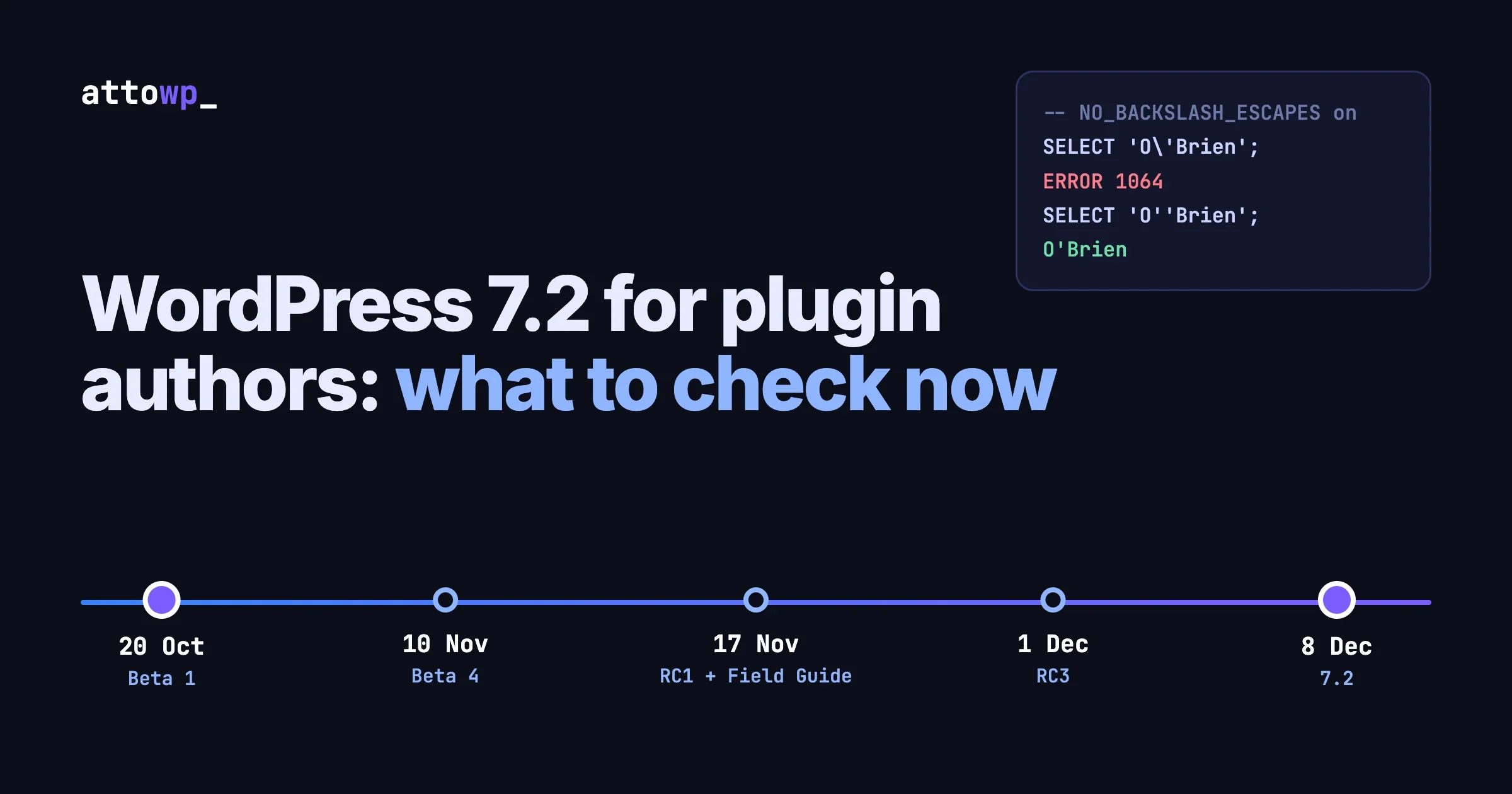
The strict filter works from 5.5. The keyword lookup and shortcode work on any current version. The Abilities API arrived in 6.9 and the AI Client in 7.0, and the code checks for the AI Client before using it, so on an older site you get the keyword path only. If you are planning the upgrade, our 7.2 notes for plugin authors list what to check.
Is there a plugin that already does this?
Redirect managers log 404s and let you add rules, which covers steps 2 to 4. We searched the WordPress.org directory on 12 October 2026 for “semantic search” and “ai search”. The results were mostly WooCommerce product search, SEO suites and MCP connectors. We did not find one aimed at related results on 404 pages, and we did not test any of them.
What to do next
Run the GA4 report today. It takes ten minutes and tells you whether you have five wrong links or five hundred. Then add the strict filter on a staging site and see which redirects disappear. Those two steps cost nothing and will show you what core has been doing with those requests.

No comments yet