In early 2026, Anthropic published details of an internal experiment: they pointed Claude at the Firefox codebase and ran an autonomous security audit. Two weeks later, Claude had flagged 22 memory safety vulnerabilities, several of which were novel issues that had not been previously reported. Security researchers paid attention. WordPress developers should too.
What Actually Happened in the Firefox Audit
The setup was deliberately constrained. Claude was given read access to the Firefox source code, a description of the security properties Anthropic cared about, and a two-week window. No human guided the analysis at each step. Claude worked through the codebase systematically, identifying patterns associated with memory safety issues - use-after-free, buffer overflows, integer overflows, and similar classes of bugs that have historically been the source of critical browser exploits.
The 22 issues it flagged were not false positives filtered down from thousands of alerts. Most were genuine concerns. Some were variations on known vulnerability classes. A subset were genuinely novel findings that human reviewers confirmed as real issues. That is a meaningful result for an automated system running without active guidance.
What makes this particularly notable is the scope. Firefox is one of the most well-audited codebases on the planet. Mozilla runs continuous security testing, has a robust bug bounty program, and employs dedicated security engineers. Claude finding novel issues in code that has already been reviewed exhaustively tells us something important: AI-assisted security analysis is finding vulnerabilities that existing processes miss, not just catching low-hanging fruit that human reviewers already know about.
Why This Matters Beyond Browser Security
The Firefox audit is interesting not because it proves AI can replace security teams, but because it demonstrates something more specific: AI can do the boring, systematic work of security review at a scale and consistency that humans struggle to match. This is the same principle behind WordPress AI agents handling repetitive development tasks - pattern recognition at scale is where AI earns its keep.
Human security researchers are good at creative attacks. They find the novel exploit that nobody thought to look for because they understand intent and business logic. What humans are less good at is reading 20 million lines of C++ and tracking down every instance where a pointer might be freed while still referenced somewhere in memory. That is exhausting work. Claude does not get tired.
The cognitive load problem is real. Security reviews require maintaining a mental model of how data flows through an entire application while simultaneously checking for dozens of different vulnerability patterns. After a few hours, humans start making mistakes. They miss the third instance of a pattern after catching the first two. They stop questioning code that looks familiar. AI does not have this problem. It applies the same level of scrutiny to line 50,000 as it does to line 50.
AI security tools are not replacing security engineers. They are replacing the most tedious parts of the job - the systematic sweep that nobody wants to do but everyone knows has to happen.
What This Means for WordPress Security Testing
WordPress codebases are not Firefox. Most WordPress plugins and themes are measured in thousands of lines, not millions. But the principle applies directly. Modern AI-assisted WordPress development is already changing how developers approach code quality - security is the natural next frontier.
Consider the typical WordPress security review. A developer builds a plugin with 15 files, each containing multiple AJAX handlers. A proper security review requires checking that every single handler has nonce verification, that every database query is properly prepared, that every output is escaped. That is 50 to 100 individual checks per file, across all files, with no room for error. Missing a single check is what creates the vulnerability. AI handles this systematic checking reliably and consistently.
Where AI Security Analysis Works Well for WordPress
- Nonce verification checks: Scanning every AJAX handler to confirm nonce verification is present and correct. This is exactly the kind of systematic sweep AI handles well.
- Capability checks: Reviewing all admin-facing endpoints to verify proper permission checks before executing privileged actions.
- SQL injection patterns: Finding direct database queries that bypass $wpdb prepare or use string concatenation with user input.
- File inclusion vulnerabilities: Checking for dynamic file inclusion using user-controlled variables.
- XSS exposure: Identifying unescaped output, missing esc_html, esc_attr, and esc_url calls in templates.
- Open redirect patterns: Finding wp_redirect calls that do not sanitize the target URL.
- Object injection: Spotting unserialize calls that accept user-controlled data without sanitization.
- CSRF exposure: Identifying state-changing actions that do not require POST requests or verify request origin.
Where AI Security Analysis Still Falls Short
- Business logic flaws: Understanding that a membership plugin should not let a free user access paid content requires understanding the intent of the feature, not just the code.
- Multi-step exploit chains: Finding a vulnerability that requires three separate steps across different parts of the codebase is still primarily a human skill.
- Authenticated privilege escalation: Subtle scenarios where a subscriber can escalate to admin through a sequence of valid-looking API calls are hard to detect without understanding the full authentication model.
- Third-party integration weaknesses: Where the vulnerability exists in how your plugin interacts with an external service rather than in the code itself.
- Race conditions: Time-of-check to time-of-use vulnerabilities require understanding execution timing across concurrent requests.
The Firefox experiment used a purpose-built automated system. Most WordPress developers are not building that. But you can get practical value from AI security analysis today with a structured approach. Tools like Claude and Codex via MCP can be set up to analyze specific vulnerability classes in your plugin or theme codebase systematically.
Step 1: Start with a Focused Scope
Do not ask Claude to review everything at once. Scope it to one vulnerability class per session. Ask it to review all AJAX handlers for nonce verification. Ask it to check all database queries for SQL injection exposure. Ask it to audit all output functions for escaping. One class of issue at a time gives better results than a broad sweep, and the findings are far more actionable.
Step 2: Provide Security Context
Tell the AI what the plugin does, what data it handles, and what the privilege model looks like. Giving it context about intended behavior - this plugin allows subscribers to submit content that goes into a moderation queue before an admin approves it - helps the AI identify whether certain access patterns are intentional or accidental. Without this context, the AI might flag a pattern as suspicious when it is actually correct for your use case, or miss a genuine vulnerability because it looks like normal code.
Step 3: Review Every Finding Manually
False positives exist. The Firefox audit had a high signal-to-noise ratio for a purpose-built system. General AI analysis will surface more false positives. Every flagged issue needs human review before you act on it. The AI is doing the sweep so you do not have to - but you still need to make the judgment call on whether a flagged pattern is actually exploitable in context.
Step 4: Use It as a Pre-Audit Checklist Tool
Before sending code to a professional security auditor, run an AI pre-audit. Fix the obvious issues the AI finds. This makes your paid audit time more valuable - the professional auditor spends time on complex logic issues and multi-step exploits rather than basic input validation problems that a systematic sweep could have caught.
Step 5: Build a Repeatable Security Checklist
Use the AI findings to build a repeatable security checklist specific to your plugin. If Claude finds three nonce verification gaps in your AJAX handlers, create a checklist item that gets verified on every new handler you add. The AI does the discovery; you codify it into process. This is how you turn a one-time review into an ongoing security posture improvement that compounds over time.
Security Task | AI-Assisted Quality | Human Input Needed |
|---|---|---|
Nonce verification sweep | Excellent | Final confirmation |
SQL injection pattern check | Good | Context review |
XSS escaping audit | Good | Template review |
Business logic flaws | Poor | Full human review |
Multi-step exploits | Poor | Full human review |
Privilege escalation | Limited | Full human review |
Race conditions | Poor | Full human review |
Third-party integration flaws | Limited | Full human review |
The Firefox experiment worked because Anthropic structured the task well. They did not just say “find bugs.” They defined specific vulnerability classes, gave the AI access to source code and documentation, set boundaries on the scope, and built a validation pipeline for the results. That same methodology applies directly to WordPress plugin security audits, even though the scale is smaller.
A structured WordPress plugin audit using AI would follow this pattern. First, define your threat model. What are the highest-risk areas of your plugin? If you handle payments, payment processing code is priority one. If you handle user-generated content, input sanitization and output escaping are your primary concern. If you build membership or access control features, permission checks on every endpoint matter most. Starting with a threat model means the AI spends its effort on the areas where a real exploit would cause the most damage, rather than cataloging every minor issue across the entire codebase equally.
Second, break the audit into passes. The Firefox experiment ran as a single sustained analysis, but for WordPress plugins, a multi-pass approach produces better results. Pass one covers input handling - every place user data enters the system, through forms, AJAX requests, REST endpoints, URL parameters, and cookie values. Pass two covers output handling - every place data is rendered back to users or stored in the database. Pass three covers authentication and authorization - every place the plugin checks whether the current user is allowed to perform an action. Pass four covers file operations - any file uploads, downloads, includes, or filesystem manipulations. Each pass is focused enough that the AI can apply deep analysis without losing context.
Third, cross-reference findings between passes. A vulnerability in pass one might create an exploit path that only becomes clear in pass three. For example, an AJAX handler that accepts a user ID parameter without validation (pass one finding) combined with a function that changes user roles based on that ID without a capability check (pass three finding) creates a privilege escalation chain. AI is getting better at identifying these cross-references, but structuring the audit in passes and then asking the AI to correlate findings across passes produces more reliable results than hoping a single broad sweep catches the connection.
Fourth, document everything. The Firefox experiment produced a structured report with each finding classified by severity, confidence level, and remediation guidance. Your WordPress audit should do the same. Create a standardized format for findings that includes the file and line number, the vulnerability class, the potential impact, the confidence level of the finding, and a specific remediation recommendation. This documentation becomes the foundation for your ongoing security process - it tells you what was checked, what was found, and what was fixed, so the next audit can build on this work rather than starting from scratch.
The Economics of AI-Assisted Security Testing
Professional WordPress security audits are expensive for good reason. A thorough manual audit of a medium-complexity plugin by a qualified security firm typically costs between $5,000 and $20,000 depending on codebase size and complexity. That price reflects the expertise required and the time involved. Most WordPress plugin developers, particularly smaller shops and independent developers, cannot justify that expense for every plugin on every release cycle.
AI changes this equation without eliminating the need for professional audits entirely. Running an AI-assisted pre-audit costs effectively nothing beyond the API usage - typically under $10 for a thorough multi-pass analysis of a standard WordPress plugin. That pre-audit catches the systematic issues that would otherwise consume hours of a professional auditor’s time: missing nonce checks, unescaped output, direct database queries without prepared statements. When you do bring in a professional auditor, they can skip the systematic checks the AI already handled and focus their expensive time on the business logic analysis, authentication model review, and creative attack vectors that require human expertise.
The math works out clearly. If a professional audit costs $10,000 and the auditor spends 40 percent of their time on systematic checks that AI could handle, you are paying $4,000 for work that could be done for $10. Running the AI pre-audit first means your professional audit budget goes further, covers more of the complex issues, and produces a more thorough result overall. For development shops managing multiple plugins, this approach makes professional security audits economically viable across the entire portfolio rather than just the highest-revenue products.
There is also the ongoing maintenance angle. Security is not a one-time event. Every update to a plugin potentially introduces new vulnerabilities. Running an AI security scan on every pull request before it merges is practically free and catches regressions immediately. This continuous security checking is something that was previously only available to organizations large enough to maintain dedicated security engineering teams. AI democratizes it to solo developers and small teams.
The Bigger Picture: AI as a Security Force Multiplier
The Firefox story is not about AI finding bugs making humans obsolete. It is about AI doing the boring part of security review at scale, which freed up human researchers to focus on the interesting problems. That framing matters for how you integrate these tools into your workflow.
Security has always suffered from the same problem: there is not enough experienced security talent to review all the code that exists. WordPress alone has 60,000 plus plugins in the repository. The majority of those have never had a real security review. An AI that can do a first-pass systematic audit of a plugin in minutes changes the economics of that problem significantly.
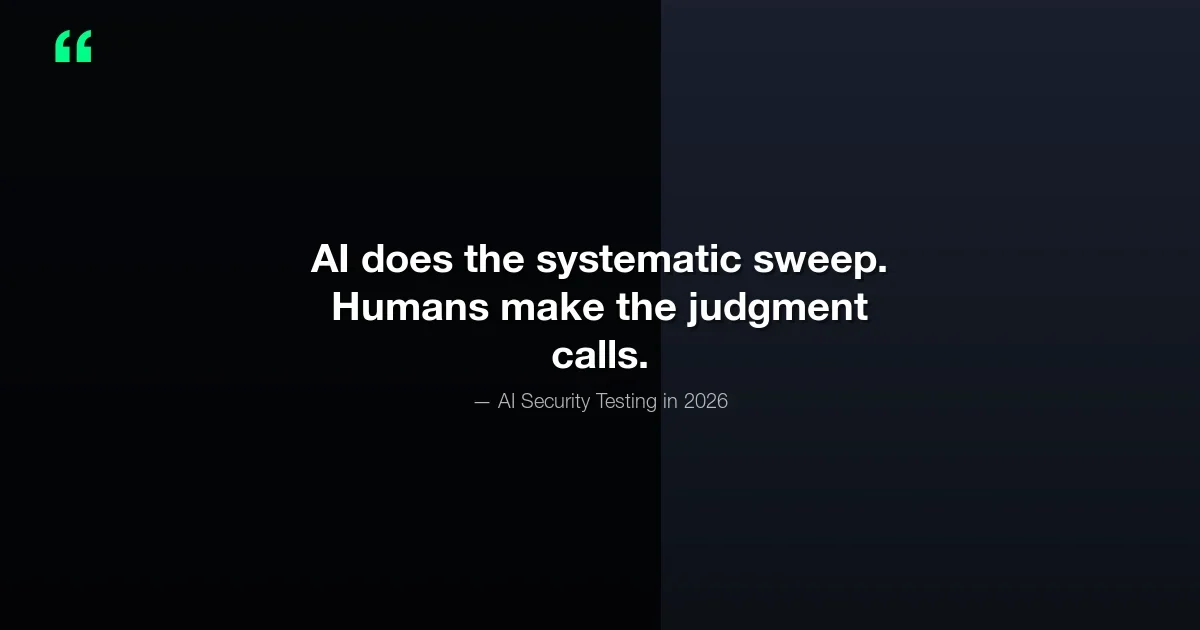
We are not at the point where you deploy an AI agent and walk away. The Firefox experiment required Anthropic researchers to design the task carefully, validate the outputs, and feed results back into the security process. That is still the model today: AI does the systematic sweep, humans make the judgment calls. But the trajectory is clear - each iteration of these models handles more of the complex reasoning that was previously considered exclusively human territory.
What the WordPress Security Community Should Watch
The Firefox experiment is not an isolated research project. It represents a direction the security industry is moving. Automated code analysis is not new - SAST tools have existed for years - but AI-powered analysis is qualitatively different. Traditional SAST tools match patterns. AI tools understand context. That distinction matters enormously for the kinds of vulnerabilities that actually get exploited in production.
Traditional SAST finds every instance of user input being passed to a database query. Good at catching the obvious, terrible at understanding when a pattern is actually safe due to prior sanitization. AI analysis understands that this particular user input value went through a specific sanitization function three lines earlier and is actually safe, while that other one two files over did not. That is the difference between a tool that requires a human to review thousands of false positives and one that surfaces the actually dangerous issues.
What WordPress Developers Should Do Today
- Add AI-assisted security review to your pre-release checklist. Every plugin and theme update should go through an automated security scan before it ships. This catches regressions from new code and validates that existing security measures were not accidentally removed during refactoring. The cost is negligible - a few minutes of processing time and minimal API fees - and the coverage is comprehensive across all the systematic vulnerability classes.
- Focus AI review on the categories it handles well. Escaping, nonce verification, capability checks, SQL query preparation, and file operation validation are all areas where AI produces reliable, actionable results. Do not rely on AI for business logic review or multi-step exploit detection - those still require human expertise and contextual understanding of what the plugin is supposed to do.
- Do not skip professional security audits for plugins that handle sensitive data. AI is a complement to professional audits, not a replacement. If your plugin processes payments, stores personal health information, or manages authentication credentials, a professional human audit remains essential. Use AI to handle the systematic groundwork so the professional can focus on the complex attack surfaces that matter most.
- Watch how AI coding tools are building security suggestions into the development loop. GitHub Copilot, Cursor, and Claude Code are all incorporating security awareness into their code generation. The gap between post-development security review and in-development security prevention is closing rapidly. Within the next year, the best AI coding tools will flag security issues as you write the code, before it ever reaches the review stage.
- Stay current with the WordPress VIP security guidelines. WordPress VIP now includes AI-assisted code review in their recommended development process. Their guidelines reflect the current state of what AI security tools can reliably catch and what still requires manual review. Following their recommendations gives you a well-tested framework rather than building your own from scratch.
- Run AI security analysis on your existing published plugins. There is no reason to wait for the next release cycle to start improving your security posture. Many vulnerabilities in production WordPress plugins have existed since the plugin was first written and have simply never been caught because nobody ran a systematic audit. An afternoon spent running AI security scans across your published portfolio will almost certainly surface issues worth fixing, and each fix makes your users safer immediately.
The Bottom Line
The Claude-Firefox experiment is a proof of concept for something the security industry has been waiting for: scalable, systematic code auditing that does not require proportional human effort. For WordPress developers, the practical implication is straightforward. Use AI to catch the obvious, systematic issues before they ship. Reserve human security expertise for the complex, contextual problems that AI still gets wrong.
The 22 Firefox vulnerabilities are interesting as a headline. The more interesting story is what they tell us about where AI fits in the security stack - and that story is one WordPress developers should pay close attention to. The tools for doing this kind of AI-assisted review are available today. The question is whether you are using them.
Start Securing Your WordPress Code Today
Want to apply AI-assisted security review to your WordPress plugins and themes? The AttowP team can help you build a security review process that combines systematic AI analysis with expert human review. Get in touch to discuss your needs.

No comments yet