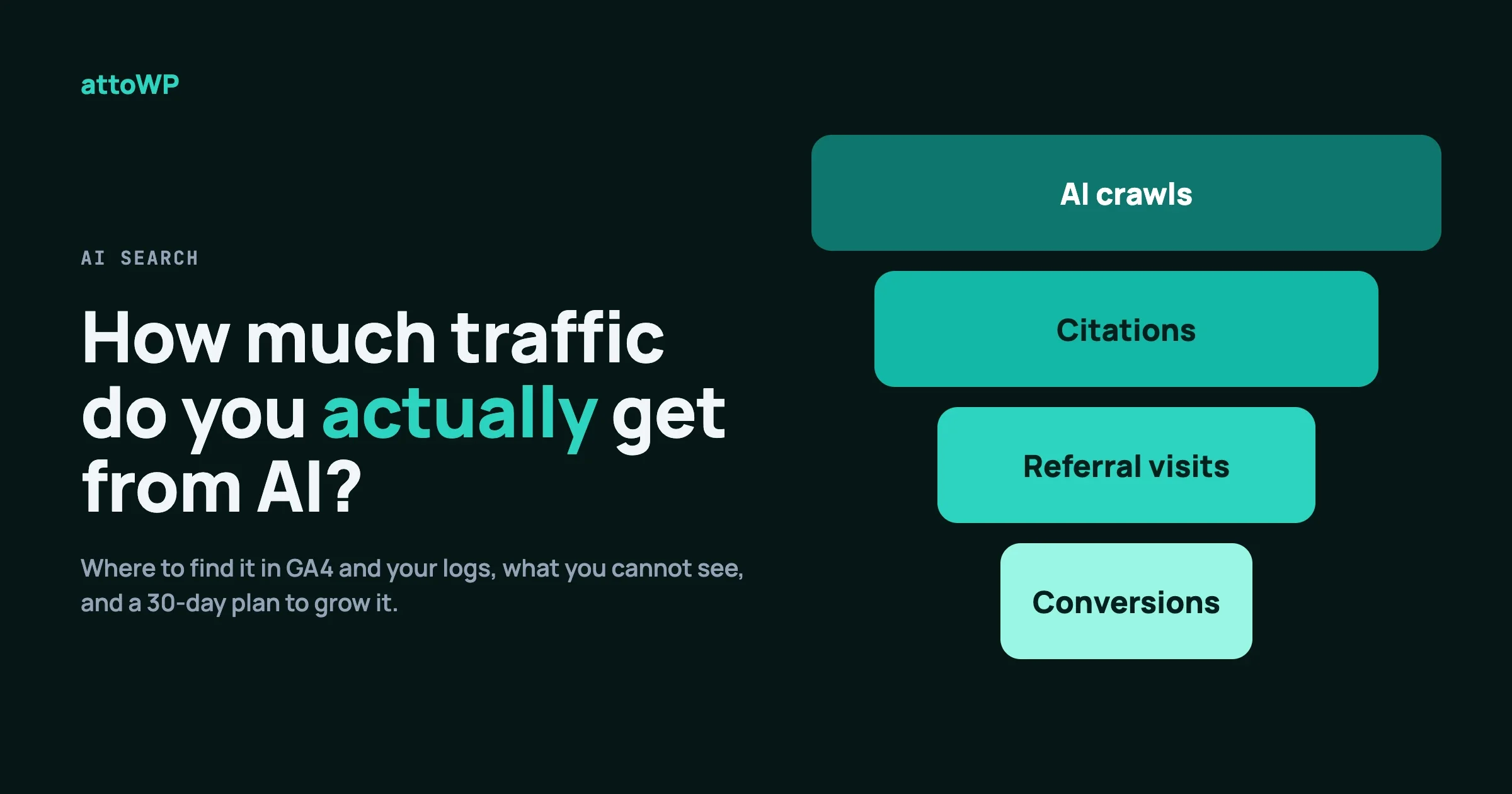
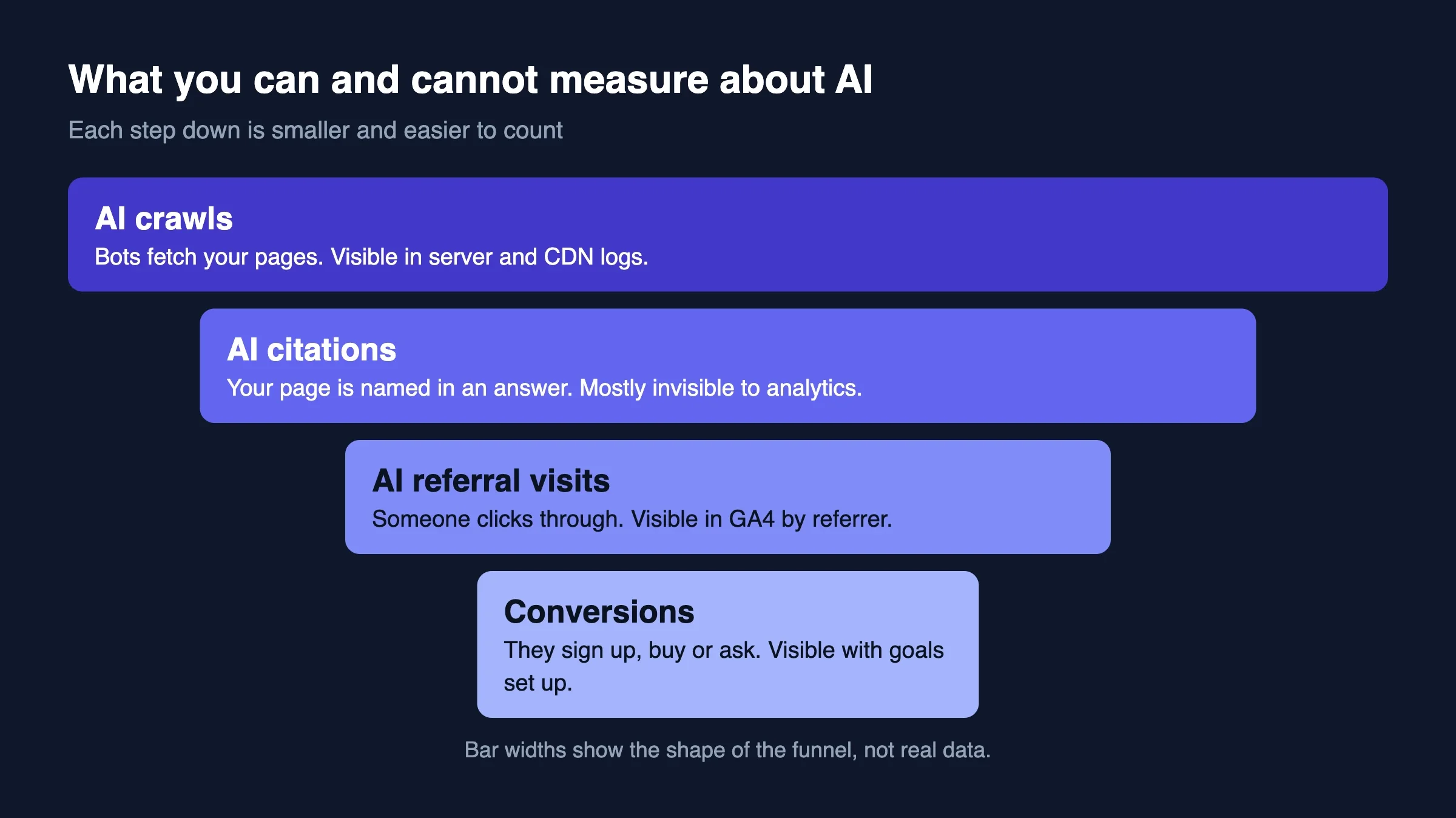
You can see how much traffic AI sends you in two places: your analytics (visits that arrive from an AI assistant) and your server logs (AI bots that fetch your pages). Neither shows the whole picture, because an AI answer can mention you and send nobody. Count what can be counted, and treat the rest as a signal.
This guide shows how to measure AI traffic step by step, how to read the numbers, how to make your pages easier for AI to use, and how to win visitors back from places that are not Google. We have no numbers of our own in it. Our analytics access is broken at the moment, and we will not invent figures to fill the gap.
In this guide
- Why Google clicks are falling, in two paragraphs
- How to measure AI referral visits in Google Analytics 4
- How to see AI bots in your logs and your CDN
- What Search Console can and cannot tell you
- A simple monthly sheet
- How to read the numbers
- How to improve your odds of being used by AI
- How to get traffic back from outside Google
- A 30 day plan
Why are my Google clicks falling?
Because more answers now appear on the results page itself, so fewer people need to click. Google’s AI features answer questions at the top of the page, and assistants like ChatGPT answer without a results page at all.
We have covered the evidence and the publisher side in Google AI Overviews vs Publisher Revenue, and Varun looked at the research in AI Overviews vs Publisher Traffic. We will not repeat it here. This post is about the next question: once you accept that, how do you measure what AI sends you, and what do you do about it?
How do you measure AI referral traffic in Google Analytics 4?
Create a custom channel group that puts visits from AI assistants into their own channel, then compare it with Referral and Organic Search. It takes about ten minutes, and it works on past data too.
Google’s own help page says GA4’s default channel group now has an AI Assistant channel, for visits that arrive from sources like ChatGPT, Gemini, DeepSeek, Copilot or Grok. The same page says that channel does not include Google’s AI Overviews or AI Mode. Default channel groups cannot be edited, so many sites build their own to control the list. You may also find the default channel missing from older reports, so check what your property shows before you trust it.
Set up the channel group
- Open Admin › Data display › Channel groups and choose Create new channel group.
- Name it AI traffic.
- Add a channel called AI assistants. Set the condition to Session source matches regex, and paste the pattern below.
- Drag the AI assistants channel above Referral. GA4 reads the rules from top to bottom, and Referral will take these visits if it comes first.
- Save. Then open Reports › Acquisition › Traffic acquisition and switch the channel group to your new one.
Use a pattern like this one, and keep it in a note you can update:
chatgpt\.com|chat\.openai\.com|perplexity\.ai|gemini\.google\.com|copilot\.microsoft\.com|claude\.ai|grok\.com|deepseek\.comWarning: Treat that list as a starting point. Analytics guides report these hostnames, but the vendors do not publish a promised list, and OpenAI’s own bot documentation does not mention referral parameters. Open your Realtime or Traffic acquisition report, look at the actual sources, and edit the pattern to match what you see.
We checked these steps against Google’s help text and published guides. We have not clicked through them in our own account, since our access is down, and the labels in the GA4 menus change from time to time.
Why your count will be too low
Some AI visits arrive with no referrer, for example from an app or a link that strips it. GA4 often files those under Direct. So the AI channel is a floor, not a total. A rising Direct line next to a rising AI line is a hint that part of the traffic is hidden.
How do you see AI bots in your server logs?
Search your access log for the bot names. Each AI company runs more than one bot, and the bots do different jobs, so count them separately.
These are the names the companies publish in their own documentation:
Company | Bot | What it does | robots.txt |
|---|---|---|---|
OpenAI | GPTBot | Collects content that may be used to train models | Obeys it |
OpenAI | OAI-SearchBot | Builds ChatGPT’s search results | Obeys it |
OpenAI | ChatGPT-User | Fetches a page when a user asks | May not apply |
Anthropic | ClaudeBot | Collects content for model training | Obeys it |
Anthropic | Claude-SearchBot | Indexes content for search quality | Obeys it |
Anthropic | Claude-User | Fetches pages for a user’s question | Obeys it |
Perplexity | PerplexityBot | Surfaces and links sites in its search | Obeys it |
Perplexity | Perplexity-User | Fetches a page when a user asks | Generally ignores it |
Google works differently. Google-Extended is a robots.txt token that controls whether your content can be used to train and ground Gemini models. Google says it does not affect your inclusion in Search and is not a ranking signal. You will not see it as a separate bot in your logs. Googlebot does the crawling.
For Microsoft, we could not confirm from Microsoft’s documentation which crawler serves Copilot answers. Check Bing Webmaster Tools and allow bingbot unless you have a reason not to.
Count them
This command counts hits per bot in a standard access log. We tested it against a small sample log on 5 October 2026.
grep -oE 'GPTBot|OAI-SearchBot|ChatGPT-User|PerplexityBot|Perplexity-User|ClaudeBot|Claude-SearchBot|Claude-User' access.log \
  | sort | uniq -c | sort -rn
To see which pages the user-triggered bots fetch, which tells you what people are asking about, list the paths. In the common log format the path is the seventh field:
grep -E 'ChatGPT-User|Perplexity-User|Claude-User' access.log \
  | awk '{print $7}' | sort | uniq -c | sort -rn | head -20
User agents can be faked, so treat the counts as a guide. For a firmer answer, use a CDN that verifies bots. Cloudflare, for example, sorts verified bots into categories: AI Crawler for training, AI Search for search features such as OAI-SearchBot, and AI Assistant for bots driven by a user action such as Perplexity-User. If your site sits behind Cloudflare, those categories give you the same split without parsing logs. Our sister site wppioneer explains how to read a raw log in What Your WordPress Access Log Shows That Analytics Hides.
What can Google Search Console tell you about AI?
Less than you would like. Google says traffic from AI Overviews and AI Mode is counted in the overall search traffic in Search Console, in the Performance report under the Web search type. The documentation we read describes no separate AI filter or report.
So the practical approach is to watch the shape of your data. If impressions hold steady while clicks drop for question-style queries, an answer on the results page may be satisfying people. Group your queries by how they are phrased, and compare them month to month.
Google also says there are no extra requirements to appear in AI Overviews or AI Mode beyond normal Search eligibility. Pages need to be indexed and able to show a snippet. The controls you already have still apply: nosnippet, max-snippet, and noindex.
What should a monthly AI traffic sheet look like?
Keep it small enough that you will actually fill it in. One row per month, four numbers and a note:
Month | Google clicks | AI visits | AI bot hits | Conversions |
|---|---|---|---|---|
Month 1 | from Search Console | from GA4 channel | from logs or CDN | from GA4 goals |
Month 2 | ||||
Month 3 |
Add a note column for anything that could explain a change: a site update, a robots.txt edit, a big new post. Without notes, a three month trend is just a set of numbers.
Keep conversions in the sheet. Ten visits from an assistant that sign up are worth more than a thousand that do not. If AI visits convert at a different rate from Google visits, that tells you what kind of reader they are.
How do you read the numbers?
Start with the pages, not the totals. Open the landing pages for your AI channel and list the top ten. Then ask what each page has in common.
- Pages with definitions and steps usually win. An assistant sends people there when they want to do something.
- Pages that bots fetch a lot but send few visits are being used as sources. The answer is shown, and the reader stays in the chat.
- Pages with visits but no bot hits may be shared links, not answers. Look at the referrer detail.
User-triggered fetches are the most useful of all. A ChatGPT-User or Perplexity-User hit means a real person asked a question and the assistant went to your page to answer it. Those paths are a list of questions your site is answering right now.
Be careful with the user-triggered bots. They are not all treated the same way. OpenAI says robots.txt rules may not apply to ChatGPT-User, and Perplexity says Perplexity-User generally ignores them, while Anthropic says Claude-User respects them. If you block one of them, you may be blocking a real reader’s request.
What do the patterns in your sheet mean?
After two or three months you will see a few common patterns. Each one points to a different next step. These are illustrations of how to read the columns, not data from our sites.
What you see | What it likely means | What to do |
|---|---|---|
Google clicks down, AI bot hits up, AI visits flat | Your pages are used as sources, and readers stay in the chat | Add something to click for: a tool, a template, a next step |
AI visits up, conversions flat | The traffic is curious, not ready | Check the landing page for a clear next step |
AI bot hits flat, Google clicks down | Search bots may be blocked or your pages are hard to quote | Check robots.txt, then rewrite the top pages answer-first |
Direct traffic rising with AI visits | Some AI visits arrive with no referrer | Do not cut AI work because the channel looks small |
None of these is proof. They are prompts for a better question. The sheet works because it makes you ask the question every month.
What mistakes make AI traffic numbers wrong?
Most wrong conclusions come from five slips. Avoid them and your numbers will be useful even when they are small.
- Counting bots as visitors. A bot hit is not a person. Keep crawls and visits in separate columns, always.
- Trusting a regex you wrote once. New AI products appear and old hostnames change. Review the pattern every quarter.
- Comparing months with different events. A site update, a robots.txt edit or a viral post can all move the numbers. Write them in the notes column.
- Judging by volume alone. A small channel that converts well is worth more than a large one that does not.
- Blocking a bot, then forgetting. If AI bot hits drop to zero, check whether your own robots.txt or firewall rule did it.
Tip: Keep one dated line in your notes every time you change robots.txt, a firewall rule or a CDN bot setting. Six months later it will explain a change that nobody else can.
How do you make AI more likely to use your pages?
Write for the person who asks a question, and make the answer easy to lift. Most of what helps is the same as good writing for people.
- Answer first. Put the direct answer in the first two or three sentences under a heading.
- Use question headings. Write headings the way people ask: “How do I measure AI traffic?” and not “Measurement”.
- Put facts in text. Prices, versions, dates and limits belong in words and tables, not only in images.
- Say where something does not apply. A short “when you don’t need this” section makes a page more trustworthy.
- Add structured data where it fits, such as FAQ markup on pages that really have a FAQ.
- Let search bots in. Check robots.txt, and decide on training bots as a separate choice.
- Offer a plain-text guide. An
llms.txtfile listing your best pages is cheap to add. We could not find a vendor commitment to use it, so treat it as a low-cost extra and not a fix.
The robots.txt choice has two separate halves, and many sites mix them up. Letting a bot find you in search is not the same as letting it train on your content. A policy that allows search bots and blocks training bots looks like this:
User-agent: OAI-SearchBot
Allow: /

User-agent: Claude-SearchBot
Allow: /

User-agent: PerplexityBot
Allow: /

User-agent: GPTBot
Disallow: /

User-agent: ClaudeBot
Disallow: /
That is one possible policy, not a recommendation. OpenAI notes that a change can take about 24 hours to take effect for search. Decide based on what you want, then record the date in your sheet. For depth on getting cited, see How to Get Your WordPress Site Cited by AI Search from our Wbcom team, and AI Search Is Answering Your Customers on wppioneer.
How do you get traffic back from places other than Google?
Build ways for people to reach you that do not pass through someone else’s results page. AI answers and search results are rented space. These are owned or shared space:
- An email list. Offer something worth leaving an address for, such as a checklist, then write to the list on a steady schedule.
- A community. A forum, a group or a chat gives people a reason to come back without searching.
- Newsletters and roundups from other people. Pitch your best original page to the ones your readers already trust.
- Social reshares of pages that teach something. Link to the page itself, not to the home page.
- Branded search. If people type your name, you do not depend on a ranking. Everything above helps it grow.
Then build pages an assistant cannot fully answer. A good answer can summarise an article. It cannot be a calculator, a live comparison, a downloadable template or a set of your own measurements. If the page does a job, people click through to use it.
That is the point of original data too. A summary of common advice is easy to replace. A table of what you measured on your own sites is not.
What is a 30 day plan to start?
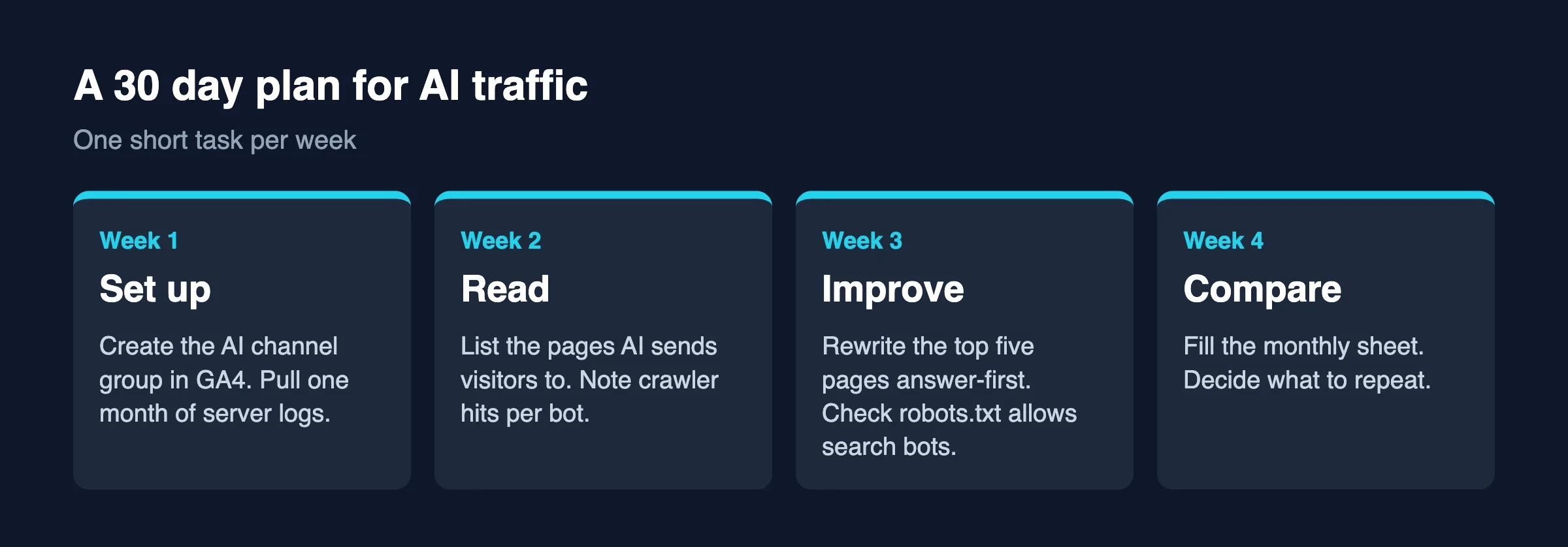
Do one short task a week.
Week | Task | Done when |
|---|---|---|
1 | Create the GA4 channel group. Pull a month of server or CDN logs. | Both numbers are in the sheet |
2 | List the top ten pages AI visits and bots fetch. | You can name what they share |
3 | Rewrite the top five pages answer-first. Check robots.txt. | Five pages updated, policy written down |
4 | Fill in the month. Decide one thing to repeat. | One action for next month |
Repeat it monthly. The first month tells you where you stand. The third month tells you whether anything you did made a difference.
Checked against vendor documentation (OpenAI, Anthropic, Perplexity, Google, Cloudflare) on 5 October 2026. The GA4 menu steps and hostnames come from Google’s help text and published guides, not from our own account.
When don’t you need to measure AI traffic?
Skip the full setup if your site gets very little traffic, if most of your visitors come from email or direct links, or if AI is not part of how your customers look for you. A quick check of your referrers once a quarter is enough.
Do the measuring if you rely on search for leads, publish how-to content, or sell something people research before they buy.
FAQ
Does ChatGPT send traffic to websites?
Yes, when it shows links and a person clicks. How much depends on your topic and your pages. Measure it in GA4 with the channel group above, and expect it to be small next to Google for most sites.
Can I tell which prompts bring people to my site?
Generally no. Analytics shows the source and the landing page, not the question. The paths fetched by user-triggered bots are the closest thing you have to a list of questions.
Should I block AI bots?
It depends on what you want. Blocking training bots keeps your content out of model training. Blocking search bots removes you from those assistants’ search results. Decide each one separately, and note the date.
Is llms.txt worth adding?
It costs little, and it gives AI tools a clean list of your best pages. We could not find a vendor commitment to use it, so do not expect results from it alone.
Will AI traffic replace Google traffic?
For most sites, not soon. Treat it as one more source to measure, and spread your bets with email and community.
How often should I check AI traffic?
Once a month is enough for most sites. Fill in the sheet on the same day each month, so every row covers a full month and the numbers compare fairly. AI referrals are small and jumpy, so a single day or week tells you very little. Look at the trend across three months before you change anything, and only check sooner when you publish a big new guide or change your robots.txt rules, since those are the moments a jump or drop has a clear cause.
What should you do next?
Set up the channel group this week and put your first month in the sheet. If you want a team to run the measurement and the page fixes with you, our team at Wbcom Designs works on this for WordPress and other sites. When you are ready to let AI tools act on your site as well as read it, read Give AI a Job, Not the Keys.
Related reading
- How to Get Your WordPress Site Cited by AI Search on wbcomdesigns.com
- AI Search Is Answering Your Customers: What To Do About It on wppioneer.com
- What Your WordPress Access Log Shows That Analytics Hides on wppioneer.com
- AI Overviews vs Publisher Traffic on vapvarun.com

No comments yet