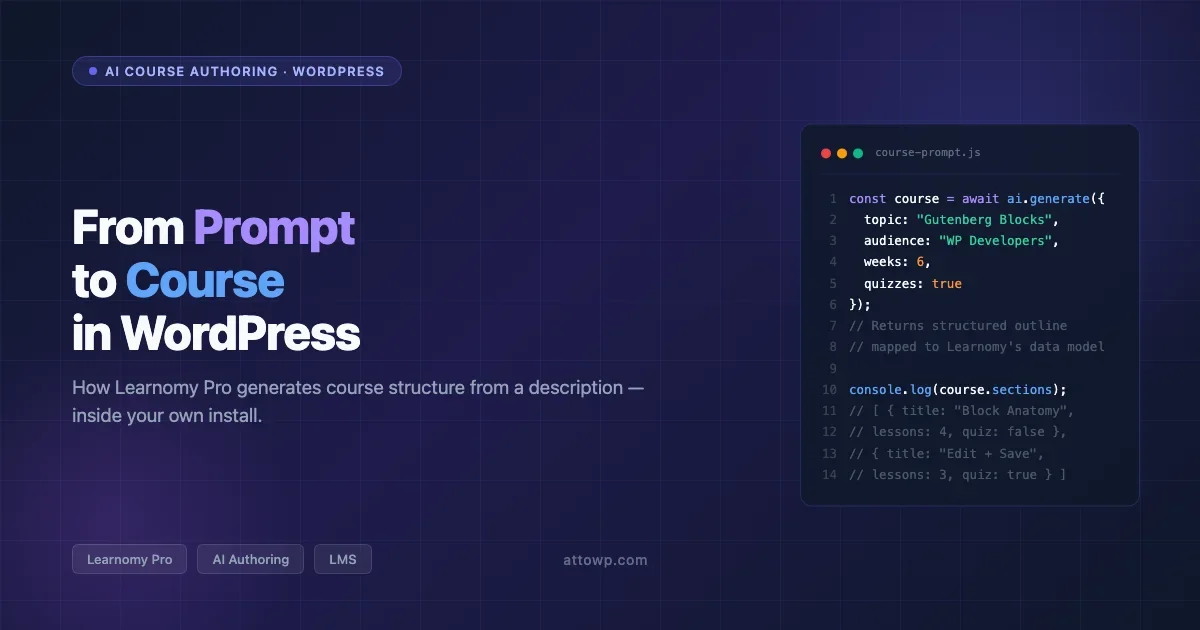
If you’ve spent time with AI tools like Cursor or Claude Code, you already know that the interesting productivity gains aren’t about autocomplete, they’re about generating working structures from a description and then editing them rather than authoring from scratch. The same principle now applies to creating online courses with AI on WordPress. Learnomy Pro ships an AI Authoring feature that drafts your course outline, sections, and lesson scaffolding from a prompt, all inside your own WordPress install where your student data and content never touch a third-party SaaS. This post covers what that means technically, how the WP Abilities API angle works, and whether the self-hosted approach actually holds up against Thinkific or Kajabi for developers building courses as part of a product.
Why Self-Hosted AI Course Creation Is Worth Taking Seriously
The standard case for Thinkific or Kajabi is that setup is fast and you don’t manage a server. Those are real advantages. But they come with a data ownership problem that’s getting harder to ignore: your student roster, purchase history, progress data, and course content live in someone else’s database under their terms of service. For developers building WordPress-based businesses, especially those who already run BuddyPress communities, WooCommerce storefronts, or membership sites, that’s a structural mismatch. Your data architecture is in WordPress; your course data shouldn’t be the exception.
There’s also the AI-agent angle. Models like Claude and GPT-4 can connect to your WordPress site via MCP or REST API. When your LMS is self-hosted, you can wire AI agents to query course completion, generate follow-up lesson content, or dynamically adjust learning paths based on quiz performance, because it’s all accessible via your own API. That’s not possible when your course data sits in a closed SaaS platform.
What Learnomy’s Free Tier Actually Includes
Learnomy is a WordPress LMS plugin with an uncommonly complete free tier. Most LMS plugins gate core features, quizzes, certificates, payments, behind a paid plan. Learnomy free includes:
- Unlimited courses, lessons, and students
- Six quiz types (multiple choice, true/false, fill-in-the-blank, matching, sorting, open-ended)
- Verifiable certificates with QR codes (students can share a link that proves completion)
- Stripe and PayPal checkout for paid courses
- Membership tiers for bundled course access
- Instructor revenue sharing for multi-instructor setups
That’s a complete LMS stack. The free tier is functional enough to run a real course business, which means the Pro upgrade decision is about specific capability additions rather than unlocking basic functionality. If you’re evaluating the broader WordPress LMS market, the LearnDash vs LifterLMS vs Tutor LMS comparison covers the established plugins in depth, Learnomy occupies a different position by treating AI authoring as a first-class feature from day one rather than an add-on.
AI Authoring: What It Does and How It Works
The centerpiece of Learnomy Pro is AI Authoring. Here’s what it actually does: you describe your course topic, target audience, and desired outcomes in a prompt. The AI returns a structured course outline, sections, lesson titles, suggested learning objectives per lesson, and quiz placement recommendations. You then edit that scaffold in WordPress before filling in the actual content.
This is meaningfully different from using ChatGPT in a separate tab and pasting results into your LMS. The generation happens inside your WordPress admin, the output maps directly to Learnomy’s data model (courses → sections → lessons), and you’re editing structured data rather than reformatting text. For developers who have thought about how to create online courses with AI efficiently, that tight integration matters, you’re not doing a translation step between the AI output format and the LMS format.
The WP Abilities API Angle
Learnomy Pro also exposes course management through the WP Abilities API. This is the part that’s interesting for AI-agent workflows. If you’re running Claude Code or an MCP-connected AI assistant against your WordPress site, you can use that connection to:
- Query student completion data and generate personalized follow-up content
- Draft new lessons based on which quiz questions students are getting wrong
- Build course outlines programmatically using your AI assistant’s context window rather than switching to a web UI
- Generate quiz questions from existing lesson content automatically
This is the self-hosted advantage made concrete. A Kajabi course has no API surface for your AI agent to read. Your Learnomy install does, because it’s WordPress, and WordPress has a REST API and can run MCP servers. The founder behind Learnomy has written about this architecture directly: scale is the feature, and the design choices that make it hold up at real student numbers. For the full picture of which MCP tools wire into a WordPress workflow like this, the MCP servers guide for WordPress workflows covers the practical setup.
What Learnomy Pro Adds Beyond AI Authoring
The AI Authoring feature is the hook, but it’s not the only reason to upgrade. Learnomy Pro also adds:
- Learning paths, sequence courses so students must complete prerequisites before accessing the next course in a series
- Cohort spaces, run live cohort-based courses where all students in a batch move through content together, with a shared discussion space
- Team seat packs, sell access in bulk for corporate training, where a single buyer provisions seats for a team
- Automatic instructor payouts, Stripe-based revenue splits to instructors happen without manual intervention
- Analytics, per-student progress tracking, course completion rates, quiz performance breakdowns, and revenue reporting
The cohort spaces and team seat packs are worth flagging specifically. Most WordPress LMS plugins handle solo student enrollment well; cohort-based and B2B enrollment models require either significant custom work or a Pro addon. Learnomy Pro includes both out of the box.
How to Create Online Courses With AI on WordPress: Step-by-Step
Here’s the practical workflow for getting a course from idea to draft using Learnomy Pro’s AI Authoring feature.
Step 1: Install and Configure Learnomy
Install the Learnomy free plugin from the WordPress plugin directory or Wbcom Designs site. Activate Learnomy Pro and connect it to your OpenAI or configured AI provider via the settings panel. You’ll enter an API key; Learnomy handles the prompt construction and response parsing internally.
Step 2: Write a Tight Prompt
Navigate to Courses → Add New and look for the AI Authoring panel. The quality of the output scales directly with the specificity of your prompt. A weak prompt: “Create a course about JavaScript.” A workable prompt:
Create a 6-week course for intermediate WordPress developers who know PHP but have never built a Gutenberg block. Each week should have 3-4 lessons. Include quiz checkpoints after weeks 2, 4, and 6. The course ends with students able to build and deploy a custom block to a client site.
The more specific your target learner, learning objectives, and time structure, the more actionable the generated outline.
Step 3: Review and Edit the Generated Structure
Learnomy Pro returns a structured outline mapped to its course data model. Review the section names, lesson order, and quiz placement. Reorder lessons, rename sections, and cut anything that doesn’t fit your actual curriculum. This editing step is where the time savings compound: you’re restructuring a draft rather than authoring from a blank page.
Step 4: Fill Lesson Content
With the structure confirmed, write or paste your actual lesson content into each lesson node. For text-heavy explanations, you can use AI to draft lesson prose directly. For screencasts and video lessons, add your video embed, Learnomy supports YouTube, Vimeo, and self-hosted video via any WordPress media embed.
Step 5: Configure Pricing and Access
Set the course price in Learnomy’s monetization panel. Free courses require enrollment but no payment. Paid courses connect to Stripe or PayPal. If you want to bundle courses into a membership, Learnomy’s membership tiers let you map a price tier to a set of courses. For B2B sales, configure a seat pack product so corporate buyers can purchase X seats and provision them from a dashboard without individual student sign-ups. For a deeper look at how WordPress course monetization stacks compare, the guide to selling online courses with WordPress covers payment flows and checkout integration in detail.
Step 6: Publish and Test Enrollment
Before going live, enroll a test student account and walk through the complete enrollment and lesson flow. Verify the certificate generates with a working QR code, confirm the quiz scoring logic is correct for each quiz type you used, and test the payment flow end-to-end in Stripe test mode.
Learnomy vs LearnDash vs Teachable: The Actual Tradeoffs
The comparison that matters for most WordPress developers isn’t Learnomy vs another WordPress LMS, it’s Learnomy vs leaving WordPress for a hosted course platform. The decision factors:
Factor | Learnomy (self-hosted WP) | Teachable / Thinkific |
|---|---|---|
Data ownership | Your server, your database | SaaS vendor’s infrastructure |
Transaction fees | Stripe/PayPal rates only | 5-10% platform fee on lower tiers |
AI authoring | Built-in (Pro) | AI content tools added separately, vendor-gated |
API access for agents | Full WP REST API + WP Abilities API | Limited or no AI-agent integration surface |
Cohort-based delivery | Included in Pro | Available but priced as premium tier |
Dev customization | Full PHP/hook access | Template-constrained |
Setup complexity | Moderate (WP hosting required) | Low |
The data ownership and transaction fee arguments have always existed for self-hosted LMS. What’s changed is the AI-agent integration surface. When AI can query your course data and generate dynamic follow-up content, the self-hosted model gains a capability advantage that didn’t exist two years ago.
The Learnomy launch post on Wbcom Designs covers the architectural decisions in detail, including how the plugin is designed to stay performant as your student count scales.
What AI Course Authoring Can’t Do (Yet)
Being specific about limitations is more useful than glossing over them.
- It generates structure, not content. AI Authoring produces a course outline and lesson scaffold. It does not write full lesson prose, record videos, or generate quiz question answer keys automatically. You still author the actual teaching content.
- Prompt quality is the ceiling. Vague prompts produce generic outlines. The feature works best when you already have a clear picture of your audience and outcomes, at which point you’re using AI to translate your mental model into a structured format rather than outsourcing the curriculum thinking.
- You need a WP hosting environment. Learnomy is a WordPress plugin. If you’re not already running a WordPress site, you’ll need to set up hosting before you can use it. That’s a real setup cost compared to clicking “Create Course” on a SaaS platform.
- AI agent workflows require additional setup. The WP Abilities API integration doesn’t mean AI agents work automatically. You’ll need an MCP server connected to your WordPress install and an AI tool configured to use it.
Best Practices for AI-Assisted Course Development
- Start with your learning outcomes. Write the three things a student should be able to do after completing the course before you write any prompt. The AI outline will be significantly better when it’s anchored to concrete outcomes.
- Use the AI structure as a forcing function. The generated outline will often surface gaps in your curriculum thinking, places where the lesson sequence is unclear or where you’ve conflated two topics that should be separate. Treat restructuring the draft as part of your curriculum design process, not a failure of the tool.
- Test every quiz type before publishing. Learnomy’s six quiz types behave differently from a grading and feedback standpoint. Run through each quiz type you use as a test student before enrolling real learners.
- Connect Stripe test mode before going live. Complete a test purchase and refund cycle before accepting real payments. Learnomy’s payment integration relies on Stripe webhooks for enrollment confirmation; verify the webhook delivery in your Stripe dashboard.
- Set up certificate QR codes early. The QR code on each certificate points to a public verification URL on your WordPress site. Confirm that URL is accessible and that the certificate data populates correctly before your first student earns one.
Conclusion
Creating online courses with AI on WordPress is a real workflow change, not a marketing feature. The productivity gain comes from generating a structured outline you edit rather than drafting from scratch, the same shift that made AI coding assistants useful for experienced developers. Learnomy Pro delivers that inside WordPress, which means your course data, student records, and payment history stay on your infrastructure and remain accessible to AI agents via the REST API and WP Abilities API.
For developers who are already running WordPress-based businesses and want to add a course product without splitting their data across a SaaS LMS platform, Learnomy is the most complete self-hosted option available. Start with the free plugin to validate your course idea against real students, then upgrade to Learnomy Pro when you need AI Authoring, cohort delivery, or team seat packs.
Frequently Asked Questions
Does Learnomy’s free version include quiz features?
Yes. Learnomy free includes all six quiz types: multiple choice, true/false, fill-in-the-blank, matching, sorting, and open-ended. Quiz features are not gated behind the Pro upgrade.
Which AI provider does Learnomy Pro’s AI Authoring use?
Learnomy Pro connects to your own API key rather than bundling AI API usage into the plugin subscription. You configure the provider in the settings panel. This keeps your API usage costs transparent and under your control rather than pooled through a vendor.
Can I migrate an existing course from Teachable or Thinkific to Learnomy?
There’s no automatic migration importer for hosted SaaS platforms. You’d export your content from the source platform (most export lesson text as CSV or HTML), restructure it in Learnomy, and re-enroll students. It’s a manual process, plan for one to two days of migration work per course depending on complexity.
How does the WP Abilities API differ from the standard WordPress REST API for LMS workflows?
The standard WP REST API exposes post types, user data, and metadata. The WP Abilities API adds a capability-aware layer so AI agents can check what actions a given user context can perform before attempting them, reducing the chance of an AI agent doing something it shouldn’t have access to. For LMS use cases, this matters when you’re building agent workflows that read student progress or write new lesson content on behalf of an instructor.
Is Learnomy compatible with BuddyPress and BuddyBoss community sites?
Learnomy is built on WordPress and works alongside BuddyPress activity feeds, member profiles, and groups. If you’re running a BuddyPress or BuddyBoss community and want to add a course layer, Learnomy installs as a standard WordPress plugin without requiring a dedicated course-only site. Student progress can be surfaced in member profiles for community-driven accountability.


No comments yet