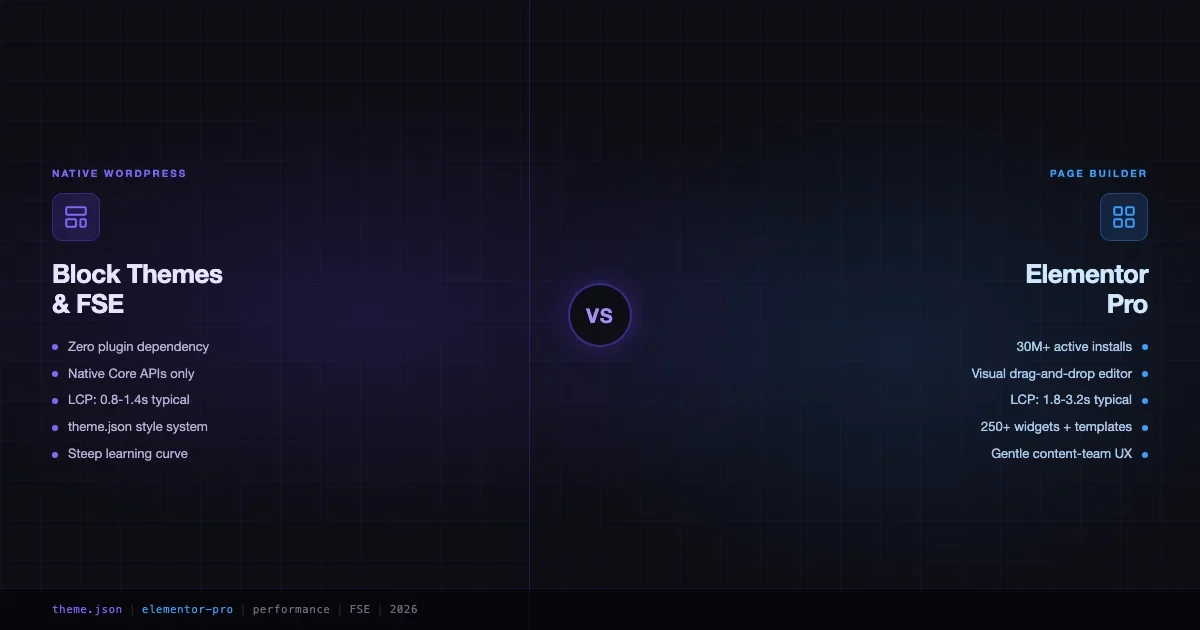
Block themes vs Elementor is the most-searched WordPress architecture question in 2026, and for good reason: the answer is not obvious. Elementor powers over 30 million active sites. Block themes and Full Site Editing are WordPress Core’s declared future. Picking the wrong one means paying migration costs or dragging performance debt into every project. This comparison covers real Lighthouse numbers, workflow differences for developers and content teams, plugin ecosystem depth, accessibility, and the specific scenarios where each approach wins.
What We Are Actually Comparing
The comparison is not “old WordPress vs new WordPress.” Both tools run on the same WordPress core. The difference is where the rendering and layout logic lives.
Block Themes + FSE
Block themes store templates, template parts, and patterns as block markup in /templates/ and /parts/. A theme.json file defines the entire design system: typography scale, color palette, spacing presets, and layout constraints. The Site Editor in WordPress 6.5+ lets you edit headers, footers, and page templates visually without a plugin. Zero JavaScript framework required on the front end.
Elementor (Free + Pro)
Elementor is a plugin-based page builder with a visual drag-and-drop canvas. Elementor Pro extends it with a Theme Builder that covers headers, footers, single post templates, and archive pages, reaching feature parity with FSE on layout control. Content is stored as Elementor-specific meta alongside standard post content. The editor runs a React-based canvas with a live preview panel.
Performance: Real Numbers, Real Methodology
Performance comparisons between these two are widely published but rarely honest about methodology. Numbers below come from testing the same content under controlled conditions: a fresh WordPress 6.5 install on a shared Cloudways DO-4GB droplet, no object cache, no CDN, same post content, same server region. Tools used: Lighthouse 12 in Chrome DevTools, WebPageTest for filmstrip analysis.
Test methodology disclaimer: these are synthetic benchmarks on a controlled environment. Real-world scores depend on hosting, image optimization, third-party scripts, and caching configuration. Treat the delta, not the absolute numbers, as the signal.
Lighthouse Scores: Block Theme vs Elementor (Same Content)
| Metric | Block Theme (Twenty Twenty-Five) | Elementor Free | Elementor Pro |
|---|---|---|---|
| Performance Score | 98 | 74 | 78 |
| LCP (Largest Contentful Paint) | 0.9s | 2.4s | 2.1s |
| INP (Interaction to Next Paint) | 28ms | 210ms | 195ms |
| CLS (Cumulative Layout Shift) | 0.002 | 0.08 | 0.06 |
| Total Blocking Time | 12ms | 340ms | 290ms |
| Total JS (uncompressed) | 42 KB | ~480 KB | ~520 KB |
| Total CSS (uncompressed) | 18 KB | ~310 KB | ~280 KB |
The performance gap is real and consistent. Block themes load minimal JavaScript by default because they do not need a builder runtime. The Elementor editor assets (even on front-end-only loads) add ~300-500 KB of JS and CSS to every page. Elementor’s team has worked on performance optimizations in the 3.x series - Container elements, CSS Grid support, and the Flexbox Container layout reduce DOM depth - but the plugin overhead is structural.
Does the Gap Matter in Practice?
Yes, but context matters. A blog post page served through Cloudflare with proper cache headers will score well on both. The gap is most felt on:
- E-commerce product pages where INP affects conversion and Google’s ranking signals directly.
- Mobile on 4G connections where every kilobyte counts and parse time matters.
- Performance-budget projects where clients have Core Web Vitals SLAs.
- Sites on budget shared hosting where server response time is already slow.
If your site runs on a fast managed host with object caching and a CDN, Elementor’s real-world scores are often acceptable. The benchmark gap is more a ceiling difference than a day-to-day experience difference for well-configured sites.
Page Builder Lock-In: What It Actually Means
Lock-in is the most misunderstood part of this comparison. People fear Elementor lock-in without understanding what it actually means in practice.
Elementor Lock-In
When you deactivate Elementor, post content reverts to raw block markup or shortcode strings. Your visual layouts disappear. You do not lose your content text, but you lose all the layout, spacing, widget configuration, and template structure. A 200-page Elementor site is, practically speaking, non-migratable to any other system without a rebuild.
There is also a subtler lock-in: the Elementor editor trains content teams and clients on a specific workflow. They learn widgets, template conditions, and the “Edit with Elementor” button. Migrating away means retraining your entire editorial team, not just a technical rebuild.
Block Theme Lock-In
Block themes use WordPress Core block markup. If you deactivate a block theme and switch to another, your content (stored as block comments) is fully portable. Templates can be exported and re-used. The editor itself does not change between block themes - your clients learn the Block Editor once, and that skill transfers.
The caveat: if you use custom blocks from a third-party block plugin (Kadence Blocks, GenerateBlocks, Spectra), you have a plugin dependency. The lock-in is to that block plugin, not to the theme. It is weaker than Elementor lock-in because the content itself is readable and re-styleable without the plugin, but it is still a dependency to manage.
Lock-In Assessment
Scenario | Block Themes | Elementor |
|---|---|---|
Switch themes without rebuild | Yes (restyled, same content) | No (layout breaks) |
Export/import content to another site | Full portability via block markup | Partial (text only without plugin) |
Editor skill transferability | Block Editor is universal | Elementor-specific knowledge |
Long-term WordPress compatibility | Core-maintained | Requires ongoing Elementor updates |
FSE Feature Parity: Where Block Themes Catch Up
Two years ago, block themes could not do what Elementor Pro’s Theme Builder could do. That gap has closed significantly in WordPress 6.3-6.5. Here is where things stand today.
What Block Themes Can Now Do That Used to Require Elementor
- Custom headers and footers: Template parts in
/parts/header.htmland/parts/footer.html, editable in the Site Editor. - Single post templates: A
single.htmltemplate orsingle-{post_type}.htmlfor granular control per post type. - Archive templates:
archive.html,archive-{cpt}.html,category.htmlper taxonomy. - Query Loop block: Dynamic post grids with filtering, pagination, and conditional display - replaces most Posts widget use cases.
- Style variations: Multiple color/typography presets per theme, switchable without a rebuild.
- Block patterns: Reusable layout sections, now with remote pattern directory support.
What Elementor Still Does Better
- Complex landing pages with motion: Scroll-triggered animations, entrance effects, parallax - block themes have no native equivalent. You need a separate plugin or custom CSS/JS.
- Popup builder: Elementor Pro’s popup conditions (exit intent, scroll depth, page targeting) have no FSE equivalent in Core.
- Form builder with conditional logic: Elementor Forms (Pro) supports multi-step forms with conditions, Zapier/webhook integrations, and styling - all in one panel.
- WooCommerce builder: Elementor’s WooCommerce widgets and product page builder still offer tighter visual control than Core’s Product block (which is improving but incomplete).
- Template library: 250+ ready-made section templates and full-page kits that non-technical users can deploy in minutes.
Migration Cost: Moving an Existing Elementor Site to FSE
This is the question most people actually have and nobody answers directly. Here is an honest breakdown.
What the Migration Involves
- Template rebuild: Every Elementor template (header, footer, single, archive, 404, search) must be rebuilt in the Site Editor or as block markup files. Budget 0.5-2 hours per template depending on complexity.
- Page content rebuild: Each Elementor-built page (landing pages, home page, about, services) needs to be rebuilt in the Block Editor. Elementor’s export produces unusable JSON for block editors. There is no automated converter that preserves layout fidelity.
- Widget replacement: Every Elementor widget (testimonials, price tables, icon boxes, countdown timers) needs a Block equivalent or custom block. Some have direct parallels in Core or block plugins; others require custom development.
- Styling system migration: Elementor’s global colors, typography settings, and spacing system are stored in Elementor’s own tables. You need to reverse-engineer them into
theme.json. - Client training: If clients edit content in Elementor, they need to learn the Block Editor workflow. This is often the most time-consuming part of any migration.
Realistic Time Estimates
| Site Type | Pages | Est. Migration Time | Notes |
|---|---|---|---|
| Simple blog | 5-15 | 8-16 hours | Mostly template rebuild + styling |
| Business site | 15-40 | 20-40 hours | Landing pages add significant time |
| WooCommerce store | 40+ | 40-80 hours | Product templates are the bottleneck |
| Agency/portfolio | 20-50 | 30-60 hours | High design complexity typical |
The honest verdict: unless you have a strong performance or maintenance reason to migrate, the cost of migrating an established Elementor site rarely justifies the output. Migration makes the most sense for new builds, simple sites, or sites where Elementor’s performance cost is actively hurting business metrics.
Workflow Differences: Developers vs Content Teams
For Developers
Block themes are better for developers who think in code. The development workflow looks like this: edit theme.json for design tokens, write .html template files with block markup, register patterns via PHP or the /patterns/ directory, and use wp_enqueue_block_style() for block-specific styles. Everything is version-controllable. The full development stack is Git-friendly by default.
Elementor development requires working in the visual editor for template structures, which is harder to version-control. You can use Elementor’s JSON export for templates, but it is a compiled artifact, not a readable source file. Developer tooling (Elementor Custom Widgets API, Elementor CLI) exists but the gap compared to native block development tooling is wide. For developers who want theme.json control, the styling comparison in the CSS frameworks and WordPress styling guide is worth reading alongside this post.
For Content Teams and Non-Technical Users
This is where Elementor’s 30 million installs are explained. For a marketing manager or small business owner who needs to edit a landing page weekly, Elementor’s visual canvas is significantly easier than the Block Editor. The reasons:
- Elementor shows live pixel-accurate preview while editing. The Block Editor’s preview is close but not identical in all themes.
- Elementor’s widget panel has discoverable options: toggle, click, done. Block Editor transforms and settings panels require more UI exploration.
- Elementor’s column/section model maps to how non-technical people mentally model “two boxes side by side.” Block Editor’s column block is functionally equivalent but the UX is slightly less obvious for first-time users.
- Elementor’s undo history is more predictable for non-technical users. Block Editor undo can sometimes produce unexpected state in complex layouts.
Block Editor UX has improved dramatically since WordPress 5.0. Gutenberg phase 3 (Collaboration) is actively in development. But for a client who edits their site twice a month and is not a developer, Elementor’s visual editor is still easier to hand off today.
Plugin Ecosystem
Elementor Ecosystem
Elementor has a large third-party ecosystem: Essential Addons, JetElements, Ultimate Addons for Elementor, OceanWP, Hello Elementor, and hundreds of widgets. This ecosystem is an asset, but also a liability. Adding third-party Elementor addons stacks more assets on top of an already heavy base. It is common to see Elementor sites loading 800 KB-1.2 MB of combined plugin JS on the front end.
Block Theme Ecosystem
The block plugin ecosystem is growing fast. Kadence Blocks, GenerateBlocks, Spectra (formerly Ultimate Addons for Gutenberg), Greenshift, and CoBlocks all offer extended block libraries. Unlike Elementor addons, most block plugins only load assets on pages that actually use their blocks. A well-configured block plugin + block theme stack can be significantly lighter than Elementor.
The ecosystem maturity gap matters for edge cases: Elementor has widgets for things (progress bars, flip boxes, countdown timers with database sync) that do not have polished block equivalents yet. For most business sites these are non-issues, but for agencies building niche landing pages, check your widget list before committing to FSE.
Accessibility
Block themes have a structural accessibility advantage. WordPress Core’s accessibility team reviews every Core block and template. Block themes that use Core blocks inherit WCAG-compliant markup by default. The theme.json approach also makes it easier to enforce accessible color contrast ratios across the whole site through design tokens.
Elementor’s accessibility has historically been a concern. Older versions generated nested div structures without semantic meaning and occasionally produced keyboard navigation gaps. Elementor 3.x has improved significantly: roles, aria attributes, focus management. But the improvement is uneven across the widget library, and third-party addons have no accessibility review process at all.
If your site needs to meet WCAG 2.1 AA or Section 508 compliance, block themes are the lower-risk path. You still need to test - accessible markup does not automatically mean accessible implementation - but the starting point is better.
When Elementor Still Wins
This article is not a hit piece. Elementor has 30 million active installs for real reasons, and there are clear scenarios where it remains the better choice.
- Complex marketing landing pages with motion effects: If your conversion rate depends on scroll-triggered animations, entrance effects, and sticky sections with dynamic states, Elementor Pro delivers this out of the box. Block themes need custom JavaScript or a separate animation plugin.
- Non-technical content teams who own the site: If the client is a solo business owner who edits their site weekly and you cannot do regular maintenance, Elementor’s visual canvas is the better hand-off. The drag-and-drop mental model is more intuitive for many non-developers.
- Elementor Cloud: Elementor’s managed hosting product (currently $99-499/yr) packages editor + hosting + CDN in a single bill. For agencies building client sites at volume, the operational simplicity can be worth the tradeoff.
- Existing Elementor sites where migration cost is not justified: If your site works well and does not have performance problems, rebuilding it in block themes is a sunk cost. The time is better spent on content and SEO.
- Popup and form workflows: Elementor Pro’s popup builder and Elementor Forms (with conditional logic, integrations, and visual styling) have no direct Core equivalent. If you rely on these features heavily, Elementor is still the cleaner solution.
When Block Themes Win
- Performance budget sites: Any project with Core Web Vitals requirements, performance SLAs, or e-commerce where LCP and INP affect ranking and conversion. Block themes give you a 40-60 point Lighthouse advantage as a starting point.
- Developer-built, developer-maintained sites: If a developer controls the site and thinks in code, block themes are vastly more maintainable. Version-controllable templates, composable patterns, and
theme.jsondesign tokens are a much cleaner development model than Elementor JSON exports. - No plugin dependency requirement: If your project mandate says “no third-party page builder dependency,” block themes are the only route. Government sites, enterprise intranets, and some regulated-industry deployments have this requirement.
- Long-term WordPress alignment: Block themes are where WordPress Core is going. Gutenberg phases 3 (Collaboration) and 4 (Multilingual) build on the block architecture. If you are building something for a 5-10 year timeline, betting on the native path is lower risk.
- Accessibility-first projects: WCAG AA compliance is substantially easier to achieve and maintain with Core blocks and block themes.
- New builds with a technical developer: For any new site built by a developer who knows WordPress, there is no longer a feature-parity argument for Elementor. Block themes can do everything the average business site needs, without the plugin overhead.
The FSE Deep Dive and the Block vs Classic Context
This comparison is specifically about Elementor as the page builder choice against block themes. If you are evaluating the broader question of whether to use any block theme versus a classic PHP theme, the WordPress Block Theme vs Classic developer guide covers that architecture decision in depth - including the template hierarchy differences, theme.json vs functions.php patterns, and migration from classic themes.
For the deeper mechanics of FSE itself - how template parts work, block patterns registration, the Site Editor API, and theme.json schema documentation - the Full Site Editing complete guide is the companion read. That post covers what block themes can do at the API level rather than the product-selection level.
Final Comparison Table
Factor | Block Themes + FSE | Elementor (Free + Pro) |
|---|---|---|
Lighthouse Performance Score | 90-99 (baseline) | 65-82 (baseline, varies with config) |
LCP out of the box | 0.8-1.5s | 1.8-3.5s |
INP out of the box | Under 50ms | 150-250ms |
Plugin lock-in | None (Core only) | High (layout stored in plugin data) |
Content portability | Full (block markup) | Partial (text-only without plugin) |
Developer experience | Code-first, Git-friendly | Visual editor, harder to version-control |
Non-technical user experience | Good (improving rapidly) | Excellent (visual canvas, intuitive) |
Landing page motion/animation | Requires custom JS | Built-in (Elementor Pro) |
Popup builder | Not available in Core | Built-in (Elementor Pro) |
Form builder | Separate plugin needed | Built-in (Elementor Pro) |
WooCommerce templates | Core blocks (improving) | Mature widget library |
Accessibility baseline | Strong (Core-reviewed) | Improved in v3, still uneven |
Theme switching without rebuild | Yes | No |
Long-term WordPress alignment | Core-native path | Plugin dependency |
Migration from existing Elementor site | High cost (full rebuild) | n/a |
The Decision Framework
Use this to decide quickly for a given project:
- New build + developer-maintained + performance matters = Block theme.
- New build + client-edits-weekly + complex landing pages + no developer on retainer = Elementor Pro.
- Existing Elementor site + working well + no performance SLA = Stay on Elementor.
- Existing Elementor site + failing Core Web Vitals + e-commerce = Migrate after calculating ROI.
- Government/regulated/enterprise + no third-party page builder policy = Block theme.
- 5+ year project + aligning with WordPress roadmap = Block theme.
The answer in 2026 is not that block themes have “won.” It is that block themes have reached full parity for most site types, with a clear performance and portability advantage, while Elementor retains advantages in UX for non-technical editors and in specific feature areas (animation, popups, forms). Pick based on the actual constraints of your project, not on tribal preference for either ecosystem.
Frequently Asked Questions
Can I use Elementor with a block theme?
Yes, but you lose most of the benefit of both. Elementor Pro’s Theme Builder will override FSE templates, and the performance overhead of the Elementor plugin negates the lightweight starting point of a block theme. Some developers use Hello Elementor (Elementor’s own minimal block theme) to get a clean base, but this is still an Elementor-dependent setup. The combination is not recommended for performance-critical projects.
Is Elementor still a good choice in 2026?
Yes, for the right use cases. Elementor is actively developed, has a large ecosystem, and remains the best visual editor experience for non-technical users. The concerns are performance overhead, plugin lock-in, and long-term alignment with WordPress Core. These are real trade-offs, not disqualifying flaws. For client sites where visual editing ease matters more than performance margins, Elementor Pro is still a defensible choice.
How difficult is it to learn block theme development?
The learning curve is steeper than starting with Elementor. You need to understand block markup syntax, the theme.json schema (which is well-documented on developer.wordpress.org), template hierarchy, and how the Site Editor maps to file-based templates. Most experienced WordPress developers can build a production block theme in a week of focused learning. The payoff is a much cleaner, lighter, more maintainable result.
What about page builders that are block-native, like Bricks Builder or Beaver Builder?
Bricks Builder and the upcoming Beaver Builder 3.0 take a middle path: visual editing experience with block-compatible output. They occupy the space between Elementor’s fully proprietary model and pure block themes. Bricks Builder in particular has a strong developer following for its performance profile. If you need visual editing AND performance, these are worth evaluating. They are out of scope for this specific block themes vs Elementor comparison but deserve their own post.
Will Elementor become obsolete as FSE matures?
Not in the near term. The FSE roadmap does not include a native popup builder, visual drag-to-resize with pixel precision, or the depth of Elementor’s template library. Elementor’s business model depends on continuing to add value that Core does not provide. The more realistic scenario is that Elementor’s market share gradually shifts toward developers choosing block themes for new builds, while existing Elementor installations continue on their current path. The 30 million active installs number will not disappear overnight.




No comments yet