Short answer: if you already run a membership community and want to add job postings as a real member benefit, not a bolted-on side project, pair WP Career Board with BuddyNext so listings are tied to the same member accounts and profiles your community already uses. WP Job Manager integrated with BuddyPress is the free DIY version of the same idea if you already have that stack running. A standalone job board (see our dedicated comparison) is the better call if the jobs side needs to stand completely apart from membership.
A community job board is a genuinely different problem than a standalone jobs site. The listings aren’t the whole product, they’re one feature inside a broader relationship your members already have with the community: an industry association’s directory, an alumni network, a professional group. The plugin choice here is less about job-board features in isolation and more about how cleanly the job board plugs into the membership system already running the site.
On this page
- Quick comparison
- What a community job board actually needs
- Public or members-only: the real architecture decision
- Standalone job board versus community-integrated
- 1. WP Career Board + BuddyNext
- 2. WP Job Manager + BuddyPress
- Feature comparison
- Frequently asked questions
- Which one should you actually pick
- Keeping listing quality high once members can post freely
Quick comparison
Option | Best for | Starting price | Member-account tie-in |
|---|---|---|---|
WP Career Board + BuddyNext | Owned community with job postings as a real member benefit | Community core free, listings pricing varies | Native, same login |
WP Job Manager + BuddyPress | Free DIY combination | Free, both plugins | Manual setup required |
Standalone job board | Jobs as the primary product, not a community feature | See our dedicated job board roundup | Not applicable |
What a community job board actually needs
A job board bolted onto an existing membership community gets judged on a narrower, more specific set of criteria than a standalone jobs site:
- One login, not two accounts. A member forced to create a second account just to post or apply for a job will mostly skip it. The listing system should recognize the same member profile the rest of the community already uses.
- Visibility tied to membership status. Whether listings are visible to the public, to logged-in members only, or to a specific member tier is a real decision the plugin needs to support cleanly, not force through a workaround.
- Employer identity tied to a real member. A job posting from “a member of this association” carries more trust than an anonymous listing, which is exactly the advantage a community job board has over a generic jobs site, if the plugin surfaces that connection.
- Low moderation overhead. Members posting listings directly means spam and low-quality posts are a real risk. Native moderation tools, not a second plugin bolted on afterward, keep this manageable.
Public or members-only: the real architecture decision
This is the question worth answering before choosing a plugin, since it shapes the whole setup more than any individual feature does. A fully public job board (visible to search engines, open to non-member applicants) maximizes reach for employers and can be a genuine SEO asset for the organization, since job listings are searched-for content. A members-only job board trades that reach for exclusivity, positioning the listing access itself as a paid or membership-tier benefit worth joining for.
Many organizations land on a middle path: listings are publicly visible and indexable (good for SEO and employer reach), but posting a listing or seeing full applicant details requires membership. This gets the discovery benefit of public visibility while keeping the actual value-add, posting rights and full access, tied to membership. BuddyNext’s member types make this kind of tiered visibility straightforward to configure without custom development, since public content and members-only content can coexist on the same install with different access rules per content type.
There’s no universally correct answer here independent of the organization’s actual goals. An association trying to demonstrate value to prospective members benefits from public visibility that showcases active job postings as proof the community is worth joining. An organization protecting a competitive advantage for existing members (an exclusive network effect) benefits more from keeping listings members-only. Decide this explicitly rather than defaulting into whichever setting happens to be easiest to configure first.
Standalone job board versus community-integrated
It’s worth being explicit about when a community-integrated job board is the wrong call. If job listings are meant to be the primary product of the site, a general career-focused destination attracting its own dedicated audience rather than a benefit layered onto an existing community, a standalone job board is usually the better architecture. Forcing a primary-product job board to live inside a community plugin’s data model can create unnecessary friction for an audience that never wanted to join a broader community in the first place, they just want to see or post jobs.
The community-integrated pattern covered in this post is specifically for the opposite case: an organization where the community already exists and already has real member value, and job postings are being added as one more reason to stay engaged, not as a new standalone business line. If that’s not the situation, our standalone job board comparison covers the plugins built for jobs as the primary product, with WP Career Board, WP Job Manager, and Simple Job Board compared on their own merits rather than as a community add-on.
1. WP Career Board + BuddyNext
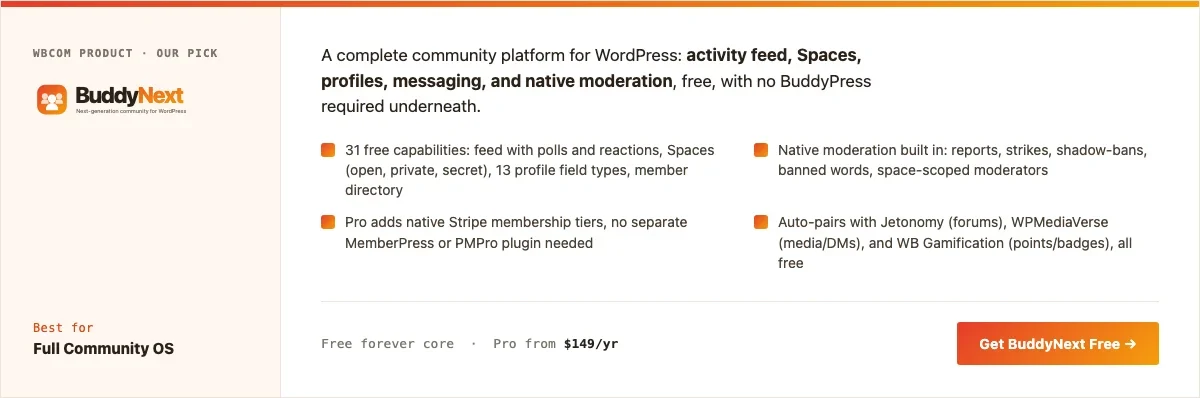
Disclosure: BuddyNext is built by Wbcom Designs, who we work with. We’re recommending this pairing because tying job listings to existing member profiles genuinely solves the one-login problem, not because of that relationship.
WP Career Board handles the listing mechanics, posting, applications, employer accounts, while BuddyNext supplies the member community the job board plugs into: the same profiles, the same login, and BuddyNext’s member types to control whether listings are public, members-only, or tied to a specific membership tier.
Architecture note: the reason this pairing matters specifically for a community job board is that a member posting a listing does so as themselves, the same profile other members already recognize from the community feed and directory, not as an anonymous account created just to post a job. That identity connection is the actual differentiator a community-integrated job board has over a generic listings site, and it only works if the two systems share the same member accounts rather than running as separate logins.
What we like: listings tied to real member profiles rather than anonymous accounts. BuddyNext’s member types make public-vs-members-only visibility straightforward. Native community moderation extends naturally to listing moderation.
Could be improved: requires configuring two plugins together rather than one all-in-one tool. Smaller ecosystem of career-specific integrations than a dedicated jobs platform.
Pricing: BuddyNext community core free forever. WP Career Board pricing varies, check the current listing on the product page.
2. WP Job Manager + BuddyPress
The free, DIY version of the same idea: WP Job Manager handles listings, BuddyPress supplies the community and member accounts. Both plugins are free and each has a decade of documentation behind it, but nothing auto-integrates between them, expect real setup time connecting the two systems to share a consistent member identity.
What we like: completely free stack. WP Job Manager is a genuinely mature, well-documented jobs plugin with a large add-on ecosystem. BuddyPress has the largest available community theme ecosystem.
Could be improved: no native integration between the two, real manual setup work to connect member identity to job postings. No native moderation suite in BuddyPress itself.
Pricing: both plugins free; individual WP Job Manager add-ons priced separately.
Feature comparison
Feature | WP Career Board + BuddyNext | WP Job Manager + BuddyPress |
|---|---|---|
Shared member identity | Native pairing | Manual integration work |
Native moderation | Yes, via BuddyNext | No, needs add-on |
Tiered visibility (public/members-only) | Yes, via member types | Manual setup |
Cost | Community core free, listings pricing varies | Free, both plugins |
Setup complexity | Moderate | Higher, more manual work |
Frequently asked questions
Should job listings be free for members or a paid add-on?
Both patterns are common. Free member-benefit listings work well for associations positioning jobs as part of the core membership value. A paid listing fee (charged to the employer, not the applicant) works well when the organization wants job postings to be a direct revenue line rather than a pure member perk.
Can non-members apply to listings on a members-only job board?
That’s a configuration choice, not a technical limitation, decide whether listings themselves are public with applications restricted to members, or the entire board is members-only end to end. Public listings with members-only application access is a common middle ground that maximizes employer reach while keeping the applicant pool curated.
What’s the fastest way to add a basic job board to an existing BuddyNext community?
Install WP Career Board, configure basic posting permissions tied to member types, and add a link from the main navigation. A basic version is realistically a day or two of setup for someone comfortable with WordPress, not a multi-week project.
Do employers need to be members to post a listing?
Not necessarily. Some organizations require full membership to post; others sell posting access separately as an employer-specific product, distinct from individual membership. Either pattern is workable, decide based on whether employer relationships and member relationships are meant to be the same audience or different ones.
How is this different from a general community forum thread about job openings?
A forum thread has no structure, filtering, or application flow, it’s just a conversation. A real job board gives listings their own searchable, filterable format (title, company, location, category) and a defined application flow, which matters once posting volume grows past a handful of occasional mentions.
Can this pairing scale to a large, high-volume job board?
For genuinely high-volume job boards where listings are the primary product, a dedicated standalone job board setup (see our standalone comparison) is usually a better fit than a community-integrated pairing, since a community-first architecture optimizes for member identity and moderation, not maximum listing throughput.
Which one should you actually pick
If you’re running a real membership community already and want job postings to feel like a natural extension of it, not a bolted-on side feature, pair WP Career Board with BuddyNext and lean on member types to control visibility. Choose the WP Job Manager plus BuddyPress combination if budget is the primary constraint and a developer or technically comfortable admin is available to handle the manual integration work. If job listings are meant to be the actual product the site is built around, skip the community-integration question entirely and go straight to our standalone job board comparison instead.
Keeping listing quality high once members can post freely
Once members can post their own listings without staff pre-approval, quality control becomes an ongoing operational question, not a one-time setup decision. A simple approval queue for new members’ first listing (auto-approved after a track record is established) catches most low-quality or spam posts without creating friction for established, trusted members who’ve posted good listings before.
It’s also worth deciding upfront how long a listing stays live by default. An expired listing left up indefinitely erodes trust in the board over time, since visitors start noticing stale postings for roles that were filled months ago. A default 30 to 60 day expiration, with an easy one-click renewal for the employer, keeps the board feeling current without requiring staff to manually audit listings on a schedule.
Should the job board be a free perk or a paid membership tier?
This is worth deciding deliberately rather than defaulting to whatever the plugin ships with by default. A job board offered free to all members is the simplest setup and the fastest way to prove the feature has real value before asking anyone to pay for it specifically. Once usage data shows members actually care (real applications happening, employers coming back to post again), gating full posting or application access behind a paid membership tier becomes a much easier sell, both to the organization’s leadership and to the members themselves, since there’s already evidence the feature is worth paying for.
A middle path many organizations land on: job browsing stays free and public for all members (which also helps with the SEO and employer-reach benefits covered earlier), while posting a listing as an employer, or unlocking full applicant contact details, sits behind a specific paid tier or a per-listing fee. This keeps the discovery value open while tying the actual monetizable action, posting or full access, to payment. BuddyNext Pro’s native Stripe tiers make this kind of split access configuration straightforward without custom development, since the same member-type system controlling Space access can control job-board posting rights too.
A realistic launch checklist for a community job board
Before opening posting to the whole membership, a few concrete steps make the difference between a job board that feels alive on day one and one that sits empty for months. First, seed it: reach out directly to a handful of employer members or partner organizations and ask them to post a real, current opening before any public announcement. An empty job board next to an active community feed reads as an unfinished feature, exactly the same first-impression problem covered elsewhere in this series for new forums and directories.
Second, decide on the approval workflow before the first listing comes in, not after. Will every new listing need staff review before it goes live, or only a new poster’s first submission, with established posters auto-approved afterward? Deciding this in advance avoids an awkward scramble the first time a questionable listing appears. Third, set clear, simple posting guidelines (what counts as a legitimate listing, what’s off-topic or spam) and make them visible on the posting form itself, not buried in a separate terms page nobody reads before submitting.
Finally, plan the announcement for after the board has a handful of real listings in it, not the moment the plugin is installed. The same seeding-before-announcing pattern that applies to launching a new forum section or a member directory applies here too: members who check a freshly announced feature and find it empty are less likely to check back later, even after it fills in, than members who see genuine activity from the first visit.
Related WordPress plugin guides
- Best WordPress Resume Database Plugins: if members should also be able to post a searchable candidate profile, not just browse openings
- Best WordPress Community Plugins: our general roundup for the membership community this job board plugs into
Measuring whether the job board is actually a member benefit
A community job board is easy to launch and easy to quietly let go stale, so it’s worth deciding upfront how you’ll actually know if it’s working. The simplest useful signal is whether new listings keep appearing on a real cadence, weekly at minimum for most professional communities, since a board with a handful of months-old postings signals abandonment to any member who checks it twice. Track this the same way you’d track any other membership benefit, rather than assuming that launching the feature once is enough to make it a genuine draw for renewal.
A second, quieter signal worth watching is whether members actually mention the job board when asked what they value about the community, in renewal surveys, exit interviews, or informal conversation. A benefit nobody mentions unprompted, even if the usage numbers look reasonable, may be delivering less real value than a smaller feature members bring up on their own. Both signals matter more than raw pageviews, which can look healthy even on a board that isn’t actually helping anyone find work or hire well.
Getting employers to actually post here instead of elsewhere
The hardest part of a community job board isn’t usually the technical setup, it’s convincing employers to post here specifically instead of defaulting to LinkedIn or Indeed out of habit. The strongest pitch a niche community can make is candidate quality over candidate quantity: employers posting to a professional association’s job board are reaching people already vetted by membership in the field, which is a genuinely different value proposition than a general job board’s much larger but far less filtered audience.
Making that pitch concrete matters more than making it loudly. Sharing real numbers with prospective employer-posters, how many qualified members are active in the community, roughly how many views a typical posting gets, gives them something to actually evaluate rather than a vague promise of reach. Early on, before those numbers exist, personally inviting a handful of employers the organization already has a relationship with to post the first few listings, the same cold-start seeding problem every two-sided marketplace faces, does more to establish real momentum than a generic “post your jobs here” announcement ever will.
Deciding whether a community job board should charge employers
Many organizations default to making job postings free for employers, treating the board purely as a member benefit rather than a revenue source, and that’s a completely reasonable choice for a young or small board still trying to prove it brings real value. Charging a fee before the board has demonstrated real reach to job-seeking members tends to suppress the exact employer participation a new board needs most to become genuinely useful.
Once the board has a real track record, a modest posting fee becomes a more reasonable ask, and for some organizations it’s a genuine, if usually modest, revenue line that helps justify the ongoing maintenance cost of running the board at all. A common middle path: keep basic listings free to maximize the number of postings, and charge only for a featured or highlighted placement, which lets budget-conscious employers still participate while giving the organization a real monetization option for employers who want extra visibility.
A quick operational note worth adding before launch: decide who reviews new job listings before they go live, even if that review takes thirty seconds per post. A community job board with no moderation step will eventually attract a spam listing or an off-topic post, and the first one a member notices does real damage to trust in the board as a genuine member benefit rather than an open bulletin board anyone can post to.
Last reviewed: September 2026.




No comments yet