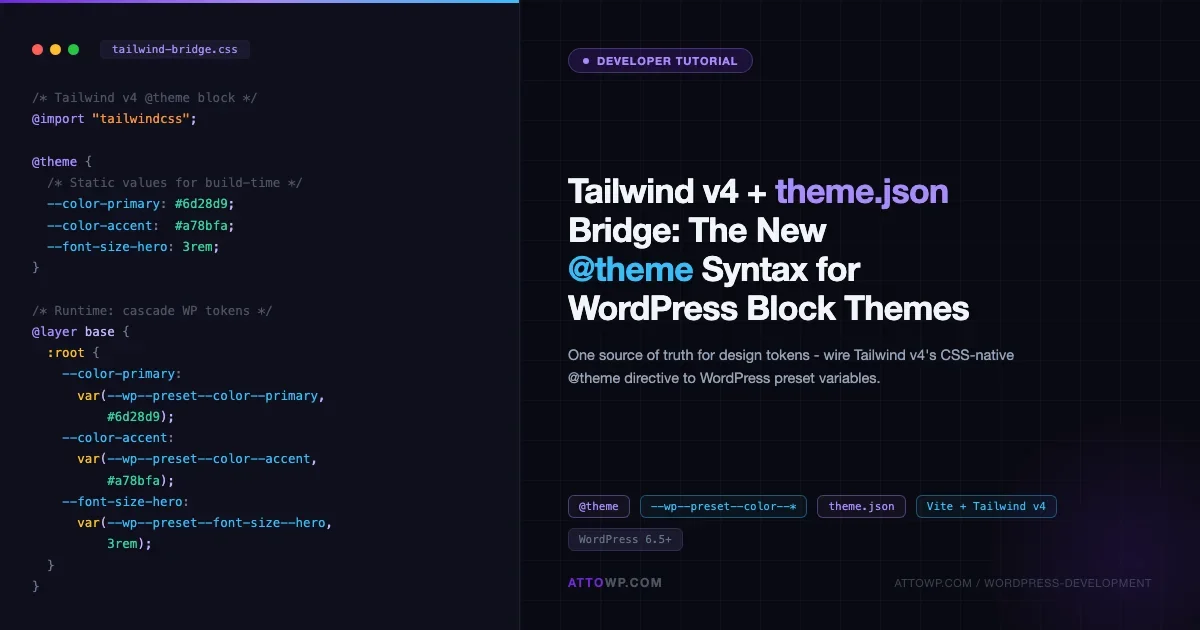
Tailwind CSS v4 rewrites its configuration model from top to bottom. Gone is the JavaScript config file. In its place: a CSS-native @theme directive that turns your stylesheet into the single source of truth for design tokens. For WordPress block theme developers, this creates a practical question: how do you wire Tailwind v4’s @theme syntax to theme.json so both systems share the same color palette, spacing scale, and typography without maintaining two separate files? This tutorial walks through the bridge, step by step.
What Changed in Tailwind v4’s @theme Directive
Tailwind v4 ships with a fundamentally different approach to token definition. Before v4, you ran tailwind.config.js and extended the theme object in JavaScript. In v4, you define tokens directly in CSS using the @theme at-rule, and Tailwind generates utilities from those definitions at build time.
Here is what a minimal @theme block looks like in v4:
/* style.css */
@import "tailwindcss";

@theme {
  --color-primary: #6d28d9;
  --color-secondary: #a78bfa;
  --color-surface: #1e1b4b;

  --font-family-sans: "Inter", sans-serif;
  --font-family-mono: "Fira Code", monospace;

  --spacing-section: 4rem;
  --spacing-card: 1.5rem;

  --font-size-hero: 3rem;
  --font-size-body: 1rem;

  --border-radius-card: 0.5rem;
}
Tailwind reads every custom property declared inside @theme and automatically generates corresponding utility classes: bg-primary, text-secondary, p-section, font-mono, and so on. No plugin config, no JavaScript required. The CSS file is the config.
This is a significant departure from v3, and it creates an opportunity for WordPress block themes: theme.json already uses a similar token model, just expressed in JSON. The bridge between them is mechanical once you understand the mapping.
How theme.json Design Tokens Work
WordPress generates CSS custom properties from theme.json at render time. Every palette color becomes a --wp--preset--color--{slug} variable. Every spacing value becomes --wp--preset--spacing--{slug}. Font sizes map to --wp--preset--font-size--{slug}.
A minimal theme.json with the same design intent as the Tailwind block above:
{
  "$schema": "https://schemas.wp.org/trunk/theme.json",
  "version": 3,
  "settings": {
    "color": {
      "palette": [
        {
          "slug": "primary",
          "color": "#6d28d9",
          "name": "Primary"
        },
        {
          "slug": "secondary",
          "color": "#a78bfa",
          "name": "Secondary"
        },
        {
          "slug": "surface",
          "color": "#1e1b4b",
          "name": "Surface"
        }
      ]
    },
    "typography": {
      "fontSizes": [
        { "slug": "hero", "size": "3rem", "name": "Hero" },
        { "slug": "body", "size": "1rem", "name": "Body" }
      ],
      "fontFamilies": [
        {
          "slug": "sans",
          "name": "Sans",
          "fontFamily": "Inter, sans-serif"
        },
        {
          "slug": "mono",
          "name": "Mono",
          "fontFamily": "Fira Code, monospace"
        }
      ]
    },
    "spacing": {
      "spacingSizes": [
        { "slug": "section", "size": "4rem", "name": "Section" },
        { "slug": "card", "size": "1.5rem", "name": "Card" }
      ]
    },
    "border": {
      "radius": true
    }
  }
}
WordPress will render these as: --wp--preset--color--primary: #6d28d9, --wp--preset--font-size--hero: 3rem, and so on. Your block editor’s color picker, font size controls, and spacing controls all read from these generated properties.
Mapping theme.json Tokens to Tailwind v4 @theme Variables
The bridge is a CSS file that reads WordPress-generated properties and feeds them into Tailwind’s @theme block. You write it once; both systems stay in sync whenever you update theme.json.
Here is the mapping convention:
theme.json token | WordPress CSS var | Tailwind @theme var | Generated utility |
|---|---|---|---|
color.palette.primary |
|
|
|
color.palette.secondary |
|
|
|
typography.fontSizes.hero |
|
|
|
spacing.spacingSizes.section |
|
|
|
typography.fontFamilies.sans |
|
|
|
The rule: Tailwind v4 @theme variables use the same slug from theme.json, prefixed according to Tailwind’s naming convention (--color-, --font-size-, --spacing-). WordPress uses the --wp--preset--{namespace}--{slug} pattern.
So the bridge file assigns Tailwind variables from WordPress variables:
/* assets/css/tailwind-bridge.css */
@import "tailwindcss";

@theme {
  /* Colors - read from WordPress theme.json generated vars */
  --color-primary: var(--wp--preset--color--primary);
  --color-secondary: var(--wp--preset--color--secondary);
  --color-surface: var(--wp--preset--color--surface);

  /* Typography - font sizes */
  --font-size-hero: var(--wp--preset--font-size--hero);
  --font-size-body: var(--wp--preset--font-size--body);

  /* Typography - font families */
  --font-family-sans: var(--wp--preset--font-family--sans);
  --font-family-mono: var(--wp--preset--font-family--mono);

  /* Spacing */
  --spacing-section: var(--wp--preset--spacing--section);
  --spacing-card: var(--wp--preset--spacing--card);

  /* Border radius - no WP preset equiv, define directly */
  --radius-card: 0.5rem;
}
This approach has one important caveat: Tailwind v4 processes @theme at build time, not at runtime. Because CSS custom properties are runtime constructs, Tailwind cannot resolve var(--wp--preset--color--primary) to an actual value during its build step. What this means in practice is covered in the Caveats section below, but the short answer is that you pair this bridge with a fallback strategy.
Build Setup: Vite + Tailwind v4 in a Block Theme
Tailwind v4 is designed around Vite and modern ES module tooling. Here is a minimal setup for a WordPress block theme that compiles Tailwind alongside the theme’s stylesheet.
Directory Structure
my-block-theme/
├── theme.json
├── style.css              # Theme header + base styles
├── assets/
│   └── css/
│       ├── tailwind-bridge.css   # @theme definitions
│       └── compiled.css          # Output (gitignored)
├── vite.config.js
├── package.json
└── functions.php
package.json
{
  "name": "my-block-theme",
  "private": true,
  "scripts": {
    "dev": "vite build --watch",
    "build": "vite build"
  },
  "devDependencies": {
    "@tailwindcss/vite": "^4.0.0",
    "tailwindcss": "^4.0.0",
    "vite": "^6.0.0"
  }
}
vite.config.js
import { defineConfig } from "vite";
import tailwindcss from "@tailwindcss/vite";

export default defineConfig({
  plugins: [tailwindcss()],
  build: {
    lib: false,
    rollupOptions: {
      input: "assets/css/tailwind-bridge.css",
      output: {
        assetFileNames: "assets/css/compiled.css",
      },
    },
    outDir: ".",
    emptyOutDir: false,
  },
});
functions.php: Enqueue the Compiled Sheet
<?php
function my_theme_enqueue_assets(): void {
    // Core theme styles (theme.json generates wp-preset vars, this loads them)
    wp_enqueue_style(
        'my-theme-style',
        get_stylesheet_uri(),
        [],
        wp_get_theme()->get( 'Version' )
    );

    // Tailwind compiled output (references wp-preset vars at runtime)
    wp_enqueue_style(
        'my-theme-tailwind',
        get_template_directory_uri() . '/assets/css/compiled.css',
        [ 'my-theme-style' ],   // depends on core style so wp-preset vars exist
        filemtime( get_template_directory() . '/assets/css/compiled.css' )
    );
}
add_action( 'wp_enqueue_scripts', 'my_theme_enqueue_assets' );
The dependency array on the Tailwind sheet ensures WordPress loads the theme stylesheet first, which triggers the block editor to output the --wp--preset--* custom properties. The Tailwind compiled output then references those variables at runtime in the browser.
A Working Bridge Example: From theme.json to Utility Classes
Here is a complete, runnable example that wires a dark tech-focused block theme. The design system has five colors, three font sizes, two font families, and a spacing scale.
theme.json (complete)
{
  "$schema": "https://schemas.wp.org/trunk/theme.json",
  "version": 3,
  "settings": {
    "color": {
      "defaultPalette": false,
      "palette": [
        { "slug": "base",       "color": "#0f0f1a", "name": "Base" },
        { "slug": "surface",    "color": "#1a1a2e", "name": "Surface" },
        { "slug": "primary",    "color": "#6d28d9", "name": "Primary" },
        { "slug": "accent",     "color": "#a78bfa", "name": "Accent" },
        { "slug": "text",       "color": "#e2e8f0", "name": "Text" }
      ]
    },
    "typography": {
      "defaultFontSizes": false,
      "fontSizes": [
        { "slug": "sm",   "size": "0.875rem", "name": "Small" },
        { "slug": "base", "size": "1rem",     "name": "Base" },
        { "slug": "lg",   "size": "1.25rem",  "name": "Large" },
        { "slug": "xl",   "size": "1.5rem",   "name": "XL" },
        { "slug": "hero", "size": "3rem",     "name": "Hero" }
      ],
      "fontFamilies": [
        {
          "slug": "sans",
          "name": "Sans",
          "fontFamily": "-apple-system, BlinkMacSystemFont, 'Segoe UI', sans-serif"
        },
        {
          "slug": "mono",
          "name": "Mono",
          "fontFamily": "Menlo, Consolas, 'Courier New', monospace"
        }
      ]
    },
    "spacing": {
      "defaultSpacingSizes": false,
      "spacingSizes": [
        { "slug": "1", "size": "0.25rem", "name": "1" },
        { "slug": "2", "size": "0.5rem",  "name": "2" },
        { "slug": "4", "size": "1rem",    "name": "4" },
        { "slug": "6", "size": "1.5rem",  "name": "6" },
        { "slug": "8", "size": "2rem",    "name": "8" },
        { "slug": "12", "size": "3rem",   "name": "12" },
        { "slug": "16", "size": "4rem",   "name": "16" }
      ]
    }
  },
  "styles": {
    "color": {
      "background": "var(--wp--preset--color--base)",
      "text": "var(--wp--preset--color--text)"
    },
    "typography": {
      "fontFamily": "var(--wp--preset--font-family--sans)",
      "fontSize": "var(--wp--preset--font-size--base)"
    }
  }
}
tailwind-bridge.css (complete)
@import "tailwindcss";

@theme {
  /*
   * IMPORTANT: Tailwind v4 resolves @theme at build time.
   * var() references here produce runtime-resolved utilities,
   * not static token utilities. See the caveats section.
   * For static token generation, duplicate values here.
   */

  /* --- Colors: static copies for Tailwind utility generation --- */
  --color-base:    #0f0f1a;
  --color-surface: #1a1a2e;
  --color-primary: #6d28d9;
  --color-accent:  #a78bfa;
  --color-text:    #e2e8f0;

  /* --- Font sizes --- */
  --font-size-sm:   0.875rem;
  --font-size-base: 1rem;
  --font-size-lg:   1.25rem;
  --font-size-xl:   1.5rem;
  --font-size-hero: 3rem;

  /* --- Font families --- */
  --font-family-sans: -apple-system, BlinkMacSystemFont, "Segoe UI", sans-serif;
  --font-family-mono: Menlo, Consolas, "Courier New", monospace;

  /* --- Spacing --- */
  --spacing-1:  0.25rem;
  --spacing-2:  0.5rem;
  --spacing-4:  1rem;
  --spacing-6:  1.5rem;
  --spacing-8:  2rem;
  --spacing-12: 3rem;
  --spacing-16: 4rem;
}

/*
 * Runtime override layer: once WordPress has rendered its
 * --wp--preset--* vars into the page, cascade them over the
 * static Tailwind values. This keeps the block editor and
 * the Tailwind utilities in sync at runtime.
 */
@layer base {
  :root {
    --color-base:    var(--wp--preset--color--base,    #0f0f1a);
    --color-surface: var(--wp--preset--color--surface, #1a1a2e);
    --color-primary: var(--wp--preset--color--primary, #6d28d9);
    --color-accent:  var(--wp--preset--color--accent,  #a78bfa);
    --color-text:    var(--wp--preset--color--text,    #e2e8f0);

    --font-size-sm:   var(--wp--preset--font-size--sm,   0.875rem);
    --font-size-base: var(--wp--preset--font-size--base, 1rem);
    --font-size-lg:   var(--wp--preset--font-size--lg,   1.25rem);
    --font-size-xl:   var(--wp--preset--font-size--xl,   1.5rem);
    --font-size-hero: var(--wp--preset--font-size--hero, 3rem);

    --font-family-sans: var(--wp--preset--font-family--sans, -apple-system, sans-serif);
    --font-family-mono: var(--wp--preset--font-family--mono, Menlo, monospace);

    --spacing-1:  var(--wp--preset--spacing--1,  0.25rem);
    --spacing-4:  var(--wp--preset--spacing--4,  1rem);
    --spacing-8:  var(--wp--preset--spacing--8,  2rem);
    --spacing-16: var(--wp--preset--spacing--16, 4rem);
  }
}
This two-layer approach solves the build-time vs runtime problem. The @theme block holds static values so Tailwind can generate utility classes like bg-primary and text-hero during the build. The @layer base block then overrides those CSS custom properties at runtime with var(--wp--preset--*) references, so any Global Styles changes in the WordPress admin cascade through to every Tailwind utility that references those tokens.
Usage in Template Files
With the bridge in place, you can use Tailwind utilities inside your block theme template HTML files:
<!-- templates/front-page.html -->
<!-- wp:template-part {"slug":"header","theme":"my-block-theme"} /-->

<!-- wp:group {"className":"bg-base text-text py-16 px-8","layout":{"type":"constrained"}} -->
<div class="wp-block-group bg-base text-text py-16 px-8">

  <!-- wp:heading {"level":1,"className":"font-sans text-hero text-accent"} -->
  <h1 class="wp-block-heading font-sans text-hero text-accent">Hero Heading</h1>
  <!-- /wp:heading -->

  <!-- wp:paragraph {"className":"font-sans text-base text-text"} -->
  <p class="font-sans text-base text-text">Lead paragraph with bridged tokens.</p>
  <!-- /wp:paragraph -->

</div>
<!-- /wp:group -->

<!-- wp:template-part {"slug":"footer","theme":"my-block-theme"} /-->
Because the Tailwind utilities reference the same CSS custom properties that WordPress manages through Global Styles, the site editor’s color picker and the Tailwind output stay synchronized. Change --color-primary in Global Styles, and every text-primary and bg-primary class across your templates updates without a rebuild.
Caveats with the Block Editor
The bridge works well on the front end, but the block editor introduces several friction points that are worth understanding before you commit to this setup.
The Block Editor Does Not Load Your Compiled Tailwind CSS
By default, wp_enqueue_scripts hooks only fire on the front end. The block editor loads its own isolated stylesheet environment. If you want Tailwind utilities to render correctly in the editor (so the preview matches the front end), you need to enqueue your compiled sheet in the editor context too:
<?php
// functions.php - add editor stylesheet
function my_theme_editor_assets(): void {
    wp_enqueue_style(
        'my-theme-tailwind-editor',
        get_template_directory_uri() . '/assets/css/compiled.css',
        [],
        filemtime( get_template_directory() . '/assets/css/compiled.css' )
    );
}
add_action( 'enqueue_block_editor_assets', 'my_theme_editor_assets' );
Note that the block editor also renders --wp--preset--* variables into its own iframe context, so the runtime override layer in your bridge CSS will resolve correctly there too.
Tailwind’s Purge Step Removes Utilities Not Found in PHP Templates
Tailwind v4 scans your source files for class names and removes unused utilities from the compiled output. Block templates (in templates/ and parts/) are HTML files, not PHP. You need to tell Tailwind to scan them:
/* tailwind-bridge.css - add source directives */
@import "tailwindcss";
@source "../templates/**/*.html";
@source "../parts/**/*.html";
@source "../../*.php";
@source "../../**/*.php";

@theme {
  /* ... token definitions ... */
}
Global Styles Specificity Conflicts
WordPress Global Styles injects its own stylesheet that applies block-level and element-level styles with specificity that can outweigh Tailwind utility classes. If you find bg-primary is not rendering in the editor, inspect the computed styles and check whether a :root .wp-block-group selector from Global Styles is winning the cascade.
The fix is to use @layer utilities for any Tailwind overrides that need to beat Global Styles, or to use the block’s style attribute (which gets output as inline styles) for critical tokens. Alternatively, you can add important: true in your @theme block for specific utilities, though that can create its own cascade problems.
Build Time vs Runtime Token Resolution
This is the fundamental tension covered in the bridge file above. Tailwind generates static CSS during the build. WordPress generates dynamic custom properties at runtime from theme.json (and Global Styles overrides). The two-layer approach in the bridge file is the standard workaround: static values in @theme for utility generation, runtime var(--wp--preset--*) fallbacks in @layer base for live token resolution.
If a user changes a color in Global Styles, the --wp--preset--color--primary variable updates at runtime. The Tailwind bg-primary utility reads --color-primary, which your bridge maps to var(--wp--preset--color--primary) in @layer base. The visual output updates without a rebuild. The compiled CSS does not need to change because the variables cascade handles it.
theme.json Version 3 and the Custom Properties Path
WordPress 6.5 introduced theme.json v3. If your theme targets earlier versions, the spacing preset key structure differs (spacingScale vs spacingSizes). Check the schema version before copying examples from older tutorials. The examples in this post use v3, which requires WordPress 6.5+.
Gotchas and Common Errors
- Tailwind utilities not generating: Make sure
@sourcedirectives point to your actual template and PHP files. Tailwind v4 does not scan all files by default; it only looks at paths you configure. - Colors look wrong in the editor: The block editor loads stylesheets in an iframe with a different cascade context. Add your compiled sheet via
enqueue_block_editor_assetsas shown above. - Global Styles override keeps winning: WordPress generates Global Styles with high specificity (
:root :where(.wp-site-blocks)and similar). Wrap your Tailwind base overrides in@layer utilitiesto give them enough specificity to compete. - Spacing utilities missing from output: Tailwind v4 spacing uses
--spacing-*names. If you define--spacing-4in@theme, the generated utility isp-4,m-4,gap-4, etc. But if WordPress already uses numeric slug “4”, verify there are no naming conflicts with Tailwind’s built-in scale reset. - @theme variables are not scoped: In Tailwind v4,
@themeis global. If you are loading multiple themes or child themes, be aware that a child theme’s bridge file will overwrite the parent’s@themedefinitions for any matching variable names. - Watch mode and HMR: In development with
vite --watch, changes totheme.jsonwill not trigger a Tailwind rebuild automatically because Tailwind only watches CSS source files. You need to either also import a JS shim that watchestheme.json, or restart Vite after token changes during development. - Compiled CSS path in CI: If your compiled CSS is gitignored (recommended), your CI pipeline must run
npm run buildbefore the theme is deployed. Include this in your deploy script or GitHub Actions workflow.
Practical Takeaways
The Tailwind v4 @theme syntax and WordPress theme.json tokens share the same mental model: named design tokens that generate utility values throughout the system. Getting them to share a single source of truth takes about thirty minutes of setup, but pays off across the entire project lifecycle.
The two-layer strategy is the key insight: duplicate your token values in the @theme block for build-time utility generation, then cascade --wp--preset--* variables over them at runtime so Global Styles changes propagate automatically. This is not a hack; it is how CSS custom properties and cascade layers are supposed to work together.
If you are building a new block theme and considering the tradeoffs, the WordPress block theme vs classic theme comparison on this site covers the broader architecture decisions before you commit to an FSE stack. And if you want to understand where block themes sit relative to visual builders, the Block Themes vs Elementor comparison is a useful data point on tooling tradeoffs.
For teams already using Tailwind on non-WordPress projects, this bridge means you can bring your existing token vocabulary into a block theme with minimal translation overhead. Keep theme.json as the canonical token file. Treat the Tailwind bridge as a derived file, updated whenever the design system evolves. That separation keeps the block editor’s Global Styles interface useful for site editors while giving developers the utility-first workflow they are used to.

No comments yet