Choosing between Contentful and WordPress is one of the most consequential CMS decisions an enterprise team can make in 2026. Both platforms have matured significantly, but they solve fundamentally different problems for different teams. Contentful is a cloud-native, API-first headless CMS built for structured content delivery across any channel. WordPress powers 42.6% of all websites globally (W3Techs, February 2026) and has evolved from a blogging platform into a flexible CMS that supports both traditional and headless architectures.
This Contentful vs WordPress comparison covers architecture, editorial experience, pricing, scalability, integrations, developer experience, and AI capabilities to help you determine which platform fits your 2026 requirements. For a broader overview of how different CMS architectures compare, see our Types of CMS Platforms Explained guide.
Architecture: API-First vs Hybrid Flexibility
Contentful: Pure Headless, API-Only
Contentful is a pure headless CMS. There is no built-in frontend, no theme layer, and no rendering engine. Content is stored as structured data and delivered exclusively through REST and GraphQL APIs. Developers build the presentation layer from scratch using whatever frontend framework their team prefers, Next.js, Nuxt, Svelte, Astro, or native mobile SDKs.
This architecture gives engineering teams complete control over how content is rendered. Content models are defined through a schema-based interface where developers create content types with typed fields (text, rich text, media, references, JSON). Once defined, content flows through APIs to any endpoint, websites, mobile apps, digital signage, voice assistants, or IoT devices.
Contentful’s infrastructure includes environment branching (similar to Git branches for content), space-level isolation for multi-project management, and a global CDN that distributes content across 190+ edge locations. For teams building composable digital experience platforms (DXPs), Contentful fits naturally into the MACH Alliance architecture (Microservices, API-first, Cloud-native, Headless).
WordPress: Monolithic Core with Headless Options
WordPress takes a fundamentally different approach. Its monolithic architecture includes both the content management backend and a built-in rendering engine (themes). Out of the box, WordPress generates complete HTML pages. However, since version 4.7 (2016), WordPress has included a comprehensive REST API that enables headless deployments.
In 2026, WordPress offers three architectural modes:
- Traditional: Full monolithic rendering with themes, Full Site Editing, and the Gutenberg block editor
- Decoupled: WordPress handles content management while a JavaScript frontend (React, Vue, Next.js) handles rendering via REST API or WPGraphQL
- Hybrid: Some pages rendered by WordPress, others served headlessly, common for teams migrating incrementally
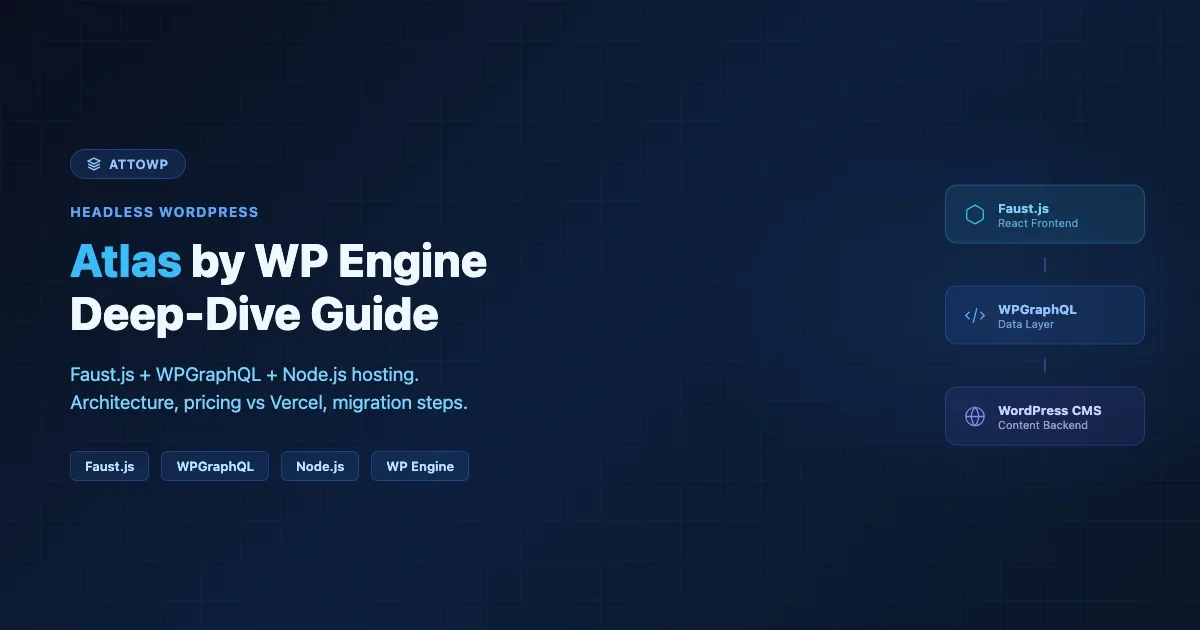
WPGraphQL, now officially a WordPress Canonical Plugin, provides a production-ready GraphQL layer with full schema introspection, custom field support through ACF, and integration with hosting platforms like WP Engine Atlas. For teams exploring headless WordPress, see our guide to Headless CMS for Modern Websites.
Verdict: Contentful provides architectural purity and maximum frontend freedom. WordPress provides architectural flexibility, traditional, headless, or hybrid, letting teams choose their approach based on project requirements rather than platform constraints.
Editorial Experience: Schema Fields vs Visual Editing
Contentful: Structured Content Entry
Contentful’s editorial interface is a web application where editors fill in structured fields defined by developers. Each content type has a specific schema, a blog post might have fields for title (short text), body (rich text), author (reference), featured image (media), and publish date (date). Editors work within these predefined structures.
The strength of this approach is content reuse. A product description entered once in Contentful can appear on a website, a mobile app, an email campaign, and an in-store kiosk without reformatting. The limitation is editorial autonomy: editors cannot change layouts, add new sections, or preview how content will appear on the final site without developer involvement.
Contentful has addressed some of these gaps with Contentful Studio, a visual page builder that lets marketers compose pages using developer-defined components. Studio provides drag-and-drop layout building, component reuse, and cross-page content sync. However, Studio is available only on Premium plans and requires significant upfront development to build the component library.
“With Contentful, I can enter content efficiently, but I always need to ask our developers how it will look on the live site.”, Content Strategist, B2B SaaS Company
WordPress: WYSIWYG with Full Layout Control
WordPress provides a rich visual editing experience through the Gutenberg block editor. Editors can create complex page layouts using blocks, paragraphs, headings, images, galleries, tables, columns, buttons, and dozens of custom block types. The editor shows an approximation of how content will appear on the published page.
With Full Site Editing (FSE), introduced in WordPress 5.9 and significantly enhanced through WordPress 6.9, editors can also modify headers, footers, sidebars, and template structures without touching code. WordPress 6.9 added block-level notes, collaborative commenting on individual blocks similar to Google Docs, enabling editorial team workflows directly within the editor.
WordPress also supports reusable blocks (synced patterns), block locking (preventing editors from breaking layouts), and template-level permissions. For non-technical teams, this means marketing can publish pages in minutes without filing developer tickets.
“With WordPress, our marketing team publishes landing pages independently. With our previous headless CMS, every page change required a developer sprint.”, VP Marketing, D2C Brand
Verdict: WordPress wins decisively on editorial usability and team autonomy. Contentful serves structured, reusable content but requires developer involvement for layout and presentation changes. Contentful Studio narrows the gap but requires Premium pricing and custom component development.
Pricing: Open Source vs SaaS Licensing
Pricing is where the Contentful vs WordPress comparison gets particularly interesting. Contentful underwent significant pricing changes in 2025 that affected teams at every level.
Contentful Pricing (2026)
Plan | Monthly Cost | Users | API Calls | Key Limitations |
|---|---|---|---|---|
Free | $0 | 10 | 100K/month | 25 content types, 10K records, 50 GB bandwidth |
Lite | $300 | 20 | 1M/month | 3 locales, 1 space |
Premium | Custom | Unlimited | Unlimited | Starting ~$60K/year list price |
Important context: Contentful significantly reduced its free tier effective April 30, 2025. API calls dropped from 1 million to 100K per month. Content types were capped at 25 (previously unlimited). These changes forced many small teams to either upgrade to the $300/month Lite plan or migrate to alternatives.
Enterprise costs escalate quickly. According to buyer data from Vendr and Spendflo, the median enterprise contract lands around $33,000/year, with larger deployments reaching $80,000–$150,000+ annually. Additional space add-ons (Large: ~$19K/year, XL: ~$35K/year), support tiers (Gold: $19K/year), and personalization features add significantly to the total cost. Industry analysts recommend budgeting 40–60% above quoted prices.
Critically, Contentful pricing does not include frontend hosting. Teams still need Vercel ($20–$4,000+/month), Netlify, or similar services to host and deploy their frontend applications.
WordPress Pricing (2026)
WordPress core is free and open source. Total cost depends on hosting, premium plugins, and themes:
Hosting Tier | Annual Cost | Provider Examples | Best For |
|---|---|---|---|
Shared/Starter | $60–$360 | SiteGround, Bluehost | Small sites, blogs |
Managed WordPress | $350–$5,400 | Kinsta, WP Engine, Cloudways | Business sites, agencies |
Enterprise Managed | $6,000–$12,000 | Kinsta Enterprise, WP Engine Scale | High-traffic, multi-site |
WordPress VIP | $25,000+ | Automattic VIP | Fortune 500, government, media |
Headless (Atlas) | $500–$5,000 | WP Engine Atlas | Headless WordPress + Next.js |
Even at the enterprise tier, WordPress costs a fraction of Contentful. A Kinsta Enterprise plan at $6,000/year provides managed hosting, CDN, staging environments, and 24/7 support, all included. The equivalent Contentful setup (Premium platform + spaces + support + frontend hosting) easily reaches $80,000+ annually.
Verdict: WordPress offers dramatically lower total cost of ownership at every scale. A Contentful enterprise deployment typically costs 10–20x more than equivalent managed WordPress hosting. Even WordPress VIP, designed for Fortune 500 companies, starts below Contentful Premium pricing.
Scalability and Performance
Contentful: Cloud-Native Infrastructure
Contentful’s SaaS infrastructure handles scalability automatically. Content is distributed through a global CDN with 190+ edge locations. API responses are cached and served from the nearest edge node. There are no servers to manage, no database optimization to perform, and no caching layers to configure.
For high-traffic applications, Contentful’s architecture delivers consistent sub-100ms API response times globally. The platform handles traffic spikes without manual intervention, and its infrastructure team manages availability, security patches, and performance optimization.
The trade-off is control. Teams cannot optimize database queries, add custom caching strategies, or tune server configurations. Performance is bounded by Contentful’s infrastructure decisions.
WordPress: Configurable Performance Stack
WordPress performance depends on hosting quality and optimization effort. An unoptimized WordPress site on shared hosting will underperform. A properly configured WordPress installation on managed hosting with object caching (Redis/Memcached), a CDN, and optimized queries can match or exceed Contentful’s API response times.
Modern managed WordPress hosts like Kinsta, WP Engine, and Cloudways provide server-level caching, auto-scaling, global CDN distribution, and PHP 8.3 with OPcache, achieving sub-200ms TTFB for most configurations. For a deep dive into WordPress performance tuning, see our Complete Performance Optimization Guide.
In headless mode, WordPress performance improves further. Static site generation with Next.js ISR (Incremental Static Regeneration) serves pre-built pages from CDN edge nodes while revalidating content in the background, delivering sub-50ms page loads at scale.
Verdict: Contentful provides zero-effort scalability. WordPress requires hosting selection and optimization but offers more performance tuning options. In headless mode with ISR, WordPress can match Contentful’s delivery performance.
AI Capabilities: Where Both Platforms Are Heading
AI integration is a key differentiator in the 2026 CMS landscape. Both Contentful and WordPress have made significant moves.
Contentful AI Actions
Contentful launched AI Actions in March 2025, a framework for embedding generative AI into content workflows. AI Actions support automated translations, one-click SEO optimization, alt-text generation, and content drafting. Actions can be attached to workflow steps, enabling automated task completion (e.g., auto-translate content when it reaches the “Ready for Localization” workflow stage).
All AI Action events are captured in audit logs, providing accountability for AI-generated content. Contentful also introduced an AI Image Generator within Studio and a personalization engine with AI-powered audience targeting (available as Premium add-ons starting at $8,000+/year for 100K monthly active profiles).
WordPress Abilities API and MCP
WordPress 6.9 introduced the Abilities API, a standardized registry where plugins, themes, and core expose capabilities as machine-readable, executable actions. This goes beyond content generation. Using wp_register_ability(), developers register abilities with descriptions, input/output schemas, permission callbacks, and execution functions.
When paired with the Model Context Protocol (MCP), the Abilities API enables external AI agents (Claude, ChatGPT, Gemini) to discover and execute WordPress actions programmatically. An AI assistant could publish a post, resize images, install a plugin, or run a security audit, all through a standardized interface with proper authentication and permission checks.
This positions WordPress uniquely in the CMS landscape: rather than offering a proprietary AI feature, WordPress provides an open protocol for any AI system to interact with it. The ecosystem can build on this foundation without waiting for core AI features.
Verdict: Contentful offers polished, built-in AI content tools today. WordPress takes a more foundational approach with the Abilities API, enabling broader AI integration possibilities but requiring ecosystem development to realize its full potential.
Omnichannel Content Delivery
Contentful: Built for Multi-Channel
Contentful’s entire architecture is designed for omnichannel delivery. Content stored as structured data flows to any endpoint through the same APIs, web, mobile, voice, wearables, digital signage, or AR/VR interfaces. Built-in localization supports unlimited locales on Premium plans, with field-level locale overrides and locale fallback chains.
Contentful’s content modeling enforces channel-agnostic structures. A product description is stored as structured fields (name, description, specs, images) rather than page-specific HTML. This means the same content renders appropriately whether displayed on a desktop website, a mobile app product card, or a voice assistant response.
WordPress: Web-First, Headless-Capable
WordPress is inherently web-first. Its content model (posts, pages, custom post types) is designed around web publishing. However, headless WordPress deployments can serve content to any channel through REST or GraphQL APIs.
The challenge is content modeling. WordPress stores content as HTML-rich post content by default, which requires transformation for non-web channels. Teams using WordPress headlessly often rely on Advanced Custom Fields (ACF) or custom post meta to create structured content alongside the HTML body. This works well but requires deliberate architectural planning.
Localization in WordPress is handled through plugins, WPML and Polylang being the most mature solutions. These add multilingual content management but lack the field-level locale granularity that Contentful provides natively.
Verdict: Contentful is omnichannel-native with superior content modeling for multi-channel delivery. WordPress handles web content excellently and can serve other channels headlessly, but structured omnichannel content requires more architectural effort.
Developer Experience and Ecosystem
Contentful Developer Experience
Contentful provides a developer-centric experience with comprehensive SDKs for JavaScript, Python, Ruby, Java.NET, Swift, and Android. Its GraphQL API supports introspection, and the Content Management API allows programmatic content CRUD operations. Environment branching enables developers to test content model changes in isolation before merging to production.
The Contentful Marketplace offers integrations with Algolia (search), Uniform (personalization), Segment (analytics), and other composable DXP tools. However, integrations are fewer in number and narrower in scope compared to WordPress’s ecosystem.
WordPress Developer Experience
WordPress offers an unmatched ecosystem of 60,000+ plugins and 11,000+ themes. Integration with virtually any third-party service, CRMs, payment processors, marketing tools, analytics platforms, is either available as a plugin or achievable through the REST API. For authentication patterns in headless setups, see our REST API Authentication Guide.
WordPress development in 2026 spans PHP (backend, plugins, themes), JavaScript/React (Gutenberg blocks, headless frontends), and increasingly TypeScript. The Interactivity API in WordPress 6.9 added directive-based interactivity (similar to Alpine.js) for building dynamic frontend features without heavy JavaScript frameworks.
The WordPress developer community is massive, millions of developers, thousands of agencies, and extensive documentation. Finding talent and getting community support is significantly easier than with Contentful.
Verdict: Contentful offers a cleaner, more modern developer experience for API-first projects. WordPress offers breadth, more integrations, more talent, more community resources, and more architectural flexibility.
Security and Compliance
Contentful Security
As a cloud-native SaaS platform, Contentful provides enterprise-grade security out of the box: SOC 2 Type 1, ISO 27001, and GDPR compliance. SSO with SAML/SCIM, granular role-based permissions, and role-based API tokens are included on Premium plans. Teams don’t manage security patches, server hardening, or infrastructure monitoring.
WordPress Security
WordPress security is the team’s responsibility. Core receives regular security updates, but the broader attack surface, plugins, themes, hosting configuration, requires active management. Managed hosting providers handle server-level security, but plugin vulnerabilities remain the most common attack vector.
With proper setup, managed hosting, automatic updates, a web application firewall, two-factor authentication, and regular security audits, WordPress can meet enterprise security requirements. For implementation details, see our WordPress Security Hardening Checklist. WordPress VIP provides enterprise-grade security and compliance comparable to Contentful’s Premium offering.
Verdict: Contentful provides baked-in enterprise security with zero maintenance burden. WordPress can match enterprise security requirements but requires deliberate effort through managed hosting and security practices.
The Competitive Landscape: Alternatives to Consider
The headless CMS market is projected to grow from $3.94 billion in 2025 to $22.28 billion by 2034 (21% CAGR). Both Contentful and WordPress face competition from newer platforms that challenge their value propositions:
Platform | Type | Starting Cost | Key Strength |
|---|---|---|---|
Sanity | SaaS headless | $0 (20 users) / $15/user/mo | React-based Studio, GROQ query language, real-time collaboration |
Strapi | Open source headless | $0 (self-hosted) / $15/mo cloud | Full source code access, Node.js, no vendor lock-in |
Payload CMS | Open source headless | $0 (self-hosted) | Installs into Next.js /app folder, TypeScript-first, zero licensing |
Drupal | Traditional + headless | $0 (open source) | Enterprise content modeling, government/higher-ed adoption |
Payload CMS deserves particular attention as a rising disruptor. It installs directly into any Next.js project, provides a TypeScript-first developer experience, and carries zero licensing costs. For a detailed comparison, see our WordPress vs Payload CMS analysis. For traditional CMS alternatives, our Drupal vs WordPress comparison covers enterprise use cases.
When to Choose Contentful
Contentful is the stronger choice when:
- Your team is engineering-led and comfortable building custom frontends from scratch
- You need true omnichannel delivery, the same content serving web, mobile apps, voice, and IoT endpoints
- Content modeling is critical, you need structured, reusable content with strict schema enforcement
- You’re building a composable DXP with Algolia, Segment, Uniform, and other MACH Alliance tools
- Budget isn’t the primary constraint, you can invest $50K–$150K+ annually in CMS infrastructure
- You already use Next.js, Nuxt, or Svelte and need a content backend that stays out of your way
When to Choose WordPress
WordPress is the stronger choice when:
- Your team includes marketers and editors who need to publish content without developer involvement
- You need fast deployment, WordPress sites launch in days to weeks, not months
- Budget matters, WordPress delivers enterprise-grade capabilities at a fraction of Contentful’s cost
- You want headless flexibility without commitment, start traditional, migrate to headless incrementally
- Integration breadth is important, 60,000+ plugins cover virtually every use case
- You value community and talent availability, WordPress developers are vastly easier to find and hire
- You need SEO out of the box, WordPress’s mature SEO ecosystem (RankMath, Yoast, schema markup) provides immediate search visibility
For more on WordPress’s enterprise positioning, see Can WordPress Serve as an Enterprise-Level CMS?
Feature Comparison Summary
Feature | Contentful | WordPress |
|---|---|---|
Architecture | Pure headless, API-only | Traditional + headless + hybrid |
Visual editing | Studio (Premium only) | Gutenberg block editor (free) |
Content modeling | Schema-based, structured | Posts/CPTs + custom fields |
GraphQL | Built-in | WPGraphQL (Canonical Plugin) |
REST API | Built-in | Built-in (since WP 4.7) |
Localization | Native (field-level) | Plugins (WPML, Polylang) |
AI features | AI Actions, AI Image Gen | Abilities API + MCP protocol |
Plugin ecosystem | ~100 marketplace apps | 60,000+ plugins |
Enterprise pricing | $50K–$150K+/year | $2,700–$25K+/year |
Self-hosting | No (SaaS only) | Yes (open source) |
Market share | ~30% Fortune 500 | 42.6% of all websites |
Collaboration | Multi-user with roles | Block-level notes (WP 6.9) |
Security compliance | SOC 2, ISO 27001, GDPR | Depends on hosting/setup |
Frequently Asked Questions
Is Contentful better than WordPress for headless projects?
Contentful provides a cleaner headless experience with native GraphQL, structured content models, and omnichannel delivery. However, WordPress with WPGraphQL and Faust.js offers a competitive headless setup at significantly lower cost. The choice depends on whether your team prioritizes architectural purity (Contentful) or ecosystem breadth and editorial flexibility (WordPress).
How much does Contentful cost compared to WordPress?
Contentful’s free tier is limited to 100K API calls and 25 content types. The Lite plan costs $300/month, and enterprise deployments typically run $50,000–$150,000+ annually. WordPress core is free, with enterprise managed hosting ranging from $2,700 to $25,000+/year, roughly 10–20x less than equivalent Contentful pricing. Contentful also requires separate frontend hosting costs.
Can WordPress work as a headless CMS?
Yes. WordPress has built-in REST API support and WPGraphQL (an officially supported Canonical Plugin) for GraphQL. Tools like Faust.js (WP Engine) streamline headless WordPress development with Next.js. WP Engine Atlas provides managed headless WordPress hosting. Many enterprises run WordPress headlessly in production, including major media and e-commerce sites.
What are the best Contentful alternatives in 2026?
The top Contentful alternatives include Sanity (developer-friendly with a generous free tier of 20 users), Strapi (open-source, self-hostable Node.js CMS), Payload CMS (open-source, installs directly into Next.js projects), and WordPress in headless mode. For enterprise traditional CMS alternatives, Drupal and Adobe Experience Manager also compete in this space. See our WordPress vs Payload CMS comparison.
Does Contentful have AI features?
Yes. Contentful launched AI Actions in March 2025, supporting automated translations, SEO optimization, alt-text generation, and content creation within workflows. AI features are available on Premium plans only. WordPress takes a different approach with the Abilities API (WordPress 6.9), which allows any AI system to discover and execute WordPress actions through the Model Context Protocol (MCP).
Conclusion
The Contentful vs WordPress decision ultimately comes down to team composition, budget, and architectural requirements. Contentful excels when engineering teams need pure headless architecture, structured omnichannel content delivery, and are prepared to invest $50K+ annually in CMS infrastructure. WordPress excels when teams need editorial flexibility, ecosystem breadth, cost efficiency, and the ability to start traditional and evolve toward headless incrementally.
Neither platform is universally “better.” They serve different needs, and understanding those differences is the key to making the right choice. For a broader perspective on enterprise CMS selection, explore our CMS Platforms Explained guide and why traditional CMS platforms like WordPress continue to dominate.

No comments yet