Why CMS Choice Matters More Than Ever in 2026
The CMS landscape has shifted. WordPress still powers over 43% of the web, but a new generation of headless and API-first platforms is challenging that dominance. Payload CMS, an open-source TypeScript-native headless CMS, has emerged as one of the strongest alternatives for developers building modern applications.
This comparison breaks down where each platform excels, where it falls short, and which one fits your project. No hype, just facts based on real production use. If you are new to the CMS landscape, start with our guide on types of CMS platforms explained for broader context.
What Is Payload CMS?
Payload CMS is an open-source, self-hosted headless content management system built entirely in TypeScript. It runs on Node.js with MongoDB or PostgreSQL as the database layer. Unlike WordPress, Payload was designed from the ground up as a developer-first tool where content modeling happens through code rather than a visual interface.
Payload provides a REST API and GraphQL API out of the box, authentication and access control built into the core, and a React-based admin panel that auto-generates from your schema definitions. Version 2.0 added full PostgreSQL support and live preview capabilities.
According to the official GitHub repository, Payload has accumulated over 25,000 stars and sees active weekly commits from both the core team and community contributors.
What WordPress Offers in 2026
WordPress 6.7+ brings Full Site Editing maturity, the block editor as the default content creation experience, and improved REST API performance. The platform runs on PHP 8.2+ with MySQL or MariaDB, and its ecosystem includes over 60,000 plugins and 10,000 themes.
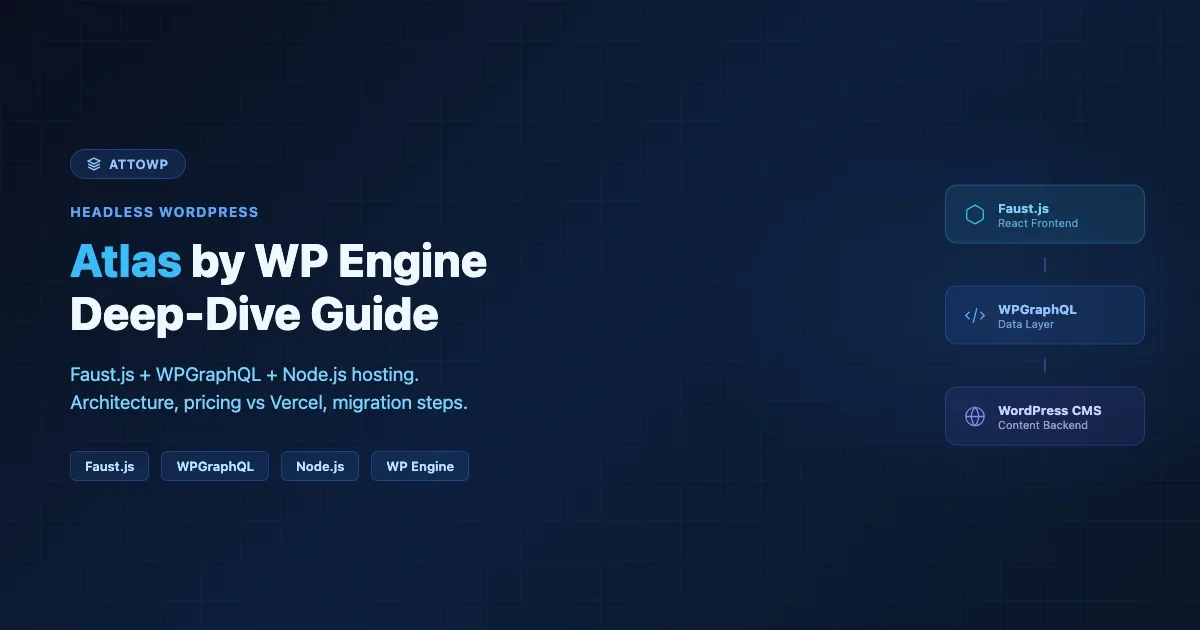
WordPress can operate as a traditional CMS or as a headless backend via its built-in REST API and the WPGraphQL plugin. The Gutenberg editor now supports collaborative editing, pattern-based layouts, and data views for managing custom post types. For a deeper look at why WordPress remains dominant, see our analysis of why WordPress still dominates in 2026.
Matt Mullenweg, WordPress co-founder, noted at WordCamp US 2025: “WordPress is no longer just a blogging platform. It is a full application framework that happens to have the best content editing experience on the web.”
Architecture and Technical Stack Comparison
Understanding the technical foundations helps you evaluate which CMS aligns with your team and infrastructure.
WordPress Architecture
- Language: PHP 8.2+ with JavaScript (React) for the block editor
- Database: MySQL 8.0+ or MariaDB 10.4+
- Server: Apache or Nginx with PHP-FPM
- API: Built-in REST API, WPGraphQL plugin for GraphQL
- Hosting: Available on nearly every hosting provider worldwide
Payload CMS Architecture
- Language: TypeScript/Node.js
- Database: MongoDB or PostgreSQL (added in v2.0)
- Server: Express.js or Next.js (v3.0 uses Next.js natively)
- API: REST and GraphQL both built-in
- Hosting: Requires Node.js hosting (Vercel, Railway, DigitalOcean, AWS)
Key Architectural Differences
WordPress follows a monolithic architecture where the CMS handles both content management and front-end rendering in one application. You can decouple it, but that requires additional configuration.
Payload is headless by default. There is no front-end included. You build your own front-end using React, Next.js, Vue, Svelte, or any framework that can consume APIs. This separation gives developers full control over the presentation layer but requires more setup.
Feature | WordPress | Payload CMS |
|---|---|---|
Default Rendering | Server-side (PHP templates or block themes) | None (headless only) |
Type Safety | Limited (PHP type hints) | Full TypeScript throughout |
Content Modeling | Custom Post Types + ACF/Meta | Code-defined collections and fields |
Admin Panel | Custom WP Admin + Gutenberg | Auto-generated React admin |
Authentication | Cookie-based + Application Passwords | JWT built-in with access control |
Content Modeling: Flexibility vs Convention
Content modeling is where these two platforms diverge most sharply.
WordPress Content Modeling
WordPress uses Custom Post Types (CPTs) and custom taxonomies as its primary content modeling tools. You register them with register_post_type() and register_taxonomy(), then add custom fields using plugins like Advanced Custom Fields (ACF) or through the native custom meta API.
This approach works well for content-heavy sites but can become unwieldy for complex data relationships. ACF Pro adds repeater fields, flexible content layouts, and relationship fields that handle most real-world modeling needs.
Payload CMS Content Modeling
Payload defines content models as TypeScript collections. Each collection specifies its fields, validation rules, hooks, and access control in a single configuration file. The admin panel auto-generates from these definitions.
James Mikrut, Payload CMS creator, explained in a 2025 interview: “We wanted content modeling to feel like writing application code, not clicking through UI fields. When your schema is code, you get version control, type safety, and reusability for free.”
Payload supports blocks (similar to Gutenberg blocks but defined in TypeScript), rich text editing with Slate or Lexical, relationship fields with population, and conditional field logic. The code-first approach means every content model change is tracked in Git.
Developer Experience
Developer experience often determines which CMS teams actually adopt and maintain long-term.
WordPress Developer Experience
WordPress has a massive learning ecosystem. The official developer documentation covers hooks, filters, REST API endpoints, block development, and theme creation. Thousands of tutorials, courses, and community forums exist.
The downside is fragmentation. Block development uses React and webpack, theme development uses PHP templates, and plugin development spans both. The transition from classic themes to block themes has created two parallel development paradigms that coexist but do not always integrate cleanly.
Payload CMS Developer Experience
Payload provides a unified TypeScript experience. Configuration, hooks, access control, and custom components all use the same language and patterns. The official documentation is thorough and well-organized.
The trade-off is ecosystem size. While Payload has a growing plugin directory, it cannot match WordPress’s 60,000+ plugins. You will build more features from scratch or rely on npm packages rather than drop-in CMS plugins.
Performance Benchmarks
Performance depends heavily on hosting, caching, and implementation quality, but some general patterns hold.
A 2025 benchmark by WebPageTest comparing equivalent blog sites found that a cached WordPress site with a block theme served pages in 180-250ms TTFB, while a Payload CMS + Next.js setup with ISR achieved 50-120ms TTFB. However, the WordPress setup required zero JavaScript on the client for content pages, while the Next.js front-end shipped 85-150KB of hydration JavaScript.
For API-driven applications, Payload’s built-in GraphQL typically outperforms WPGraphQL on complex queries because it avoids the WordPress hook system overhead. Simple REST queries show similar performance between both platforms when properly cached.
Metric | WordPress (Cached) | Payload + Next.js (ISR) |
|---|---|---|
TTFB | 180-250ms | 50-120ms |
Client JS | 0-30KB (block theme) | 85-150KB (hydration) |
LCP | 1.2-1.8s | 0.8-1.4s |
Cold Start | 300-500ms | 800-2000ms (serverless) |
Ecosystem and Plugin Availability
WordPress wins this category decisively. Over 60,000 free plugins on WordPress.org and thousands of premium options cover virtually every functionality: ecommerce (WooCommerce), SEO (Rank Math, Yoast), forms (Gravity Forms), learning management (LearnDash), membership (MemberPress), and community building (BuddyPress).
Payload CMS has a growing plugin ecosystem but it numbers in the hundreds, not thousands. Common needs like authentication, file uploads, and rich text editing are built into the core. For everything else, you either use npm packages, build custom features, or integrate third-party SaaS services.
If your project needs ecommerce, LMS, forums, or complex membership systems out of the box, WordPress has a significant advantage. If your project is a custom application where most functionality is bespoke anyway, the plugin gap matters less.
Security Considerations
WordPress’s popularity makes it a frequent target. The WordPress security team responds quickly to core vulnerabilities, but plugin and theme vulnerabilities account for over 90% of WordPress security incidents according to Patchstack’s 2025 State of WordPress Security report.
Payload CMS has a smaller attack surface simply because it is less targeted. Its built-in access control system with field-level permissions and operation-level hooks gives developers fine-grained security controls by default. TypeScript’s type safety also catches certain categories of bugs at compile time that PHP would only catch at runtime.
Neither platform is inherently more secure. Security depends on implementation, hosting configuration, update practices, and the team’s discipline.
Content Editing Experience
For non-technical content creators, the editing experience matters as much as the developer experience.
WordPress Gutenberg is a mature block editor with drag-and-drop layouts, reusable blocks, patterns, and real-time preview. Content creators can build complex pages without touching code. The learning curve is moderate but well-supported by documentation and community resources.
Payload’s admin panel is clean and functional but more utilitarian. It auto-generates from your schema, which means the editing experience depends entirely on how well the developer designed the content model. There is no visual page builder equivalent. Content creators work with structured forms rather than visual layouts.
For marketing teams and content-heavy organizations, WordPress provides a significantly better out-of-the-box editing experience. For applications where content is structured data rather than visual pages, Payload’s form-based approach works well.
Hosting and Deployment
WordPress hosting is commoditized. Shared hosting starts at $3/month, managed WordPress hosting (WP Engine, Kinsta, Cloudways) runs $15-60/month, and enterprise solutions scale from there. Every major hosting provider supports WordPress. For a comparison of hosted CMS options, read our guide on hosted CMS platforms explained.
Payload CMS requires Node.js hosting. Options include Vercel (for Next.js-integrated setups), Railway, Render, DigitalOcean App Platform, or traditional VPS with PM2. Costs start around $5-20/month for hobby projects and scale based on compute and database needs.
The key difference is operational complexity. A WordPress site on managed hosting requires near-zero server management. A Payload CMS deployment requires understanding Node.js processes, environment variables, database connections, and deployment pipelines. For teams without DevOps experience, this gap matters.
When to Choose WordPress
- Content-heavy websites: blogs, news sites, magazines, documentation portals
- Ecommerce stores using WooCommerce with its vast extension ecosystem
- Projects where non-technical users need to manage content independently
- Sites that need rapid development using existing plugins and themes
- Organizations with existing WordPress expertise on their team
- Projects where SEO and content marketing are primary objectives
- Membership, LMS, or community sites using established WordPress solutions
When to Choose Payload CMS
- Custom web applications where content is structured data, not visual pages
- Teams with strong TypeScript/React expertise who want a unified stack
- Projects requiring fine-grained access control and field-level permissions
- Multi-platform content delivery (web, mobile app, IoT, digital signage)
- Applications where type safety and compile-time checks are priorities
- Startups building products where the CMS is part of a larger application
- Projects where content modeling complexity exceeds what CPTs and ACF handle cleanly
Migration Considerations
Moving from WordPress to Payload (or vice versa) is not trivial. WordPress content stored in wp_posts and wp_postmeta tables needs to be extracted, transformed, and loaded into Payload’s collection structure. Media files need re-uploading or URL remapping.
Going the other direction, Payload’s structured JSON data needs conversion to WordPress blocks or classic content. Relationship fields need mapping to WordPress taxonomy terms or post meta.
For organizations considering a gradual migration, running both systems simultaneously is viable. WordPress can serve the existing site while Payload powers new application features through a shared database or API bridge.
Cost Comparison
Cost Category | WordPress | Payload CMS |
|---|---|---|
CMS License | Free (open source) | Free (open source) |
Hosting (starter) | $3-15/month | $5-20/month |
Hosting (production) | $25-100/month | $20-80/month |
Premium plugins | $50-500/year typical | Minimal (npm packages) |
Developer hourly rate | $50-150/hr (PHP/WP) | $75-200/hr (TypeScript/Node) |
Time to MVP | 1-4 weeks (with plugins) | 2-6 weeks (custom build) |
The Verdict
WordPress and Payload CMS serve different needs despite both being open-source content management systems.
Choose WordPress when content creation, publishing, and an established plugin ecosystem drive your project. WordPress excels at getting sites live quickly with professional results, especially for teams that include non-technical content managers.
Choose Payload CMS when you are building a custom application where the CMS is one component of a larger TypeScript stack. Payload excels at structured content modeling, API-first delivery, and developer-controlled workflows.
There is no universal winner. The right choice depends on your team’s skills, your project’s requirements, and your long-term maintenance plan. Both platforms are actively maintained, well-documented, and capable of powering production applications at scale.
Frequently Asked Questions
Can Payload CMS replace WordPress for blogging?
Technically yes, but you would need to build the front-end yourself. WordPress provides a complete blogging solution out of the box with themes, SEO tools, and publishing workflows. Payload gives you the content backend but requires a custom front-end built in Next.js or another framework.
Is Payload CMS easier to learn than WordPress?
For TypeScript developers, Payload feels more natural because everything is code. For non-developers or PHP developers, WordPress has a gentler learning curve and vastly more learning resources available.
Can I use WordPress as a headless CMS like Payload?
Yes. WordPress has a built-in REST API and the WPGraphQL plugin adds GraphQL support. Many teams use WordPress as a headless backend with a React or Next.js front-end. The experience is functional but not as seamless as Payload, which was designed headless from the start.
Which CMS is better for ecommerce?
WordPress with WooCommerce is the clear winner for ecommerce. WooCommerce powers over 25% of all online stores and has thousands of extensions for payments, shipping, subscriptions, and marketplace functionality. Payload has no equivalent ecommerce ecosystem.
What about Strapi vs Payload CMS?
Strapi is another popular headless CMS alternative. Strapi uses a visual content type builder while Payload uses code-defined schemas. Payload generally offers better TypeScript integration and more granular access control. Strapi has a larger community and more plugins. Both are strong choices for headless projects.

No comments yet