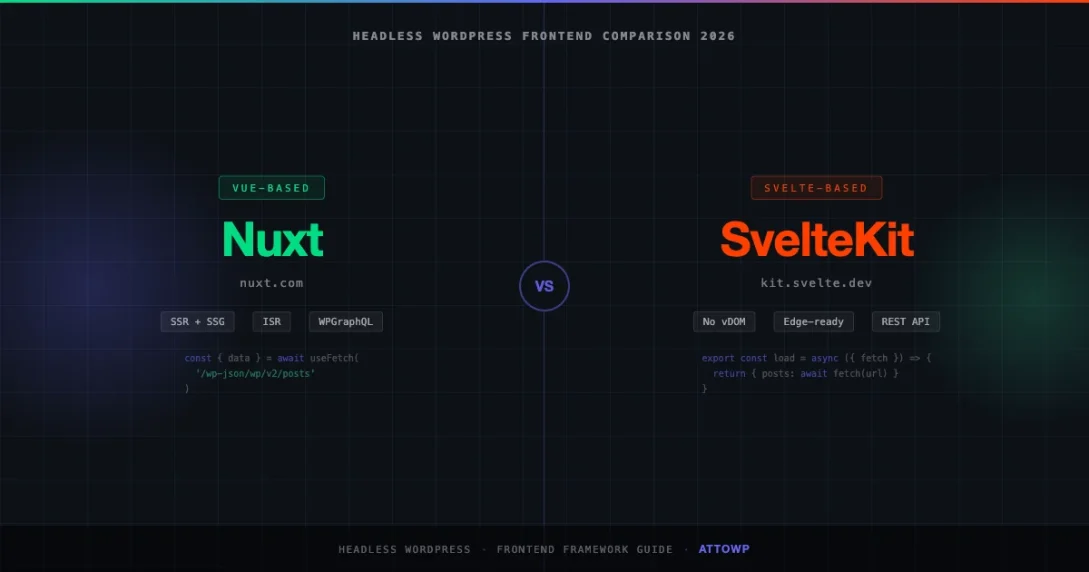
Headless WordPress setups have matured fast. The REST API is stable, WPGraphQL is production-grade, and the hosting story around edge functions and ISR has caught up with what the decoupled architecture demands. The question developers ask now is not whether to go headless, but which frontend framework to pair with WordPress.
In 2026, the two frameworks that keep coming up in that conversation are Nuxt and SvelteKit. Both support SSR and SSG. Both deploy cleanly to Vercel and Netlify. Both have solid WordPress integration paths. But they make different trade-offs, and those trade-offs matter when you are building a content-driven site on top of WordPress.
This post is a practical comparison aimed at developers who already know WordPress and want to pick the right frontend. We will look at how each framework connects to the WordPress REST API and WPGraphQL, how they handle ISR for live content, preview mode for drafts, media, multisite, and i18n. Then we will get into the honest trade-offs.
The Headless WordPress Stack in 2026
Before comparing frameworks, it helps to be clear about what the backend side looks like. A typical headless WordPress setup in 2026 uses one of two data layers:
- WordPress REST API: Built in, no extra plugins. Exposes posts, pages, taxonomies, media, users, and custom post types. Rate-limited by the host, but caching at the CDN layer removes most of the pressure.
- WPGraphQL: Free plugin that adds a full GraphQL schema over your WordPress data. Better for complex queries, co-location of data requirements, and typed responses. Required for things like Gatsby Source WordPress and the official Next.js WordPress starter.
Most teams start with the REST API because it requires nothing extra. They migrate to WPGraphQL when they hit the N+1 problem or need tighter control over the payload. Both Nuxt and SvelteKit work with both approaches. The examples below show both. For a deeper look at securing REST API calls from your frontend, see WordPress REST API Authentication Methods in 2026.
Nuxt: The Vue-Powered Option
Nuxt is the meta-framework for Vue. Version 3, which is what everyone should be running now, is built on Vue 3 and Vite. The developer experience is good: file-based routing, auto-imports, server routes via Nitro, and a well-documented module ecosystem.
Connecting Nuxt to the WordPress REST API
The cleanest approach is to use Nuxt’s built-in useFetch composable, which automatically handles SSR, client-side hydration, and deduplication. Here is a minimal posts index page:
<script setup>
const { data: posts } = await useFetch(
  'https://your-wp-site.com/wp-json/wp/v2/posts',
  {
    query: {
      per_page: 12,
      _embed: true, // includes featured image, author
    },
    transform: (data) => data.map((post) => ({
      id: post.id,
      slug: post.slug,
      title: post.title.rendered,
      excerpt: post.excerpt.rendered,
      date: post.date,
      featuredImage: post._embedded?.['wp:featuredmedia']?.[0]?.source_url ?? null,
    })),
  }
)
</script>

<template>
  <div class="post-grid">
    <article v-for="post in posts" :key="post.id">
      <img v-if="post.featuredImage" :src="post.featuredImage" :alt="post.title" />
      <h2>{{ post.title }}</h2>
      <div v-html="post.excerpt" />
      <NuxtLink :to="`/blog/${post.slug}`">Read more</NuxtLink>
    </article>
  </div>
</template>
The _embed parameter is important. Without it, you get back post objects with no author or media data, which means additional requests. With it, WordPress embeds related resources in the response. The transform callback runs on the server, so only the fields you actually need are sent to the client.
Single Post Page with WPGraphQL
For single post pages, WPGraphQL gives you a cleaner data shape. Install the @nuxtjs/apollo module and you can co-locate your query with the component:
<script setup>
const route = useRoute()

const POST_QUERY = gql`
  query GetPost($slug: ID!) {
    post(id: $slug, idType: SLUG) {
      title
      content
      date
      excerpt
      featuredImage {
        node {
          sourceUrl
          altText
          mediaDetails {
            width
            height
          }
        }
      }
      categories {
        nodes {
          name
          slug
        }
      }
      author {
        node {
          name
          avatar {
            url
          }
        }
      }
    }
  }
`

const { data } = await useAsyncQuery(POST_QUERY, { slug: route.params.slug })
const post = computed(() => data.value?.post)

if (!post.value) throw createError({ statusCode: 404 })

useSeoMeta({
  title: post.value.title,
  ogTitle: post.value.title,
  description: post.value.excerpt?.replace(/<[^>]+>/g, '').slice(0, 155),
})
</script>
ISR and On-Demand Revalidation in Nuxt
Incremental Static Regeneration is the key pattern for headless WordPress. You want the performance of static pages, but you need content to update when the editor publishes or updates a post. Nuxt handles this through Nitro’s cache configuration:
// nuxt.config.ts
export default defineNuxtConfig({
  routeRules: {
    '/blog/**': { isr: 3600 }, // revalidate after 1 hour
    '/': { isr: 300 },         // home page, 5 minutes
  }
})
For true on-demand ISR (purge on publish), you wire a WordPress action hook to a Vercel or Netlify cache purge endpoint. Add this to a small mu-plugin:
<?php
// mu-plugins/nuxt-revalidate.php
add_action('save_post', function (int $post_id) {
    if (wp_is_post_revision($post_id) || get_post_status($post_id) !== 'publish') {
        return;
    }

    $slug = get_post_field('post_name', $post_id);
    $url  = sprintf(
        'https://your-nuxt-app.vercel.app/api/revalidate?slug=%s&secret=%s',
        rawurlencode($slug),
        NUXT_REVALIDATE_SECRET
    );

    wp_remote_post($url, ['timeout' => 5]);
}, 10, 1);
Preview Mode for WordPress Drafts
WordPress preview links use a nonce-protected URL. In a headless setup, you need to intercept that URL and redirect the editor to your frontend preview route. The approach with Nuxt:
- Add a filter in WordPress to override the preview URL to point at your Nuxt app.
- Create a Nuxt server route at
/api/previewthat validates the nonce and sets a preview cookie. - On post pages, check for the preview cookie and fetch draft content using the WordPress REST API with
status=draftand auth headers.
// server/api/preview.get.ts
export default defineEventHandler(async (event) => {
  const { secret, postId } = getQuery(event)

  if (secret !== process.env.PREVIEW_SECRET) {
    throw createError({ statusCode: 401, message: 'Invalid token' })
  }

  setCookie(event, '__wp_preview', '1', {
    httpOnly: true,
    secure: true,
    sameSite: 'strict',
    maxAge: 60 * 60, // 1 hour
  })

  const slug = await fetchPostSlugById(postId as string)
  await sendRedirect(event, `/blog/${slug}?preview=true`)
})
Nuxt Content Module and WordPress Together
One underused pattern is running Nuxt Content alongside a WordPress backend. Nuxt Content handles local Markdown, MDX, or YAML files in a /content directory. You can use this for documentation, changelog pages, or any content that does not need a CMS editor, while WordPress still serves blog posts, landing pages, and custom post types. The two data sources are queried independently and composed at the page level.
Nuxt Media Handling
WordPress serves images from its uploads directory. For a headless setup, you have a few options:
- Proxy through your Nuxt app: Add an image provider in
nuxt.config.tsusing@nuxt/image. This lets you use theNuxtImgcomponent with automatic format conversion and resizing via Cloudflare Images or Imgix. - Direct WordPress URLs: Simpler, but you give up Next-gen formats and responsive srcset control. Fine for sites that use WordPress’s built-in image sizes.
// nuxt.config.ts
export default defineNuxtConfig({
  image: {
    providers: {
      wordpress: {
        name: 'wordpress',
        provider: '~/providers/wordpress',
        options: {
          baseURL: 'https://your-wp-site.com/wp-content/uploads',
        },
      },
    },
  },
})
SvelteKit: The Svelte-Powered Option
SvelteKit is the meta-framework for Svelte. It uses a compiler-based approach: Svelte components are compiled at build time to vanilla JavaScript. There is no virtual DOM. The runtime shipped to the browser is small, typically under 10KB for the framework itself. Page-level JavaScript is also generally smaller than the equivalent Vue or React bundle.
SvelteKit 2 is the current version. It uses Vite under the hood, has file-based routing with a clean layout system, and adapts to any deployment target through first-party adapters for Vercel, Netlify, Cloudflare Pages, and Node.
Connecting SvelteKit to the WordPress REST API
SvelteKit’s data loading runs in +page.server.ts or +page.ts files alongside each route. Server-side load functions run only on the server, which keeps auth tokens and API keys out of the client bundle:
// src/routes/blog/+page.server.ts
import type { PageServerLoad } from './$types'

export const load: PageServerLoad = async ({ fetch }) => {
  const res = await fetch(
    'https://your-wp-site.com/wp-json/wp/v2/posts?per_page=12&_embed=true'
  )

  if (!res.ok) throw error(500, 'Failed to fetch posts')

  const posts = await res.json()

  return {
    posts: posts.map((post: any) => ({
      id: post.id,
      slug: post.slug,
      title: post.title.rendered,
      excerpt: post.excerpt.rendered,
      date: post.date,
      featuredImage: post._embedded?.['wp:featuredmedia']?.[0]?.source_url ?? null,
    })),
  }
}
The corresponding Svelte component is minimal:
<!-- src/routes/blog/+page.svelte -->
<script lang="ts">
  import type { PageData } from './$types'
  export let data: PageData
</script>

<div class="post-grid">
  {#each data.posts as post (post.id)}
    <article>
      {#if post.featuredImage}
        <img src={post.featuredImage} alt={post.title} loading="lazy" />
      {/if}
      <h2>{@html post.title}</h2>
      <div>{@html post.excerpt}</div>
      <a href="/blog/{post.slug}">Read more</a>
    </article>
  {/each}
</div>
Single Post with WPGraphQL in SvelteKit
SvelteKit does not have a first-party GraphQL client, so you use a library like graphql-request or write a small fetch wrapper. The load function pattern works the same way:
// src/routes/blog/[slug]/+page.server.ts
import { GraphQLClient, gql } from 'graphql-request'
import type { PageServerLoad } from './$types'

const client = new GraphQLClient('https://your-wp-site.com/graphql')

const POST_QUERY = gql`
  query GetPost($slug: ID!) {
    post(id: $slug, idType: SLUG) {
      title
      content
      date
      excerpt
      featuredImage {
        node {
          sourceUrl
          altText
          mediaDetails { width height }
        }
      }
      author {
        node {
          name
          avatar { url }
        }
      }
      categories {
        nodes { name slug }
      }
    }
  }
`

export const load: PageServerLoad = async ({ params }) => {
  const data = await client.request(POST_QUERY, { slug: params.slug })

  if (!data.post) throw error(404, 'Post not found')

  return { post: data.post }
}
ISR and Cache Control in SvelteKit
SvelteKit handles caching through HTTP headers. You set Cache-Control in the load function, and the adapter passes it upstream to Vercel or Cloudflare. Vercel’s adapter also supports the isr export for route-level ISR:
// src/routes/blog/[slug]/+page.server.ts
export const config = {
  isr: {
    expiration: 3600, // revalidate after 1 hour
  },
}

// Or via headers for fine-grained control:
export const load: PageServerLoad = async ({ setHeaders, params }) => {
  setHeaders({
    'Cache-Control': 's-maxage=3600, stale-while-revalidate=86400',
  })

  // ... fetch and return data
}
The WordPress-side on-demand purge hook is the same pattern as the Nuxt example above. You call your SvelteKit API route from the save_post action hook whenever a post is published or updated.
Preview Mode in SvelteKit
SvelteKit does not have a built-in preview mode like Next.js, but you can implement the same pattern with a server route and a cookie:
// src/routes/api/preview/+server.ts
import type { RequestHandler } from './$types'

export const GET: RequestHandler = async ({ url, cookies }) => {
  const secret = url.searchParams.get('secret')
  const postId = url.searchParams.get('postId')

  if (secret !== process.env.PREVIEW_SECRET) {
    return new Response('Invalid token', { status: 401 })
  }

  cookies.set('__wp_preview', '1', {
    path: '/',
    httpOnly: true,
    secure: true,
    sameSite: 'strict',
    maxAge: 3600,
  })

  const slug = await fetchSlugById(postId!)
  return Response.redirect(`/blog/${slug}?preview=true`)
}
Bundle Size: Where SvelteKit Has a Real Advantage
The virtual DOM elimination is not just a talking point. In benchmarks published by the Svelte team and independently by web performance researchers like Stefan Krause’s JS Framework Benchmark, Svelte components generally produce smaller JavaScript bundles than equivalent Vue or React components. For a content-heavy WordPress site where most pages are mostly static HTML, the difference translates to faster Time to Interactive scores.
The caveat: on a large application with many interactive components, the gap narrows. Svelte’s compiler advantage is most pronounced on pages where you are shipping a lot of component code that does not do much at runtime.
Headless WordPress Patterns: Side by Side
REST API vs WPGraphQL
Both frameworks work with both data layers. The choice between REST and GraphQL is mostly about your data complexity and team preference:
| Concern | REST API | WPGraphQL |
|---|---|---|
| Setup | Zero plugins | Requires WPGraphQL plugin |
| Request efficiency | Multiple requests or _embed | Single query, shaped to your needs |
| Typing | Manual or openapi-typescript | GraphQL codegen |
| Custom post types | Register with show_in_rest | Register with show_in_graphql |
| Custom fields | register_meta or ACF REST | WPGraphQL for ACF, WPGraphQL Meta |
| Preview mode | Needs auth headers | Needs auth headers + viewer query |
Multisite Support
WordPress Multisite exposes per-site REST API endpoints at /wp-json/wp/v2/ on each subsite. Both Nuxt and SvelteKit handle this the same way: you parameterize the base URL per locale or site. WPGraphQL has a Multisite extension that adds sub-site queries to the main GraphQL endpoint, which is cleaner for a single-endpoint architecture.
Internationalization
Nuxt has the @nuxtjs/i18n module, which is mature and well-documented. It handles URL prefixes, locale detection, and message files. For WordPress content localization, you pair it with WPML or Polylang on the backend, which expose translated posts through the REST API using the lang query parameter or through WPGraphQL with the WPML for WPGraphQL plugin.
SvelteKit does not have an official i18n module, but paraglide-js from Inlang has become the community standard. It compiles message functions at build time, so there is no runtime i18n library in the bundle. The WordPress integration pattern is the same as with Nuxt: pass the locale to your REST or GraphQL query to get translated content.
Deployment
Both frameworks deploy to Vercel and Netlify with zero configuration. Nuxt uses Nitro as its server engine, which has adapters for AWS Lambda, Cloudflare Workers, Azure, and self-hosted Node. SvelteKit uses its adapter pattern: @sveltejs/adapter-vercel, @sveltejs/adapter-netlify, @sveltejs/adapter-cloudflare, or @sveltejs/adapter-node. The operational story is similar. If you are still deciding whether headless WordPress is right for your use case at all, the Contentful vs WordPress 2026 comparison covers the broader API-first vs monolithic CMS trade-offs.
When Nuxt Wins
Nuxt is the better choice in these situations:
Your Team Knows Vue
If your team already writes Vue, there is no reason to add Svelte to the stack. Nuxt 3 with Vue 3 and the Composition API is a genuinely good developer experience. The learning curve from Vue SFCs to Nuxt pages is shallow. The investment in Vue skills transfers directly.
You Need a Mature Module Ecosystem
Nuxt has a larger module ecosystem than SvelteKit. Modules for things like sitemap generation, image optimization, color mode, Google Analytics, and Storybook exist and are actively maintained. SvelteKit has equivalents for most of these, but Nuxt’s are generally more polished and have more community usage behind them.
You Are Building Something Complex
Nuxt’s Nitro server makes it straightforward to add server-only logic: middleware, API routes, webhook handlers, server-side sessions. If your headless WordPress site needs non-trivial backend logic beyond just data fetching, Nuxt’s server layer is well-documented and has wide adoption. You will find more examples, more Stack Overflow answers, and more third-party integrations.
You Are Using the Vue/Nuxt-Specific WordPress Tooling
Packages like vue-wp-json and the older @nuxtjs/wp (now unofficial but still maintained in community forks) provide Vue composables and Nuxt modules that wrap the WordPress REST API in a typed, reactive interface. They are not strictly necessary since useFetch handles most of what they do, but if you want opinionated abstractions they exist.
When SvelteKit Wins
Performance Is the Primary Requirement
If Core Web Vitals, Lighthouse scores, and Time to Interactive numbers are the primary success metric for the project, SvelteKit gives you a structural advantage. The smaller client-side JavaScript payload translates to faster page loads on mid-range mobile devices on slower connections. For a content site monetized through ads or affiliate links where every millisecond of LCP matters, this is worth choosing a less-familiar framework.
Smaller Team, Newer Project
SvelteKit’s syntax is arguably the simplest of the major meta-frameworks. Reactive assignments work without decorators or composables. Component state is just a let variable. Props are just export let. For a small team starting a new headless WordPress project without a strong Vue or React background, the reduced cognitive load is real. You spend less time fighting framework concepts and more time building the site.
You Want Minimal Dependencies
SvelteKit’s standard library covers routing, data loading, form actions, and server-side rendering with very few external dependencies. The framework itself ships less JavaScript than Nuxt. If you want a lean production build with minimal third-party exposure, SvelteKit is the better starting point.
Edge-First Deployments
SvelteKit’s Cloudflare adapter targets the edge runtime well. Svelte components compile to code that runs in Cloudflare Workers without the memory or startup overhead that affects heavier frameworks. If you are deploying a high-traffic WordPress-backed site and want the backend to run at the edge globally, SvelteKit on Cloudflare Workers is a production-ready option that several high-traffic sites use in 2026.
Honest Limitations
Nuxt Limitations
- Larger client bundles than SvelteKit by default. The virtual DOM adds runtime overhead.
- Vue’s reactivity system can trip up developers coming from React. The mental model is different enough to cause confusion on teams that mix both.
- Nuxt 3 migration from Nuxt 2 was painful for some projects. The module ecosystem took a while to catch up.
SvelteKit Limitations
- Smaller ecosystem than Nuxt or Next.js. You will find fewer pre-built modules and community solutions for edge cases.
- Svelte’s compiler approach means some runtime patterns you take for granted in Vue or React do not exist or work differently. Dynamic components, reactive context, and complex store patterns require learning Svelte-specific solutions.
- Svelte 5 introduced Runes, a new reactivity model that breaks some Svelte 4 patterns. If you are starting now you use Runes, but a lot of community examples and libraries are still written for Svelte 4.
A Practical Recommendation
For a new headless WordPress project in 2026, the decision tree is straightforward:
- Pick Nuxt if your team knows Vue, you need a rich module ecosystem, or the project scope is large enough that you want Nuxt’s mature server layer.
- Pick SvelteKit if performance is paramount, the team is small and flexible on framework choice, or you want the leanest possible production build.
Both are solid choices for headless WordPress. Neither will lock you into patterns that are hard to escape. The WordPress data layer works the same regardless of which one you pick, so the integration work is not dramatically different between them. The real question is what your team will be most productive in and what your performance requirements are.
If you are evaluating this for a client project and performance numbers matter, build a small proof of concept with both and run Lighthouse on the output. The bundle size difference will be visible, and you will have real data to bring to the decision.
Wrapping Up
Nuxt and SvelteKit both work well as the frontend layer for a headless WordPress site. Nuxt brings a larger ecosystem, Vue’s component model, and a full-featured server layer. SvelteKit brings smaller bundles, a simpler syntax, and strong edge deployment support. The WordPress integration patterns (REST API, WPGraphQL, ISR, preview mode) are available and well-documented for both.
The code examples above should give you a working starting point for either framework. Both approaches are production-ready and used on real sites in 2026. The decision comes down to your team’s existing skills and the performance envelope your project needs to hit.
headless cms headless wordpress Nuxt SvelteKit WPGraphQL
Last modified: April 30, 2026