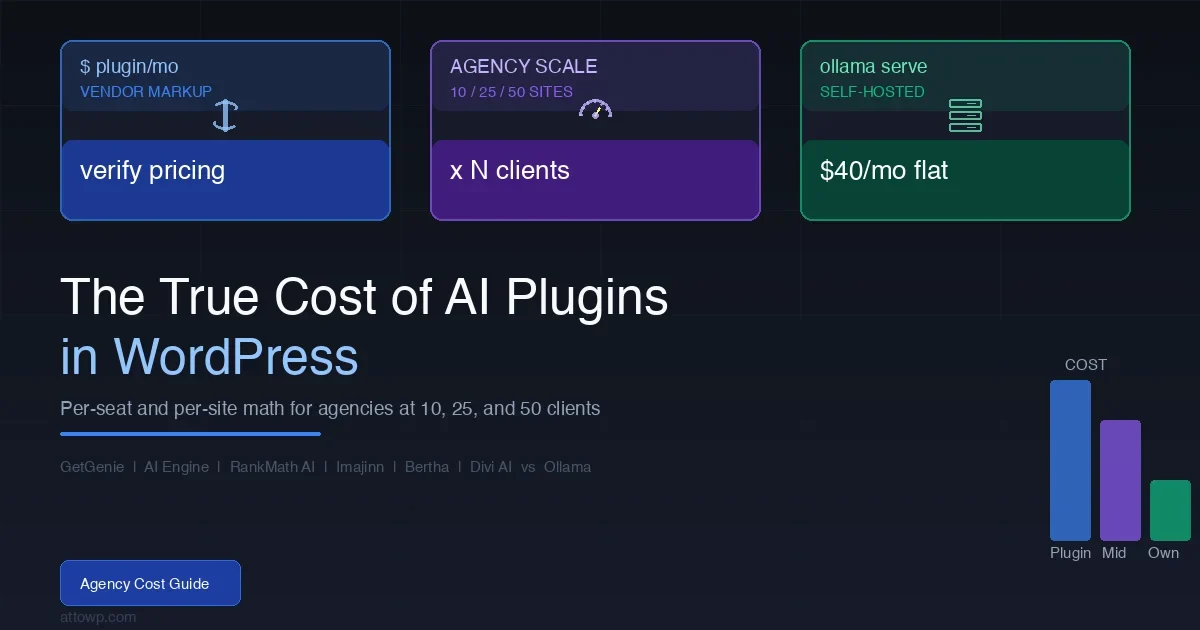
Every WordPress agency running AI plugins for clients is quietly absorbing a cost that compounds faster than client rosters grow. The math is not hard to do, but almost nobody does it before they are already locked into five separate AI subscriptions billed to a credit card nobody audits. This post runs the actual numbers: what the major AI plugins charge per seat or per site at agency scale, when self-hosting Ollama on a cheap VPS crosses the break-even point, and what the hidden costs are that no pricing page mentions.
Why Agency Cost Math Is Different From Solo Use
When a solo developer pays $29/month for an AI writing plugin, that cost is relatively easy to evaluate. When an agency manages 25 client sites, the same plugin either charges per site, per seat, or per credit pool - and the billing model determines whether the tool remains affordable or becomes a runaway line item at scale.
The HackerNews thread on AI subscription fatigue (403+ upvotes) framed it well: the per-seat model made sense when SaaS tools were few and expensive. When every WordPress plugin wants a monthly AI subscription layered on top of plugin licensing, the cumulative drag hits agencies first because they multiply every cost across every client relationship.
Three billing patterns appear across the AI plugin ecosystem:
- Per-site licensing – you pay for each WordPress installation separately. Scales predictably but linearly.
- Credit or token pools – you buy a bucket of AI credits and share them across all your sites. The first 10 clients feel cheap; by client 30, you are buying top-ups constantly.
- Per-seat (user account) billing – each content editor or team member costs separately. Relevant if you staff client sites with multiple editors.
Before modeling the cost, there is one structural issue worth naming: most AI plugin vendors use OpenAI, Anthropic, or similar APIs on the backend. You are not just paying for software - you are paying for a marked-up API wrapper. That wrapper is convenient, but the markup is real and it compounds with scale.
The Six Plugins: What They Charge and How
The following analysis covers GetGenie, AI Engine, RankMath Content AI, Imajinn, Bertha AI, and Divi AI. These are the tools that come up repeatedly in agency tooling discussions. For a feature-by-feature breakdown of what each plugin actually does in the editor, see the companion post AI Plugins for WP Editors: GetGenie vs AI Engine vs Imajinn vs RankMath AI – this article is the cost-deep-dive only.
GetGenie
GetGenie uses a word-credit model. You buy a plan measured in monthly word generation capacity, and that pool is shared across all sites using the same account. Their pricing tiers (verify against current pricing at getgenie.ai/pricing before quoting clients) are structured around word count per month, not per-site installations. The Solo plan covers basic use; the Data-Driven and Agency plans add more words and features like SEO analysis and competitor data.
The practical agency implication: at 25 client sites each producing 4 blog posts per month at 1,500 words each, you need 150,000 words/month minimum just for content generation. Factor in rewrites, meta descriptions, titles, and product copy and that number climbs significantly. Watch the credit overage rates - they are typically charged per additional 1,000 words and can spike during high-output months.
AI Engine (by Jordy Meow)
AI Engine takes a different approach: the plugin itself is free on WordPress.org, and you supply your own OpenAI API key. There is a Pro version (verify current pricing at wordpress.org or meowapps.com) that adds features like fine-tuning management and chatbot customization. The cost model is fundamentally different from the others - you pay OpenAI directly at API rates rather than going through a vendor markup.
For agencies, this is the most cost-transparent option in the plugin category. OpenAI API pricing for GPT-4o is publicly listed per million input/output tokens. The downside is operational complexity: you need to manage API key security across client sites, monitor usage to avoid runaway spend, and handle model deprecations yourself. The HackerNews thread on Apple Silicon vs OpenRouter touched exactly this tradeoff - direct API access is cheaper but requires more operational attention.
RankMath Content AI
RankMath’s Content AI is sold as Credits. Their pricing page (verify at rankmath.com/store/content-ai) shows Credit bundles that renew monthly. The credits are consumed by content generation, AI suggestions, and their SERP analysis features. RankMath bundles the AI layer with their SEO plugin, which is a real advantage for agencies already using RankMath - one fewer plugin installation per site.
The downside for multi-site agencies: RankMath Content AI credits appear to apply to one connected WordPress install per subscription tier (verify multi-site terms with RankMath directly). If each client site needs its own connected account, the credit cost multiplies by site count rather than being pooled. Confirm this with RankMath before building it into a pricing model.
Imajinn AI
Imajinn focuses on AI image generation within WordPress. Their credit model is image-based rather than word-based. Agencies with design-heavy clients (product photography, blog header images, social assets) will consume credits faster than content-only shops. The relevant cost question is whether your clients genuinely need in-WordPress image generation or whether a standalone tool like Midjourney or DALL-E 3 via ChatGPT Plus would be cheaper for the same output volume.
Imajinn pricing tiers (verify at imajinn.ai/pricing) are structured around monthly image generation credits. One consideration agencies miss: generated images often need post-processing before client use, so the real cost includes editor time on top of credit spend.
Bertha AI
Bertha AI uses a subscription model with word limits and a per-site or multi-site license structure. Their agency plans (verify at bertha.ai/pricing) typically cover multiple WordPress sites under one subscription with a monthly word allowance. Bertha is notable for tight Gutenberg integration and a Chrome extension that works outside WordPress - useful for agencies handling client social media or email alongside site content.
Divi AI
Divi AI is only relevant if your agency already uses Divi Builder. It is sold as an add-on to Elegant Themes membership (verify at elegantthemes.com/divi-ai). The cost calculus changes completely if you are already paying for Elegant Themes Developer access - the AI addition might represent marginal cost on an existing subscription rather than a new one. If you are not a Divi shop, this is not a credible option to evaluate independently.
The Agency Cost Model: 10, 25, and 50 Client Tiers
The table below models estimated monthly costs for a typical agency content workflow: 4 posts per month per client, approximately 1,500 words each (6,000 words/month per client), plus SEO meta generation and basic image needs. All figures should be verified against current vendor pricing before use in actual proposals. Prices change frequently.
Assumptions: 6,000 words/month per client site for content generation, 1 featured image per post (4/month), SEO meta for all posts, 1 editor seat at the agency.
Tool | Billing Model | 10 Client Sites/mo | 25 Client Sites/mo | 50 Client Sites/mo | Notes |
|---|---|---|---|---|---|
GetGenie (Agency plan) | Word credits, pooled | Verify pricing | Verify pricing | Verify pricing | 60k / 150k / 300k words/mo needed at usage assumptions. Check overage rates. |
AI Engine + OpenAI API | Direct API, ~$0.015/1k tokens (GPT-4o mini) | ~$9-18/mo API | ~$22-45/mo API | ~$45-90/mo API | Plugin free or ~$49/yr Pro. API costs vary by model chosen. GPT-4o mini at $0.15/$0.60 per 1M tokens. |
RankMath Content AI | Credit bundles, per install | Verify pricing | Verify pricing | Verify pricing | Confirm whether credits pool across sites or require per-site subscription. |
Imajinn AI | Image credits | Verify pricing | Verify pricing | Verify pricing | 4 images/mo per client = 40/250/500 images/mo at scale. |
Bertha AI (Agency) | Words + seats | Verify pricing | Verify pricing | Verify pricing | Check multi-site limits on current agency tier. |
Divi AI | ET membership add-on | N/A if not on Divi | N/A if not on Divi | N/A if not on Divi | Only relevant as Elegant Themes upsell. |
Self-hosted Ollama ($40 VPS) | Fixed infra cost | ~$40/mo flat | ~$40/mo flat | ~$40-80/mo flat | See full breakdown below. Smaller models only (7B-13B). No image generation. |
The AI Engine + direct OpenAI API row is the only column with defensible numbers because OpenAI publishes its API pricing publicly and those rates are per-token. Every other row carries vendor pricing that changes on their renewal schedule. The point of the table is the structural comparison, not the absolute dollar figures.
The Self-Hosted Ollama Case: When Does It Pay Off?
The premise is straightforward: instead of paying per word or per credit to a plugin vendor, you run an open-source LLM on a VPS you control and make API calls to it from WordPress. AI Engine supports custom API endpoints, which makes this integration possible without custom code. For the technical setup, the post WordPress Self-Hosted AI: Running Ollama and LM Studio Locally covers the installation and connection process in detail.
Infrastructure Costs
A $40/month VPS gives you enough to run Llama 3.2 (3B or 8B parameter models) or Mistral 7B with acceptable generation speeds for content tasks. The hardware requirements scale with the model size. The tradeoff matrix looks like this:
- $20-40/mo VPS (4GB-8GB RAM) – Runs 3B-7B quantized models. Usable for meta descriptions, short-form copy, summarization. Blog post drafts are slow (2-5 min per post) and quality is noticeably below GPT-4o.
- $80-120/mo VPS (16-32GB RAM) – Runs 13B models reliably. Blog post quality improves meaningfully. Still slower than cloud API calls.
- $200+/mo GPU instance – Runs 34B+ models with reasonable speed. At this cost level, self-hosting only makes sense if you have very high volume or specific data-privacy requirements.
The Break-Even Calculation
The switching point depends on what you are currently paying and what quality level you need. Here is the math framework:
Monthly cloud plugin spend = sum of all AI plugin subscriptions for your client base
Self-host monthly cost = VPS cost + your setup/maintenance time (assign an hourly rate)
Quality adjustment = factor in whether smaller open-source models produce output your clients accept without heavy editing
If your monthly AI plugin spend is under $80, self-hosting a VPS costs more than you save. If you are spending $200-400/month across multiple AI plugin subscriptions for 25+ clients, the infrastructure cost starts looking favorable - but only if you include your ops time honestly.
The real break-even for most WordPress agencies running self-hosted Ollama on a $40 VPS is roughly 15-20 active client sites where you are using AI-generated content at consistent volume. Below that, the operational overhead does not justify the savings. Above it, the fixed cost model becomes genuinely attractive.
What Self-Hosting Cannot Do
Three things that eliminate self-hosted Ollama as an option for some agency workflows:
- Image generation – Ollama does not run image generation models. You cannot replace Imajinn or DALL-E image credits with a text-model VPS. These are separate pipelines.
- Specialized SEO scoring – RankMath Content AI bundles SERP analysis with AI generation. A self-hosted LLM has no access to live search data. If that feature is core to your workflow, self-hosting does not replace it.
- Model quality ceiling – For clients who need GPT-4-level output quality, the 7B-13B open models on affordable VPS hardware will not match it. This is a real quality gap, not a configuration problem.
Hidden Costs That Do Not Appear on Pricing Pages
The sticker price is the floor, not the ceiling. Every AI plugin subscription carries costs that compound in ways pricing pages are not designed to highlight.
Model Upgrade Disruption
When a vendor upgrades their underlying model (e.g., from GPT-3.5 to GPT-4o, or switching API providers), your content generation output changes. Tone, formatting preferences, response length, and hallucination patterns all shift. Agencies that have built client editorial workflows around consistent AI output face a calibration period after every model upgrade. This is real time - a few hours per major model change multiplied across your client portfolio.
The hidden cost is not just your time: it is the client trust cost when content quality visibly changes between months. Some clients notice, and you need to explain why.
Credit Overage Charges
Credit-based AI plugins typically allow you to continue using the service after you hit your monthly limit - but at a higher per-unit rate. If you have not set hard credit limits, a single aggressive content sprint for a client can blow your monthly budget in two days. The overage rate is often 2-3x the base cost per credit. Check whether your chosen plugin allows hard credit caps before you build workflows around it.
API Failure and Retry Costs
AI APIs fail. Rate limits, model outages, timeout errors, and response truncations all happen. When your client editorial team is generating content through a WordPress plugin and it fails mid-session, they retry. Those retries consume credits even when the output was incomplete or unusable. This is a minor cost individually but visible in aggregate on high-volume months.
Plugins that have better retry logic and show credit consumption per generation (rather than obscuring it) are worth paying a small premium for if you are running agency-scale volume.
Support Cost for Client-Facing AI Failures
When AI-generated content on a client site contains factual errors, outdated information, or low-quality output that the client receives a complaint about, that becomes a support ticket your agency handles. The AI plugin vendor’s SLA does not cover your client relationship. Build an editing and QA layer into your cost model for any client workflow that uses AI-generated content without human review.
Plugin Abandonment Risk
The AI plugin market is moving fast. Several WordPress AI tools that had active development communities in 2023-2024 have seen reduced commit frequency or gone into maintenance mode as smaller vendors cannot keep up with API provider changes. If you build a client workflow around a plugin that stops updating, you inherit the migration cost. The safe path is either tools with large vendor backing (RankMath, Divi AI via Elegant Themes) or the direct-API approach (AI Engine + your own key) where the failure mode is “update the model in config” rather than “wait for the vendor.”
Building the Spreadsheet: A Framework for Your Numbers
Generic numbers in a blog post cannot replace your actual usage data. Here is the framework to build the model yourself. The goal is a single spreadsheet where you can change client count and see which option wins.
Inputs You Need
- Words generated per client site per month (content + meta + other)
- Images generated per client site per month (if applicable)
- Number of editor seats that need access
- Current monthly spend across all AI tools (check your card statement, not your memory)
- Your hourly rate for operations/maintenance work
Calculation Columns
For each option (Plugin A, Plugin B, Direct API, Self-hosted), calculate:
- Base monthly cost at your current client count
- Overage cost if you exceed plan limits by 20% (realistic buffer)
- Ops time cost (setup, key rotation, troubleshooting, model changes)
- QA editing cost (hours per month reviewing AI output)
- Total effective cost per client site per month
The Switching Point Formula
Self-hosted Ollama becomes the cost winner when: (VPS cost + monthly ops time * hourly rate) is less than (current AI plugin total - quality-adjustment overhead). The quality-adjustment overhead is the extra editing time you need because open-source models require more human review than GPT-4 class output.
For most agencies the switching point is real but requires honest accounting. Agencies that assign $0 to their own ops time find self-hosting looks great on paper. Agencies that bill at $100+/hr find that 3 hours/month of ops overhead is $300/month in real cost - which often exceeds the plugin savings until they are managing 40+ client sites.
Practical Decision Framework by Agency Size
Agency Size | Recommended Approach | Why |
|---|---|---|
1-10 client sites | Single plugin on mid-tier plan + direct API key (AI Engine model) | Low volume, low overhead, fixed cost is fine. No ops complexity. |
11-25 client sites | Audit actual spend vs. direct OpenAI API. Consider AI Engine for content, standalone for images. | This is the zone where direct API starts beating credit-pool plugins. Run the numbers. |
26-50 client sites | Direct API for content generation, evaluate self-hosted Ollama for low-stakes tasks, maintain cloud API for high-quality deliverables. | Fixed cost structure wins. But keep cloud API for client-facing output quality. |
50+ client sites | Hybrid: self-hosted for drafts/meta/rewrites + GPT-4 class API for final review layer. Negotiate agency API tier with OpenAI or Anthropic directly. | Volume justifies infra investment. Quality-tier work still needs best-in-class models. |
Monetizing Your AI Infrastructure as an Agency Service
There is a secondary angle worth considering: once you have standardized AI tooling for your own workflow, you can offer it as a managed service to clients who want AI-powered content but do not want to configure plugins themselves. The cost model inverts - instead of AI tools being an overhead cost, they become a billable component of your retainer.
For agencies that have built a revenue-generating WordPress practice around content and SEO, the plugin cost model discussed in WordPress Affiliate Plugin Stack Compared applies a similar framework: the tool only makes financial sense when you either pass cost to clients transparently or absorb it as a fixed overhead that is already priced into retainers.
The agencies that find AI plugins profitable are the ones that built AI tooling into their service rate before they bought the first subscription, not after. If you are retrofitting AI costs into existing flat-rate retainers, the math usually does not work.
The Scaling WordPress Freelance Business framework covers how to structure retainer pricing that absorbs tool costs without eating margin - worth reading before you decide whether to pass AI plugin costs through directly or bundle them.
What to Do Right Now
Before your next billing cycle:
- Pull your actual credit card statement and list every AI plugin subscription you are paying for. Include annual licenses divided by 12 to get a monthly figure.
- Calculate your real words-per-month across all client sites. This is almost always higher than your mental estimate.
- Check whether your highest-cost plugin has a direct-API option (most do). Price out what that same usage volume would cost at OpenAI or Anthropic API rates.
- Decide whether image generation is a core deliverable or a convenience. If it is just for featured images, a dedicated image tool or even Canva may be cheaper than a credit-pool AI plugin with image tacked on.
- If you are at 20+ client sites with consistent volume, build the self-hosted spreadsheet using the framework above. Assign real hourly cost to ops time.
FAQ
What is the cheapest AI plugin for WordPress agencies?
AI Engine with a direct OpenAI API key is typically the most cost-transparent option. The plugin has a free tier and a low-cost Pro version; you pay OpenAI directly at published API rates with no vendor markup. Whether it is the cheapest depends entirely on your usage volume and which model you select - GPT-4o mini is significantly cheaper than GPT-4o for most content tasks.
At what point does self-hosted Ollama save money over cloud AI plugins?
For most WordPress agencies, the break-even is roughly 15-20 active client sites with consistent monthly content volume (4+ posts per month per client). Below that threshold, the VPS cost plus ops time often exceeds plugin savings. Above 25 client sites with disciplined workflows, a $40-80/month VPS running Llama 3.2 or Mistral models typically costs less than equivalent word-credit plans - but requires accepting that open-source 7B-13B models produce lower-quality output than GPT-4 class.
Can I use self-hosted Ollama to replace all AI plugin costs?
Not entirely. Self-hosted Ollama handles text generation tasks well but does not support image generation. You also lose vendor-provided SEO data integrations (like RankMath Content AI’s SERP analysis). A hybrid approach - self-hosted for drafts and meta, cloud API for final client-facing content and specialized features - is more realistic than a full replacement.
Do AI plugin credit pools cover multiple WordPress sites?
It depends on the vendor. Some plugins like GetGenie use an account-level credit pool that you can connect to multiple sites. Others like RankMath Content AI may tie credits to specific connected installations - confirm directly with each vendor, as this policy affects the per-site cost calculation significantly at agency scale.
Is the ai plugin cost wordpress calculation different for WooCommerce vs content sites?
Yes, in two ways. WooCommerce sites often need AI for product descriptions, which are typically shorter than blog posts but much higher in volume (hundreds or thousands of products). The per-word cost at that scale favors direct API access strongly. Content sites use fewer, longer generations - which is where word-credit plugin pools are designed to look most competitive.
Conclusion
The ai plugin cost wordpress calculation is not complicated, but it requires using real numbers instead of vendor marketing figures. The tools that look affordable at solo scale become significant line items at 25-50 client sites when you account for actual word volume, overage rates, ops time, and the quality-editing overhead that open-source models require.
The decision framework: under 15 clients, use whatever plugin has the best UX for your workflow and do not overthink cost. Between 15 and 30 clients, run the direct-API comparison and seriously evaluate AI Engine with your own OpenAI key. Above 30 clients, build the hybrid spreadsheet - self-hosted for commodity tasks, cloud API for quality-critical deliverables. If you need a team to build and integrate those AI workflows rather than cobbling them together yourself, Wbcom Designs offers custom WordPress plugin development tailored to agency requirements.
For the full technical setup on running Ollama as your backend, read WordPress Self-Hosted AI: Running Ollama and LM Studio Locally. For the plugin feature comparison that precedes the cost question, start with AI Plugins for WP Editors: GetGenie vs AI Engine vs Imajinn vs RankMath AI.

No comments yet