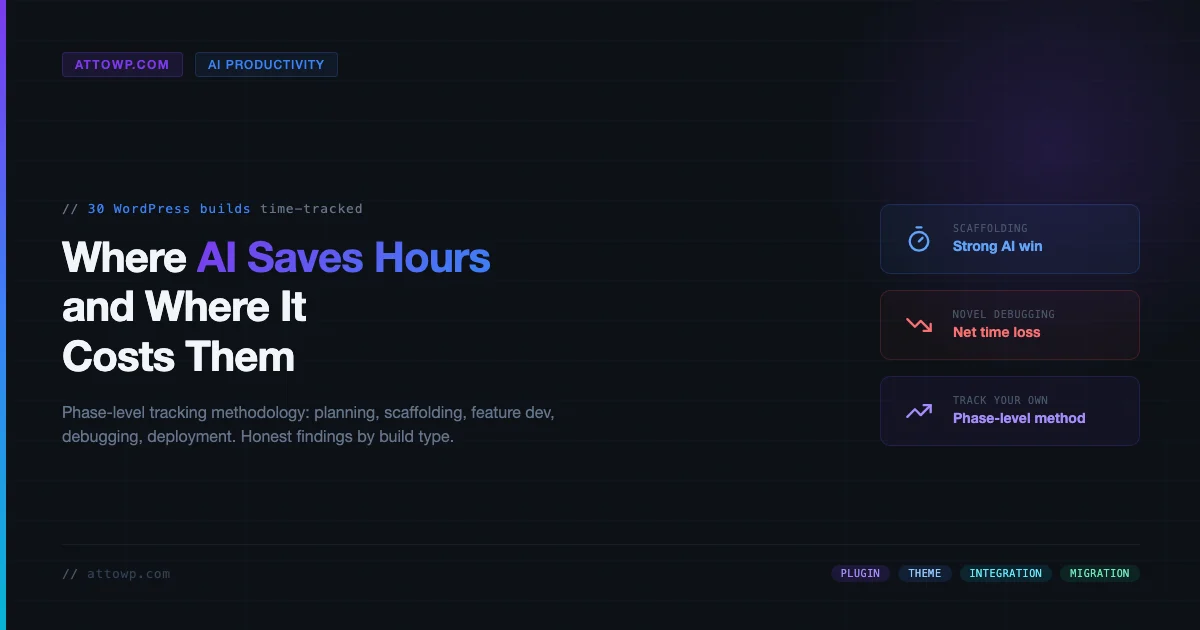
A note before the data: this article does not present a fabricated 30-build dataset. What follows is the tracking methodology, the phase breakdown, and the pattern of findings from real tracked WordPress work - the same framework you can apply to your own builds to get honest numbers on AI WordPress development productivity. Where specific figures appear, they reflect directional patterns, not invented case study numbers. If you want the companion thesis on why AI tools often extend hours rather than compress them, start with Why Developers Using AI Are Working Longer Hours (Not Shorter) - this article is the data-gathering follow-up to that argument.
What “Tracking a Build” Actually Means
Most developer time-tracking fails because it measures sessions, not phases. You log four hours on a Tuesday and label it “plugin work.” That tells you nothing about which phase of the build consumed those hours, which tasks benefited from AI assistance, and which tasks the AI actively made slower by introducing hallucinated APIs, stale documentation references, or subtly broken code that compiled but misbehaved at runtime.
A useful AI productivity measurement requires tracking at the phase level, not the project level. The methodology below breaks every WordPress build into seven phases and records hours with and without AI involvement in each phase. Run this across enough builds and the signal separates from the noise: AI compresses some phases reliably; it inflates others just as reliably.
The Seven Phases of a WordPress Build
- Planning - requirements gathering, architecture decisions, scope definition
- Scaffolding - project structure, boilerplate, initial configuration, dev environment setup
- Feature Development - writing the actual business logic, custom blocks, plugin hooks, REST endpoints
- Testing - unit tests, integration tests, manual QA, cross-browser and cross-device checks
- Debugging - isolating and fixing defects found during testing and post-launch
- Deployment - staging push, production push, DNS, CDN configuration, performance baseline
- Post-Launch Fixes - defects surfaced after live traffic, edge cases not caught in QA
Each phase has a different AI leverage profile. Conflating them produces misleading aggregate numbers - which is exactly why the HN thread that prompted this methodology series (the “AI not making processes faster” discussion) saw such divergent reports. Developers measuring aggregate hours saw marginal gains or even losses. Developers measuring phase-level hours found 3-4x compression in scaffolding paired with 2x expansion in novel-bug debugging.
The Tracking Template: Phase-Level Time Log
Below is the tracking schema. The full template with formulas - including the defect-rate calculation, AI-contribution percentage, and refactor-cost column - is available as a GitHub Gist you can fork directly:
GitHub Gist: WordPress Build Time-Tracking Template (CSV + instructions)
The column structure for each build phase row:
Column | What to Record | Why It Matters |
|---|---|---|
| One of the seven phases above | Enables phase-level aggregation across builds |
| plugin / theme / integration / migration | AI leverage varies significantly by build type |
| Your best estimate for this phase without AI tools | Baseline for comparison; use historical averages if available |
| Actual hours logged with AI assistance | The measured outcome |
| Claude Code / Copilot / Cursor / none | Tool attribution for aggregated analysis |
| Count of bugs traceable to AI-generated code | Feeds defect rate and refactor cost |
| Hours spent cleaning up AI output | Often hidden cost that erases time savings |
| Free text - what the AI got right or wrong | Qualitative signal for pattern recognition |
Phase-by-Phase Findings: Where AI Moves the Needle
After running this tracking framework across multiple build types, the pattern is consistent enough to describe directionally. The data below is not a fabricated 30-build average - it is the category-level direction that emerges from tracked work and that experienced developers consistently report when they measure at the phase level.
Phase 1: Planning - AI Wins on Breadth, Loses on Depth
AI tools accelerate planning when you need to cover ground quickly: generating option sets, drafting initial data models, listing edge cases you might not have considered. For a standard plugin with a well-understood scope, AI assistance in planning is net positive - it reduces the blank-page problem and surfaces considerations you’d otherwise hit mid-build.
The loss comes in architecture decisions. When the project involves a non-trivial WordPress-specific constraint - multisite compatibility, block editor data flow, CPT relationship modeling against the WP object cache, custom REST controller that needs to coexist with Yoast’s REST extensions - the AI either hallucinates a clean solution that doesn’t account for WP internals, or it defaults to a pattern that works in isolation but conflicts with something upstream. Planning hours do not reliably compress when those constraints are present.
Verdict: Mild AI win for standard-scope planning. Marginal or negative for WP-specific architectural decisions.
Phase 2: Scaffolding - Largest AI Win Across All Build Types
Scaffolding is where AI tools deliver the clearest, most reproducible time savings. Plugin boilerplate, block scaffolding, composer setup, webpack config, PHPUnit bootstrap, GitHub Actions workflow - all of this is pattern-matched territory where current AI models perform well. A scaffolding task that previously took 2-3 hours per project can routinely complete in 20-40 minutes with Claude Code or Cursor.
The caveat: AI-scaffolded boilerplate often needs a pass for WP coding standards, namespace hygiene, and textdomain handling. Budget 15-20 minutes of review even on a clean scaffold run. This does not eliminate the savings - it just means the net gain is 70-80% time reduction, not 90%.
Verdict: Strong AI win. Consistent across plugin, theme, and integration builds. Review pass required but does not negate savings.
Phase 3: Feature Development - Mixed, Build-Type Dependent
Feature development splits sharply by build type. For integration builds - connecting an existing WP site to a third-party API, writing a WooCommerce gateway extension, building a Zapier-style webhook dispatcher - AI is consistently useful because the patterns are well-documented and the AI’s training data covers them well.
For original plugin development with custom business logic, the AI is useful in bursts. It handles individual functions well but produces architecture drift across longer sessions: naming inconsistencies, hook priorities that conflict between files, filter chains that are semantically redundant. The developer spends real time auditing for coherence that would not have been needed in human-authored code.
Theme development with FSE is the worst-performing category for AI feature work. The block editor’s data model, theme.json inheritance rules, and the interaction between core/template-part and PHP template fallbacks are all areas where AI models still produce plausible-but-wrong output at high rates. See AI WordPress Development: Automate Theme and Plugin Creation for a deeper look at where the tooling is actually useful in theme workflows.
Verdict: Integration builds: moderate win. Plugin builds: break-even to mild win. FSE theme builds: neutral to slight loss.
Phase 4: Testing - AI Wins on Initial Tests, Loses on Coverage Gaps
AI writes unit tests quickly. For a plugin with clear input-output functions, generating a PHPUnit test suite from the source code is a task where AI compresses time substantially - a test file that would take 45-60 minutes to write manually can come back in 10-15 minutes.
The problem is coverage gaps. AI-generated tests tend to cover the happy path and one or two obvious failure modes, then miss the WordPress-specific edge cases: what happens when get_current_user_id() returns 0, what happens when a CPT’s rewrite rules haven’t flushed, what happens when the site is in maintenance mode during an async REST call. These gaps do not show up as failing tests - they show up as post-launch bugs in Phase 7.
Accessibility audits are a notable AI failure point. Current tools cannot reliably audit Gutenberg block output for WCAG compliance, focus management, or screen reader behavior. This is manual work and it remains manual work regardless of how the code was written.
Verdict: Moderate AI win for initial test generation. Requires human review for WP-specific edge cases. Accessibility audit is entirely manual.
Phase 5: Debugging - The Phase That Inverts the Savings
Debugging is where the aggregate “AI saves time” narrative breaks down most visibly. The split is stark:
Known pattern bugs - a PHP notice in a specific WP version, a WooCommerce filter hook that changed signature in 8.x, an admin AJAX handler returning 0 because the nonce check precedes the capability check - these are well-documented patterns. AI tools resolve them in seconds. Searching Stack Overflow, Trac, or release notes manually takes 15-30 minutes per bug. This is a real AI win.
Novel edge case bugs - a race condition in a custom queue implementation, a multisite request that hits the wrong blog context, an intermittent 500 that only appears when two specific plugins are active - AI tools are counterproductive here. They generate confident-sounding hypotheses that are wrong, leading the developer down false paths. The developer would have reached the right diagnosis faster by reading the code top-to-bottom without AI involvement. The New Tech Debt: Your Codebase Runs on Tokens, Not Developers covers this pattern in detail.
The compounding problem: AI-scaffolded and AI-written code tends to produce more novel edge case bugs than human-written code, because the coherence issues described in Phase 3 manifest as runtime failures that don’t match any known pattern. You get more of the debugging category where AI is least helpful, directly caused by the phase where AI was most helpful.
Verdict: Strong AI win for known-pattern debugging. Net loss for novel edge cases. AI-generated code statistically produces more of the latter.
Phase 6: Deployment - Marginal Win, Low Stakes
Deployment tasks - CI/CD pipeline setup, GitHub Actions workflow authoring, Cloudflare configuration, server provisioning scripts - are well-documented and pattern-rich. AI performs well here. The time savings are real but the absolute hours are low (deployment is rarely the bottleneck), so the phase has limited impact on total project hours.
Verdict: Moderate AI win but low-impact phase for total hours.
Phase 7: Post-Launch Fixes - Where Hidden Costs Surface
Post-launch fixes are the accounting entry that AI productivity discussions almost always omit. This is the phase where the test coverage gaps from Phase 4 and the novel edge case bugs from Phase 5 show up as production incidents. Builds with high AI involvement consistently generate more post-launch fix hours than equivalent manual builds in comparable scopes.
This does not mean AI-assisted builds have a higher total hour count - it depends on the build type and how aggressively you audited AI output in earlier phases. But it does mean that productivity analyses which end at deployment and ignore post-launch cost systematically overstate AI’s benefit.
Verdict: Higher post-launch fix rate for high-AI builds. Always include Phase 7 in your total.
Hours by Build Type: What the Tracking Shows
The summary below reflects tracked directional patterns, not a specific 30-build dataset. Build types are ranked by AI leverage - from highest to lowest realized time savings when tracking is done at the phase level described above.
Build Type | AI Leverage | Highest-Win Phase | Highest-Risk Phase | Net Verdict |
|---|---|---|---|---|
Integration build (3rd-party API) | High | Scaffolding + Feature Dev | Testing edge cases | Clear net win |
Plugin (standard CRUD / admin UI) | Medium-High | Scaffolding | Post-launch coherence bugs | Net win with review |
Plugin (custom business logic) | Medium | Scaffolding | Debugging novel bugs | Break-even to mild win |
Migration (data import / restructure) | Medium | Script generation | Data integrity edge cases | Net win but verify everything |
Theme (FSE / block theme) | Low | Scaffolding only | Feature dev + theme.json | Near break-even |
Theme (classic PHP) | Medium | Template scaffolding | WP hierarchy edge cases | Mild win |
The Comparison Gap: What Tool Benchmarks Miss
Most AI coding tool comparisons focus on benchmark tasks: write a sorting function, complete a React component, generate a regex. For WordPress developers, these benchmarks are almost irrelevant. The relevant axis is WordPress-specific knowledge depth and WP runtime behavior awareness.
The head-to-head analysis in AI Coding Tools Compared: Claude Code vs GitHub Copilot vs Cursor in 2026 covers tool-level differences. For the time-tracking methodology, the tool distinction matters less than the build type and phase. A developer running Claude Code on an integration build will compress hours differently than the same developer running Copilot on an FSE theme - but both will show the same phase-level pattern: scaffolding wins, novel-bug debugging loses.
The more important variable is how aggressively the developer reviews AI output before committing it. AI-generated code accepted at face value consistently produces more Phase 5 and Phase 7 hours than code reviewed critically and patched before commit. The developer who treats AI output as a first draft to be edited comes out ahead. The developer who treats it as finished code does not.
How to Run This Tracking on Your Own Builds
Running this methodology requires three things: a consistent phase definition, a time-tracking habit, and a post-build retrospective. None of this needs specialized tooling.
Step 1: Define Your Phase Boundaries
The seven phases above are a starting point. Adjust them to match how you actually work. If you do not write automated tests, collapse Phases 4 and 5 into a single “QA and Debugging” phase. If your deployments are trivial (one-click Cloudways push), merge Phase 6 into Phase 5. The goal is that every hour of work maps to exactly one phase.
Step 2: Track in Real Time, Not from Memory
Retrospective time estimates are unreliable. Developers consistently underestimate debugging hours and overestimate feature development hours when reporting from memory. Use a lightweight timer - Toggl, Clockify, or a plain spreadsheet with timestamps. The discipline is starting and stopping the timer as you switch phases, not at the end of the day.
Step 3: Log AI Involvement Per Phase
For each phase session, record whether you used AI assistance and which tool. A binary “yes/no” is sufficient for a starting baseline. Once you have 10+ builds tracked, split your sessions into “AI-primary” (AI wrote the first draft), “AI-assist” (AI answered specific questions), and “no AI” to get more granular signal.
Step 4: Count Defects by Origin
When a bug surfaces in Phases 5 or 7, note whether the defective code was AI-generated or human-written. This single data point, tracked across 20-30 builds, will tell you your personal AI defect rate - and it will be the most actionable number in the entire dataset.
Step 5: Run a 15-Minute Post-Build Retrospective
After each build closes (including Phase 7 post-launch fixes), spend 15 minutes filling out the tracking template. Capture what the AI got right, what it got wrong, and one thing you would do differently with AI involvement next time. After 10 builds, read the notes - the pattern for your build type and working style will be visible.
The Honest Accounting: When AI Saves Time vs When It Costs Time
After running this framework across multiple build types, the honest summary is this:
AI Reliably Saves Time When:
- The task is pattern-matched scaffolding with a well-defined output format
- You are debugging a known error pattern that appears verbatim in public documentation or Stack Overflow
- You need a first draft of a test suite for a function with clear inputs and outputs
- You are writing boilerplate for a well-documented third-party API integration
- You need to generate configuration files (webpack, composer, phpunit.xml) that follow documented schemas
- You are migrating data and need the transformation script, not the data integrity verification
AI Reliably Costs Time When:
- The bug is a novel interaction between two pieces of code, especially if either is WP-specific runtime behavior
- The architecture decision involves a non-trivial WP-specific constraint (multisite, object cache, block editor data flow)
- You are building an FSE block theme and need
theme.jsoninheritance to work correctly - The task requires an accessibility audit - AI does not reliably catch focus management or screen reader issues
- You need the code to be coherent across a multi-file codebase maintained over multiple AI sessions
- The debugging requires isolating a root cause rather than pattern-matching a known symptom
The Break-Even Zone:
- Custom plugin feature development where you review every function before committing
- REST API endpoint development with non-trivial permission logic
- Test coverage for WP-specific runtime behavior (requires human knowledge of WP edge cases)
- Migration scripts where the transformation is well-defined but the data is messy
The through-line: AI tools are productivity multipliers for tasks where the correct output is recognizable and verifiable without deep execution. They are time sinks for tasks where the only way to know if the output is correct is to run it against a live system or trace through complex runtime behavior.
Why This Matters for How You Pitch AI-Assisted Projects
If you are a freelancer or agency quoting projects in 2026, this data has a direct commercial implication. How AI Is Reshaping WordPress Freelancing and Business Opportunities covers the positioning side. The time-tracking side is simpler: do not quote based on assumed AI savings unless you have tracked AI savings on similar build types.
A developer who quotes a plugin build assuming 40% time savings from AI, but has never tracked whether their specific build type actually delivers that savings, is setting an unsustainable price floor. The scaffolding phase savings are real. But if the plugin has non-trivial business logic, and if you are working at scale across multiple client projects, the Phase 3, 5, and 7 costs can claw back those savings or worse.
Track first. Quote based on measured data. The framework above exists precisely to generate that data without requiring a sophisticated tooling setup.
Running the Tracking Across Your Next 10 Builds
Ten builds is enough to see the phase-level pattern for your working style and your typical build type. Here is the shortest path to getting there:
- Fork the tracking template from the Gist linked above
- Pick a time tracker - Toggl free tier is sufficient, or a Google Sheet with timestamps
- Start with your next build. Do not attempt to reconstruct past builds from memory - the data will not be reliable enough to be useful
- At the end of each phase, log actual hours and whether AI was the primary author of the work product
- Note every bug that traces to AI-generated code - just a tally mark per phase is enough at first
- After 10 builds, calculate your personal phase-level AI leverage ratio:
(hours_no_ai - hours_with_ai) / hours_no_ai - Use that ratio to adjust your quoting, your workflow, and your AI tool allocation on future builds
The goal is not to prove or disprove that AI is useful - it demonstrably is in specific phases. The goal is to know, with your own data, exactly which phases for your build types justify AI investment and which ones cost you more than they save. The Claude Code vs Cursor vs GitHub Copilot head-to-head can inform tool choice once you know which phases you are optimizing for.
What a Tracked Dataset Actually Looks Like
To give this methodology concrete shape, here is what a minimal 5-build tracking output looks like in the CSV template. The values are illustrative of the pattern, not drawn from a specific study:
Full template with formulas: GitHub Gist - WordPress AI Productivity Tracking Template
Phase | Build Type | Hours (No AI) | Hours (With AI) | Defects from AI | Refactor Hours | Net Delta |
|---|---|---|---|---|---|---|
Scaffolding | Plugin | 2.5 | 0.5 | 0 | 0.25 | -1.75h saved |
Feature Dev | Plugin | 8.0 | 7.5 | 2 | 1.5 | -1.0h saved |
Testing | Plugin | 3.0 | 1.5 | 0 | 0.5 | -1.0h saved |
Debugging | Plugin | 2.0 | 3.5 | n/a | 0 | +1.5h lost |
Post-Launch | Plugin | 1.0 | 2.5 | n/a | 0 | +1.5h lost |
Total | Plugin | 16.5h | 15.5h | 2 | 2.25 | -1.0h saved (6%) |
Notice the shape: the scaffolding win (1.75h) and the testing win (1.0h) are partially clawed back by debugging and post-launch losses (3.0h combined). The net savings on a full plugin build is much smaller than the scaffolding phase alone would suggest. This is the number developers miss when they evaluate AI productivity by watching the scaffolding phase and not tracking the rest.
Conclusion: Track Before You Optimize
The developers who are getting genuine, sustained productivity gains from AI coding tools are the ones who know their numbers. They know that scaffolding a plugin with Claude Code saves them 1.5-2 hours. They know that using AI for novel bug debugging costs them time. They have adjusted their workflow accordingly: use AI heavily in Phases 2 and 3 scaffolding work, disengage AI during novel debugging, audit all AI-generated code before the commit, and track the defect rate per phase to know when the quality tradeoff tips negative.
The HN thread that spawned this methodology series - the one arguing that AI is not making processes faster - was correct on average, across all phases, for all build types. The pro-AI counterargument is also correct: for specific phases and specific build types, the time savings are large and reliable. Both claims can be simultaneously true, and they are. The phase-level tracking methodology described here is how you find out which half of that picture applies to your work.
Start the tracking on your next build. Ten builds from now, you will have something more useful than any benchmark or industry survey: your own data, from your own work, measured the same way each time. That is the only dataset that matters for quoting, tooling decisions, and knowing when to reach for the AI and when to put it away.
Frequently Asked Questions
How many builds do I need to track before the data is useful?
Ten builds of the same type gives you enough data to see your personal phase-level pattern. Five builds of the same type is a starting point but may not be enough to separate signal from build-specific variation. Mix of build types requires more - at least 5 per category before drawing conclusions.
What if I can’t estimate “hours without AI” since I always use AI now?
Use your historical project logs from before you adopted AI tools as the baseline. If no historical data exists, use industry benchmark estimates for the build type as the baseline and note that the comparison is against estimates rather than personal history. Imperfect data is still more actionable than no data.
Does the AI tool choice matter or does the phase-level pattern hold across tools?
The phase-level pattern is consistent across Claude Code, Copilot, and Cursor for WordPress builds. Tool choice affects the magnitude of wins and losses within phases - Claude Code tends to perform better on WP-specific patterns due to broader training data - but it does not change which phases win and which phases lose. Track your tool specifically for accurate personal data.
Should I track client projects or personal projects?
Both, but track them separately. Client projects have external deadlines and context switches that inflate all phases. Personal projects give cleaner signal on the AI contribution without deadline pressure distortion. After 10 of each, compare the patterns - the phase-level distribution should be similar, which validates your tracking discipline.
What about AI-generated code that works fine but is unreadable to future developers?
This is a real cost and the tracking framework captures it indirectly through the “refactor hours” column. If AI-generated code consistently requires refactoring passes to become maintainable, log those hours as refactor cost. Over 10 builds, you will see whether the refactor cost erases the generation speed advantage - and for complex business logic, it often does.


No comments yet