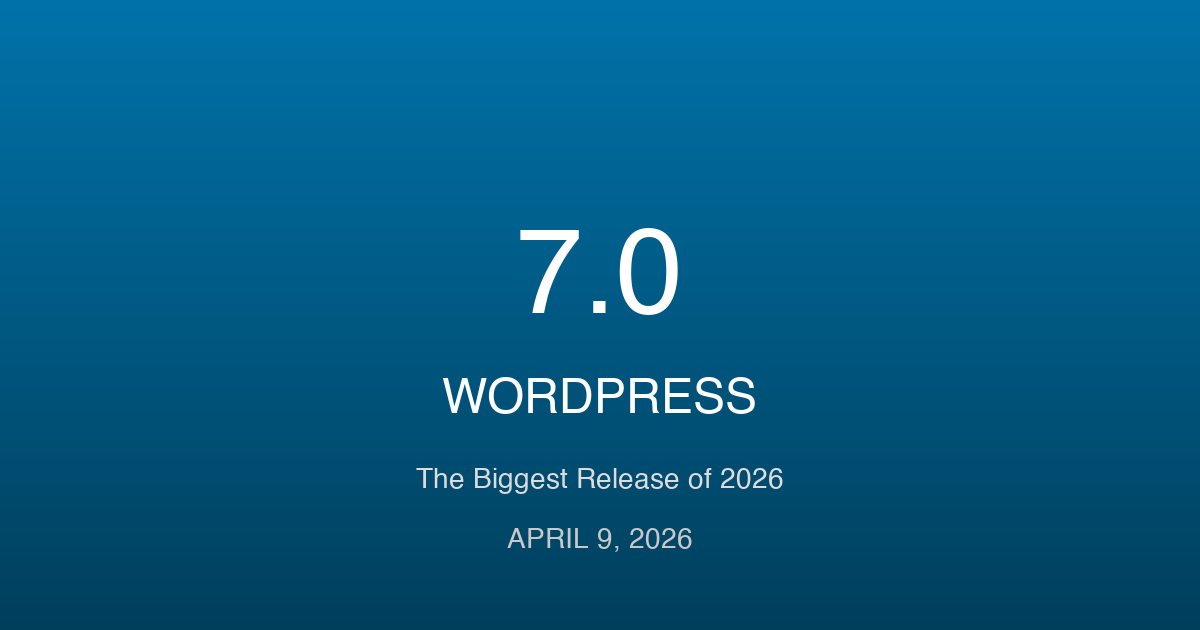
WordPress 7.0 is the next major version on the roadmap, and the development community has been tracking its progress closely. After WordPress 6.7 shipped in November 2025 with significant Gutenberg improvements and performance gains, attention has shifted to what a 7.0 milestone actually means for the platform. This guide covers everything currently known about WordPress 7.0 – the confirmed features, the timeline, what the major version bump signals, and how to prepare your sites and plugins for the transition.
It is worth being clear upfront: WordPress 7.0 has not yet been officially released as of early 2026. The version number represents a planning milestone in the WordPress release cycle, not an announcement. What follows is based on active development discussions, Gutenberg plugin releases, Make WordPress proposals, and the stated roadmap from the core team. We will update this guide as official announcements are made.
What Does a Major Version Bump Mean for WordPress?
WordPress has not shipped a major version (X.0) since WordPress 5.0 in December 2018, which introduced the Gutenberg block editor. The 5.x, 6.x series have followed a predictable pattern of two to three minor releases per year, each carrying significant feature sets.
A 7.0 release would signal a larger architectural shift – the kind the core team reserves for changes that affect backward compatibility in a meaningful way, or for phases of the Gutenberg roadmap that represent a complete milestone. Based on the published roadmap, the likely candidates for a 7.0 milestone are the completion of Phase 3 (Collaboration) or the start of Phase 4 (Multilingual) – both of which represent changes to how WordPress handles fundamental content operations.
For site owners, a major version bump does not mean breaking changes to basic WordPress functionality. The WordPress team maintains a strong backward compatibility commitment. Themes and plugins built for WordPress 6.x should continue working on 7.0. What changes is the feature surface, the API capabilities, and in some cases the admin interface.
The Four Phases of the Gutenberg Roadmap
Understanding WordPress 7.0 requires understanding where it sits on the Gutenberg roadmap. The roadmap has four phases, and progress through these phases shapes what each WordPress version delivers.
| Phase | Focus | Status (Early 2026) |
|---|---|---|
| Phase 1: Easier Editing | Block editor, Gutenberg foundation | Complete (WP 5.0-5.9) |
| Phase 2: Customization | Full Site Editing, theme.json, block patterns | Substantially complete (WP 6.x) |
| Phase 3: Collaboration | Real-time co-editing, revision history, comments in editor | In active development |
| Phase 4: Multilingual | Native multilingual content management | Early planning/design |
WordPress 6.7 completed the substantial work for Phase 2. The Sections feature, improved Data Views in the Site Editor, stable template locking, and mature block patterns represent the culmination of Full Site Editing. Phase 3 is where the platform is actively developing in early 2026, and the completion of Phase 3 is the most plausible trigger for a 7.0 release.
Phase 3: Collaboration – The Core of WordPress 7.0
Phase 3 of the Gutenberg roadmap is focused on real-time collaboration inside the WordPress editor. This is the most ambitious undertaking since Phase 1 introduced the block editor itself, and it represents the most visible change users will experience in WordPress 7.0.
Real-Time Co-Editing
Multiple editors working on the same post simultaneously, seeing each other’s cursors and changes in real time. This is the Google Docs experience applied to the WordPress block editor. The technical implementation requires a conflict resolution system for simultaneous block edits, presence indicators showing who is editing which section, and a synchronization layer that does not introduce visible latency.
The Gutenberg plugin has been testing co-editing features since late 2024. Early builds show presence indicators and locked blocks – a simpler approach than full operational transformation (OT) or conflict-free replicated data types (CRDT). The first iteration prevents conflicts rather than resolving them by allowing one editor to claim a block at a time. Full simultaneous editing with merge resolution is planned for a later iteration.
Revision History in the Block Editor
WordPress has had post revisions since version 2.6, but the revision viewer has not kept pace with the block editor. WordPress 7.0 is expected to ship a block-aware revision comparison UI: a side-by-side diff that understands block structure rather than treating content as raw HTML strings. Editors can compare revisions at the block level, restore individual blocks from a previous revision, and see who made which change.
This is a meaningful improvement for editorial workflows in newsrooms and content teams where post revisions frequently involve multiple contributors over days or weeks.
Asynchronous Comments and Review Workflows
Inline commenting on blocks – attaching review notes to specific content sections without publishing them publicly – is a Phase 3 feature that addresses a longstanding pain point for editorial teams. The workflow mirrors annotation tools like Notion, Figma comments, or Google Docs comments. Editors leave comments on specific blocks; reviewers respond inline; comments resolve when changes are accepted.
For agencies managing client review cycles, this removes the need for external tools (Google Docs, Figma, email threads) to manage content approval before publication.
Features Confirmed for the WordPress 7.0 Release Window
Beyond the Phase 3 collaboration features, several other improvements are in active development and expected to land in the 7.0 release window.
Interactivity API: Full Maturity
The Interactivity API, introduced in WordPress 6.5, has matured through 6.6 and 6.7. By the 7.0 release window, it is expected to reach a stable 1.0 status with a finalized public API surface. This matters because the Interactivity API enables reactive frontend behavior from server-rendered blocks without requiring a separate JavaScript framework.
For developers building WordPress sites with dynamic content – filtered product grids, interactive search, live cart updates – the Interactivity API is the alternative to wrapping everything in React or Vue. Its maturation in 7.0 makes it safe to build on for production applications.
Admin Interface Redesign
The WordPress admin interface has not received a substantive redesign since the MP6 update in 2013. Phase 3 includes an admin UI modernization as part of making the collaborative editing experience feel cohesive. Early design explorations from the core team show a flatter, more spacious interface that aligns with the block editor’s design language rather than the legacy dashboard aesthetic.
The redesign is not a complete overhaul – existing workflows and navigation patterns are preserved. The goal is visual consistency between the block editor and the broader admin, plus improved responsiveness on tablet and mobile form factors where editorial workflows increasingly happen.
Performance: Core Loading Strategy Improvements
WordPress 6.7 improved the script loading strategy and began addressing autoloaded options bloat. The 7.0 release is expected to continue this work with:
- Further reductions in the number of database queries on page load
- Improved deferred and async asset loading for block-based themes
- Reduced default memory footprint for the block editor
- Better Core Web Vitals support for Interaction to Next Paint (INP), which replaced First Input Delay as a ranking signal in 2024
REST API: Custom Post Type Improvements
WordPress 6.7 added native revisions support for custom post types through the REST API. WordPress 7.0 is expected to complete this work with better batch request support, improved filtering for related data, and a more consistent response structure across all post type endpoints. For headless WordPress setups – where Laravel or Next.js consumes WordPress content via the API – these improvements reduce the amount of custom API work needed to handle edge cases.
WordPress 7.0 Release Timeline
WordPress follows a release schedule that typically includes two to three minor releases per year. Based on recent release cadence and the amount of work remaining in Phase 3, here is a realistic projection.
| Version | Expected Window | Key Features |
|---|---|---|
| WordPress 6.8 | Q1-Q2 2026 | Phase 3 early features, performance improvements, Interactivity API maturity |
| WordPress 6.9 | Q3-Q4 2026 | Collaboration beta, admin redesign progress, Phase 3 completion |
| WordPress 7.0 | 2027 (tentative) | Phase 3 complete, Phase 4 planning, potential admin redesign stable release |
These are projections based on current development velocity, not official release dates. The WordPress release schedule adjusts based on feature readiness and community feedback. Beta testing periods typically run 4-6 weeks before each release, with a release candidate phase before the final version.
The WordPress core team has not confirmed a specific timeline for the 7.0 version number. It could arrive earlier if Phase 3 features land ahead of schedule, or later if the collaboration implementation requires additional testing.
What WordPress 6.7 Delivered (The Bridge to 7.0)
Understanding the 7.0 trajectory requires knowing where WordPress 6.7 left things. It was the most significant release of the 6.x series and the clearest signal of what the core team considers foundational before moving to Phase 3.
The Sections Feature
Sections allow editors to compose full-page layouts by combining existing patterns and blocks into named layout sections. Instead of managing templates and template parts directly – which requires understanding theme structure – editors work with sections that behave like design components. This removes a major complexity barrier for non-technical users and brings WordPress’s editing experience closer to visual page builders like Elementor, without requiring a separate plugin.
Data Views in the Site Editor
The Data Views interface replaced the previous flat list views for managing posts, pages, templates, and patterns in the Site Editor. It supports list view, grid view, and table view – with filtering, sorting, and bulk operations. For sites with hundreds of templates or patterns, this is a substantial usability improvement that makes the Site Editor viable as a day-to-day content management interface rather than just a theme customization tool.
Performance Improvements
WordPress 6.7 reduced the number of autoloaded options loaded on every page request and improved the deferred script loading strategy for block-based themes. For WordPress sites with large plugin stacks, these improvements translate to measurable reductions in Time to First Byte on uncached page loads. The Site Health tool gained new checks specifically for autoloaded options bloat and script loading issues.
How to Prepare Your Sites for WordPress 7.0
Preparation for a major WordPress version is not a last-minute task. The changes in Phase 3 affect how content is stored, how the editor communicates with the server, and how plugins hook into the editorial workflow. Starting preparation now reduces the risk of breaking changes when the release arrives.
Audit Your Custom Blocks
The collaboration features in Phase 3 require blocks to declare whether they support concurrent editing. Blocks that do not explicitly declare their collaboration behavior will be treated as locked – only one editor can work on them at a time. Review any custom blocks your theme or plugin registers and update their block.json to include appropriate support declarations as they become documented.
Update to PHP 8.2+
WordPress 7.0 is expected to raise the minimum PHP recommendation to 8.2. Hosting environments running PHP 7.4 or 8.0 will fall outside the recommended range. Test your plugins and themes on PHP 8.2 now. Common issues include deprecated dynamic properties (resolved by typed class properties or the #[AllowDynamicProperties] attribute) and stricter type handling in certain array functions.
Adopt Block-Based Themes
Classic themes will continue to work in WordPress 7.0, but Phase 3 collaboration features are being developed exclusively for the block editor and block-based themes. If your site runs a classic theme, the collaboration features will not apply to your editorial workflow. Migrating to a block-based theme before 7.0 ensures you get the full benefit of Phase 3 features on day one.
Review Plugin Compatibility with the Interactivity API
Plugins that currently use custom JavaScript for interactive frontend behavior (search filters, cart updates, form interactions) should evaluate the Interactivity API as a replacement. As the API reaches stable status in the 7.0 window, building on it means your plugin stays aligned with core development rather than maintaining a separate JavaScript layer that may conflict with Interactivity API components.
Test on the Gutenberg Plugin (Always)
The Gutenberg plugin ships new features 4-6 months before they land in WordPress core. Running the Gutenberg plugin on a staging site gives you early access to Phase 3 features as they develop. Test your themes and plugins against current Gutenberg plugin releases regularly – by the time WordPress 7.0 ships, you will have months of compatibility testing completed.
How WordPress 7.0 Affects Developers, Agencies, and Site Owners
For Theme Developers
Block-based theme development is the only path forward. WordPress 7.0 will not break classic themes, but new capabilities – collaboration, Interactivity API, Data Views integration – are being built exclusively for the block architecture. Theme developers who have not yet shipped a block-based theme should treat the 7.0 window as a hard deadline for the transition.
The theme.json specification will likely expand with the admin redesign, adding new design token support for spacing, typography, and color systems that align with the updated admin aesthetic.
For Plugin Developers
Plugins that extend the editor need to test against Phase 3 features early. The collaboration layer introduces new JavaScript APIs for presence, cursor tracking, and block locking that will be available to plugin developers. Editorial workflow plugins (editorial calendars, approval workflows, content staging) should evaluate how their existing functionality overlaps with the new native collaboration features and adjust accordingly.
Performance-focused plugins should also be aware that WordPress 7.0 will likely include more aggressive defaults for script loading and caching. Plugins that inject scripts on every page load without proper `defer` or `async` handling will increasingly conflict with core’s loading strategy.
For Agencies Managing Client Sites
The collaboration features in WordPress 7.0 have the potential to change client review workflows significantly. The ability to leave inline comments on specific blocks, tag editors for review, and track revision history at the block level removes the need for separate tools in the review cycle. Plan to demonstrate these features to editorial clients as they land in Gutenberg plugin builds.
Admin interface changes will require client training updates. Invest in screenshot-based documentation that can be quickly updated when the admin redesign lands.
For Site Owners
WordPress 7.0 will not break your existing site. Keep automatic minor updates enabled and plan a manual review for the major version upgrade. The most important preparation is ensuring your hosting environment runs PHP 8.2+ and that all active plugins and themes have been tested against WordPress 6.8 and 6.9 as they release. Sites that stay current through the minor releases will have a smooth 7.0 upgrade path.
WordPress 7.0 and the Broader CMS Picture
The collaboration features in WordPress 7.0 directly address the strongest competitive argument for switching from WordPress to platforms like Notion, Contentful, or headless CMS solutions with built-in collaboration tools. Teams that have moved to these platforms specifically for co-editing and inline review features will have reason to reconsider WordPress when Phase 3 is complete.
At the same time, WordPress 7.0 does not change the fundamental architectural positioning. It remains a monolithic CMS that can be extended into headless configurations. For organizations that have already moved to headless WordPress with a JavaScript frontend, the collaboration features are editor-side improvements that do not affect the API surface they consume. For teams still evaluating CMS architecture, our complete CMS platforms guide covers the decision framework in detail.
Phase 4 (Multilingual) is the feature most likely to affect market positioning after 7.0. Native multilingual content management – without WPML or Polylang – would close a significant capability gap that currently drives enterprise teams toward alternatives like Contentful, Prismic, or CoreMedia. The design work for Phase 4 will likely become public discussion during the 7.0 development cycle.
Frequently Asked Questions
When will WordPress 7.0 be released?
No official release date has been announced. Based on current development velocity and the work remaining in Phase 3 of the Gutenberg roadmap, a 2027 release window is a reasonable projection. The path there runs through WordPress 6.8 and 6.9, which will deliver Phase 3 features progressively. Follow the Make WordPress blog and Gutenberg plugin releases for the most current information.
Will WordPress 7.0 break my existing site?
WordPress maintains a strong backward compatibility commitment. Sites running WordPress 6.x should upgrade to 7.0 without breaking changes to core functionality. Plugins and themes that follow WordPress coding standards and use documented hooks and filters should continue working. The risk area is plugins that rely on undocumented internal functions or override editor JavaScript in ways that conflict with the collaboration layer.
Do I need to update my theme for WordPress 7.0?
Classic themes will continue to work but will not benefit from Phase 3 collaboration features. Block-based themes will receive the full feature set. If your theme is already block-based, monitor block.json documentation for new support declarations as Phase 3 features approach stable status. If your theme is a classic theme, consider migrating to a block-based equivalent before 7.0 ships.
What is the Interactivity API and why does it matter for 7.0?
The Interactivity API lets WordPress blocks handle dynamic frontend behavior – filtering, toggling, real-time updates – using server-rendered directives rather than a separate JavaScript framework. It matters for 7.0 because it reaches stable status in the 7.0 window, making it safe to build on for production use. Blocks using the Interactivity API perform better than equivalent JavaScript-heavy implementations and integrate cleanly with WordPress’s server-side rendering model.
How does WordPress 7.0 compare to Contentful or headless CMS platforms?
Phase 3 closes the collaboration gap that has driven some editorial teams toward headless CMS platforms. Real-time co-editing, inline comments, and block-aware revision history bring WordPress’s editorial experience much closer to tools like Contentful or Notion. WordPress 7.0 still differs in architecture – it remains a self-hosted, database-backed CMS rather than a cloud-native API service. For teams where deployment control, cost, and plugin ecosystem matter, WordPress 7.0 becomes a stronger answer to the collaboration objection.
WordPress 7.0 represents the most significant capability expansion since the block editor launched in 5.0. The collaboration features address a real pain point in editorial workflows. The performance improvements continue a trajectory that has made WordPress competitive on Core Web Vitals. The Interactivity API reaching stable status gives developers a first-class reactive frontend option that does not require a separate framework.
The best preparation is staying current: keep WordPress updated through the minor releases, run the Gutenberg plugin on staging environments, test your plugins and themes as Phase 3 features land. By the time 7.0 ships, the transition should feel like a continuation of changes you have been tracking for months rather than a sudden shift.
Stay Ready for WordPress 7.0
We help agencies and development teams prepare for major WordPress transitions – plugin compatibility audits, theme migration to block-based architecture, and performance hardening ahead of major releases. Reach out if you need a compatibility review for your setup.
Admin Redesign AI in WordPress Block Editor Developer News Full Site Editing
Last modified: March 11, 2026