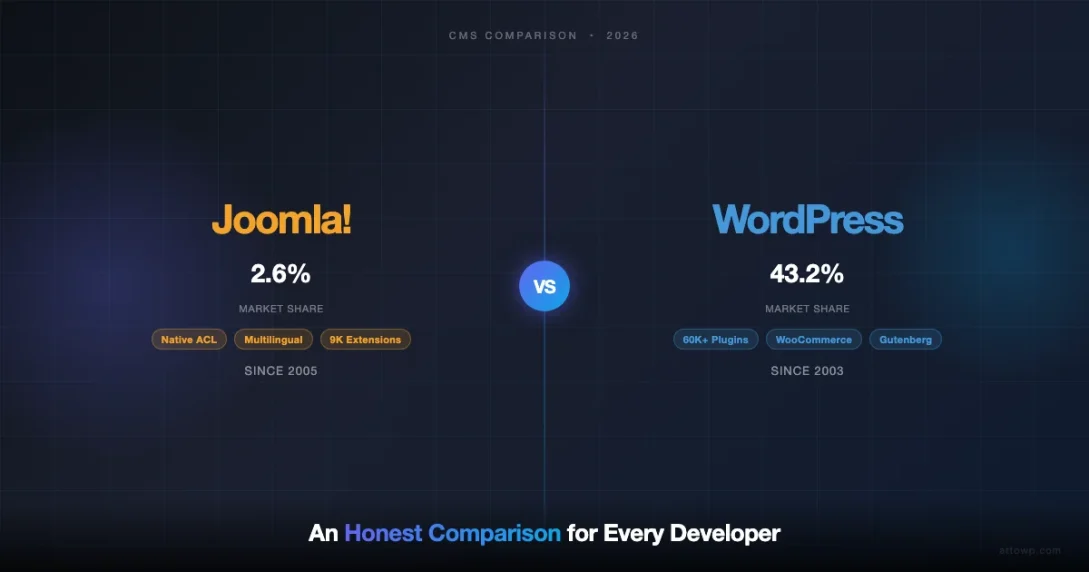
If you are evaluating content management systems in 2026, the Joomla vs WordPress debate remains one of the most relevant comparisons a developer or site owner can make. Both platforms have been around for nearly two decades, both are open-source, and both power millions of websites. Yet they are fundamentally different in philosophy, architecture, and the types of users they serve best. This guide gives you an honest, side-by-side look at every dimension that matters, Admin UX, extensions vs plugins, ACL, multilingual support, community size, migration paths, and market share, so you can make a confident decision for 2026.
Quick Verdict: Who Should Pick Which?
| Situation | Best Choice |
|---|---|
| Blogging, content marketing, WooCommerce store | WordPress |
| Community portal, magazine, government site | Joomla |
| Developer building a plugin ecosystem business | WordPress |
| Site with complex user roles and permissions | Joomla |
| Multilingual site without third-party plugins | Joomla |
| Fastest time-to-launch for a typical business site | WordPress |
Background: Two Open-Source Giants
WordPress launched in 2003 as a fork of b2/cafelog. It started as a blogging tool and expanded into a full CMS with the introduction of custom post types (2010), the REST API (2016), and the Gutenberg block editor (2018). Today it powers approximately 43% of all websites on the internet, according to W3Techs data from early 2026.
Joomla launched in 2005 as a fork of Mambo. It was built from the start as a full-featured CMS rather than a blog platform, and it introduced concepts like a built-in ACL (Access Control List), native multilingual support, and a component/module/plugin architecture that separated content from display logic. Joomla powers roughly 2.6% of all websites, making it the third-largest CMS after WordPress and Shopify.
Both platforms use PHP and MySQL (or compatible databases), both are free to download, and both rely on community-built extensions for additional functionality. The similarities largely end there.
Admin UX: Familiarity vs Power
WordPress Admin
WordPress’s admin panel is widely regarded as one of the most user-friendly interfaces in the CMS space. The left sidebar is clean: Posts, Pages, Media, Comments, Appearance, Plugins, Users, Tools, Settings. For most content editors, posting an article requires no more than three screens.
The Gutenberg block editor, introduced in WordPress 5.0, brought a visual, block-based approach to content creation. Each element, paragraph, image, video, table, button, is a discrete block that can be moved, styled, and saved as a reusable pattern. For full site editing (introduced properly in WordPress 5.9), entire themes can be built through a visual interface without writing any code.
The trade-off is that the admin is optimised for the 80% use case. Advanced features like managing menus for a multilingual site, configuring ACL roles, or managing deeply nested content types require third-party plugins, which adds cognitive load for administrators managing complex architectures.
Joomla Admin
Joomla’s admin interface is more dense and power-user oriented. The top navigation bar exposes System, Users, Menus, Content, Components, Extensions, and Help, each a deep submenu. A first-time user often needs 15–30 minutes just to understand the mental model: Articles live in Categories which are assigned to Menu Items which live in Menus which are rendered by Modules in Template Positions.
Joomla 4 (2021) and Joomla 5 (2023) made significant UX improvements, introducing an Atum template for the admin, an Accessibility Checker, a new Web Services API, and a streamlined extension installation workflow. The 2026-era admin is noticeably cleaner than Joomla 3, but it still requires a steeper onboarding curve than WordPress for non-technical editors.
Where Joomla’s admin excels is in surfacing complexity that WordPress hides behind plugins. Global Configuration exposes hundreds of settings, caching layers, session handling, database engine, cookie parameters, in a single unified panel. For system administrators, this is a feature, not a bug.
WordPress optimises for the first 30 minutes. Joomla optimises for the first 30 months.
Extensions vs Plugins: Ecosystem Depth
WordPress Plugin Ecosystem
The WordPress plugin directory at WordPress.org hosts more than 60,000 free plugins as of 2026. Add premium marketplaces like Envato, individual developer stores, and SaaS-based WordPress tools, and the total ecosystem runs into hundreds of thousands of extensions. Almost every problem a site owner can encounter, payments, memberships, forms, SEO, caching, security, CRM integration, has multiple competing plugin solutions.
Plugin quality varies enormously. The sheer volume creates both opportunity and risk: you can build almost any functionality, but you need to vet plugins for security, compatibility, and maintenance status. Tools like Query Monitor and the Health Check plugin exist specifically to diagnose conflicts in dense plugin stacks.
- 60,000+ free plugins on WordPress.org
- Premium plugins on CodeCanyon, individual developer sites, WooCommerce Marketplace
- Plugin Update Manager for bulk license management
- WooCommerce alone has 800+ official extensions
- Page builders (Elementor, Bricks, Breakdance) add entire visual development layers
Joomla Extension Ecosystem
Joomla’s JED (Joomla Extensions Directory) lists approximately 9,000 extensions in 2026. This is a smaller catalogue, but the Joomla extension model is more structured. Extensions are categorised into five types:
- Components: Major functional areas (e-commerce, forums, booking systems), appear in the admin sidebar and have both front-end and back-end views
- Modules: Content blocks rendered in template positions (latest articles, login form, search bar)
- Plugins: Event-driven extensions that hook into the core system (authentication, content processing, search indexing)
- Templates: Front-end and back-end design themes
- Languages: Localisation packs
This architecture means that a single Joomla “extension” can include a component, several modules, and a set of plugins that work together, providing a more bundled experience than the WordPress model where you might need three separate plugins to achieve the same result.
The practical gap is in niche or emerging use cases. If you need a specific payment gateway, a specific AI writing tool integration, or a specific analytics connector, WordPress will almost certainly have a plugin. Joomla may require custom development.
Access Control: Joomla’s Built-In ACL vs WordPress Roles
This is one of the clearest differentiators between the two platforms, and it matters enormously for enterprise, government, and membership sites.
WordPress User Roles
WordPress ships with six default roles: Super Admin (Multisite only), Administrator, Editor, Author, Contributor, and Subscriber. Each role has a fixed set of capabilities (create_posts, publish_posts, edit_others_posts, manage_options, etc.). The model is flat: a capability is either on or off for a given role.
To build granular permission systems, for example, a user who can edit articles in Category A but not Category B, or a user who can approve comments but not change settings, you need plugins like Members (Justin Tadlock), PublishPress Capabilities, or User Role Editor. These are mature, well-supported plugins, but they are an add-on layer rather than native functionality.
Joomla Native ACL
Joomla’s ACL system, introduced in Joomla 1.6 (2011) and refined through every major version since, is a genuinely powerful hierarchical permission system. It works on three axes:
- Groups: Hierarchical user groups (Public, Registered, Author, Editor, Publisher, Manager, Administrator, Super User, fully customisable)
- Levels: View Access Levels, control what content a group can see (Public, Registered, Special, custom levels)
- Actions: What a group can do (Create, Delete, Edit, Edit State, Edit Own), set globally, per component, per category, or per article
A practical example: you can create a “Regional Editor” group that can create and edit articles in the “Europe” category but cannot delete articles, cannot access the “Asia” category, and cannot change the site’s template settings. All of this is configurable through the admin UI without any plugin.
For WordPress to match this level of granularity, you would need a capable permissions plugin and a developer familiar with WordPress capabilities API, achievable, but more work to configure and maintain.
Multilingual Support: Native vs Plugin
WordPress and Multilingual
WordPress does not include native multilingual support in its core. Translations of the admin interface are supported (via language packs), but running a bilingual or multilingual content site requires a plugin. The dominant options are:
- WPML (WP Multilingual): Commercial, ~$99/year, the most feature-complete option, supports 65+ languages, compatible with most page builders and WooCommerce
- Polylang: Freemium, free tier covers most use cases, strong community support
- TranslatePress: Front-end visual translation interface, popular for content teams
- Weglot: SaaS-based automatic translation, per-language pricing
WPML and Polylang are production-ready for complex multilingual sites, but they add complexity: translated content management, language switcher placement, and SEO hreflang tags all require additional configuration and ongoing maintenance.
Joomla Native Multilingual
Joomla has included native multilingual support since version 2.5. In Joomla 4 and 5, the multilingual system covers:
- Language associations (linking equivalent articles across languages)
- Multilingual module and menu management
- Per-language content override management
- Language switcher module (built-in, no add-on required)
- hreflang tag generation
For government sites, educational portals, or regional publications that must serve content in 3–10 languages, Joomla’s native multilingual is a compelling differentiator. The admin workflow for managing translated content is purpose-built rather than retrofitted.
The limitation is machine translation integration. WordPress’s Weglot or DeepL integrations are more mature than anything currently in the Joomla ecosystem.
Community Size and Support
Community size directly affects how quickly you get answers, how many tutorials exist, how well security issues are patched, and how reliably the platform grows.
WordPress Community
WordPress has the largest open-source CMS community in the world, by a significant margin:
- WordCamps: 150+ events globally each year
- Contributors: 4,000+ active contributors across core, plugins, themes, documentation, and polyglots teams
- Stack Overflow: 170,000+ tagged WordPress questions
- GitHub: Gutenberg repository alone has 4,000+ contributors
- Freelancer market: WordPress skills are in the top 10 most-searched categories on Upwork, Fiverr, and Toptal
The developer job market reflects this: hiring a WordPress developer is significantly easier and less expensive than hiring a Joomla developer in 2026. This has compound effects on project cost, team scalability, and long-term maintenance.
Joomla Community
Joomla’s community is smaller but dedicated. Key stats:
- JoomlaDays: Regional events in Europe, Asia, and the Americas
- Forum.joomla.org: Active support forum with 800,000+ threads
- Joomla! Open Source Matters: Non-profit governing body with structured leadership
- Joomla 5 LTS: Long-term support until 2027, with a clear release roadmap through Joomla 6
The Joomla community has a reputation for being technically rigorous, many long-term Joomla developers have deep expertise in its architecture. However, finding developers and finding recent tutorials (published 2024–2026) is harder than for WordPress. Some Joomla community documentation still references Joomla 3 practices, requiring extra diligence when evaluating advice.
Market Share in 2026
Market share data from W3Techs (February 2026) shows the landscape clearly:
| CMS | Market Share (All Sites) | Among Known CMS |
|---|---|---|
| WordPress | 43.2% | 62.9% |
| Shopify | 4.8% | 7.0% |
| Joomla | 2.6% | 3.8% |
| Drupal | 1.7% | 2.5% |
| Wix | 2.4% | 3.5% |
| Squarespace | 1.9% | 2.8% |
Joomla’s market share has been on a slow decline since its 2012 peak of around 9%. This matters for several reasons:
- Fewer new developers entering the Joomla ecosystem
- Slower rate of new extension development
- Larger risk that a key extension becomes unmaintained
- Less leverage when negotiating hosting support or developer rates
However, market share alone is not a reason to dismiss Joomla. A 2.6% share of all websites still represents millions of production sites. The platform continues to be actively developed, Joomla 5 is stable and well-supported, and for the right use case it remains a legitimate choice. For a broader look at why WordPress commands such a commanding share, see our analysis of why traditional CMS platforms like WordPress still dominate in 2026.
Security Model
Both platforms have had significant security vulnerabilities over their lifetimes. The comparison here is less about inherent security and more about ecosystem practices.
WordPress Security
WordPress’s large market share makes it a high-value target. The vast majority of WordPress compromises are not core vulnerabilities, they come from outdated plugins, nulled themes, or weak credentials. The WordPress Security Team handles core vulnerabilities promptly, often releasing patches within hours for critical issues.
The plugin ecosystem is the real attack surface. With 60,000+ plugins of widely varying maintenance quality, the probability of running an outdated plugin with a known CVE is higher than on a platform with a smaller, more curated catalogue. Services like Patchstack, WPScan, and Wordfence exist specifically to manage this risk.
Joomla Security
Joomla’s security track record is comparable to WordPress at the core level. Joomla’s smaller market share means it is a less attractive mass-attack target, though targeted attacks still occur. Joomla 4 and 5 introduced several hardening measures: improved password hashing (bcrypt), two-factor authentication in core, a Web Application Firewall option, and stricter Content Security Policy headers.
The Joomla Security Strike Team (JSST) publishes security advisories regularly and the community is generally responsive to CVE reports. Because the extension catalogue is smaller, there is less surface area to worry about, though the trade-off is fewer options.
Performance and Caching
Out of the box, both platforms are PHP/MySQL applications with comparable baseline performance. The differences emerge in the caching architecture.
Joomla ships with a built-in caching system in Global Configuration. You can enable Conservative or Progressive caching, control cache time, and use file-based or Memcache storage, all without installing any extension. This is an underrated advantage for shared hosting environments where adding Redis or configuring Nginx is not an option.
WordPress caching requires a plugin. WP Super Cache, W3 Total Cache, WP Rocket, LiteSpeed Cache, and Redis Object Cache are the main options. The ceiling is higher, WP Rocket + Redis on a properly configured VPS will outperform Joomla’s built-in caching, but the floor is lower if you do nothing. A fresh WordPress install with no caching plugin and a moderate traffic spike will degrade faster than a Joomla install with conservative caching enabled.
Migration Path: From Joomla to WordPress (and Back)
Migration between platforms is a real consideration, both for sites currently on Joomla considering a move to WordPress, and for WordPress developers being asked to work on Joomla sites.
Migrating from Joomla to WordPress
The most reliable tool for Joomla-to-WordPress migration is CMS2CMS (commercial) or the FG Joomla to WordPress plugin (free on WordPress.org). The automated tools handle:
- Article content → WordPress Posts
- Joomla categories → WordPress categories
- Joomla tags → WordPress tags
- Images in the Joomla media library → WordPress media library
- User accounts (with password reset on first login)
What does NOT migrate automatically:
- Component data (e-commerce orders, directory listings, event registrations)
- Custom fields from Joomla’s CCK-style components
- ACL configurations (must be rebuilt using WordPress roles/plugins)
- Menu structure and module positions (must be rebuilt as WordPress menus and widgets)
- Template design (requires a WordPress theme replacement)
A realistic Joomla-to-WordPress migration for a site with 200 articles, standard categories, and a basic template can be completed in 1–3 days by an experienced developer. A site heavily using VirtueMart, JoomGallery, or community components may require weeks of custom migration work.
Migrating from WordPress to Joomla
Reverse migration is less common and less well-supported by tooling. The CMS2CMS tool supports WordPress-to-Joomla migration. The main friction points are the philosophical differences in content architecture: WordPress’s simple post/page model does not map directly to Joomla’s Articles + Categories + Menu Items + Modules model.
A developer considering a Joomla site for a new project is better off building it in Joomla from scratch than migrating from WordPress, unless the content is purely editorial (articles and pages).
Hosting and Infrastructure
Both platforms run on standard LAMP/LEMP stacks and are supported by virtually every shared, VPS, and managed hosting provider. The managed hosting landscape is where they diverge:
- Managed WordPress hosting: WP Engine, Kinsta, Cloudways WordPress, Flywheel, Pressable, dozens of providers with WordPress-specific caching, staging, and one-click updates
- Managed Joomla hosting: SiteGround has strong Joomla support; Rochen is a well-regarded Joomla-specialist host; most cPanel hosts support Joomla reasonably well via Softaculous. True “managed” Joomla hosting (equivalent to WP Engine) barely exists as a category.
For teams that want managed infrastructure with automated staging, one-click updates, and WordPress-specific CDN integration, the WordPress ecosystem is significantly richer. Joomla on a well-configured VPS with a caching layer is perfectly capable, but it requires more DIY configuration.
Developer Experience: APIs and Extensibility
WordPress Developer Experience
WordPress’s developer experience in 2026 is anchored in three areas:
- REST API: Full CRUD endpoints for all content types, authentication via Application Passwords or JWT, used heavily for headless and decoupled WordPress architectures
- Gutenberg/Block API: React-based block development with register_block_type, block.json, and the @wordpress/scripts toolchain
- Hooks system: Actions and filters are a mature, well-documented event system that virtually every plugin and theme uses
The WordPress developer ecosystem has adopted modern JavaScript tooling aggressively. WP-CLI, Composer, and npm are standard parts of a WordPress development workflow. The learning curve for a PHP developer new to WordPress is gentle; the learning curve for React-based block development is steeper but well-documented.
Joomla Developer Experience
Joomla 4 and 5 introduced a major architectural modernisation. The framework is now based on Joomla Framework 2.0, using PSR-compliant interfaces, a dependency injection container, and Composer-managed packages. The Web Services API in Joomla 4 follows JSON:API specification, which is more structured than WordPress’s REST API but also more complex to work with.
Joomla’s MVC architecture is more formal than WordPress’s hooks-based approach. Creating a component in Joomla requires a defined directory structure, controller/model/view files, and XML manifest files. It is more structured and arguably cleaner for large teams, but significantly more boilerplate than creating a WordPress plugin.
The practical implication: a mid-level PHP developer can build a functional WordPress plugin in an afternoon. Building an equivalent Joomla component requires more upfront structure and a deeper understanding of the MVC pattern.
E-Commerce: WooCommerce vs VirtueMart
E-commerce is a common requirement, and the platforms diverge sharply here.
WooCommerce (WordPress) is the most widely deployed e-commerce platform in the world, powering over 26% of all online stores according to BuiltWith data. Its extension library includes 800+ official WooCommerce extensions and thousands of third-party add-ons covering every payment gateway, shipping provider, marketplace integration, and subscription model in existence.
VirtueMart (Joomla) is the leading e-commerce component for Joomla. It is mature (since 2004), free, and capable of handling product catalogues, multiple payment methods, and standard shipping workflows. For a mid-size store with standard requirements, VirtueMart works well. For complex requirements, subscriptions, multi-vendor marketplaces, dynamic pricing rules, high-volume order management, WooCommerce has more ecosystem depth.
HikaShop is an alternative to VirtueMart that many Joomla developers prefer for its cleaner codebase and stronger support. J2Store is another option. But none of these approach WooCommerce’s breadth of third-party integrations.
If e-commerce is a primary use case, WordPress with WooCommerce is the clear choice in 2026 unless you are already on a Joomla site and the requirements are standard.
Side-by-Side Comparison Table
| Feature | WordPress 6.x | Joomla 5.x |
|---|---|---|
| Market share | 43.2% | 2.6% |
| Admin learning curve | Low (30 min) | Medium (2-4 hrs) |
| Free extensions | 60,000+ | 9,000+ |
| Native multilingual | No (plugin required) | Yes (built-in) |
| Native ACL | No (plugin required) | Yes (built-in, hierarchical) |
| Native caching | No (plugin required) | Yes (built-in) |
| E-commerce depth | Excellent (WooCommerce) | Good (VirtueMart/HikaShop) |
| Developer job market | Very large | Niche |
| Managed hosting options | Many | Few |
| REST API | Yes (WP REST API) | Yes (JSON:API) |
| Block/visual editor | Yes (Gutenberg/FSE) | TinyMCE + basic blocks |
| Headless CMS use | Strong (REST + GraphQL) | Moderate (REST only) |
| Security incidents | Common (via plugins) | Less frequent (smaller target) |
| LTS support | Rolling releases | Joomla 5 LTS until 2027 |
When to Choose Joomla in 2026
Given WordPress’s dominant market share, there are specific situations where Joomla is still the better tool:
- Complex ACL requirements: Government sites, educational portals, intranet applications, or any site where different user groups need granular control over different content sections
- Multilingual-first sites: Sites that are multilingual by design (not retrofitted) benefit from Joomla’s native language handling
- Existing Joomla infrastructure: If your organisation already runs Joomla with trained administrators and integrated components, migrating to WordPress creates more disruption than it solves
- Structured content at scale: Joomla’s formal MVC architecture can be preferable for large teams with clear separation of front-end and back-end development
- Community/directory portals: Extensions like Jomsocial, Mosets Tree, and JomClub are mature and purpose-built for Joomla’s content model
When to Choose WordPress in 2026
- Content marketing and blogging: WordPress’s origin as a blog platform still makes it the best for editorial workflows
- E-commerce: WooCommerce has no serious rival in the open-source space
- Developer hiring: Building a team or agency? WordPress developers are abundant and affordable
- Headless and decoupled architectures: WordPress as a content backend powering a Next.js, Nuxt, or Astro front end is now a mainstream architecture
- Plugin ecosystem breadth: If you have niche integration requirements, WordPress almost certainly has a plugin for it
- Fastest launch time: From hosting to live site, WordPress with a good theme and a page builder is the fastest path to a production website
Conclusion
The Joomla vs WordPress 2026 comparison does not have a single right answer, it has a right answer for your specific project. WordPress wins on ecosystem, market share, hosting options, e-commerce, developer availability, and speed of launch. Joomla wins on native ACL, native multilingual, built-in caching, and structured content architecture for complex permission requirements.
For most projects starting fresh in 2026, a business website, a blog, an e-commerce store, a portfolio, a SaaS marketing site, WordPress is the lower-risk, more scalable choice. For a government portal, a multilingual community platform, or a content network that needs granular editorial control, Joomla deserves serious evaluation.
If you are on WordPress already, there is no reason to consider Joomla unless a specific capability (ACL, multilingual) cannot be satisfied by plugins. If you are on Joomla and everything is working, the cost of migration to WordPress rarely justifies the benefit unless your team has grown and finding Joomla developers has become a bottleneck.
Ready to dig deeper? Explore our full CMS comparisons hub for detailed breakdowns, including our WordPress vs Payload CMS guide for teams evaluating modern developer-first platforms.
Frequently Asked Questions
Is Joomla still worth learning in 2026?
Yes, if you work with government, educational, or enterprise clients who already use Joomla, or if you specifically need built-in ACL and multilingual features. For greenfield projects or a general freelance career, WordPress has a far larger job market and client base.
Which is more secure: Joomla or WordPress?
Both have comparable core security. WordPress is attacked more frequently because of its market dominance, and plugin vulnerabilities are the primary risk vector. Joomla has a slightly smaller attack surface due to a smaller (but more curated) extension catalogue. Security practices, keeping everything updated, using strong passwords, enabling 2FA, matter more than the platform choice.
Can I migrate my Joomla site to WordPress without losing content?
Standard article content, categories, tags, and media can be migrated automatically using tools like the FG Joomla to WordPress plugin. Component data (e-commerce, directories, events), ACL configurations, and template designs need to be rebuilt manually. Budget for testing and post-migration cleanup regardless of which tool you use.
Does Joomla support headless CMS architecture?
Joomla 4 and 5 include a JSON:API-based Web Services API that can serve as a headless content backend. It works but is less mature and less widely used than WordPress’s REST API or WPGraphQL ecosystem. For headless architecture, WordPress has more documented patterns and more community support.
What is the future roadmap for Joomla?
Joomla 5 is the current LTS release with support through 2027. Joomla 6 is in development with a focus on a modernised front-end component system, improved Web Services API, and better integration with modern JavaScript frameworks. The Joomla leadership has committed to a regular release cadence and the project remains active, though its contributor base is much smaller than WordPress’s.
CMS Comparison cms trends 2025 Joomla Open Source CMS WordPress vs Joomla
Last modified: April 9, 2026