If you’ve spent any time freelancing WordPress projects, you’ve probably agonized over how much to charge. Send a quote too high and you lose the client. Send one too low and you spend three weeks building a custom membership site for $800. Pricing WordPress projects as a freelancer is one of the most high-stakes decisions you make, and most developers get it wrong at least once before figuring out a system that works.
This guide walks through three dominant pricing models, hourly, fixed-price, and value-based, with real examples showing when each fits. We’ll also cover discovery calls, scope creep prevention, retainer structures, and the mental shift required to charge what your work is actually worth.
The Three Core Pricing Models for WordPress Freelancers
Every pricing conversation starts here. Before you can decide what to charge, you need to understand what each model is actually selling, your time, a defined deliverable, or an outcome.
Hourly Rate Pricing
Hourly pricing is the default for new freelancers because it feels safe. You log hours, you get paid for them. The math is transparent. The client sees exactly what they’re paying for.
But hourly pricing has a fundamental ceiling: your income is capped by the hours in a day, and as you get faster, you earn less for the same output. A senior developer who can build a custom WooCommerce integration in 3 hours gets paid less than a junior developer who takes 8 hours to do the same thing. That’s backwards.
Hourly rates work best when:
- Scope is genuinely impossible to define upfront (research-heavy consulting, complex migrations with unknown legacy code)
- You’re working in an ongoing support or maintenance context where requests vary week to week
- The client explicitly requests hourly billing for internal budget-tracking reasons
- You’re early in your career and building confidence around how long tasks take
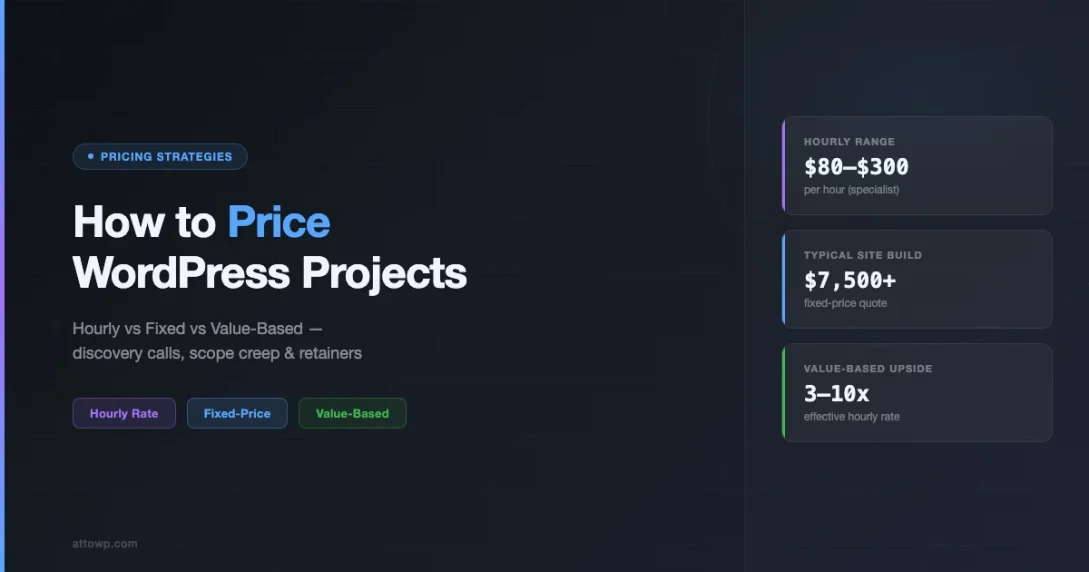
Typical WordPress freelancer hourly rates in 2026 range from $50-80/hr for beginners, $80-150/hr for experienced developers, and $150-300/hr+ for specialists in niche areas like performance optimization, headless architecture, or WooCommerce enterprise development.
Fixed-Price Project Pricing
Fixed-price quotes give the client certainty and give you a clean project boundary. You agree on a scope, agree on a number, and both parties sign. No time-tracking, no awkward “the meter is running” conversations.
Fixed-price projects are the bread-and-butter of most WordPress freelance businesses, especially for site builds, theme customizations, and plugin installations. The tricky part is that you’re absorbing all the risk. If your estimate is off, you either eat the overrun or have a difficult conversation with the client.
Fixed price works well when:
- You’ve done this type of project before and can estimate accurately
- The scope is clearly defined and documented in writing
- You have a change-order process to handle additions
- The project has a defined end-state (a launched site, a working plugin, a completed migration)
The biggest mistake with fixed pricing is underestimating. Always add a buffer, 20% minimum, for communication overhead, client revisions, unexpected edge cases, and the inevitable “one small thing” requests that arrive after sign-off.
Value-Based Pricing
Value-based pricing decouples your fee from your time entirely. Instead of asking “how long will this take?” you ask “what is this worth to the client?”
If a client’s WooCommerce checkout has a 15% abandonment rate and fixing it with a custom checkout flow would recover $200,000 in annual revenue, your technical skill in building that solution is worth far more than 40 hours at $150/hr. Value-based pricing lets you capture a fraction of the value you’re creating rather than selling your labor by the hour.
Value-based pricing requires:
- A discovery process to understand the client’s business metrics
- Confidence to have a different kind of pricing conversation
- An outcome you can clearly tie to revenue, cost savings, or competitive advantage
- A client sophisticated enough to understand ROI framing
It doesn’t work for every engagement, but when it does, it can 3-10x your effective hourly rate on the same work.
When Each Pricing Model Actually Makes Sense
The right model depends on the client, the project type, and your relationship. Here’s a practical decision framework.
| Project Type | Best Model | Why |
|---|---|---|
| New site build (defined scope) | Fixed-price | Clear deliverable, estimable scope |
| Ongoing maintenance | Hourly or retainer | Variable, unpredictable requests |
| Performance overhaul | Value-based or fixed | Measurable outcome (speed scores) |
| Custom plugin development | Fixed-price or milestone | Defined feature set, clear end state |
| WooCommerce revenue optimization | Value-based | Direct revenue tie-in |
| Emergency debugging/fire drill | Hourly (premium rate) | Scope undefined, urgency commands premium |
| Complex migration (legacy code) | Hourly + cap | Unknown risks, but client wants ceiling |
| Consulting/strategy | Value-based or retainer | Advice, not implementation |
Notice that most development work, site builds, plugin development, migrations, is well-suited to fixed pricing. Value-based pricing is most appropriate when there’s a clear ROI conversation to be had. Hourly should be the exception, not the default.
The Discovery Call: Your Most Important Business Tool
Most pricing mistakes happen before you write a single line of code, they happen in the first conversation. A proper discovery call isn’t a formality. It’s how you gather the information you need to quote accurately and spot scope risk before it becomes your problem.
What to Cover in Every Discovery Call
Structure your discovery calls around these five areas:
1. Business Context
What does the client actually do? Who are their customers? What problem does this website or feature solve for their business? A client who sells $5,000 legal services packages needs a different quality bar than a local bakery selling $20 cake orders.
2. Technical Landscape
What’s the current stack? Are there existing integrations (CRM, payment processors, email platforms) you’ll need to connect to? What plugins are already installed? Is there existing custom code you’ll need to work around? Legacy technical debt is invisible at proposal stage but devastating to project timelines.
3. Decision-Making and Approvals
Who signs off on design decisions? Is there a committee? Are there stakeholders outside this conversation who will want changes after you’ve built something? Projects with multiple approval layers almost always take longer and cost more than they appear at the discovery stage.
4. Timeline and Real Deadline
What’s the deadline, and is it real? A client who says “we need this by April 1st” because there’s a product launch tied to that date is different from a client who picked a date because it sounded good. Rush projects with real deadlines command premium pricing. Flexible timelines can be priced more competitively.
5. Budget Range
Ask directly: “What’s the budget range you’re working with?” Most clients will answer, and the answer tells you whether this is even worth pursuing. If a client has a $2,000 budget for a project that would take 40 hours, you can either reset expectations, walk away, or offer a reduced scope, but you need to know before you invest time in a detailed proposal.
Red Flags to Listen For
Discovery calls also surface scope risk before it becomes your problem. Listen carefully for:
- “Just like [famous site], but simpler”, the simpler part never materializes
- “We have designs ready”, they usually don’t, or they’re in a tool you can’t use
- “My nephew built the last site”, expect unmaintainable code, no backups, and credentials nobody can find
- “We just need a few small changes”, could mean anything from tweaking a color to rebuilding the entire theme
- “We’re comparing a few agencies”, price pressure, possibly shopping for the lowest bid
- “This should only take a few hours”, they’ve already decided what it’s worth before asking you
None of these are automatic disqualifiers, but they warrant deeper questioning before you commit to a price.
Scope Creep: The Silent Margin Killer
Scope creep is the leading cause of unprofitable WordPress projects. It doesn’t usually happen all at once, it accumulates in small increments. A client asks for “one small addition” here, a design revision there, an extra integration you weren’t expecting. Individually, none of these feel like a big deal. Collectively, they can double the hours on a project while your invoice stays fixed.
How to Define Scope Clearly
The antidote to scope creep is specificity in your proposal. Vague scope leads to scope creep. Specific scope makes additions visible and billable.
Instead of writing: “Custom WordPress theme development”, write:
“Custom WordPress theme development including: homepage, about page, blog archive, single post template, contact page. Responsive for mobile and desktop. Integration with existing MailChimp account via a plugin. Up to 2 rounds of design revisions based on initial mockup. Excludes: e-commerce functionality, custom post types beyond standard blog posts, integrations not listed above.”
The exclusions section is as important as the inclusions. It gives you something to point to when a client asks for something not in scope, rather than having an awkward “that’s not included” conversation based on mutual understanding, you have a document that both parties agreed to.
The Change Order Process
Every fixed-price contract needs a clearly documented change order process. This isn’t bureaucracy, it’s how you get paid for extra work and how your client avoids surprise invoices.
A simple change order process:
- Client requests something not in the original scope
- You send a change order documenting: what’s being added, estimated hours, additional cost, impact on timeline
- Client approves in writing (even a reply email works) before work begins
- That change order becomes an amendment to the original contract
The key is that work doesn’t start until the change order is approved. Developers who start work before approval lose leverage, the client gets the work done, then feels less urgency to approve the additional cost.
The “Nice to Have vs. Need to Have” Conversation
During discovery, clients often conflate everything they want with everything they need. A useful technique is to sort requirements into three tiers:
- Must have: The project fails without this (e.g., a WooCommerce checkout that works)
- Should have: Important but the project can launch without it (e.g., a wishlist feature)
- Nice to have: Would be great, but deprioritize if time/budget is tight (e.g., advanced filtering options)
Pricing the “must have” tier first creates a viable baseline proposal. “Should have” and “nice to have” items become phase 2 or optional add-ons, preventing scope bloat while keeping the client engaged for future work.
Retainer Models: Recurring Revenue for WordPress Freelancers
Project-based work creates a feast-or-famine income cycle. Retainers solve this by converting clients from one-time engagements into recurring revenue relationships. For freelancers managing their cash flow, a $2,000/month retainer from a stable client is worth more than three $3,000 projects that arrive unpredictably throughout the year. If you are building toward your first stable services income stream, the guide on monetizing WordPress by selling services covers how to structure and package your offerings from scratch.
Types of WordPress Retainer Agreements
Maintenance Retainers
The most common retainer type. Clients pay a monthly fee for a defined set of maintenance services: plugin updates, security monitoring, uptime monitoring, performance checks, backup management, and a small bank of hours for small content changes or bug fixes.
Typical pricing: $150-500/month for basic maintenance, $500-1,500/month for sites with active WooCommerce stores or high traffic, $1,500-5,000/month for enterprise-level or multi-site environments.
Development Retainers
A bank of development hours per month, pre-purchased at a slight discount from your standard rate. The client gets priority access to your calendar and predictable availability; you get guaranteed income.
Example: 10 hours/month at 15% below your standard hourly rate, minimum 3-month commitment. Unused hours don’t roll over (critical, if they do, your retainer becomes a liability). This creates urgency for clients to actually use the hours and keeps your workload predictable.
Ongoing Support and Strategy Retainers
Higher-value retainers where you act as a fractional technical advisor, attending meetings, reviewing strategy, auditing technical decisions, prioritizing the development roadmap. These are typically $2,000-8,000/month and involve a mix of async communication and scheduled calls rather than billable development hours.
How to Pitch Retainers After a Project
The easiest time to propose a retainer is at the end of a successful project. The client has just seen you deliver value, the relationship is warm, and they’re aware their new site will need ongoing attention.
A simple close: “I’d love to stay involved to make sure this site performs well over time. I offer a monthly maintenance package that covers updates, backups, monitoring, and a small bank of hours for changes. Would that be useful?”
Don’t oversell the first retainer. A $300/month maintenance package is easy to say yes to and keeps the relationship active. Upselling to a larger development retainer is much easier once the client is already paying you monthly.
Real Pricing Examples: What WordPress Projects Actually Cost
Pricing frameworks are useful in theory. Real numbers are useful in practice. The following are representative examples, not exact templates, but they give a sense of how experienced WordPress freelancers price different types of work.
Example 1: Business Website Build (Fixed-Price)
Project: 8-page marketing site for a B2B software company. Custom theme based on a starter, no e-commerce, Contact Form 7, blog, integration with HubSpot.
Estimate breakdown:
- Discovery and planning: 4 hours
- Design (wireframes + mockups): 12 hours
- Theme development: 20 hours
- Content integration: 6 hours
- HubSpot integration and testing: 4 hours
- QA and browser testing: 4 hours
- Revisions buffer (20%): 10 hours
- Project management/communication: 4 hours
Total estimated hours: ~64 hours at $120/hr
Fixed quote: $7,500-8,500 depending on design complexity
The fixed price is slightly above the raw estimate to account for unknown risk. The client gets certainty; you get a margin cushion.
Example 2: WooCommerce Revenue Optimization (Value-Based)
Project: A client runs a WooCommerce store doing $40,000/month in revenue. Checkout abandonment is at 22% (industry average: 12%). They want to reduce abandonment to improve revenue.
Value calculation:
- Current checkout starts: ~500/month at 22% abandonment = 110 lost sales
- Average order value: $80
- Recovering 50% of lost sales (conservative) = 55 additional sales/month
- Additional revenue: $4,400/month = $52,800/year
Technical work: Rebuild checkout with WooCommerce block checkout, add cart abandonment emails via Klaviyo integration, streamline upsell flow. Estimated 20-30 hours of technical work.
Hourly pricing would suggest: $3,000-4,500
Value-based quote: $12,000-15,000
At $12,000, the client gets full payback in under 3 months from additional recovered revenue. That’s a compelling ROI conversation, one you can only have if you’ve done the discovery to understand their business metrics.
Example 3: Monthly Maintenance Retainer (Hourly Hybrid)
Client: A multi-location restaurant group with a moderately complex WordPress site (reservations integration, menu management, event listings).
Retainer scope:
- Weekly plugin and theme updates
- Daily backup monitoring
- Uptime monitoring (notified in <5 minutes)
- Monthly security scan
- 3 hours/month of included development time for content changes, menu updates, event additions
- Additional hours billed at $130/hr with 24-hour notice
Monthly retainer fee: $550/month
This client uses about 2-3 hours most months. At $550/month and perhaps $200 in overage billing, that’s $8,400/year from a single relationship that requires 3-4 hours of actual work per month once the systems are set up.
Transitioning from Hourly to Fixed or Value-Based Pricing
If you’ve been quoting hourly and want to shift to fixed or value-based pricing, do it gradually. You don’t need to overhaul your entire business overnight.
Start with Well-Defined Projects
Pick the project type you know best, the one you’ve done 10 times and can estimate in your sleep. Quote that one fixed-price. Your first few fixed quotes will feel risky, but you’ll quickly develop intuition for where your estimates are accurate and where you need more buffer.
Build a Scope Document Template
Create a reusable proposal template with a detailed scope section, a clear exclusions section, a revision policy (typically “up to 2 rounds of revisions per deliverable”), and a change order clause. This makes fixed-price quoting faster and more consistent.
Add Discovery Calls to Your Process
If you’re not already doing a structured discovery call before quoting, start. A 30-45 minute call before proposing a fixed price will catch scope risks that would otherwise blow up your margin. Clients who won’t do a discovery call before a large project are often difficult clients in general, useful information to have before signing a contract.
Raise Rates Alongside the Transition
Shifting from hourly to fixed-price is a natural opportunity to re-evaluate your rates. If you’ve been billing at $80/hr and you’re now quoting fixed-price, your implied hourly rate should be higher (to account for risk). Use the transition as a moment to price up, especially with new clients who don’t know your old rates.
Pricing Psychology: Getting Paid What You’re Worth
Technical skill is only part of what determines how much you can charge. The rest is positioning, confidence, and the signals you send about the value of your work.
Anchor High, Then Negotiate Down
When giving verbal estimates before a written proposal, anchor to the top of your realistic range. If your fixed-price quote will land between $8,000-12,000, say “this type of project typically starts around $10,000-12,000” in the discovery call. When your written proposal comes in at $9,500, it feels like a deal rather than a shock.
Don’t Discount Your Rate, Reduce the Scope
When a client pushes back on price, resist the urge to discount your rate. Discounting trains clients to expect discounts and devalues your work. Instead, offer to reduce scope: “I can bring this to $7,000 by moving the HubSpot integration and the custom blog design to phase 2. Would that work for your budget?”
This accomplishes three things: it protects your rate, it keeps the full project in play as a future engagement, and it demonstrates that your pricing is tied to specific deliverables rather than arbitrary numbers.
Stop Explaining Your Rates
Developers who over-explain their pricing signal insecurity. “I charge $150/hr because I have 8 years of experience and I use premium tools and…”, this is unnecessary. Your rate is your rate. Present it with confidence. Clients who are right for you will accept it; clients who argue extensively about your rate are usually signaling a difficult working relationship ahead.
Create Price Anchors with Packages
Offering tiered packages (Starter / Professional / Enterprise) uses anchoring psychology to make your mid-tier option look reasonable. Most clients will choose the middle option. The high-tier package makes the middle look affordable; the low-tier package makes it look premium. Present all three, price them accordingly, and let the client self-select.
Common Pricing Mistakes WordPress Freelancers Make
Even experienced developers fall into pricing traps. Recognizing these patterns is the first step to avoiding them.
Quoting Before You Understand the Project
Sending a price before doing a discovery call is guesswork. You’ll either under-quote (and lose margin) or over-quote (and lose the client). Always do a discovery call for any project over a few hundred dollars.
Not Including Project Management Time
Client communication, email management, Slack messages, meeting prep, status updates, these aren’t free. A project with an involved client might add 10-15% overhead to your raw development estimate. Always include a project management line in your estimate.
Underpricing Out of Fear
Many freelancers price low because they’re afraid of losing the project. The uncomfortable truth is that pricing low often attracts the wrong clients, ones who are extremely price-sensitive, demanding, and who don’t value your time. Pricing at the top of the market filters for clients who respect what they’re paying for. It’s worth noting that developers using AI tools are often working longer hours than expected, underpricing your time compounds this problem, since efficiency gains rarely translate to rest when rates are too low.
Ignoring Rush Premiums
If a client needs a 3-week project delivered in 5 days, your normal rate doesn’t apply. Rush work displaces other clients, requires extended hours, and carries higher risk of mistakes made under pressure. A 50-100% rush premium on compressed timelines is standard and justified.
Not Getting a Deposit
Never start work without a deposit. Standard practice is 50% upfront, 50% on delivery (or milestone-based for larger projects). Clients who won’t pay a deposit are a significant default risk. The deposit also creates psychological commitment, a client who has paid 50% of your quote is far less likely to ghost you mid-project.
Building a Pricing System That Scales
The best pricing isn’t ad hoc, it’s systematic. A repeatable process lets you quote confidently, consistently, and quickly without reinventing the wheel for every project.
A practical system includes:
- A discovery call template with the 5-area framework above, questions you ask on every call
- A project type library, your internal estimate for each common project type (basic site build, WooCommerce store, plugin development, maintenance setup)
- A proposal template with scope, exclusions, revision policy, payment terms, and a change order clause
- A rate card you update annually, your standard hourly rate, rush rate, retainer packages
- A post-project review, after each project, note: was your estimate accurate? Where did you lose time? Update your estimate library accordingly
This kind of system pays compound dividends. Each project makes your next estimate more accurate, which makes your profitability more predictable, which gives you the financial stability to raise rates and be selective about clients.
Conclusion: Price for the Work You Want
Pricing WordPress projects as a freelancer is a skill you build over time, not a formula you apply once. The hourly model is a starting point, not a destination. Fixed pricing rewards good scoping and estimation. Value-based pricing rewards understanding the client’s business well enough to tie your work to their outcomes.
Most important: your pricing is a positioning signal. Clients who pay premium rates tend to be better clients, clearer on what they want, more respectful of your time, and more likely to become long-term relationships. Pricing too low doesn’t just hurt your income; it shapes the quality of client you attract.
Start with a structured discovery call. Build scope documents that define exclusions as clearly as inclusions. Implement a change order process before you need it. And raise your rates annually, even if only by 5-10%. Inflation is real, your skills are improving, and clients who have seen you deliver will rarely balk at a modest annual increase. For developers looking to streamline how they deliver work, having an efficient WordPress developer workflow directly supports the ability to quote and deliver fixed-price projects with confidence.
The mechanics of WordPress development are learnable. Pricing with confidence is what separates developers who build a sustainable freelance practice from those who burn out underpaid after three years.
Frequently Asked Questions
What is a good hourly rate for WordPress freelance work?
Rates vary by experience, specialization, and market. In 2026, $50-80/hr is typical for beginners, $80-150/hr for experienced generalists, and $150-300/hr+ for specialists in high-demand areas like headless WordPress, WooCommerce enterprise development, or performance engineering. US-based developers generally command higher rates than equivalent talent in other markets due to client expectations and cost of living.
Should I charge more for rush WordPress projects?
Yes, always. Rush work displaces other clients, compresses your schedule, and increases the risk of mistakes. A 50-100% rush premium for compressed timelines (anything significantly shorter than your standard lead time) is standard practice and clients who genuinely need fast delivery will accept it. If a client pushes back hard on a rush premium, that’s a signal they don’t actually need it as urgently as claimed.
How do I handle clients who want to negotiate my WordPress project price?
Negotiate scope, not rate. Offer to remove features, push non-critical items to a phase 2, or reduce the number of revision rounds. Never discount your hourly rate or your implied effective rate, doing so signals that your original quote was inflated and trains clients to expect discounts. Stick to your rate, adjust the deliverables to fit their budget.
What should a WordPress maintenance retainer include?
At minimum: plugin and theme updates, regular backups with offsite storage, uptime monitoring, and a monthly security scan. Most freelancers also include a bank of hours (2-5 hours/month) for minor changes and content updates. Additional hours beyond the included bank are billed at your standard or slightly discounted rate. Clearly define what’s included and what triggers additional billing in the retainer agreement.
How do I transition existing clients from hourly to fixed-price billing?
Introduce fixed pricing on new projects with existing clients rather than retroactively changing how ongoing work is billed. When a client brings a new project, propose it as a fixed-price engagement with a written scope document. Frame it as predictability for them: “This way you know exactly what this will cost before we start.” Most clients prefer the budget certainty once they understand what they’re getting.
Client Management Freelance Pricing Scope Management Value-Based Pricing WordPress Freelancing
Last modified: April 9, 2026