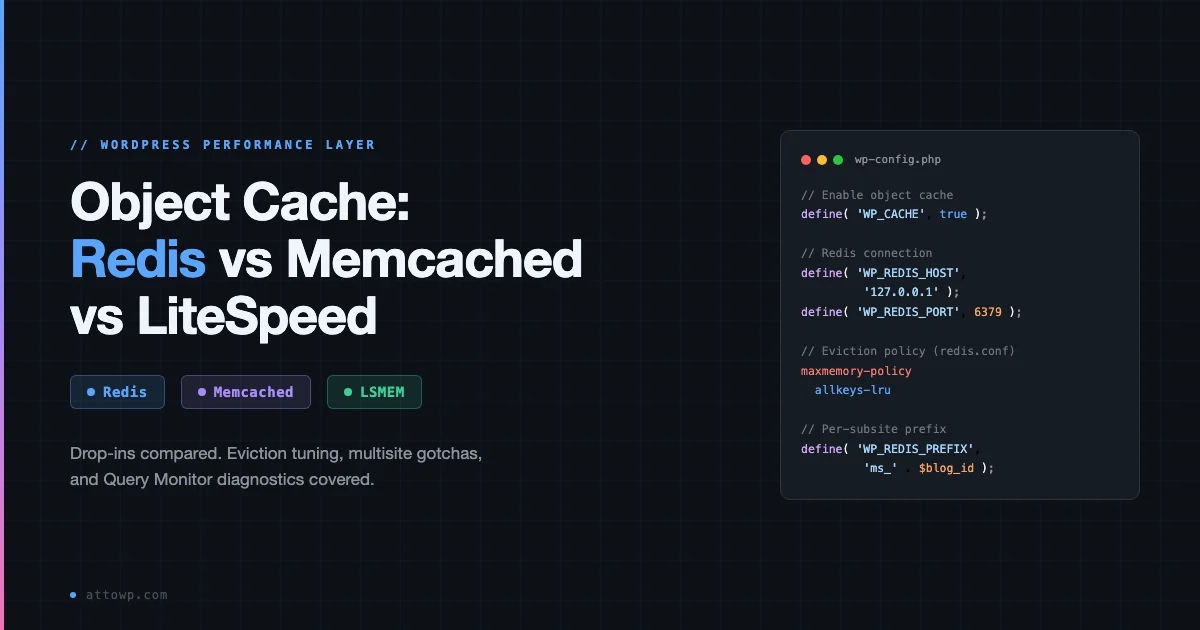
WordPress object cache is a RAM-layer that sits between PHP and MySQL. When it works, your database query count drops by 60-90% on a warm page load. When it is missing (or misconfigured), WordPress issues the same SQL on every single request, hitting autoload options, term counts, and post metadata over and over. This guide covers the three drop-ins you will actually encounter: Redis, Memcached, and LiteSpeed’s in-memory store. It goes into the wiring, the eviction decisions, the multisite edge cases, and how to verify everything with Query Monitor.
What the WordPress Object Cache Actually Does
WordPress ships a built-in in-process cache called the WP Object Cache. Every call to wp_cache_get() / wp_cache_set() goes through it. Out of the box that cache is non-persistent: it lives inside the PHP process for the duration of a single request and vanishes when PHP exits. That is fine for deduplicating queries within one request, but does nothing for the next one.
A persistent object cache replaces WordPress’s default cache class by dropping a file called object-cache.php inside wp-content/. WordPress detects that file at boot and routes all cache calls through it instead. The file connects to an external store (Redis, Memcached, or LiteSpeed’s LSMEM) and serializes cached values there. The next request, from a completely different PHP-FPM worker, can hit Redis and get the value without touching MySQL at all.
This is different from page cache (FastCGI cache, Varnish, Cloudflare’s edge cache). Page cache stores fully rendered HTML and bypasses PHP entirely for cached pages. Object cache operates inside PHP: it helps dynamic pages, logged-in users, REST API responses, WP-CLI commands, and WooCommerce cart flows that page cache cannot serve from static HTML.
What Gets Stored
- Options: the
wp_optionsautoload set, loaded on every request - Post data: post objects, post meta, thumbnails
- Term data: categories, tags, term meta, term counts
- User data: user objects and user meta
- Transients: when a persistent cache is active, transients skip the database entirely and live in the cache store
- WP_Query results: post ID arrays returned by complex queries
- Nav menus: parsed menu trees
The Three Drop-Ins Compared
Feature | Redis | Memcached | LiteSpeed LSMEM |
|---|---|---|---|
Persistence (durability) | Yes (RDB/AOF, configurable) | No - RAM only | No - process-scoped RAM |
Data structures | Strings, hashes, lists, sets, sorted sets, streams | Strings only (slab allocator) | Strings only |
Eviction policies | 8 policies (allkeys-lru, volatile-lru, etc.) | LRU slab-level only | Managed by LiteSpeed daemon |
Network topology | Standalone, Sentinel, Cluster | Pool (horizontal) | Local SHM (single server) |
Multi-tenancy (multisite) | Key prefix per subsite | Key prefix per subsite | Shared SHM, prefix needed |
Extra uses | WP-Cron, sessions, locks, queues | Object cache only | Object cache + page cache |
PHP extension required | phpredis or Predis | php-memcached (libmemcached) | lsphp SHM API (bundled) |
Hosting availability | Wide, most managed WP hosts | Cloudways, Kinsta (some plans) | LiteSpeed servers only |
Redis
Redis is the default recommendation for most WordPress developers and for good reason. It is fast (sub-millisecond on local socket), offers more eviction control than Memcached, and doubles as a session store, a distributed lock backend, and a queue for WP-Async-Task or Action Scheduler. The most widely deployed drop-in is Redis Object Cache by Till Kruss. Alternatives include the WP Redis plugin (Pantheon-maintained) and the LiteSpeed Cache plugin’s Redis mode.
The standard wp-config.php setup and connection constants are in the Gist below (snippet 01).
Memcached
Memcached is the older of the two. It predates Redis, is simpler by design, and is extremely efficient at storing plain string blobs. Because WordPress cache values are serialized PHP (which is strings), Memcached’s slab allocator maps well. Its main limitation is a single eviction strategy: LRU at the slab level, with no persistence. If the Memcached daemon restarts, every cached value is gone. For most WordPress workloads that is acceptable: the cache fills back up within a few hundred requests. The bigger issue is that Memcached availability on managed hosts is narrower than Redis.
The standard Memcached wp-config.php setup is in snippet 02 of the Gist.
LiteSpeed In-Memory (LSMEM)
LiteSpeed Web Server includes a shared memory store accessible to PHP via the lsphp SHM API. When you run the LiteSpeed Cache plugin on a LiteSpeed server, it can deploy an object-cache.php drop-in that routes all WordPress cache calls to this in-process memory rather than to an external daemon. The advantage is zero network overhead and no extra service to manage. The limitation is that LSMEM is local to the server process: it cannot be shared across app nodes in a horizontally scaled cluster, and its maximum size is bounded by the litespeed.shm.max PHP ini directive. Snippet 06 of the Gist shows the minimal wp-config.php additions needed.
Persistent vs Ephemeral Cache Groups
Not every WordPress cache group should go to Redis or Memcached. Some groups hold data that is intentionally request-scoped: values that must not bleed from one request to another. WordPress’s WP_Object_Cache API exposes wp_cache_add_non_persistent_groups() exactly for this. When you register a group as non-persistent, the drop-in stores it only in the local PHP-process array and never writes through to Redis or Memcached.
Groups that should typically be non-persistent:
- counts: comment and post counts that are recalculated each request to avoid stale totals
- plugins / themes: the active plugin/theme list, which can change between requests during updates
- wc_session_id: WooCommerce per-user session identifiers, which must not be shared across users even if they happen to generate the same hash
- bp_notifications: BuddyPress per-user notification counts, similarly user-scoped
- Any group your plugin declares as request-local via
wp_cache_add_non_persistent_groups()
The Redis Object Cache plugin ships a sane default list. Review it in wp-content/plugins/redis-cache/includes/object-cache.php under $this->non_persistent_groups and extend it in a mu-plugin if your stack adds groups that must not persist. The pattern for doing this is in snippet 05 of the Gist.
Eviction Policy Tuning
Eviction is what happens when Redis or Memcached runs out of allocated memory and needs to free space for new writes. Getting this wrong causes cache stampedes: all keys expire at once, PHP workers rush to regenerate them, and MySQL gets hammered for 5-10 seconds until the cache refills. Getting it right means WordPress runs at peak throughput even when the cache is full.
Redis Eviction Policies
Redis ships eight eviction policies. The three most relevant for WordPress are:
- allkeys-lru: evicts the least-recently-used key from the entire keyspace. Use this on a Redis instance dedicated purely to WordPress object cache. It keeps hot data (options, popular post objects) in memory and evicts cold data first.
- volatile-lru: evicts only keys that have a TTL set, using LRU order. Use this if the same Redis instance also holds persistent data (sessions, locks) that must never be evicted. WordPress transients have TTLs; regular cache entries may not.
- noeviction: Redis returns an OOM error when full and refuses new writes. Never use this for WordPress object cache. It will cause PHP errors the moment the cache fills up.
The recommended redis.conf for a WordPress-dedicated instance is in snippet 03 of the Gist.
How Much Memory to Allocate
There is no universal answer here: it depends on post count, active transients, and WooCommerce session volume. A starting point is to run Redis for a week without a maxmemory limit, then check used_memory_human in redis-cli INFO memory under peak load. Set maxmemory to 1.2-1.5x that figure. On a single-site blog with under 1,000 posts and no WooCommerce, 64-128 MB is usually enough. A WooCommerce store with 10,000+ products and active cart activity may need 256-512 MB to avoid evictions during peak traffic.
Memcached Eviction
Memcached uses a slab allocator and evicts within slabs using LRU. You cannot change the eviction policy: it is baked in. What you can tune is the slab growth factor (-f) and the maximum memory (-m). The most common issue with Memcached on WordPress is slab imbalance: WordPress stores values of widely varying sizes (a nav menu tree serialized is much larger than a simple integer counter), which can cause Memcached to waste memory in slab classes that are never fully used. If you see the Memcached hit rate drop below 80% on a mature install, check echo stats slabs | nc localhost 11211 for imbalance and consider restarting with a smaller -f (default is 1.25).
Multisite Gotchas
WordPress Multisite is where object cache configuration is most likely to go wrong. The core issue is key namespace isolation: without a per-subsite prefix, subsite A’s cached alloptions can collide with subsite B’s, causing one subsite to read or evict another’s data. This produces subtle bugs (the wrong options appearing on the wrong subsite, stale term counts, menus from a different site) that are very hard to trace without a profiler.
The standard fix is including the blog ID in the key prefix. Snippet 04 of the Gist shows the pattern, including a list of groups that should be excluded from persistence on multisite networks.
Other Multisite Edge Cases
- Network admin operations: when a network admin runs a plugin activation across all subsites, the cache for every subsite is invalidated. If you have 50+ subsites, this creates a flush spike. Redis handles this better than Memcached because you can use
SCANwith a prefix pattern to selectively flush only affected keys rather than flushing the entire store. - WP_CACHE and must-use plugins: on Multisite,
WP_CACHEmust betrueinwp-config.phpand theobject-cache.phpdrop-in must be present in the network’swp-content/, not inside a subsite’s content directory. - Shared Redis for multiple WP installs: if you host multiple independent WordPress sites (not Multisite subsites) on the same server and point them all at the same Redis instance, each site needs a distinct
WP_REDIS_PREFIX. This is also true for staging and production environments sharing a Redis instance. - Flush on plugin activation/deactivation: WordPress flushes the object cache on plugin activation, update, and deactivation. On a large Multisite network this can take several seconds if Redis has millions of keys and the flush is iterating over all of them. Use
WP_REDIS_SELECTIVE_FLUSHif the drop-in supports it, or scope flushing to the current blog only.
Monitoring with Query Monitor
Query Monitor’s Object Cache panel is the fastest way to verify your drop-in is working and diagnose performance problems. When WP_CACHE is true and a persistent drop-in is active, the panel shows:
- Total cache calls broken into gets, sets, deletes, and add operations
- Hit rate as a percentage: aim for 90%+ on a mature WordPress install
- Per-group breakdown showing which cache groups are being read most and which have the lowest hit rate
- Slowest individual cache calls with full stack traces, useful for finding plugins that hammer the cache with thousands of gets per page load
- The name of the active drop-in and whether it is connected to the backend
If your hit rate is below 70% on a page that has been loaded more than a few times, common causes are: TTLs set too short, a plugin that calls wp_cache_flush() too aggressively, or a cache group that should be non-persistent but is being written to Redis on every request (this inflates key count without providing any reuse benefit).
The Queries panel is the other half of the picture. On a page with a healthy object cache, you should see the SQL query count drop to under 10-15 for a typical archive or single-post page. If you are still seeing 50-100 queries after enabling Redis, the problem is likely plugins bypassing the cache with direct $wpdb calls, which is exactly what the WordPress wpdb best practices guide covers in detail.
A hit rate below 90% on a warm WordPress install usually means either a misconfigured TTL or a plugin doing direct database writes that should be going through the cache API.
For deeper monitoring (tracking object cache hit rates over time, setting alerts on degradation, and correlating with database load), the full monitoring stack is covered in the guide to WordPress performance monitoring with New Relic, Datadog, and Query Monitor.
How the Object Cache Layer Relates to Page Cache
It is worth being clear about what object cache does not do. A fully cached Redis hit for a page’s data still means PHP runs, WordPress bootstraps, hooks fire, and a template renders. The page is assembled in PHP before being sent to the browser. Page cache (FastCGI, Varnish, Nginx proxy_cache, Cloudflare) stores the already-rendered HTML and can serve it without running PHP at all.
These two layers are complementary, not competing. A well-tuned stack has both: object cache serving logged-in users and dynamic pages that cannot be served from page cache, and page cache absorbing the anonymous traffic that never needs PHP at all. If you run only object cache without page cache, every anonymous page view still goes through PHP, just hitting Redis instead of MySQL for most data. If you run only page cache without object cache, the first miss (logged-in users, cache expiry) hits a cold PHP + MySQL stack that takes longer to respond.
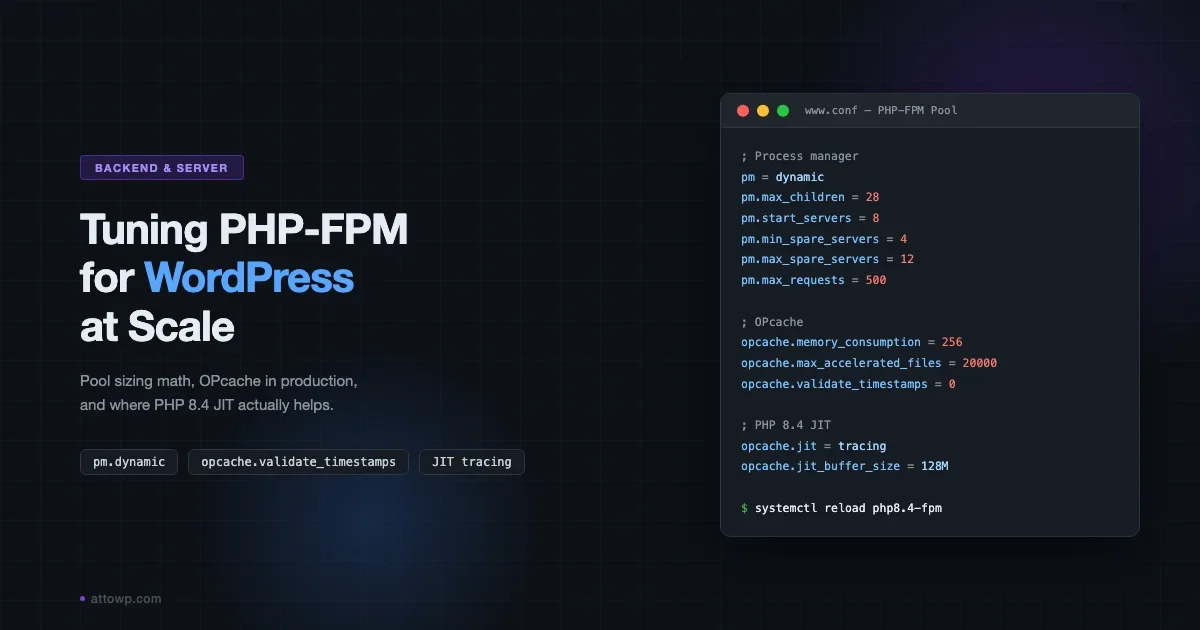
The broader performance picture (server configuration, PHP-FPM tuning, OPcache, and where page cache fits) is covered in the WordPress Performance Optimization: The Complete Guide.
Which Drop-In Should You Use
- Redis: the right default for almost everything. Use it on any server where you control the stack: Nginx/Apache on a VPS, Docker (see the Docker for WordPress local environment guide for running a Redis container alongside WordPress), or managed hosting with Redis support (Cloudways, Kinsta, WP Engine).
- Memcached: a good choice if your hosting environment provides it and Redis is not available, or if you need to match an existing infrastructure decision. It is simpler operationally and well-tested with WordPress. Choose the
object-cache.phpfrom the WP Memcached plugin (the one that supports the$memcached_serversglobal). - LiteSpeed LSMEM: use it only if you are already on LiteSpeed and already using the LiteSpeed Cache plugin. It is zero-configuration and delivers excellent performance on single-server setups. Do not use it on multi-node clusters: LSMEM is not shared across workers on separate machines.
- No external cache (WordPress built-in only): acceptable only for development or extremely low-traffic sites that cannot justify the operational overhead of Redis. Not acceptable for any production site under real load.
Common Issues and Fixes
Drop-in installed but not connecting
Check with wp redis status (WP-CLI, Redis Object Cache plugin) or look at the Redis Object Cache settings page in wp-admin. The most common causes: wrong host/port in wp-config.php, Redis bound to 127.0.0.1 but WordPress connecting to the container hostname, or the phpredis extension not installed for the active PHP version. On PHP-FPM setups, confirm the extension is loaded in the FPM pool’s php.ini, not just the CLI one.
Cache drops every few minutes
If Redis is evicting keys too aggressively, the symptom is Query Monitor showing a hit rate that starts high and degrades over 15-30 minutes as pages warm up, then collapses again. Check redis-cli INFO stats for evicted_keys. If it is non-zero and rising, you have hit maxmemory. Increase the allocation or switch from volatile-lru to allkeys-lru so all keys are eligible for eviction: this is less likely to create a thundering-herd pattern where only some keys get evicted while others stack up.
Stale data after plugin updates
WordPress automatically flushes the object cache on plugin activation and deactivation. If you are seeing stale data after a plugin update that does not involve activation/deactivation (a background update via WP-CLI, for example), the cache may not have been flushed. Run wp cache flush manually after background updates, or add a deployment hook that flushes the cache as part of your deploy pipeline.
High memory use with WooCommerce sessions
WooCommerce stores customer sessions as transients in the database by default. When you add a persistent object cache, WooCommerce sessions move to Redis, which is faster but can consume substantial memory on high-traffic stores: each session is a serialized PHP object, and active cart sessions can number in the thousands. Monitor used_memory_human and consider setting a shorter session expiry in WooCommerce settings (default is 48 hours) or adding wc_session_id to the non-persistent groups list if Redis memory is constrained.
Key Takeaways
- The
object-cache.phpdrop-in connects WordPress’s cache API to an external store. Without it, cache data lives only for the current PHP process. - Redis is the most versatile drop-in: configurable eviction, persistence options, and a richer command set for debugging.
- Memcached is simpler and works well when Redis is not available, but has less eviction control and no persistence.
- LiteSpeed LSMEM is the best zero-configuration option on LiteSpeed servers, but is not usable on multi-node setups.
- Multisite requires per-subsite key prefixes to prevent cross-site cache contamination.
- Use
allkeys-lruon Redis instances dedicated to WordPress object cache. Never usenoeviction. - Query Monitor’s Object Cache panel is the fastest diagnostic tool. A hit rate below 90% on a warm install needs investigation.
- Object cache and page cache serve different traffic patterns. You need both for a fully optimized WordPress stack.
FAQ
Does WordPress object cache work without a plugin?
Yes, but you need to install the object-cache.php drop-in manually. Most developers use a plugin (Redis Object Cache, WP Redis, LiteSpeed Cache) to manage the drop-in because the plugins handle authentication, connection monitoring, and wp-admin diagnostics. Installing the file manually works but you lose the management UI and automatic reconnection logic.
Can I use Redis for both object cache and page cache?
Technically yes: some setups use Redis as the backing store for Nginx srcache or as a full-page cache store via plugins. In practice it is unusual. Page cache stores large HTML blobs that consume much more memory per key than object cache entries. Mixing them in the same Redis instance can cause object cache evictions when page cache fills up. Keep them in separate Redis databases or separate Redis instances if you go that route.
How do I verify Redis is actually being used and not just installed?
Three methods: (1) wp-admin under Redis Object Cache settings shows connection status and calls per request. (2) wp redis status via WP-CLI prints connection details and a live call count. (3) Query Monitor’s Object Cache panel shows the active drop-in name and a real-time hit rate. If the drop-in is connecting, the hit rate will climb above zero after the first few page loads.
What happens to transients when I enable a persistent object cache?
When a persistent drop-in is active, WordPress routes transients to the object cache store instead of the database. Transients with an expiry are stored as keys with a matching TTL; transients without an expiry are stored without a TTL and rely on eviction. The database tables (wp_options rows with _transient_ prefix) are bypassed entirely. This is a significant database query reduction for sites that use transients heavily (WooCommerce, caching API responses, heavy theme settings).
Is the WordPress object cache safe to use on shared hosting?
It depends on whether your shared host provides Redis or Memcached in a way that isolates your data from other tenants. Most budget shared hosts do not. If your host provides Redis but does not isolate tenants at the AUTH or database level, any tenant on the server could potentially read your cached data. On hosts that do provide isolated Redis (dedicated credentials, separate database number), it is safe. When in doubt, ask your host whether your Redis instance is tenant-isolated.
If you are tracking down the queries that your object cache is not absorbing (specifically slow or redundant SQL being issued directly to $wpdb), the companion piece on WordPress database optimization covers indexing, query profiling, and where object cache and database structure interact. For the full picture of where object cache fits in a layered performance stack, start with the WordPress Performance Optimization: The Complete Guide.


No comments yet