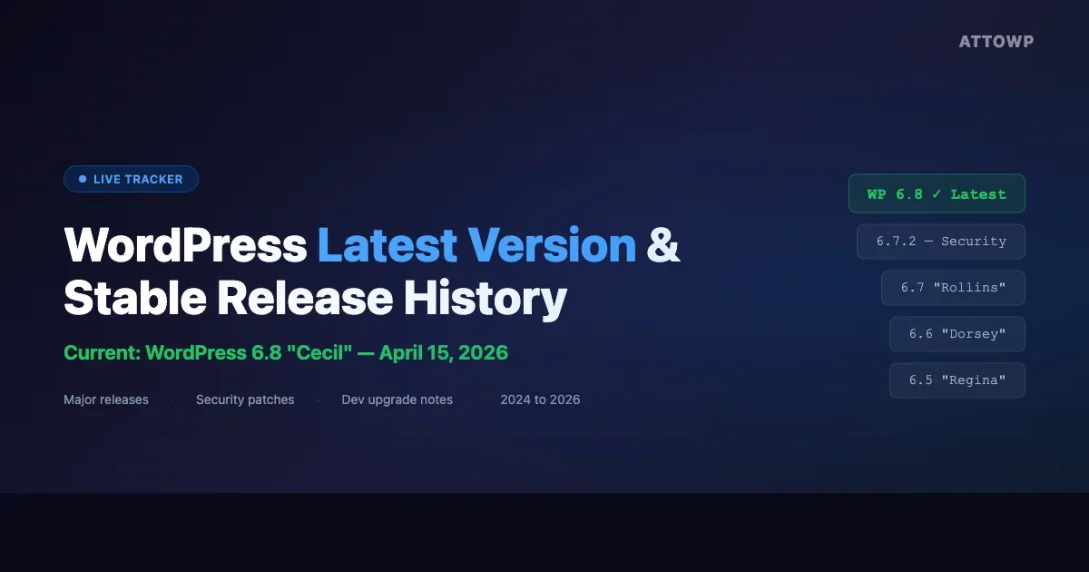
The current wordpress latest version is WordPress 6.8 “Cecil”, released April 15, 2026. This page tracks every stable WordPress release, major, minor, and security-only, so developers always know what to target, what changed, and when to upgrade. Last updated: April 24, 2026.
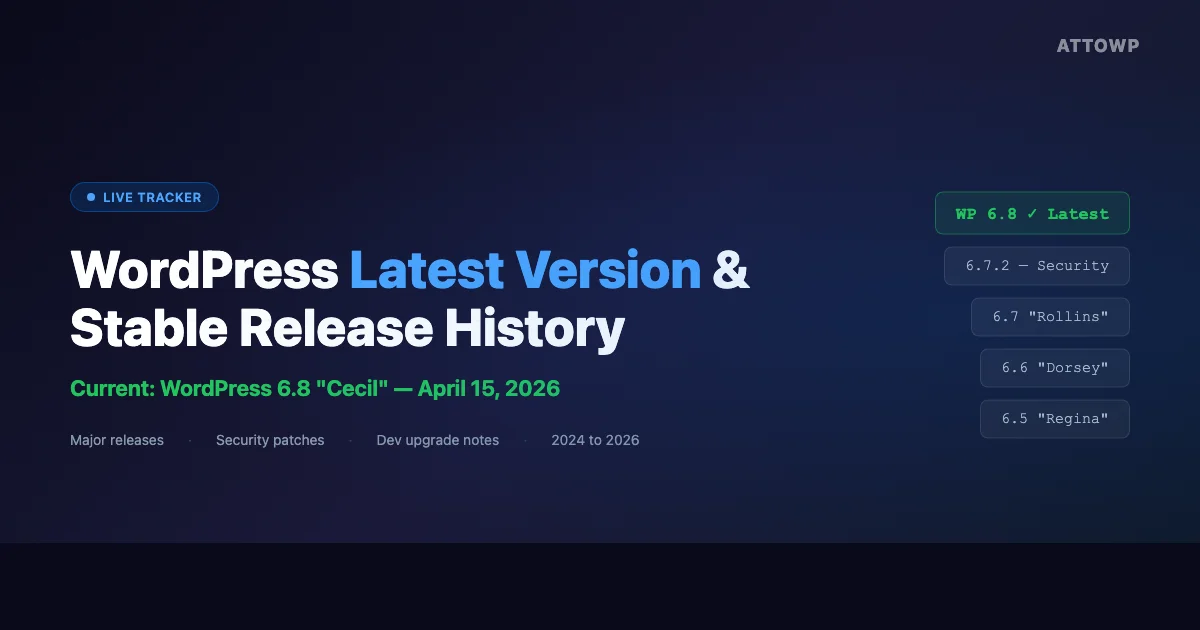
Current Stable Release
| Field | Value |
|---|---|
| Version | 6.8 “Cecil” |
| Release Date | April 15, 2026 |
| Type | Major release |
| PHP Minimum | 7.2.24 |
| MySQL Minimum | 5.7 / MariaDB 10.4 |
| Download | wordpress.org/download |
How to Check the WordPress Latest Version Running on Your Site
There are three reliable ways to check which WordPress version is active on any install. Each is useful in a different context: PHP is best when you are writing plugin or theme code, WP-CLI is best in server automation and deployment scripts, and the WordPress.org API endpoint is useful for external monitoring tools.
Via PHP
The most direct way to get the version from within PHP is get_bloginfo( 'version' ) or accessing the global $wp_version variable directly. Both are available after WordPress has loaded.
// Returns the current WordPress version string
$version = get_bloginfo( 'version' );
echo $version; // e.g. 6.8

// Or access the global directly (after wp-load.php)
global $wp_version;
echo $wp_version;

// Compare versions in plugin code
if ( version_compare( get_bloginfo( 'version' ), '6.5', '>=' ) ) {
    // Use features introduced in WP 6.5 (Block Bindings API)
}
Use version_compare() when your plugin needs to gate functionality based on the WordPress version. This is the standard approach for maintaining backward compatibility.
Via WP-CLI
WP-CLI is the right tool for checking versions on remote servers, in CI/CD pipelines, and in shell scripts that automate WordPress management across multiple sites.
# Check version
wp core version

# Check with update status
wp core check-update

# Output version in automation scripts
wp core version --allow-root

# Get version as JSON for scripting
wp core version --format=json
Via the WordPress.org API
WordPress itself queries this endpoint during the update check process. You can use it from external monitoring scripts to find out what the current stable release is without needing to log in to a WordPress admin.
# The wp-json root endpoint exposes site info
curl -s https://yoursite.com/wp-json/ | jq '.name.description.url'

# WordPress uses this internal endpoint to check for available updates
curl -s 'https://api.wordpress.org/core/version-check/1.7/' | jq '.offers[0] | {version, slug, release}'

# Example response
# {
#   "version": "6.8",
#   "slug": "6.8",
#   "release": "stable"
# }
The REST API root endpoint at /wp-json/ returns a 200 with a JSON object containing site metadata and registered namespaces. For exact WP version in programmatic contexts, PHP or WP-CLI are more direct than parsing REST responses from the site itself.
WordPress Latest Version Release History: 2024 to 2026
The table below covers every stable release since WordPress 6.4. Security-only releases patch critical vulnerabilities and ship outside the normal major cadence. Each major release also brings WordPress performance improvements that accumulate over time and reward developers who stay current. Staying on the current wordpress latest version means your site benefits from all of these accumulated improvements.
| Version | Release Date | Type | Notes |
|---|---|---|---|
| 6.8 “Cecil” | April 15, 2026 | Major | Speculative loading, performance APIs, PHP 8.4 compatibility |
| 6.7.2 | March 11, 2025 | Security + Bug fix | 8 security patches, XSS and CSRF fixes |
| 6.7.1 | January 21, 2025 | Bug fix | Block editor stability, Site Health fixes |
| 6.7 “Rollins” | November 12, 2024 | Major | Style Book redesign, improved data views, block bindings improvements |
| 6.6.2 | September 10, 2024 | Security + Bug fix | Security hardening, XSS patches |
| 6.6.1 | July 23, 2024 | Bug fix | Block editor and theme regressions fixed |
| 6.6 “Dorsey” | July 16, 2024 | Major | Unified extensibility, improved block patterns, performance |
| 6.5.5 | June 24, 2024 | Security | Critical XSS patch |
| 6.5.4 | June 5, 2024 | Security + Bug fix | Multiple security fixes |
| 6.5.3 | May 7, 2024 | Bug fix | Block editor regressions |
| 6.5.2 | April 9, 2024 | Security + Bug fix | XSS and privilege escalation patches |
| 6.5.1 | April 2, 2024 | Bug fix | Urgent fix for block editor regression in 6.5 |
| 6.5 “Regina” | April 2, 2024 | Major | Block bindings API, font library, interactivity API stable |
| 6.4.3 | January 30, 2024 | Security | Privilege escalation patch |
Understanding the WordPress Release Cadence
WordPress ships on a predictable cycle. Understanding it helps you plan upgrade windows and dependency updates. The cadence has three distinct types of release, each with different risk profiles and developer implications.
Major Releases (X.Y)
Major releases ship roughly three times per year: around March/April, July, and November. Each carries new features, block editor improvements, and sometimes API changes that can affect plugins and themes. Named after jazz musicians, each major release goes through public beta and release candidate phases. The beta phase gives plugin and theme developers time to test compatibility before the release lands in production sites.
For plugin developers, a major release is the signal to update your Tested up to header, review the deprecation notices from make.wordpress.org/core, and push any compatibility updates before the release ships. Hosting platforms typically roll out automatic major updates in waves, so there is a narrow window between stable release and wide deployment.
- Beta phase: typically 4-6 weeks before release
- Release candidates: 1-3 RCs before stable
- Developer note posts published on make.wordpress.org/core
- Field guide summarizing all developer changes before each major release
Minor Releases (X.Y.Z)
Minor releases fix bugs from the previous major release. They ship as needed, often within days or weeks of the major if critical regressions are found. Minor releases are always safe to apply immediately, they do not introduce new features or breaking changes. You do not need to test a minor release against your plugins in the same way you would test a major release.
Minor releases follow the same naming scheme as the parent major (e.g., 6.8 is followed by 6.8.1, 6.8.2, etc.). The version number increments tell you nothing about how many changes are included, some minor releases are large bug fix batches, others are a single targeted fix.
Security Releases
Security releases patch vulnerabilities in the current branch. They ship outside the normal cadence and are applied automatically on most hosts. WordPress also backports critical patches to older supported branches, which is why you will sometimes see a security release for both 6.8.x and 6.7.x on the same day. If you run a managed host, security patches are often applied before you are even notified.
Security releases are not announced in advance. WordPress core security team patches vulnerabilities privately and coordinates with hosting companies before the release goes public to minimize the window for exploitation. You should see a security release deployed across managed hosting within hours of the announcement.
WordPress auto-updates security releases by default since version 3.7 (2013). If your site has
WP_AUTO_UPDATE_COREset tofalse, you are opted out and must apply security patches manually.
What Changed in WordPress 6.8 (Current Stable)
WordPress 6.8 “Cecil” is the wordpress latest version as of April 2026. Here is a developer-focused breakdown of the most important changes in this release.
Speculative Loading
WordPress 6.8 adds native support for the Speculation Rules API. This outputs a <script type="speculationrules"> tag with JSON rules that tell the browser which internal links to prefetch or prerender. This reduces perceived navigation time for internal links significantly on well-cached sites. The feature is opt-in and controlled by a new filter: wp_speculation_rules. By default, WordPress applies conservative prefetch rules to anchor links that do not have query parameters or hash fragments.
// Customize speculation rules in WordPress 6.8
add_filter( 'wp_speculation_rules_configuration', function( $configuration ) {
    $configuration['prefetch']['eagerness'] = 'moderate'; // conservative | moderate | eager
    return $configuration;
} );

// Disable speculation rules entirely
add_filter( 'wp_speculation_rules_enabled', '__return_false' );
PHP 8.4 Compatibility
WordPress 6.8 passes the PHP 8.4 test suite without deprecation warnings. PHP 8.4 introduced property hooks syntax, asymmetric visibility, and deprecations for several older function signatures. WordPress core’s internal code was updated to avoid any usage of deprecated PHP 8.4 patterns. Plugin developers targeting PHP 8.4 should also audit their own code against the PHP 8.4 migration guide.
Performance API Improvements
The object cache layer received improvements in 6.8 targeting SQLite object cache backends. WP_Query now reduces redundant queries on sites that use persistent object caching. For sites with high traffic and proper object caching configured, the query reduction on listing pages can be measurable.
Block Editor Changes
The block editor in 6.8 ships with improved zoom-out editing mode, making it easier to work on full-page layouts without scrolling. The block style variations API received additional hooks for theme developers. The distraction-free writing mode was updated to handle sidebar patterns more gracefully.
Checking for Breaking Changes Before Upgrading
# Check if your plugins/themes are compatible before upgrading
wp plugin list --update=available --format=table

# Run on a staging environment first
wp core update --version=6.8 --force

# Verify after update
wp core version
wp plugin verify-checksums --all

# Check for PHP deprecation notices
wp eval 'error_reporting( E_ALL ); trigger_error( "Test" );'
Always test major upgrades on a staging environment. The WordPress Health Check plugin can surface compatibility issues before they affect production. For sites running multiple integrations, check the WordPress plugin compatibility landscape when planning upgrades that touch community or social features.
WordPress 6.7.2: The Previous Security Release
WordPress 6.7.2 shipped March 11, 2025 and was the last security + bug fix release before the current wordpress latest version 6.8. It patched eight security vulnerabilities across core WordPress. Understanding what these patches covered helps developers audit their own plugin and theme code for similar patterns.
- Cross-site scripting (XSS): XSS in the block editor via unescaped block attributes. Always escape block attribute output with
esc_html(),esc_attr(), orwp_kses() - CSRF: CSRF in the REST API comment endpoint. Nonce validation was tightened in REST contexts
- Object injection: Via deserialization in certain plugin hook patterns that passed serialized data through hooks without type-checking
- Privilege escalation: Two separate paths in multisite network admin that allowed lower-privileged network users to perform super-admin actions
- SQL injection mitigation: Hardening in custom WP_Query meta_query arrays to prevent injection through crafted meta keys
Sites running 6.7.2 or earlier should upgrade to 6.8 immediately. Auto-update handles this for most installations. If you maintain sites for clients, verify that WP_AUTO_UPDATE_CORE is not set to false in their wp-config.php files.
How to Stay Current: Automation and Monitoring
Keeping WordPress sites on the current stable release is easier when you automate the process. Here are the three main approaches: wp-config.php constants, programmatic update checking, and CI/CD monitoring.
Enable Core Auto-Updates in wp-config.php
// Allow minor + security auto-updates (default)
define( 'WP_AUTO_UPDATE_CORE', 'minor' );

// Allow ALL core updates including major versions
define( 'WP_AUTO_UPDATE_CORE', true );

// Disable all auto-updates (manual only)
define( 'WP_AUTO_UPDATE_CORE', false );
Check for Updates Programmatically
// Force WordPress to check for updates
do_action( 'wp_version_check' );

// Get available core updates
$updates = get_site_transient( 'update_core' );
if ( isset( $updates->updates ) ) {
    foreach ( $updates->updates as $update ) {
        if ( 'upgrade' === $update->response ) {
            echo 'Upgrade available: ' . $update->version;
        }
    }
}
Monitor via WP-CLI in CI/CD
# Check for pending updates in a CI pipeline
if wp core check-update --format=count | grep -q '^[1-9]'; then
  echo "WordPress update available"
  exit 1
fi

# Send a Slack notification when updates are pending
VERSION=$(wp core check-update --format=json 2>/dev/null | jq -r '.[0].version // empty')
if [ -n "$VERSION" ]; then
  curl -X POST $SLACK_WEBHOOK -d "{\"text\":\"WordPress update available: $VERSION\"}"
fi
Plugin and Theme Compatibility Checklist After a Major Release
Every major WordPress release deprecates some functions and hooks. Here is a repeatable checklist for plugin and theme developers to follow after each major release ships.
- Read the Developer Notes on make.wordpress.org/core for the new version, these cover every breaking change, deprecated function, and new API
- Search your codebase for any deprecated function names using grep or your IDE’s global search
- Run your plugin through the Plugin Check tool (available in the WordPress plugin directory) to catch incompatibilities automatically
- Test against the Beta/RC builds on a staging site before stable ships, the earlier you catch issues, the better
- Check your minimum tested WordPress version header in plugin readme.txt and your main plugin file
- Update
Requires at leastandTested up toheaders after confirming compatibility - Push a compatibility update to the plugin directory before the new major lands in auto-updates so users do not see a compatibility warning
/*
 * Plugin Name: My Plugin
 * Requires at least: 6.4
 * Tested up to: 6.8
 * Requires PHP: 7.4
 */
How WordPress Version Numbers Work
Understanding the version numbering scheme helps you read release notes and set compatibility headers correctly.
| Version Format | Example | What It Means |
|---|---|---|
| X.Y | 6.8 | Major release. New features, possible breaking changes, named after a jazz musician. |
| X.Y.Z | 6.8.1 | Minor or security release. Bug fixes and patches only. Safe to apply immediately. |
| X.Y (beta N) | 6.8 Beta 3 | Pre-release beta. Not for production. Test your plugins/themes here. |
| X.Y (RC N) | 6.8 RC 1 | Release candidate. Near-final. Good signal to push compatibility updates. |
WordPress does not use semantic versioning (SemVer). A major release (6.8) does not mean there are breaking changes, it means WordPress has shipped a new planned release cycle. Breaking changes do happen but they are always documented in the developer field guide and deprecation notices published on make.wordpress.org/core.
Official Sources for WordPress Version Information
These are the canonical sources for tracking the wordpress latest version and understanding what each release contains.
- wordpress.org/news, Official release announcements with release notes
- make.wordpress.org/core, Developer notes, field guides, RFC discussions, trac tickets
- api.wordpress.org/core/version-check/1.7/, Machine-readable version check endpoint used by WordPress itself
- developer.wordpress.org/reference, Function reference with version-introduced annotations and changelogs
- core.trac.wordpress.org, Bug tracker and changeset browser for every patch that ships in a release
Keep Your WordPress Sites Up to Date
Running the wordpress latest version is the single most effective security measure for any WordPress site. Every deferred update is a window of exposure. The AttowP newsletter covers every WordPress release, security advisory, and breaking change for developers as they happen. Subscribe below so you never miss an upgrade that matters to your production sites.
Core Web Vitals WordPress Core Updates WordPress Security Releases WordPress Version History
Last modified: April 24, 2026