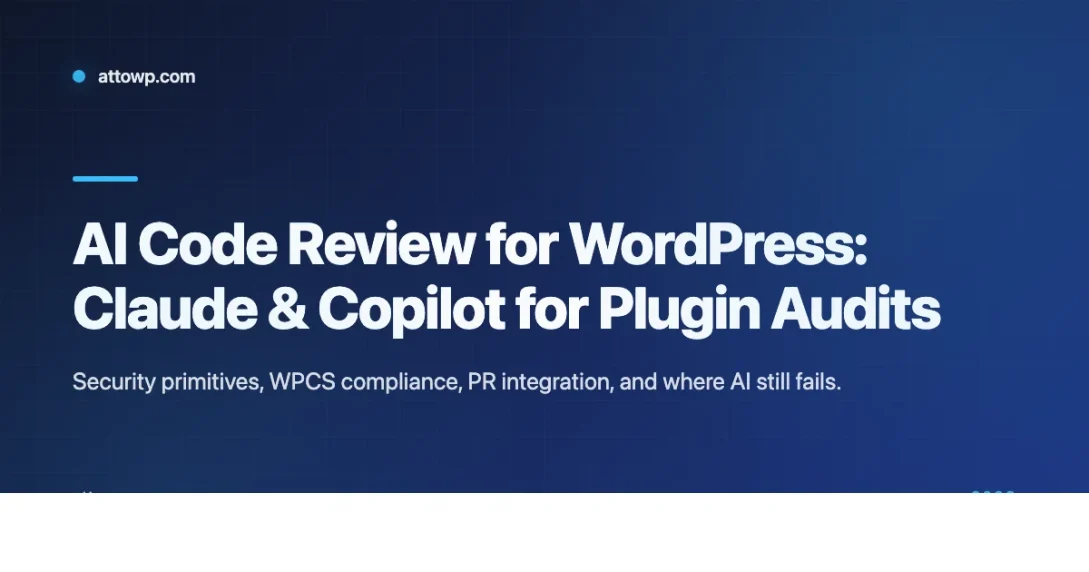
AI code review is here. The question is what to do with it.
A year ago the question was whether AI could review code at all. Today the question is narrower and more useful: where does AI beat a human, where does it miss things a human would catch, and how do you wire it into a WordPress plugin workflow without creating more noise than signal? This guide is the answer I wish I had when I started using Claude and GitHub Copilot for plugin audits in 2025.
The short version: AI is excellent at the first pass. Missing escaping, unverified nonces, missing capability checks, obvious SQL injection, WordPress Coding Standards drift. It is poor at anything that requires knowing business context, the client relationship history, or the project’s internal conventions. Treat it as an infinitely patient junior reviewer who will catch every obvious mistake and zero of the subtle ones.
What AI review is genuinely good at
After running roughly a hundred plugin audits with Claude and Copilot side by side over the last year, the high-confidence wins cluster in four categories. These are the reviews where the AI consistently catches real bugs a human reviewer would eventually find, just faster and without fatigue.
Security primitives. Missing wp_verify_nonce, unescaped output (echo $var instead of echo esc_html($var)), direct $_POST access without sanitize_text_field, missing current_user_can checks before privileged actions. AI catches these almost every single time because they are pattern-matchable against the WordPress docs. A human reviewer catches most of them too, but misses one or two at the end of a long review session when attention flags. AI does not flag.
WordPress Coding Standards violations. Yoda conditions, short PHP tags, indentation, function naming like getUser instead of get_user. Claude with the WPCS ruleset loaded as context produces cleaner output than running PHPCS directly because it can also suggest how to fix each violation, not just flag it. Copilot in a PR catches these inline if you have the extension installed.
PHPDoc completeness. Missing @param tags, missing @return types, out-of-date hook docblocks, undocumented filters. Tedious work for humans, trivial for AI. I run this pass on every client plugin before handing off, and it adds maybe two minutes to the review for significant documentation improvements.
Dead and duplicate code. Orphan include statements, functions called once from a single location with a useless wrapper, identical two-line helpers defined in three different files. AI is great at spotting the structural duplication that humans glaze over because we recognize the pattern as familiar.
What AI is not good at (yet)
The failure modes are consistent across tools. Whether the agent is Claude, Copilot, or a custom GPT wrapper, they miss the same class of issues:
- Whether the architecture is right for the problem the plugin solves.
- Whether a new feature belongs in this plugin at all (scope creep detection).
- Whether the UX matches the brand or matches what the client actually asked for.
- Whether the database schema will scale past 10,000 rows, or 1 million, or 100 million.
- Whether a new action hook name collides with one in a popular sister plugin (AI does not track the ecosystem).
- Whether the tests are testing anything meaningful or just covering the happy path.
All of these need a human. Specifically, they need a human who knows the client, the project, and the WordPress ecosystem. AI cannot tell you that using a generic hook name like save_data will collide with the Popular Plugin X because it does not track Popular Plugin X. A human reviewer who has worked on 30 plugins will spot it immediately.
The review workflow I actually use
Here is the shape of a real plugin audit I run on client work. It uses Claude for deep single-file review and Copilot for inline PR comments. Feel free to adapt the specifics, but the ordering matters because each step narrows what the next step has to look at.
Step 1: Static checks first, always. AI review on top of a dirty codebase wastes tokens. Run these three commands before pointing anything at Claude:
Fix the low-hanging issues manually. PHPCS will catch the obvious style violations. PHPStan at level 5 will catch most of the type errors and undefined method calls. The linter catches the JS problems. When you then hand the code to Claude, you are asking it to find the things the static tools cannot find, which is what AI is actually good for.
Step 2: Targeted Claude review per file. Paste one file at a time (or use the Claude Code CLI to pipe files in bulk) with a tight prompt. The discipline in the prompt matters enormously. A prompt that says “review this code” produces a diffuse list of maybes. A prompt that constrains severity, lists specific risk categories, and demands line numbers plus fix suggestions produces actionable findings.
The prompt I use for security audits looks like this: “Review this WordPress plugin file for missing escaping on output, missing nonce or capability checks on form handlers, SQL injection risk in $wpdb calls, and any deviation from WordPress Coding Standards. Only flag high-confidence issues. For each issue, quote the exact line number and suggest the fix as a code change.”
That single sentence of prompt discipline is the difference between useful output and noise.
Step 3: Copilot in the PR diff. Copilot Chat with the /review command scans the diff and posts inline comments directly on the pull request. It is worse than Claude at depth but faster at breadth, which makes it ideal for catching regressions on code that has already been reviewed once. Turn on “Code review for Pull Requests” in the repository settings and it runs automatically on every PR. The cost is negligible compared to the catches it produces.
Step 4: Second-pass human review. Every AI-flagged issue gets a human thumbs-up before the fix lands in main. False positives cluster around three predictable patterns: legitimate uses of wp_kses_post that AI thinks are unescaped, capability checks inside a parent function that AI does not see because it only reads one file at a time, and WPCS exceptions the project has explicitly allowed in .phpcs.xml.dist.
The human review pass takes about 15 minutes per file. It should be closer to 5 minutes once you learn to trust the tool’s confidence level and skim the low-severity output.
Prompt patterns that work
A few templates I reuse constantly. They are boring, which is the point. AI review is boring work. The best prompts are the ones that produce the same output shape every time so you can scan them quickly.
Security audit prompt. “You are reviewing a WordPress plugin file. List only high-confidence security issues: missing capability checks before privileged actions, missing or wrong nonce verification, unescaped output in HTML or attribute or URL or JavaScript context, unsanitized input from $_GET or $_POST or $_REQUEST, and raw SQL without $wpdb->prepare. For each issue output: file:line, the exact code, the risk, and the one-line fix. Do not list style issues.”
REST API review prompt. “Review this REST API handler for missing permission_callback, permission_callback returning true (a WPCS error), missing argument schema, missing type coercion, and unescaped output. Also verify that the endpoint is registered under a plugin-prefixed namespace and not the top-level wp/v2.”
Hook system review prompt. “List all do_action and apply_filters calls in this file with their parameters. Flag any that lack a descriptive docblock, use a generic name likely to collide with other plugins, fire before required data is populated, or pass objects by value when by reference is expected.”
Integrating AI review with CI
Copilot in PRs is one thing. Running Claude as a dedicated CI step is where it gets genuinely interesting. The pattern: on every PR, a GitHub Action pipes the git diff to the Claude API with a security audit prompt, and posts the response back as a PR comment. Token cost per review is usually under 20 cents. You get a second set of eyes before a human reviewer even looks at the code.
If you want a more structured setup, the Claude Code SDK and CLI both support structured outputs, so you can turn findings into GitHub check annotations. That gets you red or yellow or green badges directly on the PR diff instead of a wall of text in a comment. I cover the full CI pipeline pattern in my WordPress CI/CD guide, which shows the GitHub Actions workflow file I run on production client sites.
Where AI still trips up on WordPress specifically
Three recurring failure modes are worth internalizing before you start trusting AI review blindly:
Legacy patterns confuse it. A plugin written in 2014 that uses mysql_* functions (pre-$wpdb) or the old options API gets flagged as “outdated” even when the code is intentionally kept for backward compatibility. The fix is to add a repository-level CLAUDE.md file noting such exceptions. Claude reads it automatically and respects the context.
Multisite nuance. AI frequently misses is_network_admin checks or recommends update_option where update_network_option is correct. If you work on multisite plugins, add explicit network-aware prompts to the review template.
Gutenberg block code. Block render.php templates with $attributes arrays trip up Copilot’s type inference. Claude does better but still misses edge cases in block.json attribute typing. Review JSX blocks separately from PHP, with separate prompts, because the language context matters.
The bottom line on AI code review for WordPress
AI code review is cheap, fast, and good enough to catch the issues humans are worst at noticing, which are the boring repetitive ones. It is not a replacement for architectural review, and it is not a substitute for running the plugin against a real WordPress install with a real database under real traffic. Use it to shorten the first pass so humans can spend their attention on the things that actually need human judgment.
The teams getting the most value from AI review in 2026 are the ones that treat it as a force multiplier, not a replacement. They run static analysis first, then AI review, then human review, in that specific order. Each step is cheaper than the one after it, so catching a bug in an earlier step is strictly better than catching it later. If your process does not look like that, you are leaving value on the table.
For the broader static analysis and testing stack that goes with this review process, my guide to the next-gen WordPress plugin build tool covers the tooling changes landing in late 2026 that make this whole pipeline faster.
Last modified: April 14, 2026