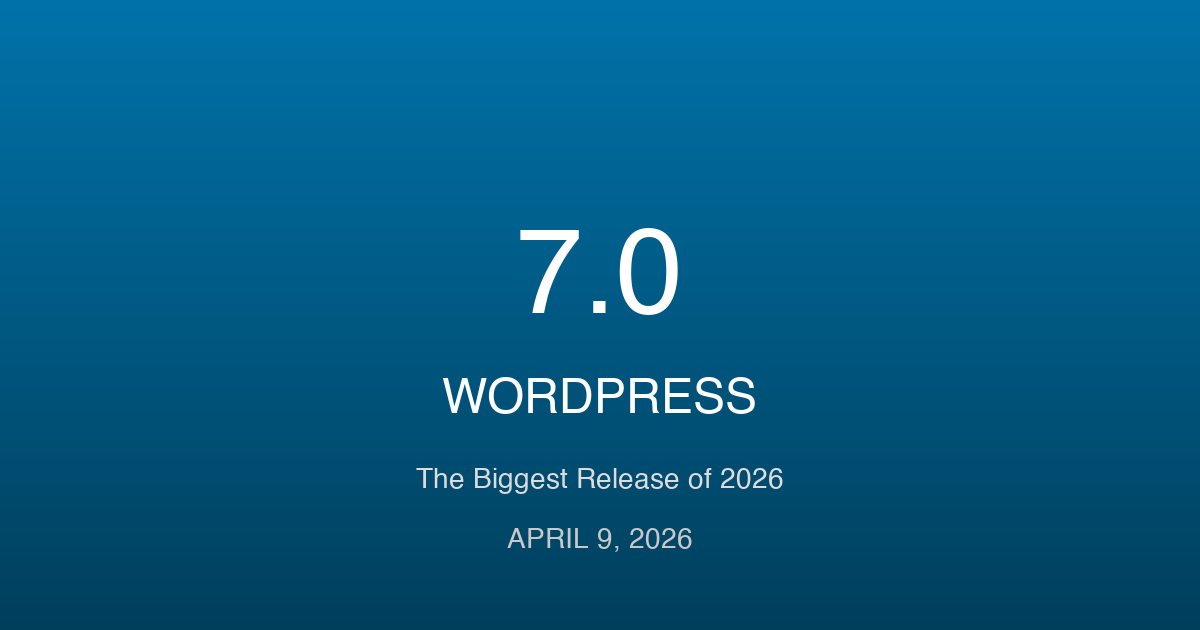
After a turbulent 2025 marked by legal disputes and development delays, WordPress is ready for its comeback. WordPress 7.0 arrives on April 9, 2026, bringing real-time collaboration, AI integration, and a refreshed admin experience that’s been over a decade in the making. Whether you’re a site owner, developer, or agency, here’s your complete guide to what’s coming and how to prepare.
The Road to WordPress 7.0: A Turbulent Journey
To understand WordPress 7.0, we need to look back at what happened in 2025. It was supposed to be a banner year with three major releases planned: WordPress 6.8, 6.9, and 7.0. That roadmap didn’t survive contact with reality.
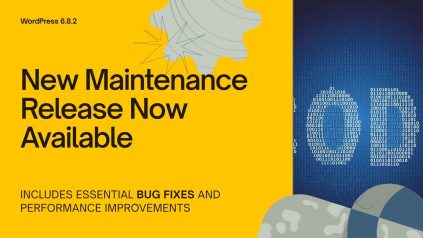
In late 2024, core contributor Héctor Prieto outlined an ambitious schedule. WordPress 6.8 shipped as planned in April 2025, introducing the Spectra-powered image format and expanded block capabilities. Following that, WordPress 6.8.2 brought important maintenance fixes that kept sites stable. But then things got complicated.
The WP Engine lawsuit changed everything. Key contributors found themselves diverted from development work as legal matters consumed attention and resources. By mid-2025, Executive Director Mary Hubbard made a difficult announcement: there would be no further major releases until 2026. For a deeper look at how the community navigated these challenges, our July 2025 recap provides essential context.
“The decision to move from three major releases to just one each year reflects current realities—particularly the energy and resources being diverted due to ongoing legal matters,” Hubbard wrote on WordPress.org.
Automattic’s pause in WordPress contributions further disrupted the usual development rhythm. Features that were nearly ready had to wait. The community adjusted.
WordPress 6.9 “Gene” eventually shipped on December 2, 2025—not as the catch-up release some hoped for, but as a stabilizing foundation. It introduced the Notes feature for asynchronous collaboration and laid groundwork for the AI-related integrations coming in 7.0.
Now, 2026 marks WordPress’s return to a three-release cadence. According to meeting notes from core committer Jonathan Desrosiers, the plan sets out WordPress 7.0, 7.1, and 7.2 on a four-month cycle, each timed to coincide with major WordPress events.
Phase 3: Collaboration — The Heart of WordPress 7.0
The Gutenberg project has always followed a phased approach. Phase 1 gave us the block editor. Phase 2 delivered Full Site Editing. Phase 3 focuses on something that’s long been missing from WordPress: true collaboration.
Unlike phases 1 and 2, which centered on individual content creation, Phase 3 represents a fundamental shift toward team-based publishing. Matías Ventura, lead architect of Gutenberg, has described this as moving WordPress from a single-author tool to a genuine collaborative platform.
Real-Time Co-Editing: The Google Docs Experience
The headline feature flagged for WordPress 7.0 is Google Docs-style real-time collaboration. Multiple users editing the same post simultaneously, seeing each other’s cursors, watching changes appear in real time.
Ventura describes the work so far as “in very good shape” on the editor side, with defined UI and diffing mechanics. But the challenge isn’t the editor—it’s making this work everywhere WordPress runs.
Consider the diversity of WordPress hosting. Some sites run on $3-per-month shared hosting with minimal server capabilities. Others operate in enterprise newsrooms with dedicated infrastructure. Real-time collaboration needs to work across this entire spectrum.
Contributors have been exploring three technical approaches, all built on Yjs (a CRDT-based framework for real-time collaboration):
- HTTP Long Polling with Autosave: The most compatible approach. Works on any WordPress installation but introduces more latency. Changes sync through WordPress’s existing autosave mechanism.
- WebRTC Peer-to-Peer: Enables direct browser-to-browser connections, bypassing the server entirely for real-time sync. Great for speed, but requires compatible browsers and network configurations.
- WebSockets: Provides the fastest, most responsive experience. Requires hosting that supports persistent WebSocket connections—common in managed WordPress hosting but not universal.
WordPress VIP has already been testing WebSocket-powered real-time co-editing with 45 customers. Early feedback confirms it works well in modern WordPress builds, giving contributors confidence as they assess how to ship the feature in core.
The reality? Full real-time co-editing may arrive incrementally rather than as a complete Google Docs-style experience in the initial 7.0 release. WordPress needs solutions that work across its diverse hosting landscape, and that takes time to get right.
Notes: Asynchronous Collaboration Gets Smarter
While real-time editing grabs headlines, the Notes feature introduced in WordPress 6.9 addresses the more common collaboration scenario: team members working at different times, leaving feedback for each other.
Notes (previously called Block Commenting) allows users to add, resolve, delete, and thread comments directly on blocks. It’s the WordPress equivalent of suggesting changes in a Google Doc—without needing everyone online simultaneously.
WordPress 7.0 brings significant enhancements to Notes:
- Fragment Notes: Target specific text within blocks, not just the block itself. Highlight a sentence and leave a comment on that exact phrase.
- @Mentions: Tag team members directly in notes to notify them. No more sending separate emails to draw attention to feedback.
- Digest Notifications: Instead of notification overload, receive consolidated digests of note activity. Check once, catch up on everything.
- Multi-Block Notes: Comment on entire sections of content, spanning multiple blocks. Perfect for feedback on flow and structure.
- Suggestions Mode: Propose edits without directly changing content. Reviewers can accept or reject suggestions with a click.
- Improved Layouts: Better display on wide screens and a compact “minified” mode for focused editing.
These improvements make WordPress significantly more viable for editorial teams who’ve previously relied on external tools like Google Docs or Notion for the collaboration phase of content creation.
Admin Redesign: A Fresh Coat of Paint After a Decade
When did WordPress last get a major admin refresh? WordPress 3.8, released in December 2013. That’s over a decade of the same fundamental admin experience, even as the front-end editing capabilities transformed completely.
WordPress 7.0 begins addressing this gap—though perhaps not as dramatically as some hoped.
According to meeting notes from core committers, the admin redesign isn’t aiming for a full overhaul. Instead, it’s applying a “new coat of paint and refreshing what is already there.” Think evolution, not revolution.
DataViews and DataForms Expansion
The foundation for admin modernization comes from DataViews and DataForms—components introduced in recent WordPress versions that provide modern, consistent interfaces for managing data.
DataViews powers the new Posts and Pages management screens. DataForms standardizes how WordPress handles form inputs. Together, they create building blocks for a more cohesive admin experience.
WordPress 7.0 expands these components across more admin screens, bringing visual consistency to areas that previously used older patterns.
Unified Design System
Ventura has emphasized the modernization of the administrative experience through a unified design system. This means:
- Unified form elements: Text inputs, selects, checkboxes, and radio buttons share consistent styling
- Design tokens: Standardized values for colors, spacing, and typography that can be referenced throughout the admin
- Refreshed admin tables: Aligned with the DataViews aesthetic for visual consistency
- Modern dashboard widgets: Updated styling for the dashboard components
- Consistent typography: Harmonized type scales across admin screens
For developers with custom admin interfaces, these changes matter. If you’ve built plugins with custom admin styling, you’ll want to test against the new design tokens and consider adopting them for consistency.
The full scope of admin redesign work is tracked in Trac ticket #64308. While the complete redesigned admin won’t ship in 7.0, expect meaningful visual improvements that set the stage for continued evolution.
AI Integration: The Abilities API and Beyond
WordPress is taking a thoughtful approach to AI integration. Rather than bolting on specific AI features, WordPress 6.9 introduced infrastructure that enables the ecosystem to build AI capabilities consistently.
Understanding the Abilities API
The Abilities API provides a standardized way for AI systems to understand what WordPress can do. It creates a central registry where WordPress capabilities—from creating posts to managing users—are registered in a machine-readable format.
Why does this matter? Consider an AI assistant trying to help someone manage their WordPress site. Without the Abilities API, the assistant would need to be specifically programmed for WordPress. With it, any AI system can discover what’s possible and interact accordingly.
The API automatically exposes registered abilities through REST endpoints, making them programmatically accessible to AI agents, automation tools, and third-party services.
WordPress AI Client
Under consideration for WordPress 7.0 is the WordPress AI Client, which shipped as version 0.1.0 in late 2025. This component provides a native, provider-agnostic way for plugins and themes to interact with AI services.
The key word is “provider-agnostic.” WordPress isn’t picking winners among AI providers. Instead, it’s creating an abstraction layer that works with multiple services. Plugins can offer AI features without hard-coding specific API integrations.
“Because the AI client is a great way to encourage the ecosystem to build around solid foundations (such as the Abilities API), the ideal home for this is Core itself,” explained one contributor. “The combining of these related APIs will unlock so many possibilities for developers and site owners.”
The Four AI Building Blocks
WordPress’s AI team is developing four foundational components:
- Abilities API: The discovery and capability registration system
- MCP Adapter: Integration with the Model Context Protocol for AI interaction
- PHP AI SDK: Server-side tools for AI integration
- Experiments Plugin: A testing ground for AI features before core inclusion
Users shouldn’t expect WordPress 7.0 to suddenly generate content autonomously. These efforts are infrastructural—laying groundwork for an ecosystem of AI-powered features built by plugin developers and eventually core contributors.
Site Editor and Block Improvements
Beyond collaboration and AI, WordPress 7.0 delivers meaningful improvements to the editing experience.
Command Palette Goes Global
The Command Palette—that quick-access interface you open with a keyboard shortcut—now works across the entire WordPress admin, not just the Site Editor.
Previously, navigation commands only worked when editing posts or templates. Now, you can use the Command Palette from anywhere in the admin to jump to settings, switch between screens, or execute common actions. Power users will appreciate bypassing repetitive menu clicking.
For plugin developers, there’s a new useCommands hook that simplifies registering custom commands. If your plugin has common workflows, you can expose them through the Command Palette for keyboard-driven users.
New Blocks and Improvements
WordPress 7.0 brings several block-level improvements:
- Navigation Block updates: Contributor Dave Smith has been demonstrating significant changes to how navigation works
- Tabs block: A new core block for organizing content into tabbed interfaces
- Template management improvements: Easier discovery and modification of site templates
- Breadcrumbs block: Progressing toward stability after extended development
- Responsive Grid block: Better layouts for grid-based designs
Editor Isolation
Core contributors have begun laying groundwork for moving the Post Editor into an iframe. This “editor isolation” approach modernizes the editing experience by separating it from admin-side interference.
The change helps prevent conflicts between editor styles and admin styles, making the editing experience more predictable. It also aligns the Post Editor more closely with how the Site Editor already works.
Technical Requirements: PHP and Server Changes
WordPress 7.0 makes important changes to minimum requirements that site owners need to understand.
PHP Version Changes
WordPress 7.0 drops support for PHP 7.2 and 7.3.
The new minimum supported PHP version is 7.4.0. However, WordPress recommends running PHP 8.3 for optimal performance and security.
Here’s the current compatibility breakdown:
- PHP 8.0 – 8.3: Fully compatible
- PHP 8.4 – 8.5: Beta compatible (may have minor issues)
- PHP 7.4: Minimum supported (but approaching end of life)
- PHP 7.2 – 7.3: No longer supported in WordPress 7.0
Sites running PHP 7.2 or 7.3 will remain on the WordPress 6.9 branch once 7.0 releases. They’ll continue receiving security updates but won’t get new features until they upgrade PHP.
Database Requirements
WordPress 7.0 requires MySQL 8.0 or greater, or MariaDB 10.6 or greater. If you’re running older database versions, check with your hosting provider about upgrade options.
Action Required
Check your PHP version now. If you’re running 7.2 or 7.3, contact your hosting provider about upgrading before April 2026. Most quality hosts support PHP 8.2+ at this point—if yours doesn’t, it may be time to consider alternatives.
Twenty Twenty-Six: The Next Default Theme
WordPress traditionally ships a new default theme with major releases. For 7.0, the community expects Twenty Twenty-Six—though the situation is less clear than usual.
Unlike past years, WordPress 6.9 shipped without a new theme, with Twenty Twenty-Six slated for 2026. Some community sources suggest there may not be a new theme at all, as the WordPress community isn’t currently working on one.
If Twenty Twenty-Six does ship, expect it to continue the block-first design evolution with:
- Performance-focused architecture: Optimized CSS and minimal front-end overhead
- Modern typography controls: Improved responsive handling
- Expanded style variations: Making Full Site Editing more approachable
- Accessibility emphasis: Meeting and exceeding WCAG guidelines
Watch the Make WordPress Themes blog for announcements as the release approaches.
WordPress 7.0 Release Timeline
Here are the key dates to mark on your calendar:
| Milestone | Date | What It Means |
|---|---|---|
| Beta 1 | February 19, 2026 | First public testing version. Install on test sites to help find bugs. |
| Release Candidate 1 | March 19, 2026 | Feature-complete version. Final testing before release. |
| Final Release | April 9, 2026 | Official launch during WordCamp Asia Contributor Day. |
The call for volunteers has already been announced on Make WordPress Core. If you want to help shape this release, now is the time to get involved. The release squad is being assembled to coordinate development, testing, documentation, and launch activities.
Beyond 7.0: The Full 2026 Roadmap
WordPress 7.0 is just the beginning of 2026. The project is returning to three major releases per year, each timed to coincide with flagship WordPress events.
WordPress 7.1 — August 19, 2026
Scheduled to launch at WordCamp US, WordPress 7.1 is expected to focus on:
- Media workflow improvements: Better tools for managing images, videos, and other media
- Granular user permissions: More fine-grained control over what users can do
WordPress 7.2 — December 8-10, 2026
Timed for State of the Word, WordPress 7.2 will likely bring:
- Collaboration refinements: Improvements based on 7.0 and 7.1 feedback
- Progress toward multilingual: Early Phase 4 foundations for native language support
Phase 4 of the Gutenberg roadmap—Multilingual—aims to build translation capabilities directly into WordPress core. While full multilingual support won’t arrive in 2026, expect foundational work to begin.
How to Prepare Your Site for WordPress 7.0
Ready to get your site ready for WordPress 7.0? Here’s your preparation checklist:
1. Check Your PHP Version
This is the most critical step. Log into your hosting control panel or ask your host what PHP version you’re running. If it’s 7.2 or 7.3, you need to upgrade before April 2026.
Recommended: Upgrade to PHP 8.2 or higher for the best performance and security.
2. Audit Your Plugins
Pay special attention to plugins that:
- Modify the WordPress admin interface
- Use custom DataViews implementations
- Apply custom styling to admin screens
- Override core editor functionality
These may need updates to work correctly with the new design tokens and admin styling.
3. Set Up a Testing Environment
Create a staging site where you can test WordPress 7.0 betas without risking your production site. Most managed WordPress hosts offer one-click staging. If yours doesn’t, consider WordPress Playground for quick testing.
4. Back Up Everything
Before any major upgrade, ensure you have:
- A complete database backup
- All files backed up (especially wp-content)
- Backup verification (can you restore from it?)
5. Review Admin Customizations
If you’ve added custom CSS to the admin or modified admin templates, review them. The new design tokens and typography changes may affect your customizations.
Get Involved: Beta Testing WordPress 7.0
WordPress 7.0 represents a significant step forward for the platform, but it needs your help to succeed. Beta testing isn’t just for developers—anyone who uses WordPress can contribute valuable feedback.
How to Test
Starting February 19, 2026, you can participate in beta testing:
- Set up a test site: Never test betas on production. Use a staging environment or local installation.
- Install the WordPress Beta Tester plugin: This plugin lets you switch your test site to beta releases with a click.
- Test your workflows: Use the beta as you’d use WordPress normally. Create posts, edit pages, manage settings.
- Report issues: Found a bug? Report it on WordPress Trac or the Gutenberg GitHub.
What to Test
Focus your testing on:
- Real-time collaboration: If available, try editing with another user simultaneously
- Notes feature: Test the new commenting capabilities on blocks
- Admin interface: Look for visual inconsistencies or broken layouts
- Command Palette: Try navigating the admin using keyboard shortcuts
- Your plugins: Ensure your essential plugins work correctly
Your feedback directly influences what ships in April. Every bug you report, every rough edge you identify, helps make WordPress 7.0 better for millions of users.
Conclusion
WordPress 7.0 marks a pivotal moment in the platform’s evolution. After navigating the challenges of 2025, WordPress returns with renewed focus on what matters: making content creation more collaborative, more intelligent, and more accessible.
The collaboration features in Phase 3 address a long-standing gap in WordPress’s capabilities. The Abilities API lays groundwork for an AI-enabled future without locking into specific providers. The admin refresh begins modernizing an interface that’s served us well for over a decade.
But the best way to ensure a smooth transition for your sites? Get involved now. Check your PHP version. Set up a testing environment. When Beta 1 drops on February 19, 2026, install the WordPress Beta Tester plugin and help shape the final release.
The future of WordPress depends on contributors like you. Whether you’re reporting bugs, testing features, or simply providing feedback on your experience—your participation matters.
See you at WordCamp Asia on April 9, 2026, when WordPress 7.0 officially ships.
Sources: WordPress.org Roadmap, Make WordPress Core, Gutenberg Times, The Repository, WordPress Developer Blog