Sitecore vs WordPress 2026: Enterprise CMS Comparison Guide

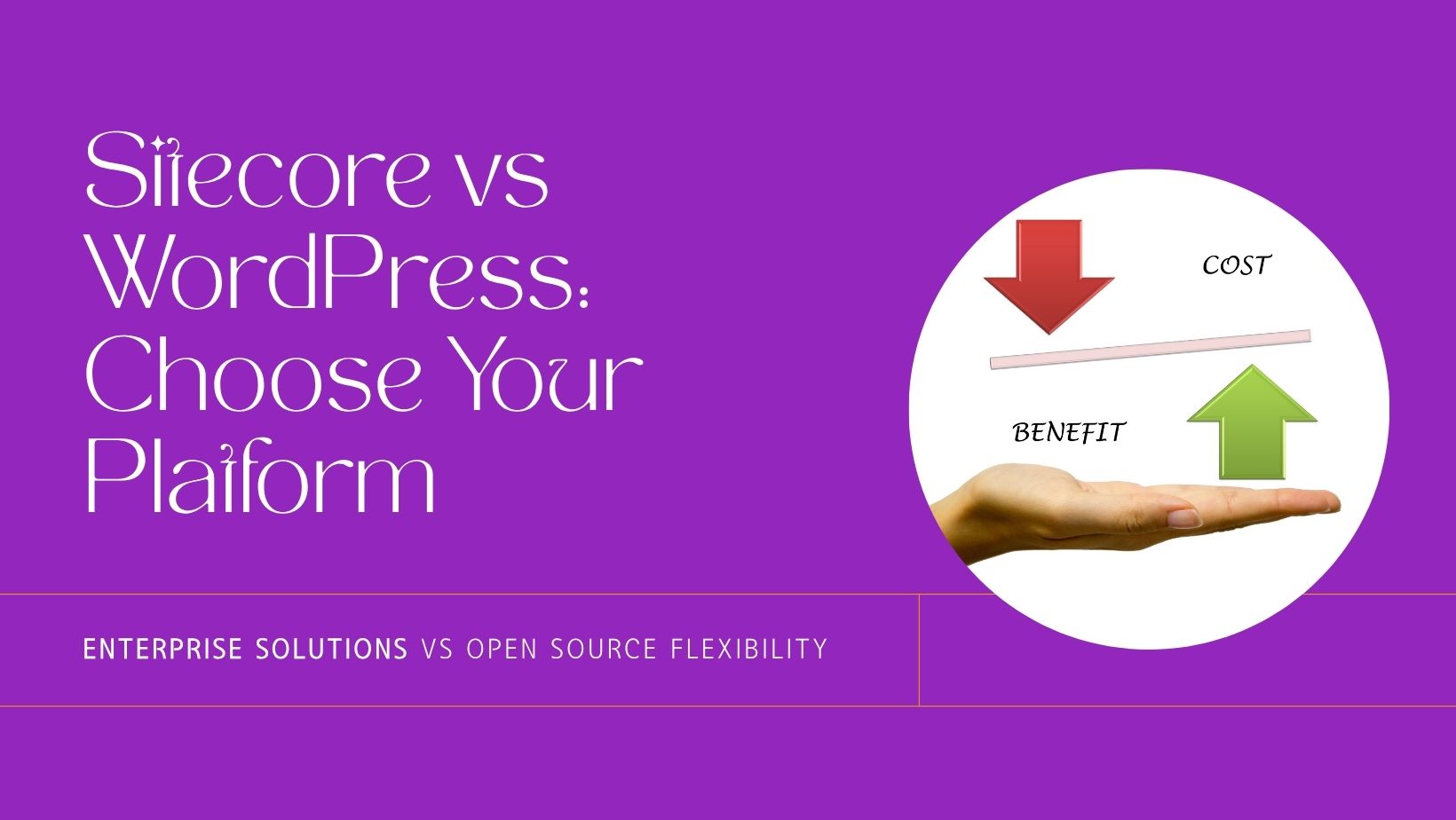
Choosing between Sitecore and WordPress in 2026 is no longer just a technology decision. It is a strategic choice that affects your organization’s agility, total cost of ownership, time to market, and ability to deliver digital experiences at scale. Both platforms have evolved significantly, and the right choice depends on your budget, team capabilities, personalization requirements, and long-term digital strategy.
This comprehensive comparison guide breaks down every critical dimension: architecture, content management, personalization, marketing automation, scalability, security, total cost of ownership, developer ecosystem, integration capabilities, and migration paths. Whether you are evaluating platforms for a new digital transformation project or considering a migration, this guide provides the data and context you need to make an informed decision.
For a broader look at CMS types, see our CMS Platforms Explained guide.
What Is Sitecore?
Sitecore is a proprietary, .NET-based digital experience platform (DXP) that combines content management, personalization, commerce, and campaign orchestration into a unified enterprise offering. It is used by global brands in finance, healthcare, retail, manufacturing, and government that require deep personalization, regulatory compliance, and multi-site management across regions.
In 2026, Sitecore has fully committed to its composable DXP strategy with Sitecore XM Cloud, a SaaS-first headless CMS, alongside modular products like Sitecore Personalize, Sitecore Send, Sitecore Search, and Sitecore CDP. The legacy on-premise XP/XM platform is still supported but no longer the primary focus of Sitecore’s product roadmap.
Key capabilities include:
- Composable architecture with XM Cloud (headless CMS as a service)
- Native personalization engine and customer data platform (CDP)
- Sitecore Experience Database (xDB) for unified customer profiles
- Integrated commerce (OrderCloud), marketing automation (Send), and search
- Multi-site, multi-language management out of the box
“Sitecore gives us the ability to tailor experiences across channels, but the platform demands significant investment in implementation and ongoing expertise.” — Director of Digital, Financial Services Enterprise
What Is WordPress?
WordPress powers over 43% of all websites globally (W3Techs, 2026) and remains the world’s most widely used content management system. Its open-source core is extended by 60,000+ plugins and thousands of themes, supported by one of the largest developer communities in the world.
In 2026, WordPress 6.7+ has matured its Full Site Editing (FSE) capabilities, offering a complete block-based design system with global styles, template editing, and reusable patterns. The platform supports headless architectures via WP REST API and WPGraphQL, making it a strong candidate for modern JAMstack and decoupled builds.
Key capabilities include:
- Open-source architecture with REST API and GraphQL support
- Block editor (Gutenberg) with Full Site Editing
- 60,000+ plugins covering SEO, security, eCommerce, marketing, and more
- Headless and decoupled deployment options
- Rapid deployment with low cost of entry
To explore whether WordPress can meet enterprise-level demands, read Can WordPress Serve as an Enterprise-Level CMS?
“WordPress gave us the speed to launch fast, test campaigns, and scale globally without vendor lock-in.” — Global Marketing Manager, SaaS Company
The following table provides a side-by-side comparison of Sitecore and WordPress across the most important evaluation criteria for enterprise CMS selection in 2026.
| Feature | Sitecore | WordPress |
|---|---|---|
| Personalization | Native, rule-based and AI-driven via Sitecore Personalize and CDP. Real-time behavioral targeting, A/B testing, and multivariate testing built in. | Plugin-based via If-So, Logic Hop, or external CDPs like Segment and HubSpot. Effective but requires third-party coordination. |
| Content Management | Experience Editor with in-context editing. Component-based content architecture. Steeper learning curve for editors. | Block editor (Gutenberg) with WYSIWYG editing, reusable blocks, and Full Site Editing. Intuitive and fast to learn. |
| Marketing Automation | Built-in via Sitecore Send and XP. Email campaigns, lead scoring, journey orchestration, and campaign analytics in one platform. | Integrated through plugins (Mailchimp, HubSpot, ActiveCampaign, FluentCRM) or API connections. Flexible but decentralized. |
| Scalability | Enterprise-grade. XM Cloud scales automatically. On-premise requires Azure infrastructure planning. Handles millions of pages and complex multi-site deployments. | Highly scalable with managed hosting (WP Engine, Kinsta, Cloudways). WordPress VIP serves enterprise clients like Time, TechCrunch, and Meta Newsroom. |
| Security | Closed-source with built-in security controls. SOC 2, GDPR, HIPAA compliance support. Tightly controlled permissions and access. | Open-source core with regular security patches. Hardened through managed hosting, Wordfence, Sucuri, and server-level configuration. Requires proactive maintenance. |
| Cost | Licensing: $40,000 to $100,000+/year. Implementation: $200K to $1M+. XM Cloud subscription model reduces upfront costs but still premium. | Core is free. Hosting: $5 to $500/month. Premium plugins: $50 to $500/year each. Total annual cost typically $500 to $15,000 for most implementations. |
| Headless / API | XM Cloud is headless-first. GraphQL and REST APIs. JSS (JavaScript Services) for React, Next.js, and Vue front-ends. | REST API built-in. WPGraphQL for GraphQL support. Faust.js framework for headless WordPress with Next.js. |
| Multi-language | Native multi-language and multi-site management. Content versioning per language built in. | Via WPML, Polylang, or TranslatePress plugins. Multisite network for multi-region deployments. |
| Analytics | Sitecore Analytics and xDB for unified customer profiles, session tracking, and engagement scoring. | Google Analytics, Matomo, or MonsterInsights integration. Server-side analytics via Plausible or Fathom for privacy compliance. |
| eCommerce | Sitecore OrderCloud for B2B/B2C commerce. Complex catalog, pricing, and inventory management. | WooCommerce (5M+ active installs), Easy Digital Downloads, or headless commerce via Shopify + WordPress. |
| Time to Launch | 6 to 18 months for enterprise implementations. XM Cloud reduces this to 3-6 months. | 2 weeks to 3 months for most projects. Enterprise builds may take 3-6 months. |
Sitecore: Composable DXP with XM Cloud
Sitecore’s architecture in 2026 has shifted from monolithic to composable. Sitecore XM Cloud is the headless CMS layer, delivered as SaaS, eliminating the need for on-premise infrastructure management. Organizations can adopt individual Sitecore products (Personalize, Search, Send, CDP, OrderCloud) independently rather than buying the entire suite.
The legacy Sitecore XP platform, while still supported, ties content management, personalization, and analytics into a single deployment that requires .NET expertise, Azure hosting, and certified implementation partners.
For front-end development, Sitecore provides JSS (JavaScript SDK for Sitecore) supporting React, Next.js, Angular, and Vue. XM Cloud uses Next.js as its recommended front-end framework, aligning with modern JavaScript development practices.
“Sitecore’s move to XM Cloud was necessary, but organizations on legacy XP face a complex migration path to get there.” — Senior Engineer, Fortune 500 Retailer
WordPress: Open-Source, Lightweight, and Headless-Ready
WordPress uses a PHP core with MySQL/MariaDB and supports both traditional (theme-based) and headless (API-driven) architectures. The WP REST API is built into core, and WPGraphQL provides a full GraphQL schema for decoupled front-ends.
Faust.js, developed by WP Engine, provides a framework for building headless WordPress sites with Next.js, including preview support, authentication, and WordPress-specific React hooks. This makes WordPress a genuine contender for modern JAMstack and composable architectures.
WordPress is well-suited for microservices approaches where the CMS handles content while specialized services handle search, personalization, commerce, and analytics independently.
Verdict: WordPress provides greater flexibility and lower complexity for modern decoupled builds. Sitecore XM Cloud delivers a mature headless CMS but at significantly higher cost and with steeper onboarding requirements.
Sitecore: Powerful but Complex
Sitecore’s Experience Editor enables in-context editing where authors can edit content directly on the rendered page. The component-based architecture allows editors to assemble pages from pre-built modules, and content versioning supports multi-language workflows with approval chains.
However, usability remains a challenge. Non-technical editors often require formal training programs. The interface is feature-rich but can feel overwhelming, with personalization rules, workflow states, and publishing targets adding layers of complexity to everyday content tasks.
“The authoring interface does a lot, but it is hard to navigate. We needed a full onboarding program for our content team.” — Content Director, Global Pharma Company
WordPress: Fast, Familiar, and Accessible
The WordPress block editor (Gutenberg) provides an intuitive WYSIWYG experience with drag-and-drop blocks for text, images, galleries, tables, embeds, and custom components. Full Site Editing in WordPress 6.7+ extends this to headers, footers, templates, and global styles, giving editors control over the entire site without touching code.
Reusable blocks and block patterns allow teams to create standardized content layouts. User role management (Administrator, Editor, Author, Contributor) provides appropriate access control without complexity. Page builders like Elementor, Divi, and Kadence add advanced drag-and-drop capabilities for teams that prefer visual editing.
“We train new editors in under an hour. WordPress just works out of the box.” — Editorial Lead, B2B Media Group
Verdict: WordPress wins decisively in editorial usability and time-to-productivity. Sitecore offers more structured content modeling and workflow controls but at the cost of a steep learning curve.
Sitecore: Enterprise-Grade Personalization
Personalization is Sitecore’s strongest differentiator. With Sitecore Personalize (formerly Boxever) and Sitecore CDP, marketers can:
- Deliver real-time content personalization based on behavior, demographics, geolocation, and custom segments
- Score and qualify leads with integrated engagement analytics
- Execute A/B tests and multivariate experiments natively
- Automate content journeys and email campaigns via Sitecore Send
- Build unified customer profiles across channels using xDB and CDP
Sitecore’s personalization engine is deeply integrated with its content delivery layer, meaning personalization rules are applied at the component level during page rendering. This produces highly targeted experiences but requires developer involvement to configure and maintain rules at scale.
“We deliver hyper-personalized experiences across 40+ markets, but configuring them requires ongoing developer support.” — Marketing Automation Manager, Telco Enterprise
WordPress: Modular, Plugin-Driven Personalization
WordPress achieves personalization through a combination of plugins and third-party integrations:
- If-So Dynamic Content and Logic Hop for conditional content display based on user behavior, referral source, geolocation, and more
- HubSpot, ActiveCampaign, or FluentCRM for marketing automation, lead nurturing, and email campaigns
- Segment or RudderStack as customer data platforms for unified user profiles
- Google Optimize alternatives (VWO, Convert) for A/B testing
- AI-powered content optimization via plugins and API integrations
While WordPress personalization is not as deeply integrated as Sitecore’s native engine, the modular approach gives teams flexibility to choose best-of-breed tools for each function and swap them as needs evolve. For many organizations, this composable approach is more practical than committing to a single vendor’s ecosystem.
Verdict: Sitecore leads for organizations that need deep, native, cross-channel personalization managed from a single platform. WordPress is better suited for teams that prefer modular, best-of-breed tools and need to iterate quickly without heavy developer involvement.
Total cost of ownership (TCO) is one of the most significant differentiators between Sitecore and WordPress. Understanding the full financial picture, including licensing, hosting, development, and ongoing maintenance, is critical for making a sound decision.
Sitecore TCO Breakdown
| Cost Category | Estimated Annual Cost |
|---|---|
| Platform licensing (XP/XM) | $40,000 – $100,000+ |
| XM Cloud subscription | $30,000 – $80,000+ |
| Initial implementation | $200,000 – $1,000,000+ (one-time) |
| Hosting (Azure/AWS) | $20,000 – $60,000 |
| Certified developers (2-4 FTE) | $300,000 – $600,000 |
| Implementation partner retainer | $50,000 – $200,000 |
| Training and onboarding | $10,000 – $30,000 |
| Total Year 1 | $650,000 – $2,000,000+ |
| Annual ongoing (Year 2+) | $400,000 – $900,000+ |
WordPress TCO Breakdown
| Cost Category | Estimated Annual Cost |
|---|---|
| Core software | Free (open-source) |
| Managed hosting | $300 – $6,000 ($25 – $500/month) |
| Enterprise hosting (WordPress VIP) | $25,000 – $100,000 |
| Premium plugins and themes | $500 – $5,000 |
| Initial development | $10,000 – $150,000 (one-time) |
| Developer (1-2 FTE or agency) | $80,000 – $250,000 |
| Security and maintenance | $1,000 – $10,000 |
| Total Year 1 | $15,000 – $400,000 |
| Annual ongoing (Year 2+) | $10,000 – $250,000 |
Even at the enterprise tier with WordPress VIP hosting, WordPress TCO is typically 60-80% lower than a comparable Sitecore implementation. For small to mid-size organizations, the difference can be 10x or more.
“We deployed a full publishing hub in 30 days on WordPress for less than what one month of Sitecore licensing would cost.” — Digital Manager, Public Sector Organization
Sitecore Integrations
Sitecore integrates natively within its own ecosystem (Personalize, CDP, Send, OrderCloud, Search) and provides connectors for major enterprise platforms:
- CRM: Salesforce, Microsoft Dynamics 365
- Marketing: Marketo, Eloqua (via custom connectors)
- Commerce: Sitecore OrderCloud, SAP Commerce
- DAM: Sitecore Content Hub, Bynder, Cloudinary
- Analytics: Google Analytics, Adobe Analytics (via custom integration)
- Cloud: Microsoft Azure (primary), AWS (supported)
Sitecore’s integration model favors staying within its product ecosystem. Integrating with non-Sitecore tools often requires custom development or middleware, which adds cost and complexity.
WordPress Integrations
WordPress benefits from the largest plugin ecosystem of any CMS, with pre-built integrations for virtually every major platform and service:
- CRM: HubSpot, Salesforce, Zoho, Pipedrive (dedicated plugins)
- Marketing: Mailchimp, ActiveCampaign, ConvertKit, Drip
- Commerce: WooCommerce, Shopify (headless), Easy Digital Downloads
- DAM: Cloudinary, Brandfolder, WordPress native media library
- Analytics: Google Analytics, Matomo, Plausible, MonsterInsights
- Automation: Zapier, Make (Integromat), n8n for workflow automation
- AI: OpenAI, Claude, and other LLM integrations via REST API
WordPress’s open REST API and webhook support make it straightforward to integrate with any service that has an API. The Zapier and Make ecosystems alone provide connections to 5,000+ applications without custom code.
Verdict: WordPress wins on breadth and ease of integration. Sitecore offers deeper native integration within its own ecosystem but at higher complexity and cost for third-party tools.
Sitecore Developer Ecosystem
Sitecore development requires expertise in .NET, C#, and Sitecore-specific frameworks (SXA, JSS, Helix architecture patterns). The talent pool is relatively small and specialized, which drives up hiring costs. Key characteristics:
- Certified Sitecore developers command premium salaries ($120,000-$180,000+ in the US)
- Implementation typically requires certified Sitecore partners
- Sitecore MVP program recognizes top community contributors
- Training and certification programs through Sitecore Learning
- Smaller but dedicated community, active on Sitecore Stack Exchange and community forums
“You need a full Sitecore practice to build at scale. It is not a platform you can hand to a general .NET developer.” — Solutions Architect, Global Consultancy
WordPress Developer Ecosystem
WordPress has one of the largest developer communities in the world, with millions of developers, thousands of agencies, and extensive learning resources. Key characteristics:
- Low entry barrier: PHP, JavaScript, HTML, CSS are the core skills
- WordPress developers are widely available at various price points ($40,000-$150,000+ depending on specialization)
- Extensive documentation at developer.wordpress.org
- Thousands of tutorials, courses (Udemy, YouTube, WordPress.tv), and open-source repos on GitHub
- Active community via WordCamp events, WordPress.org forums, Make WordPress Slack, and Reddit
- Modern tooling: WP-CLI, Local by Flywheel, wp-env, integrated CI/CD pipelines
Verdict: WordPress empowers faster iteration, easier hiring, and lower development costs. Sitecore is powerful but demands a high-skill, high-investment development team that is harder to recruit and retain.
Sitecore at Scale
Sitecore is built for enterprise-scale deployments. XM Cloud handles infrastructure scaling automatically, while on-premise XP deployments can scale across Azure App Services with load balancing and CDN integration. Sitecore comfortably powers sites with millions of pages, complex multi-site architectures, and high-traffic global deployments.
WordPress at Scale
WordPress scales effectively with the right hosting architecture. WordPress VIP serves some of the highest-traffic websites in the world, including Time.com, TechCrunch, Salesforce Blog, and the Meta Newsroom. With object caching (Redis/Memcached), CDN integration (Cloudflare, Fastly), and optimized hosting, WordPress handles millions of monthly visitors.
For content-heavy sites, the WordPress Multisite network enables managing hundreds of sites from a single installation, with shared plugins and themes but independent content.
Verdict: Both platforms scale to enterprise demands. Sitecore handles it natively; WordPress requires appropriate hosting architecture but achieves comparable results at lower cost.
Sitecore Security
As a closed-source platform, Sitecore benefits from a smaller attack surface and provides built-in security features including role-based access control, encryption, and compliance support for SOC 2, GDPR, HIPAA, and PCI DSS. Security patches are managed through Sitecore’s release cycle, and XM Cloud handles infrastructure security as part of its managed service.
WordPress Security
WordPress’s open-source nature means its code is publicly visible, which cuts both ways: vulnerabilities are discovered faster, but they are also more broadly known. However, the WordPress security team actively monitors and patches the core, and the majority of WordPress security incidents stem from outdated plugins, weak passwords, or poor hosting, not core vulnerabilities.
Enterprise WordPress security best practices include:
- Managed hosting with built-in WAF, DDoS protection, and automatic updates
- Security plugins like Wordfence, Sucuri, or Patchstack for monitoring and hardening
- Two-factor authentication and strong password policies
- Regular security audits and penetration testing
- File integrity monitoring and malware scanning
Verdict: Sitecore provides enterprise-grade security by default. WordPress can be hardened to equivalent levels but requires proactive security management, which is standard practice for any serious deployment.
Sitecore is the right choice when your organization meets most of the following criteria:
- Enterprise personalization is a core requirement. You need real-time, cross-channel personalization with unified customer profiles, AI-driven recommendations, and deep analytics integration.
- Large marketing teams need centralized tools. Your marketing operations span multiple regions, languages, and channels, and you need campaign orchestration, lead scoring, and email automation in one platform.
- Complex digital experiences across many touchpoints. You manage multiple websites, mobile apps, kiosks, or IoT interfaces that all need to deliver consistent, personalized content from a single source.
- Regulatory compliance is non-negotiable. Industries like healthcare, finance, and government with strict data handling requirements benefit from Sitecore’s built-in compliance framework.
- Your team already uses Microsoft technologies. Organizations with existing .NET, Azure, and Microsoft 365 investments can leverage Sitecore’s native Microsoft ecosystem integration.
- Budget supports six-figure annual investment. Your organization can commit $400K+ annually for licensing, hosting, development, and maintenance.
WordPress is the right choice when your organization priorities align with these scenarios:
- Cost efficiency is a priority. You need enterprise-quality content management without six-figure licensing fees. WordPress delivers 80% of Sitecore’s capabilities at 20% of the cost for most use cases.
- Faster time to market matters. You need to launch in weeks, not months. WordPress’s ecosystem of themes, plugins, and pre-built solutions enables rapid deployment.
- Plugin ecosystem flexibility is valuable. You want the ability to choose best-of-breed tools for SEO, marketing, commerce, and analytics rather than being locked into a single vendor.
- Community and social platforms. WordPress, combined with BuddyPress and bbPress, excels at building community-driven sites, membership platforms, and social networks.
- Content publishing at scale. Media companies, publishers, and content-heavy organizations benefit from WordPress’s editorial workflow, scheduled publishing, and multi-author support.
- Headless and composable architecture. You want to use WordPress as a headless CMS powering a React, Next.js, or Vue front-end, taking advantage of its content management strengths without being tied to its theme system.
- You want to avoid vendor lock-in. As open-source software, WordPress ensures you own your content, code, and infrastructure. You can switch hosting providers, developers, or agencies at any time.
Sitecore Commerce
Sitecore OrderCloud is a headless, API-first commerce platform designed for complex B2B and B2C scenarios. It supports custom catalogs, role-based pricing, multi-supplier marketplaces, and complex order workflows. It integrates seamlessly with Sitecore’s content and personalization layers.
OrderCloud is best suited for organizations with complex commerce requirements: custom quoting, multi-tier distribution, or procurement workflows that go beyond standard cart-and-checkout models.
WordPress + WooCommerce
WooCommerce powers over 5 million active stores and is the most widely used eCommerce platform globally. It supports physical products, digital downloads, subscriptions, bookings, and memberships. The extension ecosystem includes 800+ official extensions plus thousands of third-party add-ons.
For enterprise eCommerce on WordPress, WooCommerce can be extended with multi-currency support, ERP integrations (SAP, NetSuite), advanced inventory management, and headless commerce via the WooCommerce REST API or integration with Shopify’s Storefront API.
“WooCommerce powers our global storefronts across 12 countries, with fast launches and easy maintenance.” — VP of eCommerce, DTC Apparel Brand
Verdict: Sitecore OrderCloud excels in complex B2B commerce with custom pricing and procurement workflows. WooCommerce is more accessible, faster to deploy, and sufficient for the vast majority of B2C and straightforward B2B commerce needs.
A growing number of organizations are migrating from Sitecore to WordPress to reduce costs, increase agility, and simplify their technology stack. Here is a practical overview of the migration process.
Migration Planning
- Content audit: Inventory all content types, templates, media assets, and metadata in Sitecore. Identify what needs to migrate and what can be retired.
- Feature mapping: Map Sitecore features (personalization rules, workflows, multi-language content, forms) to WordPress equivalents (plugins, custom post types, ACF fields, WPML).
- URL structure: Plan URL redirects from Sitecore URLs to WordPress URLs. Preserve SEO equity by implementing 301 redirects for all indexed pages.
- Integration inventory: Document all third-party integrations (CRM, analytics, marketing automation) and plan their WordPress equivalents.
Technical Migration Steps
- Export content from Sitecore: Use Sitecore’s Item Web API or PowerShell Extensions to export content items as JSON or XML. For media, export from the media library with folder structure intact.
- Transform and import to WordPress: Build a migration script (typically in Python or Node.js) that transforms Sitecore content items into WordPress posts, pages, and custom post types. Use the WordPress REST API or WP-CLI for import.
- Rebuild templates: Convert Sitecore page templates and components into WordPress block patterns, Gutenberg blocks, or theme templates.
- Implement redirects: Set up 301 redirects via .htaccess, Nginx config, or a WordPress plugin like Redirection or RankMath’s redirect manager.
- Test thoroughly: Verify content accuracy, URL redirects, form functionality, integration connections, and performance before launching.
Common Migration Challenges
- Sitecore’s component-based content model does not map directly to WordPress blocks, requiring content restructuring
- Personalization rules in Sitecore need to be rebuilt using WordPress plugins or external tools
- Multi-language content requires careful migration to WPML or Polylang with proper language associations
- Media assets may need URL rewriting and optimization during transfer
Most Sitecore-to-WordPress migrations take 2 to 6 months depending on content volume and complexity. The long-term savings in licensing, hosting, and development typically pay back the migration cost within 6 to 12 months.
Is WordPress really suitable for enterprise use?
Yes. WordPress powers enterprise websites for organizations including Time, TechCrunch, Sony Music, The Walt Disney Company, Microsoft News, Meta Newsroom, and the White House. With enterprise-grade hosting (WordPress VIP, WP Engine, Kinsta), proper security hardening, and professional development, WordPress meets enterprise requirements for scalability, security, and performance. The key is architecture: a well-built WordPress site with managed hosting, CDN, caching, and security monitoring performs at enterprise standards.
Can WordPress match Sitecore’s personalization capabilities?
WordPress cannot match Sitecore’s native, built-in personalization depth out of the box. However, by combining WordPress with external personalization platforms like Segment, HubSpot, Mutiny, or Optimizely, organizations can achieve comparable personalization results. The difference is architectural: Sitecore provides one integrated system, while WordPress uses a composable approach with specialized tools. For most marketing teams, the composable approach is more practical and cost-effective.
What is the total cost difference over 5 years?
Over a 5-year period, a mid-scale enterprise Sitecore implementation typically costs $2 million to $5 million+ (including licensing, hosting, development, and maintenance). A comparable WordPress implementation with enterprise hosting and premium plugins typically costs $200,000 to $800,000 over the same period. The savings with WordPress are primarily in licensing (which is free) and the lower cost of developer talent and hosting infrastructure.
Is Sitecore XM Cloud worth the investment?
Sitecore XM Cloud addresses many of the pain points of legacy Sitecore: it eliminates on-premise infrastructure management, provides automatic scaling, and offers a modern headless architecture. If your organization is already invested in the Sitecore ecosystem and needs its native personalization and CDP capabilities, XM Cloud is a significant improvement. However, for organizations evaluating CMS platforms fresh, the cost-benefit analysis favors WordPress or other modern headless CMS options (Contentful, Strapi, Sanity) unless Sitecore-specific features are truly required.
How difficult is it to migrate from Sitecore to WordPress?
Migration complexity depends on the scale of your Sitecore implementation. A content-focused site with 500-5,000 pages can typically be migrated in 2 to 4 months. Complex implementations with deep personalization rules, custom workflows, multi-language content, and extensive integrations may take 4 to 6 months. The primary challenges are content restructuring (Sitecore components to WordPress blocks), URL redirect mapping, and rebuilding integrations. Most organizations recoup migration costs through licensing savings within the first year.
Which platform is better for headless CMS architecture?
Both platforms support headless architecture effectively in 2026. Sitecore XM Cloud is headless-first with JSS supporting React, Next.js, and Vue. WordPress offers headless capabilities via WP REST API, WPGraphQL, and frameworks like Faust.js. The choice depends on budget and ecosystem: Sitecore XM Cloud provides a more structured headless experience with built-in preview and personalization, while WordPress offers more flexibility, lower cost, and a larger community of headless WordPress developers and resources.
Can WordPress handle multi-site, multi-language deployments?
Yes. WordPress Multisite allows managing dozens or hundreds of sites from a single installation with shared plugins and themes but independent content. For multi-language support, WPML and Polylang provide comprehensive translation management with language switchers, SEO-optimized hreflang tags, and translation memory. Organizations like Reuters, BBC America, and various government agencies use WordPress for multi-language, multi-region deployments.
Choose Sitecore if:
- You are a global enterprise needing native, cross-channel personalization at scale
- Your organization has a $400K+ annual CMS budget and dedicated development team
- You need a unified DXP with integrated commerce, marketing automation, and CDP
- Your team already operates within the Microsoft/.NET technology stack
- Regulatory compliance (HIPAA, SOC 2) requires a vendor-managed platform
Choose WordPress if:
- You need a cost-effective CMS that delivers enterprise capabilities at a fraction of the price
- Speed to market and editorial agility are priorities
- You want the flexibility of 60,000+ plugins and a massive developer community
- You prefer a composable architecture where you choose best-of-breed tools
- You want to avoid vendor lock-in and maintain full ownership of your platform
For another enterprise CMS comparison, see our analysis of AEM vs WordPress.
“Sitecore is an enterprise command center. WordPress is a fast, flexible toolkit. Both are powerful when aligned with business goals. The question is not which is better, but which fits your organization’s reality.” — CMS Strategist, UK Digital Agency